
Are you frustrated because your Garmin isn’t tracking your sleep effectively? You’re not alone! Many users experience similar issues, leading to confusion about their sleep health. Understanding why your device might miss sleep data can significantly impact how you monitor your rest and overall well-being. In this guide, we’re diving into common reasons your Garmin may fail to track sleep accurately and offering five practical fixes to get your device back on track. Know that with the right adjustments, you can gain clearer insights into your sleep patterns, making it easier to prioritize this essential aspect of your health. Let’s explore how to optimize your Garmin for better sleep tracking!
Understanding Sleep Tracking with Garmin Devices
can seem perplexing at first, especially when you expect reliable insights into your nightly rest. While Garmin wearables are equipped with advanced technology to monitor sleep, they are not immune to limitations. Sleep tracking typically relies on motion sensing and heart rate variability to determine sleep states, and while the devices do provide some valuable information, accuracy can be inconsistent across different models and updates.
Many users report that Garmin devices struggle with sleep tracking precision, particularly when assessing sleep stages such as REM or deep sleep compared to dedicated sleep trackers. For instance, it’s been noted that the Garmin Forerunner 255 may offer better sleep tracking features than the more advanced Fenix 7 series, leading to speculation about Garmin’s strategy regarding device prioritization and customer satisfaction [[1]](https://forums.garmin.com/outdoor-recreation/outdoor-recreation/f/fenix-7-series/315501/will-garmin-ever-improve-the-sleep-accuracy-of-the-fenix-7).
To make the most of your Garmin device, understanding its capabilities and the potential factors affecting data collection is crucial. For some users, subtleties such as how snugly the device is worn on the wrist or even software updates may significantly impact performance. For example, troubleshooting sleep tracking often involves simple adjustments or settings that may need tweaking to enhance the accuracy of the data collected [[2]](https://forums.garmin.com/sports-fitness/running-multisport/f/forerunner-965/332816/inaccurate-sleep-tracking-any-settings-to-tweak).
Ultimately, while Garmin devices may not always provide the comprehensive sleep analysis that some users desire, they can still serve as effective tools for monitoring general sleep patterns and lifestyle impacts. Understanding their limitations allows users to set realistic expectations and utilize their devices in conjunction with other methods for improving sleep health.
Common Reasons Garmin Fails to Track Sleep
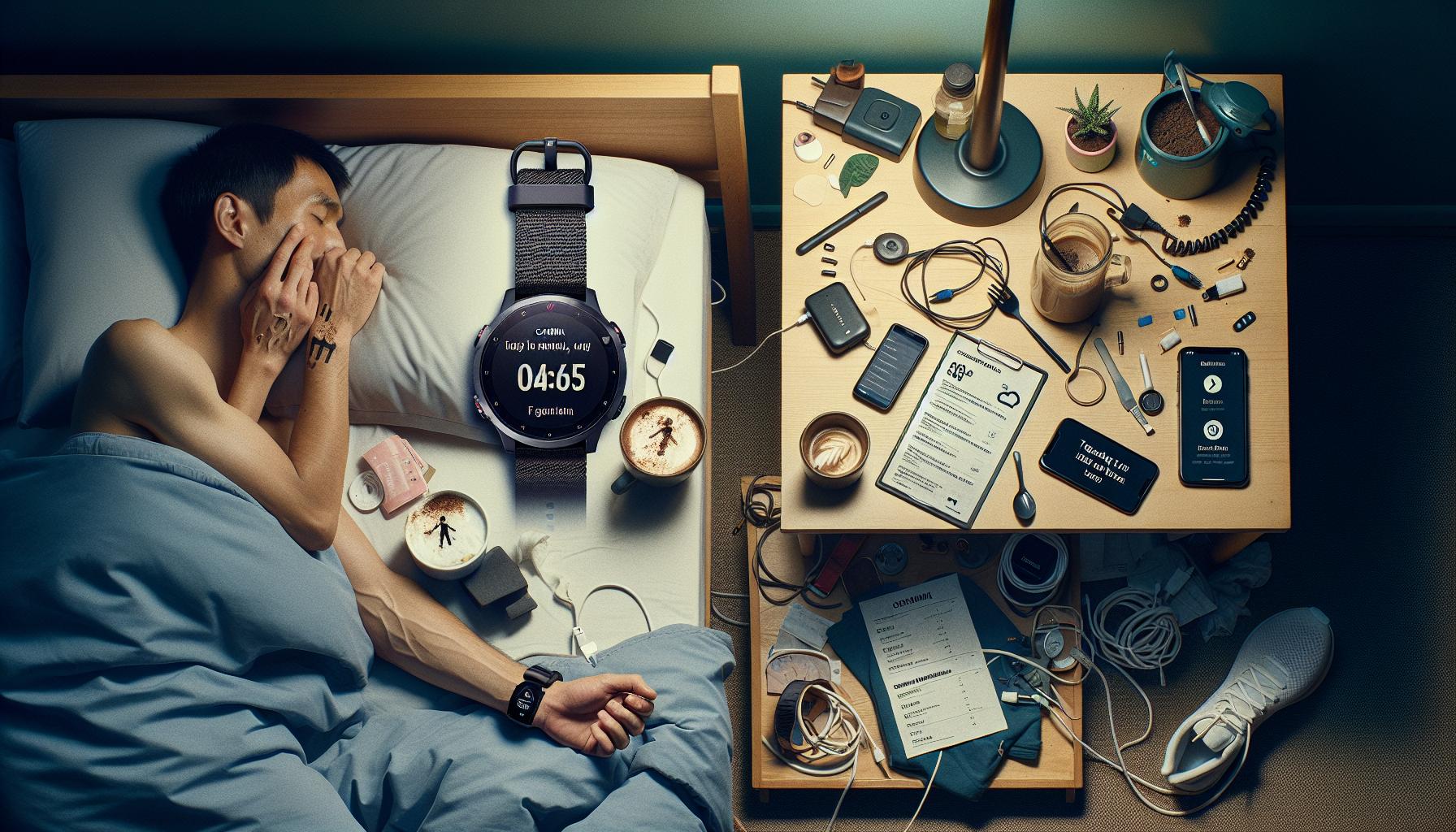
Many users frequently encounter frustrating issues with Garmin sleep tracking, leading to inconsistencies in their reported sleep data. Understanding why these devices may fail to capture and analyze sleep accurately can help users decrease disappointment and improve monitoring efforts. While Garmin wearables are equipped with advanced sensors, external and usage-related factors often undermine their performance.
One common reason for sleep tracking discrepancies is improper device fit. If the watch is too loose or worn incorrectly, the sensors might struggle to gather the necessary information about heart rate and movement. To achieve the best accuracy, it’s crucial to wear the watch snugly on your wrist, ensuring the sensors have consistent contact with your skin. Additionally, certain activities, such as reading in bed or watching TV, can inadvertently trigger the device to log sleep, misrepresenting actual sleep duration [[3]](https://forums.garmin.com/outdoor-recreation/outdoor-recreation/f/fenix-8-series/383123/sleep-tracking-accuracy-on-fenix-8).
Other factors that can hinder accurate sleep tracking include software bugs or outdated firmware. Garmin devices often receive updates to refine performance, so ensuring your device runs the latest software is essential. Inadequate battery levels or settings adjustments, like toggling features that affect how sleep is detected, can also lead to unreliable tracking. Regularly checking the settings and familiarizing yourself with how to adjust them can mitigate these issues.
Lastly, it’s worth noting that each Garmin model may have varying capabilities when it comes to sleep analysis. User experiences suggest that some models, like the Forerunner series, may perform better than others, like the Fenix 8, in accurately tracking sleep stages such as REM or deep sleep [[2]](https://forums.garmin.com/sports-fitness/running-multisport/f/forerunner-965/332816/inaccurate-sleep-tracking-any-settings-to-tweak). This variability often depends on the device’s design and the intended user base, so choosing a model that aligns with your sleep tracking needs can help improve results. Understanding these factors empowers users to make informed adjustments and set realistic expectations regarding their sleep data.
Essential Settings for Accurate Sleep Tracking

To ensure your Garmin device accurately tracks your sleep, it’s essential to configure your settings effectively. Misconfigurations can lead to discrepancies in reported sleep data, which can be frustrating for users striving for reliable insights into their sleep health. Here are key settings and adjustments to consider:
Device Fit and Wear
A snug fit is crucial for accurate tracking. Wearing your Garmin device too loosely can hinder its ability to monitor vital data such as heart rate, which affects sleep detection. Aim to wear your watch comfortably but firmly on your wrist, especially during sleep to maintain consistent sensor contact.
Sleep Mode Activation
Make sure your sleep mode is activated correctly. Some Garmin models allow you to manually set sleep hours. If you usually go to bed at varying times, consider using the “sleep” function just before you settle down. This can help the device accurately capture when you fall asleep. Additionally, be aware that certain activities done in bed, like reading, may falsely trigger sleep logging unless you correctly toggle the setting [[1]](https://forums.garmin.com/apps-software/mobile-apps-web/f/garmin-connect-web/89095/shift-work-and-sleep-tracking).
Update Software Regularly
Keeping your device’s firmware updated is paramount for optimal performance. Garmin frequently releases updates to improve functionality and bug fixes, which directly impact sleep tracking accuracy. Check your device settings to ensure you’re operating with the latest software, as bugs from older versions can lead to inconsistent tracking data [[2]](https://forums.garmin.com/sports-fitness/running-multisport/f/forerunner-965/332816/inaccurate-sleep-tracking-any-settings-to-tweak).
Battery and Power Management
Low battery levels can disrupt your device’s ability to track sleep accurately. Make it a habit to charge your Garmin regularly, especially before nights of anticipated tracking. If your watch frequently runs low on power, consider adjusting its settings to conserve battery during nighttime use.
Applying these settings can significantly enhance the accuracy of your sleep tracking. Each user’s experience may vary based on factors like lifestyle and specific model capabilities; thus, it’s advisable to experiment with your settings until you find what works best for you. Implementing these tailored adjustments not only empowers you to better understand your sleep patterns but also optimizes the overall performance of your Garmin device.
How to Calibrate Your Garmin for Better Sleep Metrics
To achieve better sleep metrics from your Garmin device, calibration is essential. This involves tailoring your settings and ensuring that your device is prepared to accurately capture your sleep patterns. Here are some effective strategies to enhance sleep tracking performance:
Adjust Sleep Settings
Start by reviewing and adjusting your sleep settings. Many Garmin models allow you to manually set your sleep window. If your sleep schedule is inconsistent, it’s beneficial to set this manually each night. Activating the “sleep” mode when you head to bed can ensure that the device accurately logs your sleep time, minimizing the risk of false logging during periods of rest in bed, such as when reading or watching TV.
Utilize Sleep Insights
Garmin devices often come equipped with sleep insights or assistance features. Make use of these tools to understand your sleep quality better, including metrics like deep sleep, light sleep, and REM cycles. By familiarizing yourself with these insights, you can start to pinpoint patterns in your sleep that may need addressing, such as excessive awakenings at night.
Wear the Device Correctly
The fit of your Garmin device plays a crucial role in accurate tracking. Ensure that your watch is worn snugly but comfortably on your wrist, especially while sleeping. A loose fit can disrupt heart rate monitoring, which is integral to detecting sleep phases accurately. Positioning the device on the wrist that experiences less movement during sleep may also lead to better results.
Frequent Updates and Maintenance
Regularly updating your Garmin device’s firmware is vital for maintaining its performance. Garmin routinely rolls out updates that enhance features and address bugs that may affect sleep tracking accuracy. Check for updates in the Garmin Connect app or through your device settings. Additionally, troubleshooting your device, including restarting it if you notice discrepancies, can resolve temporary performance issues.
Implementing these calibration tips can significantly improve the accuracy of your sleep metrics. By aligning your device settings and ensuring optimal wear, you empower yourself with better tools to assess and manage your sleep health effectively.
5 Proven Fixes to Improve Sleep Tracking Accuracy
To enhance the accuracy of sleep tracking on your Garmin device, several practical fixes can be implemented. Users frequently express frustration when their devices fail to log sleep correctly, but with attention to key adjustments, you can significantly improve performance.
1. Ensure Proper Device Fit
Wearing your Garmin watch correctly is crucial for accurate sleep tracking. Make sure it fits snugly but comfortably on your wrist. A loose strap may result in insufficient heart rate detection, leading to false sleep data. If possible, wear the device on your non-dominant wrist while sleeping, as this tends to move less, yielding better results.
2. Set Sleep Mode Manually
Many Garmin models allow you to manually set your sleep hours. If your routine varies, consider adjusting the sleep mode setting before bedtime each night. By doing this, you signal to the watch when your sleep period starts, which can eliminate inaccurate logging during pre-sleep activities, such as reading or watching TV.
3. Update Firmware Regularly
Keep your Garmin device updated. Regular firmware updates enhance accuracy and introduce new features. Check the Garmin Connect app frequently or navigate to the settings on your device to see if updates are available. These updates often fix bugs impacting sleep tracking performance, ensuring your device operates at its best.
4. Review and Adjust Sleep Settings
Dive into the sleep settings on your Garmin device. Features such as sensitivity adjustments can help tailor the device’s responsiveness to your movements during sleep. Adjusting this setting may lead to a more accurate representation of your sleep stages and overall quality.
5. Engage with Sleep Data Insights
Utilize the sleep insights feature provided by your Garmin device. Analyzing data such as the duration of deep sleep, light sleep, and REM cycles can help you identify patterns and potential disturbances. Understanding your sleep metrics enables you to make informed changes to enhance your sleep quality.
Implementing these fixes can lead to more reliable sleep tracking, empowering you to manage and improve your sleep health effectively. By taking the necessary steps to address common challenges, you can transform your sleep data into valuable insights for better rest.
When to Reset Your Garmin Device for Optimal Performance
It’s not unusual for Garmin users to feel frustrated when their sleep tracking data isn’t accurately recorded. Devices designed to monitor your rest should work seamlessly, but sometimes, they require a little extra care to perform optimally. One effective method to restore functionality and improve accuracy is to reset your Garmin device, which resets its internal systems and can help resolve many minor issues.
You might consider resetting your Garmin if you notice persistent glitches, such as no sleep data being recorded or sleep stages being misclassified. These problems can sometimes stem from software errors that a simple reset can fix. Additionally, if you’ve recently updated your device’s firmware and started experiencing issues only afterward, a reset can help refresh the system’s functions to align with the new software updates.
To reset your device, it’s essential to follow the manufacturer’s guidance. Typically, a soft reset can be performed by holding down the power button until the watch powers off and then turning it back on. This process helps clear temporary data that may be causing the issue without wiping your settings or user data. However, if problems persist after a soft reset, you may need to consider a factory reset, which will restore your device to its original settings. Remember that this will erase all stored data, so be sure to back up any essential information beforehand.
Resetting your Garmin device, when done correctly and at the right time, can lead to significant improvements in performance, including more accurate sleep tracking metrics. By being proactive and attentive to your device’s functionality, you’ll ensure that it remains an effective tool for managing your sleep health.
Maximizing Sleep Data Accuracy with Proper Wear
Wearing your Garmin device correctly plays a crucial role in maximizing the accuracy of sleep data. It’s easy to underestimate the impact of how you wear the device, but even slight misplacements can lead to inaccuracies in the recorded data. For the most precise monitoring, ensure that your watch is fitted snugly around your wrist, not too tight but tight enough to maintain contact with your skin. This positioning allows the sensors to accurately gauge your heart rate and movements, which are essential for determining sleep patterns.
To optimize performance during sleep tracking, consider wearing your watch higher up on your wrist than you might for daytime use. This adjustment can enhance sensor engagement, particularly for devices that rely on wrist-based heart rate monitoring. Additionally, you want to avoid wearing the watch over clothing, as this can also impede sensor accuracy. Make it a habit to remove any bracelets or accessories that might interfere with the device’s ability to gather data.
Another tip is to keep your watch clean and free from obstructions. Ensure the sensors are clean and unobstructed by dirt or sweat, as these elements can affect measurement accuracy. Regularly inspect the watch band for wear and tear, making sure it remains in good condition to maintain an optimal fit.
Lastly, guarantee that your sleep tracking settings are enabled in the Garmin app and that your device has the latest firmware updates. Sometimes, simple software adjustments can enhance sensor performance, leading to more reliable sleep data. By paying close attention to how you wear and care for your Garmin device, you can significantly enhance its ability to track your sleep more effectively, allowing you to make informed decisions regarding your health and wellbeing.
Comparing Garmin Sleep Tracking Features Across Models
Understanding the differences in sleep tracking features across various Garmin models can significantly enhance your experience and effectiveness when trying to monitor your sleep patterns. Many users have reported frustrations with sleep tracking accuracy, which can vary greatly by device. Familiarizing yourself with the capabilities of your specific model is essential to ensure you are getting the most out of your wearable technology.
Key Features Across Garmin Models
Garmin offers a range of devices with varying sleep tracking capabilities. For instance, the Garmin fēnix series is equipped with advanced sleep monitoring features, including the ability to track sleep stages (light, deep, and REM) and offer insights based on heart rate variability. This depth of analysis is particularly beneficial for serious athletes or users looking to enhance their sleep quality. In contrast, more budget-friendly models like the Forerunner series provide basic sleep tracking by simply recording total sleep time and estimating light versus deep sleep without advanced stage analysis.
Considerations for Shift Workers
It’s worth noting that Garmin’s sleep tracking can be especially challenging for shift workers. Many users have articulated that the algorithms may struggle to accurately interpret irregular sleep patterns. If you’re a shift worker, you’ll need to adjust your device settings actively, as some models allow manual sleep tracking activation. Devices such as the Garmin Venu feature a user-friendly interface for adjusting sleep settings, which may make it easier to get accurate readings during non-standard sleep hours.
Customization Options
Depending on the model, you may also find customizable features that enhance tracking accuracy. Some Garmin watches, like the Instinct series, offer setting flexibility which allows you to specify your usual sleep hours. This customization can help the device to better interpret your sleep times and improve overall accuracy. Those who frequently experience sleep disturbances or adjustments-such as traveling and jet lag-should consider models that allow for easy personalization to maintain accurate monitoring.
Ultimately, selecting the right Garmin model should be aligned with your personal sleep needs and lifestyle. Ensuring you have the proper settings and features at your disposal can turn a frustrating experience into a powerful tool for improving your sleep health. Always make sure to check whether devices are updated since firmware improvements often include enhanced tracking functionality.
User Experiences: What to Expect from Garmin Sleep Tracking
Many users turn to Garmin devices with the hope of obtaining accurate and insightful sleep tracking data, but user experiences reveal a variety of outcomes that can influence expectations. While many users appreciate the detailed insights offered by models like the fēnix series, others report frustrating inaccuracies. Notably, some users have experienced the device failing to track sleep altogether. For instance, after a software update, a user noted their watch recorded “0 sleep data” despite having slept for a full night, highlighting the importance of ensuring your device’s firmware is up to date to avoid such issues [[1](https://forums.garmin.com/outdoor-recreation/outdoor-recreation/f/fenix-7-series/384783/no-more-sleep-tracking)].
The experience can significantly differ depending on your lifestyle. Shift workers often face unique challenges, with many devices struggling to accurately capture sleep patterns that do not conform to standard sleep schedules. Users in this category often find that manual adjustments are necessary, transforming their frustrations into opportunities for better outcomes. For example, setting sleep modes manually can help ensure that varied sleep habits won’t be misinterpreted as awake time [[2](https://forums.garmin.com/apps-software/mobile-apps-web/f/garmin-connect-web/89095/shift-work-and-sleep-tracking)].
Furthermore, the accuracy of sleep tracking may not only depend on the model but also on how the device is worn. Proper positioning-whether it’s snug against your wrist or loose-can affect readings. Some users have shared that simply adjusting the fit can significantly improve their sleep data accuracy. This highlights the nuance of personalizing your usage: each Garmin model comes with specific features that users should leverage based on their sleep needs.
Moreover, users frequently report that the Garmin app provides valuable post-sleep insights-not just totals, but analysis of sleep stages, which can lead to actionable improvements in sleep hygiene. However, a common complaint persists regarding the devices’ tendency to inaccurately record sleep when engaging in quiet activities like reading before bed, leading many to ponder whether a device is truly as reliable as traditional sleep studies [[3](https://forums.garmin.com/outdoor-recreation/outdoor-recreation/f/fenix-8-series/383123/sleep-tracking-accuracy-on-fenix-8)]. Understanding these varied experiences helps set realistic expectations and guides users toward maximizing the utility of their Garmin sleep tracking features.
Exploring Alternative Sleep Trackers: Pros and Cons
When it comes to monitoring your sleep, choosing the right technology can make a significant difference in the quality of insights you receive. While Garmin devices provide a range of features, including activity tracking and heart rate monitoring, their sleep tracking is often critiqued for inaccuracies. This has led many users to explore alternative sleep trackers that might offer better performance.
Among the popular alternatives are dedicated sleep trackers and wearables like the Whoop Strap, Oura Ring, and Fitbit. Each of these products has its own set of features that cater to different user preferences and needs.
Pros of Alternative Sleep Trackers
- Dedicated Functionality: Devices like the Oura Ring are designed specifically for sleep tracking, providing insights into sleep stages, restfulness, and recovery metrics that are not available in multi-sport watches.
- Higher Accuracy: Many users report that devices such as Whoop and Fitbit offer more consistent and reliable sleep data compared to Garmin. They may incorporate advanced sensors and algorithms that enhance tracking accuracy.
- App Ecosystem: These trackers often come with robust companion apps that analyze sleep patterns and offer personalized tips for improvement, which can lead to better sleep hygiene.
Cons of Alternative Sleep Trackers
- Cost: Some alternative trackers, particularly those with subscription models like Whoop, can become pricey over time, as the initial purchase price is often supplemented by a monthly fee for access to premium features.
- Comfort: Wearing a device like a ring or strap can feel cumbersome for some users, especially during sleep. Comfort is a crucial factor, as an uncomfortable tracker may disrupt sleep rather than enhance it.
- Limited Versatility: While multi-functional devices like Garmin can track various fitness metrics, some specialized trackers may only focus on sleep or recovery, limiting their overall utility for users who desire an all-in-one solution.
In summary, exploring alternative sleep trackers can be worthwhile, especially if you’re striving for more precise sleep data. While the benefits may include enhanced accuracy and specialized features tailored for sleep, it’s essential to consider your budget and comfort levels before making a switch. By understanding the pros and cons of each option, you can make an informed decision that aligns with your sleep health goals.
Troubleshooting: Garmin Sleep Tracking Issues and Solutions
Noticing your Garmin device isn’t tracking your sleep can be frustrating, especially when you rely on it for health insights. Many users encounter this issue at some point, and understanding potential problems can help you troubleshoot effectively. Often, sleep tracking inaccuracies stem from settings, device fit, or technical glitches. Below are some practical solutions to get your sleep tracking back on track.
Check Device Settings
Ensure that your Garmin device has the necessary settings enabled for sleep tracking. Most devices feature a sleep mode that activates automatically, but you might need to verify or manually set it. Access the settings through the Garmin Connect app or directly on your device.
- Sleep Mode: Make sure sleep mode is turned on. You can usually find this under the sleep settings menu.
- Do Not Disturb: Activate the “Do Not Disturb” function during your sleep hours to prevent notifications that could disturb your tracking.
Device Fit and Wear
How you wear your Garmin can greatly affect its ability to track sleep. The device should be snug on your wrist without being too tight, ensuring it’s properly positioned to monitor your heart rate and movement.
- Wrist Placement: Wear the watch on your non-dominant hand, just above your wrist bone for optimal sensor access.
- Comfort Level: While comfort is essential, ensure the device is secured enough to maintain contact with your skin throughout the night.
Software Updates
Regular updates are crucial for optimal performance, as Garmin frequently releases software improvements and bug fixes. Make sure your device and its app are updated regularly to maintain high functionality.
- Check Updates: Open the Garmin Connect app and go to the ‘Updates’ section to see if a new version is available.
- Restart Device: Sometimes, a simple restart can resolve tracking issues. Try turning your device off and on again.
Calibrating Your Device
Improper calibration can lead to inaccuracies in tracking metrics. Follow the calibration instructions provided in your user manual or app guidance to recalibrate your sleep tracking feature.
Resetting Device
If sleep tracking continues to malfunction, consider performing a factory reset or soft reset. This can clear temporary issues but be sure to back up any data beforehand.
In navigating Garmin sleep tracking problems, it’s important to remember that each device has its quirks and characteristics. With a bit of patience and the right adjustments, you can enhance your tracking experience and make the most of your device’s capabilities. If problems persist despite these efforts, reaching out to Garmin customer support may provide additional insights tailored to your specific device model.
Expert Tips for Better Sleep Health Management
Understanding your sleep cycle can dramatically improve your overall health and well-being, making accurate tracking a priority. When using Garmin devices, it’s essential to grasp how to effectively manage your sleep data for the best insights. While technology is helpful, it has limitations; understanding these can ultimately empower you to work in tandem with your device for optimal sleep health.
To enhance your sleep tracking experience, consider adopting a consistent sleep schedule. Going to bed and waking up at the same time each day can reinforce your body’s internal clock, helping both you and your Garmin better delineate sleep phases. Pair this with a conducive sleep environment: keep your room cool, dark, and quiet, which helps signal your body it’s time to rest. Avoid screens and blue light exposure at least an hour before bed. This not only aids your natural sleep cycle but also enhances how effectively your device can monitor sleep stages.
In addition to environmental factors, pay attention to pre-sleep routines. Engage in calming activities before bed, such as reading or meditation, to cue your body for sleep. This can create a clearer distinction for your Garmin device between wakefulness and sleep phases, reducing misclassifications-such as REM sleep being erroneously logged as awake, which some users have reported with models like the Fenix 7 Pro [2].
Lastly, don’t hesitate to seek professional guidance if sleep issues persist. While wearables are great tools for tracking patterns and gathering data, they are not substitutes for clinical evaluations. If you notice chronic sleep disturbances or your Garmin indicates a significant decrease in sleep quality, consulting a sleep specialist could lead to insights that improve your sleep health beyond what any device can provide. Balancing the use of technology with holistic sleep practices will give you the best chance for restorative sleep and accurate tracking.
FAQ
Q: Why isn’t my Garmin device recording sleep at all?
A: If your Garmin isn’t recording sleep, ensure that sleep tracking is enabled in the settings. Check if your device is fully charged and worn correctly during sleep; inaccurate positioning can disrupt tracking. Refer to the section on Essential Settings for Accurate Sleep Tracking for more details.
Q: How do I ensure my Garmin accurately tracks my sleep patterns?
A: To ensure accurate sleep tracking, wear your Garmin device snugly on your wrist while sleeping. Make sure to update your device firmware regularly to incorporate improvements in sleep tracking algorithms. Additionally, calibrating your device can enhance accuracy, as discussed in the How to Calibrate Your Garmin for Better Sleep Metrics section.
Q: What should I do if my Garmin tracks more awake time than actual?
A: If your Garmin is registering excessive awake time, check if you’re wearing it loosely or if it’s not aligned properly on your wrist. Positioning is key for accurate readings, and you might also need to review settings to eliminate disturbances during sleep.
Q: Is there a way to reset my Garmin device to fix sleep tracking?
A: Yes, performing a soft reset can resolve tracking issues. To reset, hold the power button until the device turns off, then restart it. Refer to the When to Reset Your Garmin Device for Optimal Performance section for a step-by-step guide.
Q: How do different Garmin models compare in sleep tracking reliability?
A: Different Garmin models have varying sleep tracking capabilities. For instance, higher-end models like the Fenix and Epix series offer advanced features like better REM detection. Visit the Comparing Garmin Sleep Tracking Features Across Models section for a detailed comparison.
Q: Are there alternative sleep tracking apps I can use with Garmin?
A: Yes, there are several third-party apps compatible with Garmin devices that can enhance sleep tracking. Look for apps noted for their user-friendly interfaces and reliability. Explore Exploring Alternative Sleep Trackers: Pros and Cons for insights on app integration.
Q: Why is my Garmin showing sleep metrics that don’t match my actual experience?
A: Discrepancies in sleep data can occur if your device misclassifies REM sleep as awake or fails to pick up on subtle movements. Ensure your device settings are optimized, and consider reviewing user feedback in the User Experiences: What to Expect from Garmin Sleep Tracking section for context.
Q: Can wearing the Garmin too loose affect sleep tracking accuracy?
A: Absolutely. Wearing your Garmin too loosely can lead to disrupted sensors, negatively impacting accuracy. To enhance performance, ensure your device is securely fitted on your wrist before going to bed. Maximizing Sleep Data Accuracy with Proper Wear discusses proper wearing techniques.
Final Thoughts
Now that you have actionable fixes for your Garmin sleep tracking issues, it’s time to optimize your nights for better insights into your rest. Remember, accurate sleep tracking can enhance your health and performance significantly. If you’re still facing challenges, consider exploring our guides on maximizing wearable technology and understanding sleep stages for a deeper dive into your sleep health.
Don’t forget to check out our detailed comparisons of the latest sleep trackers and what to expect from sleep studies. If you found this information helpful, share your experiences in the comments and subscribe for more valuable content. Your journey to better sleep starts today-take that first step towards restful nights and informed days!
Get our latest guides, news, and insights highlighted in your Google Search & AI Overviews.