
Did you know that approximately one-third of adults report struggling with sleep? Understanding your sleep patterns is crucial for improving overall health and well-being. This is where Garmin’s sleep tracking technology comes into play, offering insights into sleep duration, quality, and stages. By leveraging advanced sensors and algorithms, Garmin devices empower you to take control of your sleep health. In this article, we’ll explain how Garmin sleep tracking works, what data it captures, and how it can help you optimize your rest. Whether you’re curious about your nightly sleep patterns or looking to improve your overall sleep quality, this guide will provide you with valuable information to navigate the world of sleep technology effectively. Keep reading to unlock the secrets of better sleep with Garmin!
Understanding Garmin Sleep Tracking Technology
Garmin has established itself as a leader in the wearable technology space, particularly in sleep tracking. With a combination of advanced sensors and algorithms, Garmin devices offer comprehensive insights into your sleep patterns. Did you know that quality sleep is crucial for overall health and wellness? Understanding how Garmin’s sleep tracking technology works can empower you to make informed choices about your sleep habits and overall health.
Garmin devices utilize a series of built-in sensors, including accelerometers and heart rate monitors, to gather data while you sleep. These sensors track your movements and heart rate variability, helping to categorize your sleep into distinct stages: light, deep, and REM sleep. By analyzing this data, Garmin can provide you with a detailed overview of your sleep quality and duration. For example, the sleep tracking feature automatically activates when it detects that you’ve gone to bed, eliminating the need for manual input.
One of the significant advantages of Garmin sleep tracking technology is its ability to provide personalized insights. After a night’s sleep, users can review metrics like total sleep time, sleep efficiency, and the duration spent in each sleep stage through the Garmin Connect app. This information not only reveals how well you’re sleeping but can also highlight patterns and trends over time, guiding you on lifestyle adjustments that may improve your sleep quality. Whether it’s tweaking your bedtime routine or managing stress levels, these insights are essential for enhancing your health.
By leveraging Garmin’s cutting-edge technology, users can take control of their sleep health, setting them on a path toward better rest and improved daily performance. Understanding the fundamental workings of Garmin’s sleep tracking technology is the first step in harnessing its potential to transform your sleep experience.
How Garmin Sleep Tracker Works: Sensors and Data
Garmin sleep trackers are designed to be your personal sleep analysts, examining how your body behaves while you rest. These devices employ a range of sophisticated sensors to collect valuable data that provides insights into your sleep patterns. At the heart of this technology are two primary sensors: accelerometers and heart rate monitors.
The accelerometer is responsible for detecting movement. It tracks your activity levels throughout the night, noting when you are active and when you are still, which is crucial for distinguishing between different sleep stages. For example, if you shift during deep sleep versus light sleep, the tracker will record these movements to better understand your overall sleep experience.
Meanwhile, the heart rate monitor adds another layer of depth to the analysis. It measures your heart rate variability, which is an important indicator of your physiological state during sleep. By observing fluctuations in your heart rate, the device can determine when you are in various sleep stages: light sleep, deep sleep, or REM sleep. Together, these metrics are synthesized to offer a comprehensive view of your sleep quality.
After a night of tracking, you can access detailed reports via the Garmin Connect app. Users will see key metrics such as total sleep time, sleep efficiency, and the percentage of time spent in each sleep stage. This data is not just numbers; it’s your body’s story of rest. With these insights, you can identify patterns and make informed decisions to enhance your sleep practices. For example, if you notice you’re getting less deep sleep during the weekdays, you might decide to adjust your routine to improve your overall rest.
In summary, Garmin sleep trackers leverage advanced sensor technology to provide a thorough understanding of your sleep health. By continuously monitoring your movements and heart rate during the night, these devices translate raw data into actionable insights, helping you improve your sleep quality and, ultimately, your overall well-being.
Interpreting Your Sleep Data: Sleep Stages Explained
Understanding the intricacies of your sleep stages can be a game-changer in optimizing your overall well-being. When you wear a Garmin sleep tracker, you gain insight into the different phases of your sleep, including light sleep, deep sleep, and REM (Rapid Eye Movement) sleep. Recognizing these stages helps you identify patterns that might influence your energy levels, mood, and productivity throughout the day.
Garmin devices categorize sleep into four main stages. Each stage plays a unique role in your sleep cycle:
- Awake: This is the time you spend awake after falling asleep, along with brief awakenings during the night. Tracking this can help you understand how often you wake up and for how long.
- Light Sleep: In this phase, your heart rate slows and your body begins to relax. Light sleep is crucial for recovery and makes up a significant portion of your sleep. It’s a fleeting stage, where you’re easily woken up.
- Deep Sleep: This stage is where the body undertakes significant restorative processes. Blood pressure drops, breathing becomes more regular, and growth hormone is released. The amount of deep sleep you get is often a key indicator of how well-rested you feel upon waking.
- REM Sleep: This stage is essential for cognitive functions like memory consolidation and emotional processing. During REM sleep, your brain is highly active, leading to vivid dreams, and this is typically where you experience increased brain activity.
By monitoring the duration spent in each stage, the Garmin sleep tracker offers more than just a number-it’s a detailed narrative of how well your body is resting. For instance, if you notice you’re frequently waking up during the night or not getting enough deep sleep, this data can empower you to make lifestyle adjustments, such as establishing a more consistent sleep schedule or creating a better sleep environment.
Furthermore, Garmin’s integration with the Garmin Connect app allows you to visualize this sleep data. You can see graphs illustrating your sleep stages throughout the night, which can help you pinpoint trends. For example, if you observe that weekends yield more REM sleep compared to weekdays, you may want to consider adjustments in your weekday habits-whether that’s reducing stressors or improving your sleeping environment.
In conclusion, learning to interpret the sleep data provided by your Garmin device enables a proactive approach to enhancing your sleep health. These insights serve not only as a personal narrative of your night but also as practical guidance toward achieving a more restful, restorative sleep pattern that supports your daily life.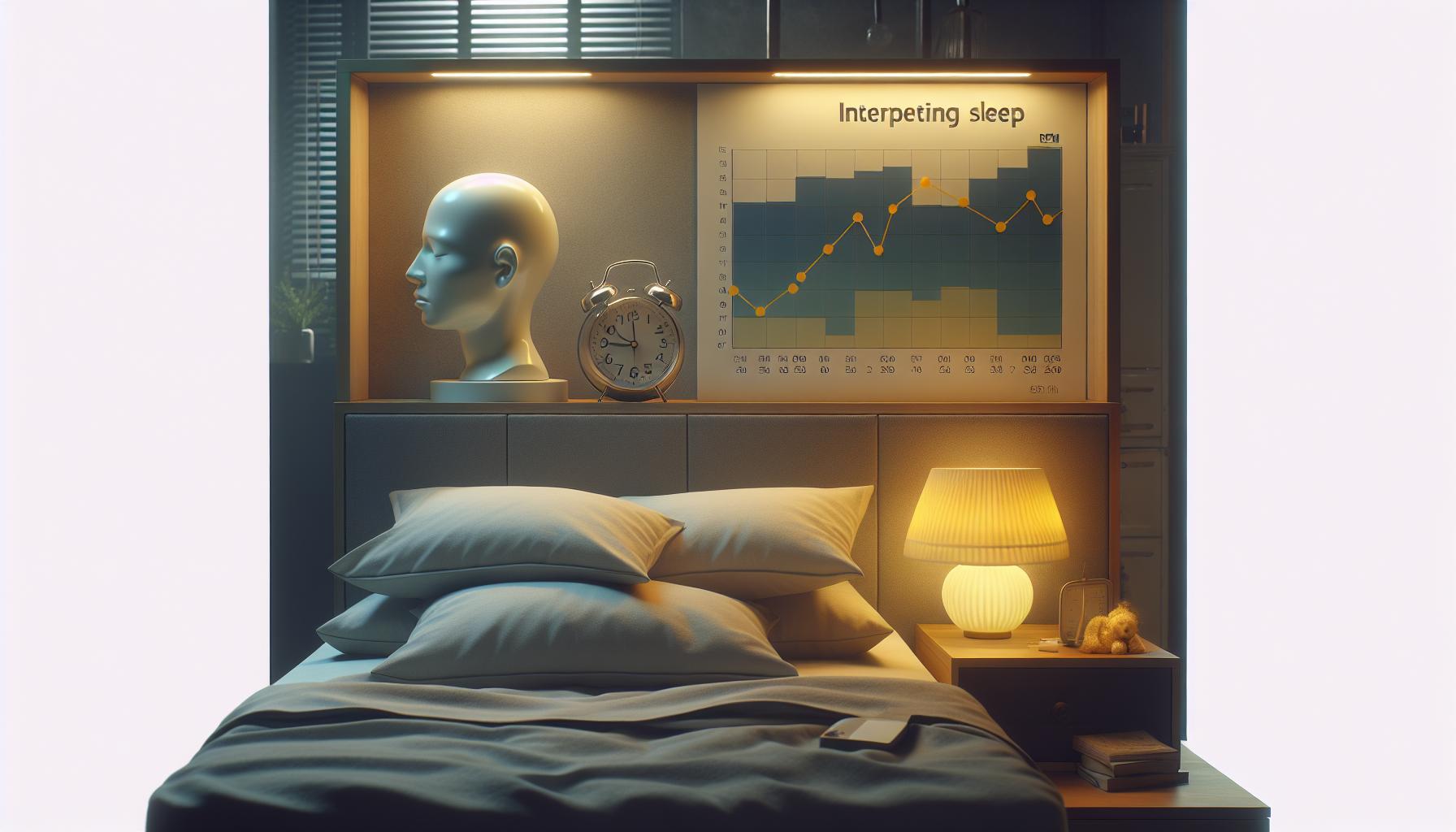
Comparing Garmin Sleep Trackers: Which Model is Best?
When evaluating the best Garmin sleep tracker for your needs, it’s important to consider several key factors, including features, comfort, battery life, and price. Garmin offers a range of devices equipped with advanced sleep tracking capabilities, each designed to help you understand your sleep patterns and improve your overall sleep health.
Garmin’s lineup includes models such as the Garmin Venu Series, Forerunner Series, and Fenix Series. Each of these devices comes with unique features tailored to different types of users:
- Venu Series: Known for its vibrant AMOLED displays and comprehensive health monitoring, the Venu series excels in both style and functionality. It tracks sleep stages, resting heart rate, and stress levels, making it an excellent choice for those who prioritize aesthetics along with health insights.
- Forerunner Series: Best suited for athletes, the Forerunner series is lightweight and packed with fitness features. It provides detailed sleep analytics, which can help serious runners understand how their training affects their recovery and sleep quality.
- Fenix Series: The flagship model for outdoor enthusiasts, the Fenix series boasts rugged features and multi-sport tracking. With advanced metrics such as altitude acclimation and heart rate variability, it’s ideal for those who want robust performance in addition to sleep tracking.
To help guide your decision, consider the following aspects:
| Model | Display Type | Battery Life | Price Range |
|---|---|---|---|
| Venu | AMOLED | 5 Days (Smart Mode) | $349 – $399 |
| Forerunner 245 | Transflective | 7 Days | $299 – $349 |
| Fenix 7 | Transflective | 18 Days (Smart Mode) | $699 – $899 |
When choosing a model, think about your specific needs. If style and ease of use are your priorities, the Venu might be the best option. If you’re a dedicated runner or athlete, you may prefer the Forerunner series for its extensive training metrics. For adventurers who require durability and advanced features, the Fenix series stands out.
Ultimately, it’s also crucial to read customer reviews and consider how others have experienced sleep tracking on each device. This real-world feedback can provide valuable insights into both the strengths and limitations of each model, helping you make a more informed choice. With the right Garmin sleep tracker, you can take significant steps toward improving your sleep quality and overall health.
Setting Up Your Garmin For Optimal Sleep Tracking
To ensure your Garmin sleep tracker provides the most accurate and meaningful insights into your sleep patterns, proper setup is essential. The first step is to wear your device consistently every night. Choose a comfortable position on your wrist; most users find wearing it slightly above the wrist bone provides optimal accuracy for monitoring sleep stages. Make sure the watch fits snugly but not too tight, as this can affect sensor readings.
Next, download and set up the Garmin Connect app on your smartphone. This app not only syncs your data but also allows you to customize sleep settings. Within the app, you can input your typical sleep schedule, which helps the device better understand when you are asleep. To do this effectively, go to the sleep settings and set your usual bedtime and wake-up time. This information allows the Garmin tracker to more accurately analyze your sleep cycles and provide relevant insights.
Regularly update your firmware as Garmin frequently releases updates that can enhance existing features or add new functionalities. Check for these updates in the Garmin Connect app to ensure you’re benefiting from the latest tracking technologies. Additionally, keep your watch charged before bedtime; many models offer several days of battery life, but running low on power during the night can prevent accurate tracking.
Finally, establish a relaxing bedtime routine. This not only improves sleep quality but also ensures that your Garmin device has the best chance to track your sleep effectively. Consider winding down, dimming the lights, and reducing screen time before sleep. These habits, combined with a well-set-up device, will lead to richer sleep data, aiding in your journey to improve overall sleep health.
Common Issues with Garmin Sleep Tracking
Garmin sleep tracking technology can provide valuable insights into your nightly rest, but it’s not without its challenges. A common issue many users face is the accuracy of sleep data. Factors such as device fit, skin temperature, and even the type of sheets you use can all influence sensor readings. For instance, if your watch is too loose or tightly worn, it may not gather the correct measurements needed to evaluate sleep stages accurately. Additionally, wearing your device in an unconventional position or using products that obstruct skin sensors can lead to skewed results.
Battery life can also pose a challenge. Users often notice inaccuracies when the device is low on battery, which affects its ability to monitor overnight activity comprehensively. It’s critical to ensure your Garmin tracker is charged before bedtime. Regularly charging the device will not only maintain battery health but also enhance its performance in tracking your sleeping patterns.
Moreover, it’s helpful to remember that Garmin devices may not capture some of the nuances of sleep that a professional sleep study would reveal, such as sleep apnea or other disorders. While Garmin sleep trackers excel at providing general sleep duration and efficiency, they don’t replace the detailed insights obtained through polysomnography. If you suspect a serious sleep issue, consulting a healthcare professional is recommended for thorough evaluation and guidance.
You might also encounter software glitches or syncing problems if your Garmin Connect app is not up-to-date. Regularly checking for software updates can ensure that your device is leveraging the latest enhancements to improve accuracy and user experience. If you experience issues, a simple reboot of your watch or resynching can often resolve minor inconsistencies.
By being aware of these common pitfalls and following best practices-like ensuring a proper fit, maintaining battery life, and staying updated with software-you can maximize the effectiveness of your Garmin sleep tracker and enjoy better insights into your sleep health.
Maximizing Sleep Insights: Tips for Better Sleep
Tracking your sleep with a Garmin device can unlock valuable insights into your sleep health, but extracting the maximum value from the data requires some proactive steps. To enhance your sleep experience, consider several simple yet effective strategies.
First, ensure your wearable is worn correctly. The fit of your device can significantly impact its accuracy. For optimal readings, wear your Garmin snugly on your wrist, ideally about one finger’s width away from your wrist bone. This positioning allows for better contact with your skin, improving sensor accuracy. Additionally, keep your device clean and free from obstructions that might hinder sensor performance.
Maintaining a consistent sleep schedule can also amplify the benefits of sleep tracking. Go to bed and wake up at the same time every day, including weekends. This regularity helps regulate your body’s internal clock and can improve sleep quality. Your Garmin device’s insights are most helpful when you have established a routine, as they allow you to notice patterns over time.
When reviewing your sleep data, focus on your sleep stages and duration. Garmin devices categorize sleep into light, deep, and REM sleep, helping you identify which aspects of your sleep may need improvement. For instance, if you’re consistently missing out on deep sleep, consider implementing relaxation techniques before bed, such as reading, meditating, or taking a warm bath.
Finally, leverage the data provided by your Garmin app to set realistic goals. If your sleep score indicates that you’re not getting enough restorative sleep, adjust your sleep environment. Aim for a cool, dark room with minimal noise, and consider using blackout curtains or white noise machines to create an optimal sleeping environment.
By actively engaging with the insights offered by your Garmin device and making small changes to your habits, you can work towards better sleep quality and overall wellbeing.
The Science Behind Sleep Tracking Technology
Sleep tracking technology has evolved dramatically, and Garmin’s approach combines innovation with user-friendly functionality. Many people struggle to understand the mechanisms behind their sleep patterns, but Garmin devices offer insights derived from sophisticated sensor technology. Understanding how these devices operate can empower you to leverage the data effectively for improved sleep health.
Garmin wearables primarily use accelerometers to monitor your movements during the night. These sensors detect when you are active or still, helping the device differentiate between sleep stages: light, deep, and REM (Rapid Eye Movement) sleep. Sleep cycles typically last around 90 minutes, and these phases play distinct roles in your overall health. While light sleep serves as a transitional period, deep sleep is crucial for physical restoration, and REM sleep is vital for cognitive functions like memory and learning.
The collected data is processed using proprietary algorithms that analyze your movements, heart rate, and even SpO2 (blood oxygen levels, if your device is equipped with this feature). Garmin devices sync this data to the Garmin Connect app, providing detailed reports on your sleep duration, disruptions, and trends over time. This allows you to easily visualize patterns and correlations-like how changes in your daily routine or environment impact your sleep quality.
However, it’s also essential to recognize the limitations of these devices. While Garmin offers valuable insights, their sleep tracking accuracy may not replace the comprehensive analysis that a sleep study provides, especially for diagnosing sleep disorders. If you’re experiencing severe sleep issues, consulting a healthcare professional is advisable. Wearable technology can help monitor and guide your habits, but it should complement, not replace, medical advice.
By understanding the basics of how Garmin’s sleep tracking technology operates, you can make informed decisions about your sleep hygiene and lifestyle adjustments, boosting your overall well-being.
Garmin vs. Other Sleep Trackers: A Comprehensive Comparison
Garmin’s sleep tracking technology stands out in a crowded market of wearable devices, primarily due to its robust features and accurate data collection methods. With a variety of models available, users are often left wondering how Garmin compares to other sleep trackers on the market, such as Fitbit, Apple Watch, and Oura Ring. Each device has unique strengths and weaknesses, making it essential to understand the implications of each before making a choice.
Garmin devices utilize multiple sensors, including accelerometers and heart rate monitors, to provide users with a comprehensive view of their sleep patterns. This approach allows Garmin to not only track sleep stages like light, deep, and REM but also to analyze heart rate variability, which can indicate stress levels and overall cardiovascular health. In contrast, some competitors, like Fitbit, also offer extensive health metrics but may not provide the same level of detailed analysis or integration with GPS capabilities that Garmin does. For instance, Garmin’s watches often come with built-in navigation features that can be beneficial for outdoor enthusiasts, allowing for a seamless experience when tracking sleep and physical activities.
Key Differences in Features
When evaluating the various options, consider these important factors:
- Data Accuracy: Garmin tends to have a strong reputation for accuracy in sleep tracking thanks to its advanced sensor technology. Users have reported that Garmin devices provide consistent data, particularly regarding sleep duration and quality.
- App Integration: The Garmin Connect app offers excellent visualization tools for sleep data, including charts and trends over time. Other brands, such as Oura, also have robust apps but may excel in specific health metrics like readiness scores based on sleep quality.
- Battery Life: Garmin devices are renowned for their impressive battery life, often lasting weeks on a single charge, compared to competitors that may require more frequent charging.
- Wearability: While Garmin offers various styles, including rugged designs suited for outdoor activities, some users may prefer the sleekness of a Fitbit or the minimalism of the Oura Ring for everyday wear.
User Experiences and Feedback
User experiences can significantly influence your choice. Many Garmin users appreciate the depth of data available and how it translates into actionable insights. For example, a hiker using a Garmin watch might find that their sleep quality improves with adjusted activity levels, a revelation they might not get with simpler trackers. In contrast, some find that devices like the Apple Watch, which integrates sleep tracking with other functionalities like notifications and music, can better fit their lifestyle but may lack the detailed sleep insights found in Garmin devices.
Ultimately, your choice between Garmin and other sleep trackers will depend on your specific needs-whether that be precise sleep analysis, compatibility with outdoor activities, or enhanced style and portability. Assessing your primary use cases can equip you to make a smart and satisfying decision regarding sleep tracking technology.
User Experiences: Real-Life Garmin Sleep Tracking Stories
Real experiences shared by Garmin users illustrate the profound impact that accurate sleep tracking can have on daily lives. Many users report that the insights gained from their sleep data have led to meaningful lifestyle changes that enhance overall well-being. For instance, one user, an avid runner, discovered through their Garmin device that the quality of their sleep directly influenced their performance. By observing how late-night screen time affected sleep stages and overall restfulness, they adjusted their evening routine to allow more downtime, resulting in better runs and less fatigue.
Another user highlighted the features of the Garmin Connect app, which allows them to visualize trends in their sleep patterns. They noted that once they identified regular disturbances in REM sleep, they consulted with a sleep specialist. This proactive approach, informed by Garmin’s sleep insights, ultimately led to the diagnosis of an underlying sleep disorder. Such stories underscore the importance of being attuned to sleep health and how tools like Garmin can empower individuals to take control of their sleep hygiene.
For those curious about setup and user experience, one common theme emerges: the ease of integrating Garmin devices into daily routines. Users report that activating sleep tracking is as simple as wearing the device overnight. Many feel reassured by Garmin’s detailed breakdown of sleep stages – light, deep, and REM – helping them understand the various aspects of their rest. A user expressed appreciation for how these insights made them more aware of their sleep environment, such as temperature and noise, prompting changes that resulted in more restorative sleep.
However, while most feedback is positive, some users also note challenges, particularly with getting started. For individuals new to sleep tracking, understanding the initial data can be overwhelming. Garmin’s customer support and online resources can ease this transition by providing guidance on interpreting the information effectively. This combined user experience highlights the value of real-life feedback, reminding prospective users that consistent sleep tracking with Garmin can indeed lead to improved health outcomes.
When to Seek Professional Help for Sleep Issues
It’s not uncommon to underestimate the importance of sleep until we realize its profound effects on our daily lives. If you’re using a Garmin device to track your sleep and find persistent sleep issues affecting your mood, energy, or overall health, it may be time to consult a professional. Sleep problems can stem from various sources, and while wearables provide valuable insights, they may not capture the complete picture.
Recognizing when to seek help can start with assessing your sleep patterns. Here are some red flags that suggest it’s time to reach out for professional advice:
- Consistent Sleep Disruptions: If you frequently wake up during the night or struggle to fall asleep, despite making lifestyle adjustments, consulting a sleep specialist may provide clarity.
- Daytime Fatigue: If you’re feeling excessively tired during the day, this could signal an underlying condition such as sleep apnea, which often goes undiagnosed without medical evaluation.
- Impact on Daily Function: When fatigue affects your ability to focus, work, or socialize, professional intervention might be necessary to explore potential sleep disorders.
- Quality vs. Quantity: Just tracking hours of sleep with your Garmin isn’t enough. If you’re alarmed by patterns indicating poor sleep quality, such as reduced REM sleep or prolonged periods of wakefulness, discussing these findings with a healthcare provider can be beneficial.
A common approach to understanding deeper sleep issues is through polysomnography, a comprehensive sleep study that monitors various body functions during sleep. If recommended, expect a detailed evaluation that typically takes place in a sleep clinic. This study provides insights beyond what a wearable might show, identifying issues like sleep apnea or other disorders requiring targeted treatments.
Navigating the decision to seek help should feel manageable. Familiarize yourself with potential costs, what to expect during a sleep study, and the referral process from your primary care physician. Having your Garmin sleep data on hand can facilitate discussions with healthcare providers, as it offers a baseline for analyzing your sleep patterns and identifying trends. Remember, seeking help is a proactive step towards improving your overall well-being, and your Garmin insights can empower that journey.
Enhancing Sleep Health with Garmin Wearables
Garmin wearables offer a robust approach to enhancing your sleep health, capitalizing on technology that is both intuitive and informative. With built-in sensors, these devices monitor key physiological metrics such as heart rate variability, movement, and even blood oxygen levels throughout the night. By gathering this data, Garmin creates a detailed profile of your sleep stages: light, deep, and REM sleep. Understanding these stages is crucial, as they each play varying roles in recovery and cognitive function.
For effective use of Garmin devices in improving sleep quality, here are several practical tips:
- Device Setup: Ensure your Garmin device is correctly fitted and fully charged before bedtime to accurately track your sleep patterns.
- Personalized Goals: Use the Garmin Connect app to set realistic sleep goals based on the insights your device collects. Aim for consistency by going to bed and waking up at the same time daily.
- Review Sleep Data: After waking, take time to review your sleep metrics. Highlight patterns; for example, if you notice you sleep more soundly on certain nights, consider what factors may have contributed.
- Integrate Data with Lifestyle Changes: Use insights from your sleep data to make better lifestyle choices. Adjusting light exposure before bedtime or reducing screen time can yield positive outcomes based on your tracked metrics.
Furthermore, Garmin’s insights can ease anxiety around sleep studies. Should you find persistent sleep issues, having detailed sleep data readily available can aid medical professionals in understanding your situation better. Sleep studies, while helpful, can seem daunting. They often involve polysomnography, where your physiological markers are measured over extensive periods. Being prepared with your Garmin data not only provides a comprehensive view of your sleep habits but also serves as a discussion point when consulting with healthcare providers.
In essence, the synergy between Garmin’s technology and your lifestyle can foster significant improvements in sleep health. Adopting these smart strategies enables you to harness the full potential of your wearable, transforming how you approach your nightly rest and daily energy.
Frequently Asked Questions
markdown
Q: What technology does Garmin use for sleep tracking?
A: Garmin uses a combination of accelerometers and heart rate sensors in its wearables to monitor sleep patterns. These devices track movements and physiological data to determine sleep quality, duration, and stages, providing users with insights into their sleep health.

Q: How accurate is Garmin sleep tracking compared to traditional sleep studies?
A: While Garmin sleep tracking provides valuable insights, it may not be as precise as traditional sleep studies, which use polysomnography. Garmin devices offer general sleep trends rather than detailed sleep disorder diagnostics. For specific sleep issues, consider consulting a healthcare professional.

Q: Can Garmin devices track naps or only overnight sleep?
A: Garmin devices can track both overnight sleep and naps. Users can manually input nap data into the app for complete accuracy. For best results, set your device to recognize periods of inactivity during the day as sleep.

Q: How can I improve the accuracy of Garmin sleep tracking?
A: To enhance sleep tracking accuracy, ensure your Garmin device is worn snugly and set correctly to your wrist preference. Maintain a consistent sleep schedule and align your device settings with your habitual sleep patterns for optimal data collection.

Q: Is Garmin sleep tracking available on all Garmin devices?
A: Not all Garmin devices offer sleep tracking. Most models in the Vivo and Fenix series include this feature. Check device specifications or the Garmin website for detailed capabilities related to sleep tracking.

Q: What sleep insights can I gain from my Garmin device?
A: Garmin provides insights into total sleep time, sleep stages (light, deep, REM), and overall sleep score. Users can analyze patterns over time to identify improvements or areas that need focus to enhance sleep quality.

Q: How does Garmin handle sleep data privacy?
A: Garmin treats sleep data privacy seriously, allowing users to control their settings and information sharing. Users can manage visibility and data syncing preferences through the Garmin Connect app, ensuring their sleep data remains personal.

Q: Can I sync my Garmin sleep data with other health apps?
A: Yes, Garmin sleep data can be synced with various health and fitness apps, such as MyFitnessPal and Apple Health. This integration allows users to view overall wellness metrics in one place, enabling better health management.
The Way Forward
Understanding how Garmin sleep tracking works empowers you to enhance your sleep quality like never before. With insightful data at your fingertips, you can make informed decisions about your health. If you have questions about sleep studies, wearables, or how to set up your Garmin device for optimal results, check out our in-depth guides on sleep health and device troubleshooting.
Ready to take control of your sleep? Explore more on our blog for tips on sleep stages, managing sleep disorders, and comparing various wearable technologies. Don’t forget to sign up for our newsletter for the latest insights and updates. Your journey to better sleep starts now-dive deeper and unlock the potential of your sleep tracking today!
Get our latest guides, news, and insights highlighted in your Google Search & AI Overviews.