
Struggling to track your sleep accurately with your Fitbit? You’re not alone! It can be frustrating when your trusted device doesn’t seem to capture those precious hours of rest. Sleep is vital to your overall health, and understanding why your Fitbit isn’t tracking it can help you make informed decisions to improve your sleep hygiene. In this troubleshooting guide, we’ll unveil common reasons why your device may be missing the mark, offering tips and insights to enhance your tracking experience. Whether it’s a simple setting adjustment or understanding how Fitbit measures sleep, we’ve got the solutions to help you regain control of your nightly routine. Let’s dive in and get your sleep tracking back on track!
Understanding Fitbit Sleep Tracking Features
Fitbit devices have transformed the way we approach sleep tracking, offering users insights into their slumber patterns and potential improvements for better rest. At the heart of this technology lies an array of features designed to capture your sleep quality comprehensively. When you wear your Fitbit to bed, it uses advanced sensors to monitor movement and heart rate, helping it assess how long you sleep and the quality of that sleep based on different stages.
One of the standout capabilities of Fitbit’s sleep tracking is its ability to distinguish between various sleep stages, such as light sleep, deep sleep, and REM sleep. Understanding these stages is crucial, as they each play a different role in the restorative process of sleep. The data collected can provide users with personalized insights, like identifying patterns or trends in their sleep quality over time. In fact, studies have shown that the sensitivity of Fitbit devices in detecting sleep stages is quite high, often exceeding 90% accuracy [1[1].
To fully benefit from these features, it’s essential to have your device correctly set up. Settings within the app allow you to track your sleep goals, adjust sensitivity, and customize notifications. Moreover, consistent wear patterns-like putting on your Fitbit at the same time each night-can enhance accuracy. If your Fitbit isn’t tracking sleep as expected, it may stem from factors such as improper fit (too loose or tight), low battery, or the need for device updates. Addressing these common pitfalls can significantly improve the functionality of your sleep tracking experience, ensuring you make the most of the valuable data Fitbit has to offer.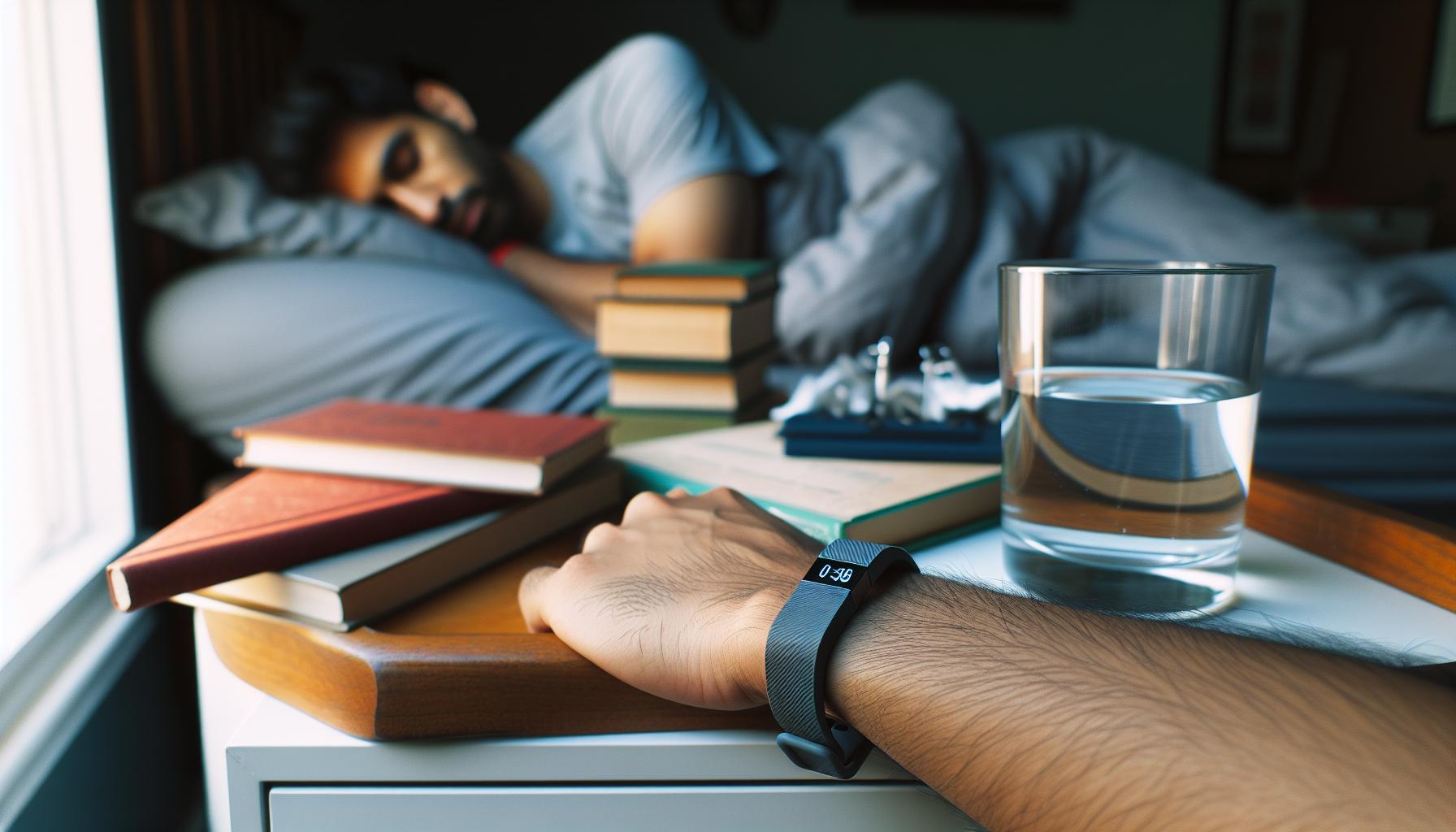
Common Reasons Your Fitbit Fails to Track Sleep
Many users encounter issues with their Fitbit failing to track sleep effectively, which can be frustrating when you’re relying on this technology to provide insights into your sleep patterns. Understanding the common reasons behind these failures can be crucial for optimizing your tracking experience and ensuring that you’re getting the most accurate data possible.
One frequent culprit is the fit of your device. If your Fitbit is too loose, it may not properly detect your heart rate or movements, both of which are essential for accurate sleep tracking. Conversely, if it’s too tight, it could cause discomfort, affecting your ability to sleep soundly. To mitigate this issue, ensure your device fits snugly but comfortably on your wrist.
Another aspect to consider is battery life. If your device is running low on power, it may not function optimally or might shut down entirely during the night, failing to capture any sleep data. Make it a habit to charge your Fitbit regularly, especially if you plan to use it for sleep tracking.
Software is also a vital component-an outdated app or firmware can lead to a range of issues, including syncing problems and inaccurate tracking. Regular updates can often patch these bugs and improve overall performance. Therefore, it’s important to check for updates in the Fitbit app in addition to your device settings regularly.
Environmental factors can also impact the accuracy of sleep tracking. For example, if you’re in a noisy environment or frequently waking up due to external interruptions, your Fitbit may misinterpret these disturbances as part of your sleep pattern. To enhance tracking accuracy, create a conducive sleep environment by reducing noise and minimizing disturbances.
By addressing these common issues, you can significantly improve your Fitbit’s ability to track your sleep, allowing you to gather valuable insights into your nightly rest and make necessary adjustments to enhance your overall sleep quality.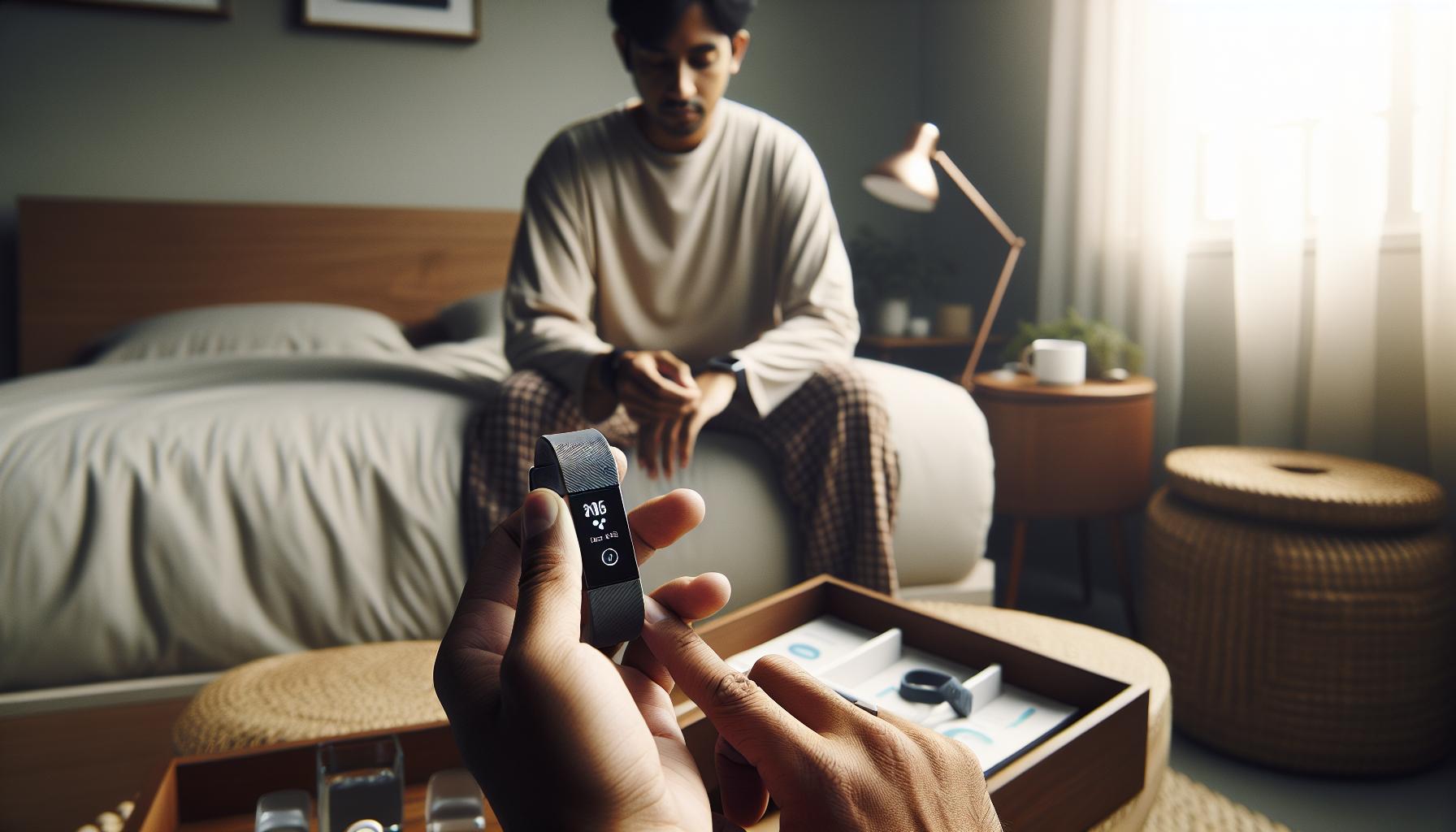
How to Properly Set Up Your Fitbit for Sleep Tracking
To maximize the sleep tracking capabilities of your Fitbit, it’s crucial to set up your device correctly. Proper preparation can significantly enhance the accuracy of the data you receive and provide you with valuable insights about your sleep patterns. Adopting a few simple steps can make all the difference.
First, ensure that your Fitbit device fits comfortably but securely on your wrist. A device that’s too loose may not accurately detect your heart rate or movement during sleep, while one that’s too tight could disrupt your comfort. Aim for a snug fit that allows for slight movement without causing discomfort.
Next, charge your Fitbit regularly, ideally before going to bed. A low battery can lead to malfunction, causing the device to fail in tracking your sleep accurately. Familiarize yourself with the battery life to avoid unexpected shutdowns, especially on nights when you want to monitor your sleep patterns closely.
Additionally, check that your Fitbit app is up to date. Outdated software can lead to syncing issues and inaccuracies. Regular updates not only patch bugs but often introduce enhancements that improve the overall functionality of your sleep tracking features.
Lastly, adjust your sleep settings within the Fitbit app. You can set specific sleep goals, like the desired amount of sleep you aim for each night. This personalization helps the device provide better feedback tailored to your habits. Moreover, using features like Sleep Schedule and Sleep Insights can offer tips and reminders that promote a healthier sleep routine.
By following these steps, you can ensure your Fitbit accurately tracks your sleep, providing insights that can help you improve your overall sleep quality and health.
Troubleshooting Steps for Sleep Tracking Issues
If your Fitbit isn’t tracking your sleep as expected, you’re not alone-many users experience similar frustrations. The good news is that various troubleshooting steps can help get your device back on track for accurate sleep monitoring.
First, ensure your Fitbit is firmly secured on your wrist but not overly tight. A proper fit is essential for accurate tracking, as a loose band may fail to detect movements or heart rate fluctuations. If your device has a battery-saver mode enabled, it may not activate tracking features during sleep. Turning off this mode allows for comprehensive monitoring throughout the night.
Next, double-check that your device and app are synced correctly. Sometimes a simple disconnect can cause sleep data not to upload. To re-sync, open the Fitbit app, go to your account settings, and manually sync to ensure your data syncs correctly. If issues persist, uninstall and reinstall the app, which can also rectify glitches that may hinder performance.
Another common issue is low battery life. Ensure your Fitbit is charged adequately before bedtime. When the battery level is low, the device may not track your sleep or even shut off prematurely during the night. If you often forget to charge your Fitbit, establishing a routine to charge it daily can prevent this issue.
Lastly, review your sleep settings within the Fitbit app. If your sleep goal and schedule are not set correctly, the device may misinterpret your sleep patterns. Adjusting these settings can provide the Fitbit with more data to improve its accuracy. If after all these steps your device still fails to track your sleep, consider consulting Fitbit support or forums where users may share specific fixes relevant to your model.
By following these straightforward steps, you can troubleshoot common issues and enhance your Fitbit’s ability to track your sleep effectively.
Interpreting Sleep Data: What Your Fitbit Records
Understanding how your Fitbit records sleep data can transform your approach to managing your sleep health. Each night, your device collects valuable metrics that help create a comprehensive picture of your sleep patterns, enabling you to make informed decisions about your rest habits.
Fitbit devices track several key metrics, including total sleep time, sleep stages (light, deep, and REM), and disturbances throughout the night. After you wake up, you can access this data through the Fitbit app, which displays how many hours you slept overall and breaks down the quality of your sleep into different stages. The app can reveal insights such as how often you wake up during the night or how long it takes you to fall asleep, helping you identify patterns over time.
Understanding Sleep Stages
Knowing the different sleep stages is crucial for interpreting your sleep data. Sleep is divided into non-REM (NREM) and REM stages. NREM sleep includes light sleep and deep sleep, with deep sleep being an essential period for physical restoration and memory consolidation. REM sleep, on the other hand, is important for emotional regulation and cognitive functioning. A healthy sleep pattern typically consists of a balanced mix of these stages, allowing your body to recover properly.
Using Your Data for Improvement
To make the most of your sleep data, consider tracking trends over several nights. If you notice consistently high disturbances or insufficient deep sleep, it might be time to reassess your sleep environment or habits. This could include factors like room temperature, light exposure before bed, or even dietary choices in the hours leading up to sleep. By correlating your daily activities with your sleep data, you can make adjustments that enhance your overall sleep quality.
In summary, your Fitbit does more than just count hours; it acts as a helpful guide, shedding light on your sleeping patterns. By paying attention to the data, understanding what each metric means, and making informed changes, you can significantly improve your sleep health. This empowers you to take control of your rest and, ultimately, your overall well-being.
The Role of Sleep Stages in Tracking Accuracy
Understanding sleep stages is pivotal for maximizing the accuracy of your Fitbit’s sleep tracking capabilities. Each night while you wear your device, it gathers critical data concerning your sleep patterns, including the various stages of sleep-light sleep, deep sleep, and REM sleep. These stages are integral in deciphering how well you’re resting and how restorative your sleep proves to be.
Fitbit employs a combination of heart rate, movement, and even skin temperature data to detect which sleep stage you’re in. The accuracy of these readings is fundamental for providing insights into your overall sleep health. If your Fitbit is not accurately tracking your sleep, it could be attributed to several factors, including how you wear the device, your sleeping position, and even your lifestyle habits.
To get the most accurate read on your sleep stages, consider the following:
- Device Placement: Ensure that your Fitbit is snug yet comfortable on your wrist, ideally just above your wrist bone. A loose fit can lead to inaccurate heart rate readings.
- Consistent Wear: Wear your tracker every night, as the device needs a consistent data set to establish patterns and deliver precise readings.
- Sleep Environment: Your sleep environment plays a significant role too. Factors like noise, light, and temperature can disrupt sleep stages, affecting what your Fitbit records.
If you notice significant discrepancies in your sleep data, it might be helpful to delve deeper into how your device records these stages. Evaluating potential external influences or habits that could be impacting your sleep can help you troubleshoot effectively. Remember, while Fitbit technology is advanced, it is not infallible; there are limits to what it can accurately measure without the controlled conditions of a professional sleep study. If issues persist, consider consulting a healthcare professional for more tailored advice. Taking a proactive approach to understanding sleep stages not only enhances your device’s tracking accuracy but also empowers you to make informed decisions regarding your sleep health.
Best Practices for Improving Sleep Tracking Accuracy
To enhance the accuracy of your Fitbit’s sleep tracking and ensure you’re capturing your sleep patterns effectively, follow these best practices. First, consider the importance of consistent wear; the more consistently you wear your Fitbit to bed, the better it can recognize your sleep trends. For optimal results, try to wear your device every night and make it part of your routine, as this consistency builds a reliable data profile that can inform you about your sleep quality.
Next, focus on the correct fit of your device. Make sure your Fitbit is snug but comfortable, positioned just above your wrist bone. A loose device may result in inaccurate heart rate readings, while a too-tight fit can hinder your blood circulation and affect sleep comfort. Adjust the strap to find a balance that ensures comfort without sacrificing fit, as proper seating is crucial for accurate monitoring.
Also, it’s essential to create a sleep-friendly environment. Your surroundings can significantly impact the quality of your sleep and, in turn, the data your Fitbit collects. Aim for a dark, cool, and quiet room. Consider blackout curtains to reduce light and white noise machines to block out disruptive sounds. Such measures can help to stabilize your sleep patterns, which will be reflected in more accurate data from your device.
Finally, leverage the Fitbit app’s sleep insights. The app can provide tailored recommendations based on your past sleep data, suggesting optimal bedtimes and routines to improve your overall sleep quality. The app also allows you to manually log your sleep if you’re planning to take a nap or have a night of disrupted rest, further enhancing the accuracy of your data.
By implementing these strategies, you can improve the accuracy of your Fitbit sleep tracking, leading to more meaningful insights into your sleep habits and overall health.
Comparing Fitbit with Other Sleep Trackers
Wearable sleep trackers have surged in popularity, providing users with insights into their sleep patterns and quality. Fitbit, a pioneer in the fitness tracking arena, offers a range of devices equipped with sleep tracking capabilities. However, how does it stack up against other sleep trackers? Let’s take a closer look at the strengths and pitfalls of Fitbit compared to other options available on the market.
Usability and Setup
Fitbit devices generally feature user-friendly interfaces and straightforward setups. Users can sync their devices with the mobile app, which offers insights and recommendations based on their sleep data. Comparatively, devices like the Oura Ring emphasize comfort and all-day wear, providing a more discreet option for tracking sleep without the bulk of a wristband. On the other hand, trackers like the WHOOP band require a subscription service for full access to performance insights, which may be a turnoff for budget-conscious users.
Data Accuracy and Insights
When it comes to accuracy, Fitbit employs an advanced algorithm to analyze sleep stages, including light, deep, and REM sleep. However, some users have reported inaccuracies, especially during periods of restless sleep or if the device is not fitted correctly. In contrast, dedicated sleep devices such as the Withings Sleep Mat rely on ballistocardiography, lying under your mattress, which could offer more precise tracking without the need for wearables. Yet, the trade-off is that you lose out on continuous heart rate monitoring, which Fitbit integrates seamlessly.
Additional Features
Beyond standard sleep tracking, Fitbit devices also monitor heart rate variability and provide personalized sleep coaching through their app, offering actionable insights. In comparison, devices like the Apple Watch and Garmin watches offer similar sleep tracking features but may include more robust health and fitness tracking capabilities, including ECG monitoring, which is appealing for users seeking comprehensive health management.
Cost Comparison
One of the appeals of Fitbit is its range of price points, allowing users to choose from budget to premium models. The Oura Ring and WHOOP band can be more expensive, especially when considering ongoing subscription fees. As consumers weigh their options, it’s crucial to consider what features they value most against their budget constraints.
In summary, while Fitbit devices are solid contenders in the sleep tracking arena, other options may excel in specific areas depending on individual needs. By comparing functionalities such as usability, data accuracy, additional features, and cost, consumers can make informed choices that align best with their sleep health goals.
When to Consider a Professional Sleep Study
Sometimes, your Fitbit may not accurately track your sleep patterns, leading to confusion and uncertainty about your sleep health. While these devices provide valuable insights, they are not infallible. If you consistently struggle with sleep issues or receive concerning data from your Fitbit, it might be time to consider a professional sleep study.
A sleep study, also known as polysomnography, is a comprehensive assessment conducted in a sleep lab or your own home, depending on your specific needs. It typically involves monitoring various bodily functions during sleep, including brain activity, eye movements, heart rate, and breathing. This detailed analysis helps healthcare providers diagnose sleep disorders such as sleep apnea, insomnia, or restless leg syndrome. Given the cost of sleep studies, which can range from $1,000 to $3,000 depending on the type and location, having a solid understanding of when to seek this level of care is essential.
If your Fitbit routinely indicates inadequate sleep or if you experience symptoms like excessive daytime sleepiness, loud snoring, or chronic fatigue, a sleep study can clarify your situation. While your Fitbit offers insights into sleep duration and stages, it cannot detect problems such as apneas or significant disruptions in breathing. In contrast, a sleep study can pinpoint these issues, leading to effective treatment solutions.
Before undergoing a sleep study, it’s advisable to discuss your sleep concerns with a healthcare provider. They can evaluate your Fitbit data and other factors to recommend the best course of action. Additionally, during a sleep study, expect to be hooked up to multiple sensors-this may seem intimidating, but it’s designed to ensure accurate monitoring. Knowing what to expect can alleviate anxiety and help you prepare mentally for the process.
In summary, while Fitbits and other wearables are useful tools for tracking your sleep, they should not be viewed as a substitute for professional medical advice or diagnosis. If your sleep problems persist despite following best practices in sleep hygiene or adjusting your device settings, don’t hesitate to reach out to a sleep specialist. Getting a comprehensive sleep evaluation may provide the answers you need for better rest and overall health.
User Experiences: Real-Life Fitbit Sleep Issues
Many users find themselves frustrated when their Fitbit fails to track sleep accurately, often leading to confusion about their sleep health. A common issue arises from improper device setup or wearing the device incorrectly. For example, users may not realize that the Fitbit needs to be snug but not overly tight to capture accurate signals. If the device is too loose, it might not detect movements or heart rate changes effectively, skewing sleep data.
Another frequently encountered problem is battery life. Some Fitbits automatically turn off or enter sleep mode when the battery dips below a specific level. Maintaining adequate battery power ensures that your device remains active throughout the night, capturing all necessary data. Users often overlook checking their device’s battery status before bedtime, which can lead to incomplete or missing sleep records.
Environmental factors can also play a significant role. If a user shares a bed, their movements may be misinterpreted by the Fitbit, causing inaccuracies in the data recorded. To troubleshoot this, users can try adjusting their sleeping position or even asking their partner to sleep at a slight distance, if possible, to minimize interference.
Lastly, syncing issues can prevent accurate data transfer from the Fitbit to the app. Users should regularly check that their devices are synced properly to ensure that all their sleep data is updated in the app. If you’re experiencing persistent issues, it might be beneficial to reset your device or uninstall and reinstall the accompanying app. By taking these proactive steps, users can gain a clearer picture of their sleep patterns, allowing them to make informed decisions regarding their sleep health.
Maintaining Your Fitbit for Optimal Performance
To ensure your Fitbit consistently tracks your sleep accurately, it’s crucial to maintain the device properly. Regular upkeep can enhance its performance and help you garner insightful sleep data that guides your health decisions. Did you know that a clean and well-functioning device can significantly improve the reliability of your sleep tracking? Here are some effective practices to keep your Fitbit in optimal condition.
Regular Cleaning
Dirt, sweat, and oils from your skin can create a barrier that interferes with the sensors’ ability to gauge heart rate and movements accurately. To clean your Fitbit, ensure it is turned off and use a soft, damp cloth to wipe the screen and bands. You can use mild soap if necessary, but avoid submerging the device in water or using harsh chemicals, as these can damage the components.
Battery Management
Another common oversight is battery maintenance. Keeping your Fitbit charged is essential, as a low battery can lead to inaccurate sleep tracking or missed sleep data. Aim to charge your device regularly, especially before your anticipated bedtime, and become accustomed to checking your battery status. Many users find it helpful to establish a nightly charging routine to ensure that they wake up to a fully powered device.
Device Settings and Updates
Stay on top of device updates; ensuring your Fitbit’s software is current can enhance features and fix known bugs that might affect performance. Regularly check for updates through the Fitbit app. Adjusting your device settings to optimize sleep tracking can also make a difference. For instance, enabling the “Do Not Disturb” mode during sleep hours can prevent notifications that might wake you and potentially disturb the tracking process.
Wearing Your Fitbit Correctly
Correctly wearing your device is vital for accurate tracking. The Fitbit should fit snugly on your wrist, neither too tight nor too loose, to capture your heart rate and movement effectively. This snug fit allows it to detect when you transition between sleep stages accurately. Additionally, try to wear your Fitbit on your non-dominant wrist if you’re finding discrepancies.
By following these practical maintenance tips, you can ensure that your Fitbit remains a reliable tool for monitoring your sleep health. Keeping your device clean, charged, updated, and worn appropriately not only empowers you with accurate insights but allows you to make informed decisions about enhancing your overall well-being.
Alternatives to Wearing a Fitbit for Sleep Tracking
The pursuit of better sleep has led many to explore alternatives beyond traditional devices like Fitbits. If you find your Fitbit isn’t meeting your expectations for sleep tracking, or you simply want to explore other options, there are various effective methods to monitor and improve your sleep quality.
Smart Sleep Trackers
One popular alternative is dedicated sleep trackers, such as the Oura Ring or the Withings Sleep Tracking Mat. These devices often provide more specialized insights into your sleep without the need to wear a wrist device. The Oura Ring, for instance, is discreet and measures body temperature, heart rate variability, and movement, translating this data into detailed sleep stage analysis. Meanwhile, the Withings Sleep Mat sits under your mattress, effortlessly tracking your sleep patterns, duration, and even snoring.
Sleep Apps
Another avenue is smartphone applications like Sleep Cycle or Calm. These apps utilize your phone’s sensors to analyze your sleep cycles and produce reports on your sleep quality. With features like gradual wake alarms that rise during light sleep phases, these apps can improve your overall sleep experience. Most of these applications are free or have a low-cost subscription model, making them more accessible than purchasing new hardware.
Wearable Technology Beyond Fitbits
Aside from Fitbit, various smartwatches and fitness bands now offer significant sleep tracking capabilities. Devices like the Apple Watch or Samsung Galaxy Watch integrate well with their respective apps to provide comprehensive sleep data. They often feature heart rate monitoring and sleep stage tracking, similar to Fitbits but may include additional functionalities that might suit your lifestyle better.
Traditional Sleep Studies
For those experiencing serious sleep issues, a professional sleep study may be warranted. This involves spending a night at a sleep center, where experts can monitor various physiological metrics to diagnose conditions like sleep apnea. Though more invasive and costly, this route can provide invaluable insights that can guide treatment.
Staying informed and considering the alternatives allows you to choose the best method for monitoring your sleep health. Whether you opt for cutting-edge sleep technology or revert to seeking professional guidance, understanding your options will empower you to enhance your sleep experience effectively.
Faq
Q: Why is my Fitbit not automatically tracking my sleep?
A: If your Fitbit isn’t tracking sleep automatically, it could be due to settings. Ensure that sleep tracking is enabled in the app. Also, make sure you’re wearing your device correctly and that the battery is fully charged. Consult the “How to Properly Set Up Your Fitbit for Sleep Tracking” section in our guide for detailed instructions.
Q: How do I manually log my sleep on Fitbit?
A: To manually log sleep on your Fitbit, open the app, go to the Today tab, tap on the Sleep tile, and select “Log Sleep.” Enter your sleep start and end times, then save. This is handy if automatic tracking fails. For more details, refer to our troubleshooting steps.
Q: Why is my Fitbit not tracking sleep stages?
A: Your Fitbit may not be tracking sleep stages due to insufficient data or lack of heart rate variability. Ensure you wear your device snugly and check that heart rate monitoring is enabled. For more on interpreting sleep data, see the “Interpreting Sleep Data” section.
Q: Can my sleep environment affect Fitbit sleep tracking?
A: Yes, factors like noise, light, and temperature can impact sleep quality and tracking accuracy. To improve tracking, maintain a quiet, dark, and comfortable sleep environment. Refer to our “Best Practices for Improving Sleep Tracking Accuracy” section for more tips.
Q: What should I do if my Fitbit sleep data looks inaccurate?
A: If your sleep data seems off, first check that your Fitbit is worn correctly and fully charged. Also, ensure that sleep tracking features are turned on. If issues persist, consider resetting your Fitbit. More troubleshooting steps can be found in our guide.
Q: Which Fitbit models are best for sleep tracking?
A: Recent models like the Fitbit Charge 5 and Sense offer advanced sleep tracking features, including sleep stages and insights. If you’re considering a new model, check our section on “Comparing Fitbit with Other Sleep Trackers” for a comparative analysis.
Q: How can I improve my Fitbit’s sleep tracking performance?
A: To enhance sleep tracking, maintain a consistent sleep schedule, wear your device snugly, and ensure it’s updated with the latest firmware. For comprehensive tips, see our “Best Practices for Improving Sleep Tracking Accuracy” section.
Q: Where can I find my sleep profile in the Fitbit app?
A: Your sleep profile is accessible in the Fitbit app under the Today tab. Tap on the Sleep tile, and you can view your sleep data and insights there. Check monthly for updates on your sleep profile for ongoing improvements.
Final Thoughts
If you’re still facing issues with your Fitbit not tracking sleep, don’t wait-take action now! Review our troubleshooting tips to ensure your device is synced properly and configured correctly for accurate tracking. For extra assistance, explore our guides on resolving common Fitbit problems and understanding sleep health basics. You’re not alone in this journey!
Dive deeper into enhancing your sleep quality with articles on sleep studies and tech that can provide further insights. Curious about how to interpret your sleep data? We’ve got you covered! Sign up for our newsletter to stay updated with new insights and expert advice, making your health tech experience even better. Remember, every night of restful sleep counts; let’s make sure you get the most out of your Fitbit!
Get our latest guides, news, and insights highlighted in your Google Search & AI Overviews.