
Did you know that the average adult needs between 7 to 9 hours of quality sleep each night to function at their best? With the modern lifestyle often disrupting our sleep, tracking your sleep patterns can be a game changer in improving your health and well-being. The Apple Watch, equipped with sophisticated sensors and a user-friendly Sleep app, empowers you to monitor your sleep habits, understand your patterns, and set achievable sleep goals. This guide will walk you through the features and functionalities of Apple Watch sleep tracking, helping you harness the power of technology to effectively enhance your nighttime rest and overall health. By the end, you’ll feel more confident in your ability to manage your sleep journey, turning data into actionable insights for better sleep hygiene.
Understanding Apple Watch Sleep Tracking Features
The Apple Watch offers innovative sleep tracking capabilities that can transform how you understand your nightly rest. By integrating advanced sensors and software, the device doesn’t just track how long you sleep; it dives deeper into sleep patterns, helping you identify trends and improve overall sleep quality. Users can track their sleep stages-light, deep, and REM-providing insight into whether they’re getting restful sleep, which is crucial for physical and mental well-being.
To make the most of these features, it’s essential to understand how the Apple Watch measures sleep. It uses a combination of a heart rate sensor, accelerometer, and ambient light sensor, which together assess your movements and physiological changes during the night. When worn to bed, the watch can estimate the amount of time spent in each sleep stage, which helps you analyze your sleep quality over time. Additionally, the Sleep app allows you to set up personalized sleep schedules and goals, promoting healthier habits through regular reminders.
When setting up sleep tracking, ensure that the watch is snug but comfortable on your wrist. You’ll want to activate the Sleep Focus setting to minimize disturbances from notifications during the night. The Apple Watch provides an analysis of your sleep data that includes graphs and statistics, which can be accessed in the Health app on your iPhone. Understanding these data points can be crucial for making informed decisions about lifestyle changes that could enhance your sleep.
It’s important to approach these insights with a clear understanding of their limitations. While the Apple Watch serves as a helpful tool for tracking sleep, the data it provides should complement-not replace-professional advice when needed. If you consistently struggle with sleep despite utilizing the Apple Watch’s features, consulting with a healthcare professional may be a necessary step. The key is to use this technology as a means of empowerment, giving you the knowledge to make informed choices about your sleep habits and health.
How Apple Watch Measures Sleep Patterns
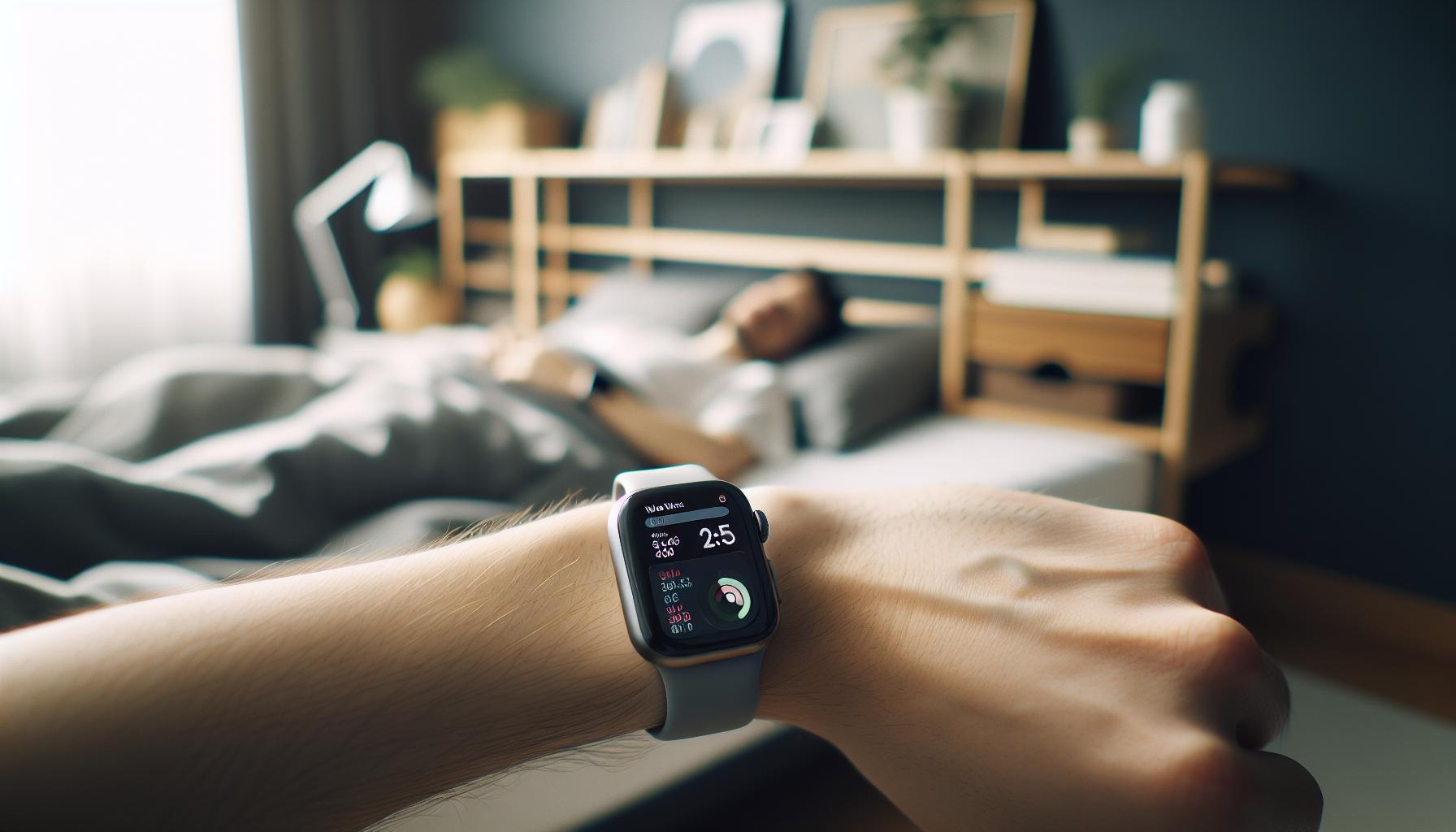
The Apple Watch leverages sophisticated technology to offer nuanced insights into your sleep patterns, making it an invaluable tool for enhancing sleep quality. A combination of sensors-including a heart rate monitor, accelerometer, and ambient light sensor-gathers data on your movements and physiological changes throughout the night. This multi-faceted approach enables the watch to estimate not just how long you sleep but also the various stages of sleep you experience: light, deep, and REM.
When you wear the Apple Watch to bed, it continually monitors your wrist movements and heart rate variability. The accelerometer tracks motion, determining whether you’re restless or still, which can indicate deeper sleep states. The heart rate sensor, meanwhile, provides insights into your body’s relaxation state during sleep. The integration of these sensors allows the Apple Watch to generate a comprehensive picture of your sleep architecture, revealing if you are getting adequate amounts of restorative sleep.
Setting up the Sleep app correctly is crucial for accurate tracking. To ensure the device accurately measures your sleep patterns, wear the watch snugly yet comfortably on your wrist. Activating the Sleep Focus feature will minimize interruptions from notifications while you rest, allowing for a deeper, more uninterrupted slumber. After monitoring your sleep, the Apple Watch presents the summary data in a visually appealing format accessible via the Health app on your iPhone, offering graphs and statistics that illustrate your sleep trends over time.
For those just starting with sleep tracking or looking to refine their sleep habits, the Apple Watch functions as both a guide and a motivator. The data it collects can highlight patterns, such as how caffeine intake or late-night screen time may impact your sleep cycles, empowering you to make informed decisions about lifestyle changes that promote better rest. However, it’s essential to remember that while the Apple Watch provides valuable insights into your sleep, it should supplement-not replace-consultation with healthcare professionals when necessary.
Setting Up Sleep Tracking on Your Apple Watch
To get started with sleep tracking on your Apple Watch, understanding the setup process is essential. Many users are surprised to find that the capabilities of the Sleep app extend beyond basic sleep duration tracking; they can significantly influence your overall sleep quality. By simply following a few practical steps, you can ensure that your Apple Watch accurately captures your sleep patterns, providing valuable insights for better rest.
First, ensure your Apple Watch is updated to the latest version of watchOS to access the latest sleep tracking features. To set up sleep tracking, open the Watch app on your iPhone. Navigate to the “Sleep” section, where you’ll find options to enable sleep tracking and set your desired sleep goals. It’s helpful to establish a consistent sleep schedule-input your preferred bedtime and wake-up time, which the app will use to create reminders and track your efforts.
Key Steps to Set Up Sleep Tracking:
- Wear your Apple Watch snugly on your wrist to ensure accurate sensor readings.
- Activate the “Sleep Focus” feature to silence notifications during your scheduled sleep time. This helps create an uninterrupted sleeping environment.
- Regularly charge your watch during the day to ensure it has enough battery life for nighttime monitoring.
After it’s set up, you can access your sleep data through the Health app on your iPhone. This data not only shows how long you slept but also provides insights into the different sleep stages, helping you understand your sleep hygiene better. Remember, the more consistently you use the Apple Watch for sleep tracking, the more tailored and beneficial the data will be, making it easier to identify patterns and areas for improvement in your sleep habits.
With these steps, you’re well on your way to utilizing your Apple Watch as a powerful ally in your journey towards better sleep. Embrace the data-driven insights, and consider how lifestyle factors-like caffeine consumption or screen time-might affect your sleep, allowing you to make informed adjustments for healthier rest.
Essential Tips for Accurate Sleep Monitoring
To truly harness the power of your Apple Watch for sleep monitoring, there are key practices to embrace that can enhance the accuracy of the data collected. The subtle data your watch gathers-like heart rate and movement-requires your active participation for the best results. With these practical tips, you’ll be well-equipped to maximize your sleep tracking experience.
First and foremost, the fit of your Apple Watch plays a crucial role in data accuracy. Ensure that your watch is snug but comfortable on your wrist; a loose fit could lead to incorrect readings. Prior to sleep, double-check that the watch is positioned correctly to allow the sensors to work effectively.
Additionally, activating the “Sleep Focus” feature can significantly contribute to a better sleep environment. This feature not only silences notifications but also helps signal your brain that it’s time to wind down. Establish a calming bedtime routine that minimizes screen time and promotes relaxation. You might consider activities like reading or meditation to transition smoothly into sleep.
Regular maintenance of your watch’s battery life is another essential factor. Charge your Apple Watch during the day to ensure it has ample battery for the night ahead. Running out of battery during sleep can hinder the tracking process and give you incomplete data. Establishing a habit of charging your watch-perhaps while you shower or eat-can mitigate this issue.
Finally, consistency is key. The more regularly you use your Apple Watch for sleep tracking, the more effective the data becomes. Over time, you’ll build a clearer picture of your sleep patterns and how they relate to factors like lifestyle changes, stress levels, or even diet. Engaging with the insights provided through the Health app can empower you to make informed decisions about your sleep hygiene.
By following these straightforward but impactful tips, you can ensure that your Apple Watch serves as a reliable tool in monitoring and improving your sleep quality. Remember, it’s about creating an environment that enhances both your sleep and your overall health in the long run.
Interpreting Your Sleep Data: What You Need to Know
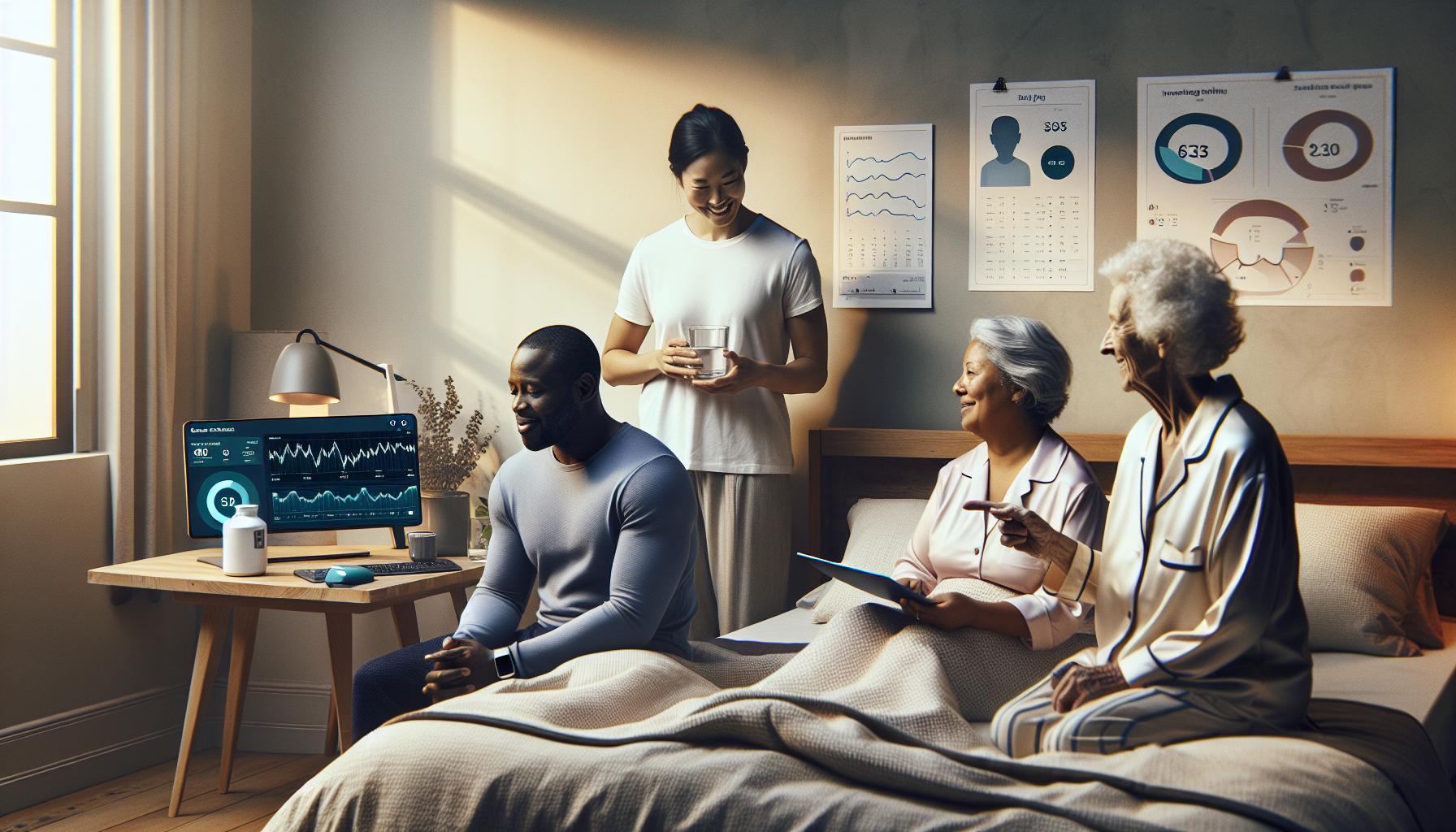
Understanding how to interpret the sleep data collected by your Apple Watch can be a game-changer in your journey towards better sleep health. While seeing numbers on a screen can feel overwhelming, these insights are designed to empower you with knowledge about your sleep patterns, ultimately helping you make informed decisions. For instance, the Apple Watch categorizes your sleep into stages: REM, Core, and Deep sleep. Each stage plays a vital role in your sleep quality and overall well-being.
When you review your sleep data, focus on key metrics that can indicate the quality of your rest. Here are some aspects to consider:
- Total Sleep Time: How many hours you slept compared to your sleep goals can reveal if you’re meeting your sleep needs.
- Sleep Efficiency: This ratio compares the time spent asleep to the total time spent in bed. A high percentage indicates that you’re spending most of your time asleep rather than tossing and turning.
- Sleep Stages: Pay attention to the distribution of your sleep stages. REM sleep is crucial for cognitive functions, while deep sleep is essential for physical recovery.
- Wake Up Times: Analyzing when you wake up continuously can help identify patterns that either support or disrupt your sleep cycle.
To further understand your data, consider logging lifestyle factors that may impact your sleep. For example, exercise routines, stress levels, and dietary habits can significantly influence how well you sleep. By correlating your sleep data with these factors, you can gain deeper insights into personal patterns and triggers for insomnia or restless nights.
Remember that while the Apple Watch provides a reliable snapshot of your sleep status, it is not a replacement for professional analysis if you suspect serious sleep disorders. If your sleep data shows consistent disturbances or you experience symptoms like excessive daytime sleepiness, consulting a healthcare provider can guide you to further evaluation, which may include a sleep study. The combination of wearables and professional evaluation often yields the best understanding of your sleep health.
By using your Apple Watch’s data proactively and pairing it with mindful habits, you can unlock a wealth of knowledge about your sleeping patterns, paving the way for improvements in your overall health and quality of life.
Advanced Sleep Features: Trends and Insights
Understanding the sleep trends and insights provided by your Apple Watch can be a profound tool in optimizing your rest and overall wellness. The watch not only tracks basic metrics but also offers advanced features that reveal patterns over time, empowering you to make informed health decisions. For instance, the watch tracks your sleep duration and stages, but it can also share historical insights that showcase how your sleep is trending. Notably, consistent data collection over weeks allows you to observe whether you are improving or declining in your sleep quality.
Trends and Patterns
One fascinating aspect of sleep tracking with your Apple Watch is the visual representation of your sleep trends. The Health app provides graphs that display your sleep duration over extended periods, allowing for easy comparisons from week to week or month to month. This can help you identify factors affecting your rest, such as lifestyle changes, stress levels, or even seasonal variations. For example, you might notice that your sleep improves during vacation periods or that certain habits-like late-night screen time-coincide with poor sleep quality.
Additionally, the Apple Watch provides a metric known as “Sleep Consistency,” which highlights how regularly you hit your target sleep duration each night. Maintaining a regular sleep schedule is crucial for effective sleep health, as it helps regulate your body’s internal clock. If your watch indicates variability in your sleep patterns, it might be time to reevaluate your bedtime routine or address potential disturbances in your environment.
Insights for Improvement
Use the advanced sleep features of your Apple Watch not just to collect data but to cultivate actionable insights. For example, if you observe a consistent decline in deep sleep stages, consider implementing relaxation techniques such as mindfulness or decreased caffeine intake in the hours before bed. Engaging with this data can lead to tailored adjustments in your life that may significantly enhance your sleep quality.
It’s also beneficial to share this information with a healthcare professional if you’re encountering sleep disturbances. Having your watch’s data on hand can assist in more informed discussions about potential sleep studies or other interventions. Being proactive and informed can help demystify and alleviate any anxiety associated with seeking further sleep health evaluations.
By leveraging the trends and insights offered by your Apple Watch, you can create a more personalized approach to your sleep health and ultimately lead a more balanced and rejuvenated life.
Comparing Apple Watch Sleep Tracking to Other Devices
The Apple Watch stands out in the crowded market of sleep-tracking devices, thanks to its unique blend of advanced technology, user-friendly interface, and seamless integration with the Apple ecosystem. However, it’s essential for consumers to understand how it measures up against other popular sleep tracking devices, such as Fitbit, Garmin, and dedicated sleep trackers.
Comparative Overview of Features
When , consider factors like accuracy, app integration, and additional features:
- Accuracy: The Apple Watch employs advanced sensors, such as heart rate monitors and accelerometers, to provide fairly precise readings of sleep stages. In contrast, devices like Fitbit are renowned for their sleep stage analysis but may lag behind in heart rate variability tracking, which is critical for deeper insights into sleep quality.
- Integration: One of the Apple Watch’s strongest advantages is its compatibility with the iOS ecosystem. This integration allows users to access their sleep data alongside fitness metrics and health records. Other brands, like Garmin, offer robust tracking as well, but the overall experience can vary depending on compatible apps.
- Smart Features: Apple Watch offers a host of smart features that enhance sleep tracking. For instance, its ability to set sleep schedules, reminders for bedtime, and even Wind Down mode are designed to foster healthier sleep habits. In contrast, basic sleep trackers may only log sleep duration without providing actionable insights or adjustments to routines.
Price Point and Value
Price is another significant consideration. The Apple Watch generally sits at a higher price point compared to budget fitness trackers like the Xiaomi Mi Band or even some Fitbits. However, for many users, the investment is justified by the device’s multifunctionality-serving as a smart watch, fitness tracker, and sleep monitor all in one. Additionally, brands like Oura and Whoop specialize in sleep and health monitoring but often come with subscription fees for full data access, adding to long-term costs.
Real-World Scenarios and Recommendations
Your choice of sleep tracker should align with your specific needs and lifestyle. If you’re an iPhone user who values ecosystem integration and comprehensive health tracking, the Apple Watch is a natural fit. Conversely, if you seek a more straightforward, budget-friendly option focused solely on sleep metrics, brands like Fitbit or dedicated devices like the Oura Ring might be more appealing.
In scenarios where detailed analysis is needed, such as suspected sleep disorders, using a dedicated sleep study might be necessary. Devices like the Withings Sleep Analyzer provide extensive data but won’t match the immediate accessibility and versatility of the Apple Watch. Ultimately, being informed about the strengths and limitations of different devices can empower you to make the best choice for your sleep health journey.
Common Issues with Sleep Tracking and Troubleshooting
Despite the Apple Watch’s robust sleep tracking capabilities, users may encounter some common issues that can hinder the accuracy and effectiveness of their sleep monitoring experience. Understanding these challenges and how to troubleshoot them can significantly enhance your ability to utilize the device effectively.
One typical issue is related to the accuracy of sleep tracking. Factors like improper fit of the watch, low battery, or inadequate activation of sleep tracking features can lead to unreliable data. To ensure accurate readings, make sure your Apple Watch fits snugly on your wrist and is updated to the latest watchOS version. Enabling the Sleep function in the Health app and ensuring your watch is charged before bed can also help improve tracking quality.
Another problem that users may face is connectivity or syncing issues between the Apple Watch and the paired iPhone. Sometimes, sleep data does not transfer seamlessly, leading to incomplete or missing records. If you notice discrepancies in your data, try restarting both devices or re-establishing their Bluetooth connection. Regularly checking for software updates can also resolve many bugs that might impact the performance of the sleep tracking feature.
Lastly, some individuals may find that their sleep is tracked inaccurately due to lifestyle factors such as irregular sleep patterns or unusual nighttime activities. For example, late-night screen time or caffeine consumption can disrupt sleep stages, leading to misleading data. To counteract this, users can establish a consistent bedtime routine and utilize features like Wind Down, which helps prepare your body and mind for sleep. If significant issues persist despite troubleshooting, consider consulting the Apple Support website or reaching out to customer service for personalized assistance.
By being proactive and aware of potential issues, Apple Watch users can optimize their experience and gain valuable insights into their sleep habits, ultimately leading to improved sleep quality.
Sleep Health Insights Based on Your Data
Understanding your sleep data is not just about knowing how long you sleep, but also about uncovering insights that can help you improve your overall health and wellbeing. The Apple Watch provides a wealth of information that goes beyond basic metrics, allowing users to analyze their sleep patterns and make informed decisions to enhance their sleep quality.
One of the standout features of the Apple Watch sleep tracking system is its ability to break down your sleep stages-REM, Core, and Deep sleep. By examining the duration and quality of these stages, you can identify trends in your sleep habits. For instance, if you notice a consistent lack of REM sleep, which is crucial for memory and emotional processing, it may prompt you to adjust your bedtime routine or reduce stress before sleep. Utilizing the Health app, you can visualize this data over time, making it easier to track improvements or setbacks.
To leverage your sleep data effectively, try setting specific, achievable sleep goals based on the insights you receive. For example, if the data shows you are regularly going to bed later than planned, consider implementing a Wind Down routine. Features like Wind Down can help cue your body that it’s time to sleep, promoting relaxation and a smoother transition into sleep.
Keep in mind that while the Apple Watch provides valuable insights, it should not replace professional sleep assessments when needed. If discrepancies in your sleep data reveal possible disorders-like insomnia or sleep apnea-it could be worth consulting with a healthcare provider for further evaluation or a sleep study. Recognizing the limitations of your device while actively engaging with the insights it provides can empower you to take charge of your sleep health.
The Science of Sleep: What Your Watch Reveals
Tracking your sleep with the Apple Watch offers insights that can significantly enhance your understanding of your sleep quality and overall well-being. With its advanced technology, the watch monitors various sleep stages-namely REM, Core, and Deep sleep-providing a detailed picture of your nightly rest patterns. This data is crucial because each sleep stage plays a unique role in your health; for example, REM sleep is vital for cognitive functions such as memory consolidation and emotional regulation.
Using the Apple Watch’s Sleep app, you can view how long you spend in each stage of sleep. This detailed breakdown can help identify trends and issues. If you consistently notice low amounts of REM or Deep sleep, it might be time to investigate factors affecting your rest, such as stress, caffeine intake, or room environment. Moreover, the Health app allows you to track these patterns over time, giving you a clearer view of what affects your sleep quality and enabling you to adjust your routines accordingly.
To make the most of your sleep data, consider setting specific goals for improvement. For instance, if you find that your sleep quality decreases on days when you go to bed late, you might establish a more consistent sleep schedule. Additionally, features like the Wind Down routine can guide you into your nightly rest with relaxation techniques, making it easier for your body to transition into sleep. The insights your Apple Watch provides can empower you to adopt habits that promote better quality sleep.
While the data from your Apple Watch is valuable, it’s essential to recognize its limitations. If your sleep patterns suggest potential disorders such as sleep apnea or chronic insomnia, consulting a healthcare professional is recommended. A healthcare provider may suggest a sleep study to gather more comprehensive data. This approach balances the convenience of wearable technology with the need for professional evaluation, ensuring you make informed decisions about your sleep health.
When to Consider Professional Sleep Studies
Monitoring your sleep is crucial for your overall health, and while devices like the Apple Watch offer valuable insights, there are times when those insights may indicate a need for further investigation. If your wearables consistently show disrupted sleep or insufficient REM and Deep sleep stages, it may be time to consider a professional sleep study. This approach provides a more comprehensive view of your sleep patterns and potential disorders beyond what consumer devices can detect.
Sleep studies, also known as polysomnography, involve monitoring various body functions overnight, including brain activity, eye movement, heart rate, and breathing. They’re typically conducted in a sleep lab where specialized equipment tracks these functions. If you’ve been experiencing symptoms such as loud snoring, gasping for breath during sleep, persistent daytime fatigue, or difficulty concentrating, these are red flags that warrant a professional evaluation.
Key Considerations for Sleep Studies
- Indications for a Sleep Study:
– Chronic insomnia not improved by lifestyle changes
– Suspected sleep apnea (witnessed pauses in breathing, loud snoring)
– Narcolepsy or excessive daytime sleepiness
– Restless leg syndrome symptoms
- What to Expect:
– Most sleep studies happen overnight and involve an array of sensors attached to your body.
– You may need to visit a sleep center, where friendly technicians will guide you through the setup, making it a comfortable experience.
- Cost and Insurance:
– Consult your insurance provider beforehand, as coverage varies widely. Sleep studies can range from $500 to $3,000, depending on your location and health plan.
Professional sleep studies can provide a wealth of information that consumer devices, including the Apple Watch, may not capture. For instance, conditions like sleep apnea can lead to serious health issues if left untreated. On the other hand, if your Apple Watch data indicates occasional poor sleep but no severe symptoms, lifestyle changes and tools in the Health app may be enough to improve your sleep quality without the need for a formal study.
In summary, use the data from your Apple Watch as a springboard for deeper investigation if necessary. Understanding when to seek professional help can empower you to make informed decisions about your sleep health. If you feel that your quality of rest is affecting your daily life, don’t hesitate to consult a healthcare provider who can guide you toward a sleep study or further options tailored to your needs.
Enhancing Sleep Quality with Apple Watch Data
To truly enhance your sleep quality using your Apple Watch, it’s important to understand how to leverage the sleep tracking features effectively. One compelling fact is that consistent use of sleep tracking can lead to better sleep patterns as both awareness and data collection can motivate behavioral changes. By utilizing the insights provided by your Apple Watch, you can identify patterns, recognize issues, and make data-driven decisions to enhance your nightly rest.
First, it’s crucial to set clear sleep goals. The Apple Watch allows you to set a bedtime and wake-up time, reminding you when it’s time to wind down. Establishing these boundaries helps regulate your sleep cycle. Use the Bedtime feature in the Clock app to set your preferred sleep and wake times and receive notifications to help maintain a consistent sleep schedule.
Next, pay attention to the Sleep Data collected by your watch. This data visualizes your sleep quality, including time spent in different sleep stages-light, deep, and REM sleep. Regularly reviewing these metrics can help pinpoint trends in your sleep patterns, such as how your lifestyle choices impact your rest. If you notice recurring interruptions or insufficient deep sleep, consider making adjustments like reducing caffeine intake or setting a calming pre-sleep routine.
Utilizing the Apple Health app can also provide deeper insights into your overall health in relation to sleep. By syncing your watch with the Health app, you can track factors like heart rate variability or activity levels, which may correlate with your sleep quality. For example, lighter sleep might coincide with high stress days, prompting you to explore relaxation techniques or mindfulness exercises that positively impact your sleep.
In addition to the data gathered by your watch, you can enhance your sleep environment by implementing recommendations based on your insights. Experiment with changes such as adjusting room temperature, minimizing light and noise, or investing in comfortable bedding.
Lastly, if your sleep insights reveal persistent problems, don’t hesitate to consult a healthcare provider. The Apple Watch provides a wealth of information, but professional guidance can help interpret those indicators and determine if further action, like a sleep study, is necessary. By blending technology and self-awareness, you can turn your Apple Watch into a powerful ally in the quest for better sleep.
Faq
Q: How does the Apple Watch track sleep stages?
A: The Apple Watch tracks sleep stages using advanced sensors that monitor your movements and heart rate. Based on this data, it can differentiate between light, deep, and REM sleep. This functionality helps provide more in-depth insights into your sleep quality, as discussed in the How Apple Watch Measures Sleep Patterns section.
Q: Can I use my Apple Watch for sleep tracking while traveling?
A: Yes, you can use your Apple Watch for sleep tracking while traveling. Just ensure to adjust your sleep schedule and settings based on the local time zone. Setting preferred sleep goals in the Sleep app will help maintain consistent monitoring, even on the go. Details can be found in Setting Up Sleep Tracking on Your Apple Watch.
Q: What should I do if my Apple Watch isn’t accurately tracking my sleep?
A: If your Apple Watch isn’t tracking your sleep accurately, try restarting the device and ensuring it fits snugly while you sleep. Check your settings to confirm that sleep tracking is enabled. For more tips, refer to the Common Issues with Sleep Tracking and Troubleshooting section.
Q: Does Apple Watch sleep tracking require any additional apps?
A: No, the Apple Watch’s native Sleep app handles all tracking without any additional apps needed. It utilizes built-in features to monitor your sleep patterns and provide insights, simplifying your sleep tracking experience. Explore more in the Understanding Apple Watch Sleep Tracking Features section.
Q: How can I improve the accuracy of my Apple Watch sleep data?
A: To improve accuracy, wear your Apple Watch snugly on your wrist and ensure it is updated to the latest watchOS. Maintain consistent sleep habits and review your settings in the Sleep app to optimize data collection. Check the Essential Tips for Accurate Sleep Monitoring section for further guidance.
Q: What types of sleep insights does the Apple Watch provide?
A: The Apple Watch provides insights into your total sleep duration, sleep stages, and trends over time, helping you understand your sleep patterns. This information can guide you in improving sleep hygiene as detailed in Interpreting Your Sleep Data: What You Need to Know.
Q: How does Apple Watch sleep tracking compare to dedicated sleep trackers?
A: While dedicated sleep trackers often focus solely on sleep metrics, Apple Watch offers comprehensive fitness tracking alongside sleep monitoring, making it a versatile device. For more on comparisons, see the Comparing Apple Watch Sleep Tracking to Other Devices section.
Q: Does the Apple Watch track naps?
A: Yes, the Apple Watch can track naps as long as sleep tracking is enabled. It recognizes short sleep periods and includes them in your overall sleep analysis. For optimal use, review the details in the Advanced Sleep Features: Trends and Insights section.
In Retrospect
As you embrace the power of Apple Watch sleep tracking, remember that every night’s data is an opportunity to enhance your sleep quality. Don’t hesitate to explore our in-depth guides on sleep studies and the science of polysomnography to better understand your sleep health. If you’re considering devices or want to compare wearables, check out our comparison table to find the best option for you.
Act now-start tracking your sleep tonight and discover the insights that can transform your rest and daily energy levels. Have questions or experiences to share about your sleep journey? Join the conversation in the comments below! Sign up for our newsletter to stay updated on the latest in sleep technology and tips. Together, let’s empower you to sleep better and feel your best!
Get our latest guides, news, and insights highlighted in your Google Search & AI Overviews.