
Did you know that the Apple Watch can track your sleep stages, including deep sleep and REM, helping you gain insights into your nightly rest? Sleep tracking has become an essential feature for many seeking to improve their health and well-being, addressing common issues like sleep quality and insomnia. With the recent advancements in sleep technology, understanding how the Apple Watch handles sleep tracking is crucial for anyone considering it as a tool for better sleep. In this article, we will delve into the capabilities of the Apple Watch in sleep tracking, discuss its effectiveness compared to other devices, and explore what you can expect from this feature. Whether you’re a tech enthusiast or someone simply looking to enhance your sleep health, discovering the power of Apple Watch‘s sleep tracking could be a game-changer for your nightly routine.
Understanding Apple’s Sleep Tracking Features
The Apple Watch has transformed how users perceive and manage their sleep health. With sophisticated sensors and seamless integration with the Apple Health app, it provides insights that empower users to understand their sleep patterns effectively. Utilizing metrics such as heart rate, movement, and even heart rate variability, the Apple Watch offers a comprehensive view into the quality of your sleep, highlighting stages like deep sleep, light sleep, and REM. This data becomes crucial for anyone looking to improve their sleep hygiene or identify patterns that may affect their rest quality.
Setting up sleep tracking on the Apple Watch is straightforward. Users can initiate this feature directly through the Sleep app or the Health app on their iPhone. Once enabled, the watch automatically records sleep duration and quality, integrating easily with existing health metrics. Additionally, iOS 18 has elevated user experience through the Vitals app, enriching sleep data presentation and ensuring that users don’t miss vital information about their sleep health. Sleep Focus modes help minimize distractions, making it easier to wind down before bedtime.
With the availability of sleep tracking, Apple Watch users often find themselves in discussions about how it compares with other wearable devices. While it competes well with options like the Oura Ring, Whoop Strap, and Fitbit, Apple Watch stands out due to its user-friendly interface and integration with other iOS health features. Although there may be discrepancies in accuracy across devices, Apple consistently evolves its technology and algorithms to enhance tracking capabilities, giving users a holistic view of their health, beyond mere sleep tracking.
As Apple continues to innovate, the future of sleep tracking on Apple devices looks promising. Enhanced AI could allow for more precise insights and personalized recommendations, giving users even deeper control over their sleep health. For any individual seeking to optimize their sleep, the Apple Watch stands as an appealing choice due to its multifunctionality, reliability, and the wealth of data it provides to users eager to make insightful changes in their sleep routines.
How Sleep Tracking Works on Apple Devices
Sleep tracking on Apple devices is more than just a trend; it’s a powerful tool that can help you understand your sleep patterns and improve your overall health. Apple leverages advanced sensors within the Apple Watch to monitor various aspects of your sleep, including movement and heart rate, enabling it to distinguish between light sleep, deep sleep, and REM stages. This sophisticated tracking system allows users to gain awareness of their sleep quality, making it a vital resource for anyone looking to enhance their sleep hygiene.
To set up sleep tracking, users simply need to access the Sleep app on their Apple Watch or the corresponding Health app on their iPhone. With a few adjustments, the device automatically begins recording sleep data, including the duration and quality of sleep. This seamless integration into the Apple ecosystem allows for a holistic view of your health metrics alongside sleep data. The introduction of the Vitals app in iOS 18 has further improved user experience by presenting sleep data in an easily digestible format. You can also utilize Sleep Focus modes to help minimize distractions, making it easier to wind down and establish a consistent bedtime routine.
It’s essential to understand that while Apple Watch provides valuable sleep insights, no wearable technology is infallible. Variations in accuracy can occur due to individual sleep patterns, device fit, and external factors like room temperature. However, Apple continuously refines its algorithms to improve tracking capabilities, ensuring a reliable tool for health monitoring. For those seeking detailed sleep information, the Apple Watch not only captures data but can also indicate potential sleep disorders or health issues, empowering users to make informed decisions about their sleep and overall well-being.
In addition to sleep tracking, Apple devices offer a plethora of features to support users in their wellness journeys. From activity tracking to mindfulness reminders, these devices serve as comprehensive health companions. As you explore sleep tracking, remember that it should complement professional medical advice and not replace it. If you’re experiencing persistent sleep issues, consulting a healthcare provider is advisable. Ultimately, integrating sleep monitoring into your daily routine can lead to valuable insights and positive changes in your lifestyle, fostering better sleep health over time.
Comparing Apple Sleep Tracking to Other Wearables
When considering sleep tracking options, Apple’s system stands out due to its seamless integration with both the Apple Watch and Health app. Apple uses advanced sensors to collect data on sleep patterns, including duration, quality, and even breathing rates. This data is then analyzed and presented in an easily digestible format, allowing users to understand their sleep better. However, how does this compare to other wearables in the market?
Some leading competitors, such as Fitbit and Garmin, also offer robust sleep tracking features. Fitbit devices, for instance, provide insights into sleep stages, including light, deep, and REM sleep, along with a score based on overall sleep quality. Garmin devices further distinguish themselves with heart rate variability monitoring and advanced sleep stage tracking. Many of these wearables come equipped with robust apps that enable users to dive deeper into their sleep metrics, often presenting daily, weekly, and monthly trends.
It’s important to evaluate the user experience when comparing these devices. Apple Watch benefits from its integration within the Apple ecosystem, allowing users to sync health data across multiple devices effortlessly. In contrast, Fitbit and Garmin may offer more standalone functionality when it comes to sleep analysis but require their own ecosystems. For example, if you’re not already using an Apple device, the transition to Apple’s sleep tracking might feel cumbersome.
Accuracy and Capabilities
While Apple’s sleep tracking has improved, it may not always capture every nuance of your sleep compared to dedicated sleep trackers like Oura Ring or the Eight Sleep mattress, which provide temperature control and sleep quality insights. These products often utilize more specialized sensors and technologies, which may enhance accuracy. Nevertheless, for average users looking for general insights into their sleep patterns, the Apple Watch remains a reliable option.
Cost Considerations
When contemplating which wearable to choose, consider the cost-benefit ratio. Apple Watches can be on the pricier side, especially with added features, while some Fitbit models are typically more budget-friendly. While the initial investment in a more expensive wearable might feel significant, the potential for enhanced health insights could lead to long-term benefits.
To sum up, while Apple’s sleep tracking capabilities are commendable, particularly for those already embedded in the Apple ecosystem, other devices may offer additional features that cater to users seeking in-depth sleep analytics or a more comprehensive wellness approach. Ultimately, the best choice depends on individual needs and lifestyle preferences.
Getting Started: Setting Up Sleep Tracking
Getting started with sleep tracking on your Apple devices can feel a bit daunting, but it doesn’t have to be. Apple has designed its sleep tracking features to be user-friendly and intuitive, making the setup process straightforward. To begin, ensure that you have an Apple Watch paired with your iPhone, as the synchronization of data is key to gaining meaningful insights into your sleep patterns.
First, check that your Apple Watch is running the latest version of watchOS and your iPhone is updated to the most recent iOS version. Next, open the Health app on your iPhone. There, navigate to the ‘Browse’ section, and select ‘Sleep’ to set your sleep goals and schedule. You’ll be able to establish how many hours you want to sleep each night and the specific times you prefer to wind down. Use the Sleep Focus feature to help limit distractions when it’s time to rest-this can be particularly useful if you find it hard to put your phone down before bed.
Once your sleep settings are configured, put your Apple Watch on before you go to bed. The watch will use its motion sensors and heart rate monitor to detect your sleeping patterns. It’s essential to wear the watch snugly on your wrist-too loose, and it might not accurately capture your heart rate or movement data. Upon waking, you can check your sleep data by simply opening the Sleep app on your watch or the Health app on your iPhone to get a detailed overview of your sleep duration and quality.
In addition to basic sleep tracking, Apple offers insights into sleep stages, including REM, light, and deep sleep. This information will help you understand not just how long you slept but also the quality of your sleep. For an even deeper understanding, consider how your sleep data aligns with your overall daily activity-as all these metrics aggregate in the Health app, presenting a comprehensive view of how lifestyle factors may impact your sleep quality.
By approaching the setup process step-by-step and utilizing the features effectively, sleep tracking with your Apple devices can become a valuable tool in managing your health. Early on, it’s important to be patient as you adjust to these technologies; they’re here to help you refine your sleep habits and uncover valuable insights into your overall wellbeing.
Interpreting Your Sleep Data with Apple Health
Understanding your sleep data from the Apple Health app can be a game changer when it comes to improving your sleep quality. The Apple Watch gathers a wealth of information while you sleep, including not just the total hours you spend in bed but also the various stages of sleep-light, deep, and REM. This comprehensive data helps paint a clearer picture of your nighttime rest and overall health.
To make the most of the insights provided, it’s crucial to know how to interpret this information effectively. First, focus on your total sleep duration. Apple defines a healthy amount of sleep; typically, adults should aim for 7-9 hours per night. If you consistently fall short, it may be time to reassess your bedtime routine or overall lifestyle choices. Additionally, examine the proportions of each sleep stage. A well-rounded night often includes a mix of light and deep sleep, with REM sleep being essential for cognitive functions such as memory and mood regulation.
Using the Apple Health app, you can easily track these stages over time. With the app’s graphical representations, recognize trends: Are you getting enough time in deep sleep? Do certain habits or routines correlate with better sleep quality? This capability encourages a proactive approach to your health. For instance, if you notice that drinking caffeine late in the day affects your deep sleep, adjusting your intake could yield noticeable improvements.
Furthermore, dive into the correlations between your daily activities and sleep patterns reflected in the Health app. The integration of fitness tracking offers a holistic view of your life, revealing how exercise or stress levels influence your nightly rest. By regularly reviewing this data, you empower yourself to make informed decisions that enhance your well-being while demystifying the hows and whys of your sleep behavior.
In conclusion, leveraging the capabilities of Apple’s sleep tracking features can lead to significant lifestyle enhancements. With practice and engagement, you’ll find that interpreting your sleep data can be part of a broader strategy for better health and wellness.
Advanced Sleep Insights and Trends on Apple
Understanding how to interpret the advanced insights provided by Apple’s sleep tracking features can significantly enhance your approach to improving sleep quality. Each morning, you can access detailed sleep metrics, allowing for a deeper understanding of your nightly rest. The Apple Watch not only records total sleep duration but also breaks down the time spent in various sleep stages, such as light, deep, and REM sleep. This level of detail empowers users to identify patterns and make informed adjustments to their sleep habits.
By leveraging the data from the Apple Health app, users can track trends over time. For instance, if you notice that stress levels correlate with a decrease in deep sleep, you might choose to incorporate relaxation techniques like meditation before bed. With easy-to-read graphs, you can see shifts in your sleep data, which can guide lifestyle changes. Establishing a consistent sleep routine, minimizing blue light exposure from screens, and managing caffeine intake can be instrumental in improving your sleep stages.
Practical Steps for Maximizing Insights
To get the most out of the Apple sleep tracking features, consider these practical steps:
- Regular Monitoring: Make it a habit to check your sleep data weekly. Look for patterns or changes that might indicate a need for adjustments.
- Set Goals: Establish realistic sleep goals based on your findings. Aim for 7-9 hours of sleep, but also focus on improving quality.
- Integrate Other Health Metrics: Pay attention to how daily activities, such as exercise and stress levels, impact your sleep. The holistic view provided by the Health app can reveal important correlations.
- Adjust Accordingly: If specific habits are negatively affecting your sleep, like late-night snacking or screen time, try to modify them gradually.
The advanced insights from Apple’s sleep tracking capabilities allow you to become more attuned to your sleep needs. This can transform your approach to health and wellness by providing clarity and actionable steps toward better sleep hygiene. Whether you’re looking to address occasional restlessness or more chronic sleep issues, understanding these trends puts you in a stronger position to make impactful changes.
Common Issues with Apple Sleep Tracking
Sleep tracking with Apple devices is not without its challenges. While the Apple Watch offers impressive capabilities, users may encounter common issues that can impact the accuracy and usability of the sleep data. Understanding these challenges can empower you to make informed adjustments to enhance your sleep tracking experience.
One frequent concern is the variability in data accuracy. Many users find that the Apple Watch sometimes incorrectly categorizes sleep stages or fails to detect sleep entirely. For instance, factors like movement during the night, user settings, or even battery life can affect the quality of sleep tracking. To mitigate this, ensure that your watch fits snugly on your wrist and is charged adequately before bedtime. Additionally, you can manually adjust your sleep goals and monitor your sleep history to recognize patterns or anomalies that could explain discrepancies.
Another notable issue is related to the integration of sleep data with the Apple Health app. While the app provides valuable insights, some users report challenges in interpreting the data and correlating it with their day-to-day activities. For instance, understanding how certain habits like exercise, diet, or screen time influence sleep quality can be confusing. To address this, make it a habit to review your sleep data weekly and maintain a sleep diary alongside your tracking. This practice not only offers insights into your sleep patterns but also helps identify potential triggers or improvements you can make.
Lastly, some users express concerns over the comprehensive nature of the insights provided by Apple compared to competitor devices. While devices like the Oura ring and Whoop strap have different methodologies for gathering sleep data, the Apple Watch focuses more on a holistic view, incorporating various metrics. It’s essential to adjust expectations and understand that while the Apple Watch may not provide every minute detail, it still offers a robust overview that can aid in identifying and resolving sleep-related issues.
In conclusion, while Apple’s sleep tracking technology presents certain hurdles, a proactive approach to understanding and utilizing the device’s capabilities can lead to improved sleep patterns and overall well-being. Embracing regular monitoring and open-minded adjustments will enhance your experience and could positively impact your nightly rest.
User Experiences: Real-Life Sleep Tracking Stories
User experiences with sleep tracking via Apple devices showcase a wide array of stories that highlight both the benefits and limitations of this technology. Many users report that utilizing the Apple Watch for sleep tracking has greatly improved their understanding of their sleep patterns, ultimately leading to better sleep hygiene. For instance, a user named Sarah mentioned how the insights from her sleep data encouraged her to establish a consistent bedtime routine, resulting in a notable improvement in her overall energy levels and productivity during the day. In her case, the visual representation of her sleep stages helped her identify that she was often waking up during the night, prompting her to explore practices like meditation to calm her mind before sleeping.
Another user, John, shared a more complex experience. He found that while the Apple Watch provided a decent overview of his sleep duration, it sometimes misunderstood when he was awake or asleep, likely due to his restless sleeping patterns. To address this, he decided to supplement the data from his watch with a sleep diary, enabling him to manually note instances of waking or restlessness. This dual approach gave John a clearer picture of how variables like stress, screen time, and caffeine consumption affected his sleep quality. He emphasized that while the device was a useful tool, it was essential to interpret the data with an understanding of its limitations.
It is not uncommon for users to feel a sense of validation or reassurance when observing trends in their sleep data. Mary, another user, discovered that nights with screen time closer to bedtime consistently correlated with poorer sleep quality. This revelation enabled her to alter her evening habits, leading to longer and more restorative sleep. However, while many find enhancement through the data, others occasionally express a desire for more detailed analytics, like those provided by dedicated sleep trackers, which can measure specific sleep disturbances with higher accuracy.
Users of Apple’s sleep tracking feature frequently cross-reference their data with insights from other health metrics available within the Apple Health app. This enables them to draw connections between their physical activity, diet, and sleep patterns, thus enhancing their capacity to make informed lifestyle changes. Overall, these real-life stories underscore the evolving landscape of personal health technology, illustrating how many consumers have become proactive in their sleep health journey by integrating Apple’s sleep tracking capabilities into their daily routines.
The Science Behind Sleep Tracking Technologies
The effectiveness of sleep tracking technologies has gained significant attention in recent years, transforming how we monitor our sleep patterns and overall health. At the core of these technologies are several methods that provide insights into sleep quality through various means, including heart rate monitoring, motion detection, and advanced algorithms that interpret the gathered data. This science not only enhances our understanding of sleep but also empowers users to make informed choices to improve their sleep hygiene.
Typically, popular devices like the Apple Watch utilize a combination of accelerometer data and heart rate metrics to assess your sleep cycles. The accelerometer detects movements while you sleep, helping to distinguish between sleep phases, such as light and deep sleep. Meanwhile, heart rate variability can give insights into your body’s recovery status. Together, these metrics paint a comprehensive picture of your nightly rest. For example, an Apple Watch may show you how long you were in deep sleep-a critical phase associated with physical recovery and mental health. This integration of data offers not only simple snapshots of sleep duration but also deeper insights into sleep quality.
Another notable aspect of sleep tracking is its ability to create correlations between various lifestyle factors and sleep quality. For instance, users often find that engaging in physical exercise or limiting screen time before bed results in better sleep metrics. Such findings are valuable; they provide a roadmap for optimizing not only sleep but also daily routines. Practically, this means that if your sleep insights suggest restlessness on nights with high caffeine intake, you can adjust your habits accordingly. By leveraging these insights, individuals are empowered to make lifestyle adjustments that can lead to improved health outcomes.
While these technologies are groundbreaking, it’s essential to acknowledge their limitations. Many devices may not always accurately account for factors like stress or specific sleep disorders. For instance, a sensor might misinterpret sudden movements or disturbances as wakefulness, leading to misleading data interpretations. Therefore, consumers must utilize these tools with a well-informed approach. Sometimes, keeping a sleep diary alongside trackings, such as that from an Apple Watch, can help clarify discrepancies-offering a more nuanced understanding of one’s sleep health. Ultimately, while sleep tracking technologies provide valuable tools for enhancing our understanding of sleep, they are best used in tandem with holistic lifestyle practices and, if needed, professional sleep assessments for those experiencing chronic sleep issues.
Sleep Disorders: When to Seek Professional Help
Struggling with sleep issues is more common than many realize, impacting millions of people every night. If you’re using an Apple Watch or similar device to track your sleep, you might find yourself wondering when it’s time to seek professional help. While tracking your sleep can provide valuable insights, it can’t replace the expertise of a medical professional, especially when it comes to diagnosing sleep disorders.
Understanding Sleep Disorders
Sleep disorders encompass a wide range of conditions, from insomnia and sleep apnea to restless leg syndrome and narcolepsy. Symptoms can vary greatly and may include difficulty falling asleep, frequent awakenings during the night, excessive daytime sleepiness, or even loud snoring. If your device indicates persistent disturbances in your sleep patterns-such as frequent awakenings or an inability to reach deep sleep-this could signal a deeper issue.
It’s advisable to consult a healthcare provider if you notice any of the following:
- Consistently sleeping fewer than 6 hours or more than 9 hours without feeling rested.
- Experiencing excessive daytime sleepiness that interferes with daily activities.
- Having trouble focusing or staying awake during the day.
- Partner reports loud snoring or pauses in breathing at night.
- Worsening mood or anxiety that seems linked to sleep disruptions.
What to Expect from a Sleep Study
When you decide to seek professional help, a healthcare provider may recommend a sleep study, known as polysomnography. This comprehensive overnight test monitors various bodily functions during sleep, including brain activity, oxygen levels, heart rate, and movements. While the idea of spending a night in a sleep lab can seem daunting, many facilities now offer comfortable environments that resemble a hotel room.
Costs associated with sleep studies typically range from $1,000 to $3,000 without insurance coverage, but many health plans cover these tests if there’s a medical necessity. It’s always a good idea to check with your insurance provider about what is covered regarding sleep assessments.
Balancing Technology with Professional Guidance
While tools like the Apple Watch can help you monitor your sleep and identify patterns, they have inherent limitations. They may not accurately diagnose conditions like sleep apnea, which can only be conclusively identified through polysomnography. As a patient, if your sleep tracking data raises concerns, it’s crucial to discuss these findings with a healthcare professional. They can guide whether a sleep study is the right next step based on your symptoms and the data collected.
In summary, integrating the insights from your sleep tracking devices, such as the Apple Watch, with professional medical advice creates a powerful approach to understanding your sleep health. If your device indicates consistent problems or you experience troubling sleep symptoms, don’t hesitate to seek help-your sleep health is worth the effort.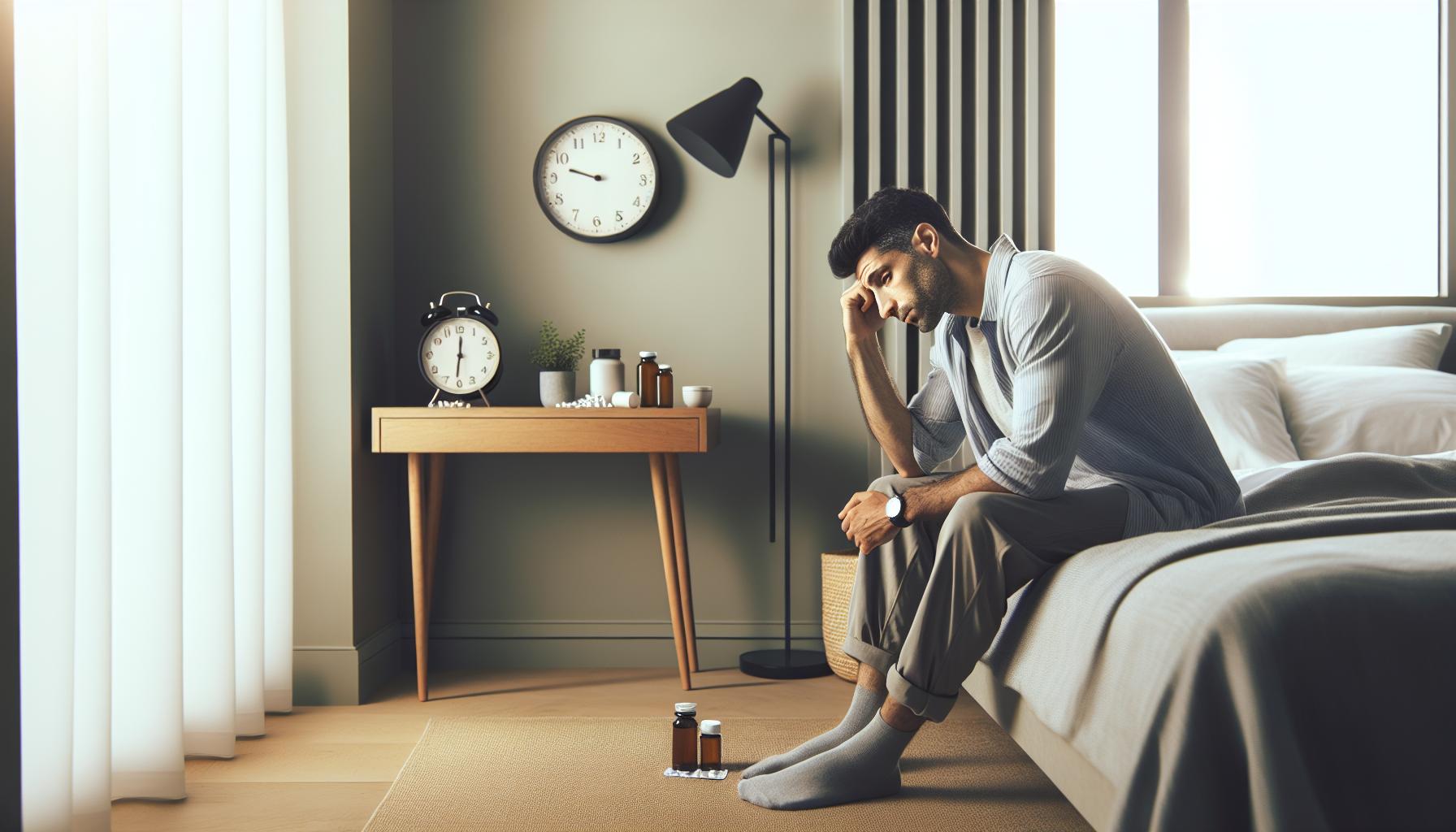
Cost of Sleep Studies vs. Using Apple Devices
The rising popularity of sleep tracking through wearable technology, especially with devices like the Apple Watch, offers a convenient way to monitor sleep patterns at a fraction of the cost of traditional sleep studies. While a standard sleep study, or polysomnography, can provide comprehensive insights into your sleep health, it typically runs between $1,000 to $3,000 without insurance. In contrast, using an Apple Watch or similar device involves a much lower financial commitment, often just the cost of the device itself and potentially a subscription to a health app, which can be under $10 a month.
For many, the allure of these wearable devices lies in their accessibility and ease of use. Apple Watch tracks sleep automatically, logging data such as total sleep time, quality of sleep, and even disturbances, providing users with valuable insights into their nightly rest. However, it’s important to remember that while these devices offer helpful data, they are not diagnostic tools. They can hint at potential problems-like sleeplessness or restlessness-but they cannot definitively diagnose conditions such as sleep apnea. For a precise diagnosis, a sleep study is necessary.
When considering whether to invest in a sleep study or rely on a smartwatch, think about your symptoms and needs. If you’re frequently tired despite tracking adequate hours of sleep, or if you’ve received feedback from a partner about snoring or breathing irregularities during sleep, it might be time to consult a professional. On the other hand, if your sleep-related issues are less severe and you’re simply looking to optimize your sleep hygiene, starting with an Apple Watch could provide the insights you need to improve your nightly routine.
As you weigh your options, remember that both wearable technology and formal sleep studies have their places in understanding sleep health. It’s beneficial to use the ongoing data from your Apple Watch as a conversation starter with your healthcare provider, bridging the gap between personal monitoring and professional guidance, ensuring that your sleep health is both effectively managed and understood.
Future Developments: What’s Next for Apple Sleep Tracking?
The world of sleep tracking is evolving rapidly, and Apple is poised to remain at the forefront of this innovation. As technology advances, users can anticipate more sophisticated features that offer deeper insights into their sleep patterns. Recent updates have laid the groundwork for future enhancements, such as improved accuracy in sleep stage detection, which uses a combination of heart rate variability and motion data. This will empower users with a more nuanced understanding of their sleep cycles, differentiating between light, deep, and REM sleep with greater precision.
Another exciting development is the potential integration of machine learning algorithms. These algorithms could analyze long-term sleep data, offering personalized recommendations based on past habits and trends. Imagine receiving tailored advice that evolves as your sleep patterns change, helping you optimize bedtime routines and enhance overall sleep quality. The addition of environmental data-like bedroom temperature, light levels, and even sound-could refine this personalization further, creating an ecosystem of support for better sleep health.
As Apple continues to refine its health and fitness ecosystem, deeper integration with health monitoring devices and apps is likely. For instance, we might see collaborations with other health platforms that elevate the Apple Watch’s capabilities, perhaps even extending to mental health insights connected to sleep quality. Maintaining mental wellness is deeply intertwined with good sleep, and fostering this connection could be a game-changer for users trying to improve their overall health.
Lastly, as users increasingly rely on wearables for health monitoring, privacy and data security will remain paramount. Apple is known for its commitment to user privacy, so expect ongoing enhancements to ensure that personal sleep data remains secure while allowing users to benefit from the insights generated. As Apple develops these new features, it could redefine how we understand sleep health, making valuable insights more accessible and actionable than ever before.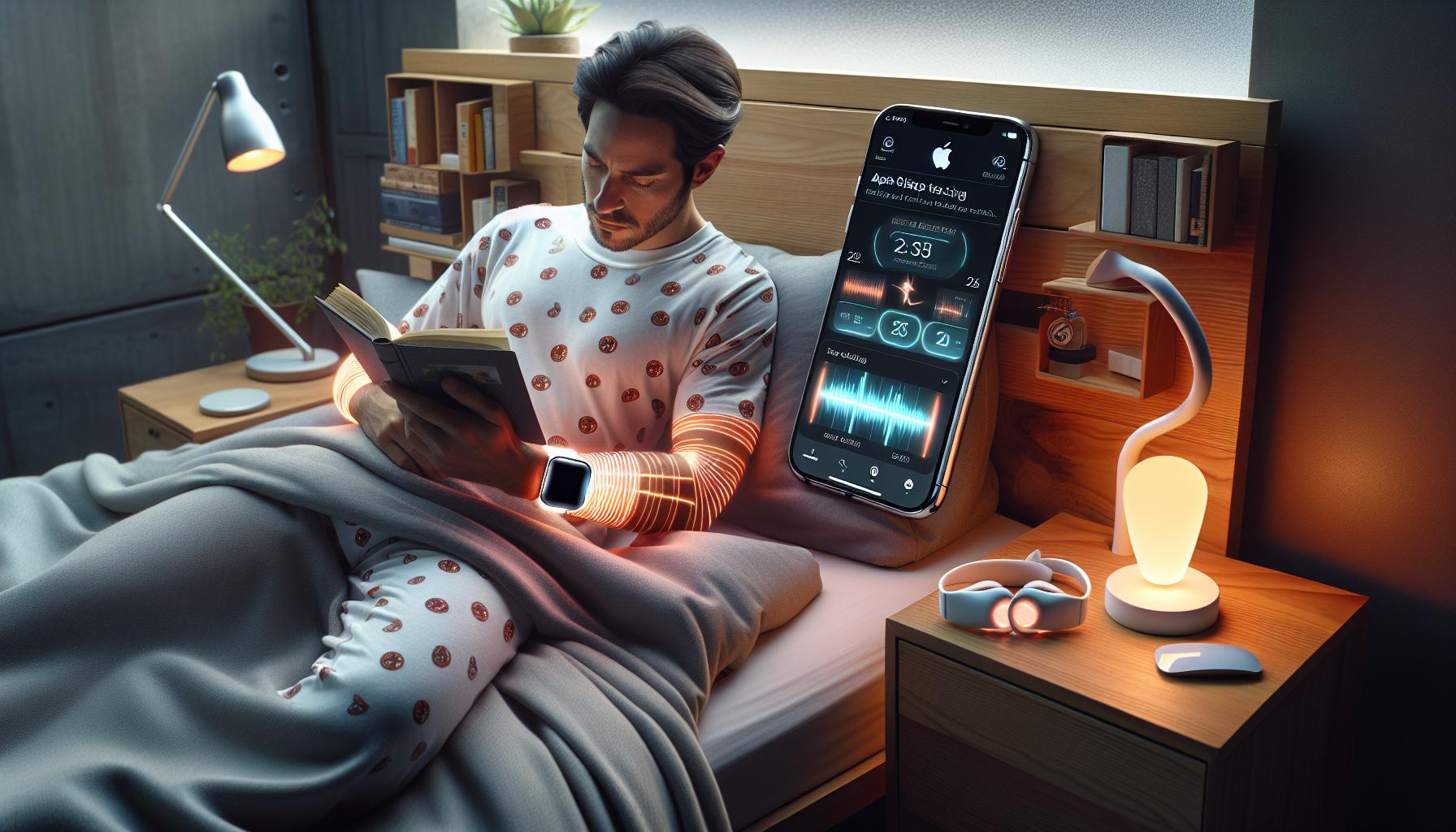
Faq
Q: How can I enable sleep tracking on my Apple Watch?
A: To enable sleep tracking on your Apple Watch, open the Sleep app directly on the watch. From there, set up your sleep schedule and ensure that Sleep Focus is activated during your intended sleep hours. This will allow your Apple Watch to track your movement and rest data effectively. For detailed setup, refer to the “Getting Started: Setting Up Sleep Tracking” section of your article.
Q: What features does Apple’s sleep tracking include?
A: Apple’s sleep tracking offers features like sleep duration, sleep quality analysis, and heart rate monitoring during sleep. Additionally, it integrates with the Health app to provide insights into your overall sleep patterns. It also includes a sleep schedule to help users manage their sleep habits better.
Q: How does Apple compare to other sleep trackers?
A: Apple Watch utilizes advanced sensors and algorithms to provide sleep analysis, comparable to wearables like Fitbit and Oura Ring. However, Apple’s integration with iOS and the Health app enhances its usability, making it a strong competitor in the sleep tracking market. For a detailed comparison, check the “Comparing Apple Sleep Tracking to Other Wearables” section.
Q: Can I track my sleep without wearing my Apple Watch?
A: Currently, Apple’s sleep tracking requires the watch to be worn during sleep to accurately monitor sleep patterns and movements. For alternatives, consider using compatible apps that may track sleep without wearables, although they might not offer the same level of detail.
Q: What should I do if my Apple Watch isn’t tracking sleep properly?
A: If your Apple Watch isn’t tracking sleep correctly, ensure that Sleep Focus is active and the watch is fitted snugly on your wrist. Restarting the device can also help. For persistent issues, consult the “Common Issues with Apple Sleep Tracking” section in your article for troubleshooting tips.
Q: How accurate is Apple Watch sleep tracking?
A: Apple Watch sleep tracking is generally accurate, utilizing motion sensors to distinguish between sleep stages. While it may not be as precise as clinical sleep studies, many users find it sufficient for tracking trends in their sleep patterns. Refer to the section “The Science Behind Sleep Tracking Technologies” for more insights.
Q: What data can I access from my sleep tracking on Apple Health?
A: From Apple Health, users can access comprehensive data including total sleep time, average sleep patterns, and heart rate during sleep. This data helps users to identify trends and make informed changes to improve their sleep quality.
Q: Are there any upcoming features for Apple sleep tracking?
A: While no official announcements have been made regarding future features, Apple continually updates its software, and users can expect enhancements to sleep tracking capabilities in future iOS updates. Stay tuned to the “Future Developments: What’s Next for Apple Sleep Tracking?” section for updates.
In Conclusion
In conclusion, Apple Watch’s sleep tracking feature is already transforming how we understand and improve our sleep patterns. By leveraging advanced sensors, it provides insights into your sleep stages, helping you optimize your rest. If you haven’t experienced it yet, now is the perfect time to start tracking your sleep-unlock the full potential of your health with your Apple Watch today!
Don’t forget to check out our guide on setting up your sleep schedule for the Apple Watch and explore our analysis on how it compares to other sleep trackers. For personalized insights, consider signing up for our newsletter where we share tips and tools for better sleep health. Your journey to enhanced sleep starts now-take action and dive deeper into your sleep studies and wearable options!
Get our latest guides, news, and insights highlighted in your Google Search & AI Overviews.