
Sleep is crucial for overall health, yet many Garmin users find their sleep tracking results frustratingly inaccurate. Whether you’re waking up feeling unrested or your device isn’t reflecting your sleep patterns correctly, you’re not alone. In fact, various Garmin devices, including the Venu and Fenix series, have been reported to struggle with sleep accuracy, leaving users seeking answers and solutions. In this guide, we’ll explore the common reasons your Garmin may not be tracking your sleep properly and provide practical tips to enhance its performance. Understanding how to optimize your device can significantly improve your sleep insights and help you achieve better rest, making your wellness journey more effective. Let’s dive into the solutions that can transform your sleep tracking experience!
Common Reasons Garmin Sleep Tracking Fails
Sleep tracking technology, while innovative, can sometimes leave users frustrated when their devices do not accurately monitor their sleep patterns. There are several common reasons why Garmin sleep tracking may fail, often stemming from user habits, device settings, or the inherent challenges of identifying sleep states. Understanding these issues can empower users to make adjustments that enhance the accuracy of their sleep data.
One major reason for inaccuracies is the user’s sleep environment and routine. For instance, shift workers frequently experience disruptions in their sleep schedule, which can confuse devices that rely on regular patterns to track sleep stages. A Garmin user might report having irregular sleep due to switching from day to night shifts, leading the device to misinterpret wake times and rest periods [1[1]. Furthermore, the way a user wears the device-from the tightness of the strap to its positioning on the wrist-can significantly affect its ability to gather accurate heart rate data, which is critical for sleep tracking.
Firmware issues can also be a culprit; outdated software may lack improvements that enhance tracking performance. Users have expressed concerns over delayed or inaccurate tracking when updates are not applied[3[3]. For optimal results, it’s crucial to ensure that the Garmin device is running the latest firmware and that users are familiar with adjusting settings for their specific sleep habits.
Additionally, many users have reported challenges with distinguishing between sleep and awake states, especially when minor movements or disruptions occur. If the device miscalculates periods of wakefulness as part of sleep, the resulting data can be misleading[2[2]. The complexity of sleep-consistently shifting through stages of light, deep, and REM sleep-demands fine-tuned algorithms that may still struggle with variance in individual lifestyles.
By acknowledging these common failure points, Garmin users can better navigate the nuances of their sleep tracking devices, making informed adjustments to calibrate their expectations and enhance tracking accuracy.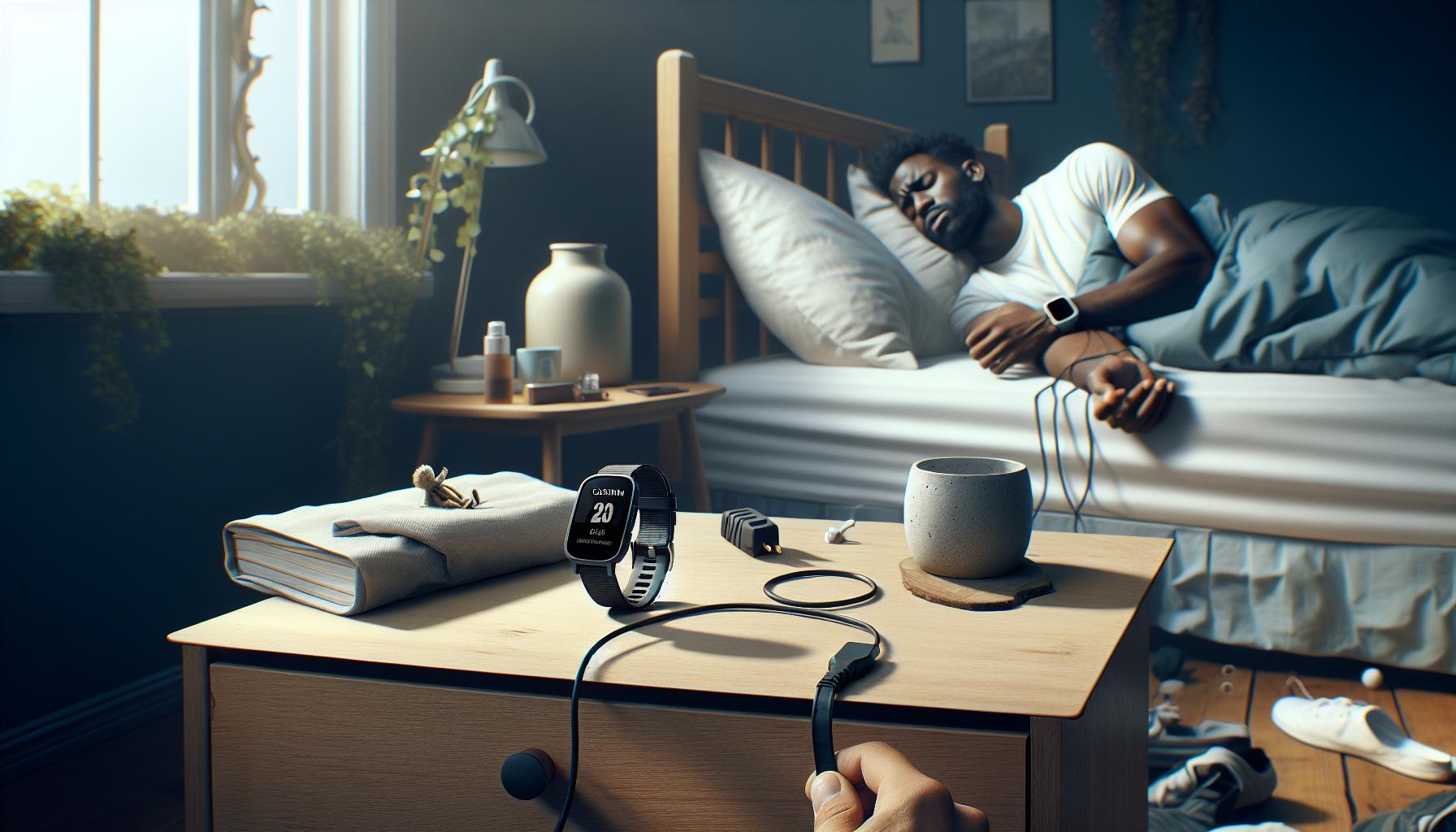
Understanding Sleep Metrics and Accuracy
Sleep tracking technology can seem like a miracle of modern science, but it often faces challenges that lead to inaccuracies, particularly with devices like Garmin wearables. To understand these potential pitfalls, it’s essential to grasp how sleep metrics work. Garmin devices track sleep through a combination of heart rate monitoring and movement detection, analyzing periods of stillness and changes in heart rate to determine when you are asleep versus awake. However, this relies heavily on the device’s ability to correctly interpret your body’s signals, which can be affected by numerous factors.
One major limitation is the method of determining sleep stages. Unlike clinical sleep studies that utilize electrodes to monitor brain waves, Garmin devices employ algorithms to estimate when you transition between light sleep, deep sleep, and REM stages, primarily using heart rate variability. This can lead to discrepancies, especially for individuals who experience disrupted sleep or who have atypical sleep patterns, such as those with insomnia or irregular work schedules. For example, a user might find that their Garmin misinterprets time spent reading in bed as sleep, leading to inflated sleep totals that don’t reflect actual rest quality.
Moreover, external factors such as how the device is worn can critically impact performance. A loosely fitted watch might fail to accurately read heart rate, while a position that shifts during the night could disrupt data collection. To maximize accuracy, ensure that your Garmin is snug enough to read your heart rate consistently while still being comfortable. Regular firmware updates are also crucial; outdated software may not effectively utilize the latest algorithms that improve tracking accuracy. By staying informed and making necessary adjustments, you can enhance the reliability of your Garmin sleep tracking and have a clearer understanding of your sleep health.
Embracing a combination of understanding your personal sleep metrics, ensuring your device is worn properly, and keeping software updated allows you to navigate the complexities of sleep tracking with greater ease.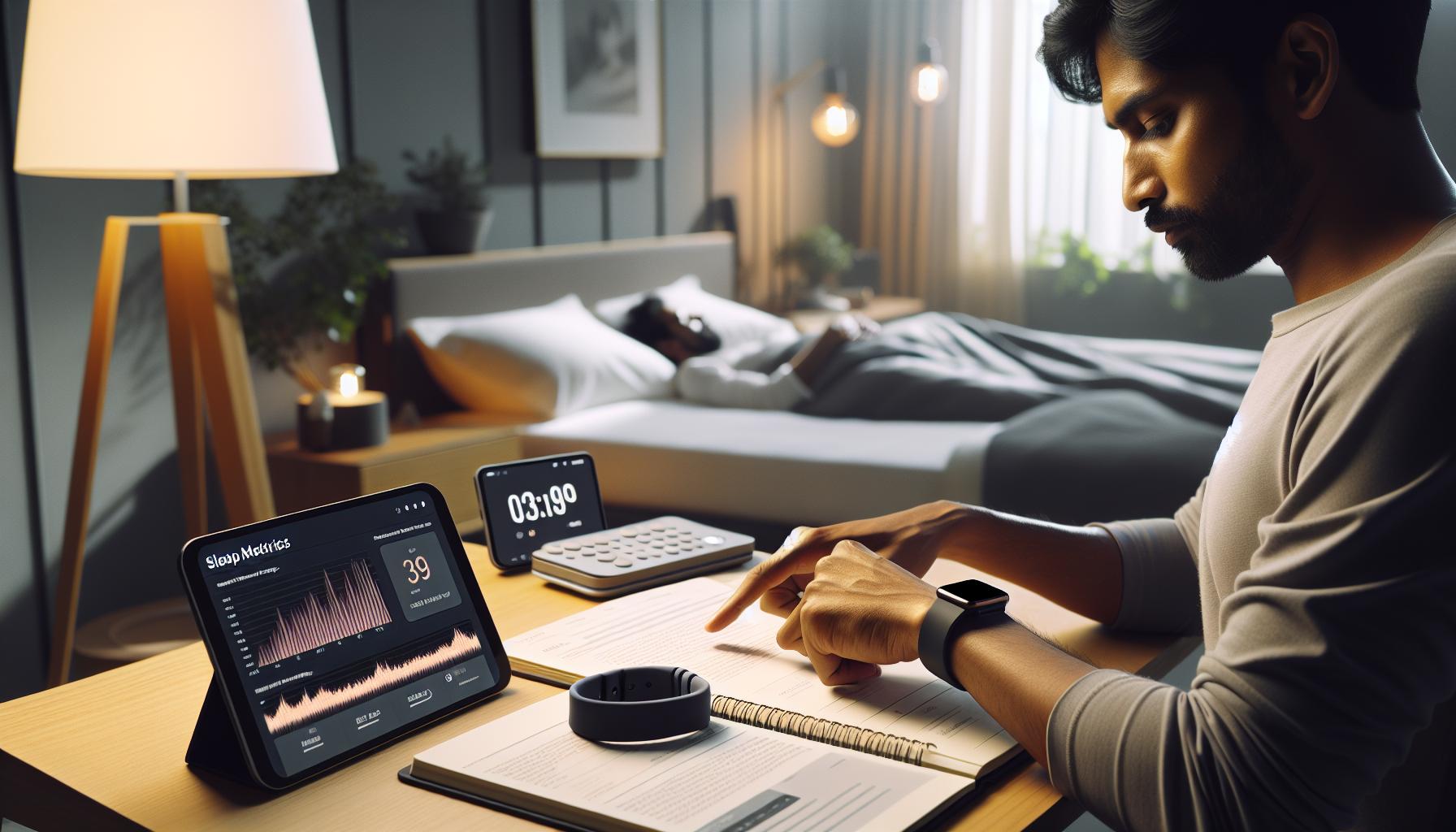
How to Calibrate Your Garmin for Better Tracking
To ensure your Garmin device tracks sleep accurately, proper calibration and settings adjustments are crucial. Many users overlook this step, assuming their wearables will function perfectly out of the box. However, making a few specific changes can significantly improve how your device captures your sleep metrics.
Device Fit
Firstly, ensure that your Garmin is worn correctly. A snug fit on your wrist is essential for accurate heart rate readings. If the watch is too loose, it might struggle to detect your pulse effectively, leading to skewed sleep data. Aim for a fit that is secure, yet comfortable enough to wear throughout the night without feeling restrictive.
Sleep Settings
Within the Garmin app, check your sleep settings. Adjusting your sleep schedule to reflect your actual sleeping patterns can help the device better understand when you’re asleep and when you’re awake. You can manually set your sleep times to align with your routine, which may improve the accuracy of the tracking as the device learns from your habits.
Firmware Updates
Keep an eye on firmware updates for your Garmin device. Manufacturers like Garmin frequently roll out updates that can enhance functionality, including sleep tracking algorithms. By ensuring that your device is up-to-date, you can take advantage of improvements and fixes that might resolve ongoing tracking issues.
Environment Factors
Additionally, consider environmental factors that might affect your sleep quality and hence, the tracking accuracy. Factors such as room temperature, noise, and light levels can disrupt your sleep cycle. Ensuring a conducive sleeping environment paired with a properly calibrated device can provide more reliable data about your rest patterns.
By paying attention to these aspects, you can better calibrate your Garmin device for improved sleep tracking accuracy. Taking the time to adjust how you wear your watch, refine app settings, and maintain current software can empower you with more precise insights into your sleep health.
Improving Sleep Tracking with Device Settings
To maximize the accuracy of your Garmin sleep tracking, fine-tuning your device settings is essential. Many users don’t realize that simple adjustments can lead to more reliable data about their nightly rest. For instance, correctly setting up your sleep schedule in the Garmin app will allow your device to better understand your unique sleep patterns, which is crucial for accurate tracking.
Adjusting Sleep Schedule
If you have a consistent bedtime and wake-up time, it’s beneficial to manually input these into the Garmin app. While the device may have default settings, they may not align with your actual habits, especially if you have a varied sleep routine due to work shifts or lifestyle changes. By customizing these times, you can help the device distinguish between when you’re asleep and when you’re awake more effectively.
Device Alerts
Another useful feature is the alert setting. If you’re using your Garmin for sleep tracking, ensure that notifications and alerts are turned off during your sleep hours. This minimizes disturbances that could disrupt your sleep cycles and provide inaccurate data. You could set a Do Not Disturb mode, allowing the device to focus solely on tracking your sleep without interruptions.
Heart Rate Monitoring
Garmin devices often track sleep by monitoring your heart rate. To improve the accuracy of this feature, make sure the watch fits snugly on your wrist. A loose fit can lead to erroneous readings. Additionally, consider the heart rate variability settings in the app. Optimal settings here help the device interpret your heart rate patterns during sleep, contributing to a clearer picture of your sleep stages.
Data Review and Adjustments
Lastly, regularly review your sleep data in the Garmin app. If you notice recurring issues, adjust your settings accordingly. This iterative process is vital as it allows the device’s algorithms to learn your patterns over time, enhancing the accuracy of its sleep tracking. Keep note of any anomalies and consider adjusting your sleep environment to further support your tracking efforts.
By taking these small yet impactful steps with your device settings, you can significantly enhance how your Garmin captures and interprets your sleep data. Small tweaks in your approach can lead to much more actionable insights about your overall sleep health.
Tips for Enhancing Sleep Environment for Better Data
Creating an optimal sleep environment can greatly enhance the accuracy of your Garmin sleep tracking. A well-prepared sleep space not only promotes sound sleep but also ensures your device collects reliable data. Here are some actionable tips to help transform your bedroom into a sleep-friendly haven.
Control Light Exposure
Light plays a crucial role in regulating your sleep cycle. Consider investing in blackout curtains or using an eye mask to eliminate any unwanted light that might interfere with your sleep. Additionally, minimize the use of electronic devices that emit blue light before bed, as this can disrupt melatonin production and skew your Garmin’s sleep data. Try to establish a calming pre-sleep routine that involves dimming the lights in your home to signal to your body that it’s time to wind down.
Optimize Temperature
The ideal sleep temperature varies from person to person, but most people sleep better in a cooler environment. Aim to keep your bedroom temperature between 60-67°F (15-20°C). Use fans or air conditioning during warmer months and appropriate bedding in colder months to maintain a comfortable temperature throughout the night. An overly hot or cold room can lead to restlessness, causing your Garmin to misinterpret your sleep patterns.
Minimize Noise Disruptions
External noises can disturb your sleep, affecting the quality of your rest and, consequently, the accuracy of your Garmin’s sleep tracking. To combat this, consider using white noise machines or apps that emit soothing sounds to drown out disruptive noises. Acoustic foam panels or thick carpets can also help lower sound levels in your bedroom. If you share a living space, using earplugs can provide an extra layer of peace, ensuring you remain undisturbed throughout the night.
Maintain a Comfortable Sleep Setup
Your mattress and pillows should provide adequate support and comfort to promote restful sleep. Consider whether your mattress is too firm, too soft, or worn down, and replace it if needed. Similarly, choose pillows that accommodate your preferred sleeping position-be it on your back, side, or stomach. The right sleep setup can not only improve your rest but also result in more accurate data being recorded by your Garmin device.
By enhancing your sleep environment with these simple adjustments, you can pave the way for better sleep quality, ultimately leading to more precise sleep tracking with your Garmin. When you prioritize your sleep surroundings, you’re equipping your device with the best possible conditions to capture your nightly rest accurately.
Using Third-Party Apps to Supplement Data
Using third-party applications can significantly enhance your sleep tracking experience with Garmin devices, especially if you’re encountering issues with the built-in functionality. Many users find that while Garmin devices excel in fitness tracking, they can sometimes fall short on detailed sleep data. However, by integrating various apps, you can gain a broader understanding of your sleep patterns and improve the quality of the information being recorded.
One popular choice is Sleep Cycle, which utilizes your phone’s sensors to monitor your sleep stages and awaken you during a lighter sleep phase. When synced with your Garmin data, it can provide nuanced insights into your sleep cycles that the Garmin device might miss. Additionally, Pillow offers similar features, including sleep stage tracking and audio recordings of your night-perfect for pinpointing disturbances that might not be caught by your Garmin alone.
Make sure to check whether your chosen app allows for integration with Garmin Connect. This way, you can compare the nuances of your sleep data with your activity levels throughout the day. Many of these applications come with user-friendly interfaces and alert systems to help you make sense of your data without overwhelming you with information. This means you can quickly identify trends and make adjustments to improve your sleep hygiene.
Furthermore, utilizing these third-party applications can provide recommendations based on your sleep data, including tips on optimizing your sleep environment or lifestyle changes that could enhance your nighttime rest. Many users report enhanced sleep quality and a better understanding of their individual sleep needs by supplementing their Garmin data with these insightful apps. Always remember to explore the privacy policies of any third-party service to ensure your data remains secure. By leveraging these tools, you’re empowering yourself with deeper insights into your sleep health, ultimately leading to improved overall well-being.
Recognizing Sleep Disorders That Affect Tracking
Many people are unaware that sleep disorders can significantly interfere with the accuracy of sleep tracking devices like Garmin. If you’re experiencing discrepancies in your sleep data, it’s crucial to recognize whether an underlying sleep condition might be to blame. Disorders such as sleep apnea, insomnia, and restless leg syndrome can lead to fragmented sleep and abnormal sleep patterns, making it challenging for devices to track your sleep correctly.
Sleep Apnea is one of the most common sleep disorders affecting tracking accuracy. Those who suffer from this condition often experience interruptions in breathing during sleep, resulting in frequent awakenings. Many Garmin users have reported that their devices fail to recognize these interruptions, thus underestimating total sleep and misclassifying sleep stages. If you suspect sleep apnea, it may be worthwhile to undergo a sleep study, which typically involves polysomnography, to evaluate the frequency and duration of breathing interruptions.
Insomnia, on the other hand, can manifest as difficulty falling asleep, staying asleep, or waking up too early. This disorder can lead to irregular sleep patterns that tracking devices struggle to interpret. Garmin may classify periods of wakefulness or restlessness incorrectly, reflecting a distorted picture of your sleep health. If you frequently experience insomnia, behavioral therapies or consulting with a sleep specialist may provide you with effective strategies to improve your sleep quality.
Similarly, Restless Leg Syndrome (RLS) can result in frequent movements during sleep, disrupting both your rest and the device’s ability to track sleep accurately. If you find that your Garmin consistently records periods of “awake” when you are actually experiencing minor restlessness or discomfort, this condition could be the reason. Recognizing these underlying issues not only helps in understanding the limitations of your device but also guides you toward seeking appropriate treatment options.
By identifying and addressing these sleep disorders, you can not only improve your overall sleep health but also enhance the accuracy of your Garmin’s tracking capabilities. Tracking devices are just that-tracking devices-and they work best when used in conjunction with a comprehensive understanding of your personal health. If you suspect a disorder, consider speaking with a healthcare professional who can guide you on the next steps toward a better night’s sleep.
When to Replace Your Garmin or Seek Support
It’s essential to recognize the signs that indicate it might be time to replace your Garmin or seek support for sleep tracking issues. If you consistently find major discrepancies between your reported sleep data and how you feel-meaning you’re feeling tired or unrested despite the device indicating otherwise-this could be a red flag. While some tracking inaccuracies can stem from various factors like settings or environment, persistent issues may signal deeper problems with the device itself.
When to Consider Replacement
- Inconsistent Accuracy: If sleep tracking data is consistently inaccurate, such as not recognizing when you are asleep or incorrectly calculating your sleep stages, it might be time to evaluate the device.
- Faulty Sensor Performance: If your Garmin malfunctions or if the sensors appear to be damaged, leading to erratic data (like spikes in heart rate during sleep), it may no longer serve its purpose effectively.
- Age of the Device: Garmin devices have a lifespan, and as technology advances, older models may lack the features or update capabilities that newer ones offer, leading to poorer performance in tracking metrics like sleep.
When to Seek Support
Sometimes, issues can be resolved without jumping to replace your device entirely. Before making a drastic decision, consider troubleshooting steps. Check for firmware updates to ensure your Garmin is running the latest version; these updates often contain improved tracking algorithms and bug fixes. Additionally, consulting Garmin’s support can provide insights or solutions tailored to your specific model-after all, many users may experience similar issues that the support team has already addressed.
If your device remains unhelpful and you are facing overwhelming fatigue or identify consistent patterns that may indicate sleep disorders (like sleep apnea or insomnia), discussing these with a healthcare professional is crucial. They might recommend a sleep study, leading to better management of your sleep health.
Understanding when to replace your Garmin or reach out for support can significantly impact your sleep quality. By making informed decisions, you can leverage technology to benefit your health, ultimately leading to better rest and recovery.
User Experiences: Real-Life Sleep Tracking Issues
Many users find themselves frustrated when their Garmin devices fail to accurately track sleep. Common experiences shared across online forums reveal a mix of issues that range from device settings to firmware updates. For instance, one user reported that their fēnix 7 Series watch stopped recording sleep data entirely after a firmware update, leading to a situation where they received “0 sleep data recorded” despite wearing the watch throughout the night. This indicates that software updates can occasionally disrupt expected functionality, underscoring the importance of checking for and applying fixes from the manufacturer [[1]].
Another user shared their struggle with the Venu 3S, expressing disappointment that the device inaccurately classified their restless nights as adequate sleep. This inconsistency raises a valid concern about the algorithms used in sleep tracking and how they may not align with individual sleeping patterns. Users often report discrepancies, such as being awake for significant portions of the night while their device reflects continuous periods of sleep. Such experiences illustrate that while devices like Garmin aim to provide comprehensive health tracking, they may not accurately capture nuanced sleep behaviors [[2]].
In cases where users suspect their devices are malfunctioning, they are encouraged to engage in troubleshooting. For example, a refreshing of the device’s settings or ensuring that it’s securely worn at night can sometimes resolve inaccuracies. Other users have found that discussing their experiences via Garmin support channels can yield solutions, especially when multiple users report similar issues. This collective feedback can further drive improvements in future firmware iterations, ultimately benefiting the entire user community [[3]].
As users navigate these challenges, those experiencing severe inconsistencies may need to consider external factors impacting their sleep quality beyond the device itself. This not only involves evaluating their sleep environment but sometimes includes recognition of underlying sleep disorders that the device may not effectively track. Engaging with healthcare professionals can provide critical insights into personal sleep issues that a wearable alone cannot diagnose or resolve.
Comparing Garmin Models: Which Tracks Sleep Best?
When it comes to sleep tracking, not all Garmin models are created equal. Understanding which device aligns best with your sleep patterns can make all the difference. Garmin offers a variety of wearables, each equipped with different technologies for tracking sleep, which may impact their performance in capturing your nightly rest accurately.
Key Models for Sleep Tracking
Among the most popular Garmin devices for tracking sleep are the fēnix Series, Epix Series, and Venu Series. Each model utilizes a combination of heart rate variability, motion detection, and body battery metrics to derive insights into sleep quality. However, the level of accuracy can vary:
- fēnix Series: Known for its rugged design and advanced features, the fēnix series tends to perform well in sleep tracking. Users appreciate the detailed breakdown of sleep stages, such as light, deep, and REM sleep. Nevertheless, some users have reported instances of REM sleep being misclassified as awake, which raises questions about the reliability of sleep stage accuracy [[1]].
- Epix Series: Similar in functionality to the fēnix, the Epix devices impress with their AMOLED displays and vibrant visuals. However, initial user feedback indicates mixed results in sleep tracking accuracy, especially during the first few nights of use [[2]].
- Venu Series: While the Venu series is budget-friendly and user-friendly, it has faced critiques regarding its ability to accurately reflect sleep patterns. Users have noted that their devices often classify restless nights as adequate sleep, suggesting calibration issues or algorithmic flaws [[3]].
To choose the right model, consider what matters most for your needs: durability, display quality, or a reasonable price point. User experiences vary widely, with some enjoying the seamless integration of health metrics while others find discrepancies troublesome. Remember that calibrating your device and maintaining a consistent sleeping environment can significantly influence tracking accuracy for any Garmin model.
Ultimately, whether you’re deciding between premium offerings like the fēnix or exploring the more cost-effective Venu, understanding each model’s strengths and weaknesses can empower you to make a well-informed choice. Remember that wearables provide a snapshot of your sleep, not a comprehensive analysis, and should complement other health assessments.
The Role of Firmware Updates in Sleep Tracking
Keeping your Garmin device updated with the latest firmware is crucial for ensuring proper sleep tracking performance. Firmware updates are not just about adding new features; they often contain essential bug fixes, improvements in algorithms, and enhancements to the accuracy of existing functions. For instance, many Garmin users have reported discrepancies with their sleep metrics due to outdated software, resulting in REM sleep being inaccurately classified as awake or missed sleep periods altogether.
To stay on top of these updates, it’s recommended that you regularly connect your device to the Garmin Connect app or your computer. When an update is available, the app will notify you, allowing you to download and install it with ease. This process usually requires minimal steps, ensuring the latest algorithms for sleep tracking are employed, which can lead to more accurate data regarding your nightly rest.
Incorporating these updates can significantly improve the usability of your device. For example, if you’ve experienced sleep tracking issues like those mentioned in Garmin community forums-where users often express concerns about their devices misclassifying sleep stages-updating your firmware can address these concerns by refining the underlying technology that interprets your sleep patterns.
In conclusion, keeping your Garmin device updated is a simple yet effective way to enhance its sleep tracking capabilities. By ensuring you have the latest firmware, you not only optimize the performance of your device but also gain more reliable insights into your sleep health, allowing you to make informed adjustments to your lifestyle and routines.
Expert Insights: What Sleep Experts Recommend
Sleep is a complex and vital process, and many people turn to devices like Garmin wearables for insights into their nightly patterns. Yet, there can be significant discrepancies in sleep data due to various factors. Sleep experts suggest addressing several key areas to enhance the accuracy of sleep tracking on wearable devices.
Understanding Fit and Wear
A crucial aspect of accurate sleep tracking is how well the device fits. Sleep experts recommend ensuring that your Garmin device is snug but comfortable on your wrist. This fit allows the device’s sensors to more effectively capture heart rate variability and other metrics critical for determining sleep stages. Loose-fitting wearables may fail to provide reliable data, leading to misclassifications of sleep periods as awake.
Consistency in Sleep Schedule
Another significant recommendation from sleep professionals revolves around maintaining a consistent sleep schedule. Irregular sleep times can confuse sleep tracking algorithms, resulting in inaccurate data. Experts suggest going to bed and waking up at the same times each day, even on weekends, to provide more stable data for your device to analyze.
Device Settings and Customization
Proper configuration of the Garmin device settings can also make a notable difference. Users should explore features such as setting personalized sleep goals and inputting typical sleep patterns. Adjusting the wearable settings to align with individual sleep habits can help the device track sleep more accurately. Additionally, activating the ‘Sleep Mode’ feature at the right times ensures the device accurately captures the period spent sleeping.
Recognizing External Factors
Certain external factors may impact data collection, such as temperature, noise, and light levels in your sleep environment. Experts advocate for creating a conducive sleeping environment by minimizing disturbances to promote uninterrupted sleep. Consider using blackout curtains, white noise machines, or adjusting your room’s temperature as simple strategies to foster better sleep conditions.
Ultimately, while Garmin devices provide valuable insights into sleep patterns, their effectiveness can be significantly influenced by these factors. By making practical adjustments to how they wear their devices, their sleep habits, and their surroundings, users can often achieve improved sleep data accuracy and gain a better understanding of their overall health.
Faq
Q: Why is my Garmin watch not tracking my sleep accurately?
A: Your Garmin may not track sleep accurately due to several factors, such as improper fit, low battery, or settings that need adjustment. Ensure the device is worn snugly on your wrist, charged, and that sleep tracking is enabled in the settings. Also, review your sleep environment for disturbances.
Q: How can I improve sleep tracking on my Garmin device?
A: To enhance sleep tracking accuracy, ensure proper customization of device settings and maintain a consistent sleep schedule. You might also want to calibrate your device and create a comfortable sleep environment. Refer to the sections on device settings and enhancing sleep environments in our article for more tips.
Q: What should I do if my Garmin shows too much sleep time?
A: If your Garmin records excessive sleep hours, check for any potential issues like misplaced sensors or firmware bugs. Try restarting your device and ensuring the latest firmware is installed. Adjusting settings like sleep start and end times in the app may also help.
Q: Why does my Garmin sometimes report inaccurate wake times?
A: Inaccurate wake times may occur due to the watch misdetecting movement or prolonged stillness. Ensure you’re wearing your Garmin correctly and keep the firmware updated. Additionally, improving your sleep patterns can help get more accurate data.
Q: Can I use third-party apps to improve sleep tracking on my Garmin?
A: Yes, using third-party apps can supplement your Garmin device’s data and provide deeper insights. Consider syncing with apps like Sleep Cycle or SleepScore to correlate data and understand your sleep patterns better. Check out our using third-party apps section for recommendations.
Q: When should I seek support for sleep tracking issues with my Garmin?
A: If persistent tracking issues remain unresolved after adjustments, consider contacting Garmin support for assistance. Also, if your device is out of warranty but frequently malfunctions, it may be time to evaluate replacement options as discussed in our when to replace your Garmin section.
Q: How often should I update my Garmin’s firmware for better sleep tracking?
A: Regular firmware updates are essential for improving functionality, including sleep tracking accuracy. Check for updates at least once a month or when you notice inconsistencies in data. Refer to the role of firmware updates section in our article for guidance.
Q: What sleep disorders should I be aware of that may affect my Garmin’s tracking?
A: Conditions like sleep apnea or insomnia can impact sleep detection and accuracy. It’s crucial to consult with a healthcare provider for a comprehensive evaluation if you suspect a sleep disorder, as this may affect how well your Garmin tracks sleep data. For more insights, check the recognizing sleep disorders section.
To Conclude
If you’ve been struggling with why your Garmin isn’t accurately tracking your sleep, the insights shared in “Why Is My Garmin Not Tracking My Sleep Properly? Solutions” can help you make sense of the issue. Remember, achieving proper sleep tracking can significantly enhance your understanding of your sleep patterns and overall health. Don’t hesitate to try the troubleshooting tips we’ve offered to optimize your device settings and get the most accurate readings possible.
For even more personalized solutions, check out our articles on improving sleep quality and understanding sleep disorders, which delve deeper into sleep stages and effective management strategies. If you found this information valuable, consider subscribing to our newsletter for the latest tips and insights on sleep health. Join the conversation in the comments below-share your experiences or ask any lingering questions you may have. Together, we can navigate the complex world of sleep tracking and health technology. Your perfect night’s sleep is just a few clicks away!
Get our latest guides, news, and insights highlighted in your Google Search & AI Overviews.