
Did you know your Apple Watch has been tracking your sleep all along? Many users are unaware that this powerful device offers comprehensive sleep monitoring capabilities, giving insights into sleep duration, quality, and even environmental conditions. As more individuals prioritize sleep health, understanding how to utilize these features can enhance your nightly rest and overall well-being. In this article, we’ll explore the existing sleep tracking functionalities of the Apple Watch, reveal how you can optimize its features, and provide practical tips for making the most of your sleep data. Dive in and discover how your Apple Watch can be a key player in achieving your sleep goals!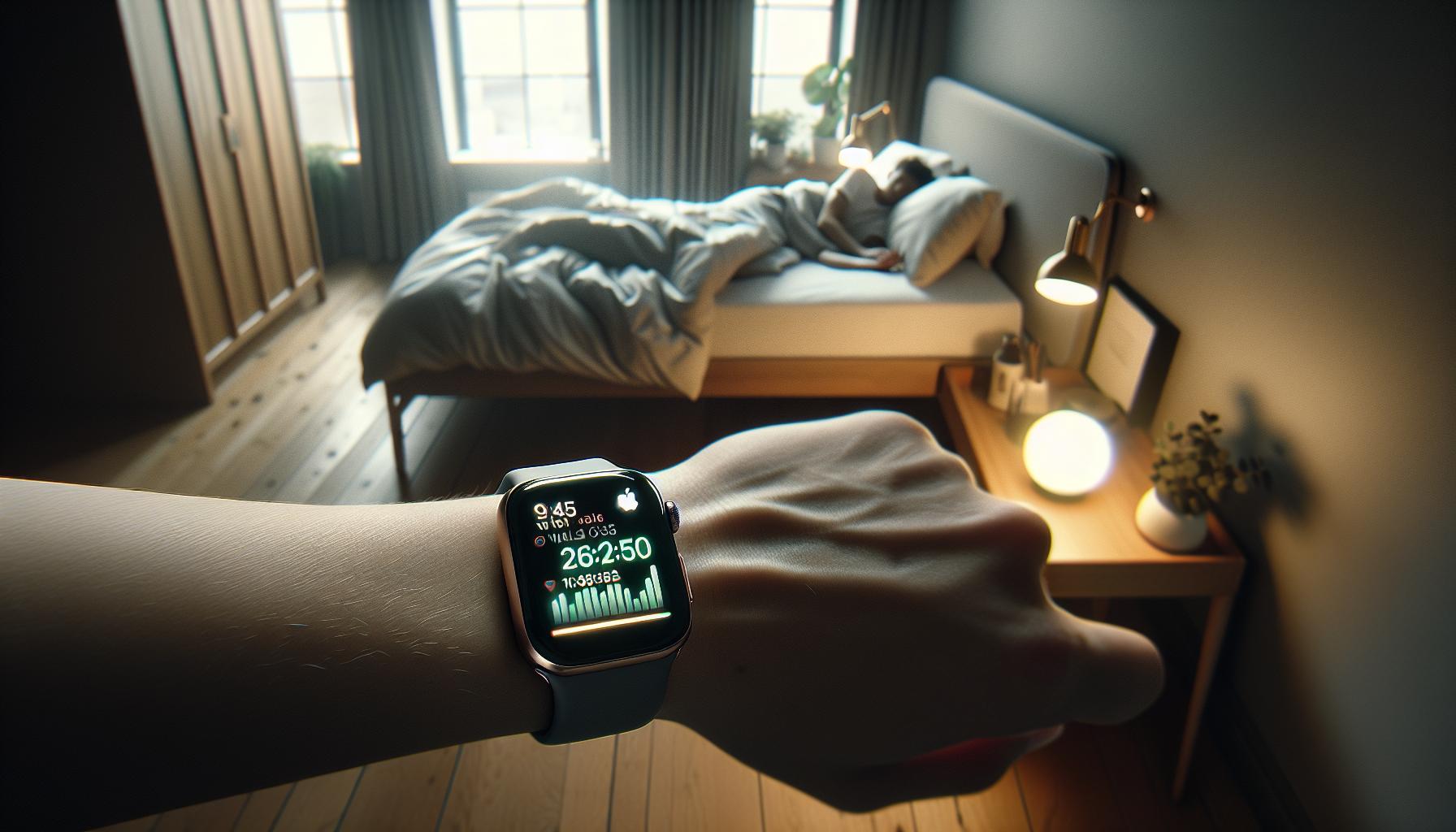
Understanding Apple Watch Sleep Tracking Features
The Apple Watch isn’t just a fitness tracker; it’s a powerful tool for understanding and improving your sleep patterns. Built with advanced sensors, it utilizes your movement and heart rate to automatically detect your sleep and track various metrics while you rest. One compelling feature is its ability to measure sleep duration and quality, providing valuable insights into both light and deep sleep stages, as well as interruptions throughout the night. This data can help manage sleep schedules and aim for optimal rest to enhance overall well-being.
Beyond tracking hours slept, the Apple Watch also integrates with the iPhone’s Health app, where you can set sleep goals and customize your sleep schedule. You can adjust these settings based on your lifestyle and preferences, allowing for a more personalized experience. The Sleep Focus feature reduces distractions at bedtime by simplifying notifications, letting you wind down while promoting a tranquil environment conducive to good sleep hygiene. Moreover, tracking multiple nights of sleep can reveal patterns, showing you how lifestyle changes-like reducing screen time before bed or adjusting your evening routine-can impact overall sleep quality.
For those seeking more detailed analysis, third-party applications like AutoSleep can provide enhanced functionalities. This app, for instance, goes beyond basic tracking by offering metrics such as sleep ratings, snoring intensity, and environmental noise measurements. This level of detail empowers users with a comprehensive understanding of their sleep, allowing them to make targeted adjustments for better rest. With these integrated technologies, the Apple Watch presents a seamless blend of convenience and insightful sleep health management.
How Sleep Tracking Works on Apple Watch
Detecting and analyzing sleep patterns has never been easier thanks to the advanced technology embedded in the Apple Watch. Leveraging sophisticated sensors and algorithms, the Apple Watch monitors your movement and heart rate to accurately track your sleep stages, including light, deep, and REM sleep. This real-time data collection enables you to understand not just how long you’ve slept, but how restful and restorative that sleep really is.
The Apple Watch employs both accelerometer and heart rate sensor data to gauge when you fall asleep, when you wake up, and how many times you stir during the night. Each morning, it summarizes your overall sleep duration and quality in the Health app, providing a detailed view of your sleep trends over time. Insights from these metrics can help you make informed decisions about your lifestyle-such as when to wind down in the evening-which can lead to improved sleep hygiene.
For those eager to dive deeper, you can personalize your sleep settings directly through the Sleep app on your watch, or the Health app on your iPhone. Set sleep goals that suit your needs, determine a sleep schedule, and even activate the Sleep Focus mode, which limits distractions by muting notifications and simplifying your Lock Screen during your designated rest period. This tailored approach not only improves the likelihood of achieving quality sleep but also helps reinforce healthy sleep habits over time.
As you gather data from multiple nights, the Apple Watch enables you to track patterns that may highlight factors impacting your sleep. For example, you might notice that your sleep quality improves on nights when you limit screen time or caffeine intake before bed. Such insights serve as guiding tools to optimize your overall sleep experience, ensuring that you wake up feeling refreshed and ready for the day ahead.
Comparing Sleep Tracking with Other Wearables
The Apple Watch stands out in the crowded landscape of sleep tracking wearables, but how does it compare to other devices available today? When it comes to functionality and user experience, several key features distinguish the Apple Watch, enhancing its role as a sleep health companion.
First, it’s essential to recognize that many wearables, such as Fitbit and Garmin devices, also track sleep. However, Apple Watch integrates its sleep tracking seamlessly with iOS and the Health app, offering a holistic view of your health metrics all in one place. This ecosystem allows users to set customized sleep goals and analyze data more coherent with daily activities. For instance, Apple’s Sleep Focus feature lets you eliminate distractions at bedtime, something many other devices lack in a cohesive manner.
Feature Comparison
Data Metrics:
While the Apple Watch utilizes an advanced combination of the accelerometer and heart rate sensors to track sleep stages, other devices may focus solely on one aspect, like movement or heart rate, which can limit the insights gained. Devices like the Oura Ring delve into metrics such as temperature and heart rate variability, whereas the Apple Watch offers robust tracking of sleep duration and quality through its built-in software:
| Device | Heart Rate Tracking | Sleep Stage Tracking | Integration with Health Apps |
|---|---|---|---|
| Apple Watch | Yes | Yes (Light, Deep, REM) | Excellent |
| Fitbit | Yes | Yes (Light, Deep) | Good |
| Garmin | Yes | Yes (Light, Deep, REM) | Moderate |
| Oura Ring | Yes | Yes (Light, Deep, REM) | Good |
User Experience:
The user interface of the Apple Watch is generally considered more intuitive compared to some competitors. Features such as haptic alarms to wake you gently and the accessibility of sleep data through the Health app create a user-friendly experience. Other wearables may provide detailed insights but often require navigating multiple apps or platforms, which can be cumbersome.
Ultimately, the choice between an Apple Watch and other wearables for sleep tracking comes down to personal preference and specific behavioral insights you’re seeking. The Apple Watch distinguishes itself by integrating convenience, usability, and a robust ecosystem, allowing users not only to track their sleep but to improve their overall nighttime routines. Users report feeling empowered to make healthier lifestyle choices based on their sleep data, enhancing their overall well-being.
Setup Guide: Activating Sleep Tracking on Your Apple Watch
To begin harnessing the power of sleep tracking on your Apple Watch, activating the feature is a straightforward process that can significantly improve your nighttime routine and overall health. The Apple Watch seamlessly integrates sleep tracking with its Health app, providing valuable insights right at your fingertips. Here’s how to set up this essential feature.
Start by ensuring that your Apple Watch is updated to the latest watchOS version and that your iPhone is equipped with the latest iOS. Once confirmed, you can proceed to set up sleep tracking directly through your iPhone’s Health app:
- Open the Health App: Launch the Health app on your iPhone and tap on the “Browse” tab at the bottom of the screen.
- Select Sleep: Find and select “Sleep” from the list, which will guide you through setting your sleep schedule.
- Set Your Sleep Goals: You can customize your sleep goal by tapping “Full Schedule & Options.” Choose how many hours of sleep you aim to get each night.
- Create a Sleep Schedule: Use the “Add Schedule” option to determine your bedtime and wake-up times, adjusting days as necessary to fit your weekly routine.
- Activate Sleep Focus: To minimize distractions, enable the “Sleep Focus” mode, which dims your Lock Screen and silences notifications during your scheduled sleep times.
Once set up, your Apple Watch will use its combination of accelerometer and heart rate sensors to monitor your sleep stages, including light, deep, and REM sleep. You can view this data by opening the Sleep app on your watch and turning the Digital Crown for detailed sleep insights.
In addition to sleep tracking, consider using the Wind Down feature, which prepares your body for sleep by promoting relaxation before bedtime. This can be as simple as setting a reminder to wind down or creating a personalized routine with soothing activities, such as reading or meditating.
With these steps, you’ll be all set to track and improve your sleep effectively, empowering you to take control of your sleep health right from your wrist. The Apple Watch transforms how you approach sleep, providing both motivation and insights for a healthier lifestyle.
Analyzing Sleep Data: Insights and Metrics
Tracking your sleep with an Apple Watch allows you to dive into a wealth of insights and metrics that can significantly enhance your understanding of your sleep patterns and overall health. When you wear your Apple Watch to bed, it uses your motion and heart rate data to evaluate various stages of sleep, including light, deep, and REM sleep. This data not only offers a glimpse into how well you slept but also empowers you to make informed decisions about your sleep habits and lifestyle.
After a night’s rest, you can check the Sleep app on your Apple Watch for a straightforward summary of your sleep duration and quality. The app provides metrics like the total time spent asleep, a breakdown of sleep stages, and even your average sleep over the past few days. This information can help identify trends, such as how different activities or evening routines impact your sleep quality. The Health app on your iPhone further enriches this experience by aggregating data over time, allowing you to visualize trends and make comparisons. Users can even set sleep goals and track their consistency against them, enhancing motivation to maintain healthy sleep patterns.
One powerful feature of Apple’s sleep tracking is the ability to discover correlations between sleep quality and factors such as exercise, stress levels, and even environmental noise. For example, you might notice that nights when you exercised later in the day resulted in deeper sleep, while evenings spent using screens before bed led to a decrease in REM sleep. With the AutoSleep app, you can take this a step further by gaining additional insights into specific metrics like heart rate variability during sleep, which can indicate your body’s recovery state.
However, it’s important to remember that while these insights are valuable, they are intended for general guidance rather than definitive medical advice. Sleep studies conducted in clinical settings are still the gold standard for diagnosing sleep disorders. If your data indicates persistent sleep issues, it may be wise to consult a healthcare professional. Balancing the insights gained from your Apple Watch with awareness of its limitations ensures you make the most out of this technology while prioritizing your health.
Troubleshooting Common Sleep Tracking Issues
can make a significant difference in the quality of insights you receive from your Apple Watch. Despite its advanced technology, users may sometimes encounter discrepancies or difficulties that can impact tracking accuracy. Here are some practical approaches to optimize your sleep tracking experience.
One common issue users face is the inaccurate recording of sleep duration. If you notice that your Apple Watch fails to log your sleep properly, ensure that the Sleep Focus is enabled. This feature not only helps in configuring your sleep schedule but also ensures that your watch is set to track your sleep during the night. To activate this, go to the Settings app on your Apple Watch or iPhone, tap on Focus, and set up your Sleep schedule. Additionally, ensure that the watch is snugly fitted on your wrist while you sleep, as a loose fit may affect sensor accuracy.
Another issue could be the lack of detailed insights into your sleep stages, such as REM, light, and deep sleep. If your sleep analysis seems overly simplistic, consider using third-party apps like AutoSleep that provide in-depth analytics and additional metrics. These apps integrate seamlessly with Apple Health and can offer insights such as sleep ratings, heart rate variability, and even environmental noise levels impacting your sleep. Make sure to check the app’s permissions and that it’s set to collect the right health data.
Sometimes users may experience disruptions in tracking due to battery life. Make it a habit to charge your Apple Watch regularly, particularly before nights you plan to track your sleep. A fully charged watch is essential for accurate sleep monitoring, especially if you intend to utilize features like haptic alarms, which can help regulate your wake-up time without disturbing your sleep cycle.
Lastly, if you find that sleep tracking isn’t working as expected, try resetting your watch. This can resolve many glitches by refreshing the settings and clearing any software bugs. After resetting, ensure that the latest software updates are installed on your Apple Watch and iPhone, as Apple frequently releases updates to improve functionality and fix known issues.
By following these troubleshooting tips and making small adjustments, you can enhance the accuracy of your sleep tracking experience with your Apple Watch, ultimately leading to better insights into your sleep health.
The Science Behind Sleep Tracking Technology
The technology behind sleep tracking on devices like the Apple Watch is rooted in a combination of advanced sensors and algorithms designed to measure and analyze sleep patterns. At its core, the Apple Watch uses *accelerometer* data to detect movement, alongside other physiological metrics such as heart rate, to infer sleep states. This blend of data allows it to distinguish between periods of rest and wakefulness, providing a more nuanced view of how well you are sleeping.
Understanding Sleep Stages
A key aspect of sophisticated sleep tracking is recognizing sleep stages, which include REM (Rapid Eye Movement), light sleep, and deep sleep. Each stage plays a unique role in overall sleep health. REM sleep is crucial for memory consolidation and emotional regulation, while deep sleep supports physical recovery and growth. Through its sensors, the Apple Watch estimates the time spent in each stage, delivering valuable insights into your nightly rest. Third-party apps like AutoSleep can supplement this data, offering deeper analytics on variables such as heart rate variability and environmental noise, giving you a comprehensive picture of what affects your sleep quality.
Technical Insights
The algorithms employed for sleep tracking use machine learning techniques to refine their accuracy over time. This means the more you wear your watch while sleeping, the better its performance becomes at recognizing your personal sleep patterns. It’s like having a custom sleep coach that is always learning and adapting to your unique habits. For those invested in a healthy sleep routine, this adaptability can be invaluable for identifying sleep disturbances and lifestyle factors impacting rest quality.
However, while the technology is impressive, it’s essential to remember that consumer devices have limitations. They are not substitutes for clinical evaluations like polysomnography (a comprehensive sleep study). If you encounter significant sleep issues, consulting a healthcare provider is crucial, as they will be able to utilize more sophisticated metrics not available in consumer devices. Balancing the insights from your Apple Watch with professional guidance when necessary ensures a holistic approach to sleep health.
By understanding these scientific principles, users can better appreciate the capabilities of their Apple Watch while also recognizing its limits. Embracing this balance empowers individuals to make informed decisions regarding their sleep habits, enhancing overall health and wellbeing.
User Experiences: Real Stories of Sleep Tracking
With the rise of wellness technology, many users have shared insightful experiences regarding how sleep tracking on the Apple Watch has positively impacted their lives. From enhanced awareness of sleep patterns to more informed lifestyle choices, these real stories shed light on the practical benefits and occasional challenges of using this innovative tool.
One user, Sarah, a busy mother of three, found that using the sleep tracking feature helped her prioritize rest amidst her hectic schedule. She initially struggled with inconsistent sleep due to late-night work sessions and early morning wake-ups. After activating the sleep tracking on her Apple Watch, she began to receive nudges reminding her to wind down in the evenings. “The watch helped me see exactly how little sleep I was getting. I realized I needed to adjust my nighttime routine,” Sarah shared. By implementing the recommendations based on her sleep data, she reported feeling more rested and energized throughout the day.
Similarly, a tech-savvy individual named Ryan found that integrating the watch with third-party apps like AutoSleep provided a deeper analysis of his nightly rest. He discovered patterns that indicated waking up at the same time every night coincided with spikes in his heart rate, likely tied to his caffeine consumption. “It was like uncovering a hidden connection. I started managing my caffeine intake, and the sleep quality metrics improved significantly,” he noted. His ability to correlate lifestyle factors with sleep performance empowered him to make smarter dietary choices.
However, not every experience is flawless. Users sometimes report discrepancies in sleep duration accuracy, prompting discussions around the limitations of consumer devices. For instance, Emily, who has an irregular sleep schedule due to her night shifts, mentioned, “While the watch gives me a good overview, it can misread my sleep sometimes. I have to be careful not to rely solely on it for diagnosing sleep issues.” This emphasizes the importance of balancing technology with a critical eye, particularly for those with unique sleep patterns that may require professional analysis.
These stories illustrate the evolving role of technology in personal health management, showing how Apple Watch sleep tracking can drive enhanced awareness and informed decision-making about sleep quality. As these users demonstrate, being proactive about sleep habits, while acknowledging the limits of technology, can lead to significant improvements in overall well-being.
Limitations of Apple Watch Sleep Tracking
While the Apple Watch offers a convenient way to track sleep, it’s important to recognize its limitations to ensure users manage their expectations effectively. The device’s reliance on motion and heart rate data means it may not accurately distinguish between light, deep, and REM sleep phases as precisely as dedicated sleep studies can. This can lead to inaccuracies in reported sleep duration and quality, especially for those with atypical sleep schedules or disorders.
One common issue is that users have reported discrepancies in their actual sleep times versus the watch’s readings. For example, someone with an inconsistent sleep routine may find that the watch inaccurately records periods of restlessness as sleep. This highlights the need for users to complement the insights gathered from their Apple Watch with personal observations and, if necessary, professional sleep assessments. Regularly sharing discrepancies between recorded data and personal experiences with healthcare professionals can provide a clearer picture.
Another limitation is the watch’s ability to track sleep only while worn. Sleepless nights or forgetful mornings may mean missing crucial data and insights. Users should also be aware that battery life can become a concern; if the watch runs low on charge overnight, vital sleep data could be lost. To mitigate this, a consistent charging routine is essential, especially if you aim to utilize the sleep tracking feature regularly.
Finally, the Apple Watch is best used as an initial tool for understanding sleep patterns rather than a definitive diagnostic device. For serious sleep concerns, users should seek guidance from sleep specialists or consider undergoing polysomnography through formal sleep studies. This way, they can ensure they are addressing any underlying issues comprehensively rather than relying solely on wearable technology for critical health decisions.
Tips for Optimizing Your Sleep Tracking Experience
To get the most out of your Apple Watch’s sleep tracking capabilities, consider employing a few practical strategies. One of the simplest yet most effective methods is to establish and stick to a consistent sleep schedule. By setting regular bedtimes and wake-up times, your watch can better learn your sleep patterns, leading to more accurate tracking. Take advantage of the Sleep Focus feature, which can help reduce distractions and improve your chances of falling asleep by dimming notifications and simplifying your Lock Screen during set bedtime hours.
Another important factor is ensuring proper charging and battery management. To avoid losing valuable sleep data overnight, make it a habit to charge your watch during the day, ensuring it has enough power for both sleep tracking and daily use. Aim for a full charge before your bedtime-this small adjustment can prevent lapses in data collection that could skew your sleep insights.
You can also enhance your sleep data analysis by integrating the Apple Health app on your iPhone. Use it to set sleep goals and adjust them based on your ongoing observations. Engaging with the data collected, such as reviewing your sleep stages and duration, can empower you to make informed decisions about your sleep habits. For a more in-depth understanding, consider journaling your sleep experiences alongside the watch data to identify patterns or anomalies that could help in discussions with a healthcare provider if needed.
Lastly, remember that while the Apple Watch provides valuable insights into your sleep health, it shouldn’t replace professional assessments when necessary. If you experience persistent sleep issues, combine the watch’s metrics with consultations from sleep specialists to develop a comprehensive approach to your sleep health. This balanced perspective can reinforce the effectiveness of your wearable technology while addressing any underlying concerns more seriously.
The Future of Sleep Tracking on Apple Devices
As technology continues to evolve, looks bright and promising. One captivating direction is the integration of advanced sensors and algorithms that promise to offer even more precise sleep tracking capabilities. Imagine the potential for devices that not only monitor sleep duration and quality but also analyze sleep stages in real-time, allowing for personalized insights that can help improve overall health.
Innovative Features on the Horizon
Future updates may include features that expand beyond simple sleep tracking. Apple could introduce advanced biometric monitoring, utilizing sensors to track heart rate variability, oxygen levels, and even temperature fluctuations throughout the night. Such capabilities could provide a comprehensive overview of sleep health, giving users valuable data to share with healthcare providers.
Utilizing artificial intelligence (AI) could also revolutionize how sleep patterns are understood. By analyzing historical data and providing actionable recommendations, AI could suggest optimal bedtimes or provide tips for improving sleep efficiency tailored specifically to each user’s habits.
Seamless Integration with Health Ecosystem
Sleep tracking on Apple devices is expected to become increasingly interconnected with other health and wellness apps within the ecosystem. Users might benefit from a holistic approach, where sleep data collaborates with fitness metrics or nutrition information. This kind of integration could empower users to see how physical activity, daily habits, and sleep patterns influence one another, making it easier to adopt healthier lifestyles.
Moreover, syncing with smart home devices could contribute to a better sleep environment. For example, the Apple Watch might interact with smart thermostats to adjust room temperature automatically based on the user’s sleep stage or with smart lighting to mimic natural light patterns, enhancing the wind-down routine.
Addressing Limitations and User Concerns
Despite these advancements, it’s important to recognize the limitations of consumer-grade sleep tracking technology. While Apple devices offer valuable insights, they can’t replace professional sleep studies needed for diagnosing specific sleep disorders. Users must remain mindful of these distinctions and consult with healthcare professionals for persistent sleep issues.
As these technologies evolve, Apple could provide enhanced educational resources, guiding users on interpreting their sleep data. By balancing the transparency of the technology with clear user education, Apple can empower users to take control of their sleep health.
In conclusion, is poised for exciting developments that could provide users with unprecedented insights into their sleep health. With continued innovation, users can anticipate not only improved functionalities but also more personalized experiences that cater to their unique needs and lifestyles.
How Sleep Tracking Can Improve Your Health
Understanding your sleep patterns can drastically improve your health and overall well-being. Sleep tracking technologies, such as those found in the Apple Watch, offer insights that enable users to finetune their sleep habits. By analyzing sleep data, users can discover how lifestyle choices, such as exercise, screen time, and stress, impact their rest. This knowledge empowers individuals to make informed changes, which can lead to better quality sleep.
Identifying Sleep Issues
One of the fundamental benefits of sleep tracking is its ability to reveal underlying sleep issues. Many people are unaware that they may suffer from conditions like sleep apnea or insomnia. By providing metrics like sleep duration and disturbances during the night, Apple Watch can serve as an initial screening tool. This can prompt users to consult healthcare professionals for a thorough evaluation, if necessary.
Enhancing Sleep Quality
Additionally, sleep tracking can foster a routine that promotes better sleep hygiene. By setting consistent sleep goals and monitoring adherence, users can improve their sleep schedules. The Apple Watch integrates features like Wind Down and Sleep Focus to help prepare users for a restful night. These tools allow for creating a calming pre-sleep environment, reducing distractions and setting consistent bedtimes, ensuring the body receives the restorative sleep it needs.
- Develop a Sleep Schedule: Aim for consistent sleep and wake times.
- Monitor Sleep Quality: Assess sleep data to understand patterns.
- Use Sleep Focus Features: Activate to limit distractions before bedtime.
In sum, leveraging sleep tracking features on devices like the Apple Watch not only deepens your understanding of your sleep habits but also opens the door to healthier lifestyle choices. By equipping yourself with data, you can take proactive steps towards improving your sleep quality, ultimately enhancing your overall health and well-being.
FAQ
Q: How does sleep tracking work on the Apple Watch?
A: Sleep tracking on the Apple Watch monitors your sleep duration and quality by analyzing your movement and heart rate during sleep. It uses this data to provide insights about your sleep stages and overall sleep quality, helping you understand your sleep patterns and improve your rest.
Q: Can I customize my sleep tracking settings on the Apple Watch?
A: Yes, you can customize your sleep tracking settings directly on the Apple Watch. Through the Sleep app, you can adjust your sleep schedule and enable haptic alarms for a gentler wake-up experience. For detailed personalization, refer to the Health app settings on your paired iPhone.
Q: What should I do if my Apple Watch sleep tracking isn’t accurate?
A: If your Apple Watch sleep tracking seems inaccurate, ensure that the device fits snugly on your wrist and is not too loose. It’s also beneficial to calibrate your watch by exercising regularly and using the GPS feature. For troubleshooting steps, check the Troubleshooting Common Sleep Tracking Issues section.
Q: Will sleep tracking drain my Apple Watch battery?
A: Sleep tracking does consume battery life; however, most users find that it doesn’t significantly impact daily usage. To optimize battery performance, consider enabling Low Power Mode during sleep or fully charging your watch before bedtime.
Q: How does Apple Watch sleep tracking compare to other wearables?
A: The Apple Watch sleep tracking feature provides detailed insights including sleep stages and duration, similar to other wearables like Fitbit. However, Apple’s integration with the Health app offers a more thorough overview of your overall wellness, combining sleep data with activity and health metrics.
Q: Can I track naps with the Apple Watch?
A: Yes, you can track naps with the Apple Watch. Simply wear your watch during your nap, and it will record the duration. To better analyze your sleep throughout the day, check the Sleep app for details on both nighttime sleep and nap periods.
Q: What insights can I gain from my Apple Watch sleep data?
A: Your Apple Watch sleep data provides insights into the quality of your sleep such as average sleep duration, sleep stages, and patterns over time. This information can help you identify factors affecting your sleep and improve your overall sleep hygiene.
Q: How can I optimize my sleep tracking experience with my Apple Watch?
A: To optimize your sleep tracking experience, establish a consistent sleep schedule, wear your watch snugly while sleeping, and review the sleep data insights regularly. Additionally, use the Sleep Focus feature to limit distractions during your designated sleep time. For a more comprehensive guide, refer to the Tips for Optimizing Your Sleep Tracking Experience section.
In Summary
Ready to take control of your sleep health? With sleep tracking already integrated into the Apple Watch, you’re equipped to unlock insights about your rest patterns. Dive deeper into how to set up your sleep schedule and customize your haptic alarms for a more gentle morning wake-up. For additional tips and insights, check out our guides on setting up sleep tracking with your iPhone and exploring advanced sleep tracking features.
Don’t let uncertainty hold you back; download the Apple Support app for personalized tips and troubleshooting to enhance your sleep experience. As you explore the depth of sleep data available to you, consider how wearables like the Apple Watch can inform your sleep habits and overall well-being. Share your experiences in the comments below and join our community for more discussions around sleep health and technology. Together, let’s transform your sleep journey today!
Get our latest guides, news, and insights highlighted in your Google Search & AI Overviews.