
Have you ever woken up without a clue about how well you slept, only to find your Apple Watch hasn’t tracked your sleep data? This common frustration can leave you questioning the reliability of your trusty device. Whether you rely on your watch to monitor sleep patterns or simply wish to improve your rest quality, it’s important to understand why this can happen. In this article, we will explore the reasons behind sleep tracking issues with your Apple Watch and provide practical solutions to get your sleep data back on track. Let’s dive in and ensure you’re making the most of your health and wellness journey!
Common Reasons Apple Watch Fails to Track Sleep
Inconsistent sleep tracking with your Apple Watch can be frustrating, especially if you rely on it for monitoring your sleep health. One common reason your Apple Watch may fail to track sleep is improper wearing. If your watch is too loose or slipped down your wrist, it may have difficulty detecting your movements and heart rate, both of which are crucial for accurate sleep analysis. Ensure that your watch fits snugly on your wrist at bedtime to enhance its ability to collect data.
Another frequent issue stems from battery life. If your Apple Watch is low on battery, it may not track sleep effectively or at all. To prevent this, consider charging your watch during the day or investing in a power management strategy to ensure you have enough battery at night. Additionally, software updates play a vital role in device functionality; neglecting them can lead to bugs or malfunctions that hinder sleep tracking capabilities. Regularly check for updates and install them to keep your watch optimized.
Sleep mode settings are also critical. If you’ve not enabled sleep tracking through the Health app or haven’t set a sleep schedule, your watch won’t know when to start tracking your rest. Navigate to the Sleep section in the Health app on your iPhone, and ensure everything is configured correctly. Furthermore, if you are frequently interrupted during the night or wake up to check your watch, this can affect the accuracy of the data recorded, leading to misleading reports about your sleep quality and duration.
Lastly, if you wear your Apple Watch to bed but don’t typically have consistent sleep patterns, it may struggle to provide meaningful insights. Over time, your device learns your sleep habits, but erratic schedules can confuse its algorithms, leading to gaps in data. For optimal performance, try to maintain a consistent sleep routine whenever possible. By addressing these common issues, you can significantly improve your Apple Watch’s ability to track your sleep accurately.
How to Enable Sleep Tracking on Your Apple Watch
Enabling sleep tracking on your Apple Watch is a straightforward process, yet it often goes overlooked. To get the most accurate sleep data, first, make sure your Apple Watch is updated to the latest version of watchOS. Updates can fix bugs and improve functionality. Once your device is up to date, follow these steps to enable sleep tracking:
Step-by-Step Setup
- Open the Health app on your iPhone. This app is the central hub for all your health and fitness data.
- Tap on “Browse” at the bottom right corner, then select “Sleep.” Here, you will find various options related to your sleep metrics.
- Set your Sleep Schedule. You can define your desired bedtime and wake-up time. This schedule is crucial, as it instructs the watch when to start and stop tracking.
- Enable “Track Sleep with Apple Watch”. This option ensures that your watch starts monitoring your sleep automatically when you wear it to bed.
After setting these preferences, your Apple Watch will use its sensors to monitor your sleep patterns, including when you fall asleep, how long you sleep, and the different sleep stages you experience.
Optimize Your Sleep Tracking Settings
To enhance your watch’s ability to capture accurate sleep data, consider these additional settings:
- Turn on Sleep Focus: This feature minimizes distractions while you’re sleeping. Make sure this mode is activated during your sleep hours to help the watch know when to track.
- Wear It Right: Ensure your Apple Watch fits snugly on your wrist while you sleep. A loose fit can hinder its sensors from accurately measuring your heart rate and movements.
- Check Battery Levels: To effectively track your sleep, your watch needs sufficient battery power. Charge it during the day to make sure it’s ready for the night.
By configuring these settings, you can enjoy comprehensive insights into your sleep health. If you still encounter issues after following these steps, consider exploring the troubleshooting tips that can further help refine your Apple Watch’s performance in sleep tracking.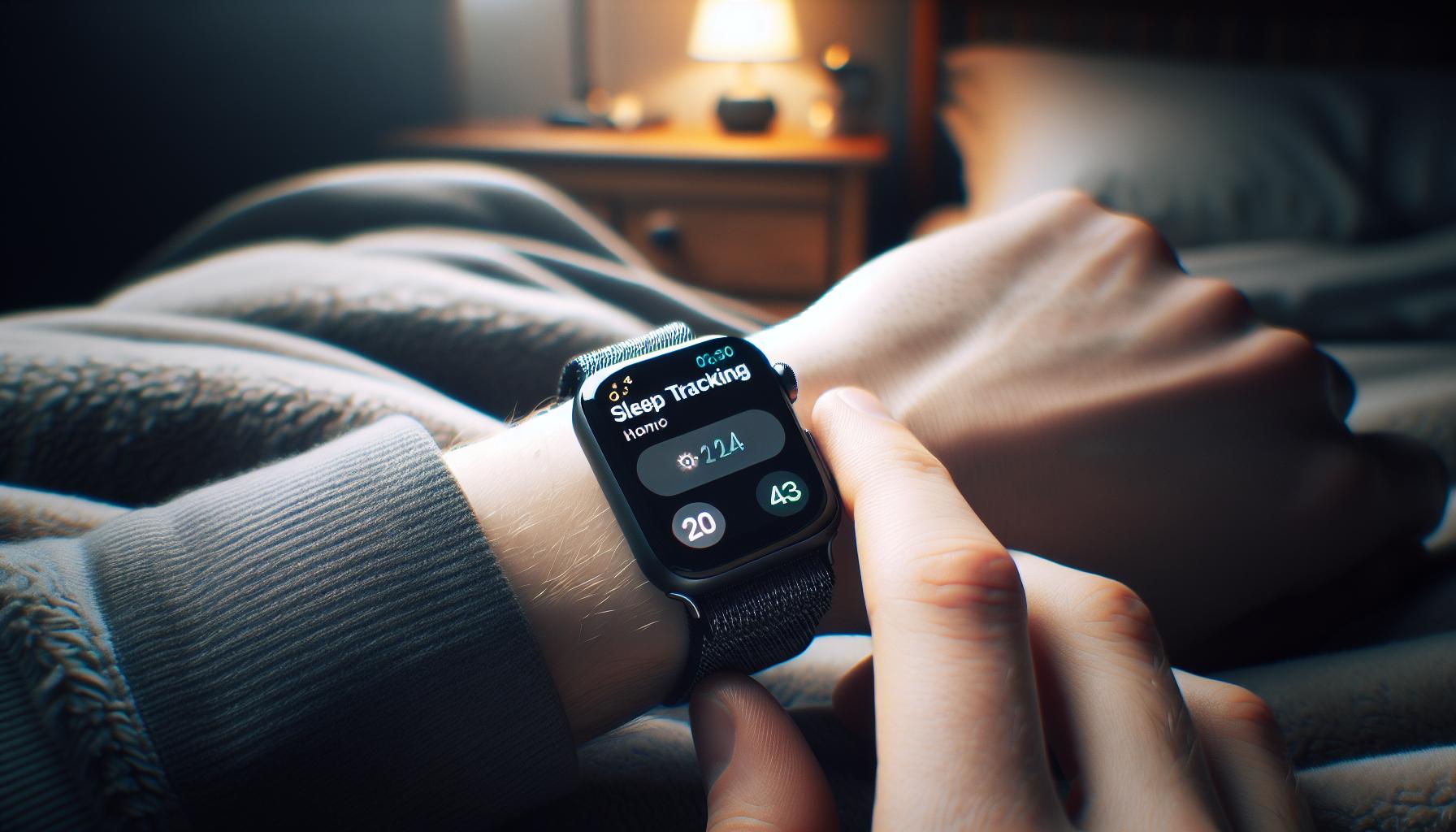
Essential Settings to Optimize Sleep Tracking
By optimizing specific settings on your Apple Watch, you can elevate its sleep tracking capabilities significantly. The goal is to create an environment where your watch can gather and interpret data effectively. To begin, activating the Sleep Focus feature is crucial. This setting not only reduces distractions by silencing notifications, but it also cues your watch to start tracking sleep when you are in sleep mode. Ensure this feature is turned on every night for accurate data collection.
Next, the fit of your Apple Watch plays a vital role in sensor functionality. A snug but comfortable fit around your wrist allows the watch to accurately measure heart rate and motion, both essential for precise sleep tracking. If the watch is too loose, it may not register your movements correctly, leading to inaccurate sleep data.
Lastly, it’s essential to maintain adequate battery life. The Apple Watch should be charged throughout the day to ensure it has enough power to support overnight tracking. Aim to have at least 30% of battery life before going to bed. By following these steps-activating Sleep Focus, ensuring a proper fit, and charging adequately-you’re setting the stage for enhanced sleep tracking, facilitating better insights into your sleep quality and patterns.
Testing Your Apple Watch for Sleep Data Accuracy
To ensure your Apple Watch is tracking sleep data accurately, it’s important to perform a few simple tests and checks. The accuracy of the sleep tracking functionality relies on several factors, but by understanding how the device operates and applying best practices, you can enhance its performance.
First, test the fit of your Apple Watch. A snug fit is crucial for accurate heart rate and motion measurement, which are integral to sleep tracking. Adjust the band to ensure that the watch sits comfortably against your wrist but isn’t too tight. A loose watch may cause it to misinterpret your movements during the night, leading to erroneous data.
Next, check your sleep schedule settings. Ensure that you have set up your sleep schedule correctly in the Health app. If there are discrepancies in the timing of your sleep and wake hours, your watch may fail to accurately log your sleep. Make sure to review the settings to confirm they align with when you typically go to bed and wake up.
Additionally, conducting a comparison test can provide insight into your watch’s accuracy. For one week, try wearing an alternative sleep tracker alongside your Apple Watch to compare the data. This can help identify any patterns or discrepancies in how your watch records sleep stages and totals. If you notice significant differences, it may be time to reset or troubleshoot your watch.
Another aspect to consider is the environment where you sleep. Ensure your sleep environment is conducive to rest-this includes minimizing light and noise, both of which can affect the watch’s ability to assess sleep quality accurately. Finally, periodically check for software updates, as updates can enhance tracking capabilities by refining algorithms for sleep data interpretation.
By following these simple yet effective practices, you can validate the accuracy of your Apple Watch’s sleep tracking feature and make informed decisions on adjustments or troubleshooting as necessary.
Troubleshooting Battery Life for Better Sleep Tracking
To help your Apple Watch maximize its tracking capability, particularly through the night, maintaining optimal battery life is essential. Battery drain can directly impact the performance and accuracy of sleep tracking features, leading to missed sleep data or inconsistent reports. Here’s how you can tackle common battery issues for better sleep tracking.
First, it’s crucial to adjust your battery settings. Ensure that your watch is set to Low Power Mode during the night if you know its battery typically drains quickly. This mode will limit certain functionalities while still allowing sleep tracking to function. To enable it, go to the Settings app on your Apple Watch, select Battery, and toggle on Low Power Mode.
Another effective strategy is to check for apps running in the background. Some applications consume significant battery life, so make sure you close any that aren’t necessary for the night. To do this, double-tap the side button and swipe up on any open apps to close them. This small step can lead to a noticeable improvement in battery performance.
Ensuring your Apple Watch is fully charged before bedtime is another practical approach to avoid interruptions in sleep tracking. Aim for at least 80-90% battery life prior to sleep to make sure the watch can run its tracking processes throughout the night without shutting down. You can establish a routine where you charge your watch while winding down for bed-perhaps while you’re watching television or reading.
Finally, consider your watch’s screen brightness and notifications. Lower the screen brightness through the Settings or by swiping up on the watch face and adjusting the brightness slider. Additionally, try turning off unnecessary notifications during the night. Minimizing alerts reduces battery usage, allowing your watch to focus on tracking sleep effectively without interruptions.
By implementing these strategies, you can reduce battery drain and ensure that your Apple Watch captures your sleep data accurately. Keeping your device charged and optimized not only supports your tracking efforts but can also enhance your overall sleep quality by providing insightful data on your rest patterns.
Understanding Sleep Stages and Data Interpretation
Understanding sleep stages is essential for interpreting the data your Apple Watch provides. This popular smartwatch tracks not just how long you sleep but also the different stages of sleep you go through. The typical sleep cycle includes stages like light sleep, deep sleep, and REM (Rapid Eye Movement) sleep, each playing a vital role in your overall rest and recovery.
When evaluating your sleep data, your Apple Watch categorizes your sleep into these stages and displays them in the Sleep app. For a comprehensive understanding, familiarize yourself with what each phase entails:
- Light Sleep: This is the initial stage when you first drift off. It’s relatively easy to wake someone from light sleep, but it’s crucial for transitioning into deeper sleep stages.
- Deep Sleep: Deep sleep is where the body undergoes significant repair and restoration. It’s harder to wake someone during this phase, and this is when the highest levels of growth hormone are released.
- REM Sleep: During REM sleep, most dreaming occurs. This stage is essential for memory processing and mood regulation.
Each stage’s duration and quality can reveal much about your sleep health. For instance, a consistent lack of deep sleep may lead to feelings of fatigue during the day. Use the data provided by your Apple Watch as a guide to identify trends over time. Are you getting enough deep sleep? Is your REM sleep cycle consistent?
It’s also wise to consider the context of your lifestyle. Stress, caffeine intake, and overall activity levels can impact your sleep stages and quality. If you notice persistent patterns of poor sleep, logging your sleep data can help you make informed adjustments, leading to better sleep quality. Engaging with this data empowers you to approach sleep more strategically.
Understanding your sleep stages allows you to leverage your Apple Watch’s capabilities fully, directing you toward healthier habits and lifestyle choices that enhance your overall well-being.
Third-Party Apps to Enhance Sleep Tracking
To truly harness the power of your Apple Watch for sleep tracking, consider exploring third-party apps designed to enhance and expand its capabilities. While the built-in Sleep app provides a solid foundation for monitoring your sleep patterns, certain apps can offer more detailed insights and additional features that may better suit your specific needs.
One standout option is AutoSleep, which offers robust tracking without requiring you to interact with your watch at bedtime-it automatically detects when you fall asleep. This app provides a wealth of metrics, including sleep quality scores, sleep trends over time, and thorough analyses of your sleep cycles and stages. Users appreciate the detailed charts and easy-to-read interface. It’s available for a one-time purchase, making it a cost-effective option for those serious about understanding their sleep.
Another excellent choice is Pillow, which focuses on sleep analysis through both automatic and manual modes. It tracks your sleep cycles, provides intelligent alarms to help you wake up at the optimal time, and offers guided sessions for better sleep. The app is especially user-friendly, integrating seamlessly with Apple Health, which allows you to centralize your health data in one place. Like AutoSleep, Pillow is also available for a one-time fee with optional in-app purchases for additional features.
Choosing the Right App
When evaluating which app to use, consider the following:
- Integration: Ensure the app works well with Apple Health and syncs with other health data.
- User Experience: Look for a clean interface and ease of use.
- Specific Features: Decide if you need detailed insights, alarms, or soundscapes to help you sleep.
- Cost: Compare one-time payments versus subscription models to find what fits your budget.
By exploring these third-party options, you can maximize your sleep tracking experience on your Apple Watch, empowering you to make informed decisions about your sleep health and ultimately paving the way to a more restful night.
When to Seek Professional Help for Sleep Issues
Persistent sleep problems can greatly affect your quality of life, making it essential to know when to seek professional help. If you’ve been using your Apple Watch to track your sleep but the data is inconsistent or doesn’t correlate with how you feel, it might be a sign to consult a healthcare professional. Typically, it’s advisable to consider professional evaluation if you experience symptoms such as excessive daytime sleepiness, loud snoring, or disruptive behavior during sleep, which could suggest underlying sleep disorders like sleep apnea.
Additionally, challenges such as insomnia that persist for more than a few weeks, or repeated awakening throughout the night that prevents you from feeling rested, warrant a conversation with a sleep specialist. They can offer insights that devices like the Apple Watch may not capture, particularly if your sleep is affected by anxiety, stress, or medications. A sleep study, often referred to as polysomnography, may be necessary; this comprehensive assessment records your physical activity while you sleep and can help identify patterns or disturbances.
It’s also important to keep in mind that while your Apple Watch provides valuable data, it offers a generalized view of your sleep patterns. If advanced metrics are needed, or if your health is being adversely affected, don’t hesitate to seek a professional opinion. While wearables can aid in monitoring sleep, the nuanced understanding a sleep expert provides can lead to more tailored solutions, such as cognitive behavioral therapy for insomnia or lifestyle changes that could significantly improve your sleep quality.
Lastly, registering your sleep issues and gathering this data from your Apple Watch can be an excellent foundation for discussions with your doctor. Bring any relevant information, such as trends in your sleep cycles or nights of poor sleep, as this can facilitate a more productive conversation about your health and help in forming an effective treatment plan.
Comparing Apple Watch Sleep Tracking to Other Devices
When it comes to tracking sleep, the Apple Watch stands out with its integration of advanced sensors and a user-friendly interface. However, it’s essential to understand how it compares to other devices in the market. Many users find themselves grappling with questions about accuracy, features, and overall effectiveness when considering alternatives like Fitbit, Garmin, or dedicated sleep trackers.
Key Comparisons
Various devices cater to different aspects of sleep tracking, and here’s a closer look at some popular options:
| Device | Features | Average Cost | Accuracy |
|---|---|---|---|
| Apple Watch | Heart rate monitoring, sleep stages, integration with iPhone Health | $399+ | Good for general insights; not clinical-grade |
| Fitbit Charge 5 | Sleep score, REM, deep sleep tracking, SpO2 monitoring | $179.95 | High accuracy for sleep stages and overall trends |
| Garmin Venu 2 | Body battery, sleep score, insights into wellness | $399.99 | Reliable for fitness-focused users with sleep information |
| Oura Ring | Detailed sleep analysis, readiness score, and recovery metrics | $299+ | High accuracy, particularly for sleep stages |
While Apple Watch offers basic sleep tracking functionalities, devices like the Fitbit Charge 5 and Oura Ring provide more detailed insights into sleep stages. For instance, Fitbit’s advanced algorithms deliver a sleep score that can help you gauge overall sleep quality rather than basic sleep duration alone. On the other hand, the Oura Ring excels in providing a comprehensive look into your sleep patterns, including recovery metrics that are invaluable for those interested in performance or health optimization.
Real-World Examples
Consider a scenario where you are trying to discern the effectiveness of your sleep tracking. Many users of the Oura Ring report that its detailed nightly insights and readiness scores empower them to make informed lifestyle changes. Alternatively, a fitness enthusiast might thrive using the Garmin Venu 2, which combines fitness tracking with sleep insights, helping them adjust their training regimens based on their recovery.
When contemplating sleep tracking, it’s crucial to evaluate your priorities. If you value a device that seamlessly integrates into your daily life, the Apple Watch offers great convenience. However, if you are seeking precise metrics and dedicated sleep analysis, other wearables may provide advantages worth considering.
In conclusion, understanding the differences between your Apple Watch and other sleep-tracking devices can guide you in selecting the tool that best meets your needs, ensuring you get the most accurate data to support your sleep health journey.
Tips for Improving Sleep Quality with Your Apple Watch
Improving your sleep quality using your Apple Watch can be a game-changer, especially when many of us desire better rest in our fast-paced lives. The Apple Watch isn’t just a timepiece; it’s a potential tool for enhancing your nightly routine. One of the easiest ways to start is by leveraging the built-in features designed to promote healthier sleep habits.
Set a Consistent Sleep Schedule
The Apple Watch allows you to create a bedtime routine through the Sleep app. Start by setting a consistent sleep and wake time to help regulate your body’s internal clock. Consistency is key, as it helps your body initiate sleep and wakefulness more naturally. Aim for a minimum of 7-9 hours of sleep each night, which is the general recommendation for adults. Use the Wind Down feature to schedule calming activities leading up to sleep, such as reading or meditation.
Track and Analyze Your Sleep Data
With your watch on, monitor details such as sleep duration and disturbances through the Health app on your iPhone. This data can give you insights into your sleep patterns over time. Pay attention to how factors such as exercise, caffeine intake, and screen time affect your sleep quality. Adjust these habits accordingly based on your findings. For example, reducing screen use in the hour before bed can significantly improve the quality of your sleep.
Take Advantage of Breathing and Mindfulness Features
Incorporate the watch’s mindfulness features, like the Breathe app, to reduce pre-sleep anxiety. Practicing deep breathing for just a few minutes can help calm your mind and prepare your body for rest. Use the reminders to breathe as prompts to check in with your emotional state, helping to alleviate stress before sleeping.
Optimize Your Environment
Make sure your sleeping environment is conducive to rest. Consider factors like room temperature, lighting, and noise levels. Utilize your watch’s haptics to gently wake you up at the optimal phase of your sleep cycle rather than a harsh alarm, making your wake-up experience more pleasant. Aim for a cool, dark, and quiet room, and consider white noise machines or earplugs if external sounds disrupt your sleep.
By actively engaging with your Apple Watch’s features, you can not only track your sleep but also make informed adjustments that enhance your overall sleep quality. Small changes can lead to significant improvements over time, fostering a healthier lifestyle powered by technology.
How to Reset and Reconfigure Your Apple Watch
If you’re experiencing issues with your Apple Watch not tracking sleep data, resetting and reconfiguring the device can often help resolve these problems. Although it might seem daunting, the process is straightforward and can restore the functionality of your watch, allowing you to get back to monitoring your sleep effectively.
To start, ensure that your Apple Watch is adequately charged-having a low battery can interfere with its ability to track sleep. If the battery is sufficient, you can proceed with a simple reset by following these steps:
- Force Restart Your Watch: Press and hold both the side button and the Digital Crown for at least 10 seconds, until you see the Apple logo. This action can resolve minor glitches that may disrupt sleep tracking.
- Unpair and Re-pair: This step is often more effective for persistent issues. Open the Apple Watch app on your iPhone and tap on “My Watch.” Select your watch at the top and then tap the “i” next to it. Choose “Unpair Apple Watch.” Once unpaired, wait for a few moments, then set up the watch again as you did initially. This step resets all settings and might also rectify any tracking issues.
- Check for Updates: After setting up your watch, make sure it’s running the latest version of watchOS. Updates can include important bug fixes. Go to the Apple Watch app on your iPhone, tap “General,” and then “Software Update.” If an update is available, install it.
- Reconfigure Sleep Settings: Once your watch is reset and running the latest software, revisit the Sleep settings in the Health app on your iPhone. Ensure that your sleep schedule is correctly set and that the sleep tracking feature is enabled. Verify that permissions are granted for the Health app to access sleep data.
By following these steps, you can effectively reset and reconfigure your Apple Watch to optimize its sleep tracking capabilities. If issues persist even after reconfiguration, it may be time to seek professional support from Apple, as there could be a hardware-related issue affecting your device’s performance.
User Experiences: Success Stories with Sleep Tracking
Many users have found that leveraging the sleep tracking capabilities of their Apple Watch has not only improved their nightly rest but has also transformed their morning routines. For instance, Sarah, a busy mother of three, reported that after enabling her sleep tracking feature, she discovered she was getting less sleep than she had thought. Armed with this information, she adjusted her bedtime, resulting in more restful sleep and improved energy levels throughout the day.
Another user, Mike, shared how monitoring his sleep stages on the Apple Watch helped him understand the correlation between late caffeine consumption and restless nights. By adjusting his caffeine intake and making sure he was winding down earlier in the evening, he managed to increase his deep sleep duration significantly. This data-driven approach empowered Mike to develop healthier habits, leading to better overall sleep quality.
Moreover, real-time feedback, such as heart rate data and sleep trends, has encouraged many users to adopt more mindful practices. For example, Clara, who struggled with insomnia, turned to meditation and breathing exercises as suggested by her watch’s insights. She found the Apple Watch’s gentle wake-up alarms and reminders to practice relaxation techniques tremendously beneficial, giving her a greater sense of control over her sleep environment.
While some may struggle with sleep data accuracy, others have successfully integrated the Apple Watch into their nightly routines. They encourage fellow users to experiment with the settings, actively engage with the health metrics provided, and share their experiences within the community. Such stories highlight how wearable technology can serve as an engaging tool for improving sleep health, fostering better sleep hygiene, and ultimately enhancing daily well-being.
Frequently asked questions
Q: Why isn’t my Apple Watch tracking sleep data?
A: If your Apple Watch isn’t tracking sleep data, it could be due to several reasons, such as not enabling the sleep tracking feature, low battery settings, or incorrect wrist placement. Ensure you’ve turned on sleep tracking in the Watch app and that your watch fits snugly on your wrist while you sleep.
Q: How can I enable sleep tracking on my Apple Watch?
A: To enable sleep tracking, open the Watch app on your iPhone, navigate to the Sleep section, and toggle on the sleep tracking option. Additionally, set a sleep schedule in the Health app to help the watch monitor your sleep effectively.
Q: What should I do if my Apple Watch’s battery is draining too quickly for sleep tracking?
A: If your Apple Watch’s battery drains quickly, try disabling unnecessary background apps, reducing display brightness, and ensuring you’re using Power Saving Mode during sleep. This can extend battery life and improve sleep tracking reliability.
Q: Can I wear my Apple Watch loosely while sleeping for tracking?
A: No, wearing your Apple Watch too loosely can prevent accurate sleep tracking. Ensure it’s snug but comfortable on your wrist to accurately monitor your heart rate and movement during sleep.
Q: Are there any third-party apps that can help with sleep tracking on my Apple Watch?
A: Yes, several third-party apps enhance sleep tracking, such as Sleep Cycle and AutoSleep. These apps can provide additional insights and features beyond the native Apple Watch Sleep app.
Q: Why is my Apple Watch not detecting my sleep patterns accurately?
A: Inaccurate sleep pattern detection can result from factors like improper watch fit, late or varied sleep schedules, or insufficient data collection due to battery issues. Try resetting your watch and ensuring a consistent sleep routine for better accuracy.
Q: How often should I recalibrate my Apple Watch for sleep tracking?
A: It’s advisable to recalibrate your Apple Watch for sleep tracking every few months or when you notice inconsistent data. You can do this by resetting your Health and Fitness settings to refresh the data collected.
Q: What if my Apple Watch won’t sync sleep data with my iPhone?
A: If your sleep data isn’t syncing, check your Bluetooth connection and ensure both devices are updated to the latest software version. Restarting both the watch and iPhone can often resolve sync issues.
The Conclusion
Now that you know why your Apple Watch might not be tracking your sleep data, it’s time to take action! Ensure your device is set up correctly and explore its features to get the most accurate sleep insights. For deeper analysis of your sleep and practical tips, check out our guides on optimizing your sleep environment and understanding sleep stages.
Don’t let sleep troubles linger-start improving your sleep health today! If you’re facing ongoing issues, consider scheduling a consultation with a sleep specialist. Engage with us in the comments below to share your experiences or questions, and ensure you subscribe to our newsletter for the latest updates on sleep technology. Your journey to better sleep starts now-let’s explore more together!
Get our latest guides, news, and insights highlighted in your Google Search & AI Overviews.