
Are you frustrated because your Galaxy Watch isn’t tracking your sleep? You’re not alone-many users encounter this issue, which can impact your ability to monitor your health effectively. Understanding sleep patterns is crucial for optimizing your well-being, and a malfunctioning tracker can feel like a setback in your quest for better rest. Thankfully, there are simple, quick fixes you can explore to get your watch back on track. By clarifying the causes behind this issue and offering practical solutions, we aim to empower you with the knowledge you need to enhance your sleep monitoring experience. Read on to discover how you can troubleshoot and resolve these challenges swiftly, ensuring you’re back to enjoying the full benefits of your Galaxy Watch.
Understanding Sleep Tracking with Galaxy Watch
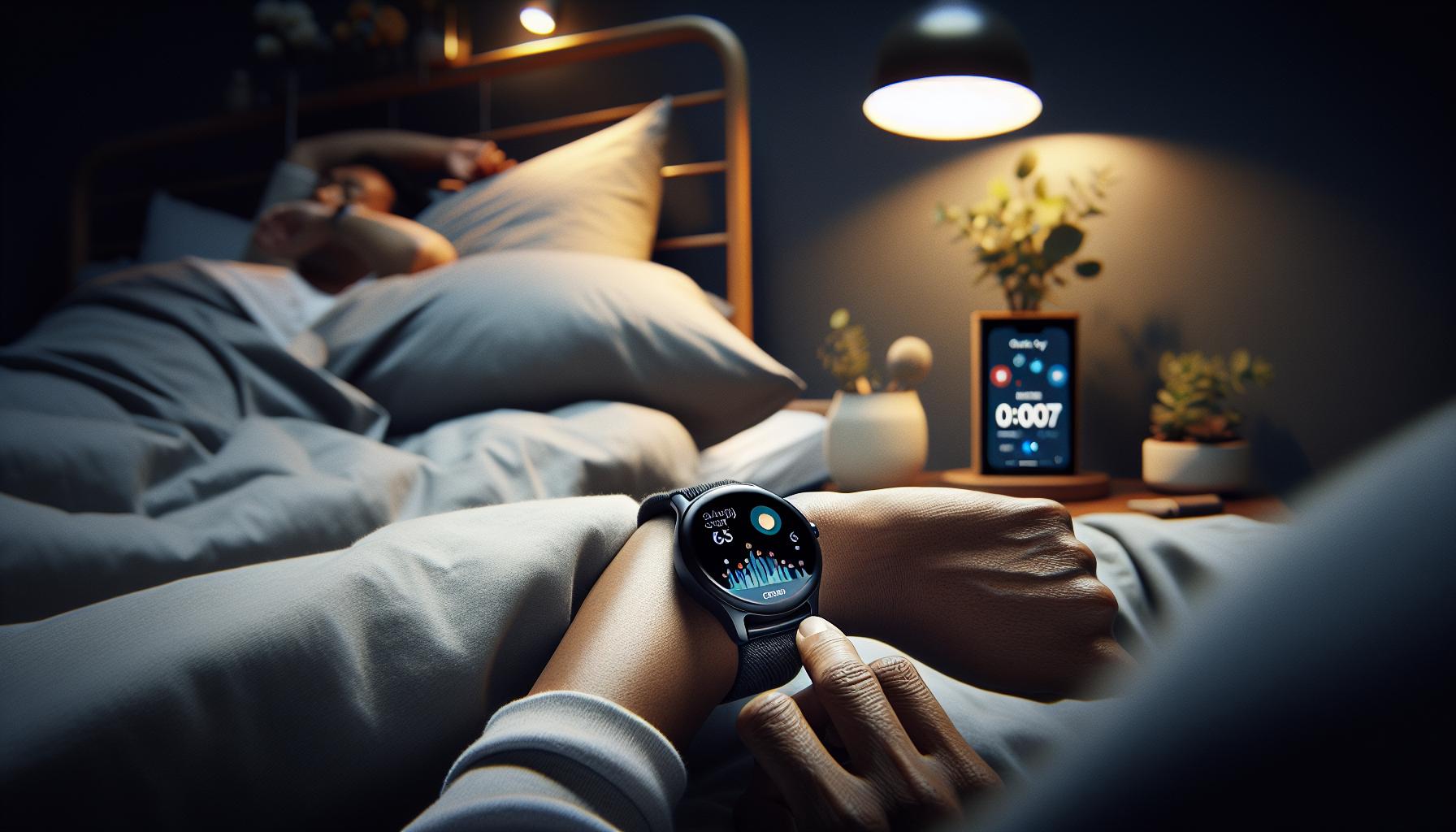
Wearable technology has transformed how we understand and manage our sleep, and the Galaxy Watch is at the forefront of this evolution. By using sensors to gather data on movement, heart rate, and blood oxygen levels, the Galaxy Watch provides insights into your sleep patterns, helping you identify when you’re in light, deep, or REM sleep. It’s essential to understand how this technology works to maximize its benefits and ensure you’re getting the most accurate data.
The Galaxy Watch’s sleep tracking feature is designed to be intuitive, but it can sometimes fail to perform as expected. Factors impacting this functionality include incorrect device placement and settings, insufficient battery life, or even software glitches. It’s crucial to realize that while the watch can provide valuable metrics, it’s not a substitute for professional sleep studies, particularly if you’re dealing with ongoing sleep issues. Many users may overlook the importance of properly configuring the device or maintaining its charge, which can lead to gaps in sleep data.
To enhance the accuracy of sleep tracking, consider the following practical tips:
- Wear the Watch Correctly: For optimal tracking, wear your watch snugly but comfortably on your wrist.
- Adjust Settings: Ensure that sleep tracking is activated in the Samsung Health app and that you have set any necessary preferences.
- Monitor Battery Life: A charged watch is fundamental for tracking accuracy, so keep an eye on the battery before bedtime.
- Update Software: Regular updates often include bug fixes and improvements that can enhance tracking performance.
Understanding these aspects will empower you to utilize the Galaxy Watch effectively, providing a clearer picture of your sleep quality and helping you to make informed decisions about your health and well-being.
Common Reasons for Sleep Tracking Failures
Sleep tracking can be a game-changer, but it’s not unusual for users to uncover discrepancies in the data their Galaxy Watch provides. It can be frustrating when this handy device fails to track your sleep accurately, leaving you wondering what’s gone wrong. Several common culprits may be behind this issue, ranging from improper settings to user habits.
One of the primary reasons sleep tracking can falter is improper device placement. The Galaxy Watch needs to be worn snugly on your wrist to gather accurate data. If it’s too loose, it may not detect your movements or heart rate effectively during sleep. Additionally, changes in your routine, such as sleeping with your arm under your head or wearing heavy blankets, may impact the accuracy of readings. Ensuring that the watch remains in contact with your skin during the night is critical for reliable tracking.
Another significant factor that can thwart sleep tracking is battery life. If your watch isn’t charged sufficiently before going to bed, it may shut down or fail to track your sleep altogether. Regularly checking your watch’s battery status prior to sleep can save you from missing out on vital insights. Moreover, software glitches are not uncommon. Like any technology, the Galaxy Watch may require updates to perform optimally. Frequent updates not only improve performance but also fix bugs that could be causing issues with sleep tracking.
Lastly, inactivity of sleep settings might be to blame. If sleep tracking is not activated in the Samsung Health app, the watch won’t monitor your sleep pattern, leaving you without any data. Ensuring you’ve correctly set up all necessary preferences beforehand can make a considerable difference in capturing accurate data.
By being mindful of these common issues, users can optimize their Galaxy Watch experience and obtain a clearer picture of their sleep health.
How to Troubleshoot Galaxy Watch Sleep Issues
If your Galaxy Watch isn’t accurately tracking your sleep, it can be both puzzling and frustrating. Fortunately, there are several straightforward troubleshooting steps you can take to identify and resolve the issue, ensuring you get the sleep data you need for better health insights.
First, check your settings to confirm that sleep tracking is enabled in the Samsung Health app. Sometimes, after software updates or changes in settings, this feature can become deactivated. Simply navigate to the app and ensure the sleep tracking option is turned on.
Next, examine how you’re wearing the watch. The device should be snug on your wrist; if it’s too loose, it might not capture your movement or heart rate accurately. Try adjusting the strap for a better fit, making sure it sits flat against your skin, particularly during the night when you’re asleep.
Battery life is another critical aspect to consider. Make it a routine to charge your watch before bed to prevent it from shutting down unexpectedly overnight. If you’re frequently facing battery issues, consider optimizing your watch settings to extend its life, such as reducing screen brightness or disabling unnecessary features.
Additionally, stay updated with the latest software versions. Manufacturers often release updates that fix bugs affecting performance and tracking accuracy. Check your Galaxy Watch’s settings for any available updates, and install them regularly to ensure your device operates with the best efficiency.
Lastly, if you’re still encountering issues, it might be beneficial to perform a reset of the watch. This can clear out any lingering software glitches that might be interfering with sleep tracking. Just remember to back up your data before doing so!
By taking these proactive measures, you can significantly enhance the reliability of your Galaxy Watch’s sleep tracking capabilities and gain valuable insights into your sleep habits.
Essential Settings to Optimize Sleep Tracking
To get the most out of your Galaxy Watch’s sleep tracking features, it’s essential to ensure that your settings are optimized for the task. The right configurations can significantly enhance the accuracy and reliability of the data the device collects during your slumber.
First, confirm that sleep tracking is activated within the Samsung Health app. This might seem basic, but software updates or inadvertent adjustments can disable this feature. Open the app, navigate to the sleep section, and ensure that sleep tracking is toggled on. Additionally, dive into the settings to adjust the sleep schedule. Aligning your planned bedtime with the watch’s schedule improves its ability to detect sleep onset accurately.
Another critical aspect involves adjusting notification settings. Continuous notifications or alerts can disrupt sleep tracking by waking you during the night. To mitigate this, consider enabling “Do Not Disturb” mode, which restricts notifications during your sleep hours. This feature can be easily accessed via the quick settings menu.
Also, consider the heart rate monitoring settings. Keeping this feature active during sleep can help in providing a more comprehensive analysis of your sleep quality. Review the heart rate settings to ensure the device is configured to monitor continuously, as fluctuations in heart rate can indicate different sleep stages that the watch captures.
If you’re still encountering issues after optimizing these settings, remember to keep your device charged. A fully charged watch is less likely to miss out on important tracking data overnight. Establishing a charging routine before bed can help ensure that your watch is ready to provide accurate insights into your sleep patterns. With these considerations in place, your Galaxy Watch can deliver more reliable and helpful sleep data, ultimately aiding in your quest for better sleep health.
Updating Software: A Key Fix for Sleep Issues
To get the most out of your sleep tracking features, ensuring that your Galaxy Watch has the latest software is crucial. Software updates frequently include improvements to sleep tracking algorithms, bug fixes, and additional features that enhance overall performance. Regularly updating your device not only keeps it functioning optimally but also enhances the precision with which it monitors your sleep patterns.
Check for updates through your Galaxy Watch settings. Open the Settings app on your watch, navigate to About Watch, and select Software Update. Make sure your watch is connected to Wi-Fi and charged; the update process can take some time, and a depleted battery could interrupt it. Once an update is available, follow the prompts on your screen to install it. If you’ve missed an important update in the past, you might notice an immediate improvement in how your watch records your sleep.
In addition to keeping your software up to date, remember that your Galaxy Watch should be synced with the Samsung Health app on your smartphone. This connection ensures that any updates made to your health data are reflected across both devices. Sometimes, discrepancies in data can arise if the app hasn’t synced appropriately. Besides checking for software updates, routinely reviewing app permissions and settings can optimize your watch’s sleep tracking capacity, providing a comprehensive understanding of your sleep cycles.
Ultimately, you have the power to help your Galaxy Watch perform at its best. By staying on top of software updates, you can significantly reduce sleep tracking issues, allowing your device to assist you effectively on your journey to better sleep health.
Device Placement: Best Practices for Accurate Tracking
Wearing your Galaxy Watch correctly during sleep is essential for accurate tracking of your sleep stages and overall rest quality. Many users overlook how device placement can significantly affect sensor performance. One of the most common recommendations is to ensure that the watch fits snugly on your wrist, ideally on the wrist opposite to your dominant hand. A proper fit allows the watch’s sensors to maintain consistent contact with your skin, which is crucial for recording metrics like heart rate and movement that directly influence sleep tracking accuracy.
When positioning your watch, aim for a location just above your wrist bone. This placement maximizes sensor contact and minimizes the risk of the device shifting out of position, particularly during restless sleep or nighttime movements. If your watch is too loose, it may slide down your wrist or rotate, leading to inaccuracies in data capture. Conversely, if it’s too tight, you may experience discomfort, leading to disrupted sleep. Finding the right balance is key. Adjust the band length for a comfortable yet secure fit, and consider using a breathable band for maximum comfort throughout the night.
In addition, be mindful of other factors that could affect tracking accuracy. For instance, avoid wearing wrist accessories like bracelets or cuffs on the same wrist, as they may interfere with the watch’s sensors. Keep in mind that sleeping positions can also influence data collection; if you often sleep with your arm under your pillow, this can obstruct the watch. If you find that you’re still experiencing issues despite proper placement, consider experimenting with a different band or consulting the watch’s user manual for further specifications on how to wear it correctly for optimal performance.
In summary, ensuring the proper placement of your Galaxy Watch on your wrist can significantly enhance its ability to track your sleep effectively. By securing a snug fit above the wrist bone and avoiding interference from other wrist accessories, you set your watch up for success. This mindful approach allows you to leverage the full capabilities of your device, ultimately guiding you towards better sleep health and insights.
Battery Life: Impact on Sleep Tracking Performance
The battery life of your Galaxy Watch plays a crucial role in its ability to accurately track your sleep. Many users find that their watch stops monitoring their slumber not because of a fault in the device itself, but due to insufficient battery power during the night. To maximize sleep tracking capabilities, it’s essential to understand how battery life impacts performance and what you can do to ensure your watch remains charged overnight.
One of the most common scenarios is going to bed with a battery level that isn’t optimal for a full night’s tracking. The Galaxy Watch typically requires a certain percentage of battery-ideally above 30%-to perform comprehensive sleep analysis, including tracking sleep cycles, heart rate variability, and disturbances. If your watch is depleted or nearly depleted, it may not register any sleep data at all. Therefore, adopting a routine of charging your watch during the day can make a substantial difference. Set reminders to charge it while at work or during breaks to ensure it’s fully powered when you’re ready for bed.
Another factor to consider is the power consumption of various features. Features like heart rate monitoring, notifications, and ambient display can drain battery life more quickly. If you find your battery consistently running low, consider disabling some of these functions, especially during sleep hours. For instance, turning off the always-on display or reducing the frequency of heart rate checks can help conserve battery, allowing your watch to focus on accurately tracking your sleep stages throughout the night.
Additionally, keeping an eye on your watch’s battery performance is vital. Galaxy Watches usually display battery percentage and can even provide insights into which apps or features are using the most power. Regular updates for your watch’s operating system may also include improvements in battery efficiency, so keeping your device current can lead to longer usage between charges.
In summary, maintaining adequate battery life is essential for effective sleep tracking with your Galaxy Watch. By ensuring a good charge before bed and managing power-hungry features, you can significantly enhance your device’s ability to capture vital sleep data, ultimately guiding you towards healthier sleep patterns.
Third-Party Apps: Boosting Your Sleep Data Accuracy
Incorporating third-party apps into your nightly routine can significantly amplify the accuracy of the sleep tracking provided by your Galaxy Watch. These specialized applications are designed to enhance the data your watch collects, offering more in-depth insights and personalized recommendations based on your unique sleep patterns.
When selecting a third-party app, you’ll find a range of options that provide diverse functionalities-from detailed sleep cycle analysis to more holistic approaches integrating meditation and breathing exercises. Some popular apps include Sleep Cycle, Sleep as Android, and Calm. Each of these can offer advanced features, such as smart alarms that wake you during the lightest sleep phase or methods to help you establish better pre-sleep routines. Implementing these apps can help identify trends, providing recommendations to address specific sleep issues based on comprehensive data analysis.
While using these external applications, it’s essential to ensure they’re compatible with your Galaxy Watch. Typically, installation is straightforward. Start by downloading the app to your smartphone, then connect it to your watch through the Galaxy Wearable app. After the configurations are set, you can customize features to align with your sleep goals. For example, you can adjust settings to track only certain sleep stages or incorporate relaxing soundscapes to help you wind down.
Moreover, engaging with community features offered by some of these apps can motivate you and provide additional insights. User-generated content often includes success stories and tips that can guide you toward better sleep hygiene. Embracing these technological tools not only empowers you to boost the data accuracy of your sleep tracking but can also transform your overall sleep experience, leading to healthier habits and ultimately, improved wellbeing.
Understanding Sleep Stages: What Your Watch Tracks
Understanding the intricacies of your sleep stages can greatly enhance your sleep tracking experience with the Galaxy Watch. As many users discover, knowing how your watch interprets sleep can be crucial in identifying why the device may not effectively track your sleep patterns. The Galaxy Watch typically monitors various sleep stages-light, deep, and REM (Rapid Eye Movement)-each playing a pivotal role in your overall sleep quality.
During light sleep, your body begins to relax, and your brain becomes less responsive to external stimuli. This is the phase where you might experience easily disrupted sleep, which the Galaxy Watch can catch through its motion sensors. Meanwhile, deep sleep is when your body undergoes critical restorative processes, including tissue repair and growth, where the watch analyzes heart rate variability to detect this state. Lastly, REM sleep is crucial for memory consolidation, and the Galaxy Watch recognizes this by monitoring eye movement patterns through heart rate and motion data.
To leverage this data effectively, ensure that your watch’s sleep tracking feature is activated, and you wear it consistently to gather accurate data over time. The Galaxy Watch provides a breakdown of your sleep cycles in the accompanying app, helping visualize the duration spent in each sleep stage. Understanding these patterns can empower you to make informed decisions on improving your sleep hygiene. For instance, if you’re not getting enough REM sleep, you might explore reducing screen time before bed or adjusting your sleep environment.
Remember, while the Galaxy Watch is a powerful tool for tracking sleep, it has its limitations. Environmental factors, device placement, and personal habits can all influence its accuracy. If you notice inconsistencies in the data, a review of these components could reveal the adjustments needed to optimize your sleep tracking experience.
Comparing Galaxy Watch Models: Sleep Features Explained
The various models of the Galaxy Watch come with distinct features that affect sleep tracking capabilities. Understanding these differences can help you choose the right model for your needs and troubleshoot why your watch may not be effectively tracking your sleep. Samsung has evolved the tracking technology over several iterations, with each model introducing improvements in sensors, algorithms, and user interface.
Key Sleep Tracking Features by Model
The Galaxy Watch series, including the Galaxy Watch Active, Galaxy Watch 3, and Galaxy Watch 4, have each built on prior technology, effectively enhancing sleep tracking results.
- Galaxy Watch Active: This model was one of the first to offer a streamlined design paired with basic sleep analytics. It tracks total sleep time and automatically detects when you fall asleep, but its limitations in stage tracking mean it may miss subtle differences between light, deep, and REM sleep.
- Galaxy Watch 3: A significant upgrade, the Galaxy Watch 3 provides advanced sleep tracking capabilities. It utilizes an improved heart rate monitor for better accuracy in distinguishing sleep stages and includes insights on sleep trends over time.
- Galaxy Watch 4: This latest model includes sophisticated sensors and an updated algorithm that not only tracks sleep duration but also offers detailed insights into sleep stages. With the addition of body composition analysis, it can help you better correlate your overall health metrics with sleep quality.
While all models aim to provide insights into your sleep patterns, it’s important to consider your specific needs. For example, if you’re looking for a simple overview of sleep duration, earlier models like the Galaxy Watch Active may suffice. In contrast, if you’re keen on understanding sleep stages and receiving personalized recommendations, investing in a Galaxy Watch 3 or 4 would be more beneficial.
Optimizing Sleep Tracking Across Models
No matter which model you have, optimizing settings is crucial for accurate sleep tracking. Ensure that the sleep tracking feature is enabled in the settings, and adjust your sleep goals to provide the watch with context for your data. You should also keep your software updated to benefit from the latest enhancements and fixes that improve sleep data accuracy.
In cases where sleep tracking fails, consider these factors:
- Wearability: Always wear your watch snugly on your wrist to enhance sensor performance.
- Battery Health: A low battery may hinder performance, so charge your device regularly.
- App Integration: Make sure the companion app is synced and functioning properly, as this can affect data clarity.
Ultimately, knowing the limitations of your Galaxy Watch model can lead to better usage and a clearer understanding of your sleep data. If perplexities persist despite troubleshooting, it may be time to seek professional advice to pinpoint underlying issues.
When to Seek Professional Help for Sleep Issues
Sleep is a crucial aspect of our health, but if you find that your Galaxy Watch is consistently failing to track your sleep, it may signify deeper issues worth exploring. Many users dismiss persistent sleep problems as minor inconveniences, yet these issues can indicate underlying sleep disorders such as sleep apnea, insomnia, or restless leg syndrome. If you notice that your watch isn’t just neglecting to record sleep but you also feel excessively tired during the day, struggle to fall asleep, or have trouble staying asleep, it may be time to seek professional guidance.
Before scheduling a sleep study or consulting a specialist, keep track of your sleep patterns and related symptoms. Maintaining a sleep diary can help highlight consistency in your sleep issues, such as frequent awakenings, timing irregularities, or excessive daytime sleepiness. If your Galaxy Watch is not fully operational and you’re unable to get reliable data from it, gathering this information is even more critical. Document any changes in lifestyle or stress levels that could affect your sleep, as this information will be invaluable to health professionals.
### When to Reach Out for Help
You should consider seeking professional help if you experience any of the following issues consistently:
- Severe Sleep Disruptions: If you frequently wake up gasping for air or notice loud snoring, it could suggest sleep apnea.
- Persistent Daytime Fatigue: If you struggle to stay awake during the day despite getting a full night’s sleep, it may point to a sleep disorder.
- Inability to fall asleep or stay asleep: Taking longer than 30 minutes to fall asleep or waking up multiple times every night can signify insomnia or anxiety issues.
- Other Symptoms: If sleep issues are accompanied by mood changes, cognitive difficulties, or physical symptoms like headaches, consulting a healthcare provider is wise.
### What to Expect from a Professional Consultation
During your appointment, a sleep specialist will typically review your sleep diary and may recommend a sleep study, known as polysomnography. This test monitors your sleep cycles and stages, breathing patterns, heart rate, and body movements, providing a clear picture of your nocturnal behaviors. Understanding your results can lead to a tailored approach, whether it involves lifestyle adjustments, treatment for sleep disorders, or exploring different wearable technology designed specifically for sleep enhancement.
Navigating sleep health can feel overwhelming, particularly with the myriad of devices and data available. Remember, while your Galaxy Watch can offer insights into your sleep, it isn’t a substitute for professional evaluation when serious issues arise. Empowering yourself with knowledge and seeking professional help provides the best path to improved sleep quality and overall well-being.
Improving Sleep Quality: Tips Beyond Tracking
Improving your sleep quality can go far beyond merely tracking your sleep patterns with your Galaxy Watch. While the device can provide valuable insights, implementing practical strategies in your daily life is crucial for enhancing your overall sleep health.
Start by establishing a consistent bedtime routine. Going to bed and waking up at the same time every day helps regulate your body’s internal clock, making it easier to fall asleep and wake up naturally. Consider winding down with calming activities, such as reading a book or doing gentle stretches, to signal to your body that it’s time for rest. Avoid screens-like smartphones and tablets-at least an hour before bed, as the blue light emitted can interfere with your melatonin production and disrupt your sleep cycle.
Optimize Your Sleep Environment
Your sleep environment plays a significant role in how well you rest. Ensure your bedroom is dark, cool, and quiet. Use blackout curtains to block external light, consider a white noise machine or earplugs if noise is a factor, and maintain a cooler temperature between 60-67°F (15-19°C) for optimal sleep quality. Investing in a comfortable mattress and pillows tailored to your sleep style can also make a significant difference-research shows that proper support can improve sleep comfort and reduce disruptions.
Mind Your Diet and Exercise
What you consume and how active you are throughout the day can greatly influence your sleep quality. Aim to avoid heavy meals, caffeine, and alcohol in the hours leading up to bedtime, as these can disrupt sleep patterns. Instead, opt for light snacks like bananas or herbal teas that promote relaxation.
Regular physical activity also plays a crucial role. Engaging in moderate exercise for at least 30 minutes on most days can help you fall asleep faster and enjoy deeper sleep. Just be mindful not to exercise too close to bedtime, as this may have the opposite effect and make it harder to wind down.
Consider Stress Management Techniques
Stress and anxiety are prevalent barriers to restful sleep. Incorporating relaxation techniques such as mindfulness meditation, yoga, or breathing exercises into your daily routine can help calm your mind and prepare your body for sleep. Additionally, journaling about your thoughts or gratitude can also alleviate mental clutter that might keep you up at night.
By implementing these strategies, you can create a more conducive environment for sleep and improve your overall well-being, ensuring that even if your Galaxy Watch isn’t capturing every sleep detail, you’re still setting yourself up for restful nights ahead.
Faq
Q: Why is my Galaxy Watch not recording my sleep patterns?
A: If your Galaxy Watch isn’t recording sleep patterns, check if it’s securely fitted on your wrist. Improper placement can lead to inaccurate readings. Additionally, ensure that sleep tracking is enabled in the settings, as it may be turned off inadvertently.
Q: How to restart my Galaxy Watch to fix sleep tracking issues?
A: To restart your Galaxy Watch, press and hold the Power button until the power options appear. Tap “Restart”. This can resolve minor glitches affecting sleep tracking performance. Refer to the troubleshooting section of your article for additional steps.
Q: Does my Galaxy Watch need an update for sleep tracking to work?
A: Yes, keeping your Galaxy Watch updated is essential for sleep tracking functionality. Software updates often include fixes for bugs and improved tracking features. Check for updates in the Galaxy Wearable app, as mentioned in your article’s updating software section.
Q: What can I do if my Galaxy Watch is out of battery during sleep tracking?
A: If your watch runs low on battery, it won’t track your sleep accurately. Ensure your watch is charged fully before bedtime. You can monitor battery life and adjust settings to extend usage, as discussed in the article’s battery life section.
Q: Why doesn’t my Galaxy Watch track short naps?
A: The Galaxy Watch typically requires a minimum duration of sleep to register an event as sleep. If your naps are too short, the device may not recognize them. For better tracking, consolidate nap times or check your waste section for adjustable settings.
Q: Can third-party apps affect sleep tracking accuracy on my Galaxy Watch?
A: Absolutely. Some third-party apps can interfere with the native sleep tracking functions of your Galaxy Watch. Consider uninstalling or adjusting these apps. Refer to your article on third-party apps for strategies to boost sleep data accuracy.
Q: What sleep stages does the Galaxy Watch track, and why does it matter?
A: The Galaxy Watch tracks several sleep stages, including light, deep, and REM sleep. Understanding these stages can provide insights into your sleep quality and help improve overall sleep health. More details can be found under the “Understanding Sleep Stages” section of your article.
Q: When should I consider professional help for sleep issues detected by my Galaxy Watch?
A: If your sleep patterns indicate consistent disturbances or lack of restorative sleep, consider consulting a healthcare professional. They can offer personalized advice based on your sleep data. This is elaborated in your article’s section on when to seek professional help.
Final Thoughts
If your Galaxy Watch isn’t tracking your sleep, don’t despair-implementing the quick fixes we’ve discussed can significantly enhance your sleep monitoring experience. Ensuring your watch is properly adjusted and up to date is essential for accurate readings. Don’t wait to optimize your sleep health; explore our comprehensive guides on enhancing sleep quality and understanding sleep disorders.
For personalized advice or to connect with fellow users, consider signing up for our newsletter or joining our community forum. You can also check out our articles on the latest wearables and their capabilities, so you stay informed about the best tools to support your sleep journey. Your comfort and wellness are paramount, and we’re here to empower you to make informed choices about your sleep and health. Keep visiting our site for more insights, and share your thoughts in the comments below!
Get our latest guides, news, and insights highlighted in your Google Search & AI Overviews.