
Understanding your sleep patterns is crucial for overall health, and wearable technology like the Garmin Forerunner has made this information more accessible than ever. As people increasingly turn to fitness trackers for insights into their sleep quality, questions about the accuracy of these devices naturally arise. In this review, we’ll explore how accurately the Garmin Forerunner tracks sleep, discuss its features, and assess its effectiveness in promoting better sleep habits. Whether you’re an athlete seeking optimal recovery or someone simply trying to improve sleep quality, this guide will help you navigate the claims versus reality of sleep tracking technology. Join us as we uncover the true value of the Garmin Forerunner in the quest for restful nights and energized days.
How Garmin Forerunner Measures Sleep Quality
When it comes to measuring sleep quality, Garmin Forerunner devices utilize a combination of advanced sensors and algorithms to provide insights into your sleep patterns. These watches are equipped with optical heart rate monitors and accelerometers, which track your movement and heart rate variability throughout the night. This data is critical for distinguishing between different sleep stages, including light sleep, deep sleep, and REM sleep. The way Garmin parses this information allows it to estimate how long you spend in each stage, offering a comprehensive view of your nightly rest.
To effectively measure your sleep quality, Garmin devices analyze your motion and heart rate data, producing metrics like total sleep time, sleep efficiency (the percentage of time spent asleep while in bed), and disruptions during the night. Users can view their sleep scores on the Garmin Connect app, which aggregates this data and offers insights into their overall sleep health. Such features are beneficial for identifying trends, such as recurring wake times or disruptions that may indicate underlying issues affecting your sleep quality.
Users often share experiences that highlight the benefits and limitations of Garmin’s sleep tracking. For instance, while many users appreciate the insights gained from their sleep metrics, some have reported discrepancies, especially those with irregular sleep patterns due to shift work or lifestyle changes. These challenges underscore the variability in how accurately the device can track sleep, particularly for those who do not maintain a consistent sleep schedule. It’s crucial to approach the sleep tracking data as a helpful guideline rather than an absolute measurement.
To optimize your Garmin Forerunner for sleep quality tracking, ensure that you wear the device snugly on your wrist while sleeping and consistently use the sleep modes offered by the watch. By doing so, you help the device more accurately interpret your sleep patterns and provide valuable feedback on your rest and recovery. Being aware of these elements will enable you to take better advantage of the insights your Garmin device can provide, ultimately supporting your journey towards improved sleep health.
Understanding Sleep Stages with Garmin Technology
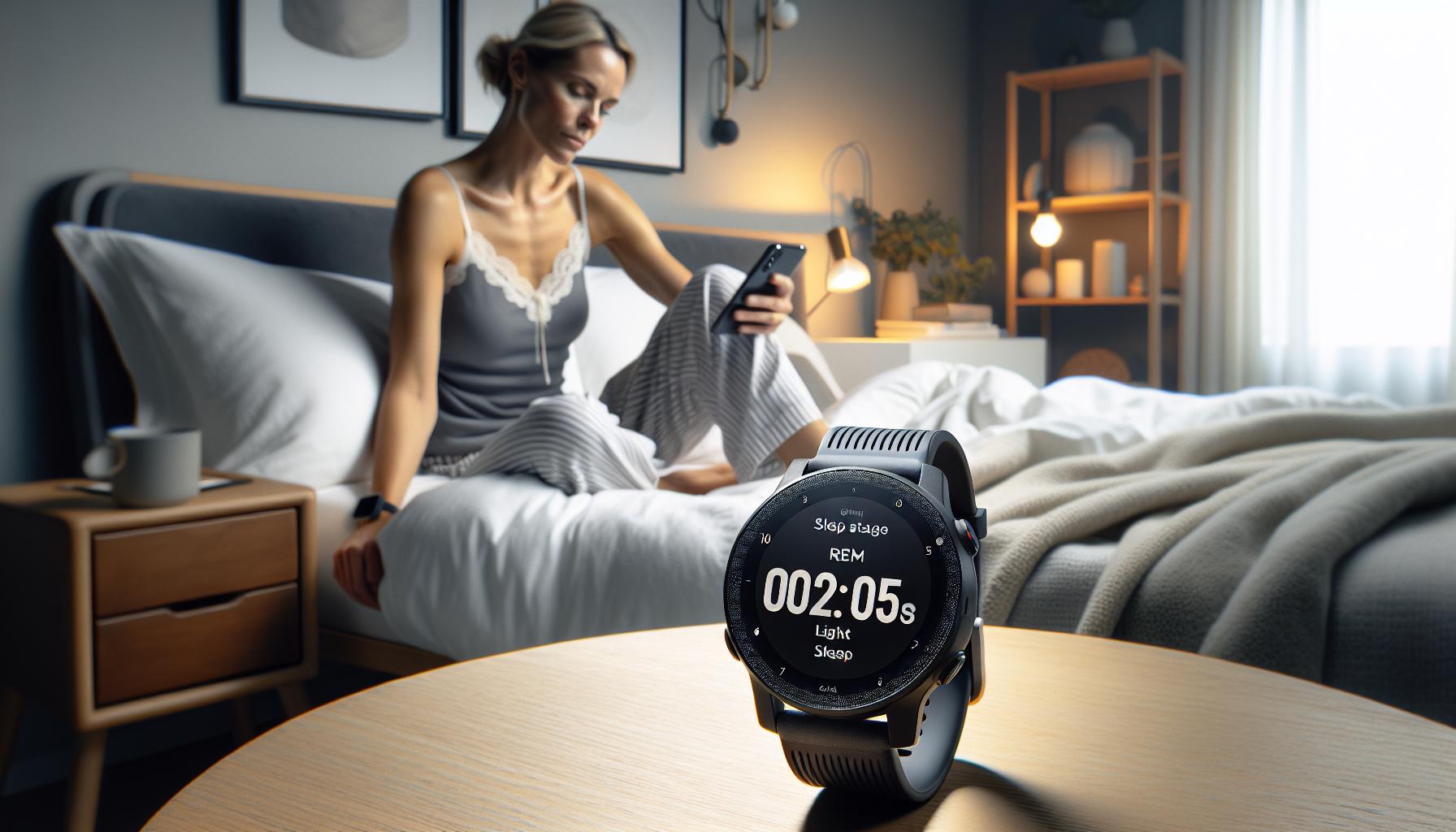
Garmin Forerunner devices utilize advanced technology to provide insights into your sleep stages, making sleep tracking a valuable feature for those looking to enhance their rest quality. By combining optical heart rate sensors and accelerometers, these watches can effectively monitor your movements and heart rate throughout the night. This data is vital because it helps the device differentiate between various sleep stages, such as light sleep, deep sleep, and REM sleep, ultimately allowing you to understand your sleep patterns better.
How Sleep Stages Are Measured
Garmin devices analyze specific metrics to discern your sleep stages:
- Light Sleep: This phase is where you transition between wakefulness and deeper sleep. It’s crucial for physical and mental recovery.
- Deep Sleep: This stage plays a vital role in bodily repair, growth, and immune function; it’s the most restorative phase of your sleep.
- REM Sleep: Known for dreaming, REM sleep is essential for cognitive functions like memory and learning.
Through algorithms, Garmin estimates the duration you spend in each phase and compiles this data into an overall view of your nightly rest. Users can review their sleep scores in the Garmin Connect app, helping identify trends that may affect their sleep, such as regular wake-up times or disturbances. This information can be especially helpful in identifying problematic sleep patterns or sleep disorders.
Real-World Application
For those who struggle with maintaining a regular sleep schedule or experience frequent disruptions, the insights gained from tracking these sleep stages can be enlightening. While the Forerunner technology provides valuable sleep data, user reports indicate that accuracy may vary. Several users have shared experiences where their sleep tracking results did not align with their actual sleeping hours, highlighting the device’s limitations. Nevertheless, as a guiding tool, Garmin’s sleep tracking can empower users to make informed decisions about their sleep habits and overall health, bridging the gap between wearable technology and sleep optimization.
Understanding these dynamics helps foster a proactive approach to sleep health, equipping you with the knowledge to make smart choices aligned with your individual needs.
Accuracy Comparison: Garmin vs. Other Sleep Trackers
Garmin’s Forerunner series offers a range of features for sleep monitoring, but how does it stack up against other sleep trackers on the market? Understanding the accuracy of Garmin devices relative to competitors can help users make informed decisions about their sleep health management.
When comparing Garmin to other popular brands like Fitbit and Apple Watch, users often note variance in sleep stage accuracy. Garmin devices utilize heart rate variability and movement data to estimate sleep cycles, but many users report discrepancies between recorded sleep times and their actual experiences. For example, Garmin’s tracking can sometimes misinterpret brief awakenings as additional sleep time, leading to inflated sleep scores. In contrast, devices like the Oura Ring use a combination of multiple sensors and algorithms that some users find to be more precise in distinguishing between wakefulness and sleep, as highlighted in various fitness forums.
A major consideration is the user interface and data presentation. Garmin’s integration with the Garmin Connect app provides a comprehensive sleep score and detailed views of sleep stages, but it may not always accurately reflect users’ subjective sleep quality. In a practical application, while one individual might report feeling well-rested after a night’s sleep, the Garmin Forerunner may still indicate insufficient sleep based on its tracking data. This highlights an important aspect of sleep tracking: subjective experience versus quantitative data.
In terms of cost, Garmin devices typically price at a premium compared to budget-friendly brands like Xiaomi or other entry-level options. Users must weigh the benefits of Garmin’s robust ecosystem against more affordable wearables, especially if sleep tracking is the primary feature of interest. It’s crucial to understand that while Garmin provides valuable insights, no sleep tracker is entirely infallible or should replace professional sleep assessments when needed.
Ultimately, the accuracy of Garmin Forerunner sleep tracking is a mixed bag-it offers useful insights but may not be as reliable as some users hope. Empowering yourself with knowledge about each device’s strengths and limitations can guide you to choose the best option to suit your personal sleep monitoring needs.
User Experiences: Real-Life Sleep Tracking Reviews
User reviews of the Garmin Forerunner’s sleep tracking feature present a mosaic of experiences, ranging from skepticism to satisfaction. Many users appreciate the attempt to quantify their sleep, yet often find the accuracy lacking. A common sentiment is frustration with inflated sleep totals; for instance, some users report the device marking them as asleep during periods of inactivity, such as watching TV or reading in bed. This phenomenon leads to inflated sleep metrics, creating a disconnect between the data reported by the device and actual sleep quality.
For example, one user noted how their Forerunner consistently tracks sleep starting at odd times, failing to account for brief awakenings during the night. They mentioned that while they were awake for significant stretches, the watch registered them as sleeping, resulting in confusion regarding their true restfulness. This reflects a wider issue where many Garmin devices seem unable to accurately identify all sleep interruptions.
Despite these drawbacks, some users find the sleep score system useful for tracking overall trends rather than precise metrics. They use the data to adjust their bedtime routines or incorporate relaxation exercises before sleep, showing that even imperfect data can inspire actionable changes. The Garmin Connect app elaborates on these scores by outlining sleep stages and offering insights that allow users to assess patterns over time, even if those patterns are not perfectly accurate.
For those considering the Garmin Forerunner, it’s essential to approach its sleep tracking capabilities with tempered expectations. While it’s not a replacement for a sleep study, these devices can offer helpful insights into sleep habits and motivate users to prioritize better rest. Regular check-ins on how you feel, alongside the device’s metrics, can create a more rounded understanding of your sleep health, combining subjective experiences with quantitative data for a fuller picture of your nighttime rest.
Setting Up Your Garmin Forerunner for Sleep Monitoring
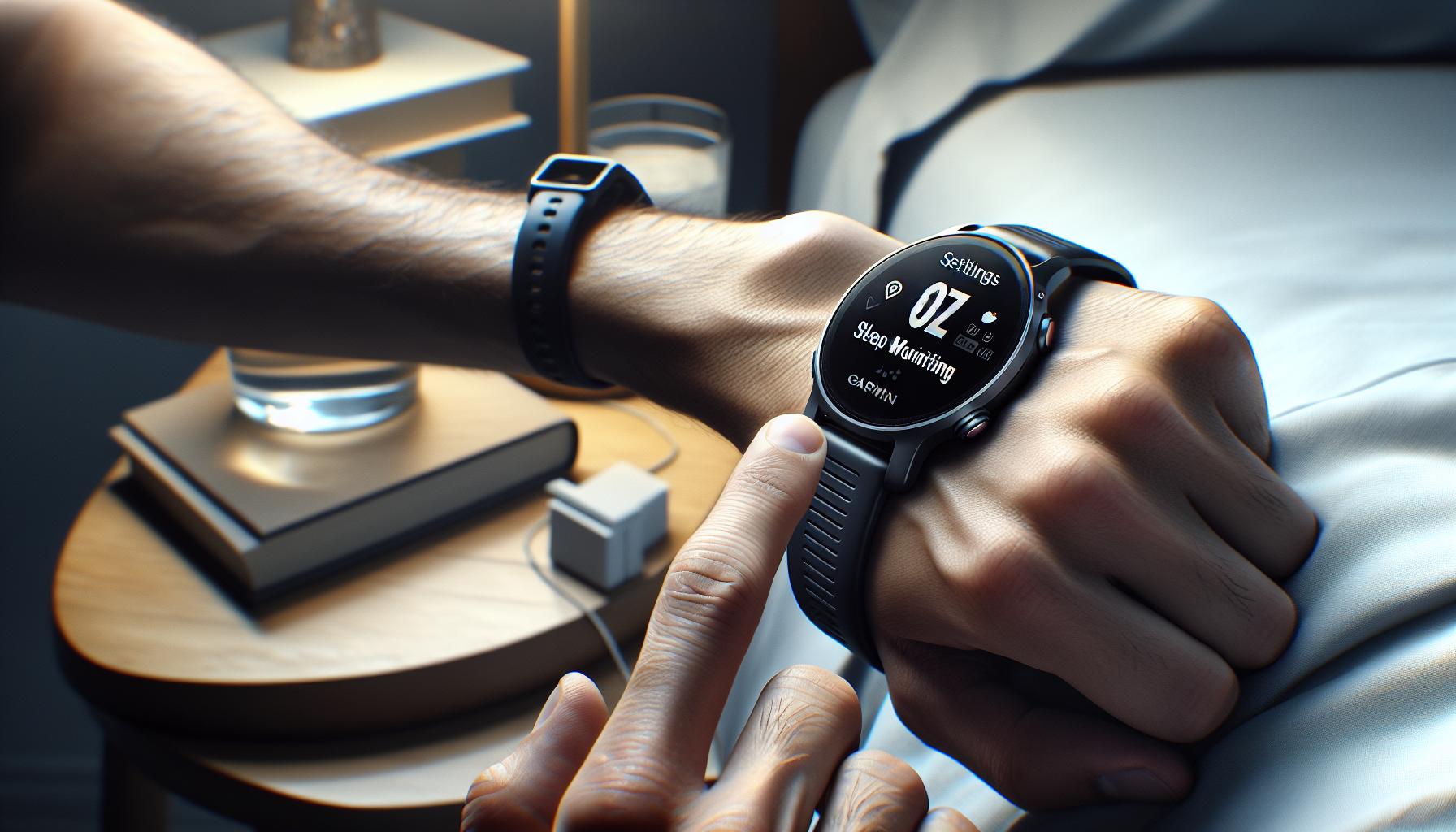
To fully leverage the sleep monitoring capabilities of your Garmin Forerunner, setting it up properly is crucial. Accurate sleep tracking hinges not just on the device itself, but also on how you interact with it and your nighttime environment. Before diving into the specifics, it’s essential to understand that the Forerunner series automatically detects sleep based on your activity level and heart rate, making it a convenient option for monitoring your nocturnal rest.
Start by ensuring that your Garmin Forerunner is updated with the latest software. Keeping your device current can enhance its tracking accuracy and introduce new features. To update, connect your watch to the Garmin Connect app on your smartphone and follow the prompts for any available updates. Once updated, adjust the settings for sleep tracking: go to the settings menu on the watch or through the app and ensure that sleep tracking is enabled.
For optimal accuracy, wear your Garmin Forerunner snugly on your wrist while sleeping. This placement helps the device better monitor your heart rate and activity levels, which are critical in determining your sleep stages. Before bed, consider setting a regular sleep schedule. Consistency in your sleep routine prepares both your body and your device to recognize rest periods more effectively. Additionally, try to minimize activities that could confuse the sensor, such as prolonged periods of inactive motion on the couch or watching TV right before sleep. Remember, the device needs discretion in discerning when you are awake versus when you are asleep.
It’s also worth familiarizing yourself with the Garmin Connect app to interpret your sleep data effectively. After a night of wear, sync your device with the app to review your sleep score and details about your sleep stages. Relying on this data can guide adjustments to your nighttime habits, ultimately aiming to enhance your sleep quality. Should you find inconsistencies in your sleep tracking results, such as the watch recording you as asleep while you’re awake, consider recalibrating your expectations, as no wearable technology is perfect. The information you gather can still be valuable in understanding your broader sleep patterns over time.
By carefully setting up your Garmin Forerunner and engaging with its features actively, you can better utilize the device to improve your understanding of your sleep and overall health.
Troubleshooting Common Sleep Tracking Issues

Experiencing challenges with sleep tracking on your Garmin Forerunner can be frustrating, especially when accurate data is key to improving your sleep health. If you’re finding that the watch is not perfectly capturing your sleep patterns, there are several factors to consider. From ensuring a snug fit to adjusting settings, small changes can enhance the device’s performance.
- Ensure Proper Fit: One of the most common issues is the watch not being worn correctly. For reliable heart rate measurements-vital for determining sleep stages-make sure your Forerunner is snug but comfortable on your wrist. If the device shifts during the night, it can result in inaccurate readings.
- Update Your Device: Regular updates can fix bugs and improve tracking capabilities. Connect your watch to the Garmin Connect app to check for software updates. These updates can optimize sleep tracking features and overall performance.
- Adjust Sleep Tracking Settings: Within the Garmin Connect app, verify that sleep tracking is enabled. Sometimes, sleep modes need to be specifically activated to ensure the device records accurately. Consider reviewing your preferences to tailor the experience to your sleeping patterns.
- Create a Sleep Routine: Inconsistent sleep schedules or late-night screens can confuse the watch’s sensors. Establish a calming pre-sleep routine to signal to your Forerunner when it’s time to wind down. Reducing late-night screen time can also assist in achieving more reliable sleep data.
- Check Environmental Conditions: Your sleep environment can influence tracking accuracy. For instance, excessive movement during sleep, such as tossing and turning, may affect how well the watch can gauge your status. Aim for a comfortable and stable sleeping environment to facilitate better readings.
If you find that your Forerunner is still inaccurately recording your sleep, don’t hesitate to reach out to Garmin support. They can provide insights specific to your model and offer troubleshooting steps tailored to your unique situation. Remember that while the Forerunner provides valuable insights, it’s not a substitute for professional sleep evaluations. Understanding your device’s capabilities and limitations can help you gain the most from your sleep tracking journey.
Enhancing Sleep Tracking with Garmin Features
Unlocking the full potential of your Garmin Forerunner for sleep tracking can lead to a more informed understanding of your sleep patterns, ultimately enhancing your rest quality. To make the most of the various features offered by Garmin, you can integrate a few additional strategies and settings that can elevate your sleep monitoring experience.
Utilize Advanced Watch Features
Garmin Forerunner devices come equipped with advanced sensors and tailored features that can significantly enhance sleep tracking. Make sure to activate the Body Battery feature, which provides insight into your energy levels throughout the day based on your sleep quality and activity levels. Monitoring your Body Battery can help you plan your day better, ensuring you’re rested for high-energy activities.
Leverage Garmin Connect
Keep an eye on your sleep data by engaging with the Garmin Connect app. This platform not only allows you to analyze sleep trends over time but also suggests personalized insights based on your data. By reviewing metrics such as total sleep time, sleep efficiency, and sleep stages, you can make more informed adjustments to your habits and routines. Sharing this data with a healthcare provider can also provide additional insights tailored to your sleep health needs.
Set Sleep Goals and Reminders
Taking advantage of the goal-setting features can help limit distractions and promote a healthy sleep schedule. By setting a target bedtime and utilizing reminders through the device or the app, you can create a consistent routine. Aiming for consistent bedtimes helps regulate your internal clock, making it easier for your Forerunner to accurately gauge your sleep stages.
Create a Relaxation Routine
Lastly, integrating relaxation techniques into your pre-sleep routine can set the stage for improved sleep quality. The Forerunner supports mindfulness and stress-reducing activities like breathing exercises. Engaging in these practices can calm your mind and body, ultimately enhancing your sleep tracking accuracy by reducing variables that may disrupt sleep.
By honing in on these enhancements and features, users can obtain a clearer picture of their sleep health, facilitating more restful nights and productive days. Each strategy not only empowers users to maximize their Garmin Forerunner’s capabilities but also offers a pathway to overall better well-being.
Interpreting Your Sleep Data for Better Rest
Understanding your sleep data can be a game-changer in improving your overall rest. With Garmin Forerunner devices, users have access to a wealth of information that can help illuminate their sleep patterns. When you analyze your sleep data, focus on key metrics such as total sleep time, sleep stages (light, deep, and REM), and sleep efficiency. These indicators not only reveal how restorative your sleep is but also highlight patterns over time, allowing you to make informed adjustments to your nighttime routine.
To interpret this data effectively, it’s essential to grasp the significance of sleep stages. For example, deep sleep is crucial for physical restoration, while REM sleep plays a vital role in cognitive functions, memory consolidation, and emotional regulation. If your data indicates low amounts of deep or REM sleep, it might suggest that you need to tweak your environment or habits-for instance, by reducing screen time before bed or ensuring your room is dark and cool.
In addition, review your sleep efficiency percentage, which measures how much of your time in bed was spent actually asleep. A low sleep efficiency rate can be a signal of restless nights or frequent awakenings. Recognizing this can lead to actionable changes, such as setting a consistent bedtime, minimizing caffeine intake in the afternoon, or creating a more relaxing pre-sleep ritual.
Lastly, consider sharing your sleep data with a healthcare provider, especially if you notice ongoing patterns of poor sleep quality. This collaboration can provide further insights and, if necessary, explore broader issues related to sleep health that might benefit from more comprehensive evaluation-such as potential sleep disorders. Transforming your sleep data insights into actionable changes may not only enhance your nightly rest but can also lead to improved wellness and daily productivity.
The Science Behind Sleep Tracking Technology
Sleep tracking technology has transformed how we understand and improve our nightly rest. Garmin Forerunner devices utilize a combination of sophisticated sensors and algorithms to provide insights into sleep quality and patterns. These gadgets primarily track your movement, heart rate, and even wrist temperature, allowing for a comprehensive analysis of your sleep stages: light, deep, and REM sleep. It’s a fascinating interplay of biology and technology, providing users with data that can guide lifestyle adjustments for better sleep health.
At its core, sleep technology operates on the premise that our bodies have distinct physiological changes that occur during different sleep stages. For example, during deep sleep, heart rate slows, and breathing becomes more regular, while REM sleep showcases unique brain wave patterns. Garmin devices are designed to detect these changes, albeit with varying degrees of accuracy. While not as precise as clinical polysomnography-considered the gold standard for sleep studies-many users find Garmin’s insights actionable and beneficial for identifying broad sleep trends over time.
However, it’s important to approach the numbers with a critical mind. The accuracy of sleep tracking can fluctuate based on various factors, such as how snugly the watch fits on your wrist, individual sleep disorders, and even the specific model of the device. Ongoing user experiences suggest that while Garmin trackers can generally provide a good estimate of sleep duration and quality, they may struggle with finer details, such as accurately detecting wakefulness during the night. For instance, some users report that their devices register wake periods inaccurately or struggle with recognizing sleep onset if other activities occur prior to sleep.
To optimize sleep tracking, consider the following tips when using your Garmin Forerunner:
- Wear it correctly: Ensure that your device fits snugly on your wrist without being too tight. This can enhance sensor accuracy.
- Maintain a consistent routine: Sleep patterns can be disrupted by irregular schedules. Sticking to a consistent bedtime can improve measurement reliability.
- Monitor the data: Regularly review your sleep reports to identify potential patterns or issues that could be addressed in your lifestyle.
In summary, Garmin’s sleep tracking technology offers a gateway to better understanding your sleep. By recognizing the inherent limitations and strengths of these devices, you can empower yourself with knowledge, leading to actionable changes that promote improved rest and overall wellness.
Understanding Limitations of Garmin Sleep Tracking
Understanding the intricacies of sleep tracking can lead to better decisions about your health and rest patterns. While Garmin Forerunner devices offer a compelling glimpse into your nightly sleep, users must recognize the inherent limitations of these tools. The accuracy of metrics such as total sleep time, sleep stages, and wake periods can vary significantly based on a range of factors.
Garmin’s sleep tracking is primarily based on changes in movement and heart rate, which means it can struggle with precision. For instance, the watches may not effectively differentiate between light sleep and a quiet waking period, resulting in misinterpretations of your actual sleep quality. Some users have reported frustration when their devices fail to recognize wakefulness during the night, leading to inflated sleep duration readings. This can undermine the user’s understanding of their sleep habits and may lead them to overlook critical areas for improvement.
It is crucial to approach your sleep data with a critical attitude. A common concern is that Garmin devices may sometimes inaccurately record sleep onset, especially if users engage in activities like reading or watching TV before bed. The experience of various users suggests that sleep tracking tools are more beneficial for capturing general trends over time rather than providing an exact science of sleep physiology.
To enhance your experience and benefit from sleep tracking, consider these practical tips:
- Fit and Position: Ensure your device is snug but not too tight on your wrist, as a poor fit can lead to inaccurate readings.
- Consistent Bedtime: Stick to a regular sleep schedule. Variability in your sleep times can complicate tracking accuracy.
- Review Data Regularly: Take time to analyze your sleep data weekly or monthly to spot trends instead of focusing on daily fluctuations.
In summary, while Garmin’s sleep tracking features can be a useful tool for gaining insights into your rest patterns, understanding their limitations is essential for making informed lifestyle adjustments that contribute to better overall sleep health.
Integrating Garmin Sleep Data into Sleep Health Plans
Using sleep data captured by your Garmin device can be an effective way to inform your sleep health plans and enhance your overall wellbeing. Although these devices provide insights into your sleep patterns, it’s essential to integrate this information judiciously to maximize its benefits. Understanding what the data means, making realistic adjustments to your routine, and being mindful of the limitations of the technology can collectively guide you toward better sleep.
To make the most of Garmin sleep tracking, start by setting specific sleep goals based on the insights you receive. For instance, if your data indicates you’re getting less than the recommended 7-9 hours of sleep, you might commit to an earlier bedtime. Monitor how changes like reducing screen time before bed impact your sleep quality. Your watch can help track these changes, allowing you to create a feedback loop that shows you how lifestyle adjustments are affecting your rest.
Incorporating regular reviews of your sleep data into your routine is vital. Schedule time each week to analyze your sleep statistics, focusing on recurring patterns that emerge. This can include noting how various factors-like physical activity during the day or consumption of caffeine-affect your sleep stages and overall quality. This type of proactive assessment not only empowers you to address issues but also helps refocus attention on practices that promote restorative sleep.
Be mindful of the fact that Garmin sleep trackers, while useful, are not replacements for professional sleep studies, especially if you suspect a more serious sleep disorder. If your tracking data consistently indicates sleep disturbances you can’t explain-like frequent awakenings or excessively low deep sleep percentages-it may be worth consulting a healthcare provider. They can offer further evaluation through a sleep study if necessary, giving you a more comprehensive understanding of your sleep health.
By integrating Garmin sleep data into your sleep health plan creatively and critically, you can take actionable steps toward achieving better rest and overall health. Whether it’s tweaking your nightly routine or consulting a specialist based on your findings, the insights from your Garmin device can help you pave the way to improved sleep quality.
Q&A
Q: How reliable is Garmin Forerunner sleep tracking?
A: Garmin Forerunner sleep tracking is generally considered to be less accurate compared to other sleep trackers, often due to misinterpretation of movement and body signals. Users report varying levels of accuracy, with some experiencing nights of excessive sleep records. It’s advisable to combine data from Garmin with personal sleep observations for a better assessment.
Q: What common issues affect Garmin Forerunner sleep tracking accuracy?
A: Common issues include device fit, firmware bugs, and incorrect settings. Misalignment of the watch on your wrist or not using the latest software version can lead to erroneous sleep data. Regularly updating your watch and ensuring a snug fit during sleep can improve tracking accuracy.
Q: Can I improve the accuracy of my Garmin Forerunner sleep tracking?
A: Yes, you can enhance sleep tracking accuracy by adjusting how you wear the device, ensuring it is snug but comfortable. Moreover, checking if the latest firmware is installed and recalibrating your sleep settings in the app may yield better results. Adjust settings based on personal sleep patterns for optimal performance.
Q: How does Garmin Forerunner compare with other sleep trackers?
A: Garmin Forerunner typically ranks lower in sleep tracking accuracy compared to brands like Fitbit or WHOOP. Many users report issues with sleep stage detection, which can lead to misleading assessments. For more comprehensive insights, considering alternative devices may be beneficial, depending on your sleep health goals.
Q: What should I do if my Garmin Forerunner shows inaccurate sleep data?
A: If your Garmin shows inaccurate sleep data, first check your device settings and verify that it’s properly worn overnight. Consult the troubleshooting section of your Garmin manual and consider resetting your device if inaccuracies persist. Engaging with user forums can also provide insights into common fixes.
Q: Is Garmin Forerunner suitable for tracking all sleep stages?
A: While the Garmin Forerunner attempts to track all sleep stages, its accuracy varies, particularly with light versus deep sleep distinctions. Many users find their insights sufficient for tracking overall sleep patterns but may miss detailed stage breakdowns. For advanced analysis, dedicated sleep trackers might be more effective.
Q: How can I interpret my Garmin Forerunner sleep data effectively?
A: To interpret your sleep data effectively, compare the recorded sleep times with your actual feelings of restfulness. Look for patterns over several nights, and use the accompanying app to analyze trends in your sleep data. Adjust lifestyle and sleep habits accordingly to enhance overall sleep quality.
Q: How does Garmin’s sleep tracking technology work?
A: Garmin’s sleep tracking technology combines heart rate variability, movement, and other metrics to estimate your sleep cycles. By analyzing wrist movement and vital signs, it provides a comprehensive view of sleep duration and quality. For a deeper understanding, refer to our section on how Garmin measures sleep quality.
In Summary
In summary, understanding the accuracy of Garmin Forerunner sleep tracking can significantly enhance your approach to sleep health. As we reviewed, the data provided by these devices can be insightful, yet it’s essential to consider their limitations. If you’re eager to enhance your sleep quality further, explore our guides on improving sleep hygiene and the best wearables for sleep studies. Don’t forget to check out our in-depth comparison of sleep trackers and see how they stack up!
Ready to take control of your sleep and health? Sign up for our newsletter for the latest tips and product reviews, or visit our product pages to find the perfect device for your needs. Share your thoughts and experiences in the comments below-your insights could help others! Empower yourself with knowledge and the right tools for better sleep today.
Get our latest guides, news, and insights highlighted in your Google Search & AI Overviews.