
Are you ready to take control of your sleep experience? Eight Sleep‘s Autopilot feature automatically adjusts your bed’s settings based on your sleep patterns, but there may be times when you want a more hands-on approach. Disabling this feature can help you tailor your sleep environment to fit your specific needs. In this guide, we will walk you through the simple steps to turn off Autopilot, ensuring you can customize your sleep experience effectively. Understanding how to manage this technology not only enhances your comfort but can also significantly improve your overall sleep quality. Let’s explore how you can make your sleep setup work best for you.
Understanding Autopilot in Eight Sleep Technology
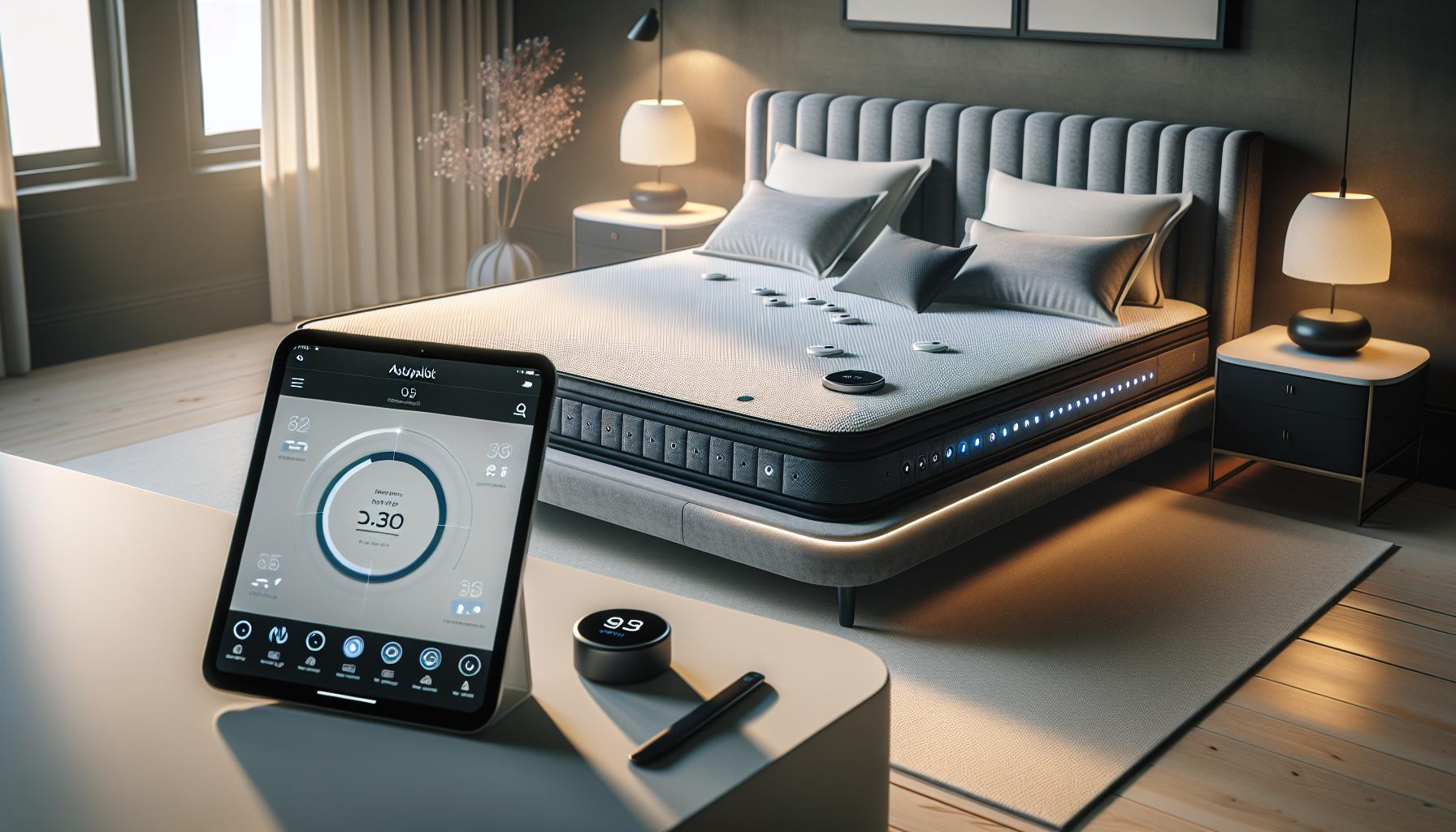
Understanding how the Autopilot feature functions within Eight Sleep technology can significantly enhance your sleep experience. Autopilot adjusts your sleeping environment by automatically controlling temperature settings based on your sleep stages and habits. By creating an ideal sleep environment, it aims to maximize comfort and promote restorative sleep. This technology uses sensors and algorithms to learn your preferences over time, allowing it to fine-tune the conditions as needed throughout the night, such as warming up or cooling down your bed as you transition between sleep cycles.
However, while the Autopilot feature offers many benefits, some users might find that it doesn’t align perfectly with their personal preferences or sleep needs. For instance, you might prefer a constant temperature rather than fluctuating settings. Additionally, if you’re a light sleeper, the automatic adjustments could lead to disturbances. Understanding these dynamics is key to deciding whether to keep this feature enabled or to explore manual settings for a more tailored approach. Being informed about how Autopilot operates allows you to weigh its advantages against your own sleep habits effectively.
When considering how to optimize your sleep experience, it’s essential to explore how Autopilot functions not only in enhancing comfort but also in collecting sleep data. This data can provide insights into your sleep patterns and quality over time. However, it’s crucial to note that the accuracy of data interpretation can be affected by changes made to Autopilot settings. Users who experience variability in sleep quality may benefit from manually adjusting their settings to stabilize their sleep conditions. By mastering these controls, you can achieve a more personalized sleep experience that aligns with your individual needs.
Why You Might Want to Disable Autopilot

While the Autopilot feature in Eight Sleep offers cutting-edge technology designed to enhance your sleep experience, it may not be suitable for everyone. Many users find that automatic temperature control can disrupt their rest rather than improve it. For some, the variations in temperature can lead to discomfort, especially if they prefer a steadier sleeping environment. If you’re a sensitive sleeper, sudden changes in temperature might wake you up or interfere with your ability to stay asleep. Choosing to disable Autopilot can allow for a consistent and predictable sleeping environment tailored to your unique preferences.
Another compelling reason to turn off Autopilot is to gain more subjective control over your sleep settings. While Autopilot uses algorithms to adjust your environment, these algorithms may not fully align with how your body responds at different stages of sleep. For example, you might find that a slightly warmer temperature helps you relax and fall asleep faster, while the Autopilot might cool the bed when you’re first settling in. Turning off the feature allows you to take charge and create a sleep space that feels right to you, rather than relying on automated adjustments that might not suit your habits.
Furthermore, if you’re someone who tracks your sleep data closely, disabling Autopilot may lead to clearer interpretations of your sleep patterns. Automatic temperature changes can create variability in your sleep quality metrics, making it harder to draw reliable conclusions about your rest. By manually controlling your sleeping conditions, you can maintain consistency, which often leads to more accurate insights into your sleep habits and overall sleep health.
Finally, there’s the consideration of personal preference. Some users simply enjoy the feeling of autonomy that comes with manually adjusting their sleep settings. If you thrive on personalization, turning off the Autopilot might be the key to a more satisfying and restful night’s sleep, giving you the freedom to experiment and find the sweet spot that works best for you. The choice is yours; understanding your sleep preferences can empower you to make the best decision for your health and well-being.
Step-by-Step Guide: Disabling Autopilot
To fully enjoy the customization features of Eight Sleep technology, disabling the Autopilot feature can be a game-changer for many users. Autopilot is designed to adjust your sleeping environment automatically, but this may not always align with your personal comfort levels. If you’ve decided it’s time to take control, follow these simple steps to turn off Autopilot and tailor your sleep settings to fit your unique preferences.
Step-by-Step Instructions
- Open the Eight Sleep App: Start by launching the Eight Sleep app on your smartphone or tablet. Ensure you are logged into your account.
- Navigate to Settings: Once in the app, go to the “Settings” menu. This is usually found in the upper-right corner of the main screen, represented by a gear icon.
- Select Sleep Settings: In the Settings menu, scroll down to find “Sleep Settings.” Tapping this option will take you to the various features associated with your sleeping preferences.
- Disable Autopilot: Look for the “Autopilot” feature within the Sleep Settings. There should be a toggle switch next to it. Tap the switch to turn it off, and a confirmation prompt may appear-confirm your choice.
- Adjust Manual Settings: After disabling Autopilot, you can now set your preferred temperature manually. Navigate to the temperature settings and adjust as needed for both sides of the bed, if applicable.
- Save Your Settings: Ensure you save your changes. The app will typically prompt you to confirm before exiting the settings screen.
It’s worth noting that having the ability to fine-tune your sleep environment can significantly affect your overall sleep quality. For example, some users prefer a slightly cooler temperature to fall asleep quickly, while others might need warmth for comfort throughout the night. By disabling Autopilot, you give yourself the chance to explore what feels best for you, free from automatic adjustments that could disturb your rest.
With the Autopilot feature disabled, you’ll have a clearer understanding of how your specific settings impact your sleep quality. This self-management can lead to enhanced insights into your sleep data, aiding you in achieving a more restful night’s sleep. Remember, the key to great sleep often lies in personalization-so take the time to find your optimal conditions.
Troubleshooting Common Issues with Autopilot

When using the Autopilot feature of Eight Sleep technology, some users may encounter common issues that can disrupt their sleeping experience. Understanding these challenges and how to troubleshoot them can greatly enhance your ability to control your sleep environment effectively.
For instance, if you notice that the Autopilot is not adjusting the temperature as expected, start by ensuring that your sensors are correctly positioned and functioning. You can check this through the Eight Sleep app by reviewing any alerts regarding sensor malfunction. If everything seems in order but the temperature adjustments are still inconsistent, consider recalibrating the sensors. Resetting the system can sometimes resolve glitches in performance.
Another frequent issue involves connectivity problems with the app. If the Autopilot settings aren’t syncing properly, make sure your device is connected to a stable Wi-Fi network. If you continue to experience issues, it may be beneficial to log out of the app and log back in, or even uninstall and reinstall the application. This can help refresh the connection between the app and your device, ensuring that settings are applied as intended.
There are also times when users feel the Autopilot makes too aggressive adjustments, leaving them uncomfortable. In this case, it’s advisable to check your personal preferences set within the app. You might need to adjust your individual profiles for sleep temperature preferences or sensitivity settings to ensure that the Autopilot aligns more closely with your comfort.
Lastly, keep in mind that firmware updates are crucial for optimal performance. Regularly check the app for updates that may improve the functionality of Autopilot and resolve any bugs reported by users. By staying proactive about these potential issues, you can enjoy a more tailored and effective sleep environment with Eight Sleep.
Exploring Alternatives to Autopilot Features
In the quest for better sleep, some users may find that relying solely on Autopilot features doesn’t always deliver the desired results. By exploring alternatives, you can regain full control over your sleep environment and tailor adjustments to your unique preferences. Many users have found that integrating manual settings or using complementary technologies can enhance their overall sleep experience significantly.
One viable alternative is to utilize the manual temperature control settings available in the Eight Sleep app. This allows you to set the mattress temperature to your comfort level without the automatic adjustments of Autopilot. By taking charge of the settings, you can experiment with various temperatures to find the ideal range for your sleep style. Additionally, scheduling these temperature shifts at specific times can mirror your bedtime routine more closely, promoting a smoother transition into sleep.
Beyond manual adjustments, consider incorporating wearable sleep trackers into your nightly routine. Devices like smartwatches or dedicated sleep monitors can provide valuable insights into your sleep patterns. They track metrics such as heart rate variability, sleep stages, and restfulness, which can help you identify trends and make informed choices about your sleep hygiene. When combined with the Eight Sleep system, this data can offer a comprehensive picture of your sleep quality, allowing you to adjust settings based on objective feedback.
Moreover, creating a holistic sleep environment can also significantly impact your rest. Factors like ambient noise, light levels, and even room temperature should be optimized alongside mattress technology. Consider using blackout curtains, white noise machines, or even essential oil diffusers to enhance relaxation before bed. These additions work harmoniously with manual controls on the Eight Sleep mattress, ensuring that every facet of your environment contributes positively to your sleep quality.
Engaging with these alternatives empowers you to customize your approach to sleep and take control of your nightly experience. Whether through manual settings, wearable technology, or a thoughtfully curated sleeping space, finding what resonates with your body can lead to deeper, more restorative sleep. Ultimately, these strategies provide a more personalized sleep journey tailored to your lifestyle and preferences.
User Experiences: Benefits of Turning Off Autopilot
Turning off Autopilot on the Eight Sleep mattress can be a game changer for many users seeking to refine their sleep experience. Those who have made the switch often report a newfound freedom to tailor their environment precisely to their needs. By disabling Autopilot, you can avoid any unexpected temperature changes during the night that might disrupt sleep, particularly for those sensitive to fluctuations or who have specific temperature preferences.
Many users have shared their experiences of gaining better sleep quality after adjusting manual settings. For instance, a common sentiment is that being able to set and maintain a consistent mattress temperature throughout the night has led to deeper, more restorative sleep. No longer worrying about the system adjusting automatically allows them to fall asleep easier and wake up feeling refreshed. They can choose their optimal temperature based on their sleep stages or personal comfort, ensuring that they aren’t prematurely woken up by shifts from warmer to cooler temperatures.
Another key benefit noted by users is the improved ability to track sleep patterns more accurately. When Autopilot is turned off, users can take control of their mattress settings and understand how these changes influence sleep quality and duration. This manual engagement provides valuable insights, particularly when combined with wearable technology. By analyzing data collected from both the Eight Sleep mattress and wearables, you can discover trends related to your sleep habits that may not emerge when relying solely on automated adjustments.
The experiences of those who have disabled Autopilot also highlight a sense of empowerment and customization. Many feel that they are taking an active role in their sleep health, exploring different settings until they find what works best for them. By actively participating in their sleep environment, users report a greater understanding of how various factors-like temperature, humidity, and even mattress firmness-affect their overall rest. This proactive approach can lead to more satisfying sleep experiences and improved wellbeing, turning the bedroom into a haven tailored specifically to individual needs.
Impact of Autopilot on Sleep Quality
Disabling the Autopilot feature in the Eight Sleep mattress can significantly enhance sleep quality for many users. While the automated adjustments aim to create an optimal sleep environment, they can sometimes lead to disruptions that hinder that very goal. For instance, if the mattress makes unexpected temperature changes during the night, users may feel discomfort, particularly those who are sensitive to fluctuations. By taking control of these settings, individuals can maintain a consistent temperature throughout the night, leading to deeper and more restorative sleep.
Moreover, when Autopilot is turned off, users report a notable change in their ability to track and understand their sleep patterns. Instead of relying on the system’s modifications, they can engage more directly with their environment. This manual engagement can foster a better understanding of how specific settings, such as mattress firmness or cooling levels, affect overall rest. Many users express a sense of empowerment from having the ability to fine-tune their sleep environment according to their unique preferences, which can lead to more satisfying sleep experiences.
Another aspect to consider is how disabling Autopilot allows users to identify and analyze trends in their sleep data more accurately. With greater control over the mattress settings, users can connect their behaviors and preferences with their sleep quality. For instance, adjusting variables based on specific sleep stages can inform users about their optimal sleep conditions, making it easier to create a routine that supports better rest. This data-driven approach offers insights that automated features might obscure, ultimately making sleep health an active pursuit rather than a passive experience.
Understanding the interplay between manual adjustments and sleep quality can empower users to become proactive in optimizing their sleep environment. By integrating manual controls, individuals can mitigate disruptions caused by automation and transform their sleep experience into one that is tailored specifically to their needs and preferences.
Integrating Manual Controls for Better Sleep
To enhance your sleep experience with the Eight Sleep mattress, integrating manual controls can be a game changer. Imagine having the power to customize your sleeping environment to your precise preferences, ensuring that each night’s rest is the best it can be. With Autopilot turned off, you’re able to take control of the settings-like temperature and firmness-making adjustments that reflect your personal comfort rather than relying on the automated system. This level of engagement can radically improve not just the quality of your sleep, but also your understanding of how various factors influence your rest.
One effective approach to utilizing manual controls involves actively monitoring your sleep patterns alongside environmental changes. For instance, if you notice that waking up sweaty disrupts your sleep, adjusting the cooling settings manually can help maintain an optimal sleep temperature. Experiment with different firmness levels throughout the week to see how they affect your comfort. By tracking these adjustments in a sleep journal or app, you can pinpoint ideal settings for different sleeping stages or conditions, transforming your mattress into a tailored sleep sanctuary.
Another key benefit of these manual adjustments is the reduction of disturbances that may arise from automated features. Technology often makes sweeping changes at the worst possible moments, such as when you are deep in REM sleep. By controlling these settings yourself, you create a stable sleep environment, reducing the likelihood of sudden temperature shifts or uncomfortable changes in mattress firmness. It’s this level of stability that can foster deeper, more restorative sleep and enhance your recovery during rest.
In summary, integrating manual controls into your Eight Sleep routine not only empowers you to customize your sleeping arrangements, but it also encourages a proactive approach to sleep health. Recognizing and acting on your comfort preferences can lead to improved sleep quality and a better understanding of your own needs. Consider taking the time each week to adjust and reflect on how these changes affect your overall rest, allowing you to refine your sleep environment until it feels just right.
Expert Tips for Customizing Eight Sleep Settings
To truly optimize your sleep environment with the Eight Sleep technology, it’s essential to tailor your settings to your individual needs and preferences, especially after disabling the Autopilot feature. By taking control of the temperature, firmness, and other functionalities, you can foster a personalized atmosphere conducive to better rest.
Start by experimenting with the temperature settings. For most individuals, a cooler environment promotes deeper sleep. Aim for a temperature between 60 to 67 degrees Fahrenheit, adjusting as necessary based on your personal comfort. Notice whether you wake up feeling too hot or too cold, and make tweaks accordingly. Remember, sleep quality is subjective; what works for one person might not work for another.
When it comes to firmness, consider your preferred sleeping position. Side sleepers might benefit from a softer feel, while back and stomach sleepers often prefer a firmer surface for better spinal alignment. Utilize the app or control panel to switch between settings throughout the week. You could even keep a sleep journal detailing how each firmness level impacts your night’s rest, allowing you to connect the dots between mattress adjustments and sleep quality.
Additionally, pay attention to the timing of your adjustments. Avoid making major changes to your mattress settings during the night, as this could disrupt your sleep cycles. Instead, consider setting a routine where you adjust your mattress before bed based on how you felt the previous night. This strategy not only reduces disturbances but also helps you better understand your body’s responses to different environments.
Engaging with your Eight Sleep system manually not only empowers you to create the ideal sleep setup but also enhances your awareness of how various factors, like temperature and firmness, influence your overall rest. Embrace this opportunity for discovery, and allow your sleep optimization journey to lead you to better health and well-being.
Comparing Autopilot with Other Sleep Tech Features
When evaluating the Autopilot feature of Eight Sleep compared to other sleep technology options, it’s important to understand how each contributes to your sleep environment. Many modern sleep devices provide automatic adjustments and analytics to enhance sleep quality, but they vary significantly in terms of control, customization, and user experience. Autopilot aims to optimize your mattress settings based on your sleep patterns, using advanced algorithms and sensors. However, while this automation can be beneficial, there are compelling reasons to consider manual controls and alternative sleep technologies.
One advantage of disabling Autopilot is that you regain total control over your sleep environment, allowing for adjustments that align more closely with your personal preferences and immediate needs. For instance, traditional sleep monitors like wearables and dedicated sleep tracking apps provide insights into sleep stages and overall rest quality without making automatic changes to your sleep setup. By leveraging these insights, you can manually adjust your mattress settings based on your specific sleep data instead of relying on an algorithm, which might misinterpret your needs occasionally.
Comparing Key Features
When assessing Autopilot versus other sleep tech features, consider the following aspects:
- Customization: Manual adjustments allow for a tailored experience. For example, you might prefer different firmness settings for different nights based on your day’s activities, which may not be reflected in Autopilot’s standard profile.
- Data Interpretation: While Autopilot interprets data to make adjustments, other devices like fitness trackers provide a broader understanding of sleep quality and can be paired with specific recommendations tailored to individual health conditions.
- User Engagement: Engaging directly with your sleep environment can increase mindfulness about your sleep habits, helping you discover and adopt better bedtime routines without relying solely on technology.
Additionally, integrating high-tech features such as smart alarms or sound machines can complement manual controls, enhancing your sleep hygiene without the unpredictability of Autopilot. Understanding these dynamics empowers you to make informed decisions that best suit your individual sleep needs, fostering a more responsive and rewarding sleep experience.
How Autopilot Affects Sleep Data Interpretation
The capability of Eight Sleep’s Autopilot feature to adjust mattress settings automatically based on interpreted sleep data can create a unique experience, yet it might also lead to considerable differences in how users understand their sleep quality. Autopilot utilizes advanced sensors and algorithms to analyze sleep patterns, aiming to deliver optimal comfort for each unique user. However, when relying on this automated system, it is essential to recognize that it can occasionally misinterpret data based on atypical sleep behaviors or environmental factors.
Disabling Autopilot allows you to have a clearer view of your sleep data interpretation. For instance, when you take control of your settings, you’re better positioned to correlate directly between how you feel and what adjustments you’re making. This manual engagement not only helps in recognizing personal sleep needs-like preferring a cooler environment after a late workout-but also enhances your overall awareness of your sleep process. By taking manual control, you can use sleep data more effectively, tailoring your sleep environment to fit changing circumstances rather than relying on preset algorithmic interpretations.
Another important factor to consider is the depth of data interpretation provided by various sleep technology devices. While Autopilot makes decisions based on immediate, contextual data (like current temperature or humidity), other devices sometimes offer rich analytical insights that can lead to deeper understanding. For example, fitness trackers and dedicated sleep apps can break down various sleep stages-light, deep, and REM-while providing context and recommendations tailored to your specific health needs, ultimately leading to more informed choices about your sleep practices.
In summary, understanding can empower you to take charge of your sleep hygiene effectively. By disabling Autopilot, you gain the ability to adjust settings based on a clearer, personal understanding of your sleep habits, allowing for a more responsive and tailored sleep experience that aligns with your direct needs and preferences.
Frequently Asked Questions About Eight Sleep Autopilot
Understanding how to manage Eight Sleep’s Autopilot feature can significantly enhance your sleep quality and personalization of your sleep environment. Many users have questions about its functionalities and implications, especially when it comes to disabling Autopilot and its effects on sleep quality. Here are some frequently raised concerns.
What happens when I disable Autopilot?
When you choose to disable the Autopilot feature, you take charge of your mattress settings. This means that rather than relying on automated adjustments, you’ll manually set the temperature and comfort levels based on your own preferences. This can lead to greater awareness of what works for you personally, and many users report improved sleep satisfaction after making individualized adjustments.
Can I revert back to Autopilot after disabling it?
Absolutely! If you find that manually adjusting your mattress settings isn’t meeting your needs, you can easily re-enable the Autopilot feature. The flexibility to switch between settings allows you to experiment with your sleep environment without losing your previous configurations.
Is there any downside to turning off Autopilot?
While disabling Autopilot provides control, some users may miss the convenience of automated adjustments that respond to changes in sleep patterns or environmental conditions, such as temperature fluctuations. It’s crucial to find a balance that works best for you-some may thrive with manual controls, while others may benefit from Autopilot’s technological advancements.
How does Autopilot affect sleep data interpretation?
Autopilot collects and interprets your sleep data continuously, which influences the type of adjustments it makes. By turning it off, you might interpret your sleep quality differently and possibly derive more personalized insights based on direct adjustments. This shift can lead to a deeper understanding of your sleep habits and how different environments affect your rest.
Understanding these aspects can help bridge the gap between technology and personal sleep needs, allowing you to optimize your experience with Eight Sleep equipped with both knowledge and practical tools at your fingertips.
Q&A
Q: How do I know if Autopilot is turned on or off in my Eight Sleep setup?
A: To check if Autopilot is activated, open the Eight Sleep app and navigate to the ‘Settings’ menu. Look for the ‘Autopilot’ option; if it’s green, it’s enabled, and if it’s gray, it’s off. This visual cue helps you manage your sleep settings effectively.
Q: What will happen if I disable Autopilot on my Eight Sleep mattress?
A: Disabling Autopilot may lead to a more manual sleep experience, where temperature and other features won’t adjust automatically. You can still customize settings through the app, allowing you to retain control over your sleep conditions without Autopilot’s adjustments.
Q: Can I re-enable Autopilot after turning it off?
A: Yes, you can easily re-enable Autopilot at any time through the Eight Sleep app. Simply go to ‘Settings’ and toggle the Autopilot option back on. This flexibility allows you to experiment with your sleep preferences without permanent changes.
Q: Does turning off Autopilot affect my sleep data tracking?
A: Yes, deactivating Autopilot can influence how your sleep data is interpreted. The absence of automatic adjustments might result in less optimized tracking, so ensure you monitor your sleep patterns manually for consistent insights.
Q: What are the benefits of turning off Autopilot in Eight Sleep?
A: Disabling Autopilot allows for personalized controls over your sleep environment, catering specifically to your comfort preferences. Users report improved sleep quality when they manually adjust settings based on immediate needs, rather than relying solely on automated features.
Q: How do I troubleshoot issues after turning off Autopilot?
A: If you experience difficulties after disabling Autopilot, ensure your app is updated, check for connectivity issues, and restart your Eight Sleep device. If problems persist, consult the troubleshooting section of the main article for comprehensive solutions.
Q: What features are still available if I disable Autopilot?
A: Even with Autopilot turned off, you retain access to features like manual temperature control, sleep tracking, and wake-up schedules. This ensures you can still tailor your sleep environment effectively without automatic interventions.
Q: When should I consider turning off Autopilot in Eight Sleep?
A: Consider disabling Autopilot if you prefer hands-on control over your sleep environment or if you’re experimenting with different sleep settings to find what works best for you. This can lead to a more customized sleep experience aligned with your preferences.
In Summary
Now that you know how to turn off the Autopilot feature in your Eight Sleep, you can take full control of your sleep experience! By disabling this setting, you can customize your restful nights without any unwanted interruptions. If you still have questions about optimizing your sleep environment or best practices for sleep health, check out our guides on “Understanding Sleep Stages” and “Choosing the Right Sleep Wearables.”
Don’t wait any longer to enhance your sleep quality! Explore our site further to discover more helpful content, or sign up for our newsletter for the latest tips and product recommendations tailored to your needs. We’re here to assist you on your journey to better sleep health, so feel free to leave a comment or share your experiences below. Remember, empowering yourself with knowledge is the first step to achieving a rejuvenating night’s rest!
Get our latest guides, news, and insights highlighted in your Google Search & AI Overviews.