
Sleep is a crucial aspect of our overall well-being, yet many of us struggle to get the restorative rest we need. Did you know that the Apple Watch Series 6 can help you track and improve your sleep patterns? In this guide, we’ll explore how to harness the powerful sleep tracking features of your Apple Watch, enabling you to set sleep goals, monitor your rest, and ultimately enhance your quality of life. By understanding how to effectively use this device, you can gain valuable insights into your sleep habits, helping you address any issues and achieve a healthier sleep routine. Whether you’re looking to improve your nightly sleep habits or simply curious about your sleep cycles, this guide will provide you with the knowledge you need to make the most of your Apple Watch. Let’s dive into the steps for optimizing your sleep experience with this innovative technology.
Understanding Sleep Tracking with Apple Watch Series 6
As sleep becomes increasingly recognized as a cornerstone of overall health, the Apple Watch Series 6 presents a compelling toolkit for those looking to enhance their sleep quality. This device not only tracks sleep duration but also provides insights into sleep patterns that can lead to meaningful improvements in your bedtime routine. With its advanced sensors and built-in features, understanding how to leverage these capabilities can empower users to make informed decisions about their sleep health.
The Apple Watch Series 6 utilizes a combination of motion sensors and heart rate monitoring to detect when you fall asleep and wake up. By analyzing your movements, the watch can estimate whether you are asleep or awake, providing a more accurate representation of your sleep phases. When you set a consistent bedtime and wake-up time within the watch’s settings, it can help enforce a sleep routine, nudging you to settle down as your designated time approaches. This proactive approach towards sleep can be particularly beneficial for managing sleep schedules, allowing users to sync their habits with their body’s natural rhythms.
Moreover, the insights gained from the Apple Watch’s sleep tracking can be transformative. Users gain access to a summary of their sleep duration and quality, which is accessible on both the watch and iPhone. For example, users can view trends over time, such as average sleep duration and quality, allowing for informed adjustments to their routine. This data-driven approach helps users understand their sleeping habits and identify areas for improvement, such as a consistent bedtime or reducing evening screen time.
However, while the Apple Watch Series 6 is a powerful tool, it is crucial to keep in mind its limitations. The watch provides estimates rather than precise measurements, particularly in differentiating between sleep stages. Therefore, for individuals with specific sleep disorders or those seeking clinical insights into their sleep patterns, traditional polysomnography conducted in a sleep lab remains the gold standard. By balancing the convenience of wearable technology with a clear understanding of its capabilities, users can harness the full potential of their Apple Watch to cultivate healthier sleep habits.
Setting Up Sleep Tracking on Your Apple Watch
To unlock the full potential of sleep tracking with your Apple Watch Series 6, start by ensuring it’s set up properly to monitor your nightly rest effectively. The setup process is straightforward, designed to make the transition to tracking your sleep as seamless as possible. This not only helps you collect valuable data about your sleep habits but also encourages you to adopt healthier routines.
Begin by opening the Health app on your iPhone. Navigate to the Browse tab, then select Sleep. Here, you’ll find an option to set up your sleep schedule. Choose your desired bedtime and wake-up time, keeping in mind your natural sleep patterns to ensure it complements your lifestyle. You can further customize your schedule by adding days of the week, adjusting your sleep goals, or enabling features like Sleep Mode, which limits distractions from notifications during your specified sleep hours.
Once your sleep schedule is established, make sure that your watch is comfortable to wear overnight. This may involve adjusting the band size or style for optimal comfort. To ensure accurate tracking, enable Sleep Tracking in the Apple Watch’s settings. Go to the Settings app on your watch, scroll down to Sleep, and toggle on the sleep tracking option. Your watch will also prompt you to charge it sufficiently during the day so it can keep up with nightly tracking without low battery concerns.
Utilizing these steps effectively can set the stage for enhanced sleep insights. Enable notifications for reminders to wind down and prepare for bed, turning your Apple Watch into a gentle guide toward better sleep habits. By taking these proactive measures in setting up sleep tracking, you can start paying attention to how well you sleep and what changes might enhance your overall sleep quality.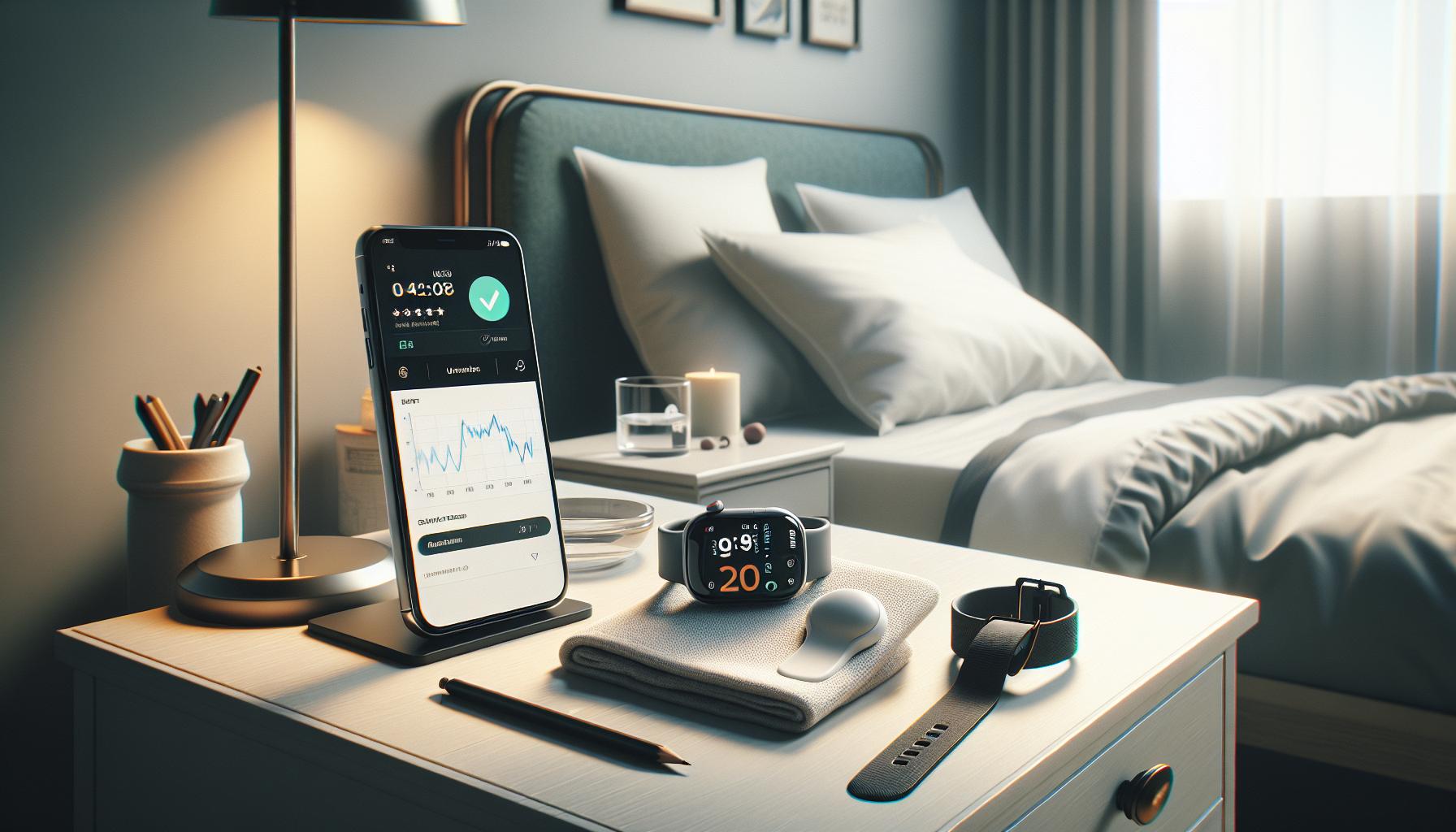
How Sleep Tracking Works: Features Explained
With the Apple Watch Series 6, sleep tracking has been made accessible and insightful, allowing users to gain a better understanding of their sleep patterns. At the heart of the sleep tracking feature is the ability to monitor your sleep stages, duration, and even trends over time, helping you take actionable steps towards improving your sleep quality. This device does not just track your slumber; it empowers you with data you can use to make informed decisions about your health.
The Apple Watch utilizes advanced sensors to monitor your movements and heart rate throughout the night. It determines your sleep stages-light, deep, and REM-by analyzing the data collected during the night. During light sleep, your body is transitioning between wakefulness and deeper sleep, while deep sleep is crucial for physical restoration. REM sleep, on the other hand, plays a significant role in memory and mood regulation. Understanding these stages can provide insights into how restful your sleep really is, which can be crucial if you’re trying to address issues like fatigue or stress.
Another notable feature of the sleep tracking system is the integration with the Health app, where you can establish sleep goals and routines. When you set a bedtime, for example, your Apple Watch will remind you to wind down and even activate Sleep Mode to limit notifications, ensuring a peaceful transition into rest. Additionally, users can view their sleep data in visually digestible formats, making it easier to understand patterns and cycles that might affect their overall well-being.
Moreover, the Apple Watch offers the “Wind Down” feature, which encourages relaxation with customizable pre-sleep routines. Whether it’s switching on soothing music or dimming smart lights, this function helps create a conducive environment for sleep. This is particularly beneficial for individuals trying to establish healthier sleep habits or those who struggle to fall asleep in a hectic world filled with distractions. With this thoughtful design, Apple aims not only to track but also to enhance the overall sleep experience, making the Apple Watch Series 6 a valuable tool for achieving better sleep health.
Interpreting Your Sleep Data for Better Insights
Understanding your sleep data is crucial for making informed decisions about your health and improving overall sleep quality. The Apple Watch Series 6 offers a wealth of sleep tracking features, turning your nightly rest into actionable insights that can guide your health journey. When you review your sleep data, consider these key aspects to gain a deeper understanding of your sleep patterns and how they relate to your daily life.
Sleep Stages and Duration
The Apple Watch tracks different sleep stages-light, deep, and REM-providing a comprehensive view of your nighttime activities. This breakdown is essential because each stage has its own benefits:
- Light Sleep: Acts as a transition phase where your body shifts between wakefulness and deeper sleep.
- Deep Sleep: This critical phase is where physical restoration occurs; it’s vital for healing and health.
- REM Sleep: Important for cognitive functions, this stage plays a role in memory consolidation and regulating mood.
By examining how much time you spend in each stage, you can identify potential sleep quality issues. For example, if you’re getting plenty of light sleep but not enough deep sleep, you may feel tired upon waking, regardless of the number of hours you spend in bed.
Daily Trends and Patterns
Using the Apple Health app, you can see your sleep data over time, allowing for the identification of patterns and trends. This historical data can help you:
- Recognize how lifestyle changes (like exercise or caffeine intake) affect your sleep.
- Adjust your evening routine to promote better sleep, like implementing the Wind Down feature discussed earlier.
- Monitor how stress, travel, or changes in schedule influence your sleep quality.
Understanding these trends can empower you to make informed changes that enhance your nighttime rest.
Setting Goals and Tracking Progress
The Apple Watch not only tracks your sleep but also allows you to set sleep goals. By establishing a routine, such as a consistent bedtime or target sleep duration, you can measure your progress over time. Aim for steady improvement rather than perfection. It’s about finding the right balance that works for you.
Analyzing your sleep data in conjunction with your goals can lead to actionable insights. For instance, if you consistently fall short of your sleep goal, consider adjusting your Wind Down routine or the time you go to bed, ensuring it aligns with your lifestyle and commitments.
By interpreting your sleep data effectively, you equip yourself with the knowledge to make beneficial adjustments. Whether you’re looking to increase deep sleep or decrease the time spent awake during the night, the insights provided by your Apple Watch can serve as a valuable tool in your quest for better sleep health.
Tips to Improve Your Sleep Quality with Apple Watch
Understanding the nuances of sleep tracking can drastically enhance your nighttime rest. By leveraging the features of the Apple Watch Series 6, you can make meaningful improvements to your sleep quality. Here are some actionable tips to help you get the most out of your sleep tracking experience.
Start by utilizing the Sleep Schedule feature on your Apple Watch. This allows you to set a consistent bedtime and wake-up time, aligning your sleep pattern with your body’s natural rhythms. With regularity, your body will respond better, enhancing the quality of rest you receive. The Apple Watch can also remind you when it’s time to start winding down, integrating the Wind Down feature to ease you into sleep with calming settings.
In addition to monitoring sleep patterns, pay attention to daily habits affecting your sleep. Consider keeping a record of activities, such as caffeine consumption or exercise, and refer back to your sleep data to identify patterns. The Apple Health app provides insights into how these changes affect the duration and quality of your sleep. For example, if you notice a lack of deep sleep correlating with evening workouts, you might want to schedule them earlier in the day.
Moreover, take advantage of meditation or breathing exercises available through your watch. Such practices can reduce evening stress and anxiety, leading to a more restful night. An excellent tool within the Apple ecosystem is the Mindfulness app, which encourages you to pause and engage in breathing exercises. Making this part of your nightly routine can significantly enhance your ability to fall asleep and stay asleep.
Lastly, ensure that your sleep environment is conducive to rest. Check that your bedroom is cool, dark, and quiet-factors proven to optimize sleep conditions. Incorporate soft lighting and limit screen time before bed, as well as creating a relaxing pre-sleep routine to signal your body that it’s time to rest. Pairing these environmental adjustments with data-driven insights from your Apple Watch will empower you to cultivate healthier sleep habits. Remember, consistency is key, and making small, informed changes can lead to significant improvements in your overall sleep quality.
Common Sleep Tracking Issues and Fixes
Sleep tracking with the Apple Watch Series 6 can be an incredibly useful tool for those looking to enhance their rest, but it isn’t without its challenges. Users often encounter common issues that can distort the accuracy of tracking or lead to misunderstanding of the data provided. Recognizing these problems and knowing how to address them can empower you to make the most of your sleep tracking experience.
One frequent issue is inaccurate sleep detection. Sometimes, the watch may incorrectly register sleep hours when you are merely resting or awake in bed. To improve accuracy, consider adjusting the sleep settings within the Sleep app. Make sure your sleep schedule is set properly and that the Sleep Focus mode is activated. This feature limits distractions by silencing notifications during your designated sleep time. Additionally, ensure that your watch is worn securely on your wrist, as a loose fit can hinder sensor accuracy.
Another common concern involves battery life, especially if you are using your watch throughout the day and still want to track sleep. The Apple Watch must have sufficient charge to monitor your heart rate and motion during the night. To mitigate this issue, you can adopt a routine of charging your watch during specific parts of your day, such as while you are getting ready in the morning or during workouts. Utilizing the Low Power Mode during the day can extend battery life but be sure to disable it before bed to ensure all sleep tracking functionalities remain active.
Interpreting the sleep data can also be a point of confusion. For instance, while the watch provides insights on total sleep time, it doesn’t always specify sleep stages in detail. To gain deeper insights, regularly connect to the Apple Health app, which aggregates your sleep data and can offer a broader perspective on your overall sleep quality. If you notice trends indicating poor sleep quality, consider insights such as increased caffeine intake or frequent late-night activities, and adjust accordingly.
Finally, remember that sleep tracking technology is not infallible. If you experience persistent issues or find that your sleep quality is affecting your daily life, it may be wise to consult with a sleep specialist. They can provide clinical insights and help rule out any underlying conditions that may not be effectively captured by your Apple Watch. Embrace the technology as a supportive tool in your overall wellness journey, but don’t hesitate to seek expert advice if needed.
Managing Sleep Schedules with the Apple Watch
Managing a consistent sleep schedule can feel daunting, yet establishing a routine is essential for achieving quality rest. The Apple Watch Series 6 can be your ideal companion in this journey, paving the way to healthier sleep habits. With its intuitive Sleep app, you can set and monitor your sleep goals, ensuring that you go to bed and wake up at similar times each day. It’s all about creating a rhythm your body can recognize and adapt to.
To effectively manage your sleep schedule, start by configuring your sleep goals in the Apple Watch. Go to the Sleep app and choose your preferred bedtime and wake-up times. This feature not only reminds you when it’s time to wind down but also helps you avoid late-night distractions. Make it a point to activate Sleep Focus, which silences notifications during your sleep hours, fostering a peaceful environment free from interruptions. The integration with the Health app further supports your efforts by providing insights into your sleep patterns; for example, you can see how many hours you are sleeping each night versus your goal.
Using the Apple Watch to track your sleep can also aid in identifying patterns over time. For instance, if you notice that sleeping in on weekends tends to disrupt your weekday wake-up times, you can adjust accordingly. Aim for consistency, as going to bed and waking up at the same time reinforces your circadian rhythm, leading to improved overall sleep quality. If you travel frequently, consider utilizing the Time Zone Override feature. This function allows you to adjust your sleep schedule based on different time zones without losing your home schedule.
Lastly, keep in mind that the journey to managing a sleep schedule may require adjustments and trials. Don’t be discouraged by occasional setbacks. The Apple Watch’s insights can guide your decisions, helping you tweak your routine with ease. Embrace the device as a valuable tool in your path to better sleep, and remember the goal isn’t perfection-it’s progress, enabling you to cultivate restful slumber for a healthier you.
Comparing Apple Watch Sleep Tracking to Other Devices
When exploring sleep tracking technology, it’s essential to understand how the Apple Watch Series 6 stacks up against other devices in the market. This wearables landscape includes dedicated sleep trackers, fitness bands, and smart devices that each cater to various user needs. The Apple Watch, with its sophisticated health monitoring features and seamless ecosystem integration, offers a compelling option but isn’t without competition.
The Apple Watch Series 6 utilizes its built-in sensors to monitor your sleep stages and overall quality. This integration with iOS allows users easy access to their health data, presenting insights through the Health app. In comparison, wearable devices like the Fitbit Charge 5 offer robust sleep analysis, including detailed breakdowns of light, deep, and REM sleep stages. Users report that Fitbit provides more granular data, making it easier to identify patterns over time. However, while Fitbit excels in sleep-specific metrics, it lacks the comprehensive fitness functionalities that Apple’s offering provides, such as heart rate monitoring during workouts and the ability to take emergency calls.
Functionality and User Experience
Another point of comparison is user experience. Apple Watch uses a sleek interface and offers features like Sleep Focus, which minimizes disruptions during sleep hours. The seamless interaction with iPhone notifications and apps can enhance the overall user experience, making it a versatile gadget for daily life beyond sleep tracking. In contrast, devices like the Oura Ring are designed explicitly for sleep tracking with less emphasis on notifications and apps. Users appreciate the Oura Ring’s lightweight design for night use, but it comes at a higher price point and lacks the multi-functionality of a smartwatch.
Cost and Value Considerations
Cost is also a significant factor when considering different options. The Apple Watch Series 6 is typically priced higher than other fitness wearables like the Xiaomi Mi Band 6. At around $400, the Apple Watch offers a broader suite of health-monitoring capabilities. On the other hand, a dedicated sleep tracker may range from $150 to $300 and provide similar if not better insights into sleep patterns but lacks additional features such as a full smartwatch experience.
Ultimately, your choice should align with your lifestyle and tracking needs. If you’re looking for a versatile device that covers multiple health aspects, the Apple Watch Series 6 is a strong candidate. For those primarily focused on sleep, a dedicated tracker may provide deeper insights at a lower cost. Always consider how each device meets your personal health goals and sleep-tracking requirements to make the most informed decision.
Sleep Tracking for Specific Sleep Disorders
Many people experience sleep disorders, and understanding how your Apple Watch Series 6 can assist with these issues is vital. With its sleep tracking feature, the watch can help you identify patterns that may indicate the presence of a sleep disorder, such as insomnia or sleep apnea. While the device is not a substitute for a professional sleep study, it can empower you with insights into your sleep habits, encouraging you to seek further evaluation if necessary.
Identifying Sleep Disorders
The Apple Watch utilizes advanced sensors to monitor your sleep quality, including heart rate and movement. If you consistently experience disturbances, such as waking up frequently during the night or feeling fatigued during the day despite a full night’s sleep, these could be warning signs of a sleep disorder. Utilize the Health app to track your data over time. Noting patterns, such as irregular sleep duration or disrupted sleep stages, can provide essential information when discussing your sleep with a healthcare provider.
Understanding Specific Disorders
Some common sleep disorders that may be highlighted through tracking include:
- Insomnia: Difficulty falling or staying asleep can manifest as extended periods of wakefulness during the night. Tracking your sleep may reveal trends that suggest underlying causes.
- Sleep Apnea: Characterized by pauses in breathing during sleep, this condition often leads to fragmented sleep. The Apple Watch can help identify restless nights and excessive wakefulness.
- Restless Leg Syndrome: Uncomfortable sensations in your legs create an urge to move. Monitoring periods of wakefulness associated with discomfort may provide clues.
When to Seek Professional Help
Use your sleep data as a resource to guide discussions with healthcare professionals. If your Apple Watch consistently indicates poor sleep quality or if you notice alarming patterns, it might be time to consider a sleep study, also known as polysomnography. This comprehensive test records brain waves, blood oxygen level, heart rate, and breathing as you sleep, helping to diagnose various sleep conditions.
However, remember that while the Apple Watch is a helpful tool for gathering sleep information, it’s best to approach sleep issues holistically. Alongside using a smartwatch for insights, consider sharing your sleep diary with your doctor, detailing your sleep habits and any relevant lifestyle factors, such as caffeine or alcohol intake, stress levels, and daily activity. This combined approach will yield a clearer picture, guiding you to the best solutions for achieving restful sleep.
Maximizing the Benefits of Sleep Tracking Features
To harness the full potential of sleep tracking features available on the Apple Watch Series 6, users should engage with its capabilities actively rather than passively. One effective approach is to regularly review your sleep metrics within the Health app. The comprehensive data, including insights into your sleep stages-REM, Core, and Deep-can provide a clearer picture of your sleep patterns and allow you to identify trends or irregularities over time. For instance, if you notice a consistent lack of deep sleep, this might prompt a lifestyle adjustment, like modifying your evening routine or reconsidering your caffeine intake.
In addition to just tracking sleep, using the sleep goals feature can significantly enhance your experience. Establish a consistent sleep schedule and set a target for the number of hours you wish to sleep each night. The Apple Watch can remind you when it’s time to start winding down, creating a more structured sleeping environment. This proactive approach not only reinforces better sleep hygiene but also improves the likelihood of achieving more restorative sleep.
Utilizing silent alarms can also refine your overall sleep experience. Instead of waking abruptly to a jarring sound, a gentle tap from your watch can help you awaken at a more optimal moment in your sleep cycle, minimizing grogginess. You can customize these alerts based on your daily schedule; for example, if you wake up feeling sluggish on weekdays, activating the silent alarm on those mornings can make a noticeable difference.
Lastly, don’t overlook the power of integration with other health apps and devices. Syncing your sleep data with fitness trackers or wellness applications can provide deeper insights into how your daily activities and overall health impact your sleep quality. By analyzing this broader spectrum of data, you’ll be better equipped to make informed decisions that support healthier habits-whether that’s modifying your exercise routine or addressing nutritional choices that may affect your nightly rest.
In essence, maximizing the benefits of your Apple Watch Series 6 requires an intentional and engaged approach-actively leveraging the features, integrating with lifestyle choices, and tailoring your usage based on the insights collected will empower you to improve your sleep quality in a way that is both clear and actionable.
User Experiences: Real Stories with Sleep Tracking
Real-life experiences with sleep tracking through the Apple Watch Series 6 reveal not just insights about personal sleep habits but also inspire actionable changes in lifestyle. One user recounts how the data from their watch prompted them to reassess their evening routine. Before embracing sleep tracking, they often went to bed at erratic hours, leading to unpredictable energy levels during the day. Once they started using the sleep feature, they gained clarity on how much their late-night screen usage affected their rest. The ability to see the breakdown of sleep cycles illuminated patterns like frequent disruptions during certain hours, which encouraged them to replace screen time with relaxing pre-sleep activities such as reading or meditation.
Another user shares how the silent alarm functionality transformed her mornings. Previously, waking up to loud alarm sounds set a chaotic tone for the rest of the day. After activating the gentle vibrations feature, she found it much easier to wake up feeling rested and less groggy. She paired this with insights from her sleep data showing her optimal wake window-now she starts her day feeling refreshed and ready. This experience highlights how the Apple Watch isn’t just a tool for tracking sleep but a partner in establishing healthier sleep habits.
Moreover, integrating the Apple Watch’s sleep data with other health apps has empowered users to make more informed decisions. For instance, syncing with a nutrition app revealed correlations between the meals consumed at dinner and sleep quality. Users began experimenting with different types of evening snacks, leading to improved rest. Such interconnectedness of health data encourages a holistic approach to well-being, making tracking feel less like a chore and more like an enlightening self-discovery journey.
These stories reflect the power of actively engaging with the sleep tracking features of the Apple Watch. By paying attention to personal trends and aligning them with lifestyle changes, users are not just passively receiving data; they’re harnessing technology to foster genuine improvements in their sleep quality and overall health.
Maintaining Consistent Sleep Patterns Using Your Watch
Maintaining a consistent sleep schedule can be one of the most effective ways to improve your overall sleep quality, and your Apple Watch Series 6 is here to help. By leveraging its built-in sleep tracking features, you can establish a bedtime routine that supports better sleep hygiene. One of the key strategies for achieving consistency is to utilize the Sleep app to create custom sleep schedules. The app allows you to set your desired sleep and wake-up times, which can help reinforce your body’s natural circadian rhythms. Setting these boundaries is crucial because it not only signals your body when it’s time to wind down but also helps you wake up feeling more refreshed.
To kickstart your journey toward better sleep patterns, try the following steps:
- Set a Sleep Schedule: Go to the Sleep app on your Apple Watch and specify your ideal sleep and wake times. Remember to include weekends to avoid “social jet lag” when returning to work.
- Use Sleep Focus: Activate the Sleep Focus mode during your scheduled sleep hours. This feature minimizes distractions, making it easier to fall asleep and stay asleep.
- Review Your Sleep Trends: Regularly check the sleep data collected by your watch. Look for patterns in your sleep duration and quality, which can allow you to adjust your routine as needed.
Engaging with the insights provided by your Apple Watch can significantly enhance your sleep routine. The watch breaks down your sleep stages-including REM, Core, and Deep sleep-giving you a clearer understanding of your sleep architecture. This data empowers you to make small adjustments to your lifestyle. For instance, if you notice you’re waking up often during the night, you could try adjusting your bedtime, reducing caffeine intake in the afternoon, or engaging in calming pre-sleep activities like reading or meditating.
Real-life testimonials highlight how customers have utilized their Apple Watches to maintain consistent sleep schedules. For example, one user mentioned that using the gentle vibrations of the silent alarm made mornings less jarring, promoting a smoother start to the day. Another individual found that syncing their sleep data with a diet app revealed how late-night snacks impacted their rest. These insights illustrate how the Apple Watch not only aids in tracking sleep but can actively facilitate lifestyle changes that lead to better overall health.
Remember, consistency is key. By regularly analyzing your sleep data and making incremental changes, you can cultivate a sleep routine that not only optimizes your rest but also enhances your daily productivity and well-being.
Q&A
Q: How can I improve my sleep tracking accuracy on Apple Watch Series 6?
A: To enhance sleep tracking accuracy, ensure your Apple Watch is snug on your wrist and that it’s updated to the latest watchOS. Additionally, set a regular sleep schedule in the Sleep app, as this helps the watch learn your patterns better. For optimal results, wear your watch during naps and overnight.
Q: Can Apple Watch Series 6 track sleep stages?
A: Yes, the Apple Watch Series 6 tracks various sleep stages, including REM, Core, and Deep sleep. This information is accessible in the Sleep app upon waking, providing valuable insights into your sleep quality and patterns.
Q: What should I do if my Apple Watch Series 6 is not tracking sleep?
A: If your Apple Watch isn’t tracking sleep, first check that Sleep Tracking is enabled in the Sleep app settings. Restart your watch and ensure it’s snug on your wrist. If issues persist, consider unpairing and re-pairing your Apple Watch with your iPhone.
Q: How does Apple Watch Series 6 help manage sleep schedules?
A: The Apple Watch Series 6 features a Sleep Schedule option allowing users to set consistent bedtime and wake-up times. It provides reminders and encourages healthy sleep habits, making it easier to stick to a routine.
Q: Can I track naps using Apple Watch Series 6?
A: Yes, you can track naps with the Apple Watch Series 6. Simply activate the Sleep app before your nap, and the watch will record the duration and quality of your sleep during that period.
Q: What sleep disorders can Apple Watch Series 6 help monitor?
A: While not a diagnostic tool, the Apple Watch Series 6 can help monitor patterns associated with sleep disorders, such as insomnia or sleep apnea, by tracking unusually short sleep durations or frequent awakenings. For serious concerns, consult a healthcare provider.
Q: Does Apple Watch Series 6 integrate with other health apps for sleep tracking?
A: Yes, Apple Watch Series 6 can sync sleep data with the Health app on your iPhone and other compatible health and fitness apps, allowing for comprehensive tracking and analysis of your overall wellness.
Q: How can I access my sleep data on Apple Watch Series 6?
A: To view your sleep data, open the Sleep app on your Apple Watch or check the Health app on your iPhone. You can review sleep trends, duration, and stages to gain insights into your sleep quality and patterns.
Closing Remarks
Now that you’re equipped with the full guide on using the Apple Watch Series 6 for sleep tracking, it’s time to take control of your sleep health. Remember, understanding your sleep patterns and improving your rest is an essential step towards better overall well-being. If you’re eager to maximize the benefits, consider exploring tips on enhancing sleep quality or learn more about how sleep tracking can unveil hidden insights into your health.
Don’t wait-start your journey toward restorative sleep today! For more information, check out our articles on optimizing sleep with technology and the best wearable devices for sleep studies. We’d love to hear about your experiences using sleep tracking on the Apple Watch-share your thoughts in the comments below! Your feedback helps us create valuable content tailored to your needs, so let’s keep the conversation going.
Get our latest guides, news, and insights highlighted in your Google Search & AI Overviews.