
Did you know that nearly one in three adults struggle with getting enough sleep? Sleep tracking on the Apple Watch offers a powerful solution, helping you monitor your nightly rest patterns and improve your overall well-being. This innovative feature provides valuable insights into your sleep quality, duration, and trends, empowering you to make informed choices for healthier sleep habits. As we explore the features of sleep tracking on the Apple Watch, you’ll discover how it can support your journey to better sleep, why understanding your sleep data matters, and how this technology can fit seamlessly into your daily routine. Whether you’re looking to improve your rest or simply curious about the data your watch can provide, keep reading to unlock the potential of sleep tracking and take a step towards rejuvenating sleep.
What Is Sleep Tracking on Apple Watch?
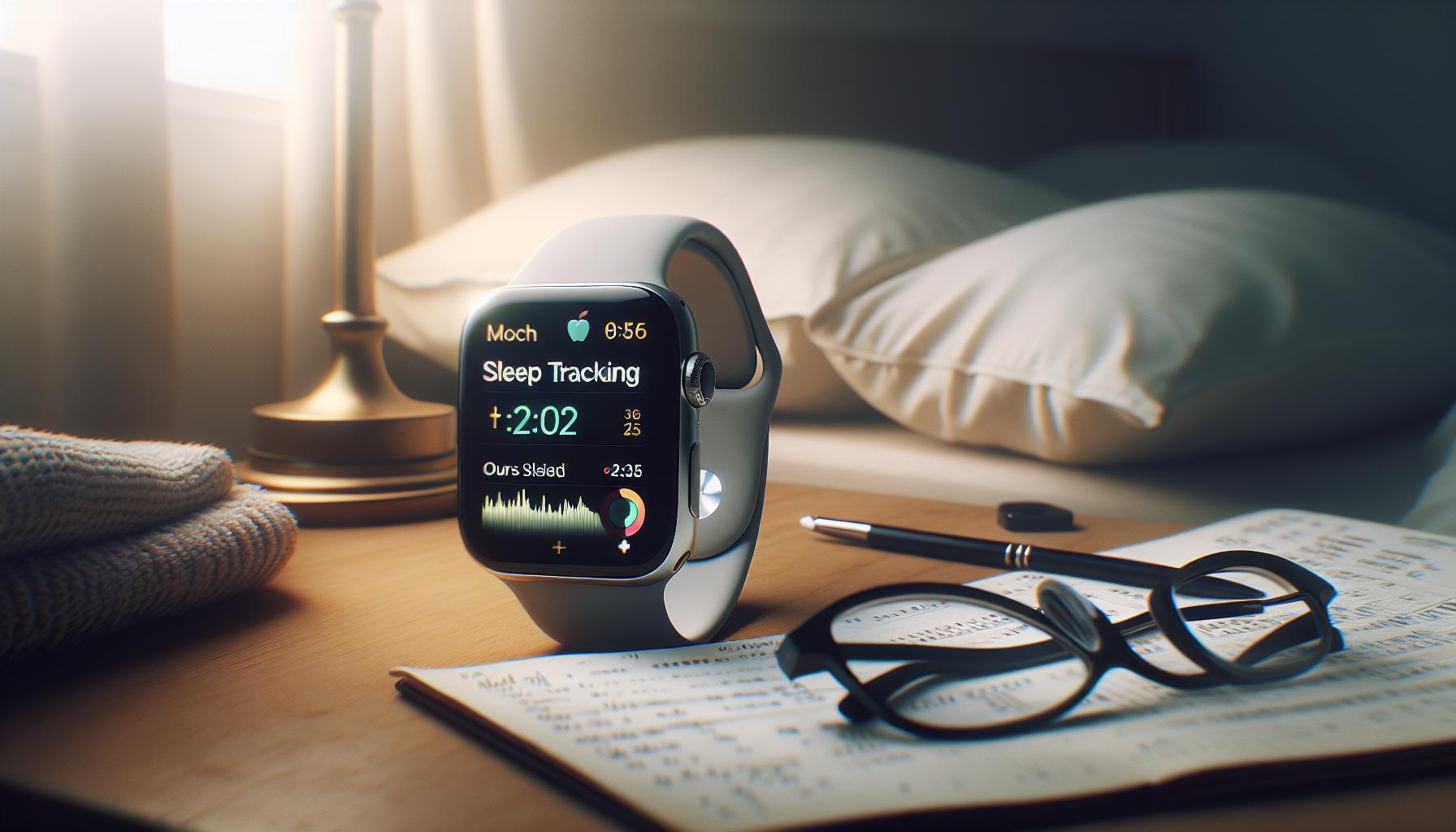
Sleep tracking on the Apple Watch has transformed how we understand and improve our sleep. Unlike basic pedometers or typical time-tracking features, sleep tracking on this popular wearable device uses advanced algorithms to monitor your rest patterns, providing insights that can enhance your overall sleep hygiene. With the watch worn during sleep, it records data about your sleep duration, stages, and interruptions, allowing you to gauge your sleep quality accurately. This tracking is not only a convenience but also a step towards being proactive about your health.
The Apple Watch utilizes a comprehensive approach to collect your sleep data. By utilizing built-in sensors, it can assess movement and heart rate, translating these signals into an estimate of how long you spend in different sleep stages, such as REM, Core, and Deep sleep. These insights are segmented into easy-to-understand reports, making it accessible for users to interpret their sleeping habits over time. As a result, users can create personalized sleep schedules and align their habits with their specific sleep goals, a feature that is particularly beneficial for those looking to improve their nightly rest.
Moreover, Apple Watch sleep tracking is commendable not only for its health insights but also for how it can seamlessly integrate into your lifestyle. With the Sleep app, you can set reminders for when to go to bed and wake up gently with haptic alarms. In this way, the Apple Watch empowers users to take charge of their sleep health, making informed changes based on real data rather than assumptions or guesswork. As technology continues to evolve, having such a tool at your wrist can be an invaluable ally in the pursuit of better sleep and overall well-being.
Key Features of Apple Watch Sleep Tracking
With the Apple Watch’s sleep tracking capabilities, you can gain powerful insights into your nightly rest and establish healthier sleep habits. This feature isn’t just about knowing how many hours you’ve slept; it dives deep into your sleep patterns, helping you understand your sleep quality. Here are some of the key features that make the Apple Watch a standout when it comes to monitoring your sleep.
Comprehensive Sleep Stage Tracking
One of the most notable features is the ability to track different sleep stages: REM, Core, and Deep sleep. These stages are crucial as they signify the quality of your sleep. The Apple Watch uses advanced sensors to monitor movement and heart rate throughout the night, providing reports that break down how long you spent in each stage. This information is vital for understanding your sleep health and making necessary adjustments to improve it.
Personal Sleep Goals and Schedules
The Apple Watch allows you to set personalized sleep goals and schedules. You can decide how many hours of sleep you aim to get each night, and the device will remind you when it’s time to wind down. This tailored approach empowers users to take charge of their sleep hygiene, ensuring that they prioritize rest as part of a balanced lifestyle.
Gentle Wake-Up Alarms
Waking up can often be a jarring experience, but the Apple Watch functions as a gentle alarm. Using haptic feedback, it can wake you up slowly and subtly, allowing you to start your day feeling refreshed instead of groggy. This feature can be incredibly beneficial for those who struggle with waking up early or transitioning from sleep to wakefulness.
Seamless Integration with Health App
All the sleep data recorded by the Apple Watch syncs effortlessly with the Apple Health app. This integration provides a holistic view of your health and sleep patterns, allowing you to track trends over time and make informed health decisions. For instance, if you notice a pattern of poor sleep quality after particular activities or dietary choices, you can adjust these accordingly.
In conclusion, the array of sleep tracking features on the Apple Watch offers users meaningful insights and practical tools for improving their sleep health. By harnessing this technology, you can cultivate a better understanding of your sleep, customize your routines, and ultimately enhance your overall well-being.
How Sleep Tracking Works on Apple Watch
When harnessing the power of technology for sleep health, the Apple Watch stands out as a reliable partner. Understanding how sleep tracking works on this device requires breaking down its mechanics and functionalities, designed not just for data collection, but for enhancing your overall well-being.
The Apple Watch employs advanced sensors to capture critical biometric data during your sleep. By monitoring your heart rate and movements throughout the night, it can determine how long you’ve spent in various sleep stages: REM, Core, and Deep. This ability to differentiate between stages allows for an insightful analysis of your sleep quality rather than merely providing a total sleep time. The watch uses motion detection, which not only helps in identifying when you’re asleep but also tracks restlessness or disruptions during the night, offering a comprehensive view of your sleep patterns.
To begin utilizing the sleep tracking feature effectively, the Apple Watch integrates seamlessly with the Health app on your iPhone. This linkage means that data syncs automatically, allowing you to review your sleep trends over time. You’ll receive personalized insights, such as average sleep duration and insights into your weekly patterns, all visualized within the app for easier comprehension. This holistic approach helps you identify factors that might influence your sleep quality, aiding in informed lifestyle adjustments.
Moreover, the Apple Watch empowers users to set sleep schedules and goals. By allowing you to define when you ideally want to sleep and wake, it can send reminders to prepare for bed, promoting a healthier sleep routine which may lead to feeling more alert and energetic during the day. Ultimately, this interactive tracking feature not only monitors your sleep but encourages you to adopt habits that enhance your overall sleep hygiene.
Setup Guide: Activating Sleep Tracking

Activating sleep tracking on your Apple Watch is a straightforward process that opens the door to a better understanding of your sleep patterns. With just a few steps, you can tap into the various features designed to enhance your nightly rest. To get started, ensure your Apple Watch is updated to the latest version of watchOS and connected to your iPhone. This connection is crucial, as your sleep data syncs directly with the Health app on your phone.
Begin by launching the Sleep app on your Apple Watch. Here, you’ll be prompted to establish your sleep schedule, which includes your desired bedtime and wake-up time. This information helps your Apple Watch tailor its notifications to remind you when it’s time to wind down for the night. You can also set a sleep goal to assist in cultivating healthy habits, which the watch will help you work towards.
To optimize the tracking process, ensure that you wear your watch while sleeping. The device uses a combination of sensors to monitor your heart rate and movement, providing insights into your sleep stages. If you haven’t already done so, you may want to enable ‘Sleep Mode’ from the Control Center on your watch. This mode not only minimizes distractions during the night by silencing notifications and dimming the display but also conserves battery life.
Finally, routinely check the Health app on your iPhone after a night’s sleep to analyze your data. You’ll find metrics such as total time asleep, wake times, and even the breakdown of your sleep stages (REM, Core, Deep). This feedback allows you to assess how well you are meeting your sleep goals and to recognize patterns that affect your sleep quality. By actively engaging with these features, you’re taking significant steps toward enhancing your sleep hygiene and overall well-being.
Understanding Sleep Stages Monitored
Understanding the various stages of sleep is crucial to improving your overall health and well-being. The Apple Watch utilizes advanced sensors to analyze your sleep patterns and categorize your rest into distinct stages: REM (Rapid Eye Movement), Core, and Deep sleep. Each stage plays a vital role in rejuvenating your body and mind, and knowing how much time you spend in each can help you make more informed lifestyle choices.
What Are the Sleep Stages?
- REM Sleep: This stage is commonly associated with dreaming. It usually occurs around 90 minutes after falling asleep and can dominate later cycles. REM sleep is essential for cognitive functions like memory and learning.
- Core Sleep: Also known as light sleep, this stage is where your body begins to relax. It’s a key time for processing information from the day and is vital for memory consolidation.
- Deep Sleep: Often referred to as slow-wave sleep, this stage is essential for physical recovery. It’s during deep sleep that your body repairs and regrows tissues, builds bone and muscle, and strengthens the immune system.
How Does Apple Watch Monitor Sleep Stages?
The Apple Watch uses a combination of heart rate monitoring and motion detection to identify which sleep stage you’re in. For example, during deep sleep, your heart rate slows down significantly, while REM sleep may see fluctuations that indicate brain activity. This data is synced to your Health app, providing you with a detailed breakdown each morning.
- Heart Rate Tracking: A key indicator that helps Apple Watch determine your current sleep stage.
- Motion Sensors: These detect any movement, helping distinguish between light sleep and deeper sleep cycles.
Understanding these stages can empower you to enhance your sleep hygiene. By tracking how much time you spend in each phase, you can identify patterns or deficiencies that may affect your performance during the day. For instance, if you’re not getting enough deep sleep, you might consider adjusting your bedtime routine, creating a more restful environment, or exploring relaxation techniques to aid your wind-down process.
While the Apple Watch offers insightful data about your sleep stages, it’s important to remember that it does not replace professional sleep studies, which can provide a comprehensive analysis for sleep disorders. Instead, use the insights from your watch to inspire healthier sleep habits, and consult with healthcare professionals if you notice persistent issues.
Comparing Apple Watch Sleep Tracking to Other Devices
When it comes to tracking sleep, the Apple Watch stands out but is just one of many options available. Each device offers unique features and capabilities that cater to different preferences and needs. Understanding how the Apple Watch compares to other sleep tracking devices can help you make a more informed decision on what might work best for your sleep health.
One significant competitor to the Apple Watch is the Fitbit series, known for its user-friendly interface and accuracy in sleep stage detection. Fitbit devices often provide more detailed analytics on sleep quality, including factors like restlessness and sleep efficiency. Many models also feature a “silent” alarm, gently vibrating to wake users during lighter sleep phases-something the Apple Watch lacks. However, the Apple Watch offers integration with other health metrics through its Health app, providing a broader view of overall wellness beyond sleep.
Another noteworthy option is the Oura Ring, which excels at sleep tracking by analyzing heart rate, body temperature, and activity levels. Its compact size and stylish design make it favorable for those who prefer not to wear a watch. Oura’s insights are highly personalized, offering recommendations based on sleep patterns over time, but it comes with a higher price tag compared to the Apple Watch. While the Oura Ring focuses intensely on sleep quality, the Apple Watch provides a more versatile device with additional features such as notifications, fitness tracking, and more.
For those considering dedicated sleep tracking solutions like Eight Sleep, the technology dives deeper into sleep tracking by using smart mattresses that monitor sleep stages and adjust temperature to enhance comfort. This is a more premium choice, evolving the concept of sleep tracking into the realm of sleep enhancement. However, it lacks the portability and daily monitoring convenience that the Apple Watch offers.
In summary, while the Apple Watch provides robust sleep tracking capabilities, it’s essential to weigh its benefits against those of other devices. Factors like comfort, detailed analytics, price, and additional health tracking features should dictate your choice. Using sleep tracking technologies can empower you to improve your sleep health significantly, whether with a watch on your wrist, a ring on your finger, or a mattress designed for optimal rest.
Benefits of Monitoring Sleep Patterns
Monitoring sleep patterns can significantly impact your overall health and well-being. As you track your sleep with the Apple Watch, you’ll gain insights that help you understand your sleep quality and how different factors influence it. This awareness can lead to better sleep habits, ultimately enhancing your daily performance, mood, and long-term health outcomes.
One of the key benefits is the ability to identify trends in your sleep. For instance, by regularly reviewing your sleep data, you may notice patterns linked to your lifestyle choices, such as caffeine consumption, exercise routines, or stress levels. By correlating your daily activities with your sleep quality, you can make informed adjustments. For example, if you find that late-night screen time affects your sleep, you can set a goal to limit screen use before bed.
Additionally, monitoring sleep patterns can help identify potential sleep disorders. If you’re consistently waking up feeling tired or if the data shows irregular sleep stages, it may signal an underlying issue like sleep apnea or insomnia. Recognizing these patterns early can prompt discussions with healthcare professionals, leading to timely interventions and improved sleep.
Finally, the Apple Watch’s integration with the Health app allows for a holistic view of your health by combining sleep data with other metrics, such as exercise and heart rate. This comprehensive approach empowers you to prioritize self-care strategies, all supported by data. Ultimately, tracking your sleep is not just about understanding when you sleep-it’s about enhancing your quality of life in meaningful ways.
Analyzing Sleep Data and Insights
When you wake up, your Apple Watch has been hard at work, gathering intricate details about your nightly activities. This data isn’t just numbers; it’s a window into your sleep quality, offering vital insights that can lead to meaningful changes in your daily routine. Analyzing sleep data from your Apple Watch involves looking at several key metrics that illuminate not just the quantity of your sleep, but also its quality.
The watch measures sleep duration, providing feedback on how much time you spend in different sleep stages: REM, light, and deep sleep. Each stage plays a crucial role in your overall restfulness. For instance, adequate deep sleep is essential for physical recovery, while REM sleep is pivotal for cognitive functions. By reviewing these stages in the Sleep app or on the Health app on your iPhone, you can start to pinpoint trends over time that correlate with your well-being, such as improved mood, better focus, or increased energy after nights filled with adequate REM or deep sleep.
Equally important is the ability to correlate this sleep data with daily habits. For example, do you notice a pattern where evenings with heavy screen time coincide with poorer sleep quality? Or perhaps on days you exercise, your sleep stages show improvement? By maintaining a journal that captures this information or using the Health app’s correlations feature, you can make informed lifestyle adjustments. This integrative approach allows you to become a more active participant in your health management.
Lastly, the Apple Watch sleep data generates a wealth of actionable insights to help enhance your sleep hygiene. Consider setting a consistent bedtime, creating a relaxing pre-sleep routine, or adjusting your environment for better rest. By using the data available to you, you can not only track your sleep but also work toward enhancing it, leading to a healthier, more balanced life.
Common Issues with Apple Watch Sleep Tracking
Sleep tracking is an innovative feature of the Apple Watch, allowing you to gain a glimpse into your nightly rest patterns. However, like any technology, it is not without its shortcomings. Understanding these common issues can help you make better use of your device and refine your sleep monitoring experience.
One prevalent concern is the accuracy of sleep data. While the Apple Watch is equipped with sophisticated sensors, it may struggle to accurately differentiate between sleep and periods of quiet wakefulness, particularly if you lie still for an extended time. This can lead to overestimating your sleep duration. Additionally, the watch relies on motion and heart rate data to evaluate sleep stages. External factors, such as irregular heartbeats or wearing the device too loosely, may impact its ability to provide precise metrics.
Another issue users encounter is battery life. To get accurate sleep data, the Apple Watch must be worn throughout the night. If the battery isn’t sufficiently charged before bedtime, you may miss valuable insights into your sleep. It’s advisable to establish a routine where you charge your watch during the day, so it is ready for overnight tracking.
Moreover, the user interface can sometimes be overwhelming. While the Sleep app provides valuable insights, deciphering this information requires some familiarity with the data. If you’re new to sleep tracking or unfamiliar with terms like REM and deep sleep, you might feel lost in the data presented.
Lastly, users may find it challenging to maintain a regular sleep schedule. The Apple Watch can help indicate patterns, but it doesn’t enforce good sleep hygiene habits. Utilize the insights from the watch to identify trends and incorporate lifestyle changes, like reducing screen time or establishing a consistent bedtime routine. By coupling the data with proactive steps, you’ll maximize the potential benefits of sleep tracking on your Apple Watch.
Taking the time to address these common issues will position you to better leverage the features of your Apple Watch, enabling you to foster better sleep health over time.
Tips for Getting the Most Out of Sleep Tracking
To effectively tap into the potential of sleep tracking on your Apple Watch, consider implementing a few fundamental strategies that can enhance the accuracy and usefulness of the data you receive. One critical factor is consistency. Wearing your watch every night, preferably with a fully charged battery, will help establish an accurate baseline for your sleep patterns. If your watch isn’t charged and ready to go, you risk missing out on critical insights about your sleep duration and quality.
Another effective strategy involves setting a designated sleep schedule within the Sleep app. Creating a sleep schedule not only helps your watch track your sleep patterns more consistently but also encourages you to maintain better sleep hygiene. By utilizing features like Sleep Focus, you can reduce distractions before bedtime, improving your ability to wind down and fall asleep. This feature silences notifications and apps so you can enjoy a more restful night.
Optimize Your Sleep Environment
Your bedroom environment can significantly impact sleep quality. Make sure your sleeping area is conducive to rest by considering factors such as:
- Temperature: A cooler room often promotes better sleep.
- Light: Utilize blackout curtains or an eye mask to eliminate light sources.
- Noise: Consider using white noise machines or earplugs to block out disruptive sounds.
Additionally, review the sleep data provided by your Apple Watch. Look for trends and patterns in your sleep duration and sleep stages to identify what strategies are working. If you notice disturbances in your sleep, such as frequent waking or insufficient deep sleep, you might want to make changes to your evening habits. For example, avoiding caffeine or stimulating activities close to bedtime can have a positive impact.
Incorporating mindfulness practices, like meditation or gentle yoga, before bed can also help enhance relaxation. Tracking these activities using your watch can provide you with more comprehensive insights into how your daily habits affect your sleep.
By actively engaging with the data and making informed adjustments, you’ll make the most of your Apple Watch’s sleep tracking capabilities, paving the way for improved daily functioning and overall well-being.
Sleep Tracking and Your Health: What to Know
Understanding how to monitor your sleep with the Apple Watch can be a game-changer for your overall health. Sleep is vital for physical recovery, cognitive function, and emotional well-being. The Apple Watch provides an accessible way to track sleep, offering insights that can improve not just how well you sleep but also your day-to-day life. Studies have shown that good sleep can enhance your immune function and contribute to better mental health, making the data collected by your watch an essential tool for maintaining a balanced lifestyle.
With the Apple Watch’s sleep tracking feature, users can gain a clearer picture of their sleep patterns, including the duration and quality of their rest. It tracks not only when you fall asleep and wake up but can also provide insights into various stages of sleep-light, deep, and REM. Knowing how much time you spend in each sleep stage can help you understand whether you’re getting the restorative sleep you need. If you frequently find yourself lacking in deep sleep, it might be a sign to reassess your bedtime habits or environment.
Monitoring sleep patterns can also play a significant role in detecting potential sleep disorders. If you notice consistent difficulties such as excessive tiredness or irregular sleep cycles, these could be indicators that it’s time to consult with a healthcare professional. The Apple Watch helps you keep track of any anomalies, providing you with valuable data to discuss during a medical consultation. Tracking such data empowers you by allowing you to connect your sleep quality with lifestyle choices, ultimately leading to healthier habits.
To maximize the benefits of sleep tracking, strive to maintain a regular sleep schedule. Combining sleep data analysis from your Apple Watch with lifestyle adjustments-such as optimizing the sleep environment and minimizing screen time before bed-can lead to significant improvements in sleep quality. Taking ownership of your sleep health not only enhances your physical and mental performance but also contributes to a more fulfilling life.
Limitations of Apple Watch Sleep Tracking
While the Apple Watch serves as a remarkable tool for tracking sleep, it does come with certain limitations that potential users should be aware of to set realistic expectations. Firstly, the Apple Watch primarily relies on movement and heart rate to infer sleep stages, meaning the data it provides is based on algorithms that estimate sleep patterns rather than directly measuring brain activity or other physiological signals like a polysomnography test would. This can lead to inaccuracies in sleep stage detection, particularly with nuanced stages like REM or light sleep, which may not be accurately differentiated.
Additionally, the accuracy of sleep tracking can be impacted by how you wear the device. For instance, if the watch is too loose or improperly fitted, it may not accurately monitor your heart rate or movements throughout the night. Several users have reported discrepancies in their sleep data when they unknowingly shift positions or take their watch off during the night, potentially resulting in a misrepresentation of their actual sleep time or quality.
Another consideration is battery life. While the Apple Watch is equipped for daily use, sleep tracking requires that the device is worn throughout the night. This can be challenging if the watch is low on battery or if you frequently charge it during the night, which could disrupt the data collection process. Users may find themselves needing to develop a routine for charging their watch at different times to ensure consistent sleep tracking.
Furthermore, the Apple Watch’s sleep tracking feature does not provide as comprehensive an analysis as some specialized sleep devices or apps that offer insights into potential sleep disorders. While it can alert you to anomalies in your sleep patterns, it does not replace professional sleep studies for diagnosing conditions like sleep apnea or insomnia. If you have ongoing sleep issues, it is essential to consult a healthcare provider who can recommend more accurate assessments.
Understanding these limitations equips you with actionable insights during your journey towards better sleep health. Emphasizing the Apple Watch as one of several tools to monitor and improve sleep patterns can help you weave together personalized strategies that truly enhance your sleep quality. Consider leveraging additional methods, such as keeping a sleep diary or using dedicated sleep apps, to complement the insights you gather from your Apple Watch.
Faq
Q: How accurate is sleep tracking on the Apple Watch?
A: The Apple Watch is generally considered accurate in tracking sleep, particularly in identifying sleep duration and disturbances. However, it may not always perfectly analyze sleep stages like REM and deep sleep. For users seeking precise insights, consider comparing its data with a formal sleep study.
Q: Can I use my Apple Watch while sleeping without charging it?
A: Yes, you can use your Apple Watch for sleep tracking without charging it overnight, provided it has sufficient battery life. To maximize battery performance, enable Power Saving Mode while tracking sleep to ensure it lasts through the night.
Q: Does the Apple Watch track naps?
A: Yes, the Apple Watch can track naps if you enable the Sleep Mode manually before your nap. While it may not provide comprehensive data like nightly sleep, it still records the duration of your nap time, which can be viewed in the Health app.
Q: What should I do if my Apple Watch is not tracking sleep?
A: If your Apple Watch isn’t tracking sleep, first ensure that Sleep Tracking is enabled in the Watch app. Also, check that the watch fits snugly on your wrist and that it’s updated to the latest watchOS version for optimal performance.
Q: How does sleep tracking on the Apple Watch compare to a sleep study?
A: Sleep tracking on the Apple Watch offers a convenient way to monitor sleep patterns, but it’s less comprehensive than a clinical sleep study, which can diagnose sleep disorders with medical-grade accuracy. Consider a sleep study for persistent issues, while using the Apple Watch for general insights.
Q: Can I set a sleep schedule with my Apple Watch?
A: Yes, you can set a sleep schedule on your Apple Watch through the Health app or the Sleep app. This feature allows you to plan your sleep patterns, including bedtime reminders and wake-up alarms, helping to establish a consistent sleep routine.
Q: What additional features does the Apple Watch offer for enhancing sleep quality?
A: Beyond tracking sleep, the Apple Watch offers features such as mindfulness sessions, sleep goals, and wind-down routines to help improve sleep quality. These tools can help create a calming environment before sleep, fostering better rest.
Q: How can sleep data from my Apple Watch benefit my overall health?
A: Sleep data collected from your Apple Watch can provide insights that help you understand your sleep habits, potentially improving overall health. By analyzing your sleep patterns, you can identify trends that affect mood, productivity, and even physical health. Regular monitoring can lead to better sleep hygiene and lifestyle adjustments.
Key Takeaways
Now that you understand the powerful features of sleep tracking on the Apple Watch, it’s time to harness this technology to transform your sleep health. By monitoring your sleep patterns, you can make informed decisions about your nightly routine and improve your overall well-being. Don’t let another sleepless night go by-start utilizing your Apple Watch’s sleep tracking capabilities today to wake up feeling more refreshed and energized.
For additional insights, check out our guide on sleep disorders and learn how to navigate sleep studies, or explore our comparison of the best sleep wearables to find the right fit for you. If you have questions or experiences to share, leave a comment below. Don’t forget to subscribe to our newsletter for the latest updates on sleep health so you can stay informed on all the ways to enhance your sleep experience. Embrace the journey to better sleep now!
Get our latest guides, news, and insights highlighted in your Google Search & AI Overviews.