
As sleep health becomes a priority for many, understanding the accuracy of sleep tracking devices is crucial. The Galaxy Watch 7 aims to enhance your sleep experience with advanced features and AI sleep analysis, but how accurate is it really? This review explores the intricate capabilities of the Galaxy Watch 7’s sleep tracking, comparing its performance to established standards and addressing common concerns. Whether you’re seeking to improve your sleep quality or simply curious about wearable technology, this examination will help you navigate the benefits and limitations of the Galaxy Watch 7. Join us as we dive deeper into what this popular smartwatch can offer in your journey toward better sleep health.
Understanding Galaxy Watch 7 Sleep Tracking Features
The Galaxy Watch 7 is designed to elevate your sleep tracking experience by incorporating advanced technology that aims to analyze and enhance your rest. One of its key features is AI sleep analysis, which leverages machine learning algorithms to interpret data collected from various sensors. This smartwatch monitors your heart rate, movement, and even skin temperature, providing a comprehensive view of your sleep patterns and behaviors. By assessing this information, the Galaxy Watch 7 generates a personalized Sleep Score each morning, giving you insights into the quality of your restorative sleep.
Users can expect a variety of metrics from their sleep tracking experience, including total sleep time, sleep stages (light, deep, and REM), and wake-up instances. Understanding these metrics is crucial; for instance, the REM stage is essential for memory and mood regulation, while sufficient deep sleep is vital for physical recovery. The watch not only displays these metrics but uses them to suggest improvements in your bedtime habits, making your nightly routine more effective.
To make the most out of your Galaxy Watch 7, ensure that the Samsung Health app has the necessary permissions to access the watch’s sensors. This simple but critical step can significantly impact the accuracy of your sleep data. Additionally, the device’s AI capabilities can adapt to your sleeping habits over time, providing more tailored recommendations as you develop better sleep hygiene. Regular use of the watch aids in creating a constructive feedback loop, helping you understand how environmental factors or lifestyle choices affect your sleep quality.
Setting up the Galaxy Watch 7 is straightforward; once paired with your smartphone, adjusting settings in the Health app is easy. You can customize various preferences, like sleep goals and reminders to wind down, ensuring that your tracking is as effective as possible. If issues arise, common problems such as inaccurate data often stem from improper fit or insufficient permissions, both of which can be easily resolved.
How Accurate Is Galaxy Watch 7 Compared to Other Devices?
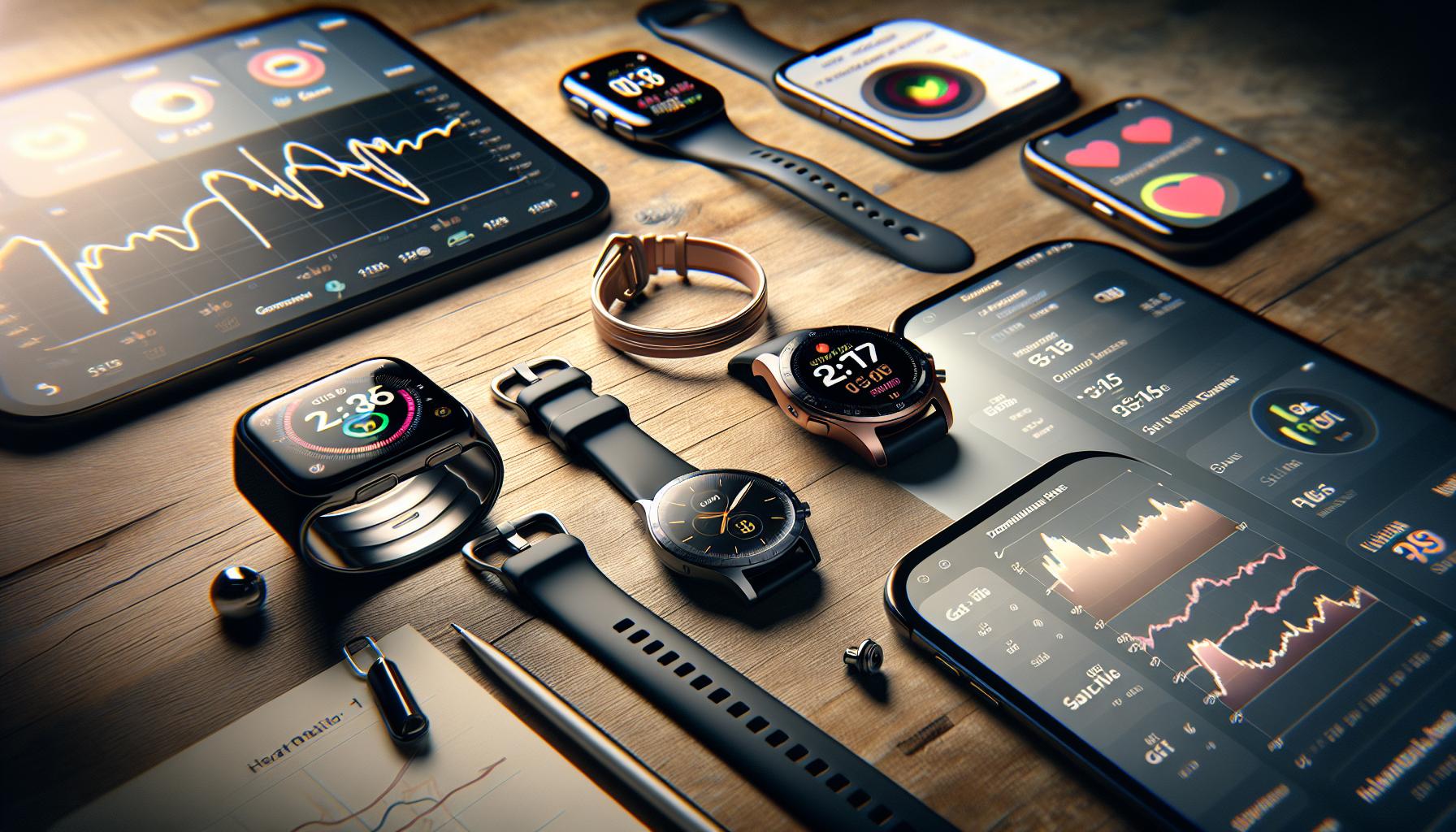
The Galaxy Watch 7 boasts impressive features when it comes to sleep tracking, but how does its accuracy measure up against other devices in the market? According to various user experiences and preliminary assessments, the Galaxy Watch 7 delivers a commendable balance of insightful data and user-friendly tracking capabilities. User reports indicate that it effectively captures key metrics like total sleep time and sleep stages (light, deep, and REM), often aligning closely with clinical data from sleep studies. However, it’s essential to note that variability in individual experiences exists based on factors such as device fit and environmental conditions.
When comparing the Galaxy Watch 7 with other popular wearables, like the Apple Watch Series and Fitbit models, users often find its sleep score feature particularly beneficial. The AI-driven analysis evaluates changes in heart rate and movement throughout the night, providing a comprehensive overview of one’s sleep patterns. As experts posit, while accurate sleep tracking devices can help identify potential sleep issues, they should not be considered replacements for clinical evaluations, especially for serious sleep disorders.
Here are some factors that influence the accuracy of sleep tracking on the Galaxy Watch 7 compared to similar devices:
- Sensor Quality: The Galaxy Watch 7 uses advanced sensors to monitor heart rate and body movement, which are crucial for accurate sleep stage identification.
- AI Integration: Its AI capabilities allow for adaptive learning, improving personalization and accuracy over time.
- User Settings: Proper setup, including permissions granted to the Samsung Health app, can dramatically affect data collection accuracy.
- User Commitment: Consistent nightly usage by the user increases the watch’s ability to gather sufficient data for improving accuracy.
Overall, the Galaxy Watch 7 stands out for its ability to synthesize complex data into understandable insights, making it a compelling choice for anyone keen on elevating their sleep health. That said, those who seek a comprehensive understanding of their sleep health, or who suspect serious sleep issues, should consider complementary methods such as polysomnography or professional sleep studies.
Common Sleep Tracking Metrics Explained
Understanding sleep tracking metrics can feel overwhelming, especially with the multitude of data presented by devices like the Galaxy Watch 7. This smartwatch utilizes a range of metrics to give users a clearer picture of their sleep patterns and overall sleep health. By grasping these common sleep tracking metrics, users can better interpret their sleep data and make informed decisions about improving their sleep quality.
One of the key metrics captured is total sleep time, which indicates how long a user sleeps each night. This number is essential for assessing whether you are meeting the recommended sleep duration for your age group, typically ranging from 7 to 9 hours for most adults. The Galaxy Watch 7 also breaks down sleep into various stages, including light sleep, deep sleep, and REM (Rapid Eye Movement) sleep. Each stage plays a vital role in restorative sleep, with deep sleep being crucial for physical recovery and REM sleep for cognitive functions, such as memory consolidation and creativity.
The Galaxy Watch 7 also provides a sleep score, an AI-generated metric that summarizes sleep quality based on factors such as sleep duration, the amount of time spent in each sleep stage, and overall sleep consistency. This score can help users identify trends and areas for improvement in their sleep habits. In addition to these primary metrics, the watch collects data on heart rate variability and movement throughout the night, which further enriches the sleep analysis.
While the metrics and evaluations offered by the Galaxy Watch 7 can provide valuable insights into your sleep patterns, it is important to understand their limitations. These devices generally track sleep based on movement and heart rate, which may not always accurately reflect someone’s unique sleep quality or disturbances, such as sleep apnea. For those experiencing significant sleep issues, consulting a sleep specialist may be necessary for comprehensive evaluation and treatment strategies. Balancing these high-tech insights with awareness of individual differences is key to leveraging the full potential of sleep tracking technology.
User Experiences: Real-Life Accuracy Stories

User experiences with the Galaxy Watch 7’s sleep tracking capabilities offer a compelling glimpse into its performance, revealing both strengths and weaknesses. Many users report a generally positive experience with the device, particularly praising its ability to provide detailed insights into sleep quality. One user shared that the watch correctly identified their sleep stages most of the time, noting that the sleep score they received each morning motivated them to improve their sleep habits. The breakdown of different sleep phases, such as light, deep, and REM sleep, helped them understand how their lifestyle affected restfulness.
However, experiences are not universally positive. Some users have noted discrepancies between the Galaxy Watch 7 and their actual sleep patterns measured by more traditional methods, like sleep studies. For instance, a user who underwent a clinical polysomnography found that the watch often seemed to underestimate their total sleep time and overestimated time spent in light sleep. This discrepancy raises questions about the watch’s ability to accurately capture disturbances like sleep apnea or insomnia.
It’s important for potential users to temper expectations. While a comfortable, feature-packed device like the Galaxy Watch 7 can provide useful trends and motivation, it should not replace professional evaluation when severe sleep issues are present. The watch can serve as a conversation starter with healthcare providers, equipping users with data that may help in seeking further advice or treatment. Real-world feedback underscores the importance of combining technology with traditional sleep health approaches to better understand and improve one’s sleeping patterns.
Many users also emphasize the importance of setting up the watch correctly to maximize its accuracy. Ensuring that the Samsung Health app has all the necessary permissions and that the device is worn snugly can greatly improve tracking outcomes. With the right setup and realistic expectations, the Galaxy Watch 7 can be a valuable tool in the quest for better sleep.
Sleep Tracking Algorithms: How Do They Work?
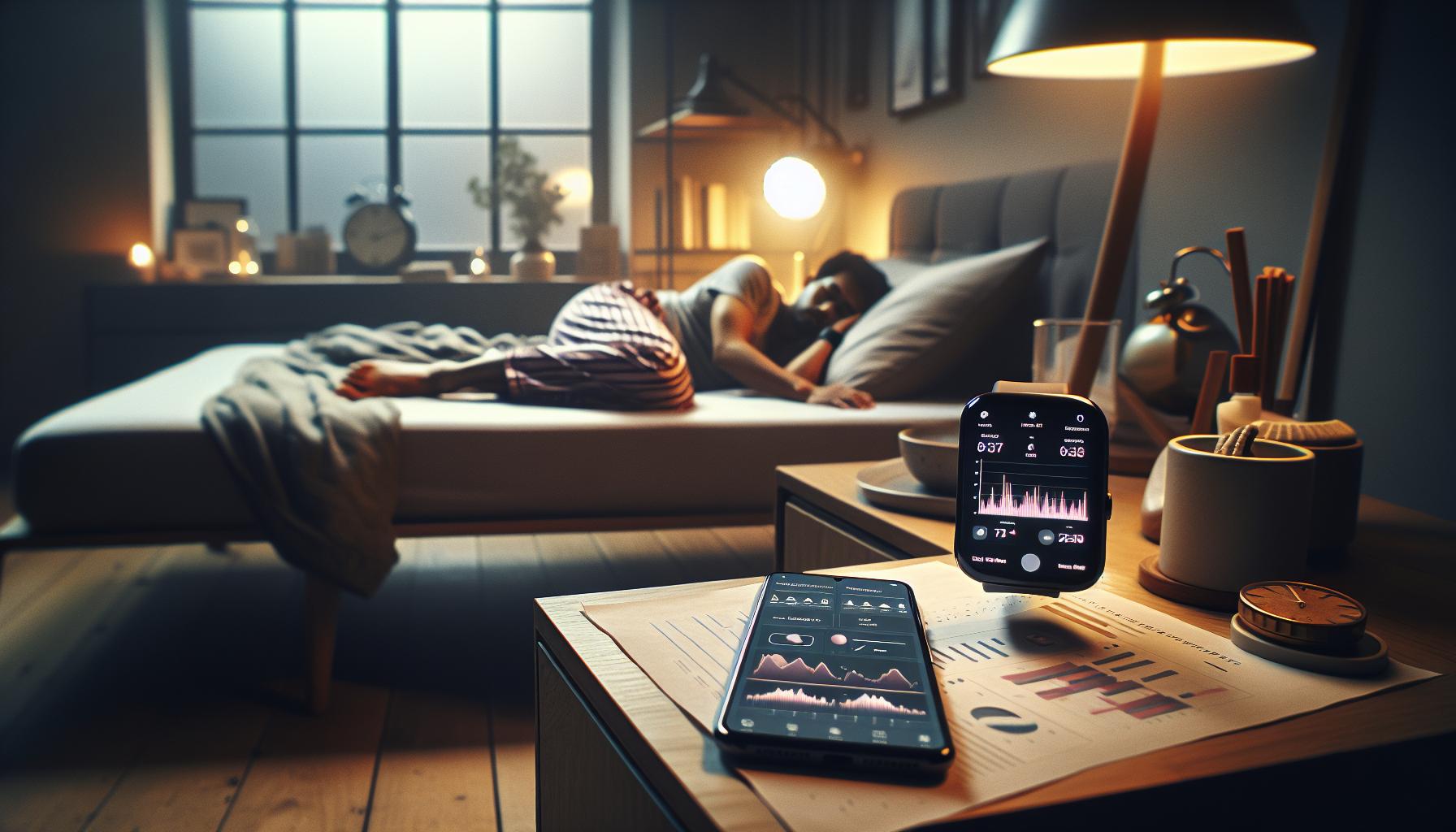
To understand the sleep tracking capabilities of the Galaxy Watch 7, it’s essential to delve into the algorithms that power its monitoring features. The watch utilizes a combination of advanced sensors and algorithms to analyze physiological data, effectively categorizing your sleep stages-light, deep, and REM sleep. These algorithms are designed to interpret data from heart rate variability, movement, and even skin temperature, providing insights on sleep trends over time.
The core of sleep tracking algorithms relies on detecting patterns that signify different sleep stages. When you wear the Galaxy Watch 7 during the night, it collects data continuously. For instance, it can gauge your heart rate to determine your body’s active and restful phases. Changes in movement detected by the accelerometer allow the watch to discern when you enter a deeper sleep state or when you might be waking up. The integration of this data leads to a more nuanced understanding of your overall sleep quality.
However, it’s important to note that no consumer device can replace the accuracy of clinical sleep studies. Traditional methods of sleep monitoring, like polysomnography done in sleep labs, provide comprehensive data that include brain wave analysis, which the Galaxy Watch cannot replicate. Thus, while the algorithms can offer valuable insights and trends, they have limitations-especially in identifying disorders like sleep apnea. Users should view the results as general indicators rather than definitive diagnoses of sleep health issues.
To maximize the effectiveness of the Galaxy Watch 7’s sleep tracking algorithms, proper setup is crucial. Make sure the watch fits snugly on your wrist to ensure accurate readings and check that all necessary permissions in the Samsung Health app are activated. This can not only improve accuracy but also provide the insights necessary for a more personalized approach to improving your sleep quality.
The Science Behind Sleep Stages and Monitoring
Understanding the intricacies of sleep stages is crucial for optimizing how we track our sleep using devices like the Galaxy Watch 7. The science behind sleep stages divides our nightly rest into distinct blocks: light sleep, deep sleep, and REM (Rapid Eye Movement) sleep. Each stage plays a unique role in our overall health and well-being. Light sleep facilitates the transition into deeper stages and helps with memory consolidation, while deep sleep is vital for physical recovery and growth. REM sleep, on the other hand, is primarily associated with dreaming and plays a critical role in processing emotions and sharpening cognitive functions.
The Galaxy Watch 7 employs advanced sensors to gather data on your heart rate, movement, and even skin temperature throughout the night. This information helps the device algorithmically determine which sleep stage you are in at any given time. For example, an increase in heart rate along with regular movements might indicate you are moving out of REM sleep into a lighter stage, while a stable heart rate combined with minimal movement can signal you are entering deep sleep. Such data not only informs you about your sleep patterns but can also provide insights into potential sleep disturbances or irregularities that might warrant further investigation.
It’s essential to recognize the limitations of consumer-grade sleep tracking technology compared to clinical methods, such as polysomnography used in sleep studies. While a sleep lab can provide comprehensive data including brain waves and oxygen levels, the Galaxy Watch 7’s algorithms rely on indirect measurements and patterns. Thus, while it can offer a good approximation of your sleep stages, it’s best viewed as a starting point rather than a definitive assessment of your sleep health.
To make the most of your sleep tracking with the Galaxy Watch 7, ensure that your device is fitted properly and that all settings within the Samsung Health app are configured correctly. This includes enabling permissions for the sensors to accurately collect data. Regularly reviewing your sleep reports can help you notice patterns over time, potentially highlighting areas for improvement that contribute to better sleep quality.
Setting Up Your Galaxy Watch 7 for Optimal Sleep Tracking
is essential for capturing accurate data about your night’s rest. Start by ensuring your device fits snugly on your wrist. A proper fit allows the sensors to accurately monitor your heart rate and movements throughout the night. If your watch feels loose, it may not gather data effectively; consider adjusting the strap or trying a different size.
Before you dive into sleep tracking, make sure you familiarize yourself with the Samsung Health app. This app is pivotal for customizing your sleep tracking experience. Activate sleep mode via the app, which enables the watch to focus on tracking your sleep without interference from notifications. Additionally, it’s crucial to allow the necessary permissions for heart rate and motion sensors within the app settings. This ensures that your watch can collect the data it needs to provide insightful analyses of your sleep stages and duration.
For the best results, establish a consistent bedtime routine that aligns with your watch. Turn off electronic devices at least an hour before sleep, and try to go to bed and wake up at the same times every day. This regularity will not only help the Galaxy Watch 7 in analyzing your sleep patterns but can also enhance your overall sleep quality.
Regularly review your sleep reports. The Galaxy Watch 7 will generate insights after each night’s sleep, including your sleep score and categorization of sleep stages (light, deep, and REM). Use these insights to identify patterns or irregularities over time. If you notice anything unusual, it might be worth discussing with a healthcare professional to understand whether further sleep evaluation is necessary. By taking these thoughtful steps in setting up your Galaxy Watch 7, you empower yourself to gain better insights into your sleep health and improve your sleep quality over time.
Troubleshooting Common Sleep Tracking Issues
Identifying and resolving issues with sleep tracking on the Galaxy Watch 7 can significantly enhance its accuracy and reliability. Many users encounter common challenges that can skew their sleep data. Start by ensuring that your device is correctly fitted to your wrist. A loose watch can prevent sensors from accurately monitoring heart rate and movements, leading to faulty sleep metrics. If necessary, adjust the strap for a snug fit or choose a different size that embraces your wrist comfortably.
Another common issue arises from improperly set permissions within the Samsung Health app. Users should confirm that the app has full access to heart rate and motion sensors. In the app settings, enabling sleep mode ensures that the watch prioritizes tracking over notifications, minimizing disturbances during the night. Additionally, many users overlook the importance of a stable Bluetooth connection between the Galaxy Watch 7 and their smartphone. A weak signal can lead to discrepancies in the data collected, so ensure that your devices are in close proximity and correctly paired.
Sometimes, environmental factors can also impact sleep tracking results. High levels of ambient light and noise can interfere with your sleep quality and, consequently, the accuracy of the watch’s readings. Consider creating a sleep-conducive environment: dim the lights, eliminate distractions, and maintain a comfortable temperature in your bedroom.
If you continue to experience sleep tracking inaccuracies despite making adjustments, consult the Samsung community forums or support channels. Sharing personal experiences can provide insights into potential fixes others have found effective. Regularly reviewing the generated sleep reports is vital; it allows you to spot unusual patterns and decide whether professional medical advice regarding sleep health might be warranted. By actively engaging with the troubleshooting process, you can maximize the effectiveness of your Galaxy Watch 7’s sleep tracking features, gaining a clearer picture of your overall sleep health.
Comparing Galaxy Watch 7 Sleep Data to Clinical Sleep Studies
Comparing the sleep data collected by the Galaxy Watch 7 with clinical sleep studies provides valuable insight into the wearer’s sleep patterns and overall health. Clinical sleep studies, often conducted in sleep laboratories, utilize polysomnography-a comprehensive test that measures brain waves, oxygen levels, heart rate, and breathing during sleep. These studies are the gold standard for diagnosing sleep disorders such as sleep apnea, insomnia, and other sleep-related issues.
The Samsung Galaxy Watch 7, while not as comprehensive as a clinical setup, offers a convenient alternative for tracking sleep and can provide a wealth of data for the average user. It utilizes sensors to monitor heart rate variability, movement, and even stress levels, allowing it to estimate sleep stages: light, deep, and REM sleep. However, it’s essential to acknowledge that consumer wearables like the Galaxy Watch 7 use algorithms that simplify complex biological processes, which can sometimes lead to discrepancies when compared to clinical data.
Key Differences Between Wearable Devices and Clinical Studies
- Data Accuracy: Clinical studies provide precise measurements, while the Galaxy Watch 7 relies on sensors and algorithms, which can introduce errors.
- Cost and Accessibility: Sleep studies can be expensive and often require referrals. In contrast, wearables are relatively affordable and available to anyone.
- User Experience: The device is easy to use and does not require a medical setting, making sleep tracking more accessible for the average person.
- Depth of Analysis: Clinical studies can diagnose specific sleep disorders, while the Galaxy Watch can identify patterns but cannot replace a medical diagnosis.
For those unsure whether to rely on their Galaxy Watch 7 or seek a professional sleep study, consider the context. If you frequently experience daytime sleepiness, irregular sleep patterns, or other signs of sleep disturbances, a clinical evaluation might be warranted. However, for general tracking and insights into your sleep habits, the Galaxy Watch 7 can serve as a helpful tool, allowing you to monitor trends and make lifestyle adjustments.
Most importantly, engaging with the data your watch provides can empower your well-being journey. Use it to inform conversations with healthcare professionals, helping bridge the gap between personal tracking and clinical insights. With the right approach, the combination of wearable technology and professional evaluation can lead to better sleep health overall.
Do’s and Don’ts for Effective Sleep Tracking
To maximize the effectiveness of your sleep tracking with the Galaxy Watch 7, it’s essential to follow some straightforward do’s and don’ts. These practices can help you gather more accurate data, improve your sleep hygiene, and ultimately enhance your overall sleep quality.
Do’s for Effective Sleep Tracking
- Do Wear Your Watch Comfortably: Ensure your Galaxy Watch 7 fits snugly but comfortably on your wrist. This placement is crucial for accurate heart rate measurements and sleep tracking. A loose fit can result in inaccurate data.
- Do Maintain a Consistent Sleep Schedule: Try to go to bed and wake up at the same time every day. Consistency can significantly improve your sleep patterns and help the watch provide more reliable data over time.
- Do Charge Your Watch Regularly: To avoid interruptions during the night, ensure your watch is adequately charged before bedtime. A fully charged device will be more reliable in tracking your sleep cycles without unexpected shutdowns.
- Do Sync Your Data: Regularly sync your watch with the accompanying app on your smartphone. This ensures that you have access to the latest insights and trends in your sleep patterns.
Don’ts for Effective Sleep Tracking
- Don’t Overlook Sleep Environment: Sleep tracking is only part of the equation; make sure your sleeping environment is conducive to rest. Regulating room temperature, reducing noise, and minimizing light can significantly enhance sleep quality.
- Don’t Rely Solely on the Watch for Diagnosis: While the watch offers valuable insights, it cannot diagnose sleep disorders. If you experience persistent sleep issues, consider consulting a healthcare professional for a comprehensive evaluation.
- Don’t Ignore the Data: Engage actively with the data your watch collects. Use it to identify patterns and make lifestyle adjustments, instead of dismissing it as mere numbers. Your watch can guide you toward healthier sleep habits.
- Don’t Forget to Update Your Device: Ensure that your Galaxy Watch 7’s software is regularly updated. Manufacturers often release updates that improve functionality and tracking accuracy.
By following these do’s and don’ts, users can unlock the full potential of their Galaxy Watch 7 for sleep tracking, transforming their nightly routine and overall wellness. Whether you’re trying to pinpoint sleep patterns or just wanting better rest, implementing a few simple strategies can yield significant results.
Tips for Improving Sleep Quality with Wearables
The world of sleep wearables has evolved remarkably, and with devices like the Galaxy Watch 7, gaining insights into your sleep patterns has never been easier. To enhance your sleep quality using this technology, it’s essential to adopt some strategic practices that leverage the capabilities of your watch while aligning with good sleep hygiene.
One of the most effective ways to improve sleep quality is by taking a holistic approach to your sleep environment. Consider factors such as room temperature, noise levels, and light exposure. A cool, dark, and quiet bedroom can significantly facilitate better sleep. The Galaxy Watch 7 not only tracks your sleep stages but can also remind you to wind down or signal when it’s time to get ready for bed, making it a proactive participant in your sleep routine.
Another key tip is to utilize the sleep tracking features of your watch actively. Review the data regularly to recognize patterns or habits that may help or hinder your sleep quality. For instance, if you notice that certain activities or late-night snacks correlate with poorer sleep, you can modify those behaviors. Remember, the Galaxy Watch 7 excels at providing detailed insights about your nightly sleep efficiency, time spent in different sleep stages, and even heart rate trends throughout the night.
Finally, maintaining a consistent sleep schedule cannot be overstated. Going to bed and waking up at the same times each day can regulate your body’s internal clock, which the Galaxy Watch 7 can help you monitor. Using the watch to set a nightly bedtime reminder can reinforce this habit, making it easier to stick to your sleep goals.
Here’s a concise summary of tips to improve sleep quality:
- Create a Conducive Sleep Environment: Dim lights, reduce noise, and keep the room at a comfortable temperature.
- Engage with Sleep Data: Regularly analyze your sleep tracking data and adjust your habits based on findings.
- Stay Consistent: Establish a regular sleep schedule and leverage reminders from your watch.
Adopting these strategies will not only optimize the use of your Galaxy Watch 7 but also contribute to a healthier sleep routine, acting as a bridge between technology and improved well-being.
Future of Sleep Tracking Technology: What to Expect
The landscape of sleep tracking technology is rapidly evolving, with devices like the Galaxy Watch 7 at the forefront of innovation. As we look towards the future, one of the most exciting developments will be the integration of advanced machine learning algorithms that can analyze sleep data more comprehensively. These algorithms will not only improve the accuracy of sleep stage detection but also provide personalized insights tailored to individual sleep patterns, helping users understand their unique needs better.
Moreover, the future may see enhanced connectivity with other smart devices in the home. Imagine your smart thermostat adjusting the temperature based on your sleep schedule or your lights dimming automatically as you prepare for bedtime, all synchronized with your sleep data from the Galaxy Watch 7. This interconnected ecosystem could significantly enhance the overall sleep environment, promoting better quality rest.
Another important trend is the emphasis on holistic health monitoring. Future sleep trackers may go beyond merely logging hours and stages of sleep; they could also incorporate factors such as stress levels, physical activity, and dietary habits to provide a comprehensive view of sleep health. For instance, wearables might use biometrics to measure your heart rate variability or respiratory patterns during sleep, delivering critical feedback on how lifestyle choices impact your nightly rest.
As wearables advance, we can also expect improved battery life and greater comfort. Future iterations of devices like the Galaxy Watch 7 should aim to maintain performance while ensuring that users can wear them comfortably through the night without disruption. Longer battery life means more uninterrupted tracking, reducing the need for nightly charging that can interfere with sleep monitoring.
In this rapidly changing landscape, consumers can keep an eye out for these advancements to leverage sleep technology effectively. Adapting to these innovations not only empowers users to make informed decisions about their sleep health but also helps demystify the complexities of sleep disorders-making it easier to address issues proactively and improve overall well-being.
Q&A
Q: How does the Galaxy Watch 7 sleep tracking compare to clinical sleep studies?
A: The *Galaxy Watch 7’s sleep tracking* can provide insights similar to clinical studies but may lack precision. While it tracks sleep stages and disruptions, it does not replace professional evaluations like polysomnography, which is the gold standard. For comprehensive sleep assessments, consider consulting a sleep specialist.
Q: Can I improve the accuracy of my Galaxy Watch 7 sleep tracking?
A: Yes, you can enhance accuracy by ensuring a proper fit on your wrist, using the latest firmware, and setting it to “Sleep Mode” before bed. Regularly calibrating your watch, found in the settings, also helps optimize its performance.
Q: Does the Galaxy Watch 7 track naps effectively?
A: Yes, the *Galaxy Watch 7* can track naps if you manually log them or wear the watch during short sleep periods. This feature helps you gain a comprehensive view of your overall sleep patterns. For more effective tracking, try to nap for at least 20-30 minutes.
Q: What sleep metrics does the Galaxy Watch 7 provide?
A: The *Galaxy Watch 7* offers metrics such as total sleep time, sleep efficiency, REM sleep duration, deep sleep time, and heart rate variability. These metrics help you understand your sleep quality and patterns better.
Q: Does the Galaxy Watch 7 monitor sleep disturbances?
A: Yes, the *Galaxy Watch 7* tracks disturbances during sleep, including movements and heart rate changes. This data can help you identify factors affecting your sleep quality, enabling better sleep hygiene practices.
Q: How often should I sync my Galaxy Watch 7 for optimal sleep tracking?
A: It’s best to sync your *Galaxy Watch 7* daily to ensure accurate metrics and insights. Regular syncing allows for software updates and data analysis, helping to maintain its tracking accuracy over time.
Q: What should I do if my Galaxy Watch 7 shows inaccurate sleep data?
A: If you experience inaccuracies, double-check your watch’s fit, update the software, and ensure it’s properly calibrated. Also, consider checking the *Setting Up Your Galaxy Watch 7 for Optimal Sleep Tracking* section of your guide for troubleshooting tips.
Q: Can stress affect the sleep tracking accuracy of my Galaxy Watch 7?
A: Yes, stress can lead to inaccurate *sleep tracking* as it may alter your heart rate and sleep patterns. Managing stress through relaxation techniques can improve not only your sleep but also your watch’s tracking capabilities. For insights, refer to the section on *Tips for Improving Sleep Quality with Wearables*.
The Conclusion
In our exploration of the Galaxy Watch 7’s sleep tracking accuracy, we’ve uncovered valuable insights that can significantly enhance your understanding of your sleep patterns. This device stands out with its advanced monitoring features, offering you real-time feedback on your sleep quality. If sleep health is a priority for you, don’t miss out on optimizing your nightly rest with this innovative wearable. Consider checking out our detailed comparison of sleep trackers or our guide on sleep hygiene for more actionable tips.
Ready to take control of your sleep? Sign up for our newsletter for the latest in sleep technology and health tips, and don’t hesitate to dive deeper into our resources about sleep studies and wearable tech options. Engage with us in the comments below-share your own experiences or ask questions, as we’re here to help you navigate these choices with confidence. Remember, your journey to better sleep starts with informed decisions!
Get our latest guides, news, and insights highlighted in your Google Search & AI Overviews.