
In the world of wearable technology, your Fitbit isn’t just tracking your steps-it’s also monitoring your sleep. But what if you want to take a break from sleep tracking or simply prefer to sleep undisturbed? Disabling this feature can be important for many users who seek more freedom in their nightly routine. In this guide, we’ll walk you through the simple steps to turn off sleep tracking on your Fitbit. By taking control of your device settings, you can customize your experience to better fit your preferences and enhance your overall well-being. Curious about how and why to make this change? Let’s dive into the details!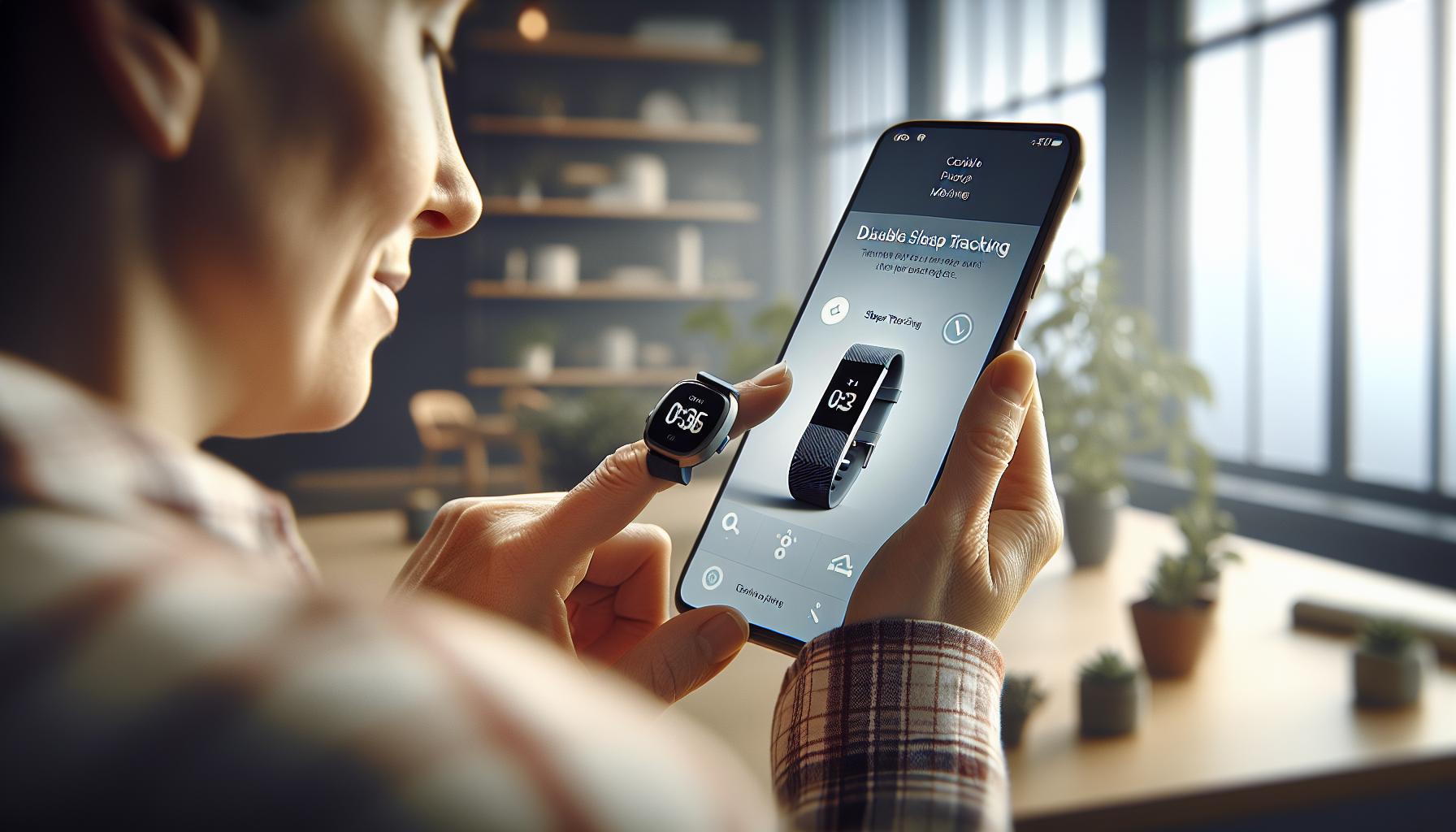
Understanding Fitbit Sleep Tracking Features
Fitbit devices have revolutionized the way we understand our sleep patterns by offering advanced tracking features that make it easy to monitor sleep quality and duration. When you wear your Fitbit to bed, it uses a combination of motion sensors and, in some models, heart rate variability to determine when you’re asleep and the quality of that sleep. You can see a breakdown of your sleep stages-light, deep, and REM sleep-right in the companion app, helping you gain insights into your nightly rest.
With the Fitbit app, users can set personalized sleep goals, receive reminders for bedtime, and track trends over time. The app visually represents your sleep data with easy-to-read graphs, showing how many hours you slept, how long it took you to fall asleep, and how often you woke during the night. This valuable information can help you adjust your habits for better sleep hygiene, making it a powerful tool for anyone looking to improve their sleep quality.
Furthermore, Fitbit’s sleep profiles provide insights into your sleep patterns over a month, giving you a broader view of your sleep habits. This feature can highlight fluctuations and areas for improvement, guiding users toward achieving a more consistent and restorative sleep routine. Overall, understanding these features can empower you to make educated decisions about your sleep health, ultimately leading to improved overall well-being.
Reasons to Disable Sleep Tracking on Your Fitbit
Disabling sleep tracking on your Fitbit can be a wise choice depending on your individual needs and circumstances. A common reason users opt out of this feature is the desire to cultivate a more relaxed and undistracted sleep environment. Constantly checking sleep data can lead to anxiety about sleep quality, which ironically disrupts the very rest one is trying to optimize. For those who find themselves fixated on the numbers-total hours of sleep, wake frequency, and sleep stage percentages-turning off tracking might alleviate some of that pressure.
Another reason to consider disabling sleep tracking is related to device comfort. Some users find wearing a device to bed, especially if they have sensitive skin or experience discomfort from bands, can hinder their ability to fall asleep. By removing the tracker, individuals may enjoy a more comfortable sleep experience and might find it easier to drift off without any distractions or concerns about being monitored.
Privacy concerns can also influence the decision to disable sleep tracking. Many users are growing increasingly aware of how their data is collected and used. If you’re concerned about sharing sleep information with third-party apps or providers, you may prefer to forgo automated sleep tracking altogether. In such cases, manual tracking methods, such as keeping a simple sleep diary, can suffice while giving you greater control over your personal information.
Lastly, some may choose to disable sleep tracking to engage with alternative sleep improvement strategies. Engaging in relaxation techniques, mindfulness, or cognitive behavioral therapy for insomnia (CBT-I) may offer more holistic approaches to enhancing sleep quality that don’t rely on gadgets. Embracing these practices independently can ultimately lead to better long-term results without the dependency on data from sleep trackers.
Step-by-Step Guide to Turn Off Sleep Tracking
Turning off sleep tracking on your Fitbit can provide a much-needed break from constant monitoring, allowing you to focus solely on enjoying restful sleep. The process is straightforward and can be completed in just a few simple steps. Here’s how to disable sleep tracking on your device, empowering you to make healthier decisions without the added pressure of tracked data.
1. Open the Fitbit App
Begin by launching the Fitbit app on your smartphone. Ensure that you are logged into your account. This app serves as your central hub for all device settings and preferences.
2. Access Device Settings
Navigate to the “Today” tab located at the bottom of the app. From here, tap on your profile picture or icon in the upper-left corner to access your account settings. Scroll to find the device you want to adjust, and select it. This will take you to a menu with various options related to your specific Fitbit model.
3. Disable Sleep Tracking
Once in your device settings, look for the option labeled “Sleep” or “Sleep Tracking.” Here you will find a toggle switch or option to turn off sleep tracking. Simply toggle it off to complete the process. After doing this, your device will no longer automatically track your sleep patterns.
By following these straightforward steps, you can ensure that your Fitbit no longer tracks your sleep data, allowing you to explore alternative methods for cultivating a restful night’s sleep. Whether you choose to revert to manual tracking or simply enjoy the freedom of not wearing your device to bed, it’s all about what best suits your personal comfort and needs.
Troubleshooting Fitbit Sleep Tracking Issues
Experiencing issues with your Fitbit’s sleep tracking can be frustrating, especially when you rely on this technology to help improve your rest. Common problems range from inaccurate sleep data to complete failures in tracking your nighttime habits. Here are practical solutions to help you troubleshoot these issues effectively.
Verify Device Fit and Position
One of the most important factors in accurate sleep tracking is how well your Fitbit fits. Ensure that your device is snug but comfortable on your wrist; it should not be too loose or positioned too high on your arm. Additionally, some users find that wearing their Fitbit on their non-dominant wrist can lead to more accurate readings.
Update Your Device Software
Software updates can resolve bugs that affect performance. Check for updates both on your Fitbit and the Fitbit app:
- In the Fitbit app, navigate to your account settings and select your device.
- Choose “Check for Updates” to ensure your device runs the latest software.
Keeping your software current not only improves performance but can also introduce new features that enhance usability.
Reboot Your Fitbit
A simple reboot can resolve many operational issues. To do this, press and hold the button on your Fitbit for 10-15 seconds until you see the Fitbit logo, then release it. It may take a few moments for it to restart. After rebooting, check to see if the sleep tracking works properly again.
Manual Sleep Logging
If you continue to have problems, consider temporarily switching to manual sleep logging. This allows you to input your sleep times directly into the Fitbit app, giving you control over your data until the automatic tracking can be resolved. You can manually log your sleep in the app by selecting the “Sleep” tile and tapping “Log Sleep.”
In cases where sleep tracking discrepancies persist, don’t hesitate to consult the Fitbit Help Center or user forums for specific guidance related to your device model. Understanding the technological limits of sleep trackers is crucial; they offer estimates rather than clinical-grade assessments, mainly giving you an overview of patterns rather than pinpoint accuracy. By following these troubleshooting tips, you can maximize your device’s performance and continue on your journey to better sleep health.
Exploring Other Sleep Tracking Options
When considering alternatives to Fitbit’s sleep tracking capabilities, you have a range of options to help you monitor and improve your sleep quality. Whether you are looking for more detailed insights or a different approach altogether, understanding the various methods can enhance your overall sleep health.
One popular alternative is to use dedicated sleep tracking devices, such as the Oura Ring or the Whoop Strap, which often provide more comprehensive metrics on sleep stages, readiness, and recovery. These devices are designed specifically for sleep monitoring and can deliver nuanced insights into your resting patterns. For instance, the Oura Ring tracks heart rate variability, body temperature, and movement, offering a holistic view of your sleep habits that may resonate better for some users compared to a general fitness tracker.
Mobile Apps and Wearables
In addition to standalone devices, several mobile applications offer sleep tracking capabilities without the need for additional hardware. Apps like Sleep Cycle or Pillow utilize your smartphone’s sensors to detect movement and sound during sleep, providing insights into your sleep quality and cycles. Many users appreciate the convenience of these apps, as they often allow for manual logging of sleep times and can analyze audio patterns to identify disturbances, making them excellent complementary tools.
Professional Sleep Studies
If you are experiencing persistent sleep issues, consulting with a healthcare provider for a professional sleep study might be beneficial. These studies, known as polysomnography, monitor various physiological parameters, providing a detailed analysis of sleep stages and disorders. While more costly and typically requiring insurance navigation, they can offer definitive answers if you suspect health-related sleep complications.
By exploring these alternatives, you can empower yourself to make informed decisions about your sleep health. Whether opting for wearable technology, mobile apps, or seeking professional consultation, each choice comes with its unique benefits, enabling you to find the best method that aligns with your lifestyle and sleep needs.
How Disabling Tracking Affects Your Sleep Data
Disabling sleep tracking on your Fitbit may seem straightforward, but it can significantly impact how you monitor and understand your sleep patterns. Without this automated feature, you miss out on detailed insights into your sleep duration, quality, and the various stages of sleep that are vital for a balanced rest. Fitbit devices utilize advanced sensors and algorithms to provide a comprehensive overview of your slumber, allowing you to see when you’re in light, deep, or REM sleep. Without these metrics, you might struggle to identify sleep disturbances or patterns that could inform lifestyle changes aimed at improving your sleep health.
One common concern is that turning off sleep tracking may lead to a loss of valuable historical data. Your Fitbit collects information over time, giving you personalized insights and trends that can highlight improvements or declines in your sleep. If you turn off sleep tracking, that continuous data feed halts, and you may find it challenging to capture the nuances of how various factors-like stress or caffeine intake-affect your sleep in the long run. To mitigate this, consider supplementing your assessment with manual sleep logs or discussing noticeable changes with healthcare professionals.
Another aspect to consider is the psychological element of having a sleep tracker. Many individuals find motivation and reassurance in seeing concrete data regarding their sleep habits. By disabling tracking, you might inadvertently disengage from a routine that encourages better sleeping practices. Fitbit’s app frequently suggests personalized sleep goals based on your activity metrics, and without these alerts, you may not prioritize good sleep hygiene as effectively. Transitioning to a manual or alternative method of monitoring your sleep can replace that motivational element, but be prepared to adjust your expectations as the data may not be as precise or detailed.
When you make the decision to disable sleep tracking, reflect on how you plan to keep yourself accountable for your sleep health. Whether experimenting with apps, using sleep journals, or consulting experts, finding a new way to observe and enhance your sleep quality is essential. Ultimately, understanding the impact of your tracker’s absence will guide you in making informed choices for optimal rest moving forward.
Privacy Concerns: Fitbit Data and Sleep Tracking
The integration of sleep tracking features in Fitbit devices can raise valid concerns regarding personal privacy, especially as these devices gather detailed data about your sleeping patterns. When you allow your Fitbit to track your sleep, it collects not only metrics about duration and quality but can also provide insights into your heart rate, breathing patterns, and movements throughout the night. This wealth of information can lead to incredible advances in understanding personal health, but it also means that sensitive data about your daily routines, health conditions, and lifestyle choices is being stored and potentially shared.
Data Accessibility and Usage
Fitbit, now a part of Google, states that it does not use your health data for advertising purposes; however, the sheer volume of data generated raises questions about access points and security. Users need to be aware that their data includes not just sleep statistics but also personal identification data, daily activities, and health information. With Fitbit’s privacy policy evolving, understanding what data Google collects and how it is utilized is crucial for users. You hold the right to manage your data privacy, but backing out of agreements often involves navigating complex settings within the app.
Personal Control Over Sleep Data
To maintain your privacy, consider regularly reviewing your privacy settings in the Fitbit app, which allow you to control which data is shared and with whom. You might even contemplate disabling certain tracking features to limit data collection. For instance, if sleep disturbances are one of your concerns, weighing the implications of tracking versus privacy preferences is essential. Education on privacy settings can empower you to make informed choices that suit your needs, ensuring a balance between health tracking and personal privacy.
Alternative Tracking Methods
If you’re apprehensive about sleep tracking through devices, exploring alternative methods for monitoring your sleep, such as sleep logs or journaling, can be a beneficial strategy. While these methods may demand more effort and may not provide instant insights, they can help safeguard your personal information while allowing you to focus on improving your sleep patterns. By mastering manual tracking, you gain control without relying on a device that collects extensive health data.
Balancing the benefits of sleep tracking technology with privacy concerns requires a thoughtful approach. By adopting strategies that prioritize personal data security while still fostering an awareness of your sleep health, you can navigate the complexities of technology and health management confidently.
The Benefits of Manual Sleep Tracking Techniques
Keeping a manual sleep log can be a surprisingly powerful method for gaining insight into your sleep patterns. While technology offers convenience, manual tracking allows for a more personalized approach that can enhance your understanding of what influences your sleep. For those considering stepping away from device tracking, exploring may reveal opportunities to improve your overall sleep quality.
One of the significant advantages of manual tracking is the enhanced *awareness* it fosters. By dedicating time to log your sleep habits-such as sleep duration, sleep quality, nightly awakenings, and even daytime activities-you may start noticing patterns that may not be immediately evident through automated systems. For example, you might discover that a late afternoon caffeine boost disrupts your night’s rest, or that your sleep quality improves with a consistent pre-sleep routine. This level of awareness can be empowering, allowing you to make proactive changes to enhance your sleep health.
Flexibility and Customization
With manual tracking, you can tailor your logs to reflect what matters most to you. Unlike automated devices, which may offer a one-size-fits-all approach, a personal sleep diary allows you to include specific parameters relevant to your lifestyle. Consider jotting down factors like:
- Daily stress levels
- Exercise routines
- Use of screens before bedtime
- Dietary choices
- Substances like alcohol or nicotine
This customization enables you to create a holistic view of your sleep environment and habits, which may be overlooked by a device with preset metrics.
Data Privacy and Mental Freedom
As concerns about data privacy increase, manual tracking offers peace of mind. You maintain *full control* over your information, thus eliminating worries about how your personal data might be used or shared. Not only does this provide a sense of security, but it also allows you to engage in your sleep health journey without distraction or anxiety about technology.
In addition, writing down your thoughts regarding sleep in a journal can also have therapeutic benefits. Reflecting on your sleep experiences, challenges, and successes can contribute to a more mindful approach to health. This practice of self-reflection may reduce stress and build confidence in your ability to manage sleep issues effectively.
By utilizing manual tracking techniques, which can seem antiquated in a tech-driven world, you can reclaim autonomy over your sleep data while cultivating a deeper understanding of your habits and their direct impacts on your life.
Comparing Sleep Trackers: Fitbit vs Competitors
When considering sleep tracking options, Fitbit has positioned itself as a leader in the wearable market, but it’s essential to compare its features and capabilities with its competitors to ensure you choose the best device for your needs. Many users are drawn to Fitbit for its user-friendly interface and comprehensive sleep insights, including tracking sleep duration, sleep stages (light, deep, and REM), and even offering personalized sleep scores based on your patterns. However, other brands like Garmin, Apple Watch, and WHOOP have ventured into sleep tracking as well, each with distinct functionality that may align better with certain users’ lifestyles or preferences.
Fitbit devices, such as the Charge and Versa series, automatically detect and log sleep patterns without requiring user input. This convenience can be appealing, particularly for those who prefer a hands-off approach. On the other hand, the Apple Watch includes a “Sleep” app that integrates seamlessly with the existing health ecosystem, allowing for customized sleep schedules and wind-down routines that can be particularly beneficial for users who are largely invested in the Apple ecosystem. Garmin devices offer robust activity tracking alongside sleep metrics, which may appeal to fitness enthusiasts who want a holistic view of their health.
Another noteworthy competitor is WHOOP, which specializes in health tracking, including sleep, recovery, and strain. WHOOP provides detailed insights into sleep quality and recovery through its subscription model, which might not suit everyone due to its ongoing cost. However, its in-depth analytics can help dedicated users make significant improvements in their sleep and overall health.
For consumers, the choice often boils down to specific needs and how each tracker fits into your lifestyle. If you’re aiming for an all-around fitness tracker with strong sleep capabilities, Fitbit and Garmin would be solid choices. For those heavily engaged in technology and looking for integrations with other smart devices, Apple Watch could be the way to go. Meanwhile, if in-depth data and analytics for optimizing recovery are a priority, WHOOP may be worth the investment.
Ultimately, while Fitbit offers an accessible and effective sleep tracking solution, exploring alternatives can help ensure you find a device that both fits your health goals and enhances your understanding of your sleep patterns.
User Experiences: Turning Off Sleep Tracking
Turning off sleep tracking on your Fitbit can be a game-changer for users seeking to manage their device usage or simplify the data they collect. Many Fitbit users initially appreciate the in-depth sleep tracking features, which analyze sleep duration and stages (light, deep, and REM). However, some discover that constant monitoring can lead to anxiety or an overemphasis on sleep metrics, hindering their ability to relax and unwind. For those who find themselves stressing over sleep data, disabling the sleep tracking feature might provide some much-needed peace of mind.
When it comes to user experiences, many report feeling liberated after turning off sleep tracking. For instance, individuals with irregular sleeping patterns or those who struggle with insomnia have expressed that not having the device track their sleep helped lessen performance pressure. Instead of worrying about how long it takes to fall asleep or the quality of their sleep, they focused on relaxation techniques and personal routines that better suit their needs. This newfound freedom often leads to improved sleep quality, as users can cultivate a more relaxed approach to bedtime without the influence of a tracking device.
Here’s how to turn it off in a straightforward manner. Simply navigate to the Fitbit app, go to the Sleep section, and switch off the sleep tracking feature. It’s essential to keep in mind that turning off sleep tracking doesn’t erase past data; users can always refer back to their history for insights if they need. Additionally, some users find it useful to adopt manual sleep tracking methods, such as keeping a simple diary or app to note their sleep habits without extensive data analytics. This balance allows for a more mindful approach to sleep, ensuring that users maintain awareness of their patterns without becoming overly reliant on the tracker.
In summary, the decision to turn off sleep tracking often hinges on individual needs. For those who find their Fitbit experience overwhelming, disabling the tracking can lead to healthier sleep habits and a better night’s rest. Exploring manual methods or simply focusing on creating a sleep-friendly environment may enhance overall sleep wellness, allowing for a more holistic and less stressful approach to their sleep routine.
Maintaining Consistent Sleep Patterns Without a Tracker
Establishing a consistent sleep routine without the aid of a tracker can be both liberating and effective. Many people are surprised to learn that they can enhance their sleep quality and maintain regular sleep patterns simply by implementing natural, healthful habits. It’s important to focus on elements that contribute to a good night’s rest rather than relying purely on numbers and metrics that a device would provide.
One of the first steps in building a solid sleep schedule is to set a regular sleep and wake time. Aim to go to bed and rise at the same time every day, even on weekends. This helps regulate your body’s internal clock, making it easier to fall asleep and wake up naturally. Here’s how you can create a routine:
- Establish a Relaxing Pre-Sleep Ritual: Engage in calming activities before bed, such as reading, gentle stretching, or meditation. This signals to your body that it’s time to wind down.
- Limit Blue Light Exposure: Reduce screen time from devices like phones, tablets, and televisions at least an hour before bed. The blue light emitted from screens can interfere with the production of melatonin, the sleep hormone.
- Create a Comfortable Sleep Environment: Make your bedroom a sanctuary for sleep. Keep the room cool, dark, and quiet. Investing in good-quality blackout curtains and a comfortable mattress can significantly improve your sleep experience.
- Monitor Diet and Caffeine Intake: Pay attention to what you eat and drink. Avoid heavy meals, caffeine, and alcohol close to bedtime, as they can disrupt your sleep cycle.
Another technique that can help maintain consistency is to use light exposure strategically. Spend time outside during the day, especially in the morning, to help regulate your circadian rhythm. Conversely, in the evening, lower your exposure to bright lights to cue your body that it’s time to sleep.
Consider keeping a simple sleep diary, jotting down when you go to bed, when you wake up, and how you feel in the morning. This manual tracking can help you identify patterns or factors that may improve or disrupt your sleep without the extra pressure of numeric data from a tracker.
In summary, is entirely possible through mindful habits and routines. Enhancing your sleep hygiene, creating a calming bedtime ritual, and being attentive to your body’s needs can lead to improved sleep quality. By prioritizing your health and understanding your personal sleep needs, you can enjoy restful nights and energetic days without the dependency on a device.
Frequently Asked Questions About Fitbit Sleep Settings
Knowing how to navigate Fitbit sleep settings can significantly impact your sleep experience, especially if you’re considering turning off sleep tracking. Many users have questions about how these settings work and how to best utilize them to enhance their sleep quality. Here’s a closer look at some common inquiries regarding Fitbit sleep tracking features.
How Does Fitbit Track My Sleep?
Fitbit devices use a combination of your movement and heart rate to assess your sleep patterns. While you’re sleeping, the device automatically detects periods of wakefulness, light sleep, deep sleep, and REM sleep. Understanding this data can help you identify trends in your sleep quality over time, but if you prefer a more hands-off approach, disabling sleep tracking is straightforward.
What Are the Benefits of Turning Off Sleep Tracking?
Some users might choose to disable sleep tracking due to privacy concerns, a desire to avoid distractions, or simply to reduce reliance on technology. Turning off sleep tracking can lead to a more mindful approach to sleep, allowing you to focus on natural cues and routines without the pressure of device-generated data. It can also optimize battery life, which is a practical advantage for users who frequently use their device for other functions.
How Do I Turn Off Sleep Tracking on My Fitbit?
Disabling sleep tracking on your Fitbit device typically involves a few simple steps. Access the settings on your device or through the Fitbit app, look for the sleep tracking feature, and toggle it off. This straightforward process allows users to regain control over their sleep monitoring preferences.
Will Disabling Sleep Tracking Affect My Overall Sleep Data?
Disabling sleep tracking will prevent your device from logging data related to your sleep patterns. While this means you won’t have immediate feedback or detailed insights like sleep stages and duration, it also means stepping away from numbers that might influence your sleep habits negatively. If you decide to turn it back on, your Fitbit will resume tracking as normal, helping you check back in on your sleep quality whenever you’re ready.
By addressing these frequently asked questions, you can take informed steps towards managing your sleep, whether you choose to track it or prefer to rely on instinct and environmental cues. Understanding your options puts you in control of your sleep health journey.
Faq
Q: How do I disable sleep tracking on my Fitbit device?
A: To disable sleep tracking on your Fitbit, open the Fitbit app, go to “Account” settings, select your device, and find the “Sleep Tracking” option. Toggle the switch off. This simple process can help you regain control over your sleep data preferences.
Q: Why would someone want to turn off Fitbit sleep tracking?
A: Users may want to disable sleep tracking for privacy concerns, inaccurate readings, or to reduce battery usage. Turning it off can simplify data management and return the device to its core functions, focusing on daily activity tracking instead.
Q: Will disabling sleep tracking erase my sleep history?
A: No, disabling sleep tracking will not erase your past sleep data. Your sleep history will remain in the app, but you won’t receive new sleep logs until you turn the feature back on.
Q: Does turning off sleep tracking affect other features of my Fitbit?
A: Disabling sleep tracking primarily impacts sleep analysis and sleep-related notifications. Other fitness features, like step tracking and heart rate monitoring, will continue to function normally.
Q: What happens if I forget to disable sleep tracking before sleep?
A: If you forget to disable sleep tracking, your Fitbit will continue to monitor your sleep patterns for that night. To manage this, you can manually edit or delete the sleep log in the app if the data is inaccurate.
Q: Can I set a schedule to automatically turn off sleep tracking on my Fitbit?
A: Currently, Fitbit does not offer a built-in feature to schedule automatic disabling of sleep tracking. You’ll need to manually turn it off when you choose not to track your sleep.
Q: How do I enable sleep tracking again after disabling it?
A: To enable sleep tracking, simply go back to the Fitbit app, access the “Account” settings, select your device, and toggle the “Sleep Tracking” option back on. You’ll start receiving sleep data again after a night’s sleep.
Q: Are there alternative ways to track sleep without Fitbit’s automatic feature?
A: Yes, users can utilize manual sleep tracking methods, such as keeping a sleep diary or using smartphone apps that allow for manual entry of sleep times. This can provide insight without reliance on automatic tracking.
To Wrap It Up
Now that you know how to turn off Fitbit sleep tracking in just three easy steps, you can take control of your health data and customize your experience to fit your needs. Remember, if you have any lingering questions or concerns about sleep tracking, don’t hesitate to explore our additional resources on sleep health and wearable technology, including our popular guide on sleep studies and the latest advancements in sleep tech.
Act now-update your Fitbit settings today to ensure your device aligns with your preferences. For continued support on your health journey, subscribe to our newsletter for insightful tips and exclusive content directly related to your wellness goals. We encourage you to share your experiences or questions in the comments below; your engagement helps us create better content for you! Stay informed and empowered about your health decisions-your journey to better sleep starts here!
Get our latest guides, news, and insights highlighted in your Google Search & AI Overviews.