
Did you know that up to 70 million adults in the U.S. struggle with sleep disorders? Sleep is essential for both mental and physical well-being, impacting everything from mood to cognitive function. Using sleep tracking technology, like the Galaxy Watch 4, can empower you to gain valuable insights into your sleep patterns, helping you optimize your rest for better health. In this comprehensive tutorial, we’ll explore how to set up and effectively use the Galaxy Watch 4’s sleep tracking features. Whether you’re seeking improvement in your nightly rest or curious about your sleep quality, this guide will equip you with the knowledge to make informed decisions about your sleep health. Let’s uncover how this powerful tool can support your journey to better sleep!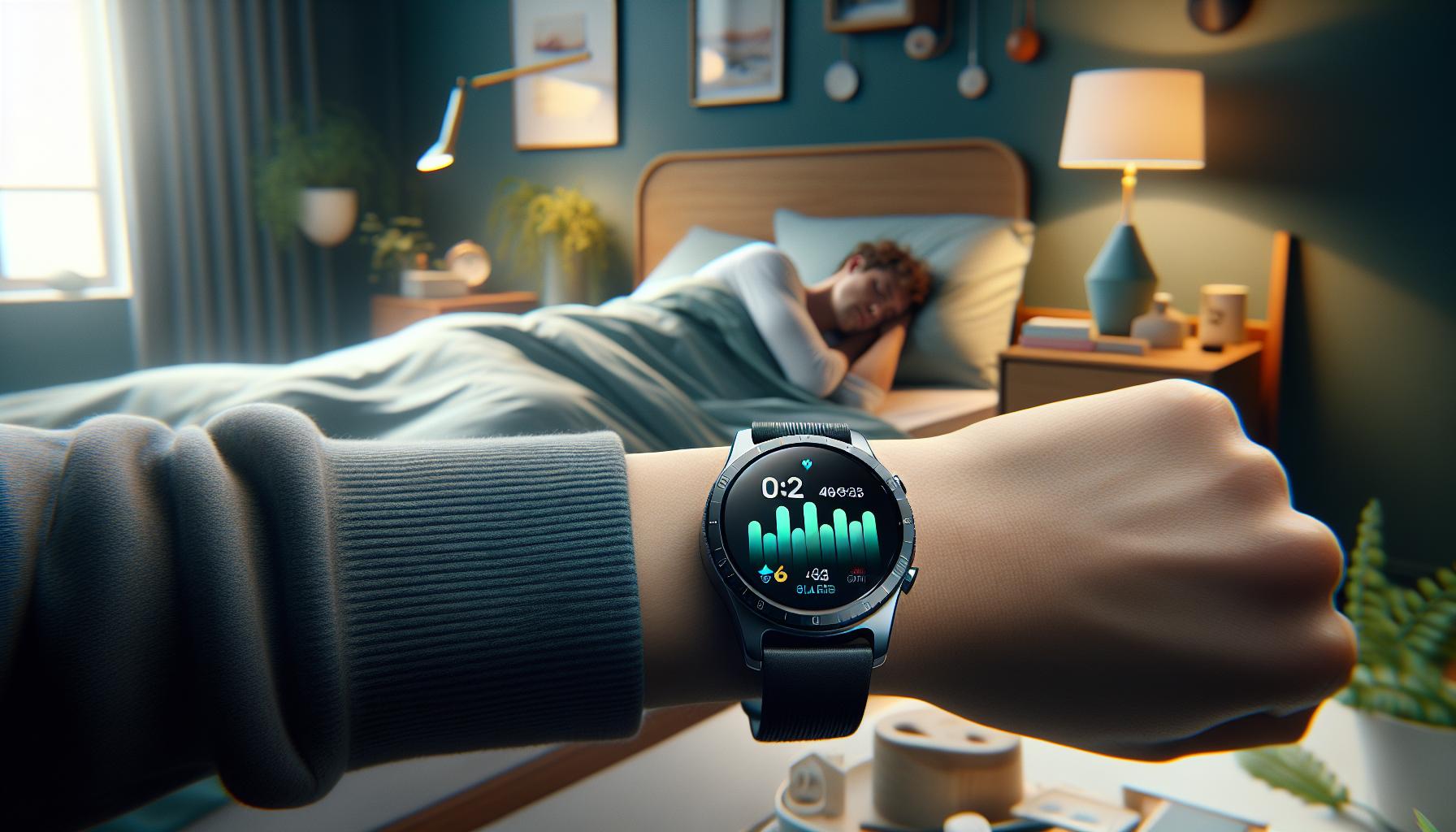
How Sleep Tracking Works on Galaxy Watch 4
The Galaxy Watch 4 leverages a sophisticated series of sensors to monitor your sleep patterns, providing insights that can help enhance your overall sleep quality. This smartwatch utilizes a combination of accelerometer data and heart rate variability to track how long you spend in various stages of sleep: light, deep, and REM (rapid eye movement) sleep. By gathering this data overnight, the watch creates a comprehensive sleep profile, allowing users to understand their sleep quality and make informed adjustments to their bedtime routines.
When you wear the Galaxy Watch 4 at night, it automatically detects when you fall asleep and wakes you up gently with a vibrating alarm at the optimal time, which is particularly effective for minimizing grogginess. The watch’s personalized sleep recognition feature analyzes your patterns over time, offering trends and recommendations tailored to your specific sleep behaviors. With this technology, you can gain a nuanced perspective on your nightly rest, which may lead you to identify underlying issues such as insomnia or irregular sleep patterns.
One of the standout features of the Galaxy Watch 4 is its ability to provide insights on your blood oxygen levels throughout the night-a crucial indicator of sleep quality and overall health. By checking your blood oxygen saturation (SpO2), the watch can alert you to potential sleep apnea events or other sleep-related disturbances. This kind of information could be vital for anyone experiencing difficulties with sleep, as it empowers users to seek professional help if necessary.
Overall, sleep tracking on the Galaxy Watch 4 is designed to be user-friendly and informative, providing not just data but actionable insights. It’s essential to remember, however, that while devices like the Galaxy Watch 4 can enhance your understanding of sleep, they should complement a broader approach to wellness and medical advice when issues arise.
Setting Up Sleep Tracking on Your Galaxy Watch 4
To harness the full potential of sleep tracking on your Galaxy Watch 4, setting it up correctly is the first step toward better understanding your sleep patterns. This smartwatch transforms your nights into data-rich experiences, allowing you to gain valuable insights into your sleep quality and habits. The integration of advanced sensors and algorithms makes the setting process straightforward yet impactful.
To get started, ensure your Galaxy Watch 4 is fully charged and updated to the latest software version. Then, follow these steps:
- Open the Samsung Health App: On your watch, navigate to the Samsung Health app, which is pre-installed. This app is your gateway to all health-related features, including sleep tracking.
- Enable Sleep Tracking: In the Samsung Health app, scroll to the sleep section and toggle the sleep tracking feature to “On”. This setting allows your watch to monitor your sleep automatically.
- Personalize Settings: Adjust additional settings according to your preferences. You can set sleep goals, define ideal sleep times, and customize the alarm settings. For instance, choose to wake up during light sleep for a more refreshed feeling.
- Wear Your Watch Correctly: For accurate tracking, wear the watch snugly on your wrist at night. It should be tight enough to maintain contact with your skin but comfortable enough to avoid disruption during sleep.
- Sync with Your Smartphone: Ensure that your watch is synced with the Galaxy Wearable app on your smartphone. This connection allows for seamless data sharing and more detailed insights on the app.
By following these steps, you’ll be well on your way to utilizing the powerful sleep tracking features of your Galaxy Watch 4. Remember, the aim is to create a routine that aligns with your lifestyle, allowing you to gather meaningful data that could lead to improved sleep quality. Don’t hesitate to revisit and adjust settings as you learn more about your sleeping habits.
Ultimately, the more you interact with the features of your watch, the better equipped you will be to make informed adjustments that enhance your overall sleep experience. With your Galaxy Watch 4 by your side, you can transform your approach to sleep health.
Understanding Sleep Stages and Their Importance
Understanding the stages of sleep is crucial for harnessing the full potential of the Galaxy Watch 4’s sleep tracking capabilities. Did you know that our sleep is divided into different stages, each serving distinct roles in maintaining our overall health and well-being? By grasping these stages, you can gain valuable insights into your sleep quality and identify areas for improvement.
Sleep is typically categorized into two main types: non-REM (NREM) sleep, which includes three stages, and REM (Rapid Eye Movement) sleep. Each stage plays a critical role in cognitive function, physical health, and emotional balance:
- Stage 1 (NREM): This is the lightest sleep phase, lasting only a few minutes. You may experience muscle relaxation and a gradual transition from wakefulness to sleep. It’s easy to awaken during this stage.
- Stage 2 (NREM): In this stage, your heart rate slows, and body temperature drops. You remain in this light sleep for about half of your total sleep time. It’s essential for basic restorative processes and preparing your body for deeper sleep.
- Stage 3 (NREM): Known as deep sleep, this is when your body does most of its healing and rejuvenation. It’s crucial for physical recovery and memory consolidation. Awakening from this stage can leave you feeling groggy and disoriented.
- REM Sleep: This phase typically occurs about 90 minutes after falling asleep and is when most dreaming happens. REM sleep aids in emotional regulation and enhances memory and learning.
Tracking your sleep data with the Galaxy Watch 4 allows you to see how much time you spend in each stage. Understanding this information can highlight sleep deficiencies, such as inadequate deep or REM sleep, which may indicate lifestyle factors needing adjustment. For instance, if your watch shows limited deep sleep, this could suggest the need for better sleep hygiene practices such as a consistent bedtime routine, reduced screen time before bed, or stress management techniques.
By regularly examining your sleep stages, you can empower yourself to make informed decisions that enhance your sleep quality. Such insights not only promote better rest but also support overall health, making awareness of sleep stages a vital part of achieving your wellness goals.
Interpreting Your Sleep Data: What to Look For
Interpreting the data from your Galaxy Watch 4 can transform how you approach your sleep health. By understanding your sleep patterns, you can identify areas for improvement and take actionable steps towards better rest. When reviewing your sleep data, focus on three main metrics: total sleep time, sleep stages, and interruptions.
Total Sleep Time
First and foremost, check the total hours of sleep you accumulate each night. The National Sleep Foundation recommends that adults aim for 7-9 hours of quality sleep per night. If your Galaxy Watch 4 indicates that you’re consistently getting less than this, consider adjusting your sleep schedule or incorporating relaxing pre-sleep rituals, such as reading or meditation, to promote better rest.
Understanding Sleep Stages
Next, take a closer look at the breakdown of your sleep stages. The Galaxy Watch 4 intelligently categorizes your sleep into NREM and REM stages. Examine the duration of each stage and aim for adequate time in deep sleep (Stage 3 NREM), as this stage is crucial for physical recovery and mental clarity. If your device shows low deep sleep hours, it may highlight a need for improvements in your sleep environment-like reducing noise or light-and habits, such as avoiding caffeine later in the day.
Interruptions and Sleep Quality
Finally, pay attention to any disruptions in your sleep cycle. Frequent awakenings can significantly impact sleep quality and may point to underlying issues like anxiety, sleep apnea, or environmental disturbances. Use this data as a prompt to create a peaceful sleeping atmosphere, perhaps by investing in blackout curtains, using white noise machines, or even consulting a sleep specialist if the issues persist.
By actively engaging with the insights from your Galaxy Watch 4, you empower yourself to make informed decisions about your sleep health. Monitoring these variables will not only enhance your nightly rest but contribute positively to your overall well-being.
Tips to Improve Sleep Quality with Galaxy Watch 4
To enhance your sleep quality while using the Galaxy Watch 4, it’s essential to leverage its tracking features effectively. The watch not only monitors your sleep patterns but also offers valuable insights that can lead to better rest. Start by utilizing the smartwatch’s ability to set a consistent sleep schedule. A regular bedtime and wake-up time can help regulate your body’s internal clock, making it easier to fall asleep and wake up rested.
Creating a bedtime routine can significantly influence your sleep quality. Consider incorporating calming activities such as reading a book, practicing mindfulness meditation, or enjoying a warm bath before bed. This process signals to your body that it’s time to wind down. Additionally, the Galaxy Watch 4 alerts you when it’s nearing your designated bedtime, which helps reinforce this routine.
Optimize Your Sleep Environment
The environment in which you sleep plays a pivotal role in your rest quality. Your Galaxy Watch 4 can help identify disruptions in your sleep cycle, such as waking frequently. To combat this, create a sleep-friendly atmosphere by:
- Keeping your bedroom dark and cool.
- Reducing noise with white noise machines or earplugs.
- Investing in blackout curtains to block outside light.
Monitor Caffeine and Screen Time
Be mindful of your caffeine intake in the afternoon and evening, as it can interfere with your ability to fall asleep. The data from your watch can also be a helpful reminder to limit screen time before bed. Blue light from devices can disrupt melatonin production, making it harder to drift into sleep. Aim to put devices away at least an hour before bedtime to encourage a smoother transition into sleep.
By actively engaging with the features of your Galaxy Watch 4, such as sleep tracking, you can tailor your lifestyle choices to improve your sleep quality significantly. These practices, combined with consistent monitoring of your sleep data, empower you to make informed decisions about enhancing your nightly rest and overall well-being.
Common Issues with Sleep Tracking and Solutions
While sleep tracking with the Galaxy Watch 4 can provide valuable insights into your sleep patterns, it’s not uncommon to encounter some challenges along the way. Understanding these common issues can help you troubleshoot and maximize the benefits of your device.
A frequent concern users face is inaccurate sleep tracking data. This can occur due to various reasons, such as improper wear of the watch-ensuring that it fits snugly on your wrist is vital for accurate heart rate monitoring, which the watch relies on. Additionally, the watch may misinterpret movements as wakefulness if you tend to fidget in your sleep. To mitigate this, try adjusting the fit of the watch and maintaining a consistent sleep position.
Another issue involves battery life impacting sleep tracking capabilities. The Galaxy Watch 4’s battery may not last through the night, especially with features like GPS and heart rate monitoring activated. To address this, consider charging your watch during the day when you’re not using it, or turning off unnecessary features to conserve battery life. If you find that nightly charging disrupts your sleep tracking, a sleep mode that minimizes power usage can be beneficial.
Syncing Problems and Data Interpretation
Occasionally, users might experience difficulty syncing data between the Galaxy Watch 4 and the accompanying app on their smartphones. This typically happens if Bluetooth is not enabled or if the devices have not been paired correctly. Regularly check your settings to ensure that both devices are connected and compatible with the latest software updates. If synchronization issues persist, restarting both the watch and the smartphone can often resolve the problem.
Interpreting the sleep data can also be confusing, especially for new users. The differences between light sleep, deep sleep, and REM sleep might not be immediately clear. Familiarize yourself with what these stages indicate and watch for trends rather than fixating on single nights. Utilize online resources or the Samsung Health app for detailed explanations of your sleep metrics to gain a better understanding of your nightly rest patterns.
By proactively addressing these issues and educating yourself about the capabilities of your Galaxy Watch 4, you can turn challenges into opportunities for improvement. The journey to better sleep is often about consistency and adaptation, ensuring that you harness the full potential of your smartwatch’s sleep tracking features.
Comparing Galaxy Watch 4 Sleep Tracking to Other Devices
The Galaxy Watch 4 boasts a sophisticated sleep tracking capability, but how does it stack up against other popular devices on the market? For users seeking ways to monitor their nighttime rest, understanding the nuances between different wearables can guide them in making an informed choice tailored to their needs.
When compared to market leaders such as the Apple Watch and Fitbit devices, the Galaxy Watch 4 offers a unique blend of features. While Apple Watch tracks sleep stages, it lacks the in-depth data often sought by serious users. In contrast, Fitbit provides extensive sleep analytics, including Sleep Score, which could appeal to those looking for detailed assessments. The Galaxy Watch 4 distinguishes itself with its integration of oxygen level monitoring and heart rate variability metrics, which can offer additional insight into overall health and sleeping patterns.
Feature Comparison
To provide a clearer picture, here’s a comparison of key features:
| Feature | Galaxy Watch 4 | Apple Watch Series 8 | Fitbit Charge 5 |
|---|---|---|---|
| Sleep Stage Tracking | Yes (Light, Deep, REM) | Yes (Basic) | Yes (Sleep Score) |
| Heart Rate Monitoring | Yes | Yes | Yes |
| Oxygen Saturation Tracking | Yes | No | No |
| Battery Life | 1-2 days | Up to 18 hours | 5-7 days |
User Experience Considerations
User experiences and preferences also play a vital role in evaluating these devices. Users of the Galaxy Watch 4 often appreciate its immersive Samsung Health ecosystem, making it easier to connect their sleep data with other health metrics. Those using Fitbit devices frequently cite the user-friendly app interface and the motivation of the Sleep Score as significant positive points, while Apple Watch users enjoy the seamless Apple ecosystem and ease of use. However, some Galaxy Watch 4 users have reported occasional inaccuracies in sleep tracking, prompting users to ensure a snug fit on the wrist and regular app synchronization.
In conclusion, while the Galaxy Watch 4 presents exciting and robust features for sleep tracking, its effectiveness in providing actionable insights can vary based on individual usage, sleep habits, and integration with health routines. Carefully considering these elements can help potential buyers select a device that best aligns with their sleep health goals, making informed choices that enhance their overall wellbeing.
User Experiences: Real-Life Benefits of Sleep Tracking
Sleep tracking capabilities can significantly enhance your understanding of your rest patterns, ultimately guiding improvements in your overall health and well-being. Users of the Galaxy Watch 4 have reported a range of real-life benefits from utilizing its sophisticated sleep tracking features. From personalized insights into sleep quality to actionable data that helps adjust bedtime habits, the Galaxy Watch 4 transforms sleep tracking into a powerful tool for wellness.
One common theme among users is how the watch’s ability to monitor various sleep stages-light, deep, and REM-leads to better awareness of sleep quality. For instance, a user might notice that they consistently wake up feeling unrested after nights with less deep sleep. This realization can prompt simple changes, like modifying pre-bedtime routines or creating a more conducive sleep environment, which have been beneficial for many users. Armed with specific data, people feel more empowered to take charge of their sleep health.
Moreover, integrating this data with the Samsung Health app allows for a holistic view of other health metrics, such as heart rate and oxygen levels during sleep. Users frequently mention the satisfaction of correlating their sleep quality with physical activity levels and stress management practices. The watch doesn’t just serve as a sleep monitor; it encourages users to adopt healthier lifestyles holistically, reinforcing positive changes based on feedback from their own sleep patterns.
Additionally, some Galaxy Watch 4 wearers have observed that the act of tracking their sleep itself serves as motivation. The ability to view daily or weekly sleep trends fosters a greater commitment to achieving sleep goals. This behavioral change can lead to more consistent sleep routines, improved mental health, and even better performance in daily activities. Seeing tangible results and feeling accountable through the data collected by the watch has inspired many users to prioritize their sleep, highlighting the transformative power of this technology.
Advanced Features of Sleep Tracking on Galaxy Watch 4
The Samsung Galaxy Watch 4 offers a range of advanced features designed to enhance your sleep tracking experience and improve your overall well-being. With its ability to monitor sleep patterns in detail, it provides users with insights that can lead to healthier sleep habits.
One standout feature of the Galaxy Watch 4 is its ability to track various sleep stages: light, deep, and REM sleep. By understanding how much time you spend in each stage, you can identify trends that impact your restfulness. The watch uses sophisticated sensors to detect changes in your body movements and heart rate, translating them into actionable insights. This data can encourage modifications to your nighttime routine, such as adjusting your bedtime or creating a more relaxing sleep environment.
Another significant advantage is the integration with the Samsung Health app, which allows for a comprehensive view of your sleep data. This app not only displays your sleep scores but also correlates them with other health metrics, such as heart rate and oxygen levels during sleep. Such integration empowers users to see the broader picture of their health, making it easier to identify correlations between physical activity, stress, and sleep quality.
Moreover, the Galaxy Watch 4 provides sleep coaching features. After a few nights of data collection, it starts to personalize advice based on your sleep patterns. This can include tips on sleep scheduling, evening relaxation techniques, or reminders to reduce caffeine intake before bed. Furthermore, the watch can set bedtime reminders to help you maintain a consistent sleep schedule, which is crucial for enhancing sleep quality.
Lastly, the watch’s Smart Alarm feature wakes you up during a light sleep phase within a set window. This can help you feel more refreshed and less groggy upon waking. Coupled with the app’s analysis and your commitment to following through on the suggestions, it creates a powerful support system for improving sleep health. By utilizing these advanced features, the Galaxy Watch 4 not only tracks your sleep but actively contributes to better sleep hygiene and overall wellness.
Integrating Sleep Data with Health and Fitness Apps
By integrating sleep data from your Galaxy Watch 4 with health and fitness apps, you can unleash a treasure trove of insights that can significantly enhance your overall well-being. This advanced smartwatch not only tracks your nightly rest but also allows you to merge this valuable sleep information with other health metrics, promoting a comprehensive understanding of your health landscape. For instance, when you connect the Galaxy Watch 4 to the Samsung Health app, you can view sleep patterns alongside vital signs such as heart rate and physical activity, creating a more detailed picture of your daily habits.
To begin integrating sleep data, ensure your Galaxy Watch 4 is synced with the Samsung Health app on your smartphone. This process is typically straightforward; download the app from your respective app store if you haven’t already. Once linked, your watch will automatically relay sleep data, offering seamless access to insights. In Samsung Health, you’ll find a section dedicated specifically to sleep, where you can analyze sleep scores and patterns over time. This integration not only enables daily monitoring but also highlights trends and correlations that might inform lifestyle adjustments, such as exercise routines or relaxation techniques before bedtime.
Moreover, for those who take a more holistic approach to health, consider connecting your watch to third-party health apps like MyFitnessPal or Strava. These platforms often allow for the sharing of data across various metrics, including sleep, nutrition, and physical activity. This comprehensive data-sharing can illuminate how factors such as caloric intake or workout intensity interact with your sleep quality. By evaluating this multifaceted data, you can identify specific behaviors that enhance or hinder your sleep, making it easier to establish healthier routines.
Incorporating sleep data with other health and fitness apps not only gives a broader context to your health efforts but also helps you make informed decisions. Remember, while technology facilitates easier tracking and integration, it’s your commitment to interpreting and adjusting based on this data that leads to meaningful improvements in your health and sleep quality.
Exploring Sleep Disorders: When to Seek Professional Help
Everyone experiences an occasional restless night, but persistent sleep problems may signal an underlying sleep disorder. If you notice that your Galaxy Watch 4 consistently shows irregularities in your sleep patterns, it could be time to consider seeking professional help. Sleep disorders, such as insomnia, sleep apnea, and restless legs syndrome, can significantly impact your daily life, energy levels, and overall health, particularly if left unchecked.
Monitoring your sleep with the Galaxy Watch can provide valuable insights, but it has its limitations. For instance, if your watch indicates frequent awakenings or extremely shallow sleep stages, it may not accurately diagnose the problem. Instead, these findings should prompt further investigation, especially if accompanied by symptoms like excessive daytime sleepiness or difficulty concentrating during the day. Seeking advice from a healthcare professional can lead to a more thorough evaluation, such as a sleep study or polysomnography, which measures your brain waves, oxygen levels, and other vital signs while you sleep.
When to Consult a Sleep Specialist
If you encounter the following signs, it might be time to consult a sleep specialist:
- Persistent Sleep Issues: More than three nights a week of difficulty falling or staying asleep.
- Daytime Fatigue: You feel fatigued or drowsy during the day despite a full night’s rest.
- Regular Snoring or Breathing Issues: If your sleeping partner reports significant snoring or pauses in your breathing.
- Involuntary Movements: Experiences of leg jerks or restlessness during sleep.
While your Galaxy Watch provides a great starting point for understanding your sleep, only a qualified professional can give you a precise diagnosis and effective treatment options.
What to Expect from a Sleep Study
Undergoing a sleep study can sound intimidating, but it’s quite straightforward. Typically, you’ll:
- Stay Overnight: The study usually takes place in a sleep clinic where your sleep will be monitored overnight.
- Be Connected to Sensors: Various sensors will track brain activity, heart rate, and breathing patterns, devoid of discomfort.
- Receive a Detailed Report: After your study, you’ll receive a comprehensive report detailing findings and potential diagnoses.
Costs can vary, but many insurance plans cover sleep studies if medically necessary. Consulting your insurance provider can clarify any financial concerns before proceeding.
In conclusion, empowering yourself with data from your Galaxy Watch 4 is the first step toward better sleep health. If your findings suggest possible sleep disorders, don’t hesitate to seek professional assistance. Taking action early can lead to effective treatment, improving not just your sleep but your overall quality of life.
FAQ
Q: How accurate is sleep tracking on the Galaxy Watch 4?
A: The sleep tracking on the Galaxy Watch 4 is generally quite accurate, utilizing advanced sensors to monitor sleep stages. While it may not match clinical sleep studies, it provides valuable insights into sleep patterns, helping you understand and improve your sleep quality.
Q: Can you track naps with the Galaxy Watch 4?
A: Yes, you can track naps with the Galaxy Watch 4. Simply wear it during your nap, and it will automatically detect when you fall asleep and when you wake up, providing a summary of your nap duration and quality.
Q: What to do if sleep tracking is not working on my Galaxy Watch 4?
A: If sleep tracking isn’t functioning properly, start by ensuring that your watch software is up-to-date. Additionally, check that you are wearing the watch snugly and that sleep tracking settings are enabled in the Health app. Restarting the watch may also help resolve issues.
Q: How does the Galaxy Watch 4 differentiate between sleep stages?
A: The Galaxy Watch 4 differentiates between sleep stages using its sensors to monitor heart rate, movement, and blood oxygen levels. This data helps it identify REM, deep sleep, and light sleep phases, providing a detailed overview of your nightly sleep cycle.
Q: Can the Galaxy Watch 4 help improve sleep habits?
A: Yes, the Galaxy Watch 4 can assist in improving sleep habits by providing insights into your sleep patterns and quality. Use its sleep insights to identify areas for improvement and establish a consistent sleep routine by leveraging the tips provided in the article.
Q: Is sleep tracking customizable on the Galaxy Watch 4?
A: Sleep tracking on the Galaxy Watch 4 is customizable in terms of notifications and tracking options. You can adjust your settings in the Health app to set sleep goals, receive reminders, and track specific sleep times based on your lifestyle preferences.
Q: How to export sleep data from Galaxy Watch 4?
A: To export sleep data from your Galaxy Watch 4, use the Samsung Health app on your smartphone. Within the app, access your sleep data, where you can share or export the information, typically as a PDF or to another health platform, ensuring easy tracking and analysis.
Q: What other features enhance sleep tracking on Galaxy Watch 4?
A: The Galaxy Watch 4 enhances sleep tracking with features like fitness tracking integration, stress management tools, and guided breathing exercises. These functionalities, discussed in more detail in the article, support overall sleep quality and well-being.
Key Takeaways
Now that you’ve mastered the sleep tracking features of your Galaxy Watch 4, it’s time to put that knowledge into action and start optimizing your sleep health. Remember, tracking your sleep can provide insights that help you improve not just the quantity but the quality of your rest. Don’t hesitate to revisit this tutorial and refer back to our comprehensive guides on how sleep works and natural cures for insomnia to deepen your understanding.
If you have any questions or want to share your experiences, drop a comment below! For more tips and personalized advice on enhancing your sleep hygiene, consider subscribing to our newsletter. Explore our related articles on improving overall sleep quality and understanding sleep disorders for a holistic approach to your sleep health. Your journey to better sleep begins now-don’t wait to take that crucial step!
Get our latest guides, news, and insights highlighted in your Google Search & AI Overviews.