
Did you know that adults typically need between seven to nine hours of quality sleep for optimal health? With the Apple Watch, you can easily track your sleep patterns, gaining valuable insights into how well you rest each night. Understanding where to access this tracking data can empower you to make informed choices about your sleep habits. Whether you’re struggling with insomnia or simply looking to improve your nightly routine, mastering the sleep tracking features on your Apple Watch is an essential first step. In this guide, we’ll explore how to navigate the watch’s settings and find your sleep data quickly, so you can start enhancing your sleep quality today.
Where Can You Find Sleep Tracking Data on Apple Watch?
Finding sleep tracking data on your Apple Watch is straightforward and intuitive, allowing you to stay informed about your sleep patterns and habits. Once you’ve set up the native Sleep app on your watch, monitoring your sleep becomes part of your daily routine. After a night of rest, simply wake your Apple Watch and you’ll be greeted by a summary of your sleep data.
To access detailed sleep information, navigate to the Sleep app directly on your Apple Watch. Here, you’ll find a concise overview of your last night’s sleep, including total sleep time and an estimation of how much time you spent in different sleep stages: REM, Core, and Deep sleep. This data helps you understand your rest quality and sets a foundation for improving your sleep hygiene.
For a more comprehensive view, you can also check your sleep statistics through the Health app on your iPhone. Here’s how you can quickly access this information:
- Open the Health app on your iPhone.
- Tap on Browse, then select Sleep.
- From there, you can view your sleep data over various time frames – from last night to monthly trends.
This dual access via both the Apple Watch and the iPhone ensures you have your sleep insights at your fingertips, empowering you to make informed choices to enhance your sleep quality further. Whether you’re monitoring progress towards sleep goals or identifying patterns, your Apple devices offer a user-friendly and efficient way to track your sleep health.
The Science Behind Sleep Tracking Features
Understanding how sleep tracking features work enhances your ability to utilize your Apple Watch effectively. Sleep tracking technology on the Apple Watch employs a combination of motion sensors and heart rate monitoring to analyze your sleep patterns. This sophisticated technology can discern between different sleep stages-light, deep, and REM-by measuring fluctuations in your movements and heart rate throughout the night. For instance, during REM sleep, your body is typically more still, and your heart rate may fluctuate more drastically compared to other sleep stages, allowing the device to make informed estimations about your sleep quality.
The Apple Watch uses accelerometer data to monitor your movements. When you are awake, the sensors detect a significant amount of movement; however, as you fall asleep and transition into deeper stages of rest, these movements decrease dramatically. This data is processed alongside heart rate variability to create a comprehensive picture of your nightly rest. According to studies on sleep tracking, effective monitoring can aid in understanding sleep disorders or chronic fatigue issues, giving users the insight necessary to make healthier adjustments in their routines.
It’s essential to recognize that while the Apple Watch offers valuable insights, its capabilities are not a substitute for a professional sleep study. Wearable technology can track trends effectively but may lack the clinical precision of polysomnography, which records brain waves, oxygen levels, and more during the sleep cycle. Thus, for serious sleep concerns, consulting with a healthcare provider remains a critical step.
To make the most out of your Apple Watch’s sleep tracking features, ensure it is fitted correctly on your wrist and that your sleep settings are appropriately configured in the Sleep app. By understanding how your Apple Watch interprets your sleep data, you can better leverage this information to optimize your rest, identify patterns, and ultimately improve your overall sleep health.
Setting Up Sleep Tracking on Your Apple Watch
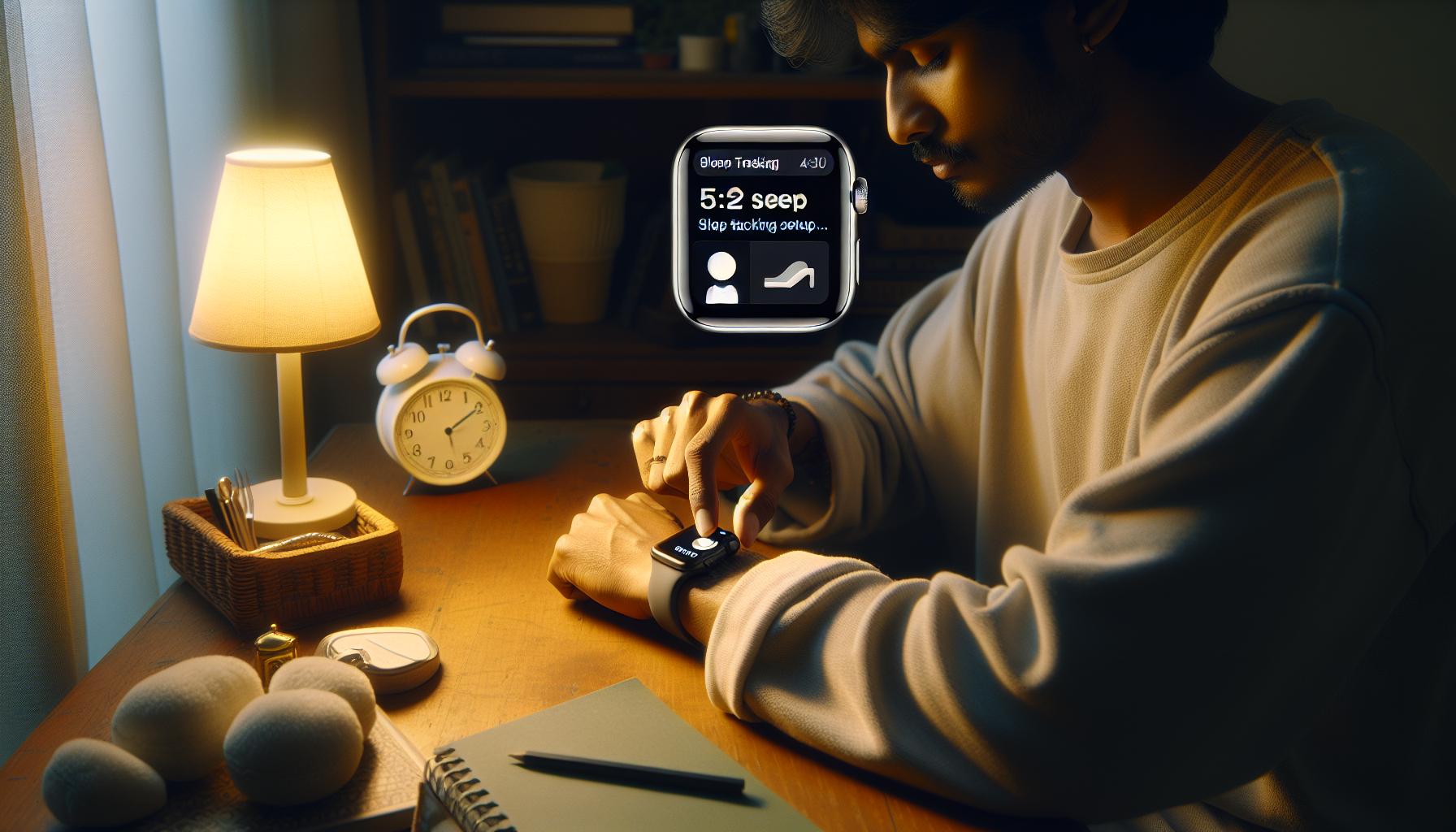
To make the most of your Apple Watch’s sleep tracking capabilities, setting it up correctly is essential. With just a few simple steps, you can enable features that help you gain insights into your sleep patterns and improve your overall sleep health.
Begin by ensuring that your Apple Watch is updated to the latest watchOS, as updates often include enhancements to existing features. Next, open the Watch app on your iPhone and navigate to the Sleep section. This is where you can configure your sleep settings. If you haven’t already, turn on Sleep Tracking to activate the feature. Once it’s enabled, you can set up your desired sleep schedule in the Health app under the Sleep tab, where you’ll define your bedtime and wake-up time, allowing the watch to remind you when it’s time to wind down.
Additionally, remember to activate Sleep Focus to ensure that your Apple Watch tracks your sleep accurately. This mode silences notifications and reduces distractions, making it easier for the watch to monitor your sleep effectively. You will need to wear the watch while you sleep for it to collect data on your movements and heart rate, which are essential for analyzing your sleep stages.
Lastly, familiarize yourself with the Health app on your iPhone, as this is where you’ll find the detailed insights generated from your sleep tracking data. In the Health app, go to Browse > Sleep to view your sleep trends, duration, and stages, helping you understand your sleep behavior over time. By following these steps, you’ll not only be able to track your sleep effectively but also gain useful insights into improving your sleep health.
Understanding Sleep Stages Monitored by Apple Watch
Understanding the different sleep stages monitored by your Apple Watch provides valuable insights into your sleep quality and overall health. The watch utilizes advanced sensors to track your movements and heart rate throughout the night, categorizing your sleeping patterns into distinct stages-each playing a unique role in your recovery and well-being.
During a typical night, your sleep cycles through several stages: Awake, REM (Rapid Eye Movement), Light sleep, and Deep sleep. Recognizing these stages can help you understand how well you’re sleeping:
- Awake: This represents the time you spend awake in bed, either while falling asleep or after waking up.
- REM Sleep: This stage is crucial for memory consolidation and emotional processing. It’s during REM that dreams commonly occur.
- Light Sleep: Typically, this stage encompasses the transition from wakefulness to deeper sleep. It’s important for physical restoration and recovery.
- Deep Sleep: The most restorative phase, deep sleep is vital for physical recovery, immune function, and growth hormone release.
Your Apple Watch tracks these stages as you sleep, providing insights within the iPhone Health app. By exploring the Sleep section, you can see time spent in each stage, helping you identify patterns over time. For instance, if you’re noticing a lack of deep sleep, it may prompt you to consider adjustments in your sleep environment or bedtime routine.
To enhance accuracy, wearing the watch snugly on your wrist is vital, as it needs to detect subtle movements and changes in your heart rate. Remember that while Apple Watch offers impressive tracking capabilities, several factors can influence its accuracy, including how well the watch fits and whether you’re experiencing any sleep disturbances. By understanding these sleep stages and their significance, you can take actionable steps towards improving your overall sleep quality, ultimately leading to better health and daytime functioning.
How to Access Sleep Data Quickly
To swiftly access your sleep data on the Apple Watch, start by utilizing the Sleep app, which offers an intuitive overview of your nightly rest. After a night of sleep, simply wake your watch and navigate to the Sleep app. This will present you with a summary of your last sleep session, including total sleep time and quality.
For a more comprehensive look at your sleep patterns, your Apple Watch syncs with the Health app on your iPhone. Here’s how you can find your sleep data quickly:
Using the Health App
- Open the Health App: Launch the Health app on your iPhone, which aggregates all your health data, including sleep.
- Select Sleep: Tap on the “Browse” tab at the bottom, then select “Sleep.” Here you’ll see a summary that not only includes sleep duration but also breaks down your time in different sleep stages.
- View Sleep Trends: Scroll down to explore your weekly, monthly, or yearly sleep trends. This can help you identify patterns over time and see how your sleep habits change.
Setting Up Sleep Notifications
For those who want easy reminders and quick access, consider enabling sleep notifications. By setting a sleep schedule within the Sleep section of the Health app, your Apple Watch can remind you when it’s time to wind down for the night. This feature ensures that your sleep goals are always front of mind.
Quick Views on WatchOS
If you’re in a hurry, swipe down on your watch face to view the Control Center, then tap on the sleep tracking icon. This gives you a quick glance at your current sleep status, letting you know if you’re on track toward your nightly goals.
By familiarizing yourself with these features, you can ensure that accessing your sleep data is a seamless part of your routine, empowering you to make informed decisions about your sleep health. Remember, regularly reviewing your sleep data can provide essential insights that help you adjust your habits for better rest and overall wellness.
Comparing Apple Watch Sleep Tracking with Other Devices
When it comes to sleep tracking, the Apple Watch stands out among its peers, but how does it truly compare to other devices on the market? Many consumers are curious about what differentiates the Apple Watch from other popular sleep tracking options like Fitbit, Garmin, and dedicated sleep devices such as the Oura Ring. While Apple offers a seamless integration of sleep data through its Health app and a straightforward user experience, understanding its capabilities relative to competitors can influence your choice of device.
One key feature that sets Apple Watch apart is its native Sleep app, which not only tracks sleep duration but also analyzes different sleep stages-REM, Core, and Deep sleep. Alongside this, Fitbit devices provide similar functionality, often with additional features such as heart rate variability and SpO2 monitoring during sleep. However, Garmin wearables excel in offering insights related to physical activity and its correlation with sleep patterns, making them a preferred choice for fitness enthusiasts.
Comparative Overview
| Feature | Apple Watch | Fitbit | Garmin | Oura Ring |
|---|---|---|---|---|
| Sleep Stages Tracking | Yes | Yes | Yes | Yes |
| Heart Rate Monitoring | Yes | Yes | Yes | Yes |
| SpO2 Monitoring | No | Yes | Some models | Yes |
| Integration with Fitness Data | High | Moderate | High | Moderate |
| Battery Life | 18 hours | 5-7 days | 7-14 days | 5-7 days |
In terms of usability, Apple Watch offers a sleek interface and is fully integrated with iOS, making it easy for Apple users to track their health metrics. Conversely, devices like the Oura Ring are designed specifically for sleep and recovery, emphasizing detailed insights into sleep quality and readiness scores, which could be appealing for those who prioritize restorative sleep. Yet, their form factor may not fit everyone’s preferences for nightly wear.
While each of these devices has unique strengths, it’s essential to evaluate your personal needs and lifestyle. If you seek a comprehensive smartwatch experience that also tracks sleep, the Apple Watch is an excellent choice. For dedicated sleep metrics or longer battery life without daily charging, exploring alternatives like Fitbit or Oura could be worth it. Always consider how the insights provided can empower you to enhance your sleep health and daily performance.
Troubleshooting Common Sleep Tracking Issues
Navigating the world of sleep tracking can sometimes feel overwhelming, especially when your Apple Watch isn’t recording your sleep as expected. Common issues with sleep tracking can arise due to various reasons, ranging from simple settings misconfigurations to hardware limitations. Understanding these troubleshooting steps can empower you to resolve issues efficiently, ensuring that you make the most of your sleep tracking experience.
One of the first things to check is whether the Sleep feature is enabled on your watch. Open the Sleep app on your Apple Watch and ensure that your sleep schedule is set up correctly. If the app isn’t picking up your sleep data, it could be because your watch isn’t worn tightly enough or may need to be charged. The Apple Watch requires a good fit on your wrist to monitor your movements accurately, so adjust it accordingly before going to bed.
Another frequent hurdle is syncing issues between your Apple Watch and iPhone. Ensure both devices are updated to the latest software version, as this can often resolve glitches affecting data synchronization. To force a sync, try restarting both devices. If you’re still not seeing your sleep data, check the settings in the Health app on your iPhone to make sure Sleep data is turned on and properly configured.
Additionally, if you frequently enter or leave sleep mode manually, you might inadvertently disrupt the tracking process. Apple Watch typically tracks sleep automatically, but you can adjust the sensitivity of this feature in the Sleep app settings. If you believe you are getting accurate sleep data but it’s not visible, try restarting the Health app or checking it after some time; occasionally, there may be delays in data syncing.
For an added layer of troubleshooting, consider factors such as environmental noise or light that may affect your sleep quality and tracking accuracy. Utilizing the sleep watch face or widgets can also help you quickly check your sleep stats without navigating through various apps. By being proactive with these troubleshooting steps, you can enjoy the benefits of precisely tracked sleep and utilize your Apple Watch to its fullest potential.
Maximizing Your Sleep Insights from Apple Watch
Maximizing the insights you gain from your Apple Watch’s sleep tracking capabilities can significantly enhance your rest quality and overall well-being. The Apple Watch not only tracks your sleep duration but also provides valuable insights into your sleep patterns and behaviors, which can help you make informed decisions about your sleep hygiene. Here are some practical tips to ensure you’re getting the most out of your sleep data.
Understand Your Sleep Reports
After a night of sleep, your Apple Watch compiles data into easy-to-read reports available in the Sleep app directly on your watch or in the Health app on your iPhone. These reports highlight essential metrics such as total sleep time and sleep trends over the past weeks. Make it a habit to review these reports regularly to identify patterns. For instance, you might notice that nights when you wind down without screens lead to more restful sleep.
Set a Consistent Sleep Schedule
The Apple Watch allows you to set a personalized sleep schedule to promote consistency in your sleep routine. Utilize this feature to establish a bedtime routine that cues your body for rest. A consistent sleep schedule reinforces your body’s natural circadian rhythm, leading to improved overall sleep quality. You can also enable Wind Down, which helps transition you into sleep mode by limiting distractions as bedtime approaches.
Leverage Sleep Focus
Activating the Sleep Focus mode not only minimizes interruptions during your sleep but also ensures that the watch accurately tracks your sleep. By silencing notifications and alerts, this feature allows you to fully immerse yourself in restful sleep without unnecessary distractions. Additionally, you can customize the Sleep Focus settings to suit your preferences, such as allowing calls from specific contacts during the night.
Monitor Sleep Stages
A standout feature of the Apple Watch is its ability to monitor various sleep stages-light, deep, and REM. Understanding how long you spend in each stage can provide insight into your overall sleep architecture. Use this data to experiment with factors affecting your sleep stages, like room temperature or pre-sleep activities. For example, if you find you’re consistently missing out on deep sleep, consider adjusting your evening routine to promote relaxation.
Real insights come from real data, so don’t be hesitant to explore the depths of your sleep patterns using the Apple Watch. By understanding and utilizing the offerings of sleep tracking, you take significant strides towards not just tracking your sleep but improving it as well.
How Accurate Is Apple Watch Sleep Tracking?
The Apple Watch has become a popular tool for monitoring sleep patterns, but how accurate is its sleep tracking? Understanding the device’s capabilities and limitations is essential for maximizing its benefits. In general, Apple Watch uses a combination of motion sensors and heart rate data to make educated estimates about your sleep duration and quality. While many users find the data useful, it’s crucial to note that the technology isn’t infallible.
Accuracy Factors
Apple Watch calculates sleep stages-light, deep, and REM-based on movement and heart rate variability. Studies show that wrist-worn devices like the Apple Watch can provide reasonable estimates, but they often lack the precision of clinical sleep studies, such as polysomnography, which requires monitoring brain waves and eye movements. For most users, the Apple Watch offers a practical solution for tracking sleep, but remember that variations in individual physiology and sleeping environments can affect its accuracy.
Common Discrepancies
It’s also important to set realistic expectations. For instance, the Apple Watch may have difficulty determining sleep onset if you’re relaxed but still awake, resulting in underreported sleep time. Additionally, if you frequently change positions during sleep, the device may misinterpret these movements, categorizing them as wakefulness instead of actual sleep. To improve accuracy, try to wear the watch snugly on your wrist and maintain a consistent sleep environment.
Improving Your Sleep Tracking Experience
To get the most out of your Apple Watch’s sleep tracking features, regularly review your sleep findings and look for trends. For instance, if you’re noticing patterns, such as better sleep quality on nights you avoid caffeine, use that to make informed decisions about your habits. Over time, this data can help you create a more tailored approach to improving sleep.
In conclusion, while the Apple Watch provides a useful approximation of your sleep patterns and stages, it should not replace professional sleep assessments if you have significant concerns about sleep quality. Look at it as a stepping stone toward better understanding your sleep habits, empowering you with insights you can use to make meaningful changes.
Connecting Apple Watch Sleep Data to Health Apps
Integrating your Apple Watch sleep data with health apps can significantly enhance your understanding of sleep patterns and overall wellness. This connectivity allows you to track not only your sleep metrics but also how other lifestyle factors might influence your sleep quality. For instance, by synchronizing data with apps like Apple Health, you can compile information on your physical activity, heart rate, and even dietary habits alongside your sleep metrics.
To start, you’ll first need to ensure that your sleep tracking feature is active on your Apple Watch. You can do this through the Health app on your iPhone by navigating to the “Sleep” section. Here, you can set preferences on how you want your sleep data to be monitored and stored. Once your preferences are set, the data collected during sleep will automatically sync with the Health app, making it easy to view your nightly sleep quality, duration, and trends over time.
Benefits of Connecting Sleep Data
The benefits of include:
- Comprehensive Health Overview: By viewing sleep alongside other health data, you can identify correlations. For instance, poor sleep may coincide with high stress or irregular exercise patterns.
- Trend Analysis: Over time, you can observe how changes in your lifestyle impact your sleep quality, helping you make informed decisions towards better health.
- Shared Insights: If you’re consulting with a health professional, sharing your Apple Health data can provide them with a complete overview of your health, which may facilitate targeted recommendations.
Practical Steps to Connect Your Data
To sync your Apple Watch data with health apps effectively:
- Open the Health App: On your iPhone, open the Health app to ensure your settings are enabled.
- Track Sleep Settings: Under the “Browse” tab, head to “Sleep” and confirm that the Apple Watch is logging this information properly.
- Third-Party App Integration: If you prefer third-party applications like Sleep Cycle or Calm, ensure these are synced in the health app settings and have the permission to read sleep data.
This setup makes it easier to manage your sleep health proactively, helping you address any sleep issues before they escalate. By leveraging the synergy between your Apple Watch and health apps, you can create a holistic picture of your health and make informed adjustments to your daily routines for improved sleep quality and overall wellbeing.
User Experiences: Real Stories About Sleep Tracking
Many users of the Apple Watch have reported transformative experiences with the device’s sleep tracking capabilities. For Sarah, a busy marketing executive, the Apple Watch helped highlight the importance of maintaining a consistent sleep schedule. After a few weeks of monitoring her sleep patterns, she noticed that her energy levels were notably lower after nights of irregular sleep. In her account, she shared how the integration of her watch data with the Apple Health app enabled her to correlate her sleep quality with her daily activities, leading her to prioritize a better evening routine.
Similarly, Jason, an avid runner, utilized the Apple Watch not only to track his workouts but to enhance his recovery through better sleep. By wearing the watch at night, he began to understand the different sleep stages and how they affected his training regimen. He found that when he logged more deep sleep, his performance on the track improved significantly. The ability to visualize this data in an easily digestible format on his watch helped him fine-tune his approach-realizing that an earlier bedtime led to longer periods of restorative sleep, enhancing both his athletic abilities and overall well-being.
These personal stories illustrate how users can extract profound insights from their sleep tracking data. One common piece of advice shared among users is to activate the Sleep Focus feature on the Apple Watch. Without it, the watch may not record sleep properly, as emphasized by reviews and testimonials from others exploring the sleep tracking landscape. The emphasis on setting this function can be crucial, especially for those new to sleep tracking. Ultimately, the shared experiences of Apple Watch users reveal that having a clearer understanding of sleep quality can empower individuals to make informed lifestyle adjustments, ultimately leading to a healthier sleep routine.
Upgrading Your Sleep Health: Tips and Strategies
Understanding and improving your sleep health is a journey that can be significantly supported by the insights provided by your Apple Watch. By leveraging the device’s sleep tracking features, you can gain valuable data that helps refine your sleep habits. Here’s how to maximize your sleep health through practical strategies and clever usage of your Apple Watch.
Start by embracing the Sleep Focus feature on your Apple Watch, which allows the device to accurately monitor your sleep patterns. Activating Sleep Focus can help ensure that notifications and distractions are minimized during your designated sleep time. For best results, set a consistent sleep schedule within the Health app, as this reinforces your body’s natural rhythm. Furthermore, consider creating a relaxing bedtime routine; activities like reading or meditation can ease the transition into sleep and enhance your overall sleep quality.
In addition to tracking your sleep duration, the Apple Watch provides insights into your sleep stages, including REM and deep sleep. Understanding sleep stages is crucial because each stage plays a different role in health and wellness. For instance, getting enough deep sleep is associated with physical recovery and cognitive function. You can analyze data trends over time to identify factors affecting these stages, whether it’s caffeine intake or screen time before bed.
Practical tips for improving sleep health include:
- Create an Optimal Sleep Environment: Ensure your bedroom is dark, cool, and quiet to enhance your sleep quality.
- Limit Caffeine and Heavy Meals: Try to avoid caffeine and heavy meals several hours before bedtime to facilitate easier sleep onset.
- Regular Physical Activity: Engaging in consistent physical activity can promote better sleep patterns, but aim to avoid vigorous exercise close to bedtime.
If you find discrepancies in your sleep tracking data, don’t hesitate to troubleshoot your settings. Ensure your watch is snug on your wrist, as a loose fit can affect sensor accuracy. Additionally, check your watch’s software is updated, as updates often include enhancements and fixes related to health tracking features.
By understanding how to effectively use your Apple Watch and implementing these strategies, you equip yourself with the tools necessary for improving your sleep health. Use your watch not just as a tracker, but as a guide towards a healthier, more rested lifestyle.
Frequently asked questions
Q: How do I find sleep history on my Apple Watch?
A: To find your sleep history on the Apple Watch, open the Sleep app. Scroll down to see a summary of your sleep data, including duration and quality. For more detailed insights, check the Health app on your iPhone, where you can explore sleep trends and historical data.
Q: What metrics does Apple Watch sleep tracking provide?
A: Apple Watch sleep tracking provides metrics such as total sleep time, sleep stages (light, deep, and REM), and average time in bed. You can also view trends over time to understand your sleep patterns better, available in both the Sleep app and Health app on your iPhone.
Q: Can I access my sleep data from my iPhone?
A: Yes, you can access your sleep data from your iPhone by opening the Health app. Tap on Sleep to view detailed reports on your sleep duration and patterns, consolidating data tracked by your Apple Watch and presenting insights in an easy-to-read format.
Q: How does Apple Watch track different sleep stages?
A: Apple Watch tracks sleep stages using a combination of heart rate monitoring and motion sensors. It analyzes your movements and heart rate variability to categorize your sleep into light, deep, and REM stages, providing a comprehensive view of your sleep quality.
Q: How often does Apple Watch update sleep data?
A: Apple Watch updates sleep data overnight while you wear it. Once you wake up, the data syncs to the Health app on your iPhone, where you can review your sleep metrics and daily trends. Ensure your watch is charged for accurate tracking.
Q: What should I do if my Apple Watch isn’t tracking sleep?
A: If your Apple Watch isn’t tracking sleep, try these troubleshooting steps: ensure that sleep tracking is enabled in the Health app, check that your watch is worn snugly while sleeping, and restart both the watch and iPhone. If issues persist, consider updating to the latest watchOS.
Q: How can I improve the accuracy of sleep tracking on my Apple Watch?
A: To improve accuracy, ensure that your Apple Watch fits well against your wrist, avoid using sleep tracking with excessive movement, and maintain software updates. Additionally, set a consistent sleep schedule for better data reliability, as noted in the Maximizing Your Sleep Insights from Apple Watch section of our article.
Q: Can I integrate Apple Watch sleep data with other health apps?
A: Yes, you can integrate Apple Watch sleep data with various health apps, such as MyFitnessPal or Sleep Cycle. By adjusting the settings in the Health app, you can share your sleep data, enabling more comprehensive tracking and insights into your overall wellness.
Concluding Remarks
Now that you know how to access and interpret your sleep tracking data on the Apple Watch, it’s time to take charge of your sleep health! Remember, consistent monitoring can lead to meaningful changes that enhance your energy, mood, and overall well-being. If you have further questions about optimizing your sleep or want to dive deeper into sleep science, check out our articles on the benefits of sleep and sleep disorders.
Don’t miss out on the latest insights-subscribe to our newsletter for expert tips straight to your inbox. Additionally, if you’re exploring wearable tech options, consider our review of the best sleep trackers available today. The sooner you start leveraging this information, the better your sleep journey will be! Let’s make every night a step toward better rest and rejuvenation.
Get our latest guides, news, and insights highlighted in your Google Search & AI Overviews.