
Did you know that adequate sleep is crucial for your overall health and well-being? As many people strive to optimize their sleep patterns, having the right tools can make all the difference. The Apple Watch, with its sleep tracking capabilities, offers a convenient way to monitor your sleep cycles effortlessly. However, not all Apple Watch models are created equal when it comes to this feature. Understanding which Apple Watch versions include sleep tracking can help you make an informed decision that aligns with your health goals. In this article, we’ll compare all models, highlighting their sleep tracking functionalities, so you can choose the one that best supports your journey toward better sleep.
Which Apple Watch Models Feature Sleep Tracking?
The Apple Watch has evolved significantly over the years, and its sleep tracking features are a testament to that progress. Since the introduction of sleep tracking capabilities with watchOS 7, multiple models have made it easier for users to monitor their sleep patterns and overall health. If you’re considering using an Apple Watch for sleep tracking, you can select from several models, each bringing nuanced capabilities to the table.
Current models equipped with sleep tracking include the Apple Watch Series 3 and later versions, which encompass the Series 4, Series 5, Series 6, Series 7, Series 8, and the latest Apple Watch SE and Ultra. All these models can utilize the built-in Sleep app, but newer iterations often offer enhanced sensors and algorithms that provide deeper insights into sleep quality. For instance, the Series 8 and Ultra not only track sleep duration but also differentiate between sleep stages-REM, Core, and Deep-offering a granular view of your night’s rest.
Aside from the hardware advancements, each generation of the Apple Watch supports integration with Apple’s Health app, providing a comprehensive health overview alongside sleep data. However, features may vary slightly depending on the model and software updates you might receive. It’s crucial to check for compatibility and feature enhancements if you’re updating from an older model or planning to purchase a new one that may better fit your sleep tracking needs.
For those who are serious about refining their sleep habits, investing in a more recent model, like the Series 8 or Ultra, could be particularly beneficial, thanks to their advanced sensors and additional health metrics. However, even the more basic models can provide valuable insights and help establish better sleep routines when used effectively.
Understanding Sleep Tracking Technology
Sleep tracking technology has revolutionized how individuals understand their nightly rest patterns and overall health. At its core, this technology leverages a combination of sensors and algorithms embedded within wearable devices, such as the Apple Watch, to monitor various physiological metrics during sleep. These metrics often include heart rate, motion, and, in some cases, blood oxygen levels, allowing for a comprehensive analysis of sleep quality and duration.
The Apple Watch utilizes its built-in accelerometer and heart rate sensor to monitor movement and physiological changes while you sleep. When you wear the device during the night, it tracks your sleep cycles, distinguishing between light, deep, and REM sleep. This detailed tracking provides insights not just into how long you slept, but also how restorative that sleep was. Advanced models like the Series 8 and Ultra enhance this experience by offering additional capabilities, such as tracking sleep trends over time, which can help users identify patterns and adjust their habits for better rest.
Understanding how to interpret this data is essential for maximizing the benefits of sleep tracking. Users are empowered to set personalized sleep schedules, which the Apple Watch can nudge you toward, aiding in lifestyle adjustments that promote healthier sleep routines. For example, if you consistently find that you wake up during deep sleep phases, you might consider shifting your bedtime or implementing a more calming pre-sleep routine.
However, while sleep tracking technology can offer valuable insights, it is not a substitute for professional medical advice or diagnostics. Issues like chronic insomnia or sleep apnea can only be comprehensively assessed through clinical evaluations. Understanding the distinction between data provided by wearables and what a sleep specialist offers is key for anyone serious about improving their sleep health. The Apple Watch serves as a helpful companion in this journey, but knowing when to seek further assistance is equally important.
How Does Sleep Tracking Work on Apple Watch?
The technology behind sleep tracking on the Apple Watch is both innovative and insightful, offering users a way to understand their sleep patterns better than ever before. With built-in sensors, the Apple Watch continuously monitors your physiological signals to provide a comprehensive view of your sleep quality. Through the use of accelerometers and heart rate sensors, the watch can detect your movements and fluctuations in heart rate, allowing it to differentiate between light, deep, and REM sleep stages.
When you wear your Apple Watch to bed, it automatically activates the Sleep app, tracking when you fall asleep and when you wake up. This process does not require manual intervention, making it convenient for daily use. The watch collects this data and presents it in a user-friendly format on your iPhone, where you can view metrics such as total sleep time, sleep consistency, and even trends across different nights. Understanding these patterns is crucial as it can help identify lifestyle adjustments to enhance sleep quality.
For those looking to establish healthier sleep habits, the watch offers features like sleep schedules and bedtime reminders. These alerts nudge you towards creating a consistent sleep routine, which studies have shown can significantly improve your overall sleep health. However, it’s important to recognize the limitations of this technology. While the Apple Watch provides valuable insights that can guide your sleep habits, it is not a substitute for professional sleep evaluations. If you experience persistent sleep issues, consulting a healthcare provider is vital for a comprehensive assessment.
Ultimately, using the Apple Watch for sleep tracking can empower you to take charge of your sleep health, offering you tools and insights that can lead to better rest and improved well-being.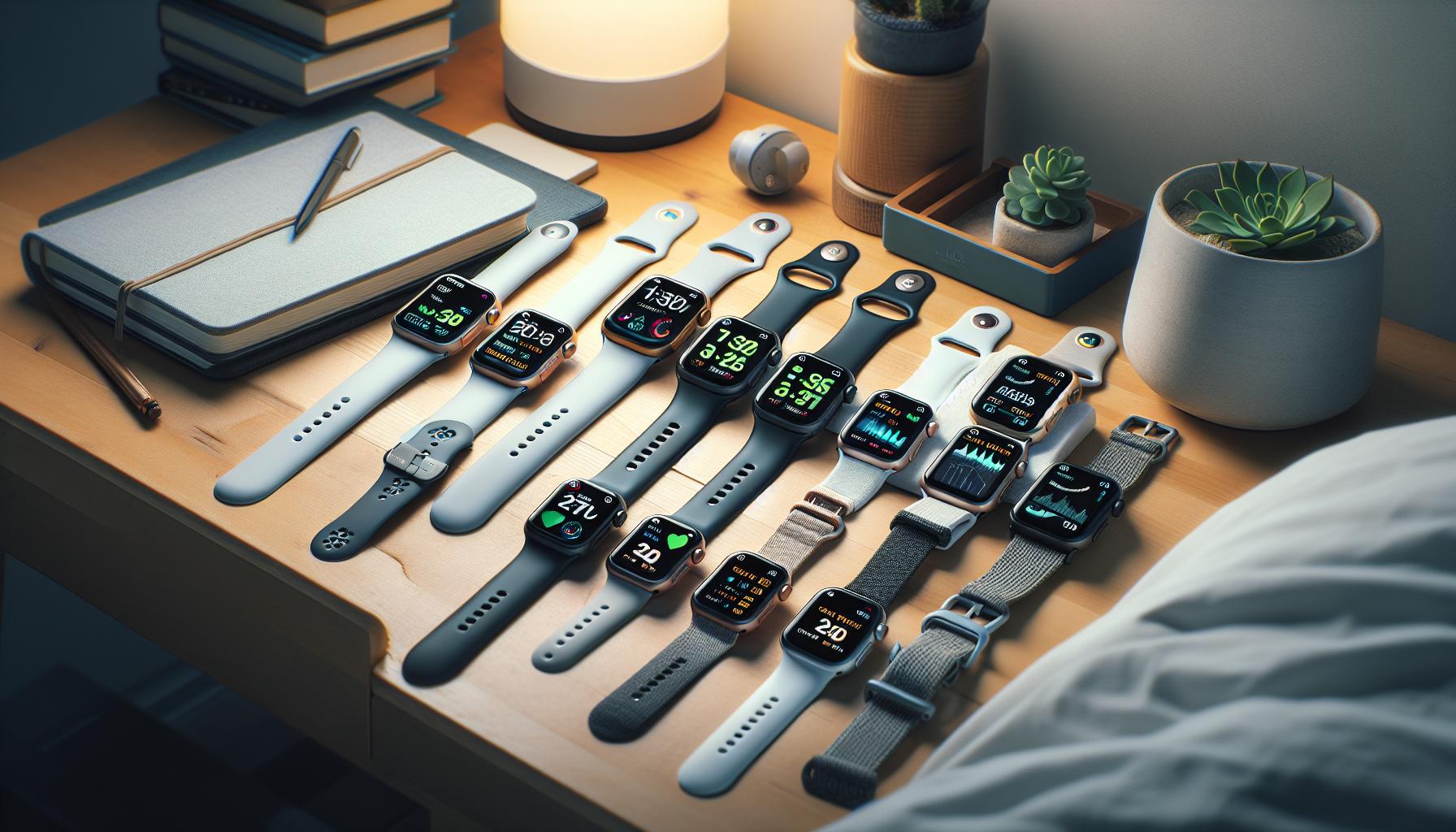
Comparing Sleep Tracking Features Across Apple Watch Models
The landscape of sleep tracking features across various Apple Watch models showcases a range of capabilities that cater to different users’ needs. Since the introduction of sleep tracking in watchOS 7, all Apple Watch models from Series 3 onwards, including the latest Series 8 and SE, now include integrated sleep monitoring features. This means that regardless of which model you choose, you can access fundamental tracking functionalities like sleep duration and consistency.
### Core Features
All compatible Apple Watch models share core functionalities that make sleep tracking accessible and user-friendly. Across the board, users can expect to track the following:
- Total Sleep Duration: Measures how long you sleep each night.
- Sleep Consistency: Helps you understand how regularly you adhere to your sleep schedule.
- Sleep Goals: Users can set personalized sleep targets to encourage better habits.
- Bedtime Reminders: Alerts to help establish a consistent sleep routine.
### Model-Specific Insights
When comparing the Apple Watch Series 8, SE, and Ultra, distinct features enhance the sleep tracking experience:
Apple Watch Series 8
With its advanced sensors, the Series 8 provides improved heart rate monitoring and sleep stage tracking, which differentiates between light, deep, and REM sleep. Users can benefit from more accurate data over a wider range, particularly focusing on their overall heart health during sleep.
Apple Watch SE
The SE model offers robust sleep-tracking capabilities at a more budget-friendly price point. Although it may lack some of the advanced sensors of the Series 8, it still provides essential sleep metrics and routines. This makes it a great choice for users who seek effective sleep tracking without the additional premium features.
Apple Watch Ultra
The Ultra stands out with its more comprehensive health tracking, including temperature sensors that can enhance sleep analytics. It is particularly suited for those interested in outdoor activities, offering insights into how physical exertion affects sleep. Additionally, it has a longer battery life, allowing for extended sleep tracking without frequent recharging.
### Choosing the Right Model
Understanding the differences can guide your decision based on lifestyle. If comprehensive sleep insights are essential for your health monitoring, investing in the Series 8 or Ultra may be worthwhile. However, if you are a casual user looking to improve overall sleep habits, the SE’s offerings could be more than sufficient.
In conclusion, while all Apple Watch models provide a foundation for sleep tracking, your specific needs, budget, and desired features will significantly influence your choice. Each model’s capabilities can empower users to take actionable steps towards better sleep health, reinforcing the importance of establishing a consistent routine and understanding personal sleep patterns.
Apple Watch Series 8: Sleep Tracking Insights
The Apple Watch Series 8 takes sleep tracking to new heights with its advanced sensor technology and intuitive functionality, making it an essential tool for those serious about monitoring their sleep health. With the ability to differentiate sleep stages, including light, deep, and REM sleep, users can gain deeper insights into their nightly rest patterns. By tracking these stages, you’ll not only see how long you sleep but also how restorative that sleep truly is.
One of the standout features of the Series 8 is its heart rate monitoring during sleep, which can provide valuable information for those managing their cardiovascular health. For example, if you notice unusual fluctuations in your heart rate while sleeping, it might prompt you to consult with a healthcare provider. Setting up sleep tracking is straightforward: ensure your watch is snug on your wrist, enable the Sleep Focus mode, and let the watch automatically detect when you fall asleep and wake up. This seamless integration means you can wake up to a day’s worth of data brought straight to your wrist.
Another noteworthy aspect is the Apple Watch Series 8’s compatibility with various health apps that can enhance your sleep tracking experience. These apps can provide additional analytics, such as sleep quality assessments and personalized recommendations based on your data, allowing for a tailored approach to improving your sleep hygiene.
In terms of user experience, many Series 8 users report a significant change in their sleep habits by being more mindful of their sleep patterns, thanks to the insights derived from the watch. While it’s vital to recognize that the Series 8 cannot replace professional sleep studies for diagnosing serious sleep disorders, its comprehensive tracking features empower users to take actionable steps toward better sleep health. This proactive approach can often lead to improvements even before considering formal medical intervention.
Apple Watch SE: Sleep Tracking Capabilities
The Apple Watch SE provides an accessible entry point into the realm of sleep tracking, making it a strong contender for users who wish to monitor their sleep patterns without breaking the bank. Starting at a lower price point compared to premium models, the SE still packs valuable features that help users understand their sleep habits better.
With its built-in Sleep app, the Apple Watch SE allows users to establish sleep schedules and set sleep goals, promoting a more disciplined sleep routine. When worn at night, it uses motion sensors to detect when you’re asleep. This means you don’t have to interact with the device while settling down for the night; it automatically tracks your time in bed, offering insights into how long you sleep and your sleep consistency.
Sleep Tracking Features
While the SE does not feature the advanced stage detection found in the Series 8 or Ultra (like distinguishing between REM, deep, and core sleep), it still provides essential data that can help users make informed adjustments to their habits. Users can see their total sleep time and set reminders to wind down, which can be immensely helpful for those struggling with irregular sleep patterns.
Setting Up Sleep Tracking
Setting up sleep tracking on the Apple Watch SE is straightforward. Follow these steps for optimal results:
- Wear Your Watch: Ensure the watch is snug on your wrist.
- Enable Sleep Focus: Activate Sleep Focus mode to ensure accurate tracking.
- Set a Schedule: Use the Sleep app on your iPhone to set a bedtime and wake-up time.
This seamless integration not only enhances the user experience but can also lead to better sleep hygiene as individuals become more aware of their nightly routines.
User Perspective
Users report that the Apple Watch SE has been a helpful tool in initiating conversations around sleep health, even if the device lacks some of the high-tech features of its pricier counterparts. Many find that tracking their sleep with the SE encourages them to prioritize sleep more seriously, leading to lifestyle changes such as reduced screen time before bed or setting more consistent sleep schedules.
Though it’s significant to recognize that while the Apple Watch SE offers a great way to monitor your sleep, it is not a substitute for professional sleep studies when dealing with serious sleep disorders. However, it can serve as a first step towards understanding your sleep habits and the lifestyle adjustments necessary for improvement.
Apple Watch Ultra: Advanced Sleep Tracking Features
The Apple Watch Ultra stands out not just for its rugged design suited for extreme sports, but also for its sophisticated sleep tracking capabilities. This high-end model incorporates advanced sensors and features that provide users with a comprehensive understanding of their sleep patterns. With the Ultra, Apple enhanced the potential for serious sleep tracking, appealing to those who value precise data and insights.
One of the key advancements in the Ultra is its ability to detect various sleep stages, including REM, deep, and core sleep. This differentiation allows users to gain a deeper understanding of their sleep quality, rather than just the duration. The Ultra utilizes advanced algorithms in conjunction with its robust suite of sensors to analyze heart rate, movement, and even blood oxygen levels throughout the night. This data is then accessible through the Sleep app on the paired iPhone, presenting a clear picture of how the user sleeps over time.
Setting up sleep tracking on the Apple Watch Ultra is seamless. Users simply need to wear the watch snugly while they sleep and ensure that Sleep Focus is enabled to minimize disturbances. The watch can automatically suggest bedtime schedules based on sleep patterns it observes, making it easier for individuals to foster better sleep hygiene. The insights gained from the Ultra, such as average sleep duration and consistency, help individuals make informed decisions to improve their sleep quality, leading to better overall health and wellness.
However, it’s important to highlight that while the Apple Watch Ultra provides extensive tracking capabilities, it is not a replacement for professional sleep studies, especially for those with diagnosed sleep disorders. Users concerned about sleep health should consider the Ultra as a tool for monitoring and initiating lifestyle changes, while also knowing when to seek further medical advice if needed. With its advanced features, the Ultra offers a valuable resource for enhancing sleep awareness and promoting healthier rest habits.
Compatibility of Sleep Tracking with Sleep Apps
Unlocking the potential of your Apple Watch for sleep tracking is not just about the device itself; it also extends to the various sleep apps that enhance its capabilities. Many users may not realize that the Apple Watch seamlessly integrates with a range of sleep-focused apps, providing deeper insights into sleep patterns, improved tracking details, and personalized recommendations for better sleep hygiene.
The built-in Sleep app on your Apple Watch works in tandem with the Health app on your iPhone, allowing you to set sleep goals and analyze your sleep trends over time. Beyond the standard features, numerous third-party applications can further elevate your sleep tracking experience. Some popular choices among users include:
- AutoSleep: This app tracks sleep automatically without requiring manual input. It provides in-depth analysis of your sleep stages and overall sleep quality.
- Sleep Cycle: Known for its intelligent alarm clock feature, this app also monitors sleep quality and offers suggestions for improvement based on your patterns.
- Pillow: With advanced sleep analysis technology, Pillow offers personalized sleep coaching based on your tracked data, helping you to optimize your rest.
These apps often utilize Apple’s HealthKit framework, which means they can access relevant data from your Apple Watch and iPhone health metrics, including heart rate and activity levels. This synergy is vital for users aiming for a comprehensive understanding of their sleep health. However, it’s essential to ensure that permissions are appropriately set for these apps to function effectively.
When considering using additional sleep apps, be mindful of compatibility. While Apple Watch Series 3 and later models support sleep tracking features, the performance of specific apps may vary based on the watchOS version and the specific capabilities of each watch model. For those looking to delve deeper into their sleep health, the combination of a well-chosen app and a compatible Apple Watch can provide a wealth of actionable insights, empowering users to take control of their sleep quality and overall wellness.
User Experiences: Real Reviews of Apple Watch Sleep Tracking
User experiences with Apple Watch sleep tracking reveal a range of insights that can guide potential users in making informed decisions about their sleep health. Many users report a significant enhancement in their ability to monitor sleep patterns when using various Apple Watch models. One prevalent theme is the positive impact of tracking sleep duration and quality, which often leads to behavioral changes aimed at improving sleep hygiene. For example, individuals note that having access to detailed sleep data motivates them to establish healthier bedtime routines, such as limiting screen time before sleep and going to bed at consistent times.
Real User Examples
Several users have shared their experiences regarding the specific models. For instance, those using the Apple Watch Series 7 highlight its comfortable design, making it easy to wear throughout the night without discomfort. They appreciate features like sleep tracking coupled with heart rate monitoring, allowing them to correlate sleep data with overall health metrics. Similarly, users of Apple Watch SE value its affordability while still providing essential sleep tracking functionalities. They find it especially useful for detecting changes in sleep trends over time.
However, experiences also vary based on expectations and the complexity of sleep disorders. Some users have encountered limitations, particularly in distinguishing between light, deep, and REM sleep phases. This has prompted conversations among users about the reliability of Apple Watch sleep tracking compared to traditional polysomnography tests. Those with more severe sleep issues, such as sleep apnea, often note that while the watch provides a good overview, it cannot replace the comprehensive evaluation from a sleep study conducted by professionals.
Community Feedback on Apps
Users frequently recommend integrating their Apple Watch with third-party sleep applications to enhance the tracking experience. Apps like AutoSleep receive high praise for their automatic tracking capabilities and detailed analysis, allowing users to dive deeper into their sleep patterns. Reviews indicate that users enjoy receiving tailored advice based on their unique sleep data, which empowers them to make informed decisions about improving their sleep quality.
In conclusion, user experiences highlight a varied landscape of satisfaction with Apple Watch sleep tracking. While many appreciate its capabilities in promoting better sleep habits and monitoring health, others seek clarity on its limitations, especially for specific sleep disorders. Overall, community feedback underscores the importance of combining Apple Watch functionalities with additional resources for those looking to take charge of their sleep health.
Setting Up Sleep Tracking on Your Apple Watch
Getting started with sleep tracking on your Apple Watch is a straightforward process that can lead to invaluable insights into your sleep habits. Whether you’re using an Apple Watch Series 3 or the latest Series 8, the sleep tracking feature is built into the native Sleep app. Here’s how to set everything in motion to gain clarity on your nightly rest patterns.
First, you’ll want to ensure that your Apple Watch is updated to the latest version of watchOS. Then, follow these steps to set up sleep tracking:
Steps to Set Up Sleep Tracking
- Open the Sleep App: On your Apple Watch, locate and tap the Sleep app.
- Set Your Sleep Schedule: You can create a sleep schedule by tapping “Full Schedule” and then specifying your desired bedtime and wake-up time. Consider your daily routines to maximize the effectiveness of your setup.
- Enable Sleep Mode: To prevent disturbances from notifications during your sleep hours, turn on Sleep Mode. This setting also dims your display for a less intrusive experience.
- Track Your Sleep: Once your schedule is set, your Apple Watch will automatically track your sleep phases, including when you fall asleep and when you wake up. It captures necessary data such as heart rate, which is useful for overall wellness insights.
Tips for Optimal Use
- Wear It Comfortably: Ensure that your watch fits snugly but comfortably during the night to get accurate readings.
- Charge Before Bed: Ideally, charge your Apple Watch during the day or while at work so that it has enough battery life to last through the night.
- Review Your Sleep Data: After a few nights, access your sleep data through the Health app on your iPhone. This app will show trends over time and allow you to analyze your sleep quality.
By following these steps and tips, your Apple Watch will not only track your sleep but also help you make informed decisions about improving your sleep hygiene. Keep in mind that while the Apple Watch provides significant insights, it is not a replacement for professional sleep studies, especially if you suspect any serious sleep disorders.
Arming yourself with the right information and using your Apple Watch effectively can empower you to enhance your overall sleep health and well-being.
Limitations of Apple Watch Sleep Tracking
While the Apple Watch offers impressive sleep tracking capabilities, it’s important to understand its limitations. This smart device is a powerful tool for tracking sleep duration and providing insight into sleep patterns, but it’s not a comprehensive solution for everyone’s sleep needs.
One of the primary limitations is the accuracy of sleep stage detection. The Apple Watch uses accelerometer data to estimate when you are asleep and awake, but it does not precisely monitor sleep stages like REM, light, or deep sleep. This variability means that the data you receive may not fully represent your actual sleep quality. While it can provide a general overview, those seriously concerned about their sleep health may need more sophisticated tools or assessments.
Battery Life and Comfort Considerations
The device’s battery life also poses a challenge. To effectively track your sleep, the Apple Watch needs to be worn overnight, which requires adequate battery life. Users may find themselves needing to recharge during the day to ensure it lasts through the night. If you forget to charge it, you could lose valuable sleep data. Additionally, some users may find wearing a watch to bed uncomfortable, potentially impacting their sleep quality even before they fall asleep.
Not a Replacement for Professional Help
Furthermore, while the Apple Watch can provide useful insights, it is not a substitute for professional sleep studies, especially for individuals with suspected sleep disorders like sleep apnea or insomnia. A sleep study conducted under professional supervision often includes comprehensive assessments, including polysomnography, which cannot be replicated by a wearable device. If you’re experiencing persistent sleep issues, it’s advisable to consult a healthcare provider.
These limitations highlight the need for a balanced perspective when using the Apple Watch for sleep tracking. It can be a great first step towards improving sleep hygiene, but it should be complemented by professional guidance if serious concerns exist. Empower yourself with data from your Apple Watch, but remain aware of its boundaries and when to seek further help.
When to Consider Professional Sleep Studies vs. Apple Watch Tracking
Understanding when to utilize professional sleep studies versus Apple Watch tracking is crucial for managing your sleep health effectively. Sleep studies offer in-depth insights that a consumer wearable can’t match, especially for those with persistent sleep issues. For instance, if you frequently experience excessive daytime sleepiness, loud snoring, or pauses in breathing during sleep, these are signs that a formal sleep study might be necessary. Such studies use polysomnography to monitor brain waves, oxygen levels, heart rate, and breathing patterns, providing a comprehensive overview of your sleep cycles and potential disorders like sleep apnea.
On the other hand, an Apple Watch can be a valuable initial step in your sleep health journey. It tracks basic metrics such as total sleep time, time spent awake, and sometimes even heart rate trends. This data can highlight patterns, such as consistently waking up during the night or not getting enough sleep overall. It’s useful for people who want to improve their sleep hygiene without the need for invasive procedures. If the data from your Apple Watch indicates persistent disturbances or difficulty achieving restful sleep, it may then prompt you to seek a professional evaluation.
Another factor to consider is the cost and accessibility of sleep studies. Insurance coverage varies, and without it, a sleep study can be quite expensive, ranging anywhere from $500 to $3,000. Comparatively, the cost of an Apple Watch or other sleep tracking devices is typically much less, making them more accessible for most users. However, while the watch can give you a good sense of your sleep patterns and motivate you to adopt healthier habits, relying solely on it when serious issues are suspected may not suffice.
When evaluating your sleep health, reflect on the severity and frequency of your sleep issues. Ask yourself: Are your sleep patterns making you feel unwell or affecting your daily life? If the answer is yes, it’s crucial to consult a healthcare provider and consider a sleep study. Meanwhile, utilize your Apple Watch to track your sleep duration and gain insights into your nightly habits, which can guide discussions with your doctor. Balancing the insights gained from wearable technology with professional advice maximizes your chances of achieving better sleep health.
Q&A
Q: Which Apple Watch models support sleep tracking?
A: All Apple Watch models starting from the Series 3 and later support sleep tracking features. This includes the Apple Watch Series 6, Series 7, Series 8, SE, and Ultra, allowing users to monitor sleep patterns, duration, and quality through the Sleep app linked to the iPhone’s Health app.
Q: How does sleep tracking work on Apple Watch?
A: Sleep tracking on Apple Watch works by automatically detecting user sleep patterns using motion sensors and heart rate monitoring. It records when you fall asleep, how long you sleep, and your wake-up times, providing insights through the Sleep app on paired iPhone devices.
Q: What features does the Apple Watch Ultra offer for sleep tracking?
A: The Apple Watch Ultra offers advanced sleep tracking features, including personalized sleep metrics, detailed insights, and deeper integration with fitness tracking. Its larger display and enhanced sensors provide more accurate data, helping users improve their sleep hygiene and overall well-being.
Q: Can I use third-party sleep apps with my Apple Watch?
A: Yes, many third-party sleep apps are compatible with the Apple Watch. These apps can enhance the sleep tracking experience by providing additional insights and features. Ensure that the chosen app integrates with the Apple Health app for a comprehensive overview of your sleep data.
Q: How accurate is the sleep tracking on Apple Watch?
A: The sleep tracking on Apple Watch is generally considered accurate for monitoring sleep duration and trends, though it may not be perfect. It primarily detects motion and heart rate, which may lead to some discrepancies in sleep stages compared to professional sleep studies.
Q: How can I improve sleep tracking accuracy on my Apple Watch?
A: To improve sleep tracking accuracy, wear your Apple Watch snugly during the night and ensure it is fully charged before sleep. Regularly update your watchOS to access the latest features and enhancements and maintain consistent sleep schedules for more reliable data.
Q: What should I do if my Apple Watch sleep tracking seems inaccurate?
A: If your Apple Watch sleep tracking appears inaccurate, check that your watch is securely fitted and that the sleep tracking feature is properly enabled in the settings. Restart your Apple Watch and ensure it’s updated to the latest software. If issues persist, consider consulting the Apple Support resources.
Q: Are there any limitations to Apple Watch sleep tracking?
A: Yes, there are limitations to Apple Watch sleep tracking, such as its dependency on wearer motion and heart rate rather than comprehensive sleep stages. Additionally, it requires charging daily, which might interrupt tracking on certain nights. For serious sleep issues, consider professional sleep studies for accurate diagnosis and insights.
In Conclusion
As we’ve explored, various models of the Apple Watch come equipped with impressive sleep tracking capabilities, making it easier than ever to prioritize your sleep health. Whether you’re considering the latest series or looking at earlier models, each offers tools that can empower you to improve your nightly rest. Don’t let sleep tracking be an afterthought-take control of your sleep journey today!
Ready to dive deeper? Check out our guides on maximizing your Apple Watch’s potential or explore how wearables compare in sleep quality monitoring. If you have questions or want to share your experience, we’d love to hear from you in the comments below!
Join our newsletter for the latest insights on sleep technology and health tips, ensuring you stay informed on your journey to better sleep. Remember, the right tools make a difference, and your sleep is worth investing in!
Get our latest guides, news, and insights highlighted in your Google Search & AI Overviews.