
If your Fitbit Inspire 3 isn’t tracking your sleep, you’re not alone. Many users encounter this frustrating issue, which can impact your overall health insights. Sleep is crucial for recovery and maintaining energy, so having accurate data is essential for making informed lifestyle decisions. In this article, we’ll explore common reasons why your device may be failing to monitor your sleep effectively, and provide actionable solutions to get your tracker back on track. Let’s dive into troubleshooting steps that can empower you to regain control over your sleep health and ensure your Fitbit works optimally for you.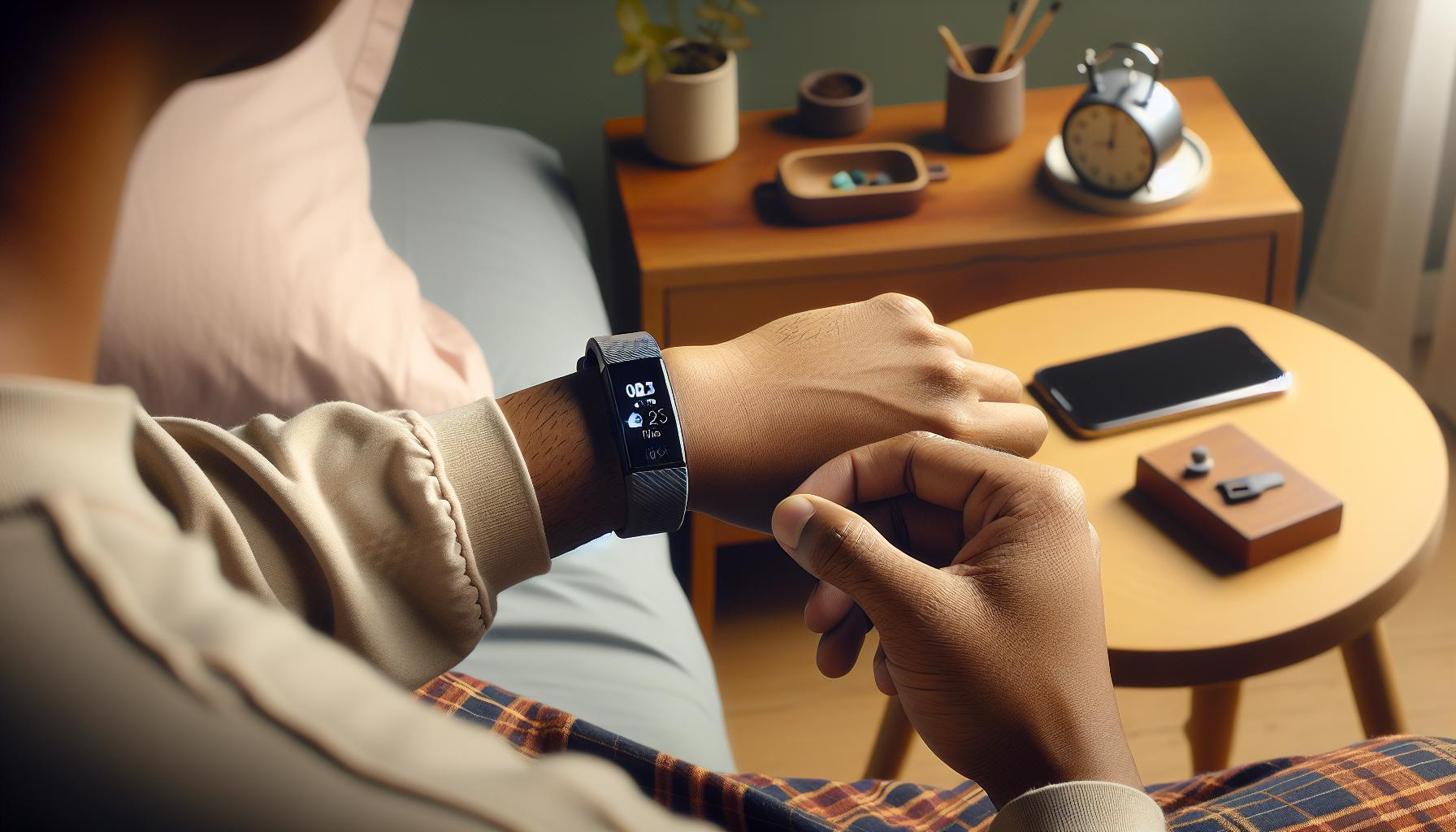
Common Reasons Your Fitbit Inspire 3 Fails to Track Sleep
Sleep tracking issues with the Fitbit Inspire 3 can be frustrating, especially when you rely on accurate sleep data to monitor your health. Several factors may contribute to your device’s inability to effectively track your sleep patterns. Understanding these common reasons can help you troubleshoot effectively and maximize the benefits of your wearable technology.
One of the primary reasons your Fitbit Inspire 3 might struggle with sleep tracking is improper wear. The device should be snug but not too tight, as excessive pressure can affect the sensors’ ability to detect your movement. Additionally, wearing the watch too loosely may lead to inaccurate data, so it’s essential to find the right balance. Regularly check that the device is positioned correctly on your wrist and that the sensors are clean and unobstructed.
Another frequent culprit is the sleep mode settings. If you haven’t enabled sleep tracking in the app or if the device is in the wrong mode during your nighttime routine, it might not register your sleep periods. It’s important to ensure that the Sleep Mode is activated before bed. Updating the firmware and app can also resolve bugs that might interfere with sleep tracking functionality, so keep your Fitbit and its companion app up to date.
Lastly, external factors like noise, light, or temperature can impact your sleep quality and, consequently, how well your Fitbit tracks it. If you have frequent disturbances in your sleeping environment, your device may interpret these as restlessness, leading to inaccurate data. To improve tracking, aim for a tranquil sleep setting-consider using blackout curtains, earplugs, or white noise machines to create a more conducive environment for sleep.
By addressing these issues, you can enhance your Fitbit Inspire 3’s accuracy in tracking your sleep, ensuring you get the most out of your health monitoring experience.
Essential Setup Steps to Ensure Accurate Sleep Tracking
To get the most accurate sleep tracking from your Fitbit Inspire 3, proper setup is crucial. Small missteps during setup can lead to significant discrepancies in the data you receive, which can affect your understanding of your sleep quality and patterns. Below are essential steps you can take to ensure your device functions optimally throughout the night.
Wear Your Fitbit Correctly
The way you wear your Fitbit is fundamental for its tracking accuracy. The device should sit snugly on your wrist, but not too tightly – you want it firm enough to maintain contact with your skin without causing discomfort. A good rule of thumb is to check that the sensors on the underside of your watch are unobstructed and that the band isn’t pinching your skin or rotating around your wrist. Regularly cleaning the area where the sensors touch your skin can also help avoid any build-up that may interfere with readings.
Activate Sleep Mode
To ensure your Fitbit can accurately track your sleep, you must activate Sleep Mode before going to bed. This feature should be toggled on manually in the app or through the device itself. If Sleep Mode is not activated, your Fitbit may not register your sleep sessions correctly, causing gaps or incorrect sleep data. Consider setting a daily reminder in your phone to prompt you to enable this feature each night.
Update Your Device and App
Regular updates can improve performance and fix bugs, which may enhance your sleep tracking capabilities. Make it a habit to check for software updates for both your Fitbit and the associated app on your smartphone. You can perform updates easily through the Fitbit app by going to your account settings and looking for firmware options. Ensuring everything is up-to-date can eliminate potential errors that cause tracking issues.
Optimize Your Sleep Environment
Lastly, the environment in which you sleep plays a critical role in the effectiveness of your sleep tracking. Factors like noise levels, room temperature, and light exposure can all impact the quality of your sleep. Aim to create a peaceful, dark, and cool setting to promote better rest. Consider using blackout curtains and white noise machines if necessary, which can help signal to your Fitbit that you’re in a deep, uninterrupted sleep state rather than adjusting to disturbances throughout the night.
By following these setup steps, you can significantly enhance the Fitbit Inspire 3’s ability to track your sleep accurately, giving you better insights into your rest patterns and overall health.
Understanding Fitbit Sleep Tracking Features and Limitations
Understanding the nuances of how your Fitbit Inspire 3 tracks sleep can help you maximize its potential. While Fitbits are celebrated for their ability to monitor sleep patterns, the technology is not infallible and has its limitations. Understanding these facets can empower you to adjust your approach, resulting in meaningful insights about your sleep health.
Fitbit devices, including the Inspire 3, utilize a combination of heart rate monitoring and motion detection to evaluate your sleep stages. This means that the device tracks how long you sleep, the quality of that sleep, and breaks down the cycles into light, deep, and REM sleep. However, this form of tracking is based on algorithms that analyze data collected from your wrist. As a result, environmental factors like room temperature, noise, and even your body position can affect the accuracy of the readings.
Despite these advantages, it’s essential to acknowledge the limitations. For instance, if you’re someone who frequently shifts positions throughout the night or sleeps with a partner, the device might struggle to accurately gauge your sleep quality. Moreover, activities such as restless leg syndrome can mislead the sensors, causing inaccuracies in sleep reporting. It’s also important to recognize that while Fitbit provides valuable insights, it cannot replace comprehensive sleep studies conducted by professionals, which offer a detailed look at potential sleep disorders.
To enhance your experience with sleep tracking on the Inspire 3, consider customizing your settings within the Fitbit app. Ensure that your device is updated regularly, wears comfortably, and that you take advantage of features like Sleep Mode to optimize accuracy. A harmonious relationship between user awareness and the device’s capabilities can pave the way for more insightful health data that helps you make informed decisions about your sleep habits.
How to Adjust Your Sleep Settings in the Fitbit App
To ensure that your Fitbit Inspire 3 accurately tracks your sleep, adjusting the settings within the Fitbit app is crucial. Many users find that small tweaks can lead to significant improvements in data accuracy. Start by confirming that your sleep settings align with your personal sleep schedule. Setting your bedtime and wake-up time in the app can help the device recognize when you’re asleep, which is essential for accurate tracking.
Within the app, navigate to the “Sleep” section to adjust your settings. Here, you can easily turn on Sleep Mode, which prevents notifications from disturbing your sleep and helps the device focus on tracking your rest periods. Additionally, make sure that the “Sleep Reminder” feature is enabled. This prompt can help you establish a consistent sleep routine, ultimately enhancing the accuracy of your sleep data.
Another significant adjustment involves ensuring your device is worn correctly. The Inspire 3 should fit snugly but comfortably on your wrist. A loose fit might result in inaccurate readings due to movement. For the best results, wear the device on your non-dominant wrist while you sleep. Regularly check for software updates in the app to benefit from improvements and bug fixes that might enhance sleep-tracking capabilities.
Lastly, familiarize yourself with your sleep data insights after each night. The Fitbit app offers detailed breakdowns of your sleep stages, including light, deep, and REM sleep. By understanding these metrics, you can make informed adjustments to your sleep habits and settings, ensuring that your device continues providing valuable insights over time.
Tips for Creating Ideal Sleep Conditions with Fitbit
Creating the optimal environment for sleep can profoundly enhance your Fitbit Inspire 3’s accuracy in tracking your rest. Just like a fine-tuned instrument, your sleep tracker performs best when the conditions are right. Here are some actionable tips to help you set the stage for a restful night and accurate sleep monitoring.
Optimize Your Sleep Environment
Begin by assessing your bedroom conditions. Think of factors like noise, light, and temperature, all of which play a critical role in your ability to fall asleep and stay asleep. Aim for a cool room temperature-around 60 to 67 degrees Fahrenheit is generally ideal. Consider implementing blackout curtains to eliminate light disturbances and using white noise machines or earplugs to reduce any disruptive sounds that might interrupt your sleep cycles.
Additionally, remove any electronic devices that emit blue light, such as phones or tablets, at least an hour before bedtime. The blue light can interfere with your body’s melatonin production, making it harder to drift off. Instead, choose relaxing activities, like reading or meditative practices, to wind down as bedtime approaches.
Adhere to a Consistent Sleep Schedule
Establishing and sticking to a regular sleep schedule can significantly benefit your sleep quality. Go to bed and wake up at the same time every day-even on weekends. This consistency trains your body’s internal clock, making it easier to fall asleep and wake up naturally. The Fitbit app allows you to set reminders for bedtime and wake time, ensuring you stay disciplined in your routine.
Utilize Sleep Mode and Adjust Settings
Harness the power of your device by activating the Sleep Mode feature on your Inspire 3. This mode silences notifications during your sleeping hours, allowing your tracker to focus solely on capturing your sleep patterns without distractions. Additionally, make sure to input your accurate sleep schedule within the app to help the device recognize sleep times better and enhance tracking precision.
Create a Relaxation Ritual
Developing a pre-sleep routine can signal your body that it’s time to wind down. Activities such as gentle stretching, deep breathing exercises, or aromatherapy can promote relaxation and help transition your mind into a restful state. Incorporating calming scents, like lavender or chamomile, can also create a soothing atmosphere conducive to sleep.
By following these tips to create ideal sleeping conditions, you’ll not only enhance the quality of your sleep but also empower your Fitbit Inspire 3 to track your sleep more accurately, providing you with valuable insights into your rest habits.
Troubleshooting Common Sleep Tracking Issues
Sleep is a cornerstone of overall health, and when your Fitbit Inspire 3 fails to track it accurately, it can be frustrating. Understanding the common reasons behind these issues is the first step toward finding a solution. Often, problems with sleep tracking can stem from improper usage or settings. For instance, ensure your device is worn correctly; the Inspire 3 should fit snugly on your wrist but not too tight. If the band is too loose, it may struggle to capture movement and heart rate data effectively.
Another frequent culprit is the lack of a proper Sleep Mode activation. This feature is designed to focus on sleep data collection sans the interference of notifications. Always double-check if you’ve enabled this mode before bedtime. Additionally, it’s important to have your sleep schedule accurately set up in the Fitbit app, as the device uses this information to determine when you are asleep. If your sleep hours don’t match the bedtime you typically follow, the Inspire 3 might misinterpret your movements during the night.
Battery and Firmware Considerations
Sometimes, low battery levels can affect the performance of your Fitbit Inspire 3. If the battery is near depletion, the device may not function optimally, including sleep tracking. Regularly charging your device and ensuring it has sufficient battery can prevent such issues. Moreover, keeping your firmware updated can help resolve bugs and improve performance. Check the Fitbit app to confirm if there’s a pending update for your device.
Environmental Factors
Lastly, consider external factors that may interfere with your sleep quality-and consequently, the tracking accuracy. Sudden disruptions, like changes in your sleep position, room temperature, or light levels, could mislead the tracker. To mitigate this, control your sleep environment by minimizing noise, adjusting the room temperature, and ensuring that light sources are low.
By systematically addressing these common issues, you can enhance the precision of your Fitbit Inspire 3’s sleep tracking capabilities and gain more insightful data for better sleep health. If problems persist, it may be worthwhile to consult Fitbit customer service for personalized assistance.
When to Replace Your Fitbit Inspire 3: Signs of Wear and Tear
The longevity of your Fitbit Inspire 3 can significantly impact its ability to accurately track your sleep, and noticing signs of wear and tear is crucial for maintaining reliable performance. After months of daily use, even the sturdiest devices can start to show wear, which can directly affect their tracking abilities. If you find that your Inspire 3 is no longer providing accurate sleep data, it might be time to consider whether age or damage is the culprit.
One of the first indicators that your device may need replacing is a decline in battery life. If you find yourself charging your Fitbit more frequently, or if it no longer holds a charge well, this could be a sign of aging hardware. Additionally, an uptick in inaccuracies-such as inconsistent sleep tracking or errors in heart rate readings-might suggest that internal sensors are becoming unresponsive or less effective. Pay attention to any persistent notifications of low battery or system updates that fail to resolve ongoing issues.
Physical damage is another telltale sign that your Inspire 3 might require replacement. Cracked screens, worn out bands, or any visible signs of external damage can prevent the device from properly securing itself to your wrist or accurately measuring movement. If the band feels excessively loose or tight despite adjustments, friction with your skin can cause discomfort and might also affect sensor function. Consider trading in your device for a new one if you notice any of these issues.
Lastly, if your Fitbit Inspire 3 is not only showing signs of physical deterioration but also failing to deliver the data insights you rely on, it may be a good time to evaluate alternatives. While wearables have improved tracking capabilities, some users find that functionality varies significantly between models. If sleep tracking is never quite right despite troubleshooting, exploring other sleep tracking devices with newer technology might be worth the investment. Ultimately, staying attuned to your device’s performance will empower you to make the best choices for your sleep health.
Exploring Alternative Sleep Tracking Devices
When your Fitbit Inspire 3 isn’t accurately tracking sleep, it may be time to look at alternative devices that could provide more reliable insights. Numerous modern wearables boast advanced sleep-tracking features which can help you get a clearer picture of your nightly rest. This exploration can empower your sleep health journey, making it essential to consider factors that suit your specific needs.
Many consumers gravitate towards popular options such as the Apple Watch Series and the Oura Ring. Both devices are highly rated for their accuracy in sleep tracking and additional health features. The Apple Watch integrates seamlessly with iOS devices to offer extensive health data, while the Oura Ring provides an attractive and discreet design with impressive battery life and deep sleep analysis.
Features to Consider
When evaluating alternative sleep tracking devices, think about the following features that can enhance your sleep health monitoring:
- Sleep Stages Detection: Choose devices that accurately differentiate between light, deep, and REM sleep.
- Heart Rate Monitoring: Continuous heart rate tracking can provide insights into your overall sleep quality.
- Environment Tracking: Some devices offer insights on bedroom conditions like temperature and noise levels, which can affect sleep.
- App Integration: A user-friendly app can help you analyze sleep patterns and improve habits easily.
Furthermore, smart mattresses and sleep pods, like those from Eight Sleep, integrate technology into your bed to monitor sleep without wearing a device. These products often include features to adjust temperature, enhancing comfort based on your sleep stages. While the initial investment is typically higher than traditional wearables, many users find the comprehensive feedback invaluable for improving sleep quality.
Before making a decision, it’s wise to explore options with trial periods or money-back guarantees. This can lead to discovering what features you value most and ensure the device fits seamlessly into your lifestyle. Remember, selecting a device that not only tracks your sleep but also supports your overall health can be a significant step towards better rest and recovery.
Real User Experiences: Overcoming Sleep Tracking Challenges
Many Fitbit users have encountered challenges with sleep tracking, and sharing these experiences sheds light on effective solutions. For instance, a common concern is inconsistent data, particularly during periods of stress or changes in routine. Jake, a long-time Fitbit owner, discovered that adjusting his bedtime routine made a significant difference in accuracy. By establishing a consistent sleep schedule and minimizing screen time before bed, he found that his Inspire 3 provided more reliable insights.
Another user, Sarah, faced difficulties when her device failed to register sleep at all. After troubleshooting and ensuring her watch was snug on her wrist, she realized the importance of covering her watch at night. Using a light sleep mask not only helped block out ambient light but also reminded her to wear her device properly for accurate tracking. As she implemented these changes, the data reflected her sleep stages more accurately, allowing her to better understand her sleep patterns.
It’s also important to recognize the emotional implications of relying on tech for sleep health. A few users have reported experiencing anxiety when their devices didn’t track sleep as expected, raising concerns about their overall well-being. They found that a proactive approach-focusing on lifestyle changes, such as improving their sleep environment-was much more beneficial than stressing over device failures. Investing in blackout curtains and using white noise machines transformed their bedrooms into sanctuaries conducive to rest.
Furthermore, experimenting with various sleep settings in the Fitbit app has helped many users refine their tracking experience. By customizing their goals and sensitivity levels, users can observe more nuanced insights into their sleep, showing how technology, when aligned with personal preferences, can enhance the sleep-tracking experience significantly. Overall, these real-world experiences can empower others facing similar challenges, emphasizing that while technology is a helpful tool, personal habits and adjustments play a crucial role in achieving optimal sleep health.
The Importance of Sleep Quality Over Quantity
Achieving a restful night isn’t just about clocking in the hours; it’s about the quality of those hours. Many users may obsess over sleep duration, yet research shows that deep and restorative sleep stages matter significantly more for overall health. A Fitbit Inspire 3 user might see a range of sleep data, including total sleep time and the various sleep stages, but misinterpretations can arise if there’s a focus solely on quantity. It’s crucial to understand how factors like sleep interruptions, sleep stages, and individual health needs can influence what constitutes a “good” night’s sleep.
Quality sleep encompasses the depth and restoration levels of the cycles. A night filled with light sleep may look impressive in terms of hours counted, but if you’re frequently waking or spending too little time in restorative deep sleep, you’re likely to feel groggy and fatigued the next day. This is where the Fitbit’s ability to differentiate between light, deep, and REM sleep becomes critical. Realizing you can adjust your habits to achieve more deep sleep can empower you to take actionable steps toward improving not just sleep quantity but quality as well.
Moreover, sleep quality is often intertwined with daytime behaviors. Users who focus on winding down their evenings, limiting caffeine intake, or incorporating mindfulness practices find that their sleep data reflects the changes. For instance, a simple adjustment such as blocking out blue light before bed can enhance melatonin production, leading to more profound and uninterrupted sleep. Your Fitbit can help you track these adjustments and their effects, serving as a powerful tool for achieving better sleep health. By considering the quality alongside quantity, you can make informed choices that lead to truly restorative sleep, which will reflect positively in your daily activities and overall well-being.
A Guide to Understanding Your Sleep Data Insights
Understanding the data your Fitbit Inspire 3 collects during your sleep can be enlightening, offering insights into not only how long you’re sleeping but also the quality of that sleep. Users often find themselves asking why their devices might fail to accurately track sleep patterns, leading to confusion about their health and well-being. Recognizing this data’s nuances is key in unlocking its full potential and addressing any issues that may arise.
The Fitbit Inspire 3 utilizes advanced sensors to monitor your sleep stages-light, deep, and REM. These stages are crucial for understanding your sleep quality. Users may notice that their device registers long periods of sleep but highlights minimal time spent in deep or REM stages. This discrepancy might indicate that while you are in bed for a sufficient duration, interruptions or stress could be preventing restorative sleep. To make the most of your sleep data, regularly check your nightly reports. Look for patterns that emerge over time; a consistent lack of deep sleep may reveal underlying issues worth discussing with a health professional.
Additionally, it’s essential to know how to interpret your sleep insights correctly. For instance, if you see frequent awakenings during the night, consider factors like caffeine intake or late-night screen exposure that could disrupt your sleep quality. A practical approach to optimizing your sleep includes keeping a sleep journal, where you note bedtime routines, dietary habits, and feelings throughout the day to identify triggers affecting your sleep. This proactive method paired with your Fitbit data can provide a clearer picture of your sleep health.
Finally, remember that while your Fitbit Inspire 3 is a valuable tool, it’s not infallible. The data should be viewed as a guideline rather than an absolute measure of your sleep health. If you encounter persistent issues with tracking or have significant concerns about your sleep quality, it may be beneficial to consult with a sleep specialist or conduct a sleep study, where more comprehensive diagnostics can be performed. With this information at hand, you’re better equipped to enhance the quality of your sleep and overall well-being.
Seeking Professional Help: When to Consult a Sleep Specialist
An astonishing statistic reveals that around 50 to 70 million Americans suffer from sleep disorders, highlighting the critical importance of seeking help when you struggle with sleep. If your Fitbit Inspire 3 is not accurately tracking your sleep or you’re experiencing concerning symptoms like excessive daytime sleepiness or frequent awakenings, it may be time to consult a sleep specialist. These professionals can offer insights that go beyond the capabilities of your wearable device.
When considering a visit to a sleep specialist, it’s helpful to understand what to expect and when to go. If you notice persistent patterns of disrupted sleep or if the data from your Fitbit indicates you’re spending insufficient time in deep sleep stages, these might signal underlying issues like sleep apnea or insomnia. Consulting a sleep specialist is especially prudent if you experience symptoms such as:
- Severe daytime fatigue impacting daily activities
- Chronic loud snoring or gasping episodes during sleep
- Restless legs syndrome feelings
- Difficulty falling or staying asleep consistently
Most sleep specialists begin with a thorough assessment of your sleep history and habits. This may involve a sleep diary to document your nightly routine and experiences. Based on initial findings, they might recommend polysomnography, a sleep study that records your brain waves, oxygen levels, heart rate, and breathing during sleep. While insurance may cover some of these tests, understanding your policy is crucial to avoid unexpected costs.
Sleep studies can be done at a sleep lab or at home, depending on the severity of your symptoms and the recommendations of your specialist. At home, you might use simpler devices to monitor sleep, providing an alternative that can sometimes be just as effective as lab studies. As you navigate this process, remind yourself that seeking professional help is a significant step toward reclaiming restful nights and improving your overall health.
Faq
Q: Why isn’t my Fitbit Inspire 3 tracking my sleep at all?
A: If your Fitbit Inspire 3 isn’t tracking sleep, check if you’re wearing it properly and that it’s charged. Ensure that sleep mode is activated in the app and that your device is updated. Refer to the section on common reasons your Fitbit fails to track sleep for more details.
Q: How can I ensure my Fitbit Inspire 3 is accurately tracking sleep?
A: To ensure accurate sleep tracking, wear your Fitbit snugly on your wrist and enable sleep tracking settings in the app. Avoid tight clothing and stay in a consistent sleep environment. Additional tips can be found in the essential setup steps section of your article.
Q: What can I do if my Fitbit Inspire 3 shows incorrect sleep data?
A: If your Fitbit shows incorrect sleep data, try restarting your device and syncing it with the app. Adjust your sleep settings to reflect your usual bedtime and ensure you are wearing the device correctly. For detailed instructions, see the troubleshooting section.
Q: Are there limitations to Fitbit Inspire 3 sleep tracking features?
A: Yes, the Fitbit Inspire 3 has limitations; it may not detect all sleep stages accurately. Environmental factors and personal sleep habits can affect tracking. Learn more about these features and limitations in the relevant section of your article.
Q: How do I reset my Fitbit Inspire 3 to fix sleep tracking issues?
A: To reset your Fitbit Inspire 3, go to Settings > About > Factory Reset. This can resolve various sleep tracking issues. After resetting, reconfigure your settings through the app to ensure everything is set up properly.
Q: What should I do if my Fitbit Inspire 3 doesn’t sync sleep data with the app?
A: If your data doesn’t sync, ensure Bluetooth is enabled on your phone and that the app is updated. Try force-closing and reopening the app. For further troubleshooting steps, refer to the troubleshooting section in your main content.
Q: Can environmental factors affect my Fitbit Inspire 3 sleep tracking?
A: Yes, factors such as light, noise, and temperature can impact how accurately your Fitbit tracks sleep. Creating an ideal sleep environment can improve tracking. Check the tips for creating ideal sleep conditions in your article for advice.
Q: When should I consider replacing my Fitbit Inspire 3 due to sleep tracking issues?
A: Consider replacement if your Fitbit consistently fails to track sleep after attempts to troubleshoot. Signs of wear like damage or malfunctioning features may also indicate it’s time for a new device. Review the signs of wear and tear section for clarity.
In Retrospect
If your Fitbit Inspire 3 isn’t tracking your sleep, it can be frustrating, but remember that solutions are within reach! By following our troubleshooting tips, not only can you restore its tracking capabilities, but you can also gain insights into your sleep patterns. Don’t wait for another sleepless night-take action now! For a deeper dive into enhancing your sleep quality, check out our guides on sleep studies and the best wearable trackers for sleep monitoring.
Your health is important, and understanding your sleep is a cornerstone of wellbeing. Explore more about troubleshooting common device issues, and consider signing up for our newsletter to stay updated on the latest tips and tools for better sleep. Share your experiences in the comments below; your insights could help fellow users too! Take control of your sleep journey today, and let’s ensure your Fitbit is working as it should!
Get our latest guides, news, and insights highlighted in your Google Search & AI Overviews.