
Ever woken up to discover that your Fitbit has logged an impressive number of steps during the night? This can be perplexing and frustrating for many users. Understanding why your device is tracking movement while you’re asleep is crucial for maximizing its features and interpreting your sleep data accurately.
Fitbit devices are designed to monitor not just your wakeful activity but also your sleep patterns, sometimes mistakenly recording movements like tossing and turning as steps. This discrepancy can cloud your understanding of your overall sleep quality. Knowing how to adjust your settings and interpret these readings can empower you to make informed decisions about your sleep health.
In the following sections, we’ll explore the reasons behind this phenomenon, offer practical tips to prevent unwanted step tracking during sleep, and help you regain control over your health insights. So, if you’re tired of misleading stats and ready to enhance your sleep monitoring experience, keep reading!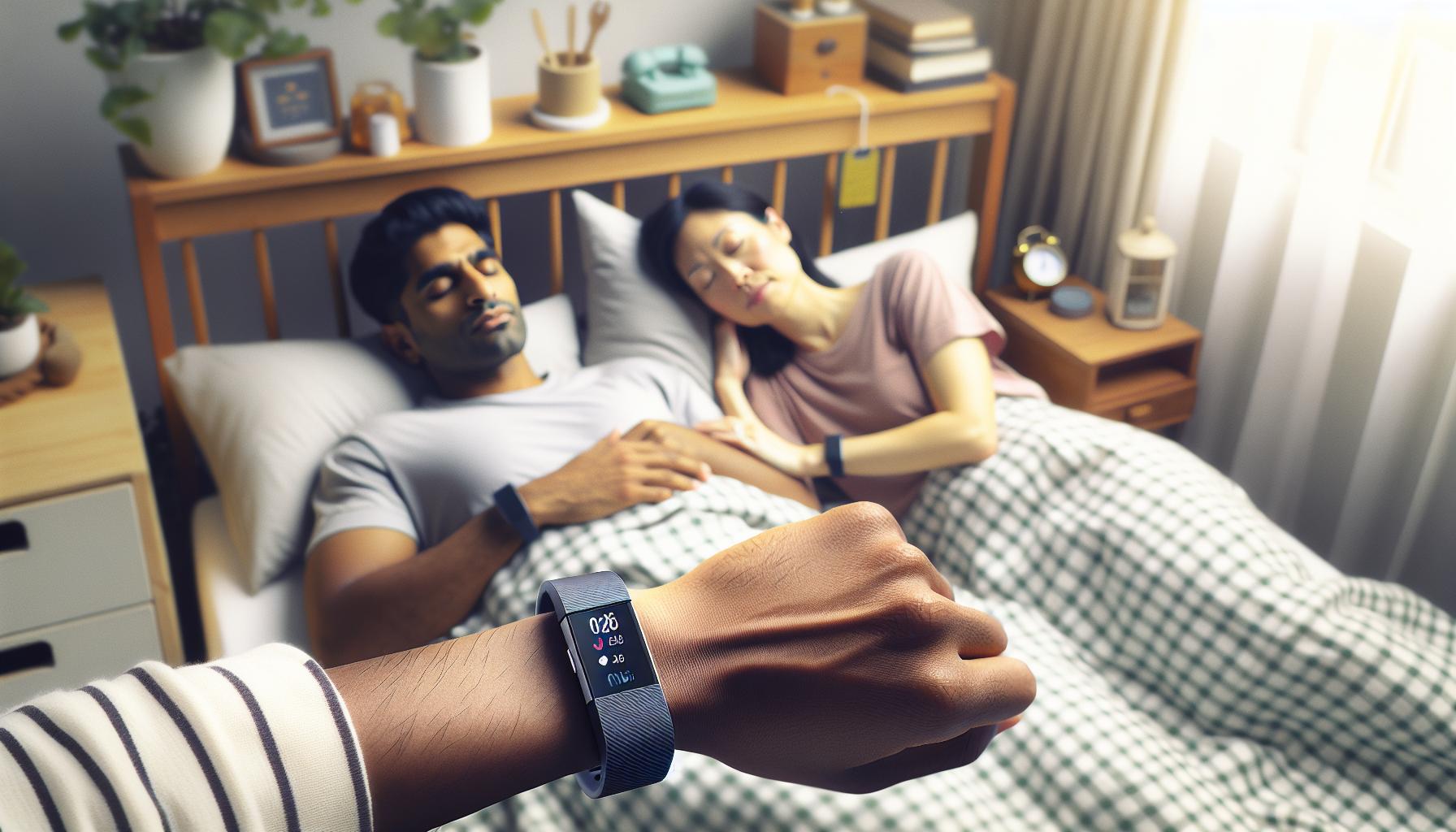
Understanding Fitbit Step Tracking Mechanics During Sleep
During sleep, many users may notice unexpected step counts registering on their Fitbit devices, leading to confusion about the accuracy and reliability of these wearables. Understanding how Fitbit tracks steps during sleep involves delving into its underlying mechanics and recognizing how certain movements can inadvertently be classified as steps. Fitbit devices utilize accelerometers to detect motion, which means nearly any significant movement-including those that occur during sleep-can be logged as steps. This logging happens particularly if the motion mimics walking, such as rolling over or shifting positions throughout the night.
Fitbit’s tracking capability extends beyond just counting steps; it also monitors sleep stages, which include light sleep, deep sleep, and REM sleep. However, the line between sleep movement and activity can often blur. For instance, the active movements during REM sleep may be interpreted as walking or other forms of activity, contributing to an inflated step count. This feature, though useful in understanding overall activity levels during the day, often leads to inaccuracies when evaluating sleep quality and true activity during nighttime hours.
To enhance the accuracy of sleep tracking, users may want to adjust their device settings. For example, ensuring that the Fitbit is firmly secured on the wrist can help improve the precision of step counting. Some users might also benefit from disabling certain features, such as auto tracking, to prevent the device from logging unnecessary movements as part of their activity data. Understanding these mechanics can empower users to make informed decisions about how to use their Fitbit for the best possible data on both sleep and daily activity, ultimately leading to better health insights.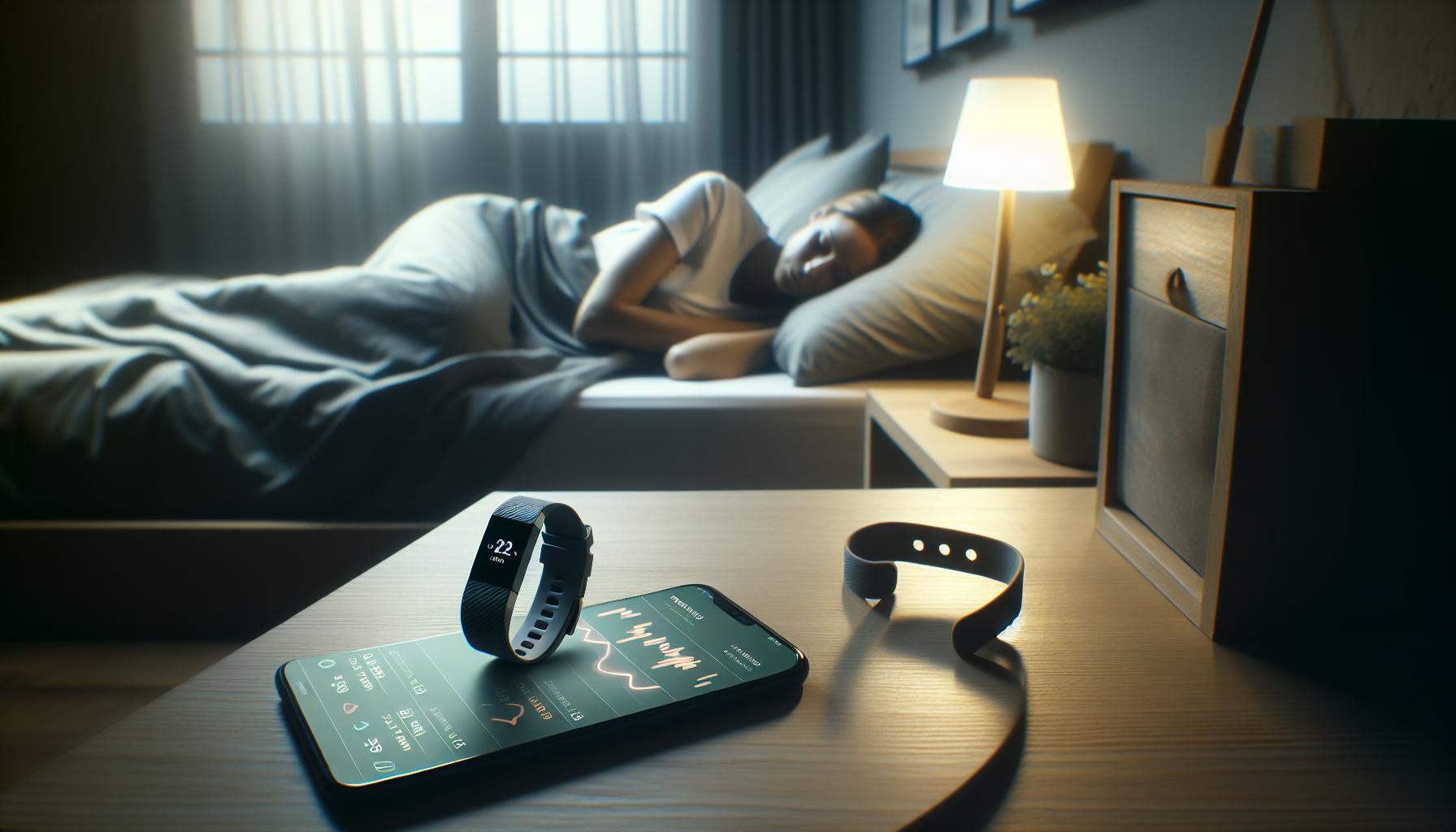
Common Reasons for Step Tracking While Asleep
Sleep is a mysterious state where our bodies engage in a variety of involuntary movements, leading to a surprising consequence for many Fitbit users: unexpected step counts recorded during the night. The primary reason for this phenomenon lies in the technology itself; Fitbit devices are equipped with accelerometers designed to track movement. When you roll over, shift positions, or even fidget while dreaming, these movements can inadvertently mimic the act of walking, causing the device to log them as steps.
Another factor contributing to this unintentional step tracking is the various sleep stages we cycle through each night. Our bodies are not completely still during sleep, especially during lighter stages or REM sleep, where movements can be more pronounced. For instance, while you might dream and move your limbs during REM sleep, Fitbit interprets these actions as walking, inflating the recorded step count. This blending of sleep activity and step tracking can lead to confusion as users strive to understand their actual activity levels.
Additionally, certain user habits can exacerbate the issue. If a Fitbit is not worn securely on the wrist, it may become loose, leading to incorrect readings. Factors such as how tightly or loosely the device is fitted can significantly affect its accuracy. Users who tend to sleep in positions that restrict the movement of their wrist might find that their devices misinterpret stationary positions as active ones, further complicating the fidelity of the data collected.
To mitigate these inaccuracies, it’s important to recognize the mechanics of how your Fitbit operates. By understanding the reasons behind step tracking during sleep, users can better interpret their data and make informed adjustments to their tracking habits. Taking simple steps-like ensuring a snug fit on the wrist or familiarizing oneself with specific device settings-can enhance the accuracy of both sleep and activity tracking, leading to more nuanced insights into personal health and sleep quality.
How Sleep Stages Affect Step Count Accuracy
Understanding how sleep stages influence the accuracy of step counting can help clarify why your Fitbit might log steps while you sleep. During the night, we cycle through different stages of sleep: light sleep, deep sleep, and REM (rapid eye movement) sleep. Each of these stages is characterized by varying levels of movement and muscle activity, which can affect how your device interprets your nightly wanderings.
In lighter sleep stages, your body is more prone to movement, which can be easily misinterpreted by the highly sensitive accelerometer in your Fitbit. For example, tossing and turning or adjusting positions can mimic walking motion, leading to added steps on your tracker. During REM sleep, where dreaming occurs and physiological activity is heightened, movements are often more pronounced. This can especially mislead the tracker, inflating step counts due to the movements associated with dreaming or shifting positions.
To improve step count accuracy during sleep, consider adjusting your Fitbit settings. Some models allow you to customize tracking sensitivity, which may help reduce the number of erroneous steps logged during restless moments. Additionally, wearing your Fitbit snugly can ensure it accurately registers only significant movements. Be aware that while fitness trackers can offer insight into sleep patterns, they may not always provide entirely accurate representations. If you find the step counts continue to be erratic or confusing, it could be beneficial to explore more sophisticated sleep tracking methods or consult a sleep specialist to better understand your sleep mechanics and movements.
The interaction between body movement and sleep stages underscores the limitations of wearables in capturing a complete picture of sleep quality and activity. By recognizing these nuances, you can make informed decisions about how to interpret your data and potentially improve both your sleep and activity tracking experience.
Adjusting Your Fitbit Settings for Better Sleep Tracking
To ensure that your Fitbit accurately reflects your sleep behaviors without logging unnecessary steps, make a few strategic adjustments to its settings. Many users report issues with step counts while sleeping, primarily due to their device’s sensitivity to movement during the various sleep stages. Here are some helpful tips to optimize your Fitbit for better sleep tracking.
Customizing Tracking Sensitivity
Depending on the model of your Fitbit, you may have the option to customize the tracking sensitivity settings. Lowering the sensitivity can help reduce the number of incidental steps recorded while you’re tossing and turning during light sleep phases. To adjust the sensitivity:
- Open the Fitbit app on your smartphone.
- Navigate to the ‘Device Settings’ for your specific Fitbit model.
- Look for an option related to ‘Movement Sensitivity’ or ‘Sleep Tracking’ and make the necessary adjustments.
This simple change can significantly enhance the accuracy of your sleep data by filtering out those errant steps.
Wearing Your Fitbit Properly
The fit of your Fitbit on your wrist can also play a key role in the accuracy of its readings. Ensuring that your Fitbit is snug but comfortable can help it detect genuine movements more accurately. A loose strap may result in the device misinterpreting smaller movements as steps. When putting on your tracker for sleep, aim for a fit that is secure enough to avoid slipping yet does not cause discomfort.
Using ‘Do Not Disturb’ Mode
Many Fitbits feature a ‘Do Not Disturb’ or ‘Sleep’ mode that minimizes notifications and vibrations during your sleep hours. Activating this mode can help focus the device’s attention more on your sleep patterns rather than being influenced by external interruptions, like notifications that can cause minor movements.
By implementing these adjustments, you can significantly reduce how many steps your Fitbit logs during sleep, allowing for more accurate data that truly reflects your nighttime rest. If you continue to find discrepancies, consider reaching out to Fitbit support or exploring more advanced sleep tracking options that may fit your lifestyle better. This attention to detail can lead to a better understanding of your overall sleep quality and health.
Tips to Prevent Fitbit from Tracking Sleep Steps
When your Fitbit starts logging steps during sleep, it can leave you puzzled and frustrated. Accurate sleep tracking is crucial for understanding your sleep quality, and errant step counts can skew your data. To address this issue, there are effective strategies you can employ that focus on optimizing your device’s performance while you rest.
Adjusting Tracking Sensitivity
One practical approach involves adjusting the movement sensitivity settings on your Fitbit. Many models allow you to customize this feature, enabling the device to filter out minor movements that may occur during restless sleep phases. To do this:
- Open the Fitbit app on your smartphone.
- Select ‘Device Settings’ for your specific Fitbit model.
- Look for options such as ‘Movement Sensitivity’ or ‘Sleep Tracking’, and make necessary adjustments.
Lowering this sensitivity can help ensure that only significant movements are recorded as steps, significantly improving the accuracy of your sleep data.
Ensuring a Secure Fit
How you wear your Fitbit significantly influences its readings. A snug but comfortable fit on your wrist is crucial since a loose strap can lead to misinterpretation of small movements as steps. Before bed, verify that your device sits securely against your skin; it should feel comfortable yet firm enough to avoid slipping during the night.
Activating ‘Do Not Disturb’ Mode
Another effective tactic is to use the ‘Do Not Disturb’ or ‘Sleep’ mode, available on many Fitbit models. By enabling this setting, you minimize notifications and vibrations that can disrupt your sleep and lead to unnecessary movements. This mode allows the device to focus on accurately recording your sleep patterns without interference from external disturbances.
By following these simple yet impactful suggestions, you can significantly reduce the incorrect step counts logged during sleep, leading to a more precise understanding of your nightly rest. If the problem persists, considering a reach out to Fitbit support for further assistance or exploring advanced sleep tracking options could provide additional clarity on your sleep health.
The Impact of Sleep Movements on Step Data
Sleep movements can significantly impact the accuracy of step data recorded by your Fitbit, leaving you with misleading information about your nightly rest. As you move through the various stages of sleep, your body is not completely still; it shifts and twitches naturally. This movement is often misinterpreted by your Fitbit as steps, leading to inflated step counts during the night. Understanding this relationship can help you make informed decisions about how to adjust your tracking for better accuracy.
Understanding Sleep Movements
During sleep, you go through different sleep stages, including light sleep, deep sleep, and REM sleep. Each phase can trigger varying degrees of movement, whether it’s from rolling over or adjusting your position. Research indicates that many devices, including Fitbits, can mistake these slight shifts for physical activity. This can create a frustrating scenario where you wake up to find a record of steps taken while you were soundly asleep.
Practical Steps to Mitigate Step Tracking Errors
You can take several proactive measures to limit the impact of sleep-related movements on your step data:
- Adjust Movement Sensitivity: Explore your Fitbit settings to find options that let you modify how sensitive the device is to movements during sleep.
- Wear It Right: Ensure your Fitbit is snug on your wrist. A looser fit can result in erroneous readings as movements are amplified.
- Use Sleep Mode: Activating the ‘Do Not Disturb’ or ‘Sleep’ mode can help reduce unnecessary disturbances and vibrations that might lead to extra recorded movements.
By employing these strategies, you can enhance the accuracy of the sleep tracking features in your Fitbit. Understanding the relationship between your sleep movements and step data not only prevents confusion but also provides you with clearer insights into your overall sleep quality. If you find that excessive step counts during sleep remain a persistent issue, consider reaching out to Fitbit support or exploring additional sleep-tracking solutions for better analysis.
Identifying and Troubleshooting Step Tracking Errors
Identifying and resolving step tracking errors on your Fitbit can significantly enhance the accuracy of your sleep data, providing you with a clearer picture of your nightly rest. Many users experience frustrations when their devices log steps while they’re asleep, leading to inflated daily step counts. Understanding why these miscounted steps occur is the first step in troubleshooting effectively.
The primary culprit behind unnecessary step counts during sleep is movement. As you transition through different sleep stages-light, deep, and REM-your body naturally shifts position. This movement, even subtle, can be misinterpreted by your Fitbit as physical activity. To troubleshoot these tracking errors, there are several strategies you can implement:
- Check Device Fit: The fit of your Fitbit plays a crucial role. Ensure it is snug but not overly tight on your wrist; a properly fitted device is less likely to misread movements.
- Enable Sleep Mode: Activating the ‘Sleep Mode’ or ‘Do Not Disturb’ feature can help minimize disruptions caused by notifications and vibrations, reducing tracking inaccuracies.
- Adjust Sensitivity Settings: Explore the settings in your Fitbit app to see if there are options for adjusting activity sensitivity. A less sensitive setting can help prevent the device from registering minor movements as steps.
- Record Sleep Patterns: Regularly review your sleep patterns on the Fitbit app to identify trends in step counts during sleep. If anomalies persist despite adjustments, you may need to further investigate the device’s performance.
If you continue to find excessive step counts during sleep, it may be beneficial to reach out to Fitbit’s customer support for assistance. They can provide specific troubleshooting tips based on your device model. Understanding the limitations of fitness trackers in accurately analyzing sleep is also essential; while they offer valuable insights, they may not always match the precision of more advanced sleep studies. Hence, analyzing the data critically can empower you to make smarter decisions about your sleep health and improve your overall well-being.
The Relationship Between Sleep Quality and Activity Levels
Understanding the connection between sleep quality and activity levels is crucial when troubleshooting why your Fitbit may be inaccurately tracking steps during sleep. Research indicates that the quality of sleep directly impacts your daytime activity, influencing energy levels and motivation. A lack of quality sleep often results in fatigue, which can make it more challenging to maintain an active lifestyle during waking hours. Conversely, higher levels of physical activity can improve sleep quality, creating a cycle that supports better health and well-being.
When your Fitbit tracks steps while you sleep, it may be a reflection of uninhibited movement or restlessness, which is common during lighter sleep stages. For example, individuals who frequently toss and turn during the night might find that their sleep data shows an inflated step count. It’s essential to recognize that while some movement is natural, excessive tracking can indicate fragmented sleep, potentially affecting how refreshed you feel upon waking. This can lead to questioning your device’s accuracy and the strategies you might employ to enhance both your sleep quality and daily activity levels.
To optimize your Fitbit’s performance and improve your overall sleep experience, consider the following strategies:
- Maintain a Consistent Sleep Schedule: Going to bed and waking up at the same times each day helps regulate your body’s internal clock, promoting deeper sleep.
- Incorporate Relaxation Techniques: Activities such as meditation or gentle yoga before bedtime can help calm your mind and reduce restlessness, contributing to a more restorative sleep.
- Monitor Caffeine and Alcohol Intake: Both substances can negatively influence sleep quality. Setting limits, particularly in the evening, can pave the way for more restful nights.
- Use Your Fitbit to Set Goals: Take advantage of the insights your device provides. Aim for not only a specific step count but also focus on improving your sleep efficiency to carve out a path toward better health.
Ultimately, understanding the coupling of sleep quality and physical activity levels can be a powerful tool in your health journey. Should you notice persistent issues with sleep tracking inaccuracies, consider discussing them with a healthcare professional who understands both sleep health and fitness technology. This can ensure that you’re navigating both your sleep and activity levels with informed strategies that align with your personal health goals.
Comparing Fitbit with Other Sleep Trackers
When it comes to tracking sleep, choosing the right device can be a game-changer for understanding your sleep patterns and improving your overall health. While Fitbit devices have gained popularity for their comprehensive fitness monitoring, including sleep tracking, they aren’t the only options on the market. can help you determine the best fit for your sleep health goals.
Many users appreciate Fitbit for its combination of activity tracking and sleep analysis, which provides insights into light, deep, and REM sleep stages. However, it’s essential to consider alternatives like the Oura Ring and WHOOP strap, which focus heavily on sleep metrics without the distraction of fitness tracking. For instance, the Oura Ring offers advanced sleep scoring based on heart rate variability and temperature changes, allowing users to gain deeper insights into their sleep quality. In contrast, WHOOP is subscription-based and focuses on recovery, offering personalized recommendations on sleep needs based on daily exertion levels.
Key Features Comparisons
| Device | Price | Key Sleep Features | Mobile App Insights |
|---|---|---|---|
| Fitbit | $69 – $249 | Sleep stage tracking, Sleep Score, Smart Wake | Personalized sleep goals, Insights on improving sleep |
| Oura Ring | $299 – $999 | Deep sleep insights, Readiness Score, Body temperature monitoring | In-depth analysis of sleep cycles and recovery |
| WHOOP Strap | $30/month (subscription) | Sleep credit system, Sleep cycle tracking | Daily recovery score, strain monitoring |
Ultimately, it’s crucial to weigh your personal sleep goals against the capabilities of each device. If your primary goal is understanding sleep quality rather than daily step counting, a dedicated sleep tracker might serve you better than a multi-functional device like Fitbit. Additionally, reading real-user experiences can provide a clearer picture of how these devices perform in everyday scenarios, ensuring that you choose a tracker that aligns with your sleep management needs.
User Experiences: Real Stories of Sleep vs. Steps
User experiences with Fitbit’s step tracking during sleep often reveal a mix of frustration and understanding. Many users initially find it puzzling to see recorded steps when they are supposed to be resting. For instance, one user recounted how they woke up to discover that their tracker logged hundreds of “sleep steps,” which they attributed to tossing and turning. This led them to question whether the device was properly interpreting their movements as steps rather than simply reflecting natural sleep disturbances.
Another common story involves users adjusting their sleep environments to minimize inaccuracies. One person with a restless sleeping dog reported significant discrepancies in their step count. After putting their Fitbit on “Do Not Disturb” mode, they noticed a marked decrease in false step recordings. This reinforces the idea that external factors, such as restless movements nearby, can impact the accuracy of step tracking.
It’s also worth noting that some users have found value in the insights provided by these unexpected step counts. For example, a fitness enthusiast appreciated seeing how their sleep quality might correlate with their restlessness. They began to use the data to adjust their pre-bedtime routine-switching to calming teas and ensuring a more consistent sleep schedule. Not only did this improve their overall sleep quality, but it also gave them a clearer perspective on how lifestyle choices affect their nightly rest.
Many of these stories highlight that while Fitbit devices can provide useful tracking features, they can also be prone to inaccuracies during sleep. Implementing practical measures-like adjusting sleep environments or synchronizing settings-can help mitigate these issues, allowing users to get the most out of their devices while gaining a clearer understanding of their sleeping patterns.
When to Seek Professional Advice for Sleep Issues
It’s not uncommon for users to feel puzzled or even frustrated when they notice their Fitbit tracking steps while they’re sleeping. While this activity might seem harmless at first, unusual sleep patterns or excessive movement during the night can be indicative of underlying sleep issues. Understanding when to seek professional advice can empower you to address potential problems proactively.
If you’re consistently experiencing erratic step counts during sleep, especially after implementing adjustments to your Fitbit settings, it may be time to consult with a healthcare professional. Look out for signs such as chronic fatigue, difficulty concentrating, or persistent restlessness at night. These symptoms can point to more serious sleep disorders like sleep apnea, restless leg syndrome, or chronic insomnia, all of which may require a deeper analysis than what a fitness tracker can provide.
Before seeking help, consider keeping a detailed sleep diary for a couple of weeks. Include information about your sleep environment, daily routines, and any particular factors-like stress levels or caffeine intake-that might impact your rest. This documentation can provide valuable insights for your healthcare provider during your consultation.
In addition, if you’re experiencing sleep disturbances that significantly affect your daily life, a sleep study might be recommended. This usually involves an overnight stay in a clinic where your sleep patterns can be monitored more accurately using polysomnography. Although some users may feel anxious about the idea of undergoing such tests, knowing that this could lead to better sleep and overall health is a crucial motivator.
By prioritizing your sleep health and recognizing when to seek professional advice, you can take meaningful steps toward enhancing your rest quality and, subsequently, your daily life.
Understanding Limits of Fitness Trackers in Sleep Analysis
Understanding the effectiveness of your Fitbit in sleep analysis is essential, especially when you notice it tracking steps during sleep. While these devices can provide valuable insights into your sleeping patterns, their limitations can lead to inaccuracies that may confuse users. One common misunderstanding is the expectation that Fitbits can comprehensively analyze your sleep as a medical-grade device might. In reality, fitness trackers such as the Fitbit are designed to estimate sleep quality based on movement patterns, heart rate, and other metrics, which are not always precise.
For instance, Fitbits often misinterpret normal sleep movements-rolling over, adjusting positions, or even slight twitching-as steps. This is due to the device’s accelerometer, which is sensitive to movement regardless of whether you’re awake or asleep. As a consequence, nighttime movements may inflate your step count, leading to frustration and misleading data about your sleep quality. To help mitigate these inaccuracies, it’s important to understand how these devices function and their reliance on the data they collect during the night.
Another aspect to consider is the limited capability of fitness trackers in identifying specific sleep disorders. While they can provide insights related to sleep duration and general movement, they fall short in diagnosing conditions like sleep apnea or restless leg syndrome. For such complex sleep issues, a more comprehensive evaluation through sleep studies is necessary. Although undergoing a sleep study may seem daunting, it can significantly contribute to understanding your overall sleep health.
For practical advice, regularly calibrating your Fitbit settings, ensuring it’s snug but comfortable, and being mindful of your movements can help. Should you notice persistent discrepancies in your sleep data-like consistently high step counts at night-it may be beneficial to consult a healthcare professional who can provide deeper insights or suggest a sleep study if needed. Having clarity on your device’s capabilities not only sets accurate expectations but also empowers you to make informed decisions about your sleep health.
Frequently Asked Questions
Q: Why is my Fitbit recording steps while I sleep?
A: Your Fitbit may record steps during sleep due to movements like tossing and turning. It detects these actions as steps. To reduce this, try adjusting the device’s sensitivity or sleeping in a more stable position.
Q: How can I stop my Fitbit from counting steps in my sleep?
A: To prevent step counting during sleep, go to your Fitbit app settings and adjust the sleep tracking options. Consider enabling “sleep mode” or manually logging sleep to minimize inaccuracies.
Q: Does my Fitbit count steps during all stages of sleep?
A: Yes, your Fitbit can track movements across all sleep stages. However, not all movements equate to actual steps. Sleep stage analysis might give you better insights into your rest quality.
Q: Is it normal for fitness trackers to record sleep movements as steps?
A: Yes, it is common for fitness trackers, including Fitbit, to interpret certain sleep movements as steps due to their sensitivity to motion. This is part of how they monitor activity levels effectively.
Q: How does my Fitbit differentiate between sleep movements and walking?
A: Fitbit devices utilize algorithms that analyze movement patterns and intensity. They look for specific motion signatures associated with walking versus those during sleep. However, inaccuracies can still occur.
Q: Can sleep quality affect step tracking on my Fitbit?
A: Absolutely. Poor sleep quality can lead to more restless movements, which may increase reported steps. Improving your sleep can enhance both your rest and the accuracy of your step count.
Q: Should I reset my Fitbit if it tracks steps in my sleep?
A: Resetting can help if the problem persists. However, first, check your settings and preferences. If issues continue, refer to troubleshooting guidance specific to step tracking errors.
Q: What should I do if my Fitbit consistently miscounts sleep movements as steps?
A: If inaccuracies continue, explore adjusting fitness tracking sensitivity or logging sleep manually. If the problem remains unresolved, contacting Fitbit support may be beneficial.
For deeper insights into device adjustments and sleep data accuracy, check our article sections on adjusting settings and troubleshooting step tracking errors.
To Conclude
If you’ve been puzzled about why your Fitbit is tracking steps during your sleep, you’re not alone. Understanding your device’s behavior can enhance your sleep tracking experience, ensuring it aligns with your health goals. Now that you’re equipped with knowledge on addressing this issue, take action! Adjust your settings today to focus on more accurate sleep monitoring, and consider exploring more insights on sleep stages and how they impact your health.
Don’t miss out on enhancing your overall sleep quality-check out our guide on establishing a consistent sleep schedule using your Fitbit, along with tips for creating a sleep-friendly environment. Join our newsletter for the latest updates in wearable technology and sleep health, and feel free to share your experiences in the comments below. Your journey to better sleep starts now, and every step (including in your sleep) matters!
Get our latest guides, news, and insights highlighted in your Google Search & AI Overviews.