
Are you struggling to get your Apple Watch to accurately track your sleep? You’re not alone-many users encounter this frustrating issue. Understanding how to ensure your device functions properly can significantly impact your sleep quality, providing you with valuable insights into your nightly rest. In this article, we’ll explore common reasons your Apple Watch might not be tracking sleep, along with practical solutions to get you back on track. Whether you’re eager to improve your sleep habits or simply want to make the most of your wearable technology, read on to uncover effective troubleshooting tips tailored to your needs.
Understanding Sleep Tracking on Your Apple Watch
Understanding sleep tracking on the Apple Watch can transform your approach to personal health and well-being. With its built-in capabilities, the Apple Watch enables users to monitor their sleep patterns effectively, providing insights into sleep quality, duration, and stages, including REM and deep sleep. However, to truly benefit from this technology, it’s crucial to understand how it works and the factors influencing its accuracy.
The Apple Watch uses a combination of motion sensors and heart rate monitoring to determine when you’re asleep. When paired with the Health app, it not only logs sleep duration but also categorizes sleep stages, giving you a comprehensive view of your sleep health. By establishing a sleep goal and schedule through the Health app, you can further tailor the tracking experience to your personal needs. The app allows users to set Sleep Focus modes, which help minimize distractions during bedtime, enhancing the likelihood of a restful night.
Many users find the visual data representation intriguing as it offers graphs and metrics that detail their nightly sleep performance. These features not only encourage better sleep habits but also underscore the importance of consistent sleep patterns. Understanding your sleep data can help identify trends and behaviors that might be affecting your rest, enabling proactive adjustments to your nighttime routine.
In summary, the Apple Watch serves as a powerful tool in managing and understanding your sleep. By leveraging its tracking capabilities, users can foster healthier sleep habits, ultimately leading to improved overall health and well-being.
Common Issues That Prevent Sleep Tracking
If your Apple Watch isn’t tracking your sleep, you’re not alone; many users encounter similar issues. Understanding the common stumbling blocks can help you troubleshoot and optimize your sleep tracking experience. One of the primary reasons for sleep tracking failure is simple-many users forget to enable the sleep tracking feature. It’s essential to ensure that the Sleep Focus mode is activated in the Sleep app on your Apple Watch, and that it’s synced with the Health app on your iPhone. If the Sleep Focus mode isn’t on, the watch might not recognize when you fall asleep, rendering your sleep data incomplete.
Another common issue is related to how the watch is worn. The Apple Watch relies on motion sensors for detecting sleep. If it’s too loose or not worn during sleep, the sensors may fail to pick up your movements accurately. Make sure the watch fits snugly on your wrist, allowing for contact with your skin throughout the night. Additionally, battery life can be a culprit; if your watch runs low on battery while you’re sleeping, it might not record any data. Try to charge your watch during the day so that it has sufficient power for overnight tracking.
Environmental factors can also hinder sleep tracking accuracy. For example, sudden changes in temperature, loud noises, or interruptions in your sleep can confuse the sensors. To optimize your sleep tracking, strive for a calm, consistent sleeping environment. Using features like Do Not Disturb can help minimize disruptions, ensuring your watch can track your sleep data more effectively.
If you’ve confirmed all of the above and your watch is still failing to track sleep, consider resetting your watch or updating to the latest version of watchOS, as software bugs can occasionally interfere with functionality. Keeping your device updated not only enhances performance but can also provide access to new features that streamline sleep tracking. Implementing these strategies can greatly improve your Apple Watch’s ability to monitor your sleep effectively, allowing you to gain valuable insights into your rest patterns.
How to Set Up Sleep Tracking Properly
To effectively set up sleep tracking on your Apple Watch, it’s crucial to understand a few key steps that can maximize the accuracy and reliability of your sleep data. Many users overlook simple settings that can significantly impact their tracking experience. Scientific studies emphasize the importance of sleep hygiene, and setting up your watch properly plays a vital role in capturing accurate sleep metrics.
Activating Sleep Tracking Features
Begin by ensuring that the sleep tracking capabilities are enabled on your Apple Watch. Follow these steps to activate the Sleep Focus mode:
- Open the Health app on your iPhone.
- Go to the Browse tab and select Sleep.
- Tap on Full Schedule & Options to customize your sleep schedule.
- Turn on Sleep Focus to ensure your Apple Watch knows when you’re not only asleep but also winding down for the night.
Ensuring that your watch is synchronized with your iPhone is also essential. This connection allows the watch to communicate real-time data to the Health app, creating a comprehensive view of your sleep patterns.
Wear Your Watch Correctly
How you wear your Apple Watch can hugely affect its ability to track sleep accurately. Make sure:
- Your watch is snug but comfortable on your wrist to maintain contact with your skin.
- You wear your watch consistently every night; inconsistent use can lead to gaps in data.
It’s also beneficial to charge your watch during the day, ensuring that it has sufficient battery life to last through the night.
Creating a Conducive Sleep Environment
Your sleep environment plays a vital role in the data your watch collects. Maintain a sleep-friendly setting by addressing factors that may disturb your rest, such as noise and lighting. Setting your watch to Do Not Disturb mode can minimize distractions during the night.
By proactively establishing these settings and conditions, you’ll not only set up your Apple Watch for better sleep tracking but also create a healthier sleep routine that can contribute to improved overall sleep quality.
Key Features of Sleep Tracking on Apple Watch
The Apple Watch has transformed the approach to sleep tracking by integrating advanced technology with user-friendly features, providing valuable insights into your nightly rest. Understanding these capabilities is essential for anyone looking to enhance their sleep health through technology.
One of the standout features is the ability to analyze various sleep stages, including deep sleep, REM sleep, and periods of being awake. This data not only helps you understand the quality of your sleep but also provides actionable insights into adjusting your habits for improved rest. Furthermore, the Sleep app allows you to set up Sleep Focus mode, which signals your watch to limit distractions during the night, contributing to a more restful environment.
Another important aspect is the integration with the Health app, which consolidates your sleep data with other health metrics. This holistic view helps identify patterns and correlations between sleep and overall wellness, such as heart rate and activity levels. For instance, if there’s a notable drop in your sleep quality, you can quickly assess if it’s linked to increased physical activity or stress levels from the day prior.
To enhance the sleep tracking experience, Apple offers a smart alarm feature that gently wakes you during a lighter sleep phase. This can lead to a more refreshing morning and helps reduce grogginess. Additionally, you can track noise levels in your sleep environment, providing insights into external disturbances that may be affecting your sleep quality.
To make the most of these features, it’s crucial to keep your watch charged and ensure it fits snugly on your wrist. By fully utilizing the Apple Watch’s sleep tracking capabilities, you position yourself to gain a deeper understanding of your sleep habits and ultimately improve your nightly rest.
Troubleshooting Sleep Tracking Failures
Despite the Apple Watch’s insightful capabilities for tracking sleep, some users encounter issues that prevent accurate sleep monitoring. Understanding these potential failures can help you resolve problems quickly and get back to utilizing this valuable feature for your health.
One common reason for sleep tracking failures is a poor fit on the wrist. If the watch is too loose, the sensors may not apply adequate pressure, leading to unreliable data. Ensuring a snug fit can enhance sensor functionality. Additionally, a low battery can disrupt tracking; keeping the watch charged before bedtime is crucial. Make it a habit to charge the device during the day to ensure it has sufficient power at night.
Another frequent issue arises from the settings within the Sleep app. Make sure sleep tracking is enabled in both the Sleep app and the Health app. Occasionally, new updates might reset preferences, so verifying these settings is a good practice after updates. You can navigate to the Health app, select “Sleep,” and confirm that the feature is active. If sleep tracking still seems to malfunction, try restarting your Apple Watch. This simple step can often resolve minor software glitches that prevent proper function.
Additionally, consider external factors that might interfere with tracking. High levels of noise or disruptions in your sleep environment can mask the natural sleep pattern, leading to inaccurate data capture. If you find a recurring pattern of failure, it may also be worthwhile to explore any underlying health conditions or consult with a healthcare professional if sleep disturbances are a chronic issue. Understanding both the technology and the human element can greatly enhance your sleep health journey.
Optimizing Your Apple Watch for Better Sleep Data
By optimizing your Apple Watch for better sleep tracking data, you can significantly enhance the accuracy and reliability of the information it provides. To start, ensure that your watch fits snugly on your wrist. A loose fit can hinder the effectiveness of the sensors that monitor your movements and heart rate, which are crucial for capturing accurate sleep patterns. Consider wearing your watch slightly tighter than usual while sleeping, making sure it’s comfortable yet secure.
It’s also critical to keep your Apple Watch charged. Aim to recharge your watch during the day, especially if you plan to use it for sleep tracking that night. Battery drain can lead to interruptions in tracking, which can skew your sleep data.
Pay close attention to the settings within the Sleep app. Always check if sleep tracking is enabled in both the Sleep app and Health app on your iPhone. Sometimes after software updates, preferences can reset. Reconfirm that all the necessary settings are turned on. You can do this by navigating to the Health app, selecting “Sleep,” and ensuring all features are activated.
Lastly, take stock of your sleep environment. Factors like noise, light, and temperature can impact the quality of your sleep and the accuracy of your data. Use blackout curtains, a white noise machine, or earplugs if necessary to create a more conducive sleep environment. By addressing these areas, you can enhance both the performance of your Apple Watch and the quality of your sleep tracking experience.
What to Do if Sleep Tracking Is Inaccurate
Inaccurate sleep tracking can be frustrating and may leave you questioning the reliability of your Apple Watch. To address these inaccuracies, start by examining potential issues with your device settings. Ensure that the sleep tracking feature is enabled in both the Sleep app on your watch and the Health app on your iPhone. You might need to recheck these settings after updates, as they can sometimes reset.
Next, consider technical aspects that might affect the accuracy of your sleep data. A snug fit is crucial; if your Apple Watch is too loose, it may not effectively track your heart rate and movement, which are vital for accurate sleep analysis. Additionally, make certain your watch has enough battery life before bedtime, as a drained battery can hinder its tracking capabilities.
External factors can also play a significant role in sleep tracking accuracy. Environmental disturbances like noise, light, and temperature variations can interrupt your sleep quality, leading to misleading data. Creating a sleep-conducive environment using blackout curtains, white noise machines, or controlling room temperature can enhance both your sleep experience and the accuracy of the data recorded by your watch.
If you have corrected all these variables and still find inconsistencies, consider tracking your sleep manually for a few nights. Compare your manual notes with the data provided by your watch to identify specific patterns or discrepancies. If problems persist, it might be wise to consult Apple Support or explore other sleep tracking applications that might better suit your needs and preferences. Remember, while technology provides valuable insights into sleep patterns, it’s not infallible and should be used as a tool to complement your overall understanding and management of sleep health.
External Factors Affecting Sleep Tracking Accuracy
Creating the ideal sleep environment is essential for improving the accuracy of your Apple Watch’s sleep tracking capabilities. Various external factors can significantly interfere with how your device measures your rest and recovery, leading to misleading data that can affect your understanding of your sleep patterns.
Environmental Noise
Noise disturbances can be a major hindrance. Sudden sounds-such as traffic, loud neighbors, or even a creaky house-can wake you intermittently throughout the night, regardless of whether you consciously notice them. To mitigate this issue, consider using white noise machines or fans that create a consistent sound backdrop, making it easier to drown out disruptive noises.
Light Issues
Exposure to light in your sleep environment, especially blue light from screens, can confuse your body’s internal clock and negatively impact your ability to fall into deep sleep. It’s advisable to use blackout curtains to block out external light and avoid screens before bed. Instead, opt for dim lighting in the hour leading up to sleep to promote the production of melatonin, a hormone that regulates sleep.
Temperature Variations
Temperature can also affect sleep quality profoundly. Sleeping in a bedroom that is too warm or too cold can lead to restless nights and poor sleep quality. Aim for a comfortable room temperature, typically around 60-67°F (15-19°C), to help support restorative sleep. You might also explore using breathable bedding that helps to regulate your body temperature throughout the night.
Personal Factors
Additionally, personal habits and lifestyle factors play a role. Consuming caffeine or alcohol before bed, or experiencing stress and anxiety, can disrupt your sleep pattern. Creating a pre-sleep routine that includes relaxation techniques, such as meditation or deep breathing exercises, can enhance your overall sleep quality and ensure better accuracy in your Apple Watch’s readings.
By being aware of these environmental and personal factors, you can enhance your sleep conditions, leading to more accurate data from your Apple Watch. This awareness creates an empowering approach to understanding your sleep, allowing you to take control and make informed decisions about your health and well-being.
Comparing Apple Watch Sleep Tracking with Other Devices
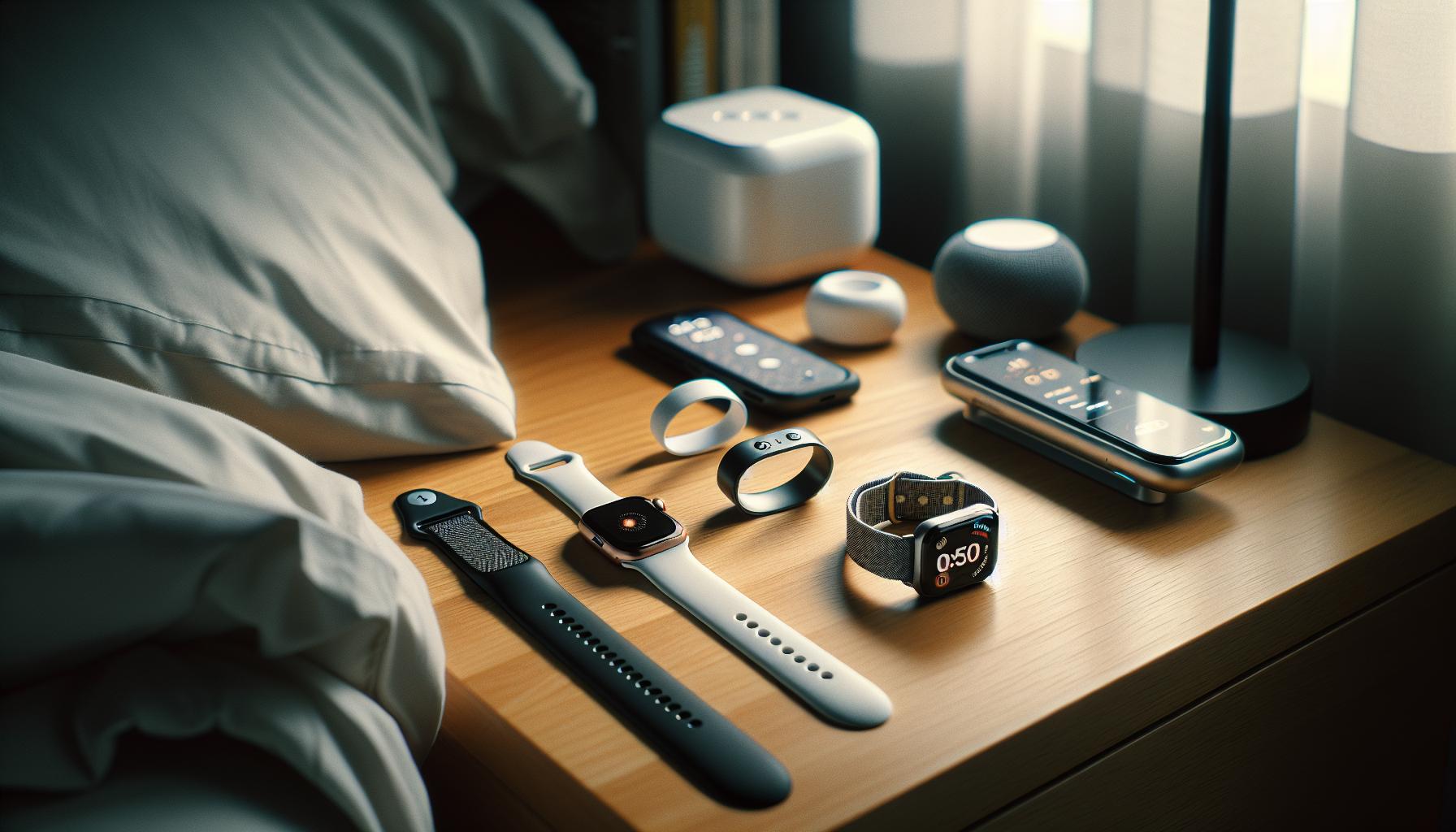
The Apple Watch is recognized as a leading device for sleep tracking, but it exists in a crowded market where numerous competitors claim superior capabilities. When , it’s essential to consider features such as accuracy, usability, and the depth of insights provided.
Apple Watch typically employs a combination of heart rate monitoring and motion detection to discern sleep stages. Studies indicate that the Apple Watch demonstrates commendable sensitivity in differentiating between light, deep, and REM sleep, with reported sensitivities of 86.1%, 50.5%, and 82.6%, respectively, when compared against polysomnography (PSG), the gold standard in sleep tracking [[2]](https://pmc.ncbi.nlm.nih.gov/articles/PMC11511193/). This makes it a strong contender against other devices like Fitbit, Garmin, and even some dedicated sleep trackers.
Fitbit models, for instance, also provide sleep stage tracking but often include features like sleep score and sleep insights based on longer-term patterns. Users find Fitbit’s app interfaces user-friendly, providing helpful recommendations for improving sleep quality. However, unlike the Apple Watch, some Fitbit devices may not track heart rate variability, an important metric for understanding overall sleep health.
Garmin watches emphasize fitness and recovery, integrating sleep data with activity and training stats. While they may excel in tracking physical performance, users may find their sleep interfaces less intuitive than the Apple ecosystem. Another category includes specialized sleep tech like the Oura Ring, which prioritizes comprehensive sleep analytics over fitness functionalities. It boasts advanced metrics like body temperature changes and detailed insights aimed at improving overall well-being.
Ultimately, the choice between these devices often comes down to individual preferences and needs. Does fitness tracking matter more than sleep insights? Are you looking for ease of use, or do you need more advanced analytics? No matter the device, understanding its limitations and usage can help optimize your sleep tracking experience.
Real-Life Scenarios: When to Seek Professional Help
If your Apple Watch isn’t capturing your sleep data as expected, it might be time to consider seeking professional help. While wearables like the Apple Watch provide valuable insights into your sleep patterns, they are not a replacement for comprehensive medical evaluations, especially if you suspect a more serious sleep disorder. Sleep disorders such as sleep apnea can have far-reaching health implications, and recognizing their symptoms early is crucial for effective management.
Take a scenario where you consistently feel fatigued, despite logging what appears to be adequate sleep on your Apple Watch. If your tracked sleep shows frequent disturbances or unusual patterns, and you experience excessive daytime sleepiness, it’s wise to consult a healthcare provider. They might recommend a polysomnography (sleep study), which is a more sophisticated assessment that can provide insights into various sleep stages and diagnose disorders like apnea or restless leg syndrome more accurately than a smartwatch can.
Another important indicator to seek professional advice is if your Apple Watch tracks a significant drop in sleep quality over a short period. This could manifest as a sudden increase in wake times or decreased sleep duration. If you find these changes are accompanied by mood swings, decreased cognitive function, or heavy snoring, these are signals to reach out for a professional evaluation. A doctor can guide you through further tests and suggest solutions that may involve lifestyle adjustments, therapy, or medication.
In summary, while devices like the Apple Watch are excellent for tracking general trends, they often lack the clinical validity needed for diagnosing specific sleep issues. To ensure your sleep health is on track, consider consulting a sleep specialist if you face persistent problems or notice alarming changes in your sleep patterns. Your health is worth a little extra attention, and taking these steps can lead you toward better rest and, ultimately, improved overall wellness.
The Importance of Consistent Sleep Patterns
Establishing consistent sleep patterns is critical for both physical health and effective sleep tracking. When you go to bed and wake up at the same time each day, your body can acclimate to a routine, which optimizes sleep quality and duration. This regularity makes it easier for your Apple Watch to monitor your sleep accurately, yielding valuable insights into your nightly rest and helping you understand your overall sleep health better.
To foster consistency in your sleep patterns, consider setting a relaxing bedtime routine that signals to your body that it’s time to wind down. This could involve actions such as dimming the lights, reading a book, or practicing mindfulness techniques. Additionally, maintaining a sleep-friendly environment-like a cool, dark, and quiet room-can further encourage your body to adjust to this new rhythm, leading to uninterrupted sleep and more accurate tracking on your wearable.
One common challenge that disrupts sleep consistency is the temptation to stay up late on weekends or during vacations. This practice, often referred to as “social jetlag,” can lead to irregular sleep cycles, impacting your sleep data and leaving you feeling groggy. Instead, try to maintain your wake and sleep times as closely as possible, even on days off, to allow your body to establish a solid sleep-wake pattern.
Ultimately, keeping a consistent sleep schedule not only enhances the reliability of your Apple Watch’s tracking capabilities but also contributes to improved overall health. A regular sleep routine can help reinforce your body’s natural circadian rhythms, making it easier to fall asleep and wake up refreshed. This proactive approach ensures that your trusted Apple Watch provides the most accurate sleep data, helping you make informed decisions about your sleep health for years to come.
Getting the Most Out of Your Apple Watch for Sleep Health
To truly harness the sleep tracking potential of your Apple Watch, it’s vital to engage actively with its functionalities and features. The Apple Watch is more than just a device; it is a comprehensive tool that can offer insights into your sleep patterns, helping you optimize your rest and overall health. By familiarizing yourself with its capabilities, you can make smarter decisions about your sleep habits and health.
Start by ensuring your Apple Watch is set up correctly. Clear notifications, adjust your sleep goals through the Sleep app, and ensure that “Sleep Tracking” is enabled in your settings. Consistency is key. Set your bedtime and wake times regularly to help your device learn your routine. Sync your watch with the Health app on your iPhone to centralize your sleep data, which can provide more meaningful insights over time.
Consider using features like the “Wind Down” mode, which, during a set time before bed, can help you transition to sleep by minimizing distractions. This helps reinforce your body’s natural rhythms and can be supported by creating a bedtime routine-like reading or meditating-that signals it’s time to sleep. Additionally, reviewing your sleep data each morning can help you identify patterns and make adjustments where needed, such as altering your bedtime or addressing disruptions that keep you awake.
Don’t forget to maintain your Apple Watch itself. Regularly update your software, which can enhance tracking performance, and ensure your watch is charged sufficiently before bedtime. If you’re finding inconsistencies in your data, check the fit of your watch; a snug but comfortable fit is necessary for accurate readings. And remember, while the Apple Watch provides valuable insights, it is always wise to consult with a healthcare professional if you notice persistent sleep issues or when basic adjustments do not yield improvements. An optimal setup combined with proactive engagement can transform your Apple Watch into an invaluable ally in your journey towards better sleep health.
Frequently asked questions
Q: Why is my Apple Watch not tracking sleep accurately?
A: Inaccurate sleep tracking on your Apple Watch can occur due to several factors, including improper watch fit, low battery, or insufficient software updates. Ensure your watch is snug on your wrist and check for updates in the Watch app. Try restarting your device to refresh its tracking capabilities.
Q: How do I reset sleep tracking on my Apple Watch?
A: To reset sleep tracking, navigate to the Watch app on your iPhone, select ‘Sleep,’ and adjust the settings. Additionally, turning off sleep tracking and restarting your Apple Watch before re-enabling it can help fix issues.
Q: What should I do if my Apple Watch doesn’t recognize my sleep schedule?
A: If your Apple Watch isn’t recognizing your sleep schedule, check that your sleep schedules are properly set in the Health app. Make sure ‘Sleep Focus’ is enabled at your scheduled times, and adjust them if needed to ensure consistency in detection.
Q: Why is my Apple Watch not detecting when I fall asleep?
A: Your Apple Watch may not detect when you fall asleep due to environmental noise, an uncomfortable fit, or a lack of sleep data from previous nights. Ensure the watch is worn correctly and review your sleep history for patterns that may affect detection.
Q: Can I improve sleep tracking on my Apple Watch?
A: Yes! Improving sleep tracking can be achieved by wearing the watch snugly, maintaining consistent sleep habits, and regularly updating your watchOS. Moreover, using the Sleep Focus function can minimize distractions during your sleep period.
Q: Why isn’t my Apple Watch recording sleep data even though I’m wearing it?
A: If your Apple Watch isn’t recording sleep data while worn, verify that the Sleep app is enabled. Make sure your watch is charged, positioned correctly, and that you haven’t disabled sleep tracking in the settings.
Q: How can I troubleshoot sleep tracking issues on my Apple Watch?
A: To troubleshoot sleep tracking issues, ensure your Apple Watch is snug on your wrist, check for updates, and restart the device. You can also reset your sleep settings in the Health app and ensure ‘Sleep Focus’ is active.
Q: Does the Apple Watch track naps, or just overnight sleep?
A: The Apple Watch primarily tracks overnight sleep. However, it can also detect naps if you use the sleep tracking feature during those times. To ensure accurate tracking, try to maintain a consistent routine and record shorter sleep durations.
In Retrospect
Now that you understand why your Apple Watch may not be tracking your sleep, it’s time to take action. Make sure you’ve set up your sleep schedule correctly and that your Sleep Focus is activated. If you’re curious about maximizing your sleep tracking capabilities, explore our comprehensive guides on sleep hygiene and other wearable sleep trackers-these insights can help enhance your sleep quality even further.
Don’t hesitate to share your experiences in the comments below or ask any lingering questions you might have. And remember, optimizing your sleep is a journey-consider subscribing to our newsletter for the latest tips on sleep health and technology. Your path to better sleep starts now; take that first step today!
Get our latest guides, news, and insights highlighted in your Google Search & AI Overviews.