
Did you know that nearly one in three adults struggle with getting enough restful sleep? With the Samsung Fit 2, you have a powerful ally in your quest for better sleep. This wearable not only tracks your sleep patterns but also helps you understand the quality of your rest. As you explore this complete guide, you’ll discover how to maximize the benefits of Samsung Fit 2’s sleep tracking features. Whether you’re aiming to identify sleep disruptions or simply enhance your nightly routine, learning to effectively use this device can transform your sleep experience. Join us as we demystify the process, empowering you to take charge of your sleep health and make informed choices that lead to more restorative nights.
Understanding Samsung Fit 2 Sleep Tracking Features
Sleep is a vital component of our overall health, yet many people struggle to get the quality rest they need. The Samsung Fit 2 offers innovative sleep tracking features designed to help users gain insights into their sleeping patterns and improve their sleep quality. By utilizing advanced technology, the smartwatch monitors various metrics, such as sleep duration, quality, and stages of sleep, providing users with personalized feedback and recommendations.
At the core of the Samsung Fit 2’s sleep tracking capabilities is its ability to detect when you fall asleep and wake up. It does this through accelerometers that capture movement during the night, allowing the device to differentiate between light sleep, deep sleep, and REM stages. Users can expect to receive a comprehensive analysis of their sleep cycles, helping them to understand how much time they spend in each stage and the overall effectiveness of their sleep. This real-time analysis can assist in making informed adjustments to bedtime routines and sleep environments.
In addition to tracking sleep stages, the device features a smart alarm that gently wakes you during your lightest sleep phase within a specified window. This can help you feel more refreshed upon waking, as it minimizes grogginess. Moreover, the Samsung Fit 2 integrates with the Samsung Health app, offering visual representations of your sleep data, along with tailored tips to enhance sleep quality based on your habits and patterns. By combining wearable technology with software, the Samsung Fit 2 equips users with actionable insights to promote healthier sleep practices.
Using the Samsung Fit 2 effectively means taking full advantage of its features. Regularly checking the app can provide a clearer picture of your sleep health, while setting specific goals-such as improving sleep consistency-can motivate you to prioritize your sleep hygiene. As you explore these capabilities, keep in mind that while the Samsung Fit 2 is a powerful tool for tracking sleep, it is essential to use it alongside other healthy lifestyle practices for the best results.
Getting Started: Setting Up Your Samsung Fit 2
Getting your Samsung Fit 2 up and running can be a straightforward process that leads you directly to valuable insights about your sleep health. First things first, ensure that you have the Samsung Health app downloaded on your smartphone; it’s essential for syncing the watch data and accessing your sleep metrics. Once you’ve unpacked your device, it’s as simple as charging it, putting it on your wrist, and following the instructions on the screen to start the pairing process.
Once the Samsung Fit 2 is charged, press the power button and follow the on-screen prompts. You’ll need to select your preferred language and connect the watch to your smartphone using Bluetooth. This step is crucial, as it will enable real-time syncing between your watch and the Samsung Health app. Make sure your phone’s Bluetooth is activated. After selecting the Samsung Fit 2 from the list of available devices, confirm the pairing code displayed on both your phone and watch.
After pairing, the app will guide you through additional setup options. This is your chance to personalize your device; you can input your age, weight, height, and sleep habits, which will help the Samsung Fit 2 tailor its sleep tracking features to you. Consider setting notifications to remind you when it’s time to wind down for bed. These tailored settings not only enhance your experience but prepare the watch to better track your sleep patterns.
Once setup is complete, you can begin to explore the Samsung Fit 2’s sleep tracking features fully. The device will automatically track your sleep stages, such as light sleep, deep sleep, and REM sleep. To get the most out of your sleep tracking, wear the watch consistently while you sleep, ensuring a snug but comfortable fit on your wrist. This way, you’ll have an accurate read of your sleep quality, which the app will analyze to provide actionable insights to aid in improving your overall sleep hygiene.
With these initial steps, you’ll be well on your way to using the Samsung Fit 2 to gain valuable insights into your sleep patterns and ultimately enhance your sleep quality.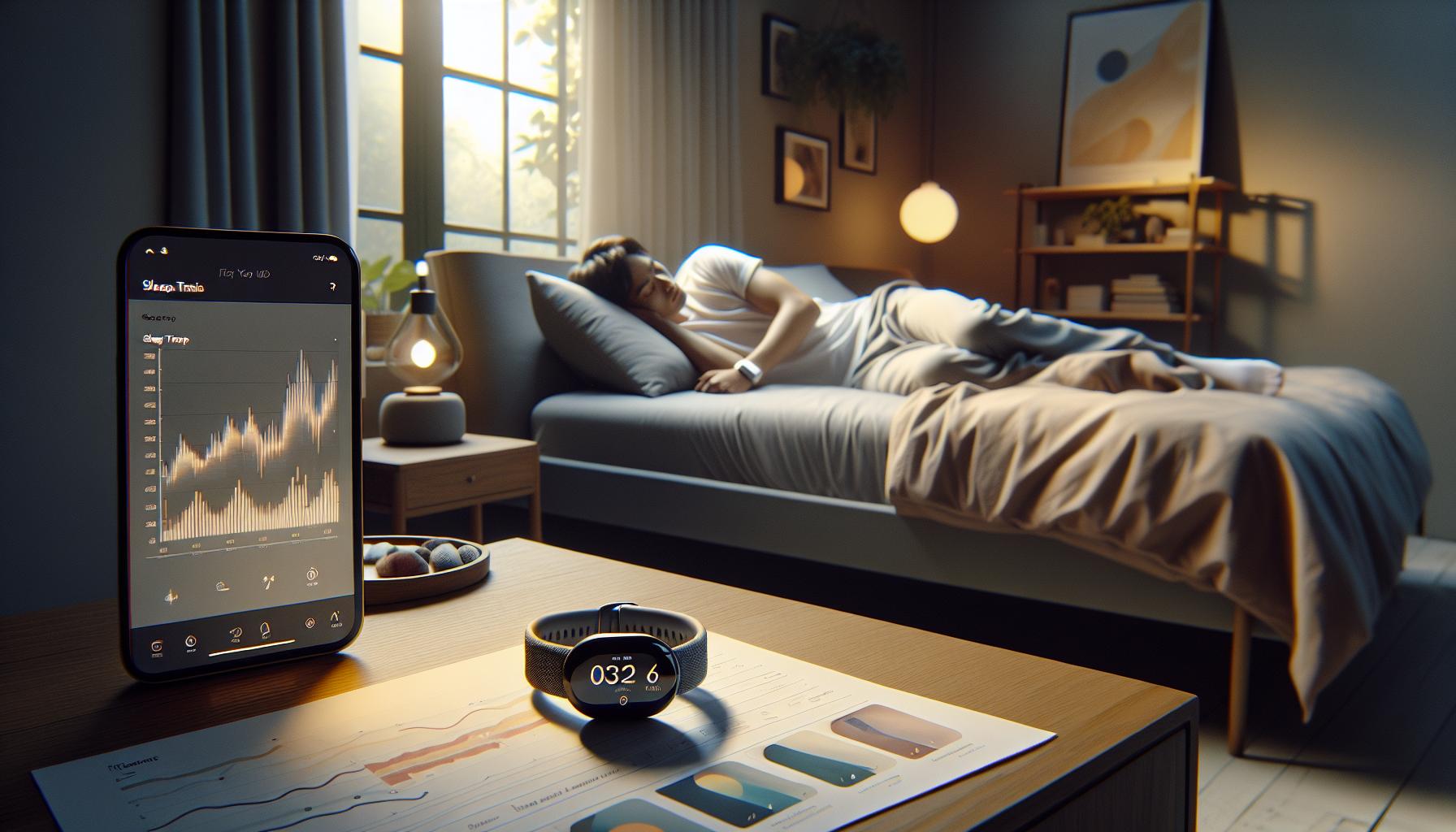
How Sleep Tracking Works: Insights into Your Sleep Patterns
Understanding your sleep patterns is crucial for improving overall sleep quality and health. The Samsung Fit 2 employs several innovative features to track your sleep stages effectively, allowing you to gain insights that can lead to better rest and rejuvenation. Through a combination of motion sensors, heart rate monitoring, and dedicated algorithms, the device can categorize your sleep into different stages: light, deep, and REM (rapid eye movement) sleep.
When you wear the Samsung Fit 2 overnight, it gathers essential data, primarily focusing on your body movements and heart rate. During light sleep, your body may drift in and out of dreamy states but remains relatively easy to awaken. Deep sleep, on the other hand, is critical for physical recovery and growth, while REM sleep is important for cognitive functions, including memory and mood regulation. The app synthesizes this data to provide a comprehensive overview of your sleep cycles, often represented visually in easy-to-read graphs and charts.
The insights gained from your sleep data are invaluable. They allow you to identify patterns and correlations between your lifestyle habits and sleep quality. For instance, you might notice that nights when you engage in vigorous exercise lead to a longer duration of deep sleep, or that caffeine consumed too late in the day disrupts your REM cycle. With these insights, you can make informed adjustments to your routine, enhancing your chances of achieving restorative sleep.
However, it’s important to remember the limitations of the Samsung Fit 2. While it offers a wealth of data, it cannot diagnose sleep disorders or replace the recommendation of a healthcare professional. If you frequently experience sleep disturbances or excessive daytime fatigue despite seemingly adequate sleep duration, it might be wise to consult a sleep specialist for further evaluation. This balanced approach keeps you informed and in control of your sleep health, empowering you to take proactive steps toward improvement.
Using Samsung Fit 2: Navigating the App for Sleep Insights
To get the most out of your Samsung Fit 2 and its sleep tracking capabilities, navigating the companion app is essential. When you first open the app, you’ll be greeted with a user-friendly interface that motivates you to delve deep into your sleep data. One of the key features of the app is its Sleep Summary dashboard, which aggregates your sleep sessions into easy-to-understand metrics, such as total sleep time, sleep efficiency, and the percentage of time spent in each sleep stage.
To explore your sleep patterns more deeply, tap on the Sleep Analysis option. Here, you’ll find detailed graphs that visualize your sleep cycles throughout the night, making it simpler to identify trends over time. For instance, you can examine data on how lifestyle choices-like exercise or late-night screen time-affect your sleep quality. By reviewing these insights regularly, you’ll become more aware of what positively or negatively impacts your rest, empowering you to make beneficial changes in your daily routine.
Another useful aspect of the Samsung Fit 2 app is the Personalized Sleep Recommendations feature. After analyzing your sleep data, the app can offer actionable tips tailored to your unique sleep patterns. For example, if you notice that you struggle with falling into deep sleep, the app might suggest establishing a calming bedtime routine or reducing caffeine intake in the afternoon. Implementing these recommendations can lead to improvements in your sleep quality, ultimately enhancing your overall well-being.
Remember to keep the app updated to take advantage of new features and improvements. Synchronizing your device regularly ensures that you receive the latest sleep insights and offers. Should you encounter any difficulties, the app includes a dedicated troubleshooting section where you can find solutions to common issues related to sleep tracking. This resource not only enhances your user experience but also helps you to fully utilize the capabilities of your Samsung Fit 2 for better sleep health.
Analyzing Your Sleep Data: Key Metrics to Monitor
Grasping the key metrics available through your Samsung Fit 2 can significantly boost your efforts towards achieving better sleep health. The device allows you to track several elements of your sleep cycle, helping you recognize patterns that are cultivating or detracting from the restorative rest you seek. One pivotal metric to monitor is your total sleep time, which encompasses both the time it takes you to fall asleep and the duration of your sleep once you are asleep. Understanding this number ensures you’re meeting the recommended amount of sleep according to your age group and lifestyle needs.
Another essential metric is sleep efficiency, calculated as the ratio of the time you spend asleep to the total time spent in bed. A high sleep efficiency score implies that you are falling asleep quickly and not spending excessive time awake during the night. If you find your efficiency rate low, it might be wise to reflect on your pre-bedtime habits, such as screen exposure or caffeine consumption. The percentage of time spent in each sleep stage-light sleep, deep sleep, and REM-is also crucial. Each stage serves distinct functions, with deep sleep playing a major role in physical recovery and REM essential for cognitive processes. By regularly checking these stages, you can begin to adjust habits like bedtime and wakeup times to optimize your rest cycle.
Utilizing the Sleep Analysis feature allows you to correlate behavioral data with your sleep metrics. For example, if you notice your sleep quality significantly drops on evenings when you engage in late-night snacking, you might consider adjusting your routine. The app provides graphs that can illustrate these trends over time, making it easier to identify consistent patterns and correlations. Taking advantage of these insights can insightfully inform how you structure your day for improved sleep quality.
Lastly, keep in mind that while the Samsung Fit 2 presents valuable information, it functions best when supplemented with a comprehensive understanding of your sleep habits. Relying solely on device metrics can lead to a skewed perception of your overall sleep quality. To that end, proactively utilizing the metrics provided by your Fit 2 empowers you to make informed adjustments and cultivate healthier sleep habits over time.
Tips for Improving Sleep Quality with Samsung Fit 2
Improving your sleep quality doesn’t have to be a daunting task, especially with the help of the Samsung Fit 2. This device not only tracks your sleep patterns but also offers actionable insights that can transform your bedtime routine. By harnessing the features of the Fit 2, you can implement practical strategies to enhance your sleep environment and habits, ultimately leading to a more restful night.
Create a Consistent Sleep Schedule
One of the most effective ways to improve sleep quality is to establish a consistent sleep-wake schedule. Try to go to bed and wake up at the same time each day, even on weekends. The Samsung Fit 2 can help you monitor your sleep patterns and remind you of when to wind down for the night. Setting a nightly alarm to signal bedtime can prompt you to begin your relaxation routine, allowing your body to adapt to this schedule.
Optimize Your Sleep Environment
Your sleep environment has a significant impact on your ability to rest well. Use the insights from your Fit 2 to assess how different factors affect your sleep quality. For example, if you note that you sleep better in cooler temperatures, consider adjusting your thermostat or using breathable bedding. Additionally, minimizing light and noise can create a more conducive sleeping environment. The Fit 2 helps you track these environmental factors alongside your sleep metrics, giving you a clearer picture of how they correlate.
Engage in Relaxation Techniques
Incorporating relaxation techniques into your nightly routine can also vastly improve sleep quality. Activities such as reading, meditating, or practicing gentle yoga can help signal to your body that it’s time to wind down. The Samsung Fit 2 app allows you to reflect on which activities promote better sleep. For instance, if you find that meditation improves your sleep efficiency, aim to make it a consistent part of your pre-bedtime routine.
Be Mindful of Nutrition and Exercise
What you eat and your level of physical activity can influence your sleep. The Fit 2 gives insights into how your behaviors impact your sleep patterns, allowing you to identify whether certain foods or exercise times improve or disrupt your rest. Aim to avoid heavy meals, caffeine, and alcohol close to bedtime. Instead, consider a light snack if you’re hungry. Regular physical activity is beneficial but try to avoid vigorous exercise right before bed, as it may make it more difficult to fall asleep.
By actively using the Samsung Fit 2 and incorporating these strategies, you can take control of your sleep quality, making informed adjustments based on personalized data. Engaging with your sleep habits doesn’t just empower you; it can lead to transformative changes in your overall wellbeing.
Common Issues: Troubleshooting Sleep Tracking Problems
Tracking your sleep with the Samsung Fit 2 can be a rewarding experience, but sometimes, you may encounter issues that affect the accuracy and reliability of the sleep data you’re trying to gather. It’s important to identify and troubleshoot those common problems to ensure you are getting the most out of your device.
One frequent issue is inaccurate sleep tracking results. This can happen if the watch is not fitted snugly on your wrist or if it’s not worn at all during sleep. To solve this, ensure that you wear the Samsung Fit 2 comfortably but securely, as loose wear can lead to misinterpretation of your movements during the night. Additionally, activate the sleep tracking feature in the app before going to bed; sometimes this feature may not be set automatically, leading to data gaps.
Another problem you might encounter is a failure to sync data with your app. If your sleep metrics aren’t appearing on your phone, check if Bluetooth is enabled on both your smartphone and the Fit 2. Additionally, ensure that both your device and the app are updated to the latest version. If syncing issues persist, try rebooting both devices, as this often clears up temporary glitches.
Battery life can also impact sleep tracking capabilities. The Samsung Fit 2 needs sufficient charge to function properly through the night. Make it a habit to charge your device during the day so that it’s ready to track your sleep when you need it. If you find that the battery is draining quickly, consider adjusting the brightness settings or disabling features like notifications while you sleep to conserve power.
Finally, fluctuations in your sleeping environment can also disrupt accurate readings. Factors such as temperature, noise, and light can all impact your sleep quality and, consequently, your sleep data. Pay attention to these factors and adjust your environment for better sleep outcomes. Using the insights from your Fit 2, you can take action to improve your sleeping conditions, ultimately enhancing the device’s tracking performance.
By addressing these common issues, you’ll be better equipped to optimize your sleep tracking experience with the Samsung Fit 2, leading to improved insights into your sleep patterns and, hopefully, better rest and rejuvenation.
Comparing Samsung Fit 2 with Other Sleep Trackers
When it comes to sleep tracking, the Samsung Fit 2 stands out as a reliable option, but how does it measure up against other devices on the market? Many users seek to understand which tracker best suits their needs, especially when considering factors like accuracy, features, price, and overall user experience. Comparing the Samsung Fit 2 with popular competitors can illuminate the strengths and weaknesses of each, helping consumers make informed decisions to enhance their sleep health.
Key Comparisons
- Accuracy of Sleep Tracking: The Samsung Fit 2 employs advanced sensors to monitor sleep stages, heart rate, and more, offering insights comparable to dedicated sleep trackers like the Oura Ring. However, while the Oura Ring is renowned for its accuracy in tracking sleep cycles, the Fit 2 provides solid, albeit slightly less detailed, insights suitable for the average user wanting to improve sleep patterns.
- Battery Life: Battery longevity can be a significant factor for sleep trackers. The Samsung Fit 2 boasts an impressive battery life that can last several days, which is advantageous compared to devices like the Fitbit Charge series, which may need more frequent charging. This extended battery life ensures that you’re covered through the night without constant worrying about recharging before bed.
- Price Point: Cost is always a consideration. The Samsung Fit 2 typically presents a more budget-friendly option compared to premium trackers like the Garmin Vivosmart 4, which, while higher in price, offers additional fitness features that may appeal to serious athletes. For casual users focused primarily on sleep tracking, the Fit 2 provides exceptional value without unnecessary bells and whistles.
- User Experience and App Integration: The Fit 2’s companion app is user-friendly and integrates health data seamlessly, making it easy for users to navigate their sleep data. In contrast, devices like the Apple Watch might offer more robust health metrics, but at a steeper learning curve. If you’re looking for straightforward use without getting bogged down by overly complex features, the Samsung Fit 2 is a solid choice.
Conclusion
Each sleep tracker has its advantages and limitations, catering to various user preferences and needs. Whether you prioritize price, battery life, or the depth of sleep insights, weighing these factors can guide your purchasing decision. The Samsung Fit 2 offers a reliable, budget-conscious option that can fit well within the landscape of sleep tracking devices, particularly for those new to monitoring their sleep health. By understanding these comparisons, users can better select the device that aligns with their lifestyle and health goals.
Real User Experiences: Reviews and Testimonials
Many users have discovered the impact that the Samsung Fit 2 can have on their sleep quality, sharing a variety of experiences that highlight its features and effectiveness. For instance, one user noted that after several nights of tracking, they were able to identify a pattern where late-night screen time negatively affected their sleep stages. With the data provided by the Fit 2, they adjusted their routine, leading to improved sleep quality and an increase in deep sleep duration by over 30%. These types of insights are not only empowering but demonstrate how actionable data can foster healthier habits.
Another user emphasized the importance of the app’s intuitive design. They found it easy to navigate through the different metrics displayed, from sleep duration to sleep stages and heart rate variability. This user mentioned that the visual representation of their sleep data helped them to quickly recognize areas in need of improvement. In particular, the clear breakdown of light, deep, and REM sleep stages provided them with a comprehensive overview of their sleep health, making it easier to set realistic sleep goals and monitor progress. The combination of user-friendly features and actionable insights seems to create a satisfying experience for many.
However, not all experiences have been flawless. Some users encountered challenges with syncing the Fit 2 data with their smartphones, particularly during initial setup. A few reported needing to restart the device and the app multiple times to establish a steady connection. Despite this hiccup, those who resolved the syncing issue were generally enthusiastic about the device’s performance. They appreciated the long battery life, noting that they could wear the Fit 2 continuously without constant charging worries, which can be particularly beneficial when tracking sleep metrics over extended periods.
Ultimately, testimonies from users across various sleep challenges indicate that while the Samsung Fit 2 is a robust tracking tool, potential buyers should manage expectations regarding its accuracy compared to specialized devices. The Samsung Fit 2 is particularly suited for users looking to enhance sleep quality without the need for exhaustive data, making it an attractive option for casual users interested in bettering their sleep health.
The Science Behind Sleep Tracking Technology
The effectiveness of sleep tracking technology, like that found in the Samsung Fit 2, lies in its ability to gather and analyze data on your sleep habits. These devices typically utilize a combination of motion sensors and heart rate monitors to detect when you enter different sleep stages, including light, deep, and REM sleep. Understanding how this technology functions can empower you to make informed decisions about your sleep health.
Sleep trackers primarily rely on accelerometry, which tracks movement through a series of accelerometers embedded within the device. When you’re asleep, reduced movement indicates a deeper sleep stage. By analyzing this data in conjunction with heart rate variability, the tracker can estimate your sleep quality and duration. For example, the Samsung Fit 2 provides insights into how long you spend in each sleep phase, helping you understand patterns over time. This can be vital for identifying factors that may disrupt your rest, such as anxiety, late-night screen time, or inconsistent sleep schedules.
Another crucial aspect of sleep tracking technology is its ability to generate actionable insights. The data collected allows you to visualize your sleep patterns and identify trends. If you notice that certain habits negatively impact your sleep-like caffeine consumption or irregular sleep times-the app can help you make necessary adjustments. Moreover, many wearables, including the Fit 2, come with user-friendly interfaces that display this complex data in a comprehensible format, making it easier for you to comprehend and act upon your sleep health.
Despite the advantages, it’s essential to acknowledge the limitations of consumer-grade sleep trackers. While they can highlight general trends and offer valuable feedback, they are less accurate than clinical devices used in sleep studies, such as polysomnography. As you navigate your sleep health with the Samsung Fit 2, keep in mind that these devices should complement, not replace, professional sleep evaluations-especially if you suspect a sleep disorder like sleep apnea. Understanding this balance between tracking technology and professional insights provides a more holistic view of your sleep health.
Maximizing Battery Life and Device Maintenance
To keep your Samsung Fit 2 performing at its best, paying attention to battery life and maintenance is crucial. A well-maintained device not only delivers accurate sleep tracking but also prolongs its overall lifespan, ensuring you can rely on it for months or even years of sleep insights.
One of the simplest yet most effective ways to maximize battery longevity is to adjust your device settings. For instance, turning off the always-on display can save a significant amount of power during use. Additionally, if you’re not actively using heart rate monitoring throughout the day, you can switch this feature off or set it to measure heart rate at longer intervals. This small tweak helps conserve energy without sacrificing essential functionality.
Another consideration is the frequency of syncing your data with the companion app. Syncing too often can drain the battery quickly. Instead, opt for scheduled sync intervals, which allows your device to stay in a power-saving mode when not actively in use. Utilizing power-saving modes when your Fit 2 is not in use-such as during the day if you’re not tracking workouts or sleep-can also contribute to extended battery life.
Maintaining the software is just as important as managing settings. Ensure your Samsung Fit 2 is regularly updated with the latest firmware. Updates often come with optimizations that enhance battery efficiency and fix bugs. Check your device settings to enable automatic updates, which can help keep your device functioning smoothly without requiring excessive checks on your part.
Lastly, consider where and how you store the Fit 2 when not in use. Extreme temperatures can negatively impact battery performance, so store it in a cool, dry place. If you’re not wearing it for an extended period, consider charging it to around 50% before turning it off for storage-batteries are happiest when kept at moderate charge levels.
By following these tips, you can enhance the performance and longevity of your Samsung Fit 2, ensuring it continues to support your sleep health journey effectively.
Understanding Limitations: When to Seek Professional Help
When it comes to tracking sleep, wearables like the Samsung Fit 2 offer a wealth of information that can help you understand your sleep patterns. However, it’s essential to recognize their limitations and know when to consult a professional. While the Samsung Fit 2 can provide a general overview of your sleep habits, it might not detect all underlying issues, particularly if you’re experiencing significant sleep disturbances.
If you’re consistently feeling fatigued during the day despite what seems like adequate sleep, or if you’re experiencing issues such as excessive snoring, sleep apnea, or insomnia, it’s vital to seek professional help. Sleep disorders often require more detailed evaluation than a wrist-mounted tracker can provide. A medical professional may recommend a sleep study (polysomnography), which involves monitoring various bodily functions while you sleep, offering a comprehensive picture that a consumer device simply can’t match.
Additionally, if your sleep data reveals patterns that concern you, such as irregular sleep cycles or high levels of restlessness, discussing these findings with a healthcare provider can be beneficial. They can help determine if these observations warrant further investigation or treatment, providing a guided pathway to improve your sleep quality.
Ultimately, while the Samsung Fit 2 is a valuable tool for enhancing your awareness of sleep habits, it is just the beginning of a journey toward better sleep health. Staying informed about when to seek additional help will empower you to make decisions that contribute to your overall well-being. If sleep issues persist, don’t hesitate to reach out to a healthcare provider to explore the problem further.
Frequently Asked Questions
Q: How do I set sleep goals on my Samsung Fit 2?
A: To set sleep goals on your Samsung Fit 2, open the Samsung Health app, navigate to the Sleep section, and select “Sleep Goals.” Here, you can set your desired sleep duration and track your progress against this goal for better sleep management.
Q: What sleep stages does the Samsung Fit 2 track?
A: The Samsung Fit 2 tracks several sleep stages, including light, deep, and REM sleep. Understanding these stages helps you analyze your sleep quality, allowing you to adjust habits for better rest. Refer to the “How Sleep Tracking Works” section for deeper insights.
Q: How accurate is sleep tracking on the Samsung Fit 2?
A: The sleep tracking on Samsung Fit 2 is generally considered reliable, but accuracy may vary based on factors like wear position and personal sleep habits. It’s best to combine the data with your subjective feelings about sleep quality for optimal insights.
Q: Can I manually log my sleep on Samsung Fit 2?
A: Yes, you can manually log your sleep using the Samsung Health app. Simply navigate to the Sleep section and select “Add Sleep,” allowing you to input your sleep times if they were not automatically recorded, ensuring you have complete data.
Q: How often should I wear my Samsung Fit 2 for accurate sleep tracking?
A: For the most accurate sleep tracking, wear your Samsung Fit 2 every night while sleeping. Consistent usage over a few weeks provides better data trends and recommendations, improving your understanding of your sleep patterns.
Q: How can I improve battery life while using sleep tracking?
A: To enhance battery life during sleep tracking with the Samsung Fit 2, enable battery-saving modes, reduce display brightness, and limit notifications. Regularly check the “Maximizing Battery Life and Device Maintenance” section for additional tips on maintenance.
Q: What should I do if my Samsung Fit 2 is not tracking sleep correctly?
A: If your Samsung Fit 2 isn’t tracking sleep accurately, ensure it fits snugly on your wrist. Check the app settings and updates, and consider rebooting the device. Refer to the “Common Issues: Troubleshooting Sleep Tracking Problems” section for further troubleshooting tips.
Q: Is the Samsung Fit 2 water-resistant enough for sleep tracking?
A: Yes, the Samsung Fit 2 is water-resistant, making it suitable for sleep tracking even if you sweat during the night. However, avoid submerging it in water. Always refer to the device specifications in the setup guide for complete care instructions.
Insights and Conclusions
As you dive into using the Samsung Fit 2 for sleep tracking, remember that understanding your sleep patterns is the first step toward better rest. Implement the insights and strategies shared in our guide to make the most of your device and enhance your overall sleep quality. Don’t wait-start tracking tonight to uncover the secrets of your sleep!
For those eager to explore more about improving sleep hygiene, check out our tips on how to create an optimal sleep environment, or learn about the benefits of quality sleep for both mental and physical health. If you have questions or need assistance, feel free to leave a comment below or sign up for our newsletter for ongoing insights into sleep health. Continue your journey towards restful nights and energized days-maximize your sleep tracking experience today!
Get our latest guides, news, and insights highlighted in your Google Search & AI Overviews.