
Did you know that tracking your sleep can significantly improve your overall health and well-being? Understanding your sleep patterns helps you identify areas to enhance rest quality and combat issues like insomnia or fatigue. With your iPhone, enabling sleep tracking is a simple yet powerful step towards better sleep management. In just a few minutes, you can gain insights into your sleep habits, allowing you to make informed changes to improve your nightly rest. This guide will walk you through the quick and easy process of activating sleep tracking on your iPhone, empowering you to take control of your sleep health. Ready to discover how effortless it can be? Let’s dive in!
How Sleep Tracking Works on the iPhone
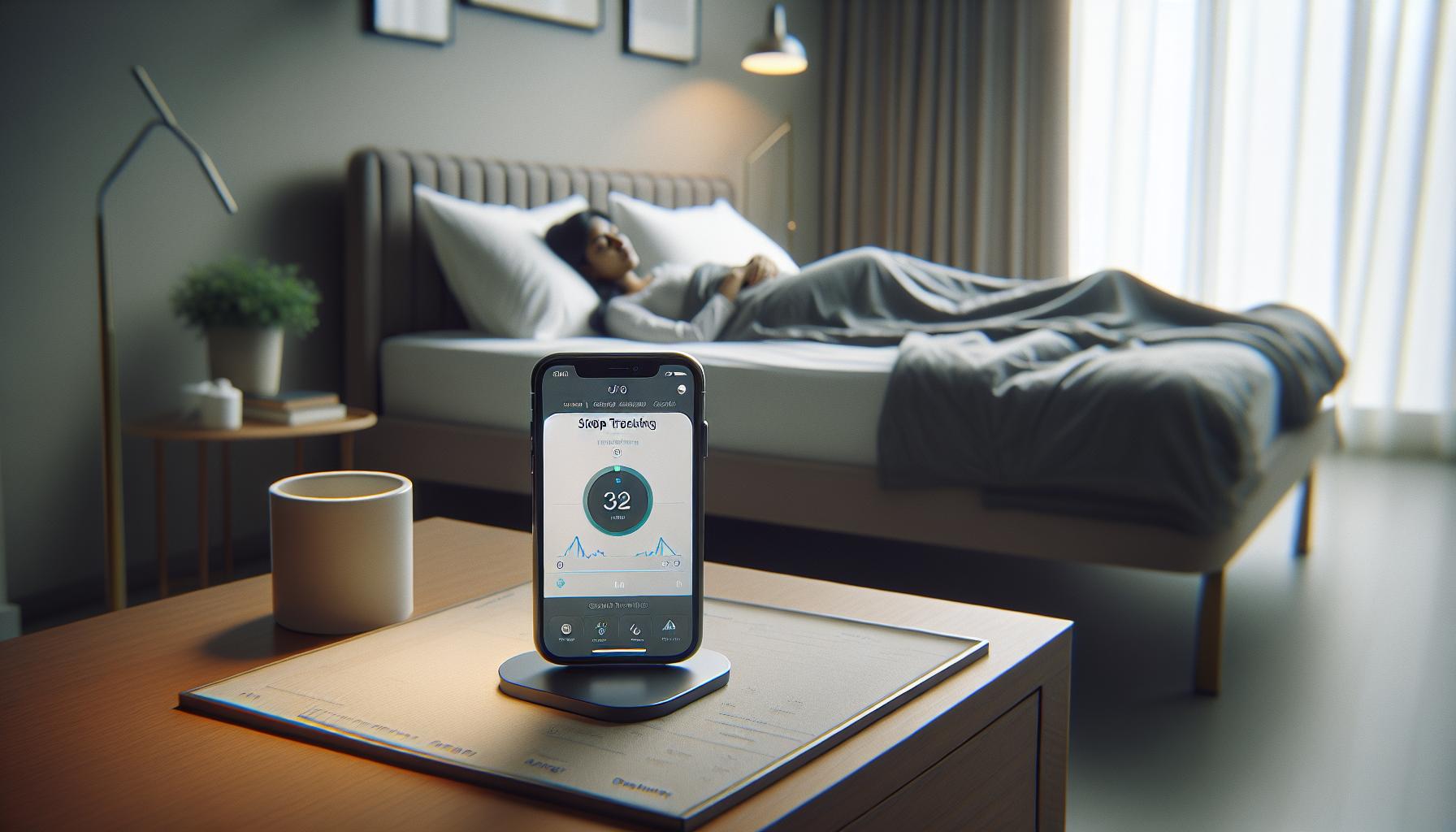
Using your iPhone to monitor your sleep habits can unlock a treasure trove of insights that lead to better rest and overall health. With the built-in Health app, your device takes advantage of its sensors to collect data about your sleep patterns. It combines movement analysis and sound recognition, allowing you to track how long you sleep, the quality of that sleep, and even your sleep stages, which can include REM sleep, light sleep, and deep sleep.
The process begins when you establish a sleep schedule within the Health app, setting specific bedtimes and wake-up times. Once enabled, your iPhone uses its motion sensors to detect when you are asleep, relying on a combination of accelerometer data and your personal sleep settings. The device records periods of rest based on your movement patterns, and if you wear an Apple Watch during sleep, it can provide even more detailed metrics, including heart rate variability and blood oxygen levels, offering a clearer picture of your nightly recovery.
Data collected during sleep is presented through visual graphs in the Health app, allowing users to see trends over time. This includes total sleep duration, bedtime consistency, and analysis of sleep quality. You can also receive tailored insights and reminders, helping you to develop healthier sleep habits. Whether you’re trying to address sleep issues or boost your overall wellness, understanding how sleep tracking works on your iPhone is the first step towards a more restful night.
Benefits of Using Sleep Tracking Technology
Leveraging sleep tracking technology on your iPhone can be a game changer for those looking to enhance their overall well-being. With just a few taps, you can unlock important insights about your nightly rest, understanding not only how much sleep you’re getting but also its quality and structure. This awareness has the potential to transform your sleep hygiene, highlighting patterns that could be detrimental to your health and daily functionality.
The primary benefit of utilizing sleep tracking is the ability to establish and monitor consistent sleep patterns. For individuals juggling busy schedules, it’s easy to lose sight of their sleep needs. A quick glance at the sleep data can inform you if you’re consistently hitting your required hours or if you’re shortchanging yourself. By setting specific bedtimes and wake-up times in the Health app, the app can create reminders to help you stick to a healthier sleep routine, mitigating the risks associated with sleep deprivation, such as decreased cognitive function and mood swings.
Additionally, sleep tracking offers detailed insights into your sleep stages, such as REM, light, and deep sleep. This information is invaluable because each stage plays a critical role in physical health and recovery. By understanding how much time you spend in each phase, you can make informed lifestyle adjustments-like reducing screen time before bed or optimizing your sleep environment-to enhance the benefits of those crucial restorative periods.
Moreover, tracking your sleep can facilitate more productive conversations with healthcare providers. If sleep issues arise, having detailed data readily available can help clinicians diagnose potential sleep disorders more effectively. With the iPhone’s sleep tracking capabilities, you empower yourself with knowledge that can lead to actionable changes and improved sleep health. Embracing this technology not only supports better sleep but fosters a healthier approach to overall wellness.
Step-by-Step Guide to Enable Sleep Tracking

Activating sleep tracking on your iPhone is a straightforward process that can significantly enhance your understanding of your sleep patterns. By utilizing the built-in features of the Health app, you can start monitoring your sleep and gaining insights into your nightly rest in just a few minutes. Here’s how to make it happen.
First, ensure your iPhone is updated to the latest version of iOS, as comfort with the latest features can impact the tracking experience. Open the Health app-this will be your central hub for tracking sleep.
Next, tap on the Browse tab located at the bottom right corner of the screen, then select Sleep. Here, you’ll find an overview of your sleep data and options to set it up. Look for Full Schedule & Options to configure your sleep schedule. You can choose to set a sleep goal based on how many hours you aspire to sleep each night.
Once your sleep goal is established, set your bedtime and wake-up time. The app provides an option to enable Bedtime Reminders, which notifies you when it’s time to wind down based on your desired sleep schedule. These reminders can help cultivate a routine that aligns with your sleep goals.
To enable automatic sleep tracking, toggle on the Track Sleep with iPhone option. It tracks your sleep automatically based on your resting patterns detected through motion and sounds. If you prefer, you can also use your Apple Watch (if you own one) for more accurate tracking, but for most users, the iPhone does a commendable job.
Lastly, you can adjust additional settings such as Wind Down for relaxing activities before bed, ensuring you create a conducive environment for better sleep quality. Once these settings are in place, simply plug your phone in to charge at night and let your iPhone do the work of tracking your sleep.
By following these steps, you’re not just enabling a feature on your phone; you’re taking the first step towards a more informed approach to your sleep health. Remember, consistent tracking over time can unveil important patterns that will empower you to make necessary adjustments for improved rest.
Understanding Sleep Stages and Your Data
Understanding your sleep stages is essential for maximizing the benefits of sleep tracking features on your iPhone. Sleep is not a uniform state; it consists of several stages that your body cycles through each night. These stages fall into two main categories: non-REM (Rapid Eye Movement) sleep and REM sleep. Each stage plays a crucial role in different aspects of sleep quality and restoration.
During the night, your body typically goes through cycles of sleep that last about 90 minutes. Each cycle includes the following stages:
- Stage 1: Light sleep, where you drift in and out of sleep. It’s easy to be awakened during this stage.
- Stage 2: This is deeper sleep where your heart rate slows, and body temperature drops. This stage constitutes the bulk of your sleep.
- Stage 3: Also known as deep sleep, this stage is critical for physical restoration, muscle growth, and immune function. It’s harder to wake someone during this stage.
- REM Sleep: This stage is where dreaming occurs, and your brain is almost as active as it is when you’re awake. REM sleep is important for memory consolidation and emotional processing.
Your iPhone’s tracking feature uses motion detection and heart rate information (if paired with an Apple Watch) to determine which stages of sleep you are experiencing. By interpreting this data, the Health app provides insights into how long you spend in each stage throughout the night. For instance, if you notice inadequate REM or deep sleep, it might suggest a need for adjustments in your sleep environment or bedtime routine.
To make the most of this data, regularly review your sleep report in the Health app. It may reveal trends like not entering deep sleep as often as you’d hope. This understanding empowers you to make informed adjustments-whether through optimizing your sleep environment, reducing caffeine intake, or establishing a calming bedtime ritual. Remember, while technology can guide you, its insights are most effective when paired with a conscious effort toward healthier sleep habits. Embrace the journey of understanding your sleep stages to enhance both your sleep quality and overall well-being.
Customizing Sleep Tracking Settings for You
Customizing your sleep tracking settings can elevate the quality of insights you gain from your iPhone, making your sleep tracking experience not only accurate but also deeply personal. A well-tuned sleep tracking system can adapt to your unique lifestyle and needs, turning raw data into actionable insights.
To start, explore the Sleep Schedule feature within the Health app. You can set your preferred sleep and wake times to establish a consistent routine. Consistency is key; by defining a regular sleep schedule, your iPhone can provide reminders that encourage you to wind down at the same time each night. This feature is especially helpful for anyone who struggles with sleep irregularity due to varied work hours or social commitments.
Next, tailor your Sleep Focus Mode settings. This feature allows you to minimize distractions during your sleep time by silencing notifications and calls. You can adjust this mode to cover the hours that best suit your lifestyle, ensuring that your sleep environment remains undisturbed.
Utilizing the Sleep Analysis data is also vital. The app offers insights on your time spent in different sleep stages. Access these reports regularly to assess patterns and make informed tweaks to your sleep hygiene. For instance, if you find you’re consistently entering REM sleep later in the night, you might consider adjusting your evening activities to help you settle down earlier.
Lastly, don’t forget about integrating any wearables like the Apple Watch. If you’re using it in tandem with your iPhone, enable heart rate monitoring during sleep. This data can provide a more comprehensive picture of your sleep patterns, helping you understand how your physical health may influence your sleep quality.
By personalizing these settings, you empower yourself with the tools to create a sleep experience that caters not just to your biological needs, but also supports your overall well-being.
Tips for Improving Sleep Quality Using Data
Understanding how to leverage the data from your iPhone’s sleep tracking feature can transform your sleep quality significantly. Many people underestimate the impact that small adjustments can make in achieving restorative sleep. By closely observing patterns in your sleep data, you can identify habits that may be interfering with your rest.
Analyze Your Sleep Patterns
Start by regularly reviewing the sleep analysis provided by the Health app. This includes insights into the amount of time you spent in different sleep stages: light, deep, and REM. If you find that you’re spending less time in deep sleep than desired, it may indicate lifestyle factors needing adjustment, such as caffeine intake or evening screen time. Identify trends over several days or weeks instead of focusing on a single night. This broader perspective allows you to make informed changes rather than reactive ones.
Create a Relaxing Pre-Sleep Routine
Establishing a consistent pre-sleep routine can significantly enhance your sleep quality. Use your sleep data to pinpoint the best time to start winding down. For example, if analysis shows you struggle to sleep before midnight, you might try starting your bedtime routine an hour earlier. Incorporate calming activities like reading, meditation, or light stretching. Additionally, consider setting a reminder that coincides with your desired wind-down period, preventing distractions and ensuring you stick to your routine.
Utilize Sleep Focus Mode
The Sleep Focus mode on your iPhone is a powerful ally in improving sleep quality. By silencing notifications and limiting distractions during your scheduled sleep times, you can create an undisturbed environment conducive to rest. Customize this mode not only for nighttime but also for short naps during the day. Data may show you wake frequently during certain hours; adjusting your Focus mode may help reduce disturbances from messages and alerts.
Consider Environmental Factors
Finally, analyze how external factors may influence your sleep. Use the data from your tracker to experiment with changes in your sleep environment. This might include adjusting your bedroom temperature, investing in blackout curtains, or utilizing a white noise machine. By correlating sleep quality with environmental changes, you can discover the optimal conditions for restful night’s sleep.
Through careful monitoring and actionable changes based on sleep data, you can empower yourself to elevate your sleep quality significantly, leading to better overall health and well-being.
Troubleshooting Common Sleep Tracking Issues
Experiencing issues with sleep tracking on your iPhone can be frustrating, especially when you’re eager to improve your sleep quality. Fortunately, many common problems are easily fixable with just a few adjustments. Here are key troubleshooting steps to ensure smooth operation of sleep tracking features and accurate data collection.
First, verify that sleep tracking is enabled in your Health app settings. Navigate to the Health app, select the “Browse” tab, find “Sleep,” and check if “Sleep Tracking” is turned on. If not, toggle it on. Additionally, ensure that the Bedtime feature is set up correctly. You can customize the time you want to go to bed and wake up, which helps the app understand your sleep schedule.
If data seems inconsistent or missing, this could stem from your iPhone not tracking your sleep due to inactivity or low battery. To resolve this, make sure your iPhone is fully charged overnight and that you wear it snugly on your wrist if using an Apple Watch, as this aids in more accurate readings. Also, check if “Do Not Disturb” or “Sleep Focus” modes are set correctly; these features are designed to minimize interruptions during your sleep sessions.
Another common issue involves syncing problems with Apple Health. If your tracked data isn’t appearing in the app, try restarting both your iPhone and any connected devices. You can also ensure that your iCloud settings are configured to back up health data, which may help recover any lost records. If all else fails, consider resetting the Health app settings to refresh your tracking capabilities.
Finally, don’t forget to keep your device updated with the latest iOS version. Manufacturers often address bugs and enhance features through updates that can improve the functionality of health-related apps, including sleep tracking. By following these straightforward troubleshooting steps, you can enhance the accuracy and effectiveness of your sleep tracking, leading to better insights and ultimately improved sleep health.
Comparing iPhone Sleep Tracking with Other Apps
When it comes to sleep tracking, many users wonder how the iPhone’s built-in features compare to specialized sleep tracking apps. The iPhone leverages its Health app and Apple Watch’s sensors to provide robust sleep insights without needing additional software. However, dedicated sleep tracking apps like Sleep Cycle or Pillow can offer unique features that might cater to specific needs. Understanding these differences can empower you to make an informed choice about your sleep health.
One of the main advantages of the iPhone’s native sleep tracking is its seamless integration with other health data. The Health app compiles not only your sleep data but also your activity, heart rate, and more, providing a holistic view of your wellness. Additionally, it allows easy access to sleep trends over time, which can be helpful for identifying patterns. In contrast, apps like Sleep Cycle focus specifically on sleep science by analyzing your sleep stages with advanced algorithms, providing detailed sleep quality scores and waking you during the lightest sleep phase for a more refreshed start to your day.
Key Comparisons
| Feature | iPhone Sleep Tracking | Third-Party Apps (e.g., Sleep Cycle, Pillow) |
|---|---|---|
| Integration with Health Data | Yes | Limited |
| Sleep Stage Analysis | Basic | Advanced |
| Custom Wake-up Alarms | Limited | Yes |
| Cost | Free with device | Varies (many have in-app purchases) |
While Apple provides a solid foundation for sleep tracking, the additional features of third-party apps could enhance your experience, especially if you are seeking deeper insights. Many of these apps come with smart alarms that wake you at the optimal time, personalized recommendations, and even snoring detection, which the iPhone lacks.
If you’re just getting started and want basic tracking and insights, the iPhone’s built-in tools are effective. However, as your needs become more nuanced or if you have specific sleep concerns, it may be worth exploring reliable app options that go beyond basic tracking. Being informed about what’s available helps you to not just track your sleep but also to understand it, ensuring you make choices that reflect your personal sleep needs.
Protecting Your Privacy When Tracking Sleep
When diving into sleep tracking with your iPhone, it’s essential to consider how your privacy is protected while your data is collected. Many users express concerns about the security of their health information, especially sensitive data like sleep patterns. Apple’s Health app is designed with robust privacy features, ensuring that your sleep data remains secure and confidential.
To keep your sleep tracking data private, Apple provides several options within the Health settings. You can choose to restrict access by managing which apps can read or write sleep data. Under the Privacy settings, tap on Health, then select the app you want to adjust. This way, you have control over who gets to see your sleep details. Moreover, the data collected is stored locally on your device, meaning it’s less susceptible to hacks or breaches than data stored in the cloud.
It’s also wise to regularly review your privacy settings, not just for the Health app but for all health-related applications you might be using. Check permissions often to ensure only essential data is being shared, and remember that you can delete any information you no longer wish to keep. Apple’s emphasis on privacy means that features like anonymization are also utilized, allowing them to gather usage data without identifying specific users.
Lastly, when using third-party sleep tracking apps, be particularly vigilant. These apps may have different privacy policies, and it’s crucial to read through them. Look for apps that are transparent about how your data is handled and ensure they comply with health data regulations such as HIPAA (Health Insurance Portability and Accountability Act). By being proactive about your privacy, you can enjoy the benefits of sleep tracking while keeping your personal health information safe.
Real-Life Scenarios: When to Consult a Sleep Specialist
When it comes to sleep, many of us rely on our iPhones for tracking and insights. However, there are moments when the data we gather isn‘t enough, and seeking help from a sleep specialist becomes essential. If you’re finding that simple sleep tracking doesn’t resolve your concerns, it’s worth considering a consultation with a professional.
One common scenario is persistent sleep disturbances-if you’re regularly waking up multiple times during the night or can’t seem to fall asleep at all, despite trying various strategies suggested by your sleep tracking app, a specialist can help. They might recommend a sleep study (polysomnography) to gather more detailed information about your sleep patterns, including phenomena like sleep apnea, which could be missed by an app.
When to Seek Help
- Chronic Fatigue: If you’re consistently waking up feeling unrefreshed, despite what the app tells you about your sleep quality, it could signal underlying issues that need addressing.
- Severe Snoring or Breathlessness: If your partner notices that you snore loudly or stop breathing during sleep, these are serious signs to consult a specialist.
- Difficulty Staying Awake: If you find yourself falling asleep during the day or struggle to stay alert while working or driving, it’s time to explore further with medical help.
- Stress and Anxiety Related Sleep Issues: If your sleep problems stem from anxiety or stress that tracking can’t alleviate, a professional can provide strategies that go beyond what an app can offer.
Understanding the right time to consult a specialist can empower you to take control of your sleep health. Trust your instincts-if something feels off in your sleep patterns, don’t hesitate to seek expert advice. Working with a sleep specialist not only enhances your understanding of your sleep needs but can also lead to effective treatments tailored just for you. Remember, while your iPhone can help track your sleep, it can’t replace professional medical advice when deeper issues arise.
Enhancing Your Sleep Routine Based on Insights
Building a sleep routine that truly works for you can be a transformative experience, and your iPhone can be a powerful ally in this journey. When you activate sleep tracking, you gather valuable insights about your sleep patterns, helping you pinpoint what might be affecting your rest. Using this data effectively means connecting the dots between your nightly habits and your overall sleep quality.
To begin, analyze the data collected by your sleep tracker. Are you consistently getting the recommended 7-9 hours of sleep, or are there patterns indicating poor sleep quality, like frequent awakenings or insufficient time in deep sleep? Consider keeping a sleep diary alongside your app data to identify any correlations-such as your screen time before bed, caffeine consumption in the afternoon, or exercise patterns. Noticing these trends can empower you to make informed adjustments. For instance, if you observe that late-night snacks affect your rest, you might want to set a cut-off time for eating in the evening.
Practical Adjustments for Better Sleep
Implementing changes based on your tracking insights can be straightforward. Here are some suggestions:
- Create a Consistent Sleep Schedule: Go to bed and wake up at the same times every day, even on weekends, to regulate your body’s internal clock.
- Develop a Relaxing Pre-Sleep Routine: Integrate calming activities such as reading, gentle stretching, or meditative practices to signal to your body that it’s time to wind down.
- Optimize Your Sleep Environment: Ensure your bedroom is conducive to sleep-consider blackout curtains, a cool room temperature, and minimizing noise distractions.
- Limit Stimulants: Reduce caffeine and alcohol consumption, especially in the hours leading up to bedtime, as these substances can disrupt your sleep cycle.
Furthermore, engage with the advanced features of your sleep tracking app. Many apps allow you to set sleep goals, reminders, and even analyze your sleep by stages, which can enhance your understanding of your sleep architecture. By utilizing these tools, you can better tailor your sleep practices to your unique needs.
Incorporating these insights into your daily routine not only benefits your sleep but can also improve aspects of your wakeful life-like mood, productivity, and overall health. Your iPhone isn’t just a tool for tracking sleep; it’s a gateway to understanding and enhancing your health through better sleep habits. Remember, small adjustments can lead to significant improvements over time!
Unlocking Advanced Features for Better Tracking
Unlocking advanced features in your sleep tracking app can significantly enhance your understanding of your sleep patterns and improve your overall sleep quality. Most smartphone sleep tracker apps come with tools that allow you to customize your experience, enabling deeper insights into your nightly rest. For instance, by setting specific sleep goals within the app, you can establish a target amount of sleep each night. This not only motivates you to prioritize rest but also helps the app offer personalized feedback based on your progress.
Utilizing sleep stage analysis is another powerful feature available in many apps. Understanding how much time you spend in REM, light, and deep sleep can illuminate the quality of your rest. Armed with this knowledge, you can identify factors affecting your sleep cycles, whether it’s disturbances from noise or an irregular sleep schedule. Many apps also provide soundscapes or white noise options, which can help you achieve a more restful sleep environment, especially if you live in a noisy area.
Moreover, consider integrating health data from other apps or wearables to enhance your sleep tracking experience. Some sleep trackers can sync with fitness apps to create a comprehensive overview of your health patterns, revealing connections between physical activity, heart rate, and sleep quality. For example, if you notice that higher physical activity levels correlate with improved sleep quality, you might find motivation to maintain a consistent exercise regimen.
Lastly, don’t overlook the scheduling and reminder features. By programming your sleep app to remind you when it’s time to wind down for the night, you set a consistent rhythm that your body can adapt to. Some apps even allow you to set alarms that wake you during light sleep, helping you feel more refreshed and less groggy. These tailored features not only facilitate better sleep habits but also empower you to make informed choices about your health and well-being. The more you engage with your sleep tracking app’s capabilities, the closer you will get to achieving a truly restful night’s sleep.
Faq
Q: How do I track my sleep on iPhone without third-party apps?
A: To track your sleep on iPhone without third-party apps, use the built-in Sleep feature in the Health app. Go to the Health app, tap “Browse,” then “Sleep,” and set your sleep schedule. The iPhone will utilize its Motion and Fitness data to monitor your sleep patterns automatically.
Q: Can I sync my sleep data from my Apple Watch to my iPhone?
A: Yes, if you wear an Apple Watch while sleeping, it will sync sleep data to your iPhone’s Health app automatically. Ensure both devices are paired and that Sleep tracking is enabled in the Watch app settings on your iPhone for accurate data transfer.
Q: Why is my sleep tracking data not accurate on my iPhone?
A: If your sleep tracking data is inaccurate, check if you have enabled the Sleep Focus mode and that the iPhone is configured to monitor your sleeping hours correctly. Additionally, ensure your device is updated to the latest iOS version and that motion sensors are functioning well.
Q: What is the difference between sleep tracking and sleep monitoring on iPhone?
A: Sleep tracking on iPhone primarily records the duration of sleep and sleep stages, while sleep monitoring focuses on analyzing patterns over time, including quality and disturbances. The Health app provides both functionalities for a comprehensive view of your sleep health.
Q: How do I stop my iPhone from tracking my sleep?
A: To stop sleep tracking on your iPhone, go to the Health app, tap on “Sleep,” and disable your sleep schedule and Sleep Mode. You can also adjust the settings in the Sleep Focus under Settings > Focus > Sleep to ensure that it doesn’t activate automatically.
Q: Can sleep tracking help improve sleep quality on iPhone?
A: Yes, sleep tracking can improve your sleep quality by providing insights into your sleep patterns. Using the data collected, you can identify habits that positively or negatively affect your rest, allowing you to make informed adjustments to your sleep environment and routine.
Q: How can I customize sleep tracking settings on my iPhone?
A: You can customize your sleep tracking settings by going to the Health app, tapping on “Sleep,” and selecting “Full Schedule” to adjust your sleep goals, bedtime reminders, and Wake Up alarms. Tailoring these settings can enhance the effectiveness of the sleep tracking feature.
Q: What should I do if my sleep data is not syncing between devices?
A: If your sleep data isn’t syncing, ensure both your iPhone and Apple Watch are updated to the latest software. Check Bluetooth and Wi-Fi connections, and verify that both devices are connected. Restarting both devices can also resolve synchronization issues.
In Conclusion
Now that you know how to activate sleep tracking on your iPhone, take the next step towards better sleep health today. Remember, sleep is crucial for daily wellbeing, and tracking it can uncover patterns that improve your nighttime routine. If you have questions or want to dive deeper, explore our detailed guides on sleep studies and wearables, or check out tips for enhancing sleep quality.
Don’t miss out on the chance to optimize your sleep! Subscribe to our newsletter for ongoing insights, and join our community of sleep enthusiasts. Your journey to more restful nights starts with informed steps-take action now, and feel free to share your experiences in the comments below. We’d love to hear how sleep tracking has benefited you!
Get our latest guides, news, and insights highlighted in your Google Search & AI Overviews.