
Did you know that nearly one in three adults struggle with sleep? If you own a Fitbit Charge 3 and have noticed it not tracking your sleep, you’re not alone. Many users experience this frustrating issue, which can hinder your ability to gain insights into your sleep patterns and overall health. Understanding why your device isn’t capturing sleep data is crucial to optimizing your rest and enhancing your wellness journey. In this article, we’ll explore common reasons for sleep tracking failures, provide solutions to troubleshoot your device, and empower you with tips to ensure you get the valuable sleep insights you need. Keep reading to unlock the potential of your Fitbit Charge 3 and take charge of your sleep health!
Why Is My Fitbit Charge 3 Not Tracking Sleep?
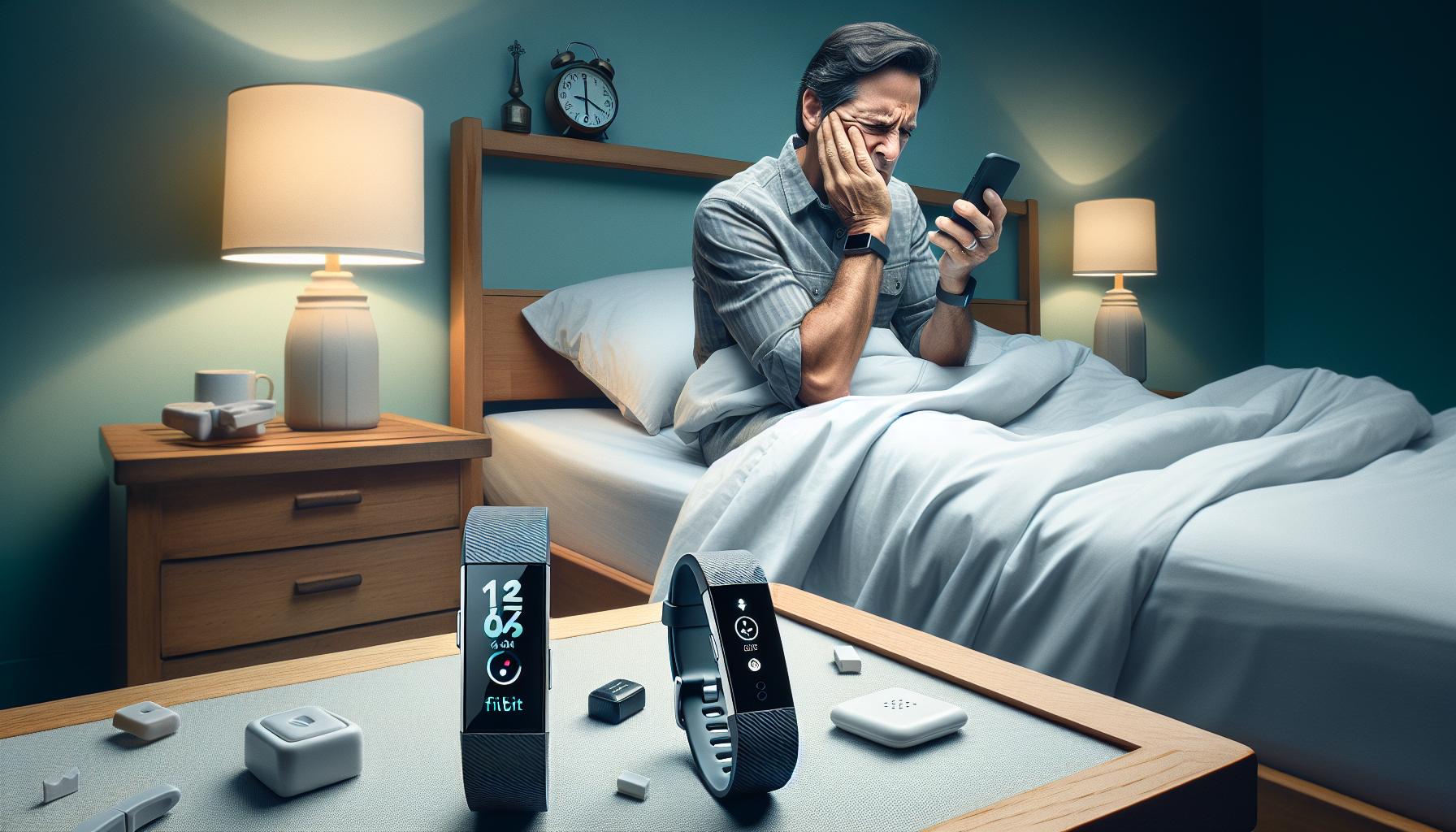
If your Fitbit Charge 3 isn’t tracking sleep, it can be frustrating, especially when you’re relying on the device to monitor your health. There are several reasons why your Fitbit may not be correctly recording your sleep patterns. One common issue is improper wear; for accurate tracking, ensure that the device is snug but comfortable on your wrist. A loose fit can hinder the heart rate monitor’s effectiveness, which is essential for sleep detection.
Battery levels can also affect performance. Ensure your device is charged; if the battery is low, it may not monitor sleep accurately. Additionally, consider your sleep habits; Fitbit uses motion and heart rate to detect sleep stages, so if you have an irregular sleeping pattern or move a lot while sleeping, it might struggle to identify when you are awake or asleep.
Another critical factor is the settings on your Fitbit app. Make sure that sleep tracking is enabled and that you have not turned off features that might impact its ability to record sleep data. Checking the app also allows you to set reminders for a consistent bedtime, which can improve sleep tracking reliability over time.
If you’ve addressed these aspects and the problem persists, troubleshooting steps like restarting the device or reinstalling the app may help. Sometimes, simply resetting the Fitbit can resolve sporadic issues and enhance its tracking accuracy moving forward. If these solutions do not work, reaching out to Fitbit support can provide further assistance tailored to your specific device and situation.
Common Reasons Your Fitbit Isn’t Tracking Sleep
If your Fitbit Charge 3 is failing to track your sleep, it can be disheartening, especially when you’re trying to gain insights into your sleep patterns for better health. Various factors come into play that might hinder the accuracy of sleep tracking. One of the main issues is how the device is worn. The Fitbit should fit snugly on your wrist. A loose band can impede the heart rate sensor necessary for sleep detection, leading to incomplete or inaccurate sleep data. Ensure that your Fitbit is neither too tight nor too loose to facilitate optimal functioning.
Battery life is another crucial element. A low battery can significantly affect your device’s performance, including its ability to track sleep. Keep your Fitbit charged regularly to ensure that it can operate effectively throughout the night. Personal sleep behavior also plays a role; factors such as an inconsistent sleeping schedule, excessive movement during sleep, or underlying sleep disorders can confuse the device’s ability to determine sleep states, resulting in missed data.
Additionally, confirm that the sleep tracking feature is activated in the app settings. Sometimes users accidentally disable features, which can lead to misleading sleep data. You can also utilize the app to set a regular bedtime reminder, thereby promoting a consistent sleep schedule that can enhance tracking reliability. If addressing these factors doesn’t solve the issue, consider troubleshooting methods like restarting the device or removing and reinstalling the app. These steps can often resolve minor glitches that interfere with tracking capabilities.
How to Properly Set Up Your Fitbit for Sleep Tracking
Wearing your Fitbit correctly at night is critical for accurate sleep tracking. Ensure that your Charge 3 fits snugly but comfortably on your wrist. A loose fit can prevent the heart rate sensor from accurately detecting your sleep patterns, while a too-tight band may cause discomfort and disrupt your sleep. Check the fit every time you put it on for the night.
Next, make sure that your Fitbit’s sleep tracking feature is enabled in the app settings. Open the Fitbit app and navigate to the settings where you can check whether sleep tracking is turned on. Additionally, consider setting a consistent bedtime reminder to help regulate your sleep schedule. By establishing a routine, you not only improve your sleep health but also increase the reliability of the device’s ability to track your sleep effectively.
Battery life is another essential factor that can’t be overlooked. Ensure your device is charged adequately before bedtime to prevent any lapses in tracking due to low battery levels. Regularly charging to at least 50% before bed is a good practice. Also, check for any firmware updates that might enhance device performance, as manufacturers regularly release updates to improve accuracy and functionality.
Finally, be aware of your sleep environment and routine. Factors such as noise, light, and temperature can affect your sleep quality, impacting how well the Fitbit tracks your sleep stages. If possible, create a calming sleep environment and follow a wind-down routine that signals to your body it’s time to sleep. This helps not only in sleep quality but also enhances the accuracy of your Fitbit’s tracking capabilities.
Troubleshooting Sleep Tracking Issues on Your Fitbit

If you’ve noticed that your Fitbit Charge 3 isn’t tracking your sleep as expected, you’re not alone-many users encounter similar issues. Understanding how to troubleshoot these problems can significantly enhance your sleep tracking experience. Here’s a comprehensive guide to resolving common sleep tracking issues.
Start by ensuring that your Fitbit is poised for success each night. A snug fit is essential for accurate data collection; aim for a comfortable, yet secure, adjustment on your wrist. A loose band may hinder the heart rate sensor, leading to inaccurate readings, while a too-tight fit can interfere with your sleep quality. Always check the fit before bedtime.
Next, review your app settings. Sometimes, sleep tracking can be disabled by accident. Open the Fitbit app, navigate to settings, and confirm that sleep tracking is turned on. Setting a consistent bedtime reminder can also help-ritualizing this process encourages better sleep patterns, and your device may track your sleep more reliably as a result.
Battery life plays a crucial role in functionality. Ensure your device is charged to at least 50% before bed to avoid interruptions in tracking. Keeping your firmware up-to-date is equally important, as updates can provide enhancements that fix bugs or improve performance.
Furthermore, consider your sleep environment. Elements such as noise, light, and temperature can impact not only sleep quality but also how well the Fitbit tracks sleep. Limit exposure to blue light from screens and create a sleep-friendly environment by keeping your room dark and cool. Following a calming wind-down routine can signal your body that it’s time to sleep, facilitating better tracking accuracy.
Finally, if you continue to experience issues, resetting your Fitbit can often resolve lingering problems. Make sure to back up your data before doing so, and you can explore alternatives to Fitbit if tracking remains unreliable. By following these steps, you can optimize your Fitbit Charge 3’s ability to monitor your sleep effectively.
Ensuring Accurate Sleep Data: Tips and Best Practices
Ensuring the accuracy of sleep data collected by your Fitbit Charge 3 can significantly enhance your understanding of your sleep patterns and overall health. Here are some practical tips and best practices to help you achieve reliable results.
Start by setting a consistent sleep schedule. Our bodies thrive on routine, and maintaining a regular sleep-wake cycle can help your Fitbit accurately track your sleep stages. Try to go to bed and wake up at the same time every day, even on weekends. Using the sleep schedule feature in the Fitbit app can be a game-changer-set a bedtime reminder to encourage adherence to this routine.
Another important aspect is the fit of your device. Your Fitbit should be snug but not too tight, placed just above your wrist bone. A loose fit can lead to inaccurate readings as it may not effectively detect heart rate fluctuations while you sleep. Before going to bed, check that the band is fitted correctly; you should be able to fit a finger underneath it without too much difficulty.
Battery life is crucial for uninterrupted tracking. Ensure your device has at least 50% battery charge before bedtime. Low battery levels can cause the tracker to malfunction or even shut off during the night, leading to gaps in your sleep data. Regularly charging your Fitbit and keeping the firmware updated can help maintain its performance.
Finally, consider your sleep environment. Factors such as room temperature, light, and noise can impact both your sleep quality and how accurately your Fitbit tracks your sleep. Aim for a dark, quiet, and cool room, and consider using blackout curtains and earplugs if needed. Following a calming bedtime routine-like reading or some light stretching-can help signal to your body that it’s time to wind down, ultimately leading to better sleep quality and more reliable tracking data.
By incorporating these practices into your nightly routine, you’ll not only improve the accuracy of your sleep data but also enhance your overall sleep quality.
Understanding Fitbit Sleep Metrics and What They Mean
Understanding your Fitbit’s sleep metrics is crucial for making informed decisions about your sleep health. Each metric your Fitbit Charge 3 records plays a specific role in helping you understand how well you are sleeping and what adjustments you may need to make for better rest.
Fitbit tracks several key sleep stages: light sleep, deep sleep, and REM sleep. Light sleep typically makes up about half of your total sleep time and is important for memory and learning. Deep sleep, on the other hand, is essential for physical recovery, hormone regulation, and overall health. Finally, REM sleep is when dreaming occurs and plays a vital role in cognitive functions, such as memory consolidation and learning. Monitoring the duration and quality of these stages can provide insights into whether you’re getting restorative sleep or if lifestyle changes may be beneficial.
In the Fitbit app, you can view a detailed breakdown of your sleep metrics. This includes total sleep time, the percentage of each sleep stage, and periods of wakefulness. Watching trends over time can help you identify patterns or disturbances in your sleep. For instance, if you notice that you consistently get less deep sleep when you consume caffeine later in the day, you might consider adjusting your habits to improve overall rest.
Moreover, Fitbit also incorporates sleep insights based on your trends and patterns. This personalized feedback can help empower you to make positive changes. You may receive suggestions to establish a consistent bedtime routine, create an optimal sleep environment, or adjust your daily activities to support better sleep quality. With this information, you can take a proactive approach to your sleep health, leveraging your Fitbit not just as a tracker, but as a tool for improving your nightly rest.
When to Reset Your Fitbit for Sleep Tracking Issues
If your Fitbit Charge 3 is not effectively tracking your sleep, it could be a sign that the device needs a reset. Resets can help clear minor glitches and re-establish the connection between your device and the app, ensuring more accurate data collection. Generally, if you notice persistent inaccuracies in sleep tracking-like failing to record sleep hours or incorrect sleep stage data-resetting your device can often resolve these issues.
To reset your Fitbit Charge 3, you can follow these simple steps:
- Connect the device: Place your Fitbit on its charging dock.
- Initiate the reset: Press and hold the button on the side of the tracker for about 10 seconds. You should notice the Fitbit logo appear on the screen, which indicates a restart.
- Release the button: Once the logo appears, release the button and wait for the device to restart fully.
After performing the reset, monitor your sleep tracking over the next few nights. If you still experience issues, ensure that your Fitbit is properly set up for sleep tracking by confirming it’s on your wrist during sleep, and check the settings in your Fitbit app to verify that sleep detection is enabled.
In some cases, a reset may not be enough. If your device continues to struggle with tracking sleep, checking for software updates is also crucial, as running outdated firmware can affect performance. To ensure you’re in sync, make updating your device a regular part of your routine. If problems persist, consider reaching out to Fitbit customer support for further assistance. They can offer more targeted troubleshooting based on your specific situation.
Maintaining your device and addressing issues promptly will help you gain the most accurate insights into your sleep patterns, ultimately aiding in your quest for better rest.
Other Factors Affecting Sleep Tracking Accuracy
Tracking sleep can be a complex process, and several factors can influence the accuracy of your Fitbit Charge 3’s readings. While the device is designed to provide insights into your sleep patterns, certain variables can lead to discrepancies in the data it collects.
One significant element is the device fit and placement. Your Fitbit needs to be snug against your wrist to accurately detect heart rate variability and movement. If it’s too loose or positioned too high on your arm, it may not capture accurate data. Sleep tracking functionality relies heavily on motion detection; therefore, any movements that occur when you adjust your position may not be counted as sleep.
Your sleep environment also plays a crucial role. Factors such as room temperature, noise, and light can disrupt both your sleep quality and the ability of your Fitbit to assess it accurately. For instance, a room that is too hot or too cold could prevent you from reaching deeper sleep stages, causing inaccurate readings. Similarly, ambient noise and excessive light can awaken you or keep you from falling into distinct sleep cycles, further complicating the readings your Fitbit provides.
Other health-related factors might impact your sleep tracking. Conditions such as sleep apnea, anxiety, or chronic pain can disrupt your sleep patterns and might not be fully represented by the Fitbit’s capabilities. If you experience such conditions, the deviations in sleep data may not solely reflect the device’s functionality but rather the underlying sleep disturbances you are facing.
Lastly, the software and settings on your device need attention. Ensure that your Fitbit Charge 3 firmware is up to date and that the sleep tracking features are activated within the device settings. Outdated software can lead to performance issues, and an improperly configured device may not function as intended, resulting in inaccuracies when tracking your sleep.
By considering these factors and taking steps to address them, you can enhance the accuracy of your Fitbit Charge 3 sleep tracking capabilities, leading to richer insights into your overall sleep health.
Alternatives to Fitbit for Better Sleep Monitoring
If you’re finding that your Fitbit Charge 3 isn’t cutting it for sleep monitoring, you’re not alone. Many users encounter similar frustrations and find themselves exploring alternatives that may offer richer insights into their sleep patterns. Fortunately, several other devices and technologies can provide robust sleep tracking features, often with the added benefit of in-depth analysis and personalized tips.
Top Alternatives for Sleep Tracking
- Oura Ring 3: This sleek, smart ring collects a wealth of data on your sleep, activity, and readiness. With advanced sensors, it measures heart rate, temperature, and movement, offering a comprehensive overview of your sleep patterns. Its app provides daily insights and even recovery recommendations, making it a favorite for serious sleepers.
- Whoop 4.0: A subscription-based fitness tracker that focuses on recovery and sleep. It offers personalized insights based on your heart rate variability and sleep stages, creating a holistic approach to health monitoring.
- Sleep Number 360 Smart Bed: Besides providing a comfy sleeping surface, this smart bed tracks your sleep quality and adjusts temperature and support according to your sleep needs. It uses in-depth analytics to determine your sleep performance, helping you create ideal sleep conditions.
- Eight Sleep Pod 3: Known for its active temperature regulation, this smart mattress cover can help optimize your sleep quality. It tracks sleep stages and provides insights through its connected app, which can adjust your bed’s temperature to fit your sleep cycles.
Considerations When Choosing an Alternative
When exploring options, keep the following in mind:
- Cost: Some devices, like smart beds, can be a significant investment. Weigh the importance of enhanced sleep features against your budget.
- Comfort and Design: If you prefer wearing a device, choose one that feels comfortable and suits your personal style.
- Data Analysis: Look for options that offer not just tracking but actionable insights that can help improve your sleep hygiene.
Switching your sleep tracker doesn’t have to be overwhelming. Take time to assess your needs, read reviews, and perhaps even try out devices if possible. Each option has its own strengths, but finding the right fit can lead to significant improvements in your sleep quality and overall well-being.
User Experiences: Real Stories of Sleep Tracking Challenges
Many Fitbit users have encountered issues with their devices, particularly the Charge 3, when it comes to sleep tracking. One common challenge is the device not recording sleep accurately, which can be frustrating for those relying on these insights to gauge their rest. For instance, one user shared how their Fitbit consistently failed to log their sleep periods despite wearing it every night. They discovered that improper placement on the wrist or not snug enough could result in inaccurate readings. It’s essential to make sure the tracker is worn correctly, as it needs to detect your movement and heart rate effectively.
Another user pointed out that after a software update, their device seemed to misinterpret wake times. This incident highlights the importance of keeping your device firmware updated; updates can rectify bugs that may interfere with tracking functionality. Additionally, users often find success by syncing their devices regularly with the app to ensure that all data is correctly logged and any anomalies are addressed promptly.
The user experiences surrounding sleep tracking with the Fitbit Charge 3 not only reveal common pitfalls but also showcase proactive steps other users have taken. Some have shared their strategies, such as setting up a bedtime reminder to encourage more consistent sleep schedules, which can significantly enhance tracking accuracy. Others have turned to Fitbit’s community forums for troubleshooting tips and have discovered that engaging with the device’s support system can provide quick fixes for software-related issues.
In summary, maintaining awareness of how you wear your device, ensuring it is updated, and seeking information from user communities can dramatically improve your sleep tracking outcomes. For many, these small adjustments have made a meaningful difference in the quality of data their Fitbit collects, leading to more effective sleep analysis and improved sleep hygiene.
Expert Tips for Improving Sleep Hygiene with Wearables
Improving your sleep hygiene can lead to better nights and ultimately enhance the accuracy of your Fitbit Charge 3’s sleep tracking capabilities. Many users rely on their devices to give them insights into their sleep patterns, yet several factors can influence the effectiveness of the tracking. Here are practical tips to help you maximize both your sleep quality and your Fitbit’s utility.
Establish a Consistent Sleep Schedule
Setting regular sleep and wake times can significantly enhance your body’s internal clock. Aim to go to bed and wake up at the same time every day, even on weekends. This consistency improves your overall sleep quality and allows your Fitbit to track your patterns more effectively. Utilize features like bedtime reminders through the Fitbit app to reinforce this habit.
Create a Sleep-Inducing Environment
Your sleep environment plays a critical role in how well you rest. Consider the following elements:
- Darkness: Use blackout curtains or eye masks to block out light.
- Noise Control: Silence disruptive sounds with earplugs or white noise machines.
- Comfort: Ensure your mattress and pillows are suitable for your sleep style.
A conducive sleeping environment can both improve sleep quality and make tracking more accurate as your Fitbit depends on heart rate and movement data.
Optimize Your Fitbit Settings
Make sure your Fitbit Charge 3 is set up correctly for sleep tracking. Check settings like heart rate monitoring and ensure that the device is snug but not too tight on your wrist. A proper fit aids in accurate heart rate readings, which is essential for discerning sleep stages. Regularly update the firmware and sync your device to maintain optimal performance.
Incorporate Relaxation Techniques
Adopting relaxation techniques before bedtime can also promote better sleep hygiene. Practices such as deep breathing, meditation, or light stretching can lower stress levels and prepare your body for rest. By calming your mind, you not only enhance sleep quality but also provide your Fitbit with clearer data on sleep onset and duration.
By integrating these strategies into your routine, you can improve the reliability of the data your Fitbit Charge 3 collects and, ultimately, enjoy more restorative sleep. These small changes can lead to significant improvements in how you feel during the day and in the insights provided by your wearable device.
Navigating Customer Support for Fitbit Sleep Concerns
It can be frustrating when your Fitbit Charge 3 isn’t tracking your sleep, especially if you’re relying on it to improve your rest. But help is readily available if you encounter issues with your device. The first step in is to understand the resources at your disposal. Fitbit’s official support page offers detailed guides and troubleshooting tips aimed at resolving common issues, such as proper device setup or adjusting settings to enhance sleep tracking accuracy.
To initiate support, users can visit the Fitbit Help Center online, which provides FAQs, product manuals, and community forums. Here you’ll find discussions from other users who may have experienced similar problems, offering unique solutions or tips from their experiences. If your issue remains unresolved, consider reaching out directly to Fitbit’s customer support via their app or website. Having your device model and a detailed description of the problem can help expedite the support process.
It’s also beneficial to engage with Fitbit’s social media channels or user communities, as many users share insights and solutions that may not be documented in the official materials. Keep in mind that sleep tracking performance can vary, impacted by factors such as tightness of the band or whether you’re wearing it consistently overnight. If all else fails and your device is still under warranty, exploring potential repair or replacement options might be worth considering.
Remember, while Fitbit devices can provide valuable insights into sleep patterns, they have limitations. Understanding these boundaries is crucial to managing your expectations. Reaching out for support not only helps resolve individual issues but also contributes to improving the overall experience for the user community. So, if you find yourself facing a lack of sleep tracking, don’t hesitate to leverage the full range of customer support options available to you.
Frequently Asked Questions
Q: Why is my Fitbit Charge 3 not recording my sleep properly?
A: If your Fitbit Charge 3 is not recording sleep, it could be due to improper fit, low battery, or settings being disabled. Ensure your device is snug on your wrist, fully charged, and that sleep tracking is activated in the app or device settings for accurate monitoring.
Q: How do I reset my Fitbit Charge 3 to fix sleep tracking issues?
A: To reset your Fitbit Charge 3, press and hold the button for about 10 seconds until you see the Fitbit logo. This process may resolve minor glitches affecting sleep tracking. After resetting, check your settings to ensure sleep tracking is enabled.
Q: Can water exposure affect my Fitbit Charge 3’s sleep tracking?
A: Yes, while the Fitbit Charge 3 is water-resistant, excessive moisture can still cause temporary issues. Make sure your device is dry and clean before sleep tracking, as moisture can interfere with sensors necessary for accurate sleep data.
Q: How can I improve the accuracy of sleep tracking on my Fitbit Charge 3?
A: To enhance sleep tracking accuracy, wear your Fitbit snugly on your wrist during the night, maintain a consistent sleep schedule, and ensure the watch is fully charged. Additionally, avoid using the device for activities that may disrupt its tracking capability, such as heavy exercise close to bedtime.
Q: What should I do if my Fitbit Charge 3 is not syncing sleep data?
A: If your Fitbit Charge 3 isn’t syncing sleep data, try restarting the device and ensuring Bluetooth is enabled on your paired smartphone. Check the Fitbit app for updates and make sure your device is connected correctly to receive data.
Q: Are there any known software issues affecting sleep tracking on Fitbit Charge 3?
A: Occasionally, software bugs or performance issues may affect sleep tracking on Fitbit devices. Make sure your Fitbit app and device software are up to date. You can find any ongoing issues related to software on Fitbit’s support page or community forums.
Q: How does my sleep environment impact my Fitbit Charge 3’s tracking?
A: Your sleep environment plays a crucial role in tracking accuracy. Factors like room temperature, light exposure, and noise can affect sleep quality and sensor performance. Ensure your sleeping area is conducive to rest for the best results from your Fitbit’s tracking features.
Q: What should I check if my Fitbit Charge 3 shows incorrect sleep hours?
A: If your Fitbit Charge 3 displays incorrect sleep hours, verify that you are wearing it correctly, that sleep tracking is enabled, and that your device is updated. Reviewing sleep logging settings in the app may also help correct discrepancies in recorded data.
To Conclude
If your Fitbit Charge 3 isn’t tracking your sleep, remember that ensuring proper settings and wearing your device correctly can make all the difference. With simple troubleshooting steps, you can regain valuable insights into your rest quality. Don’t let sleep tracking issues deprive you of understanding your sleep patterns-take action now to optimize your sleep experience!
For more guidance on improving your sleep quality, check out our articles on sleep insights and effective sleep routines. Interested in enhancing your overall wellness? Explore our sleep technology section for the latest devices designed to support better rest. Ready to take charge of your sleep health? Sign up for our newsletter to receive tips, resources, and the latest updates tailored to your needs.
Stay informed and empowered on your journey to better sleep! If you have questions or tips to share, we’d love to hear from you in the comments below. Your restful night is just a click away!
Get our latest guides, news, and insights highlighted in your Google Search & AI Overviews.