
Have you ever woken up, eager to see how well you slept, only to find your Fitbit Blaze hasn’t tracked your slumber at all? For many users, this frustrating issue is more common than you think, and understanding the reason behind it can greatly enhance your sleep monitoring experience. A well-functioning sleep tracker not only helps you gain insights into your sleep patterns but also fosters better overall health management. In this article, we’ll delve into the various reasons your Fitbit Blaze may not be tracking your sleep, offer step-by-step solutions to restore its functionality, and empower you to take control of your sleep health. Whether you’ve recently updated your device or simply need a refresher on its features, we’re here to guide you through optimizing your Fitbit Blaze for precise sleep tracking.
Common Reasons Your Fitbit Blaze Fails to Track Sleep
Many Fitbit Blaze users find themselves puzzled when their device fails to track sleep accurately. This can happen for various reasons, which if addressed, can improve your device’s performance. One of the most common culprits is improper wear; the Fitbit Blaze needs to be snug on your wrist but not too tight. If it’s loose, it may not detect the movements that signal sleep stages. Additionally, wearing the device too high on your wrist can impede its ability to read your heart rate accurately, which is a key factor in determining sleep patterns.
Another reason for inaccurate sleep tracking could be insufficient battery life. If your device’s battery runs low, it may shut off sleep tracking or provide erratic measurements. To avoid this issue, ensure your Fitbit Blaze is charged regularly, especially before bed. Furthermore, sleep tracking may not function correctly if the device has not been updated to the latest firmware. Regular updates often include enhancements and bug fixes that can significantly affect tracking accuracy. Checking for these updates can often make a noticeable difference in your device’s performance.
Environmental factors also play a critical role in sleep data accuracy. High noise levels, a room that’s too bright, or fluctuations in temperature can disrupt your sleep and consequently your device’s ability to track it accurately. Ensure your sleeping environment is conducive to rest, which aids not only your sleep quality but also your device’s performance.
These issues are often easily resolved with minor adjustments in how you use your Fitbit Blaze. However, if problems persist despite these changes, you may want to explore more in-depth troubleshooting or contact customer support for further assistance.
Basic Sleep Tracking Functions of the Fitbit Blaze
The Fitbit Blaze is not just a fitness tracker; it’s also designed to enhance your sleep quality by tracking your sleep patterns. With its advanced sensors, the Blaze monitors your sleep stages-light, deep, and REM-providing insights into the quality of your rest. Understanding these basic functions can help you reap the benefits of this technology, ensuring you use it effectively to improve your overall health.
When you wear your Fitbit Blaze to bed, it automatically detects your sleep based on your wrist movement and changes in heart rate. This automatic sleep tracking feature means you don’t have to manually start or stop the tracking process, allowing you to focus on getting a good night’s sleep. The device also provides a sleep score in the morning, which summarizes how well you slept based on total sleep time and sleep quality. This score can help you identify patterns in your sleep over time.
The Blaze app also offers comprehensive insights into your sleep trends. You can view detailed graphs and reports that show how long you spent in each sleep stage throughout the night. These insights can empower you to adjust your bedtime routines, such as establishing a relaxing pre-sleep ritual or altering your sleep environment, to enhance your overall sleep quality.
Moreover, the Fitbit Blaze incorporates alarms that can gently wake you during a light sleep phase, minimizing grogginess. This feature not only acknowledges the natural cycles of sleep but can also make mornings more pleasant. Always remember to check that your device is properly fitted on your wrist to ensure accurate tracking, as the sensors rely on close contact to function optimally. With these functions, understanding how to maximize the potential of your Fitbit Blaze can help you take active steps toward healthier sleep patterns.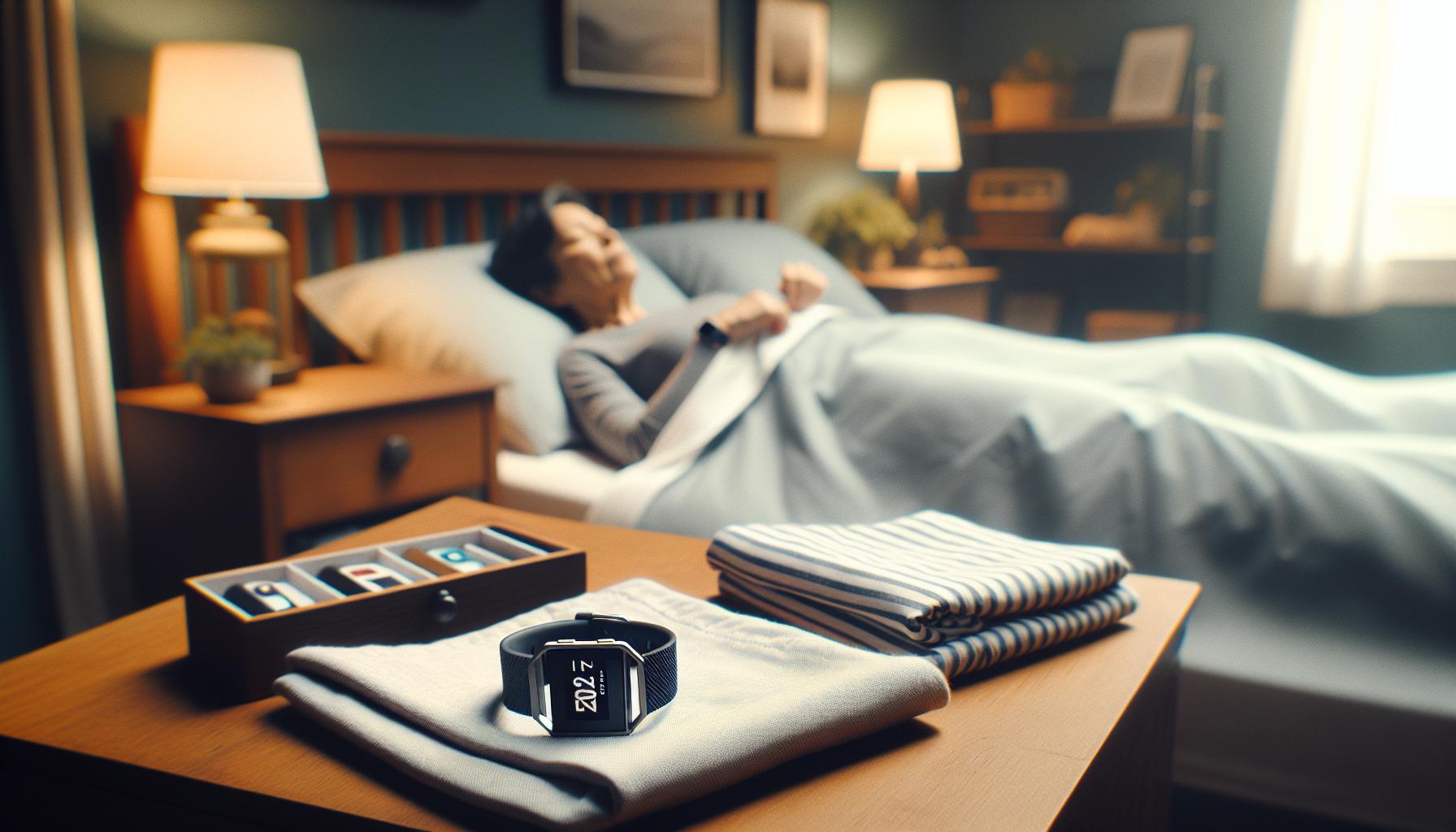
Steps to Restore Sleep Tracking on Your Device
To get your Fitbit Blaze back to accurately tracking your sleep, there are several steps to follow that can help restore its functionality. Understanding these steps can save you time and frustration, and enhance your overall tracking experience.
Start by ensuring that your Fitbit Blaze is properly fitted on your wrist. An accurate fit allows the device’s sensors to effectively monitor your movement and heart rate, which are critical for detecting sleep patterns. Loose or improperly positioned devices can lead to missed data.
Next, check that the sleep tracking feature is enabled in your Fitbit app. Open the app, navigate to your device settings, and ensure that sleep tracking is turned on. If it is already active, you may want to temporarily disable and then re-enable it to give the device a refresh.
If sleep tracking issues persist, consider restarting your Fitbit Blaze. To do this, press and hold the back (left) and bottom buttons (right) until you see the Fitbit logo on the screen, then release the buttons. This simple reboot can fix minor glitches and restore functionality.
Additionally, make sure your device’s firmware is up-to-date. Keeping the software current ensures that you have the latest features and fixes, which can significantly impact performance. To check for updates, sync your device with the Fitbit app and follow any prompts to install available updates.
Lastly, if you notice ongoing problems, think about whether environmental factors could be affecting your sleep data. For example, wearing the device too loosely, having other electronic devices close by, or even sleeping in an unusual position can hinder tracking. Adjust your habits or the environment as necessary to improve your sleep data accuracy.
By following these outlined steps, you can effectively restore the sleep tracking capabilities of your Fitbit Blaze and continue to gain valuable insights into your sleep patterns.
How to Properly Wear Your Fitbit Blaze for Accurate Tracking
Wearing your Fitbit Blaze correctly can significantly affect its ability to track your sleep effectively. Many users overlook the importance of a proper fit, but even slight adjustments can enhance the accuracy of the device’s sensors. It’s essential to wear the Blaze snugly on your wrist, just above your wrist bone, but not so tight that it restricts blood flow. A balanced snugness ensures that the device’s accelerometer and heart rate sensors can measure your movements and heart rate accurately during sleep.
To optimize sleep tracking, it’s recommended to avoid wearing the device too loosely, as this can lead to inaccurate readings or missing data altogether. An ideal fit would allow you to fit one finger between the device and your wrist. If you find the band feels uncomfortable or shifts during the night, consider adjusting the band type or size for a more secure fit.
When you sleep, the position of the device also plays a critical role. Lying on your side can sometimes obstruct the sensor’s ability to detect movement; thus, ensuring that the wristband rests flat against your skin is crucial. Additionally, always ensure that any obstruction, such as clothing or bedding, doesn’t cover the device. You might find that a dedicated sleep band, designed specifically for nighttime wear, offers improved comfort and fit for better tracking.
Greater attention to how you wear your Fitbit Blaze can lead to more reliable data, giving you valuable insights into your sleep patterns. Proper adjustment of the device fosters improved accuracy in tracking movements and, consequently, sleep quality, allowing you to make informed choices regarding your rest habits.
Understanding Sleep Stages and Fitbit Tracking
Understanding how your Fitbit Blaze tracks sleep stages can significantly enhance your ability to interpret your sleep data accurately. Sleep is not a uniform state; rather, it consists of distinct stages that play essential roles in your overall health and wellness. Typically, these stages are divided into rapid eye movement (REM) sleep and non-REM sleep, which includes light and deep sleep. Each stage is crucial, as they contribute to different aspects of recovery and brain function.
Fitbit devices, like the Blaze, use a combination of heart rate monitoring and accelerometry to analyze your sleep patterns. During sleep, changes in your heart rate and movement help the device distinguish between wakefulness, light sleep, deep sleep, and REM sleep. For example, your heart rate tends to lower during deep sleep, while REM sleep often sees more fluctuations similar to being awake. By observing these variables, the Blaze can provide insights into how long you spend in each stage, which can help pinpoint issues related to sleep quality.
To maximize the usefulness of this information, it’s essential to understand what the data indicates about your personal sleep habits. For instance, if you consistently spend less time in deeper sleep stages, it could suggest issues like sleep disorders or ineffective sleeping environments. Additionally, the Blaze’s sleep analysis can inform you about patterns over time, making it easier to adjust your habits for better health outcomes.
Yet, remember that while the Blaze provides valuable information, it operates within the limitations of a consumer wearable. For complex sleep issues, consulting a sleep specialist may be necessary. The device promises a snapshot of your sleep quality but cannot replace professional assessments when serious sleep disturbances are suspected. Prioritizing healthy sleep habits-such as maintaining a consistent sleep schedule and creating a soothing bedtime routine-remains essential for achieving restorative sleep, regardless of how advanced your tracking devices may be.
Troubleshooting Fitbit Blaze Sleep Tracking Issues
If your Fitbit Blaze is not tracking your sleep, it can be frustrating, especially since accurate sleep data is key to understanding your overall health. There are several common issues that may prevent your device from functioning as expected. First, it’s important to ensure that the device is properly worn. Your Blaze should fit snugly on your wrist, just above your wrist bone. If it’s too loose, the sensors might not get accurate readings.
Another crucial factor is that sleep tracking is automatically activated when the device detects your sleep patterns based on inactivity and heart rate changes. If you wake up frequently or move around a lot during the night, this might lead to inaccurate data collection. To optimize performance, straighten out any potential miscommunication with the app by ensuring that it is synced properly with your device. A simple resyncing can sometimes rectify minor issues.
Additionally, consider the battery life of your Fitbit. If the battery is low, it may not function effectively, particularly during sleep monitoring, which requires continuous heart rate and motion tracking. Regularly check your device’s battery level and ensure it’s charged overnight. Firmware updates can also resolve sleep tracking problems. Keeping your Blaze updated with the latest software ensures that it’s running smoothly and using the latest algorithms for sleep detection.
Finally, environmental factors can play a role in sleep tracking accuracy. Things like strong light, noise, or an uncomfortable sleeping environment can interfere with your sleep, resulting in misleading data. If your sleep quality is affected by these elements, consider making changes to your bedroom setup or environment to facilitate better rest and more accurate tracking by your device.
Updating Your Fitbit Blaze Firmware for Optimal Performance
Keeping your Fitbit Blaze up to date with the latest firmware is essential for ensuring optimal performance, especially when it comes to sleep tracking. Just like a smartphone app requires regular updates to remain functional and efficient, your Fitbit greatly benefits from these upgrades. Firmware updates can enhance the algorithms used for sleep detection, fix bugs, and improve overall functionality. This means better accuracy in tracking your sleep stages and quality, which is crucial for assessing your overall health and well-being.
To update your Fitbit Blaze, follow these straightforward steps. First, ensure that your device is charged and connected to your smartphone through the Fitbit app. Within the app, you can check for updates in the settings menu. If an update is available, simply tap on the notification to start the process. It’s important to keep your phone and smartwatch near each other during the update to avoid any interruptions. Typically, the update process should take a few minutes, and you will receive a notification once it’s successfully completed.
Regularly updating your firmware not only boosts performance but also minimizes the chances of encountering issues like sleep tracking failures. If you’ve noticed inconsistencies in your sleep data, an update might be all that’s needed to restore accuracy. Make it a habit to check for updates monthly, or whenever you notice performance lags; staying proactive can save you frustration down the line.
Moreover, alongside firmware updates, consider exploring the Fitbit community for user experiences and advice. Many users share tips on optimizing device use, which can provide additional insights into maintaining your Blaze’s performance. By staying informed and engaged with your device’s updates and community, you can empower your sleep tracking journey and enhance your overall health management.
Environmental Factors Affecting Your Sleep Data
Sleep is a complex process influenced by various external factors, and understanding these can help optimize the functionality of your Fitbit Blaze in tracking your sleep effectively. Environmental factors play a significant role in sleep quality, and if your device is failing to provide accurate readings, it may be due to some of these influences.
First, consider the ambient light in your bedroom. Exposure to natural light or bright screens just before bed can disrupt your circadian rhythm, making it harder for your Fitbit Blaze to detect when you fall asleep. Aim to create a sleep-friendly environment by dimming the lights at least an hour before bedtime. Additionally, ensure your sleeping area is as dark as possible. You might use blackout curtains or sleep masks to help block light, thus enabling your device to accurately account for your sleep onset and duration.
Noise levels can also affect your sleep quality and, consequently, the data your Fitbit collects. Sudden or continuous noise can induce wakefulness, even if you believe you are still asleep. Consider using white noise machines or apps to drown out disruptive sounds, contributing to a more restful sleep experience. If the Blaze is worn too loosely, it may not detect movements or heart rate changes accurately. Make sure your device is snug but comfortable on your wrist; a secure fit can enhance the accuracy of your sleep tracking.
Lastly, changes in temperature, such as sleeping in a room that is too hot or cold, can disturb your sleep, affecting how your Fitbit Blaze interprets your sleep stages. Ideal sleeping conditions typically range between 60°F to 67°F (15°C to 19°C). By adjusting the thermostat or using breathable bedding to regulate your body temperature, you can promote a more stable sleep experience and get more reliable readings from your device.
By paying attention to these environmental factors, you can create an optimal sleep space that not only improves your overall sleep quality but also enhances the accuracy of your Fitbit Blaze’s sleep tracking capabilities. Emphasizing these adjustments may significantly contribute to restoring your device’s effectiveness in monitoring your sleep patterns.
When to Seek Help from Customer Support
If your Fitbit Blaze isn’t tracking your sleep as expected, it may feel frustrating, especially since quality sleep is crucial for your health. At times, despite following best practices for sleep tracking, users encounter persistent issues. Knowing when to reach out for support can save you time and help get your tracking back on track.
You should consider contacting customer support if you’ve already tried common troubleshooting steps-like restarting your device, ensuring it’s updated, and wearing it properly-but still face issues. Communication with support can provide tailored assistance and help diagnose problems that you might not recognize. For instance, they may uncover device-specific malfunctions or software issues that are not easily identifiable through standard troubleshooting protocols.
Furthermore, if your Fitbit Blaze seems to malfunction repeatedly during sleep tracking, it’s time to reach out. Frequent inaccuracies in tracking could indicate a hardware problem, which might necessitate repairs or replacements. If you’re unsure, test the device on a few different nights and compare the results. Consistent discrepancies might warrant a deeper investigation through customer service channels.
Before you contact support, it’s also wise to gather information, including details about the specific issues you’re facing, any error messages you’ve encountered, and the app version you’re currently using. This preparation can expedite the support process, allowing you to receive solutions more quickly. Overall, reaching out for help can transform a frustrating situation into one of understanding and resolution, ensuring your sleep health management stays on course.
Comparing Fitbit Blaze with Other Sleep Trackers
When considering sleep trackers, the Fitbit Blaze holds its own against a variety of competing devices, but understanding its unique characteristics can help you make a more informed decision. While the Blaze primarily tracks sleep duration and provides basic insights into sleep quality, other devices may offer more advanced features that could enhance your sleep analysis.
For instance, higher-end models like the Fitbit Sense or the Whoop strap provide more comprehensive sleep analytics, including detailed breakdowns of sleep cycles-such as REM, light, and deep sleep stages. Additionally, devices like the Oura Ring emphasize personalized insights based on heart rate variability and body temperature, adding layers of detail that might appeal to those looking to dive deeper into their sleep health. If you are struggling with accuracy in your sleep data on the Blaze, exploring these alternatives might reveal options that suit your needs better.
Strengths and Weaknesses
The Fitbit Blaze shines in its user-friendly interface and battery life, averaging about five days per charge, which is commendable for a smartwatch. However, its sleep tracking capabilities may fall short compared to rivals with specific night-time monitoring features, such as smart alarms and in-depth sleep score analysis. These additional functionalities can provide users with tailored recommendations for improving their sleep environment and habits.
While the Fitbit Blaze does track basic metrics, such as total sleep time and movement during the night, devices like the Withings Sleep Tracking Mat utilize under-mattress sensors to monitor sleep without needing to wear anything. This no-contact approach can be an appealing alternative for individuals who find wearing a wristband uncomfortable during sleep.
Popular Alternatives
Here are some popular alternatives worth considering:
| Device | Key Features | Price Range |
|---|---|---|
| Fitbit Sense | Stress management, advanced sleep tracking, ECG app | $299.95 |
| Oura Ring | Body temperature monitoring, sleep stage tracking, readiness score | $299.00 |
| Whoop Strap | Monthly subscription, recovery and strain metrics, heart rate variability tracking | $30/month |
| Withings Sleep Tracking Mat | Sleep apnea detection, under-mattress sensor, smart home integration | $99.95 |
When choosing a sleep tracker, consider what you most value: detailed analytics, comfort, or ease of use. While the Fitbit Blaze remains a solid option, especially for casual users, exploring these other devices might provide you with the enhanced features necessary to optimize your sleep health.
User Experiences: Success Stories and Challenges
User experiences with the Fitbit Blaze often highlight a mix of success stories and challenges, shedding light on its sleep tracking capabilities. Many users appreciate the straightforward interface and how easily it integrates into their daily routines. For instance, one user noted how the Blaze helped them establish a consistent sleep schedule, as it provided a basic overview of their sleep duration and patterns. By tracking their sleep over several weeks, they could identify trends that prompted them to adjust their bedtime and improve overall sleep quality.
However, not all experiences are positive. Some users report frustrations, particularly when the Blaze fails to track sleep accurately. Common complaints include inconsistencies in sleep data-one user noted their device sometimes registered long periods of wakefulness as sleep. This issue can often stem from improper wearing of the device. For those experiencing difficulties, learning to wear the Blaze properly, ideally snug on the wrist, can resolve tracking problems significantly.
In addition to wearable fit, environmental factors also play a role in the effectiveness of sleep tracking. Several users have shared insights about how their sleep data improved after making their sleeping environment more conducive to rest, such as minimizing noise and light. This highlights the importance of understanding that while the Fitbit Blaze can provide guidance, the context of your sleep space is equally important for accurate tracking.
The community surrounding Fitbit users often proves helpful as well, with many sharing tips and tricks on forums. From updating firmware to troubleshooting issues, these shared experiences can empower new users to maximize their device’s potential. For anyone facing challenges, connecting with fellow users might provide that essential insight needed to restore sleep tracking functionality and improve overall sleep health.
Maintaining Healthy Sleep Habits Beyond Tracking
To truly optimize your sleep health beyond mere tracking with devices like the Fitbit Blaze, cultivating healthy sleep habits is crucial. Research shows that consistent sleep patterns significantly improve overall rest quality – a key factor in daytime energy and productivity. It’s not just about knowing how long you slept; it’s about creating an environment and lifestyle that promotes restorative sleep.
Establishing a Sleep Routine
A regular bedtime routine sets the stage for better sleep. Aim to go to bed and wake up at the same time every day, even on weekends. This consistency helps regulate your body’s internal clock. Consider incorporating relaxing activities prior to bedtime, such as reading, meditation, or gentle stretching, which can signal your body that it’s time to wind down.
Creating the Right Sleep Environment
Your sleep environment plays a significant role in the quality of your rest. Here are some tips for creating a calming atmosphere:
- Lighting: Keep the bedroom dark by using blackout curtains or an eye mask. Dim the lights an hour before bed to help your body prepare for sleep.
- Noise: Reduce disruptive sounds with earplugs or a white noise machine, which can mask sounds that might wake you.
- Temperature: Keep your room cool, ideally between 60-67°F (15-19°C), as a cooler environment can facilitate deeper sleep.
Mindfulness and Relaxation Techniques
Incorporating mindfulness practices into your day can reduce anxiety and improve sleep quality. Techniques such as deep breathing, progressive muscle relaxation, or guided imagery can help clear your mind and relieve stress before bed. Additionally, limiting screen time from devices at least an hour before sleep can minimize exposure to blue light, which interferes with melatonin production.
Nutrition and Physical Activity
What you eat can profoundly affect your sleep patterns. Avoid large meals, caffeine, and alcohol close to bedtime, as these can disrupt sleep. Instead, opt for a light snack if you’re hungry. Physical activity is also a powerful tool; regular exercise can help you fall asleep faster and enjoy deeper sleep. Just be sure to keep intense workouts earlier in the day to avoid overstimulation before bedtime.
By embracing these practices, you’ll not only improve your sleep quality but also enhance the effectiveness of your Fitbit Blaze in tracking your sleep patterns accurately. Remember, while devices can provide guidance, the personal habits you establish will create the foundation for better sleep health.
FAQ
Q: Why isn’t my Fitbit Blaze tracking my sleep properly?
A: Sleep tracking issues with your Fitbit Blaze may stem from improper wear, low battery, or firmware glitches. Ensure your device is worn snugly, charged, and updated. Reference the section on Troubleshooting Fitbit Blaze Sleep Tracking Issues in your article for more detailed solutions.
Q: How can I reset my Fitbit Blaze to improve sleep tracking?
A: To reset your Fitbit Blaze, press and hold the back and bottom buttons until the Fitbit logo appears. This can resolve minor software issues. Then, check the Steps to Restore Sleep Tracking on Your Device section for further recommendations.
Q: What should I do if my Fitbit Blaze doesn’t record sleep after an update?
A: If sleep recording fails post-update, restart your Blaze as mentioned in the Updating Your Fitbit Blaze Firmware for Optimal Performance section. This action can often fix tracking errors.
Q: Are there specific times I should wear my Fitbit Blaze for accurate sleep tracking?
A: For optimal tracking, wear your Fitbit Blaze consistently during sleep hours, ideally at the same time each night. This helps it learn your sleep pattern, as discussed in the Basic Sleep Tracking Functions of the Fitbit Blaze section.
Q: How can environmental factors affect my Fitbit Blaze sleep tracking?
A: Environmental factors like noise, light, and temperature can disrupt your sleep and, consequently, tracking accuracy. Ensure a comfortable sleep environment to enhance data collection, as outlined in Environmental Factors Affecting Your Sleep Data.
Q: What if my Fitbit Blaze is too loose and affecting sleep tracking?
A: A loose fit can hinder sleep tracking accuracy. Ensure that the device is secure but comfortable on your wrist. Refer to How to Properly Wear Your Fitbit Blaze for Accurate Tracking for the best practices.
Q: How do I check if my Fitbit Blaze is up to date?
A: To check for updates, open the Fitbit app, tap on your profile picture, and choose your Blaze. If an update is available, follow the prompts. Keeping your device up-to-date is essential for accurate tracking, as mentioned in the Updating Your Fitbit Blaze Firmware for Optimal Performance section.
Q: Why am I not seeing the sleep stages on my Fitbit Blaze?
A: If sleep stages are not visible, it may be due to incorrect wearing of the device or insufficient battery life. Ensure your Blaze is charged and worn properly to see detailed sleep data, which is elaborated in Understanding Sleep Stages and Fitbit Tracking.
In Conclusion
If your Fitbit Blaze isn’t tracking your sleep, don’t hesitate to take the steps to restore its functionality. Remember, understanding your sleep patterns is crucial for improving your overall health and well-being. Stay proactive: check our troubleshooting guide for common issues and solutions, or explore the latest advancements in sleep technology that can complement your tracking experience.
Explore related topics like sleep studies and the importance of sleep health to gain deeper insights into your rest. For continuous updates and tips, consider subscribing to our newsletter. Share your experiences or questions in the comments below-we’re here to help! Taking control of your sleep tracking today can pave the way for a healthier tomorrow. Your journey to better sleep starts now!
Get our latest guides, news, and insights highlighted in your Google Search & AI Overviews.