
Are you frustrated because your Fitbit Inspire HR isn’t tracking your sleep as it should? You’re not alone. Many users encounter connectivity issues or misunderstand how to maximize their device’s features for accurate sleep monitoring. Proper sleep tracking is crucial for understanding your sleep patterns and overall health. In this guide, we’ll explore common reasons your Fitbit may not be capturing your nightly rest, offer practical troubleshooting tips, and help you regain control of your sleep insights. By the end, you’ll be equipped with the knowledge to enhance your sleep tracking experience and achieve the valuable rest your body needs. Let’s dive in and get your Fitbit back on track!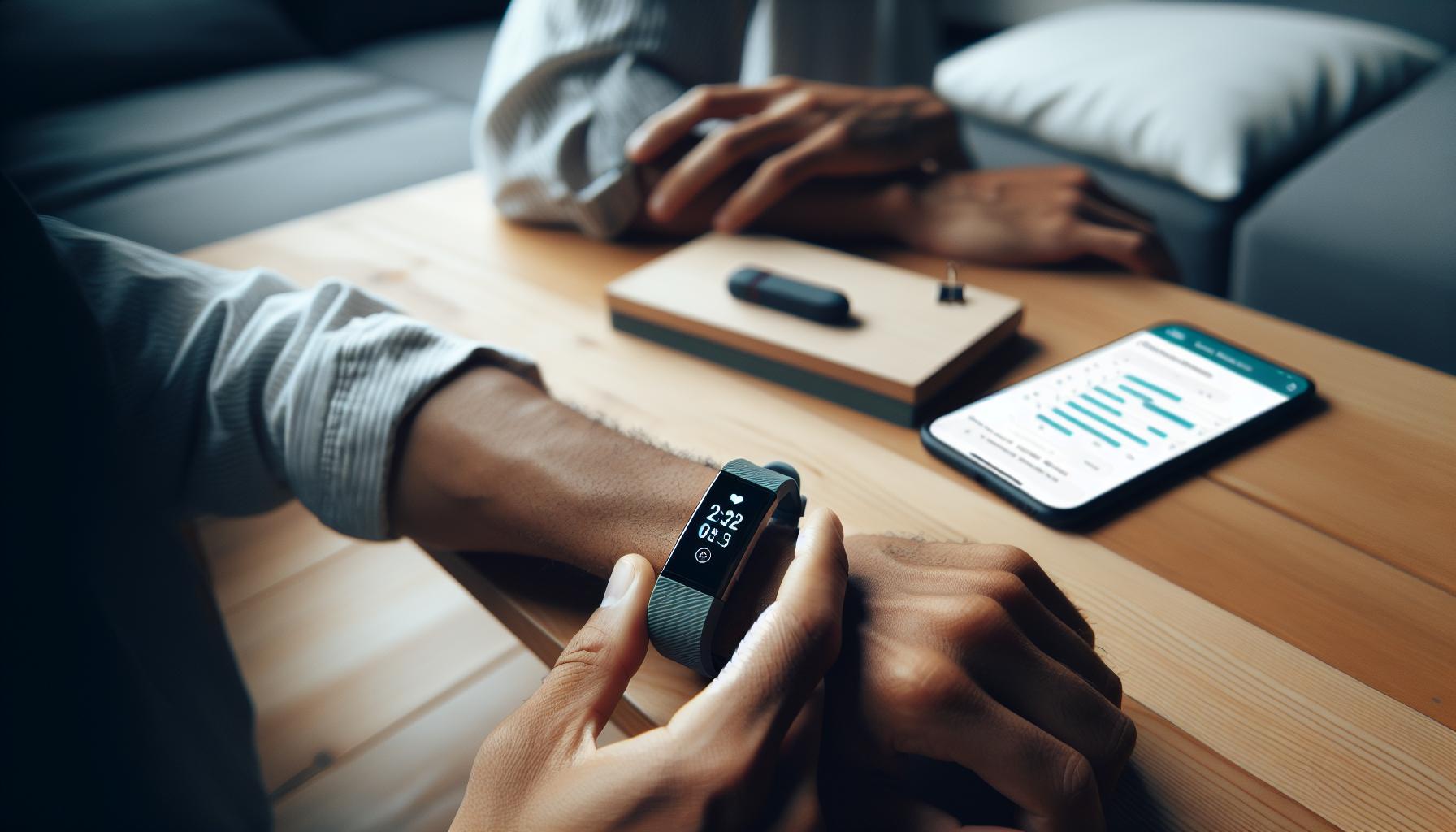
Understanding Fitbit Sleep Tracking Features
Fitbit devices have transformed the way we understand our sleep patterns, offering insights that can help improve sleep quality. At the core of these devices lies sophisticated tracking technology that monitors various sleep stages-from light sleep to deep sleep and REM. This nuanced tracking allows users not only to see how long they sleep but also to evaluate the quality of that sleep, making it a valuable tool for those seeking to optimize their rest.
Equipped with sensors that detect movement and heart rate, your Fitbit can analyze your sleep cycles and provide a detailed breakdown of your slumber. The accompanying app summarizes this data, presenting easy-to-read charts and metrics that highlight trends over time. For example, if you consistently get less deep sleep or have erratic sleep patterns, these insights could prompt important lifestyle changes. Furthermore, features like sleep reminders and silent alarms enhance your sleep routine by encouraging better habits and allowing for gentle wake-ups.
To fully leverage the sleep tracking capabilities of your Fitbit, understanding the metrics is crucial. The device categorizes sleep stages and factors like sleep duration and efficiency into comprehensible summaries. Armed with this knowledge, users can set actionable goals for improvement. However, it’s important to note that while Fitbits provide useful insights, they are not medical devices. If you notice persistent sleep issues, it may be beneficial to consult a professional to rule out underlying conditions.
By familiarizing yourself with these features, you can take proactive steps towards better sleep health, ensuring that your Fitbit’s capabilities align with your personal health goals. With this understanding, using your Fitbit becomes not just a matter of tracking sleep but an empowering tool for enhancing overall wellness.
Common Reasons Your Fitbit Isn’t Tracking Sleep
Whether you’re a seasoned Fitbit user or new to the world of wearables, it can be frustrating when your device doesn’t track your sleep as expected. Several factors could contribute to why your Fitbit Inspire HR isn’t picking up your slumber patterns accurately. For starters, ensure that the device is fitted correctly on your wrist. A loose fit could hinder the sensors from detecting vital metrics such as your heart rate, which is crucial for sleep tracking.
Sometimes, software issues can disrupt sleep tracking functionality. Make sure your Fitbit app is updated. Regular updates not only add new features but also fix bugs that could affect performance. Restarting your Fitbit device can also resolve minor glitches. This simple step often restores functionality and improves tracking accuracy.
Additionally, understanding your sleep schedule is vital. If your bedtime varies significantly from night to night, your Fitbit may struggle to consistently log your sleep. Establishing a regular sleep routine can enhance the device’s ability to track your sleep accurately. Another reason sleep tracking might fail is if you’re engaging in activities on your smartphone before bedtime. The brightness and stimulation from screens can affect your readiness for sleep, resulting in erratic data from your tracker.
In certain cases, high levels of stress or fluctuating health conditions could also interfere, as they impact heart rate engagement. If your Fitbit isn’t tracking sleep reliably, consider reviewing these aspects and make adjustments where necessary. By paying attention to both your device and your bedtime habits, you can improve the reliability of the sleep tracking feature, ultimately providing you with the insights needed for better rest.
How to Properly Set Up Your Fitbit for Sleep
To harness the full potential of your Fitbit Inspire HR for sleep tracking, proper setup is essential. Many users overlook initial configurations that significantly affect the accuracy and functionality of sleep data. Start by ensuring that your device is snugly fitted to your wrist, as a loose fit can disrupt the sensor’s ability to measure your heart rate accurately during the night. A secure fit not only enhances the comfort during sleep but also ensures reliable data collection.
Next, adjust your settings to optimize sleep tracking. In the Fitbit app, navigate to the sleep settings under your account. Make sure that the “Sleep Tracking” feature is enabled. This setting allows your device to recognize when you are asleep and provides better insights into your sleep patterns. Additionally, establish a regular sleep schedule. Your Fitbit functions best when it can predict your sleep times; consistent bedtimes and wake-up times allow the device to refine its tracking capabilities.
You can also personalize the “Do Not Disturb” mode in the app, which minimizes interruptions during sleep. Silencing notifications can help maintain a peaceful sleeping environment, leading to improved sleep quality and more consistent tracking results. If you typically take naps, consider inputting these into the app to enhance tracking accuracy further.
Regularly updating your Fitbit app is equally vital. Most updates address bugs that could hinder sleep tracking functionalities. If you experience persistent issues, restarting your device can often resolve minor glitches. Connecting your Fitbit to Wi-Fi allows you to receive these updates automatically, ensuring your device runs smoothly. By diligently setting up your Fitbit in this way, you can enjoy reliable sleep tracking, leading you to a better understanding of your sleep health.
Adjusting Your Fitbit Settings for Accurate Sleep Data
To ensure your Fitbit Inspire HR accurately tracks your sleep, it’s crucial to get your settings just right. Many users are surprised to learn that small adjustments can make a world of difference in the quality of sleep data collected. The first step is verifying that the Sleep Tracking feature is turned on in the Fitbit app. This essential setting enables your device to recognize sleep patterns, providing you with detailed insights into your nightly rest.
Another key factor lies in the fit of your device. A snug fit is necessary for the sensors to function correctly; if your Fitbit is too loose or too tight, it may not collect data effectively. Moreover, establishing a consistent sleep routine can enhance tracking accuracy. When your body adheres to regular sleep and wake times, the Fitbit learns your patterns, becoming more adept at differentiating between sleep and wake periods.
Consider enabling the Do Not Disturb mode during the night. This feature minimizes interruptions from notifications, contributing to a more peaceful sleep environment, which can in turn improve the accuracy of your sleep data. If you often take naps, input these into the app as well; this additional information helps fine-tune the device’s understanding of your sleep cycles.
Lastly, stay vigilant about software updates for both the Fitbit app and the device itself. Regular updates fix bugs and enhance performance, ensuring optimal functionality. If you encounter glitches, a simple restart of your device can often resolve issues. By fine-tuning these settings, your Fitbit Inspire HR can deliver a much clearer picture of your sleep health, guiding you towards better rest and overall wellness.
Interpreting Your Sleep Data: What the Metrics Mean
Understanding the metrics displayed in your Fitbit sleep data can significantly enhance your ability to gauge sleep quality and make informed changes to improve your nighttime rest. When you check your sleep log, you might notice several key metrics: total sleep time, sleep stages (light, deep, and REM), and sleep efficiency. Each of these gives a different insight into your nightly rest.
Total sleep time is perhaps the most straightforward metric, indicating how long you spent sleeping. It’s essential to aim for the recommended 7-9 hours per night for optimal health. However, the real magic lies in understanding sleep stages. Fitbit breaks down your sleep into light sleep, deep sleep, and REM sleep, each serving distinct functions. Light sleep is critical for transitioning into deeper stages, deep sleep is essential for physical recovery and memory consolidation, while REM sleep contributes to emotional and cognitive health. Monitoring these stages can help you identify patterns in your sleep cycle and evaluate if you’re getting a balanced amount of each type.
Sleep efficiency, which measures the percentage of time spent asleep while in bed, sheds light on how well your body is utilizing sleep time. A high efficiency indicates that you’re falling asleep quickly and maintaining restful sleep, while lower efficiency points to potential disturbances or challenges in falling asleep. If you notice a drop in sleep efficiency, it could be time to explore your nighttime environment or wind-down routine.
To make the most of these metrics, consider tracking trends over a several nights or even weeks. This broader view enables you to identify underlying patterns, such as how lifestyle changes or stress levels affect your sleep stages and overall rest. Such insights empower you to cultivate better sleep habits and address any issues that might hinder your sleep quality. By becoming familiar with what these metrics mean, you’ll take significant steps toward maximizing your sleep health.
Troubleshooting: Fixing Sleep Tracking Issues
Many Fitbit users encounter sleep tracking issues that leave them puzzled and wanting answers. If your Fitbit Inspire HR isn’t accurately tracking your sleep, there are several common problems you can troubleshoot to restore its functionality and improve your sleep insights.
First, ensure that your device is worn correctly. The Fitbit should be snug on your wrist, positioned above the wrist bone. A loose fit can impede the sensors that monitor sleep patterns. Consider adjusting the band or trying a different wearing style, particularly during sleep, to ensure secure contact with your skin.
Next, check if your Fitbit is up to date. Outdated software can lead to tracking inaccuracies. Open the Fitbit app on your smartphone, navigate to the device settings, and check for available updates. Keeping your device updated enhances its functionalities and fixes potential bugs that may affect sleep tracking.
Environment can also play a significant role in tracking issues. Unfavorable sleep conditions, such as high ambient light or noise, can affect how well your Fitbit registers your sleep. To improve tracking, try creating a calming bedtime routine and ensuring a quiet, dark environment for sleeping. This not only benefits your sleep quality but also helps your Fitbit collect more accurate data.
If you continue to experience problems, consider resetting your Fitbit. Sometimes a simple reset can resolve discrepancies. To do this, press and hold the button on the side of your Fitbit until you see the Fitbit logo. Once reset, check your settings to reconfigure any personalized preferences for sleep tracking.
By following these steps, you should be able to regain accurate sleep tracking with your Fitbit Inspire HR. Should problems persist, it may be time to consult the Fitbit support community or consider potential device replacement if it’s an ongoing issue.
When to Replace Your Fitbit: Signs of Wear and Tear
As your Fitbit Inspire HR ages, you might start to notice inconsistencies in its performance, particularly regarding sleep tracking. It’s important to recognize the signs that indicate it might be time to replace your device. An important fact to keep in mind is that wearable technology has an average lifespan between 3 to 5 years, depending on usage and care. If your device is entering this timeframe, watch for specific indicators signaling wear and tear.
One of the most noticeable symptoms is a decline in battery life. If your Fitbit doesn’t hold a charge as well as it once did, requiring more frequent recharging or failing to last through the night, this could significantly impact its ability to track your sleep accurately. Additionally, physical signs such as cracks on the screen or damage to the sensors can affect performance. If the device fails to register your heart rate or if the screen is unresponsive, it may be time for an upgrade.
Software issues can also crop up over time. If you find that your Fitbit isn’t syncing with the app as smoothly as it used to, or if you’re experiencing frequent software updates that don’t resolve ongoing problems, these could be signs of impending hardware failure. Even if your device still functions, inaccurate tracking of essential metrics like sleep stages and heart rate can lead to misguided health insights, ultimately reducing the overall value of the device.
Lastly, consider your personal activity needs. If you’ve noticed that your health and fitness goals have evolved-and your Fitbit can no longer accommodate features you require-then investing in a newer model may not just be a choice of necessity but of maintaining efficiency in tracking your wellness journey. A replacement can enhance your overall sleep tracking experience and ensure you’re receiving the most accurate health data, which is vital for making informed lifestyle choices.
Extending Battery Life While Tracking Sleep
To maximize the performance of your Fitbit Inspire HR while tracking sleep, it’s crucial to adopt strategies that extend battery life. Many users experience issues when their device runs low on power, which can interfere with accurate sleep data collection. Here are some actionable steps to ensure your device stays charged throughout the night and performs optimally.
One effective approach is to adjust the settings on your Fitbit. You can reduce the frequency of notifications or limit certain features that consume significant power. For instance, turning off continuous heart rate monitoring or disabling notifications when you’re sleeping can lead to a noticeable improvement in battery life. Enabling ‘Do Not Disturb’ mode during your sleep hours can also help by minimizing unnecessary alerts and vibrations.
Additionally, ensure your device’s software is always up to date. Updates often include optimizations for battery management, which can enhance your device’s overall efficiency. Regularly syncing your Fitbit with the app will not only keep the software aligned but can also help in identifying any unusual battery-draining activities.
For those nights when you know you’ll need to maximize battery life, consider charging your device to 100% before bed. If you’re prone to forgetting to recharge, establishing a nightly routine can help. Keep your charger accessible and make it a habit to charge your Fitbit while preparing for bed.
Lastly, utilizing an external charger for daytime use can also complement your efforts. This way, you can ensure your Fitbit is fully charged by bedtime, enabling it to monitor your sleep without interruptions. By following these tips, you’re better equipped to maintain your device’s battery life, ensuring consistent and accurate sleep tracking for a healthier night’s rest.
Comparing Fitbit Sleep Tracking to Other Devices
When exploring sleep tracking technology, understanding how Fitbit compares to other devices can empower you to make informed choices about your sleep health. Fitbits, known for their reliability and user-friendly interfaces, offer a range of features designed to monitor your sleep patterns effectively. This includes the ability to track light, deep, and REM sleep stages, which provides insights into your overall sleep quality. However, it’s essential to recognize how these capabilities stack up against competitive devices in the market.
For instance, devices like the Oura Ring and Apple Watch also provide comprehensive sleep tracking features. The Oura Ring, renowned for its advanced analytics, uses sensors to monitor heart rate variability, body temperature, and movement, offering a holistic view of your sleep health. In comparison, while Fitbits can track similar data points, they may not provide the same depth of analysis as the Oura Ring. On the other hand, the Apple Watch integrates seamlessly with other health apps and can provide alerts for irregular heart rates that may affect sleep quality.
Key Features to Compare
When assessing sleep trackers, consider these critical aspects:
- Sleep Stage Analysis: Most brands, including Fitbit, offer basic sleep stage tracking, but advanced features like sleep architecture analysis are often more robust in higher-end devices.
- Heart Rate Monitoring: Continuous heart rate monitoring is standard in Fitbits, which helps gauge stress and recovery, while other brands like Garmin offer even more sophisticated heart rate variability data.
- Battery Life: Battery life is crucial, especially for overnight tracking. Fitbits typically last several days, but devices like the Oura Ring can last up to a week on a single charge.
- App Integration: The user experience can differ significantly. Fitbit’s app is intuitive, allowing easy access to your sleep data, whereas other devices may offer more advanced community support or health insights.
Choosing the Right Device for You
Ultimately, choosing the right sleep tracker comes down to your specific needs and lifestyle. If you’re looking for simplicity and reliability, a Fitbit may be ideal. However, if you’re focused on advanced sleep analytics and additional health insights, you might want to consider alternatives. Personal preferences, such as design, comfort, and interoperability with other health tech, also play a significant role in your decision.
By understanding these comparisons, you can better appreciate the strengths and limitations of your Fitbit and determine if it’s the right tool for tracking your sleep or if an alternative might better suit your sleep health goals.
Maximizing Sleep Quality with Your Fitbit
To truly harness the power of your Fitbit for better sleep quality, it’s crucial to implement a few proactive steps. The first aspect to consider is your sleep environment. Creating a peaceful atmosphere can significantly influence your sleep quality. Ensure your bedroom is dark, cool, and quiet. You might also explore using white noise machines or blackout curtains to minimize disturbances. A consistent nightly routine will signal your body that it’s time to wind down. Try to go to bed and wake up at the same time every day, even on weekends. This consistency can help regulate your body’s internal clock.
Another essential factor for maximizing your Fitbit’s effectiveness is understanding the features designed to improve sleep quality. Use the sleep insights provided by your device to evaluate your sleep patterns, such as how long it takes you to fall asleep and the amount of time spent in different sleep stages. This data can reveal trends over time, such as whether stress or diet might be affecting your sleep. Take advantage of Fitbit’s sleep mode, which prevents notifications from interrupting your slumber, enhancing your experience.
Physical activity plays a pivotal role in sleep quality, and Fitbit can assist with this as well. Regular exercise can make it easier to fall asleep and deepen your sleep. Aim for at least 30 minutes of moderate activity most days, but avoid vigorous workouts close to bedtime. Your Fitbit can guide your fitness journey by tracking these activities, helping you strike the right balance between movement throughout the day and restful sleep at night.
Lastly, don’t overlook the importance of monitoring your overall health with your Fitbit. Factors like hydration, caffeine consumption, and screen time before bed can all affect how well you sleep. Keep a sleep diary logging your daily habits alongside your sleep data to identify any correlations or adjustments needed to promote better rest. By leveraging these features and insights, you can actively enhance your sleep quality and make informed choices to support your overall well-being.
Sleep Disorders: When to Seek Professional Help
Sleep disorders affect millions of people, yet many remain unaware of their symptoms or the serious consequences they can have on overall health. If your Fitbit Inspire HR isn’t tracking your sleep accurately and you find yourself persistently feeling fatigued, irritable, or unable to concentrate, it may be a sign that it’s time to seek professional help. While wearables like Fitbit provide valuable insights into your sleep patterns, they cannot diagnose underlying sleep disorders.
Recognizing When to Seek Help
Start by paying attention to potential symptoms of sleep disorders. Conditions such as insomnia, sleep apnea, and restless leg syndrome often manifest through identifiable signs. Common indicators include:
- Excessive daytime sleepiness despite a full night’s rest
- Frequent snoring or gasping for air during sleep
- Inability to fall or stay asleep
- Unusual movements or sensations in the legs at night
If you experience any of these symptoms consistently, it might be time to consult a healthcare professional. They can provide more comprehensive assessments than a tracker, including tests like polysomnography (sleep studies) that measure your brain activity, oxygen levels, heart rate, and breathing while you sleep.
What to Expect in a Sleep Study
Undergoing a sleep study can feel intimidating, but understanding the process can ease your anxiety. During the study, which may take place in a specialized sleep clinic or even at home, sensors are used to monitor your sleep stages and breathing patterns. Here’s what you can typically expect:
- Preparation: Your doctor may recommend avoiding caffeine and alcohol beforehand. You’ll need to arrive at the clinic in comfortable clothing.
- Setup: Once there, sensors will be placed on your scalp, face, and body to monitor your sleep. The setup usually takes about 30 minutes.
- Monitoring: You’ll sleep in a private room while technicians monitor your sleep patterns through the night.
Assessing Device Limitations
While your Fitbit is a handy tool for tracking sleep trends, it has its limitations. It may not accurately detect all types of sleep disturbances, particularly if a condition like sleep apnea is present. If your data shows persistent irregularities despite good sleep hygiene, professional evaluation is crucial. Recognize that while devices provide helpful feedback, they supplement-not replace-professional medical advice.
In the journey to better sleep health, using a combination of personal tracking and professional guidance offers the best approach. By staying proactive about potential sleep disorders, you can make informed choices that lead to improved sleep quality and overall well-being.
Understanding Sleep Stages and Their Importance
Understanding sleep stages is crucial for improving your overall health and well-being. Your Fitbit Inspire HR uses advanced sensors to help track these stages, providing insights into your sleep patterns that can empower you to make informed decisions about your sleep hygiene. But what are these sleep stages, and why do they matter?
Sleep is typically divided into several distinct stages, including light sleep, deep sleep, and REM (rapid eye movement) sleep. Each of these stages plays a unique role in how well rested and rejuvenated you feel. During light sleep, your body transitions from wakefulness to deeper sleep, serving as a bridge to restorative phases. Deep sleep is vital for physical recovery, muscle growth, and immune function, while REM sleep contributes to cognitive functions such as memory consolidation and emotional regulation. The presence of these cycles is critical; inadequate time spent in any of them can lead to feelings of fatigue and decreased cognitive performance the next day.
To maximize the benefits of your sleep data, it’s essential to understand how your Fitbit tracks these stages. The device uses heart rate variability, movement, and other metrics to estimate the duration of each stage throughout the night. Even if your Fitbit occasionally misreads these phases, the general trends can still provide valuable guidance. For instance, if you notice you’re consistently getting less REM sleep, it might be time to evaluate your evening routine. Factors such as screen time before bed, caffeine consumption, and stress can all significantly influence sleep quality and duration.
When your Fitbit isn’t tracking sleep effectively, it may result in a misleading interpretation of your sleep health. For accurate readings, ensure your device fits snugly on your wrist, avoid excessive movement during the night, and regularly update your device’s software. If issues persist, consider exploring further with professional sleep studies to uncover any underlying sleep disorders. Tracking your sleep stages with your Fitbit is not just about numbers; it’s about understanding your body better and taking proactive steps toward enhancing your sleep quality.
Frequently Asked Questions
Q: Why isn’t my Fitbit Inspire HR recording my sleep patterns accurately?
A: Your Fitbit Inspire HR may struggle to record sleep patterns accurately due to sensor misalignment, incorrect wrist fit, or insufficient battery. Ensure the device is snug on your wrist while sleeping and updated to the latest software. For further troubleshooting, refer to the *Troubleshooting: Fixing Sleep Tracking Issues* section in your guide.
Q: How can I improve sleep tracking on my Fitbit Inspire HR?
A: To improve sleep tracking, ensure your Fitbit is worn correctly-snug but comfortable-during sleep. Optimize your *Fitbit settings for sleep* by enabling sleep mode and making sure you have a consistent sleep schedule. Refer to the *Adjusting Your Fitbit Settings for Accurate Sleep Data* section for more tips.
Q: What steps should I take if my Fitbit Inspire HR isn’t syncing sleep data?
A: If your Fitbit Inspire HR isn’t syncing sleep data, try restarting both the device and the paired app. Ensure Bluetooth is enabled and there are no updates pending. Check the *Troubleshooting: Fixing Sleep Tracking Issues* for detailed steps and solutions.
Q: How do I know if my Fitbit Inspire HR is malfunctioning?
A: Signs of malfunction include inconsistent sleep tracking, battery issues, or non-responsive features. If performance is erratic despite troubleshooting, consider checking the *When to Replace Your Fitbit: Signs of Wear and Tear* section for guidance on device replacement.
Q: Can other factors affect my Fitbit Inspire HR’s sleep tracking?
A: Yes, external factors like alcohol consumption, stress, or certain medications can skew sleep tracking accuracy. To get the best results, maintain good sleep hygiene and minimize disruptions. More information can be found in the *Maximizing Sleep Quality with Your Fitbit* section.
Q: Is my Fitbit Inspire HR capable of tracking different sleep stages?
A: Yes, the Fitbit Inspire HR can track various sleep stages such as light, deep, and REM sleep. Ensure your settings are properly adjusted to get detailed insights on your sleep patterns. Check out *Understanding Sleep Stages and Their Importance* for more information.
Q: What should I do if my Fitbit Inspire HR’s sleep data is inconsistent?
A: Inconsistent sleep data can often be rectified by checking your device’s fit and ensuring automatic sleep detection is enabled. If problems persist, consult the *Common Reasons Your Fitbit Isn’t Tracking Sleep* section for more tailored solutions.
In Retrospect
If your Fitbit Inspire HR isn’t tracking your sleep, don’t worry-you’re one step closer to fixing it! Remember to check your device settings, keep it charged, and ensure you’re wearing it snugly at night. For more personalized tips, explore our articles on maximizing your sleep tracking and understanding sleep disorders.
Join our community by signing up for our newsletter for regular updates and expert advice on sleep health. Have questions or tips to share? Leave a comment below-we love hearing from you! Your journey to better sleep starts now, so take action and get the most out of your Fitbit. Don’t miss out on further insights into other sleep technologies or deep dives into wearables by navigating our site. Together, let’s find the right tools to support your sleep health!
Get our latest guides, news, and insights highlighted in your Google Search & AI Overviews.