
Are you feeling frustrated because your Fitbit Inspire isn’t tracking your sleep as expected? You’re not alone-many users encounter this annoyance. Understanding why your device may not be accurately capturing your sleep data is crucial for effectively managing your health and improving your rest. Sleep tracking can provide valuable insights into your sleep patterns, helping you to identify issues that may affect your overall well-being. In this article, we will explore common reasons your Fitbit Inspire might fail to track sleep and offer practical solutions. By addressing these concerns, you can optimize your device’s performance and enhance your sleep quality. Let’s dive into the troubleshooting steps to get your sleep tracker back on track.
Understanding Fitbit Sleep Tracking Features
Fitbit sleep tracking offers users a unique insight into their sleep patterns, aiding in the pursuit of better overall health and wellness. By utilizing a combination of heart rate data, movement tracking, and duration of sleep, Fitbit aims to provide a comprehensive picture of your nightly rest. One of the standout features is the ability to distinguish between different sleep stages-light, deep, and REM sleep-allowing users to understand not just how long they spent sleeping but also the quality of that sleep. This data can be crucial for individuals seeking to improve their sleep hygiene and overall health.
The device uses a combination of accelerometer data and heart rate variability to detect when you fall asleep, when you wake up, and the quality of your sleep throughout the night. Many users find the Sleep Score, which combines all this data into a single score, very helpful. It gives a quick and accessible way to gauge sleep quality at a glance. Furthermore, the Fitbit app provides personalized suggestions based on your sleep habits, making it easy to implement changes that can lead to better sleep outcomes.
It’s essential, however, to recognize that while Fitbit provides useful insights, it is not a substitute for professional medical advice or in-depth sleep studies. Factors like incorrect placement of the device, poor fit, or even certain health conditions can affect accuracy. For the best results, wear the device snugly on your wrist, and ensure that it is set up correctly to automatically track sleep. Understanding these features can empower you to make informed decisions about your sleep health and effectively address issues related to tracking inconsistencies.
Common Issues with Fitbit Sleep Tracking
Many users find themselves puzzled when their Fitbit Inspire fails to track their sleep accurately. Understanding the common issues associated with sleep tracking can help alleviate frustration and guide you to effective solutions. One frequent problem is related to device fit and placement. If your Fitbit is too loose, it may not accurately detect heart rate and movements, which are crucial for sleep tracking. Ensure that your device is worn snugly but comfortably on your wrist.
Another common issue is the sleep mode settings. Make sure you’ve enabled the “sleep tracking” feature in the app. Check that you’re using the most up-to-date firmware for your device, as software glitches can cause the tracking to malfunction. Regular updates often resolve these kinds of issues. If you’ve been consistently moving around or adjusting your position in bed while trying to sleep, this could confuse the device’s sensors, leading to inaccurate readings.
Environmental factors can also play a role. For instance, sleeping in a room that’s too bright or noisy can disrupt your natural sleep cycle, which, in turn, affects how well the Fitbit tracks your sleep stages. If your sleep isn’t restful or cues are being misread due to external disturbances, consider creating a more conducive sleep environment. Additionally, remember that serious sleep disorders can complicate tracking; if you suspect this may be the case, consulting a healthcare professional is wise.
Ultimately, by addressing these common issues-device placement, settings, and external factors-you can enhance your Fitbit’s sleep tracking accuracy. Empower yourself with knowledge about these nuances, and you will be better equipped to make the most of your sleep data.
Effective Solutions for Sleep Tracking Problems
Understanding why your Fitbit Inspire may not be tracking your sleep accurately is crucial for making the most out of its features. Here are some effective solutions to common sleep tracking problems that many users encounter.
First, ensure that your device is set up correctly. Double-check that the sleep tracking feature is enabled in the Fitbit app. You’ll also want to make sure that your Fitbit is updated to the latest firmware version; software updates often contain important fixes that can improve tracking accuracy. Also, consider the environmental factors affecting your sleep. A room that is too bright or noisy can disrupt your natural sleep cycles, which your Fitbit may interpret incorrectly. Creating a dark, quiet sleep environment can significantly enhance your sleep quality and, consequently, the accuracy of your device.
Wear your Fitbit snugly on your wrist to guarantee accurate detection of your heart rate and movements while you sleep. If it’s too loose, it may not register essential movements or changes in your heart rate accurately. Additionally, the position you sleep in matters. Try to minimize drastic movements during the night, as frequent adjustments can confuse the sensors.
Lastly, if you frequently experience issues that persist despite trying the above solutions, it may be time to reevaluate your device’s role in your sleep tracking. If you suspect a more serious sleep disorder affecting your sleep quality, seeking a consultation with a healthcare professional for further testing could provide more insights than a wearable device alone. Essentially, combining technology with personal habit adjustments can dramatically improve your sleep tracking experience.
How to Properly Set Up Your Fitbit Inspire
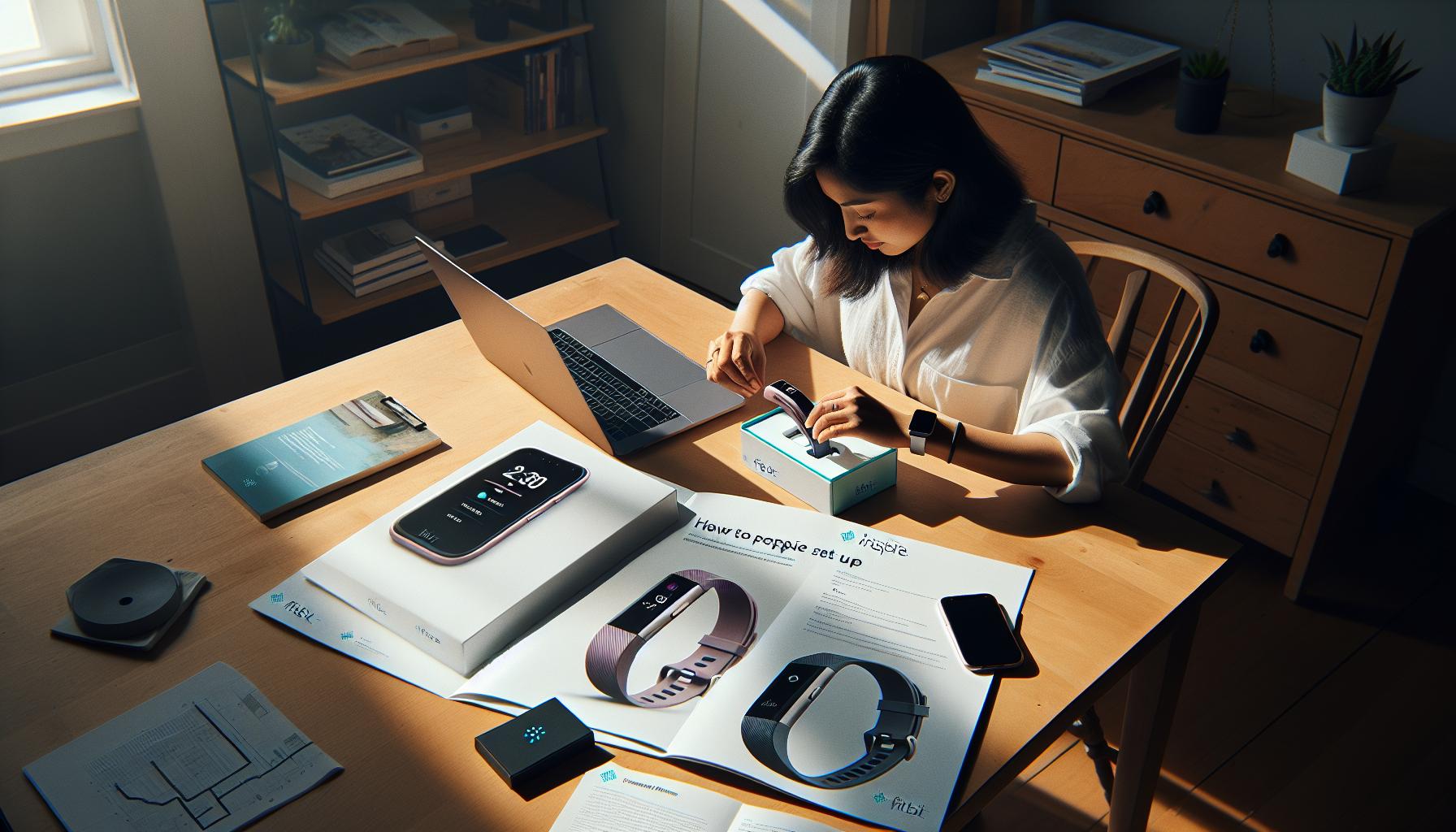
To make the most out of your Fitbit Inspire’s sleep tracking features, ensuring the device is correctly set up is essential. Many users overlook this critical step, which can lead to inaccurate sleep data. Start by downloading the Fitbit app and creating an account if you haven’t done so already. This mobile app will be your primary interface for managing settings and reviewing sleep data.
Next, connect your Inspire to the app. Follow these steps:
- Turn on Bluetooth: Ensure Bluetooth is enabled on your smartphone.
- Open the Fitbit app: Go to your app and tap on the “Account” icon (a small figure).
- Select your device: Find your Fitbit Inspire in the list and select it to connect.
- Sync your Fitbit: This will allow the app to receive data from your Inspire, ensuring that features, including sleep tracking, work properly.
Once connected, it’s crucial to enable sleep tracking within the app. Check under “Sleep” settings to make sure the feature is toggled on. Additionally, verify that your Inspire is set to track all sleep stages. If your device has this capability, it will monitor your light, deep, and REM sleep, giving you a complete picture of your sleeping patterns.
The posture in which you wear the device also matters. Ensure your Fitbit Inspire is comfortably snug, not too tight or loose. A right fit allows for accurate heart rate detection, which is essential for assessing sleep stages. Wear it consistently on the same wrist, preferably the non-dominant one, to minimize movement discrepancies.
Lastly, consider updating your firmware regularly. Keeping your device’s software up-to-date enhances performance and tracking accuracy. The Fitbit app will prompt you if a new version is available, so don’t neglect these updates. By following these setup instructions, you can enhance the effectiveness of your Fitbit Inspire’s sleep tracking capabilities and gain valuable insights into your sleep health.
Understanding Sleep Stages and How They Are Tracked
To unlock the full potential of your Fitbit Inspire’s sleep tracking, it’s crucial to understand the different stages of sleep and how your device monitors them. Sleep is divided into several stages: light sleep, deep sleep, and REM (Rapid Eye Movement) sleep, each playing a vital role in physical and mental health. Fitbit devices leverage heart rate variability, movement data, and other metrics to estimate the time spent in each stage, offering a comprehensive view of your sleep patterns.
Fitbit uses a combination of algorithms and sensors to distinguish between these stages. During light sleep, your body starts to relax and may transition into deeper sleep. This stage is characterized by easier awakenings, which is crucial for memory consolidation and emotional processing. Deep sleep follows, where your body engages in physical restoration, repairing muscles and tissues. Finally, REM sleep is where dreaming occurs and is essential for cognitive functioning and mood regulation. By accurately tracking these stages, your Fitbit Inspire provides insights on whether you’re getting restorative sleep.
For effective tracking, wearing your device correctly is key. Make sure it fits snugly on your wrist, as this ensures accurate heart rate detection, which is fundamental for stage differentiation. Consistency is equally important; wear your Fitbit consistently on the same wrist and under similar conditions each night to help the device learn your unique sleep patterns. If you’re experiencing issues with sleep tracking, double-check that sleep tracking features are enabled, and consider syncing your device often to keep the data current.
It’s also worth noting that Fitbit technology makes certain assumptions based on your typical patterns. If you have irregular sleeping habits, like varying your sleep schedule frequently, this might impact the accuracy of your sleep stage tracking. Keep in mind that while Fitbit provides valuable insights, it’s not a substitute for professional medical evaluation. If your sleep problems persist despite following these guidelines, consider consulting a healthcare provider who can recommend further testing or a sleep study for a comprehensive assessment.
Troubleshooting Sync Issues with Your Fitbit
Sync issues with your Fitbit can be frustrating, especially when you’re trying to understand your sleep patterns. A common reason for sleep tracking problems is a disconnect between your device and the Fitbit app on your smartphone. To address this, ensure that Bluetooth is enabled on your phone and that the app has the necessary permissions to access your device’s Bluetooth connectivity. Restarting both your Fitbit Inspire and your smartphone can also resolve many sync-related problems. Simply turn off your device, wait a few seconds, then turn it back on.
Another aspect to check is the battery level of your Fitbit. If your device is low on power, it may not function properly, including tracking sleep data. Make it a habit to charge your Fitbit regularly, ideally before bedtime, to ensure it’s ready for the night ahead. If you’re experiencing ongoing sync issues, consider uninstalling and reinstalling the Fitbit app. This can refresh connections and resolve software glitches that may be affecting your sleep tracking capabilities.
Additionally, ensure that your Fitbit firmware is updated to the latest version. Updates often include bug fixes and improvements that can enhance device performance. Open the Fitbit app, navigate to your account settings, and check for any available updates. If after all these steps your sleep data still isn’t syncing, you might want to try resetting your Fitbit to factory settings as a last resort. Keep in mind that this will erase all stored data on the device, so make sure to back up important information first.
Lastly, while troubleshooting, remember that fluctuating or inconsistent sleep patterns can affect the overall accuracy of the data. If your sleep quality remains poor despite following these steps, it may be beneficial to consult a healthcare professional for further evaluation and support.
Are You Wearing Your Fitbit Correctly?
In order to accurately track your sleep, it’s essential to wear your Fitbit Inspire correctly. The way you wear your device can significantly influence the quality of the data it collects. Make sure your Fitbit is snug but comfortable around your wrist; a loose fit can disrupt the sensors’ ability to monitor your heart rate and movement, leading to incorrect readings. Ideally, you should wear it on your non-dominant wrist, as this can help reduce interference from daily activities.
Another important factor to consider is the position of your Fitbit on your wrist. The device should sit just above the wrist bone, allowing the sensors to properly detect your heart rate. If it slips down during the night, it may not pick up your sleep stages accurately. Consider tightening the band before bed, ensuring it remains in place throughout the night.
Furthermore, keep the device clean and free of debris as build-up might obstruct the sensors. Regularly check the back of your Fitbit for dirt or oil that could interfere with its performance. Performing routine maintenance not only enhances accuracy but also prolongs the lifespan of your device.
Tracking sleep isn’t a precise science, and even when worn correctly, your Fitbit’s data may not always match your actual sleep experience. Wear the device consistently to establish a reliable data trend, and consider using the wearable alongside good sleep hygiene practices for the best results in monitoring your sleep health. By understanding and optimizing how you wear your Fitbit, you can help ensure it provides the most accurate sleep tracking possible.
Maximizing Your Sleep Data Insights
Maximizing the insights gained from your Fitbit’s sleep tracking features can significantly enhance your understanding of your sleep health. One crucial aspect of this is recognizing how to interpret the data presented by your device. Your Fitbit offers insights into your total sleep time, the quality of your sleep, and the various stages you experience throughout the night, including light, deep, and REM sleep. This breakdown can help you identify patterns and make informed decisions about your nightly routines.
To derive meaningful insights, regularly review your sleep reports within the Fitbit app. Look for trends over several weeks rather than focusing on individual nights, as this can provide a clearer picture of your sleep patterns. For instance, if you notice that Saturdays and Sundays yield better sleep quality, try to identify what changes in your routine contribute to this improvement. Small adjustments, like reducing screen time before bed or adjusting your sleep environment, can have a profound impact on your sleep quality.
Additionally, consider using the Sleep Score provided by Fitbit, which aggregates your sleep data into a comprehensive score reflecting your sleep quality. This score takes into account several factors, including duration, time awake, and sleep stage distribution. Utilize this score as a guide to identify when to adjust your sleep habits. For example, if you consistently receive a low score, it may indicate a need to enhance your sleep hygiene-such as establishing a regular sleep schedule or minimizing caffeine intake in the afternoon.
Lastly, don’t underestimate the power of community and shared experiences. Engaging with other Fitbit users or forums can provide valuable tips and strategies for utilizing your device more effectively. By discussing your findings and challenges, you can gather insights from diverse perspectives that may help refine your approach to sleep tracking and health. Taking these practical steps not only empowers you to optimize your data but also fosters a proactive stance towards your overall well-being.
When to Seek Professional Sleep Testing
If you’re consistently struggling with sleep troubles despite tracking your patterns with a Fitbit, it might be time to consider professional sleep testing. These tests can uncover elusive sleep disorders that wearables, like your Fitbit Inspire, may not accurately capture or diagnose. For instance, while your device may highlight sleep disturbances, a sleep study can provide insights into more serious conditions such as sleep apnea, narcolepsy, or restless leg syndrome.
Professional sleep testing typically involves two main types: polysonography and home sleep apnea testing (HSAT). Polysonography is conducted in a sleep clinic where your sleep is observed in real-time, measuring brain activity, heart rate, breathing patterns, and muscle activity. On the other hand, HSAT can often be done at home with portable equipment. While polysonography might be more comprehensive, HSAT is a less invasive and more convenient option for many people.
When to Seek Help
Consider a sleep study if you experience any of the following symptoms:
- Persistent daytime sleepiness
- Chronic loud snoring
- Gasping or choking sensations during sleep
- Unexplained insomnia or difficulty staying asleep
- Frequent nightmares or other unusual behaviors during sleep
Preparing for a Sleep Study
If you decide to pursue a sleep study, here’s what to expect:
- Consultation: Your journey starts with a visit to a sleep specialist. They’ll review your sleep history and may ask you to keep a sleep diary.
- Setup: For a night at the clinic, you’ll be hooked up to several monitors that track various physiological parameters. Don’t worry; it’s designed to be as comfortable as possible.
- Results: After the study, you’ll have a follow-up appointment to discuss the findings and next steps.
Cost Considerations
The cost of sleep studies can vary, often ranging from $600 to $3,000 depending on your insurance, the type of test, and your location. Check with your insurance provider about coverage and what they recommend.
In summary, while your Fitbit Inspire can give valuable insights into your sleep patterns, it may not capture everything. If you’re experiencing significant issues that affect your daily life, seeking professional help can illuminate deeper problems, helping you pave the way for restful nights ahead.
Comparing Fitbit to Other Sleep Trackers
The Fitbit Inspire is a popular choice among sleep trackers, but how does it hold up against other devices on the market? When comparing sleep tracking features, it’s essential to consider accuracy, data insights, usability, and additional functionalities offered by various models.
Many competitors, like the Garmin Vivosmart 4 and the Oura Ring, also promise detailed sleep analysis. For instance, the Oura Ring excels in measuring heart rate variability, which can give deeper insights into recovery and overall health. Garmin devices often feature advanced metrics like sleep stages and body battery, which indicates your energy levels throughout the day. These features can be particularly beneficial if you’re looking to optimize your activity along with your sleep.
Another factor to consider is how comfortable the device is for overnight wear. While the Fitbit Inspire has a slim design, some users find alternatives like the Oura Ring or the BioStrap more comfortable due to their less intrusive form factor. This can significantly impact sleep quality, as a comfortable device may lead to better compliance and more reliable data.
In terms of the data that these devices provide, Fitbit generally gives a solid overview of your sleep duration, sleep stages, and trends over time. However, some users might find Garmin or Apple Watch to offer more comprehensive insights, particularly when integrated with other health data tracking, such as physical activity and heart rate. These integrations can provide a more holistic view of how daily activities impact sleep quality.
Ultimately, while the Fitbit Inspire is effective for many, exploring other options can reveal advanced features or enhanced comfort that may better suit your needs. Reviewing user experiences and comparing specific functionalities across devices will help set realistic expectations for your unique sleep tracking journey.
Realistic Expectations for Fitbit Sleep Tracking
Understanding what to expect from your Fitbit sleep tracking can significantly enhance your experience and improve your insights into your sleep health. While the Fitbit Inspire offers a wealth of capabilities, it’s essential to remember that it is not a medical device; rather, it’s a wellness tool designed to give you an overview of your sleep patterns. This distinction is crucial. You can anticipate a summary of your sleep duration and stages, including light, deep, and REM sleep, but keep in mind that these readings are estimations based on movement and heart rate data.
To maximize the accuracy of your sleep tracking, consider the following factors:
- Consistency: Wear your device consistently every night, maintaining a regular sleep schedule. The more data the Fitbit collects, the better it can analyze your sleep patterns.
- Comfort: Make sure your Fitbit is worn snugly but comfortably. An improperly fitted device may lead to inaccurate readings. If you find it uncomfortable, exploring alternatives with lighter designs might help.
- Environment: Maintain a dark, quiet, and cool sleep environment. External factors like noise, light, and temperature can all impact your sleep quality, thus affecting the data your Fitbit gathers.
It’s also worth noting that not every night’s data will be perfect. Fluctuations can occur due to various factors such as stress, illness, or even the amount of caffeine consumed. Accepting that your Fitbit may sometimes miss to track your sleep or display inconsistencies is important. This doesn’t diminish its overall value in providing actionable insights into your sleep trends over time.
In summary, while your Fitbit Inspire can be a great aid in understanding your sleep, setting realistic expectations is key. Use it as a guide to build better sleep habits and gain insights into your overall wellness, but remember that it should complement, not replace, professional health advice when necessary.
The Importance of Sleep Hygiene for Accurate Tracking
To ensure your Fitbit Inspire accurately tracks your sleep, establishing effective sleep hygiene practices is vital. Good sleep hygiene creates an optimal environment that promotes restful sleep, which in turn allows your Fitbit to gather more reliable data. Studies show that individuals who prioritize sleep hygiene not only sleep better but also experience fewer disruptions that can skew tracking results.
One of the fundamental aspects of sleep hygiene is adhering to a consistent sleep schedule. Going to bed and waking up at the same time each day helps regulate your body’s internal clock. This consistency allows your Fitbit to recognize patterns more clearly. Try to aim for the same amount of sleep every night-typically, 7-9 hours for adults-to maximize the effectiveness of your tracking.
Another key element is creating a soothing bedtime routine to signal to your body that it’s time to wind down. Activities such as reading, meditating, or practicing relaxation exercises can help. Avoid screens at least an hour before bed, as the blue light emitted can interfere with melatonin production and affect sleep quality. When combined with a calm environment-cool temperatures, darkness, and minimal noise-these practices lay a solid foundation for quality sleep.
It’s also worth considering limiting stimulants like caffeine or nicotine, especially in the hours leading up to bedtime. Both substances can significantly disrupt sleep cycles and lead to fragmented sleep, making it harder for your Fitbit to provide accurate readings. By integrating these strategies into your routine, you’re not only paving the way for enhanced sleep quality but also increasing the potential for your Fitbit Inspire to deliver more precise and insightful sleep data, making it a more effective tool in your wellness arsenal.
Frequently Asked Questions
Q: Why is my Fitbit Inspire not showing sleep data?
A: If your Fitbit Inspire isn’t showing sleep data, ensure that you’ve properly set up sleep tracking in the app, and your device is worn snugly on your wrist. Additionally, check that it’s updated to the latest firmware. For more troubleshooting tips, visit the section on effective solutions in our article.
Q: How can I reset my Fitbit Inspire to fix sleep tracking issues?
A: To reset your Fitbit Inspire, press and hold the button on your device for about 10 seconds until you see the Fitbit logo. This can resolve tracking issues. After resetting, ensure your settings are correctly configured, as discussed in the article’s setup guide.
Q: Does my sleep environment affect Fitbit sleep tracking?
A: Yes, your sleep environment can impact accuracy. Factors like noise, light, and temperature may disrupt your sleep quality and thus how well your Fitbit tracks it. For more insights, refer to the importance of sleep hygiene section for optimizing your sleep area.
Q: Why did my Fitbit not track my sleep last night?
A: If your Fitbit didn’t track sleep, it might be due to insufficient battery charge, improper wear, or not activating sleep mode. Review the troubleshooting tips in our article to identify specific issues and ensure your device is ready for tracking.
Q: Can my Fitbit Inspire track naps?
A: Yes, the Fitbit Inspire can track naps automatically or manually if you label them in the app. To optimize this feature, check the understanding sleep tracking features section for detailed steps and settings to adjust for nap tracking.
Q: What if my Fitbit Inspire isn’t syncing with the app?
A: Sync issues may arise from Bluetooth problems or the app itself. Restarting both the app and your device can often resolve this. For a comprehensive guide on resolving sync issues, refer to the troubleshooting sync issues section in our article.
Q: What to do if my Fitbit shows incorrect sleep duration?
A: If your Fitbit records incorrect sleep duration, ensure it’s accurately tracking your sleep patterns by verifying settings and checking your sleeping habits. Adjust settings in the app as needed, and learn more in our maximizing sleep data insights section.
Q: Is my Fitbit Inspire appropriate for tracking sleep disorders?
A: While Fitbit devices offer insights into sleep patterns, they aren’t a substitute for professional evaluation of sleep disorders. If you suspect a disorder, consult a sleep specialist. More information is available in our article regarding when to seek professional sleep testing.
Future Outlook
If your Fitbit Inspire isn’t tracking your sleep, remember that troubleshooting can lead to a better understanding of your sleep patterns and health. Ensure your device is updated, worn correctly, and configured properly. Don’t miss the peace of mind that comes from knowing how well you rest-consider exploring our guide on sleep studies and when to seek professional help.
For more tips on optimizing your sleep health, check out our articles on sleep disorders and the latest in wearable tech. Dive deeper into your sleep journey; understanding your body’s rhythms is just a click away. If you found this information helpful, share your thoughts in the comments below or subscribe to our newsletter for more insights. Your path to better sleep starts now-take action today!
Get our latest guides, news, and insights highlighted in your Google Search & AI Overviews.