
Many Galaxy Watch users rely on their devices for accurate sleep tracking to improve their health and wellness. However, some models, including the Galaxy Watch 4, 5, and 6, have been reported to miscalculate sleep metrics, leaving you confused and questioning your nightly rest. Samsung has acknowledged this issue, highlighting its effects on sleep-related measurements and providing fixes to enhance your experience. Understanding why your Galaxy Watch may not track sleep accurately is crucial for making informed decisions about your health. As sleep is vital for overall well-being, ensuring that your smartwatch captures this data correctly can empower you to take control of your sleep habits. Curious about how to resolve your sleep tracking woes? Let’s dive into the reasons behind this problem and how to enable the necessary settings for better results.
Why Sleep Tracking is Essential for Health
Understanding your sleep patterns is vital for your overall health and well-being. Quality sleep is not just about the amount of time spent in bed; it influences everything from your mood to your immune function. Tracking sleep can provide essential insights that help you improve your daily performance, manage stress, and reduce the risk of chronic health issues like obesity, diabetes, and cardiovascular diseases. Sleep trackers, such as the Galaxy Watch, can offer data that empowers you to make informed lifestyle adjustments based on your sleep quality and patterns.
By monitoring factors such as sleep duration, interruptions, and the various stages of sleep-including REM and deep sleep-you can identify trends that may affect your health. For instance, if you’re consistently getting less deep sleep than ideal, it might be time to evaluate your evening habits or environment. Additionally, sleep data can alert you to potential disorders, such as sleep apnea, prompting you to seek further evaluation. Armed with this information, you can have meaningful discussions with healthcare professionals about any issues or concerns related to your sleep health.
With the increasing prevalence of sleep-related health problems, leveraging technology for sleep tracking can be a game-changer. Not only does it foster awareness, but it also encourages proactive behavior when it comes to improving sleep hygiene. Devices like the Galaxy Watch can bridge the gap between awareness and action, making it easier to establish healthier sleep routines and ultimately lead a more balanced life.
Common Sleep Tracking Issues on Galaxy Watch
Sleep monitoring using devices like the Galaxy Watch is becoming increasingly prominent, yet it’s not without its shortcomings. Users often face issues that prevent accurate sleep tracking, leading to frustration and unanswered questions. One common issue is not wearing the watch correctly. The Galaxy Watch needs to be secure but comfortable on your wrist; if it’s too loose or improperly positioned, the sensors may not accurately detect movement or heart rate, crucial components for assessing sleep.
Another frequent problem lies in the device settings. Users might inadvertently have sleep tracking disabled. Ensuring that sleep mode is enabled before going to bed is essential. Additionally, some users may experience issues with synchronization between the watch and its corresponding app on their smartphone. If the app doesn’t sync correctly, this may result in missing sleep data or lack of updates on sleep progress.
Battery life can also pose a problem. If your watch runs low on battery during the night, it may shut off sleep tracking. Regularly charging the device and monitoring battery levels can alleviate this issue. Lastly, external factors such as environmental noise or even caffeine consumption can affect sleep quality and subsequently, the accuracy of the data collected.
To optimize your sleep tracking experience, it helps to familiarize yourself with the device’s settings and capabilities, ensuring it is well-fitted and adequately charged before sleep. By addressing these common issues, you can make the most of the sleep tracking features the Galaxy Watch offers.
How to Enable Sleep Tracking on Galaxy Watch
To start tracking your sleep with your Galaxy Watch, it’s essential to ensure that the sleep tracking feature is activated. This straightforward process can significantly enhance your understanding of your sleep patterns, helping you gain insights necessary for better health. Here’s how to enable sleep tracking effectively.
First, ensure that your watch is properly fitted on your wrist. It should be snug but not too tight as comfort can often influence your sleep quality, which affects the tracking accuracy. Once your watch is on, head to the Settings. You can access this by swiping down from the home screen and selecting the gear icon.
Activate Sleep Tracking
In the settings menu, follow these steps:
- Select the Health option.
- Tap on Sleep.
- Ensure that the Sleep Tracking option is turned on. If it’s not, simply toggle the switch.
Once you’ve confirmed these settings, your Galaxy Watch is ready to begin monitoring your sleep.
Syncing with the Samsung Health App
For the best experience, it’s advisable to sync your Galaxy Watch with the Samsung Health app on your smartphone. This app provides a comprehensive view of your sleep data and other health-related insights. Make sure both your watch and app are up to date to benefit from the latest features and fixes. If you encounter any synchronization issues, try restarting both your watch and your phone to refresh the connection.
Remember to enable Do Not Disturb mode before going to sleep to minimize interruptions. This mode helps to eliminate notifications that could disrupt your slumber, thereby allowing for more accurate tracking. Following these steps ensures your Galaxy Watch will effectively monitor your sleep, bringing you one step closer to optimizing your nighttime routine. With a little setup, you’ll unlock the full potential of your device to help you understand your sleep habits better.
Understanding Sleep Stages Tracked by Your Device
Understanding how your Galaxy Watch tracks various sleep stages can provide valuable insights into your nightly rest quality, progressive improvements in your lifestyle, and overall health. Sleep is typically divided into different stages: light sleep, deep sleep, and REM (rapid eye movement) sleep. Each stage plays a crucial role in how we feel upon waking and contributes differently to our overall health.
During light sleep, your body begins to relax, and your heart rate slows down, representing an important transition period. This stage usually accounts for the majority of your sleep time and is essential for daytime function and mental clarity. Following this, deep sleep occurs, which is critical for physical recovery and growth. It’s during this phase that your body repairs tissues, builds bone and muscle, and strengthens your immune system. The Galaxy Watch uses advanced sensors to monitor parameters like heart rate variability and movement to determine when you enter and exit these stages.
Most importantly, REM sleep is when dreaming occurs, and it’s vital for emotional regulation, memory consolidation, and cognitive functions. Your Galaxy Watch can track REM sleep through variations in your heart rate and may provide insights into how long you spend in this critical phase. To maximize the accuracy of this tracking, wear your watch snugly and ensure it remains on throughout the night. Additionally, syncing your data with the Samsung Health app can give you a comprehensive breakdown of your sleep patterns, helping you identify areas for improvement.
In summary, understanding these sleep stages can empower you to make informed decisions about your sleep health. By leveraging the features of your Galaxy Watch, you can monitor your sleep quality effectively and work towards achieving a more restful and restorative night’s sleep.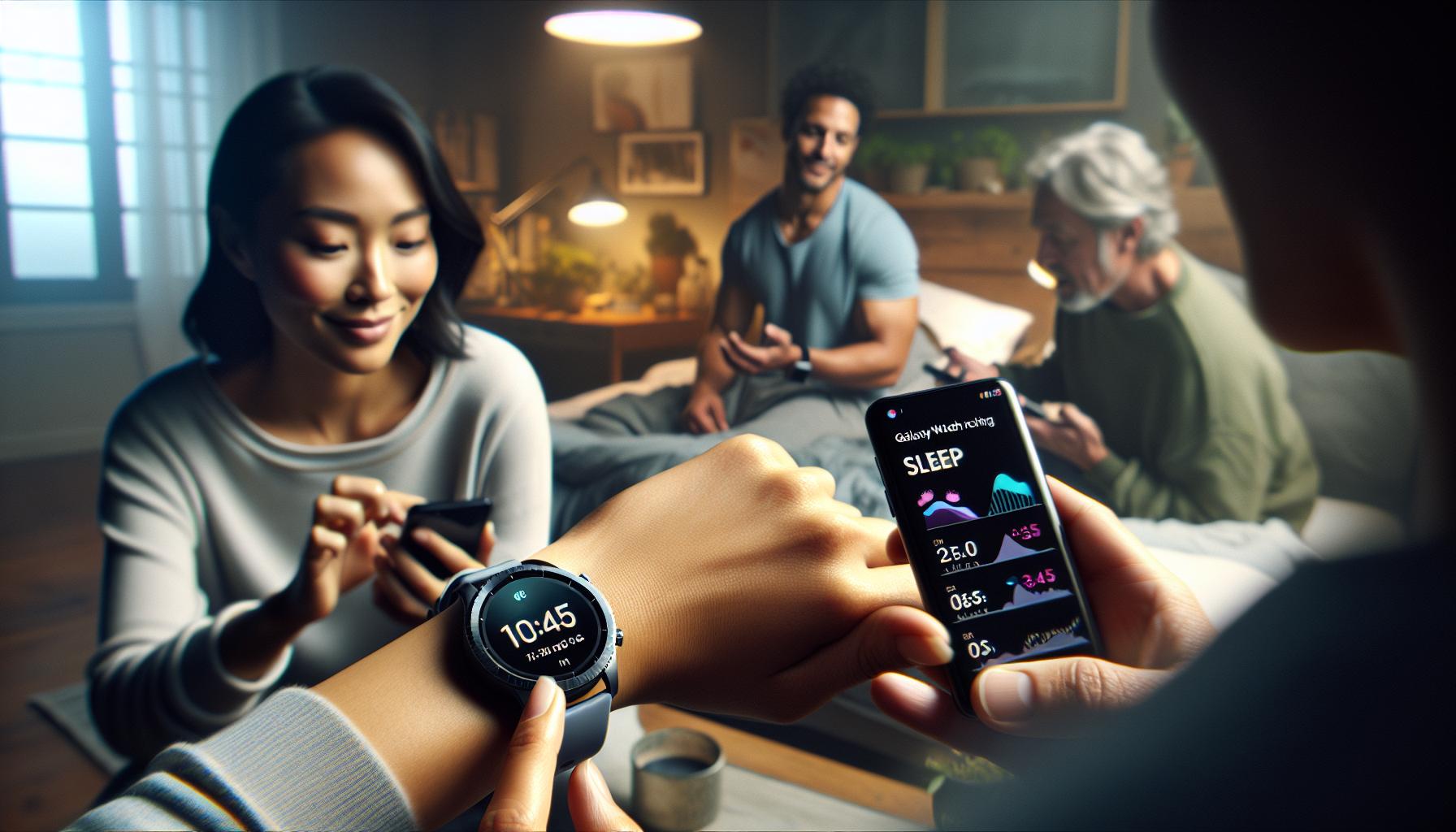
Setting Up Your Galaxy Watch for Optimal Sleep Tracking
To ensure you get the most accurate sleep tracking from your Galaxy Watch, proper setup and configuration are essential. Many users encounter discrepancies in their sleep data because of minor oversights during the initial setup. Start by ensuring that your device is fully updated; regularly check for software updates in the Galaxy Wearable app. These updates often include improvements to sleep tracking algorithms that enhance accuracy and performance.
Once your Galaxy Watch is updated, you need to enable sleep tracking. This is typically found in the settings menu under the health or sleep section. Here’s how to do it effectively:
Steps to Enable Sleep Tracking
- Open the Galaxy Wearable app on your phone.
- Navigate to the Health section.
- Select Sleep and toggle the sleep tracking feature to On.
- Ensure that your watch is set to track sleep automatically.
After enabling the feature, ensure you wear your watch snugly on your wrist throughout the night. A loose fit can compromise sensor accuracy, leading to unreliable readings. Additionally, consider activating the “Do Not Disturb” mode during sleep hours. This prevents incoming notifications from interrupting your sleep cycle while also preserving battery life.
Optimizing Device Settings
To further improve your Galaxy Watch’s sleep tracking capabilities, consider these additional settings:
- Enable Power Saving Mode: This can help extend battery life while tracking sleep continuously.
- Sync with Samsung Health: Ensure your health data is synced with the Samsung Health app for broader insights.
- Hydration and Exercise Tracking: Maintain healthy hydration levels and regular workouts, as both can positively influence your sleep quality.
By ensuring the setup is completed meticulously, you empower your Galaxy Watch to provide the best sleep tracking data possible. In a world where good sleep is often elusive, you deserve a device that accurately reflects your nightly rest. With these steps, your Galaxy Watch can become a reliable tool for monitoring your sleep habits, helping you achieve the restorative sleep you need.
Tips for Improving Sleep Tracking Accuracy
Accurate sleep tracking can significantly enhance your understanding of sleep patterns and overall health. However, many users experience inaccuracies that can distort this vital data. To ensure that your Galaxy Watch performs optimally while tracking sleep, consider several key practices that can improve accuracy and reliability.
Start by ensuring that your watch is fitted correctly on your wrist. A snug fit is essential because looser straps can prevent the sensors from gathering accurate heart rate and movement data. Aim for a comfortable yet secure fit; this will help in obtaining precise readings through the night. Make it a habit to charge your watch daily to avoid power issues during sleep tracking; keeping your device in optimal condition is crucial for accurate measurements.
Another effective strategy is to regularly sync your Galaxy Watch with the Samsung Health app. This not only helps keep all your health data organized but also ensures that any updates, particularly those related to sleep tracking algorithms, are applied. Connecting with the app provides broader insights and trends about your sleep patterns, allowing you to see correlations over time.
Additionally, consider adjusting the settings on your Galaxy Watch. Activating the “Do Not Disturb” mode while sleeping minimizes interruptions from notifications, which can skew the data collected during rest. Furthermore, enabling the power-saving mode can help maintain tracking without draining your battery unexpectedly. Also, it’s advisable to engage in regular physical activity and maintain proper hydration; both factors contribute positively to the quality of your sleep, reflecting in your tracking metrics.
By implementing these straightforward tips, you can significantly enhance the accuracy of your sleep tracking efforts with the Galaxy Watch, paving the way for improved health insights and better sleep quality.
Troubleshooting Sleep Tracking Problems on Galaxy Watch
When your Galaxy Watch isn’t tracking sleep, it can be incredibly frustrating, especially when you rely on it for insights into your health. One of the first and most common troubleshooting steps is ensuring that the sleep tracking feature is actually enabled. Navigate to the settings menu on your watch, and verify the sleep tracking option is turned on. If it’s already enabled, try turning it off and then back on again to refresh the system.
A significant factor affecting sleep tracking accuracy is the watch’s fit. Ensure that your Galaxy Watch is snug against your wrist; a loose fit can lead to erratic sensor readings. Additionally, regularly check that the sensors on the back of the watch are clean and free from debris, as any blockages can hinder performance.
If issues persist, syncing your watch with the Samsung Health app may also help. This sync ensures that the latest software updates are applied, which can include improvements for sleep tracking. If you’re still facing problems after these checks, a factory reset might be necessary, but remember to back up your data first.
Lastly, checking for permission settings is crucial. Go to Security and Privacy in the settings and review the permissions for sensors and health tracking. Enabling all necessary permissions for sleep tracking can resolve a range of issues that prevent the watch from collecting sleep data accurately. By following these steps, you can regain confidence in your Galaxy Watch’s ability to accurately monitor your sleep and health.
Top Features to Utilize for Better Sleep Insights
Sleep tracking technology has transformed the way we understand our nightly rest, and the Galaxy Watch is no exception. For those looking to gain valuable insights into their sleep patterns, the Galaxy Watch comes packed with features that can enhance your sleep tracking experience and provide you with a deeper understanding of your overall health.
Utilize Advanced Sleep Tracking Features
One of the standout features of the Galaxy Watch is its advanced sleep stage tracking. It doesn’t just capture the total hours you sleep but breaks down your sleep into different stages: light, deep, and REM sleep. By understanding the time you spend in each stage, you can identify patterns and factors that may be affecting your sleep quality. This feature is particularly beneficial for those aiming to improve their sleep hygiene or diagnose sleep issues.
Leverage Sleep Insights and Recommendations
The Samsung Health app accompanying the Galaxy Watch offers personalized insights based on your sleep patterns. After tracking your sleep, it provides tailored recommendations such as optimal bedtime, suggested wind-down activities, and tips for achieving a better night’s sleep. By regularly reviewing these insights, you can make adjustments to your daily habits that may help improve your sleep quality over time.
Implement Sleep Consistency Reminders
Another useful feature is the Sleep Mode, which can automatically activate during bedtime hours, muting notifications and minimizing distractions. This mode helps create a conducive environment for sleep and reminds you to maintain a consistent sleep schedule. Adhering to a regular sleep routine significantly enhances sleep quality and overall well-being.
Integrate Breathing and Relaxation Techniques
Many Galaxy Watches include guided breathing exercises, which can be great for reducing stress before bed. Engaging in these practices can calm your mind and body, making it easier to fall asleep. You can combine these techniques with the data gathered from your sleep tracking to develop a holistic approach to improving your sleep health.
By taking advantage of these features, you can transform your Galaxy Watch into a powerful ally in understanding and improving your sleep habits. Remember, consistent tracking and being proactive with the insights provided can lead to significant improvements in your sleep quality and overall health.
Comparing Galaxy Watch Sleep Tracking to Other Wearables
The Galaxy Watch brings a robust suite of sleep tracking features that can rival other leading wearables on the market. However, understanding how it stacks up against competitors like the Fitbit or Apple Watch can help you make the most of your device or decide whether it’s time for an upgrade. Each smartwatch offers unique capabilities, so let’s break down how the sleep tracking features compare.
Core Features of Sleep Tracking
When assessing the Galaxy Watch against others, consider the following aspects:
- Sleep Stage Detection: The Galaxy Watch excels with its ability to track the three main sleep stages: light, deep, and REM. This granular detail helps users identify their sleep quality better than many devices, such as older Fitbits, which might only provide basic sleep duration.
- Integration with Health Apps: The Samsung Health app offers tailored insights based on sleep patterns. This is comparable to the Apple Health app but is often seen as more user-friendly and actionable for Galaxy Watch users.
- Sleep Mode Features: Features like Sleep Mode that mute notifications are common across many brands but are notably effective on the Galaxy Watch with customizable settings, enhancing the overall sleep environment.
Additional Considerations
While the Galaxy Watch offers impressive features, some rival brands have their advantages. For instance, the Fitbit lineup tends to include a more extensive community and focus on overall wellness data, including stress levels, which can be vital for understanding sleep quality. Similarly, the Apple Watch offers a seamless integration with iOS devices, making it a preferred choice for iPhone users, especially those who are deeply embedded in the Apple ecosystem.
Real-World User Comparisons
User feedback reveals diverse experiences based on individual needs. For example, one Galaxy Watch user highlighted that while the sleep tracking data helped them identify lighter sleep patterns affecting their productivity, a Fitbit user noted better community support and motivation through challenges. This suggests that personal preferences and goals can significantly influence user satisfaction and effectiveness in sleep management.
To sum up, while the Galaxy Watch offers advanced sleep tracking features that can compete with its peers, it’s essential to consider which capabilities align with your specific health needs and lifestyle. Whether you value detailed sleep stage analysis or engaging community support could be the deciding factor in choosing the right device for your sleep health journey.
Real-Life Scenarios: When to Seek Professional Help
Many individuals rely on sleep trackers, like those in the Galaxy Watch, to monitor their sleep patterns. However, sometimes the data they provide can seem misleading, raising concerns about underlying health issues. If you notice persistent problems such as severe fatigue, insomnia, or frequent awakenings, it may be time to seek professional help. This is especially crucial if your watch isn’t reporting any sleep stages or patterns despite being worn properly.
When considering whether to consult a sleep specialist, look for specific signs. If you experience excessive daytime sleepiness, loud snoring, or episodes where you stop breathing during sleep, these could indicate conditions like sleep apnea. Taking note of these symptoms is essential as they can profoundly affect your overall health and well-being. Additionally, if sleep patterns remain erratic over an extended period or your ability to function during the daytime is impaired, seeking professional evaluation can be a wise step.
A sleep study, or polysomnography, could provide deeper insights into your sleep cycles and any potential disorders that a wearable device could miss. This test typically takes place in a sleep lab and measures brain activity, oxygen levels, heart rate, and breathing, allowing for a comprehensive understanding of your sleep quality. Although such tests may seem daunting, they can be pivotal in diagnosing sleep disorders, with costs often covered by insurance.
To summarize, while your Galaxy Watch offers valuable insights into your sleep, it isn’t a substitute for professional analysis when significant issues arise. If persistent sleep problems disrupt your life, don’t hesitate to reach out to a healthcare provider who specializes in sleep medicine. Addressing sleep concerns early can lead to better health outcomes and improved quality of life.
Understanding Limitations of Galaxy Watch Sleep Tracking
While the Galaxy Watch offers a convenient way to monitor your sleep, it’s essential to recognize its limitations. Sleep tracking functionality is based on a combination of movement, heart rate, and other physiological indicators. However, this can lead to inaccuracies due to various reasons. For instance, if you shift positions frequently throughout the night, your watch may misinterpret these movements as wakefulness, skewing your total sleep time. Additionally, the sensitivity of the tracker can mean that minor disturbances-like a loud noise or brief awakenings-might be recorded as sleep disruptions even if they don’t significantly impact your overall rest.
Another key limitation lies in the device’s ability to accurately differentiate between various sleep stages. While Galaxy Watch models can capture broad categories of sleep such as light, deep, and REM sleep, they might not always depict the transitions between these stages with precision. For users looking to gain a deeper understanding of their sleep architecture, relying solely on the Galaxy Watch may not provide all the insights needed. It’s important to remember that while wearables can be helpful, they may miss nuances in sleep patterns that can only be detected through more rigorous methods like polysomnography.
To enhance your tracking experience, ensure your watch is snug yet comfortable on your wrist, as this can improve the accuracy of the data collected. Regularly updating your device’s software can also help ensure that you are benefiting from the latest tracking improvements offered by Samsung. Despite these potential enhancements, it is wise to maintain a balance between the insights gained from your Galaxy Watch and professional guidance, especially if sleep issues persist or worsen.
In summary, while the Galaxy Watch serves as a valuable tool for monitoring sleep, understanding its limitations is crucial for interpreting the data it provides. By setting realistic expectations and combining this technology with professional evaluations, you can make informed decisions to improve your sleep health.
User Stories: How Sleep Tracking Changed My Life
Understanding how a simple device like the Galaxy Watch can transform sleep habits is both fascinating and inspiring. For many users, the sleep tracking feature has been a game changer, offering insights that lead to significant lifestyle adjustments. Take Rachel, for instance. After struggling with insomnia for years, she started using her Galaxy Watch to monitor her sleep patterns. Initially skeptical, Rachel was surprised to discover that her sleep tracker provided her with invaluable data about her sleep duration and quality.
By analyzing her nightly statistics, Rachel noticed a consistent pattern: she slept poorly on days when she consumed caffeine too late in the afternoon. Armed with this knowledge, she decided to cut back on her coffee intake. Within a few weeks, she noticed a marked improvement in her sleep quality. Her experience is a testament to the proactive steps many users can take when equipped with data-small changes can lead to profound results.
Similarly, consider Michael, who had no idea that his nightly interruptions were linked to his snoring. His Galaxy Watch documented instances of waking up during the night, which led him to explore further. Motivated by his findings, Michael sought professional help and discovered he had sleep apnea. Now, with appropriate treatment, he enjoys restorative sleep-a stark contrast to his previous restless nights. These personal journeys emphasize the importance of paying attention to sleep data and using it as a catalyst for positive change.
Ultimately, the stories of users like Rachel and Michael highlight the potential of wearables to enhance sleep health. While the Galaxy Watch is not a substitute for professional sleep studies, it serves as a valuable tool for tracking and understanding personal sleep patterns. As you explore your sleep tracking options, remember that every bit of information gained is a step toward better health. Whether you’re looking to improve your sleep quality or identify underlying issues, taking control of your sleep journey can lead to lasting changes in your overall well-being.
FAQ
Q: Why isn’t my Galaxy Watch tracking my sleep?
A: If your Galaxy Watch isn’t tracking sleep, ensure that sleep tracking is enabled in the settings. Navigate to the Health app, go to Sleep settings, and make sure it’s turned on. Also, check if the watch fits snugly on your wrist during sleep.
Q: How can I enable sleep tracking on my Galaxy Watch?
A: You can enable sleep tracking by going to the Health app on your Galaxy Watch. Select ‘Sleep’ and toggle the feature to ‘on.’ Ensure the watch is secured on your wrist before sleeping for accurate tracking.
Q: What should I do if my Galaxy Watch isn’t recording sleep data?
A: If your Galaxy Watch isn’t recording sleep data, try restarting the device and ensuring that it has the latest software updates. Additionally, confirm that wrist detection is enabled in settings, and your watch fits well during sleep.
Q: Are there any specific settings that affect sleep tracking on the Galaxy Watch?
A: Yes, settings like ‘Do Not Disturb’ mode and wrist detection play essential roles in sleep tracking accuracy. Make sure your watch is in ‘Do Not Disturb’ mode and that wrist detection is enabled for optimal performance.
Q: How do I improve sleep tracking accuracy on my Galaxy Watch?
A: To enhance sleep tracking accuracy, ensure a proper fit of the watch on your wrist, keep the device updated, and avoid excessive movement during sleep. Review tips in the “Tips for Improving Sleep Tracking Accuracy” section of your device’s manual for additional insights.
Q: Can I track my sleep without wearing my Galaxy Watch?
A: Unfortunately, sleep tracking on the Galaxy Watch requires wearing it on your wrist. The device monitors heart rate and movement to analyze sleep stages effectively.
Q: Why does my Galaxy Watch sometimes track my sleep incorrectly?
A: Incorrect sleep tracking may occur due to a loose fit, improper settings, or movement during sleep. Check the fit and ensure all relevant settings are activated, including sleep tracking and wrist detection for better accuracy.
Q: What features can I use for better sleep insights on Galaxy Watch?
A: Utilize the sleep score, sleep stages analysis, and history tracking features available within the Sleep app. Access recommendations within your device’s settings for enhancing your sleep health based on tracked data.
To Conclude
If you’ve found your Galaxy Watch isn’t tracking your sleep as it should, it’s time to take action! By enabling the right settings, you can unlock accurate sleep insights to help you improve your rest. Don’t wait-explore our guides on troubleshooting tips and settings adjustments or learn more about the potential issues impacting sleep tracking with the Galaxy Watch.
We’ve got additional resources on sleep health and smart wearable technology that can empower you, including articles on the best sleep apps and sleep disorders. Make sure to check those out for a deeper understanding!
Your sleep matters, and staying informed is key. For ongoing tips and insights, consider subscribing to our newsletter for regular updates straight to your inbox. Engage with us by sharing your experience or any questions in the comments below-we’re here to support your journey to better sleep health!
Get our latest guides, news, and insights highlighted in your Google Search & AI Overviews.