
Did you know that nearly one-third of adults report sleep issues? Understanding your sleep patterns is crucial for improving your overall health and well-being. The Galaxy Watch offers a comprehensive sleep tracking feature that empowers you to monitor your sleep quality, identify disturbances, and make informed decisions to enhance your rest. In this complete tutorial, we’ll walk you through everything you need to know about setting up and using your Galaxy Watch for effective sleep tracking. Whether you’re hoping to reduce nighttime awakenings or simply curious about your sleep stages, this guide will provide valuable insights and practical tips to help you get the most out of your device. Continue reading to unlock the secrets to better sleep with the help of your Galaxy Watch.
Understanding Sleep Tracking Features on Galaxy Watch
Capturing the nuances of your sleep can feel like peeling back the layers of a complex puzzle, but with the Galaxy Watch, this process is simplified and insightful. Sleep tracking features on the Galaxy Watch are designed to provide you with a comprehensive overview of your sleeping patterns, helping you understand the quality and phases of your sleep. By utilizing advanced sensors, the watch can monitor your sleep duration, detect sleep stages such as light, deep, and REM sleep, and even evaluate your overall sleep quality based on movement and heart rate.
The watch also employs heart rate variability monitoring, which can indicate stress levels and overall health, thus offering a more holistic view of your sleep’s impact on your well-being. With easy-to-read sleep reports available in the Galaxy Wearable app, you can quickly find essential data regarding how well you rested the night before. For those curious about their rest quality, the watch even provides personalized coaching tips aimed at improving sleep habits. This feedback loop empowers you to make adjustments in your lifestyle, whether it’s optimizing your bedtime routine or identifying disruptions that affect your sleep.
Additionally, the Galaxy Watch integrates seamlessly with other health metrics, presenting a unified platform to track physical activity, stress, and even mindfulness practices that contribute to sleep hygiene. The more insights you gather, the better equipped you are to foster a restful environment and cultivate your sleeping habits effectively. As you delve into sleep tracking with your Galaxy Watch, remember to explore features like sleep coaching and the Smart Alarm, which can wake you up during a light sleep phase, ensuring a more refreshing start to your day.
Setting Up Your Galaxy Watch for Sleep Tracking
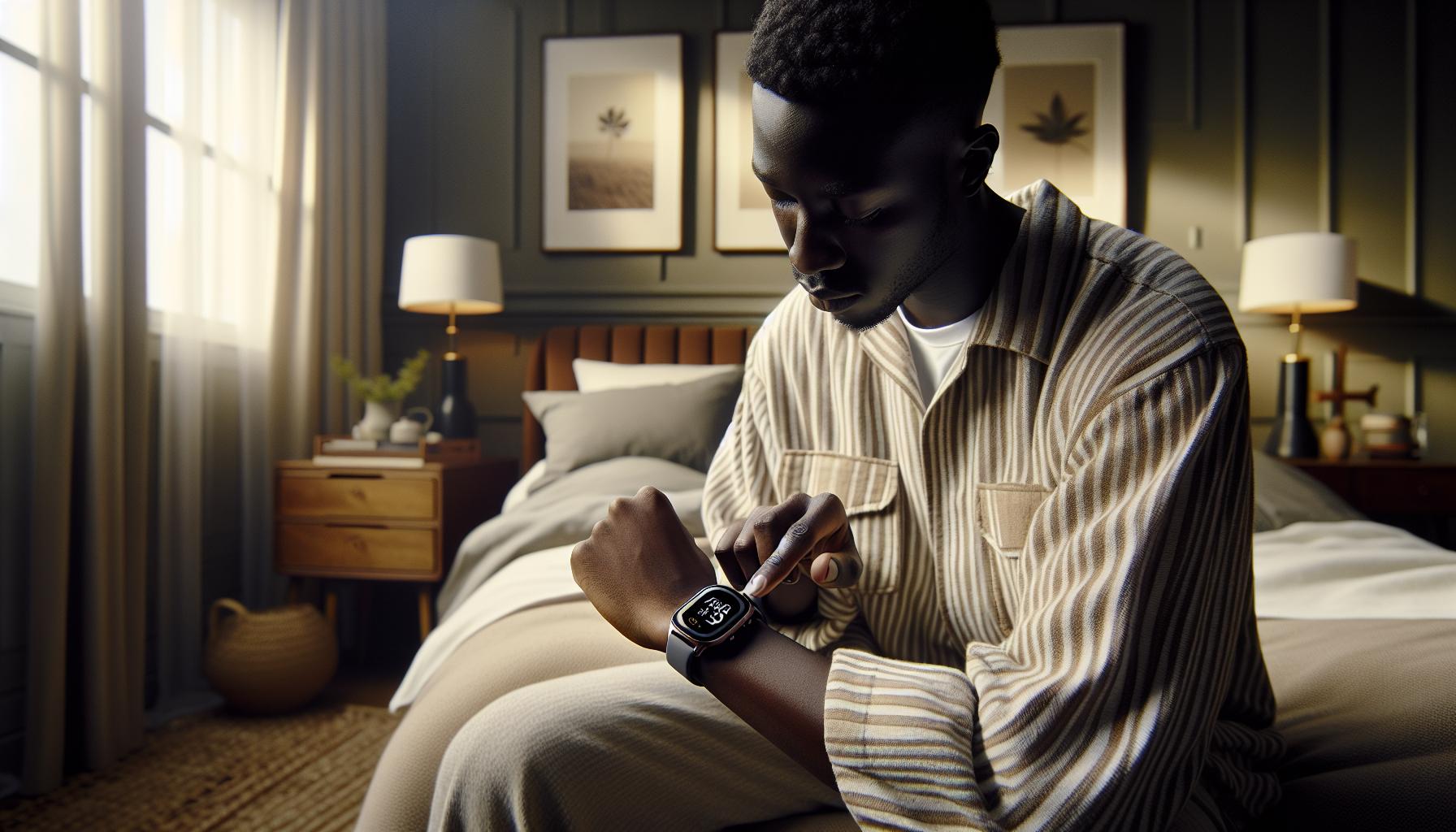
is a straightforward yet vital first step towards unraveling your sleep patterns and enhancing your overall well-being. With the right configuration, this powerful device can provide invaluable insights into your nightly rest-information that can help you make better lifestyle choices and improve your sleep quality.
To begin, ensure your Galaxy Watch is adequately charged. A well-charged device will track your sleep more effectively without interruption. Once your watch is powered up, follow these steps to set up sleep tracking:
Step-by-Step Setup
- Install the Galaxy Wearable App: If you haven’t already, download and install the Galaxy Wearable app on your smartphone. This app serves as the central hub for managing your watch’s features, including sleep tracking.
- Pair Your Watch: Launch the app and follow the prompts to connect your Galaxy Watch via Bluetooth. This connection enables seamless data synchronization between your watch and your phone.
- Enable Sleep Tracking: In the Galaxy Wearable app, navigate to the ‘Health’ or ‘Sleep’ section and toggle on sleep tracking. This will activate the necessary sensors to start collecting sleep data.
- Adjust Settings: You can customize your sleep tracking preferences, such as setting a specific bedtime and wake time. The watch can provide reminders to go to bed at an optimal time based on your goals.
- Wear Your Watch: For accurate tracking, wear your watch snugly on your wrist while you sleep. The watch’s sensors need to be in contact with your skin to monitor movement and heart rate effectively.
Understanding Tracking Modes
It’s essential to be aware of the different sleep tracking modes your Galaxy Watch offers. Some modes can automatically detect when you fall asleep, while others may require you to input your sleep time manually. Familiarize yourself with these options in the app settings to tailor your experience to your liking.
Additionally, take advantage of the Smart Alarm feature, which allows the watch to wake you during a light sleep phase, making waking up a more pleasant experience. This setting can often help you wake up feeling more refreshed and alert, rather than groggy from a deep sleep cycle.
Tips for Optimal Tracking
To maximize the accuracy of your sleep data, establish a consistent bedtime routine. Try to go to sleep and wake up at the same time each day. This consistency allows the watch to learn your sleep patterns better, providing more accurate insights over time.
Finally, don’t forget to regularly check your sleep reports in the Galaxy Wearable app. Here, you can analyze your sleep stages, duration, and overall quality, which could inform adjustments to your routine for better sleep health. Setting your Galaxy Watch up effectively not only enhances your sleep tracking experience but also empowers you to make informed decisions about your sleep habits, ultimately leading to a more restful night’s sleep.
How to Monitor Your Sleep Patterns Effectively

Monitoring your sleep patterns effectively can uncover essential insights into your overall health and wellness. Your Galaxy Watch is designed to make this process seamless, offering in-depth analysis of your sleeping habits. By leveraging its advanced sensors and accompanying app, you can track various aspects of your sleep, including duration, quality, and cycles. Here’s how to maximize your device for optimal sleep monitoring.
Start by checking your sleep reports regularly in the Galaxy Wearable app. This app breaks down your sleep data into understandable metrics, showing you how long you’ve slept, how many times you woke up, and the different stages of sleep-light, deep, and REM. Understanding these stages can clarify your sleep quality. If you notice consistent patterns of waking during the night or insufficient deep sleep, these are signs that adjustments may be needed.
To enhance the accuracy of your monitoring, maintain a consistent sleep schedule. Aim to go to bed and wake up at the same times every day, even on weekends. Over time, your Galaxy Watch will learn this routine, leading to more precise tracking and insights. Additionally, consider the environment where you sleep: a dark, quiet, and cool room can significantly improve your sleep quality, which in turn influences the data your watch collects.
Remember that the effectiveness of sleep tracking lies not just in gathering data but also in interpreting it. Use your watch to set “sleep goals” and thresholds in the app. For example, if you aim for seven hours of sleep, the watch can alert you when you fall short or track progress toward this goal. This proactive approach will empower you to make informed lifestyle choices that can directly impact your sleep health.
Lastly, be mindful of external factors that might affect your sleep patterns and reflect on your findings. Stress, caffeine consumption, or late-night screen time can all play significant roles in your sleep quality. By correlating your sleep data with your daily habits, you can identify triggers that disrupt your rest, paving the way for healthier choices in your sleep hygiene routine.
Interpreting Sleep Data from Your Galaxy Watch
Understanding how to interpret the sleep data collected by your Galaxy Watch can significantly enhance your approach to improving sleep quality. With a highly sophisticated set of sensors, the watch provides detailed insights into your sleep duration, quality, and patterns, which can be challenging to decipher without a bit of guidance. For example, you might find yourself wondering, “What does my 60 minutes of deep sleep really mean?” or “How should I respond to consistently waking up multiple times at night?”
To get started, you’ll want to focus on the key metrics provided in your sleep report accessed through the Galaxy Wearable app. These reports typically include total sleep duration, sleep stages (light, deep, and REM), and number of interruptions. Here’s how each aspect can impact your perception of sleep quality:
- Total Sleep Duration: This metric indicates how long you’ve actually slept versus how long you intended to sleep. If you’re aiming for 7-9 hours but frequently see numbers far below that, it may be time to reassess your bedtime routine.
- Sleep Stages: Understanding sleep cycles can clarify the quality of your night. Deep sleep is essential for physical restoration, while REM sleep plays a critical role in memory and mood regulation. If deep sleep is lacking, consider adjusting factors like your pre-sleep activities or room environment.
- Number of Interruptions: Frequent waking can detract from overall sleep quality. If you notice that you’re awake multiple times a night, think about potential factors causing disruptions-such as stress, diet, or even noise-so you can address them proactively.
Once you have grasped the fundamental metrics, the next step is to correlate this data with your daily habits. For instance, if you frequently find that your sleep quality improves after a night of reduced screen time or caffeine intake, these insights can inform future choices that promote better sleep. Moreover, setting sleep goals within the app can help you stay accountable. If your target is to achieve a certain amount of deep sleep each night, your watch will alert you if you’re falling short, motivating you to make necessary changes.
Finally, keep in mind the current limitations of smartwatches. While your Galaxy Watch provides valuable data, it is not a substitute for professional health assessments. If you suspect you have a serious sleep disorder, such as sleep apnea, consider consulting with a healthcare provider for appropriate evaluation and treatment. Your watch can be a good first step in understanding your sleep; the real journey begins when you take actionable steps based on the insights gained.
Maximizing Sleep Quality with Galaxy Watch Insights
To make the most of your Galaxy Watch’s sleep tracking capabilities, it’s essential to leverage the insights provided by the device effectively. One of the compelling aspects of sleep tracking is its ability to highlight patterns and suggest adjustments that can lead to better rest. By understanding and acting on this data, you can significantly enhance the quality of your sleep.
Start by reviewing your sleep metrics regularly. The Galaxy Watch collects data on your total sleep duration, sleep stages (light, deep, and REM), and interruptions throughout the night. Analyzing these reports can reveal valuable patterns. For instance, if you find that nights with higher screen time or late caffeine consumption correlate with poorer sleep, you may reconsider your evening habits. Setting personalized sleep goals within the Galaxy Wearable app can serve as a reminder to prioritize better sleep hygiene, nudging you towards achieving those targets.
Another practical step is to create a calming bedtime routine that encourages relaxation. The Galaxy Watch can remind you when it’s time to wind down, allowing you to incorporate soothing activities such as reading, stretching, or meditation before sleep. Further, consider how factors like your sleep environment impact sleep quality; ensure your bedroom is conducive to rest by adjusting lighting, temperature, and noise levels. The watch’s insights can guide you in making these environmental changes based on how they affect your sleep stages.
Utilizing the watch’s smart alarm feature is another way to maximize your sleep quality. Setting your alarm to wake you during a lighter sleep phase can help you feel more refreshed, reducing grogginess. By syncing this with your sleep data, you can identify the optimal times to set alarms that align with your natural sleep cycles. This thoughtful integration of technology and personal habits can lead to more restorative sleep and an overall better well-being.
Taking these actionable steps based on the Galaxy Watch’s insights turns your device from a simple tracker into a powerful tool for improving your sleep quality. After all, the journey to better sleep starts not just with data collection but with informed actions based on that data.
Troubleshooting Common Sleep Tracking Issues
Many users find sleep tracking on the Galaxy Watch to be an enlightening experience, but occasionally, you might encounter hurdles that prevent you from getting accurate data. Understanding these common issues-and how to resolve them-can ensure you make the most of your device’s capabilities.
One frequent problem is the watch not recording sleep at all. This can happen if the watch isn’t worn properly, especially if it’s too loose on your wrist. For optimal tracking, ensure that your watch is snug yet comfortable. Additionally, verify that sleep tracking is enabled in the settings. You can do this through the Galaxy Wearable app, where the feature must be toggled on to start collecting data.
Another issue users often face is inaccurate sleep data. Fluctuations in your heart rate or excessive movement during the night can mislead the watch into misclassifying sleep stages. To improve accuracy, avoid consuming caffeine or heavy meals too close to bedtime, as they can disturb your natural patterns. Moreover, ensuring that your watch has the latest software update can also help improve its tracking efficiency, as firmware updates often contain bug fixes and enhancements.
Battery life can significantly affect sleep tracking performance as well. The Galaxy Watch needs sufficient charge to track your sleep overnight. Aim to charge your watch during the day to ensure it has at least 30% battery life before bed. If you find that you’re frequently running low on battery, consider adjusting your watch face or turning off features such as always-on display, which can drain power more quickly.
Finally, if problems persist, try resetting your watch. This can help eliminate glitches or software issues that may affect performance. Be mindful of your settings, however; resetting will erase personalized data. Before doing this, consider backing up your data through the Galaxy Wearable app, ensuring that you retain your progress towards better sleep.
By addressing these common sleep tracking issues with practical adjustments and consistent routines, you can enhance the effectiveness of your Galaxy Watch, leading to valuable insights into your sleep health.
Comparing Galaxy Watch Sleep Tracking to Other Devices
Compared to many other wearables on the market, the Galaxy Watch offers an impressive suite of sleep tracking features that can give you a detailed view of your nightly rest. One of the standout aspects of the Galaxy Watch is its ability to monitor different sleep stages, including light sleep, deep sleep, and REM sleep. This level of detail helps users understand their sleep patterns better and make informed adjustments to improve their sleep quality.
When placed alongside popular devices like the Apple Watch or Fitbit models, the Galaxy Watch’s sleep tracking capabilities shine through in a few key areas. For instance, while the Apple Watch provides comprehensive health insights, its sleep tracking feature is somewhat basic, often only providing sleep duration without deep insights into sleep stages. Conversely, Fitbit watches are known for their detailed sleep analysis, but some models tend to be bulkier and less stylish than the Galaxy Watch, potentially affecting comfort during sleep.
Furthermore, the incorporation of Samsung Health within the Galaxy ecosystem allows users to leverage additional health metrics alongside sleep data. This integration makes tracking overall wellness seamless, as you can easily correlate exercise, heart rate, and stress levels with your sleep patterns. It’s essential to consider how these features align with your personal wellness goals. If holistic health is a priority for you, the Galaxy Watch can serve as a powerful all-in-one tool.
Ultimately, while considering sleep tracking devices, the Galaxy Watch stands out not just for its features but also for its user-friendly interface and accessibility. It encourages proactive health management through actionable insights and reminders. Remember, however, that no device can replace professional health assessments; if you experience persistent sleep issues, seeking guidance from a healthcare provider is always recommended.
Advanced Sleep Tracking Tips for Better Results
To truly harness the power of your Galaxy Watch’s sleep tracking capabilities, there are several advanced strategies you can implement that will optimize your results and enhance your overall sleep quality. First and foremost, aligning your sleep environment with your sleep goals can significantly improve tracking accuracy. A comfortable room temperature, limited light exposure, and reduced noise can create an ideal sleeping environment, promoting deeper sleep. Make sure to keep your watch snug but comfortable on your wrist, as movements can affect data accuracy.
Another effective approach involves regularly checking and adjusting your sleep schedule. Consistent sleep patterns enhance the algorithms underlying your Galaxy Watch’s tracking, leading to more reliable insights over time. Try aiming for the same sleep and wake times each day. Additionally, using the Galaxy Watch’s reminders can be beneficial in establishing this routine by nudging you when it’s time to wind down for the night.
Monitoring your evening activities is also essential. Engaging in wind-down practices such as reading or gentle stretching can positively influence your sleep quality. The Galaxy Watch can track the impact of these habits over time, allowing you to identify what most effectively helps you prepare for sleep. Using the watch’s stress management features, such as guided breathing exercises, can also help reduce pre-sleep anxiety, contributing to a more restful night.
Utilizing the insights provided by the Samsung Health app is paramount. After each night, take the time to review your sleep data, focusing on metrics like sleep duration, stages of sleep, and overall sleep quality. Understanding these data points helps you recognize patterns and habits that promote better sleep, such as the ideal number of awake times during the night or the optimal length of sleep you naturally gravitate towards. This continuous feedback loop empowers you to make informed adjustments to your routine for even better results.
By integrating these advanced practices into your routine, you can significantly enhance the effectiveness of your Galaxy Watch’s sleep tracking features, leading to more restorative sleep and improved overall wellness.
User Experiences: Real-Life Galaxy Watch Sleep Tracking
Tracking sleep with the Galaxy Watch has become a popular method for users looking to optimize their nightly rest and understand their sleep patterns. Many users report a variety of experiences that highlight the advantages and unique insights provided by this technology. One notable aspect is the watch’s ability to seamlessly integrate into users’ daily routines and the significant shifts in sleep quality they notice after using it consistently.
For example, Jessica, a freelance graphic designer, found that the sleep tracking feature helped her realize the importance of maintaining a consistent sleep schedule. After monitoring her sleep for a few weeks, she noticed that her performance dipped whenever she went to bed later than usual. With the watch sending gentle reminders to start her bedtime routine, she was able to improve her sleep duration and wake up feeling more refreshed. The automatic sleep insights provided by the Galaxy Watch allowed her to experiment with different wind-down activities, such as light reading and meditation, which drastically reduced the time it took for her to fall asleep.
Another user, Mark, shared his experience regarding his struggle with sleep quality due to work-related stress. He utilized the Galaxy Watch’s features such as guided breathing exercises before sleep, which helped him feel more relaxed. By analyzing the sleep data provided in the Samsung Health app, Mark was able to see correlations between his daytime activities and his nighttime rest. For instance, he noticed that engaging in more physical activity during the day improved his REM sleep stages. By making mindful adjustments based on the watch’s feedback, he not only enhanced the quality of his sleep but also reduced his daytime fatigue.
Additionally, many users appreciate the clarity of the sleep data presented by the Galaxy Watch. The breakdown of sleep stages-light, deep, and REM-helps individuals understand their sleeping patterns more comprehensively. For instance, Sarah, a college student, utilized the data to identify that she often had disrupted sleep due to late-night study sessions. Armed with this information, she began prioritizing her time management skills, ensuring she ended her study sessions earlier, which led to deeper, more restorative sleep.
In summary, the real-world experiences of users with the Galaxy Watch for sleep tracking underscore its value in providing actionable insights that influence better sleep hygiene. Whether it’s through optimizing bedtimes or recognizing the flow of sleep cycles, the watch serves as a helpful companion in the journey toward improved sleep and overall wellness.
Exploring Smart Alarm Features for Better Wake-Ups
The gentle chime of a smart alarm can drastically improve your morning experience by waking you up at just the right moment in your sleep cycle. The Galaxy Watch is designed with advanced smart alarm features that can help you wake up feeling more refreshed and ready to tackle the day. Instead of jolting you awake from deep sleep with a harsh beep, these alarms work to detect your sleep stages and choose the optimal time to rouse you, typically within a set range (for example, 30 minutes) of your desired wake-up time.
Utilizing the smart alarm feature is straightforward. First, you’ll need to ensure your Galaxy Watch is equipped with the latest software updates and that you have the sleep tracking function enabled. Here’s how you can set up your smart alarm:
- Open the Sleep App on your Galaxy Watch.
- Set a Bedtime and Wake-Up Time: Indicate your typical sleep duration to allow the watch to understand when it should begin to monitor your sleep cycles.
- Activate the Smart Alarm: Within the sleep settings, enable the smart alarm feature. You can usually customize the time range for the alarm to activate prior to your set wake-up time.
The benefit of this feature lies in its ability to analyze your sleep patterns based on the data it gathers during the night. With each night you track your sleep, your watch becomes more attuned to your individual sleep rhythms, thus increasing the effectiveness of its smart alarm.
For example, let’s say you typically wake up at 7:00 AM. If your watch detects that you’re in a light sleep phase around 6:45 AM, it will gently alert you at that time rather than waiting for the clock to strike 7:00 AM when you might be in deep sleep. Users like Mark, who experienced difficulties waking up due to disrupted sleep, found that this gradual wake-up method not only made mornings less jarring but also improved his overall energy levels throughout the day.
Additionally, incorporating the smart alarm can minimize the chances of oversleeping-something many of us struggle with-particularly during weekends or days when we are not bound by work schedules. The watch can help establish a more consistent sleep routine by waking you at similar times daily, enhancing your body’s natural circadian rhythm. This function, combined with effective sleep tracking, provides a comprehensive toolset to improve your sleep quality and, ultimately, your daily performance.
The Science Behind Sleep Tracking and Health Benefits
Understanding the intricate relationship between sleep and overall health can empower individuals to make informed decisions about their wellness. Sleep tracking devices, such as the Galaxy Watch, leverage advanced sensors to collect data on your sleep patterns, revealing insights that can significantly enhance your understanding of sleep quality. Studies have shown that regular sleep monitoring can improve sleep hygiene and help identify potential sleep disorders, leading to a more restorative sleep experience.
When using a Galaxy Watch for sleep tracking, you’re not just logging hours spent in bed; you’re gaining a comprehensive picture of your sleep architecture, which includes different stages such as light sleep, deep sleep, and REM. This knowledge can illuminate how lifestyle choices-like diet, exercise, and stress levels-affect your sleep. For instance, if you notice an increase in wake times or reduced deep sleep after late-night caffeine, you’ll have actionable insights to adjust your habits accordingly. Tracking patterns over time also allows you to see trends and correlations that might not be apparent from night to night.
Health Benefits of Sleep Tracking
Engaging with sleep technology offers various health benefits, especially as insufficient sleep is linked to several chronic health issues, including obesity, heart disease, and diabetes. By actively monitoring your sleep, you can work toward mitigating these risks. For example, studies indicate that good sleep hygiene can lead to improved mood and cognitive function, enhancing daily performance and emotional well-being. Armed with this information, users can set realistic sleep goals, such as aiming for a minimum of seven hours per night while strategically adjusting their bedtime to optimize sleep quality.
The Galaxy Watch’s insights can also aid in addressing specific sleep issues. By reviewing your sleep data, you might identify persistent wake times that coincide with disturbances like snoring or stress. With this knowledge in hand, you can make informed decisions about when to seek professional help, such as consulting a sleep specialist. The deeper awareness of sleep health can lead to not only greater accountability but also a proactive approach to wellness, ultimately empowering you to foster a healthier lifestyle.
By incorporating the smart features of the Galaxy Watch into your nightly routine, from sleep tracking to smart alarms, you are likely to notice an enhanced awareness of your sleep patterns and their effects on your overall health, providing a clearer path to achieving your wellness goals.
When to Seek Professional Help for Sleep Issues
Trouble sleeping? You’re not alone; approximately one in three adults experiences sleep disruptions at some point. While tools like the Galaxy Watch can offer valuable insights into your sleep patterns, there are crucial moments when these insights signal it’s time to reach out for professional help. If your sleep data consistently shows insufficient restorative sleep, frequent awakenings throughout the night, or if you struggle with excessive daytime sleepiness that affects your daily life, these could be red flags indicating an underlying sleep disorder.
Understanding when to consult a healthcare professional starts with recognizing specific patterns and symptoms reflected in your sleep data. Consult a sleep specialist if your Galaxy Watch consistently tracks high levels of wakefulness during the night or if you notice limited time spent in deep or REM sleep. Such trends can indicate possible sleep apnea or other disorders that require formal diagnosis and treatment, which wearable devices cannot provide.
Here are some signs that suggest a professional evaluation may be necessary:
- Chronic Insomnia: If you regularly struggle to fall asleep or stay asleep despite trying various strategies.
- Daytime Sleepiness: Persistent lethargy or difficulty staying awake during the day can point to serious sleep issues.
- Snoring or Breathing Difficulties: This could signify sleep apnea, especially if your sleep data reflects irregular patterns.
- Restless Legs Syndrome: An uncontrollable urge to move your legs can impact your sleep quality significantly.
In some cases, your doctor may recommend a sleep study, or polysomnography, which involves recording various parameters during sleep, including brain waves, heart rate, and oxygen levels. This comprehensive evaluation can provide deeper insights beyond what a watch can monitor. Remember, seeking help is a crucial step toward improving your health and well-being; don’t hesitate if your sleep issues seem to persist.
Q&A
Q: How do I start sleep tracking on my Galaxy Watch?
A: To start sleep tracking on your Galaxy Watch, ensure your watch is worn snugly on your wrist. Open the Health app, navigate to the Sleep section, and activate the sleep tracking feature. Make sure your watch is fully charged before bedtime for accurate data collection.
Q: Can I use my Galaxy Watch to analyze my sleep quality?
A: Yes, your Galaxy Watch can analyze your sleep quality. After tracking your sleep, open the Health app and check your sleep report to see insights about sleep stages and overall sleep quality. This helps you understand your sleep patterns better.
Q: What should I do if my Galaxy Watch is not tracking sleep?
A: If your Galaxy Watch is not tracking sleep, first check if sleep tracking is enabled in the Health app. Ensure the watch is worn correctly and is up to date with the latest software. Restarting your watch may also resolve temporary issues.
Q: How can I improve sleep tracking accuracy on my Galaxy Watch?
A: To improve sleep tracking accuracy, wear your watch snugly and ensure it’s fully charged each night. Regularly update the device software and calibrate the heart rate sensor to enhance its precision in recording sleep stages and disturbances.
Q: Does the Galaxy Watch track naps?
A: Yes, the Galaxy Watch can track naps, but you may need to enable the nap tracking feature manually. Check the Sleep settings within the Health app to optimize tracking for shorter sleep durations.
Q: How long does it take for the Galaxy Watch to calculate sleep data?
A: It typically takes several minutes after waking for the Galaxy Watch to process and display your sleep data. You can view the results in the Health app under the Sleep section for detailed insights about your rest period.
Q: Can I set sleep goals on my Galaxy Watch?
A: Yes, you can set sleep goals on your Galaxy Watch. Access the Goal settings in the Sleep section of the Health app. Here, you can specify nightly sleep targets to encourage better sleep hygiene.
Q: Are there any specific sleep disorders my Galaxy Watch can detect?
A: While the Galaxy Watch provides insights into your sleep patterns, it cannot diagnose sleep disorders. If you suspect issues like sleep apnea, consult a healthcare professional. Your watch’s data can be useful for discussions about your sleep health.
The Way Forward
Now that you know how to effectively use sleep tracking on your Galaxy Watch, it’s time to take charge of your sleep health! Remember, consistent tracking can lead to valuable insights, helping you improve your nightly rest and overall well-being. If you have any lingering questions, don’t hesitate to explore our in-depth guides on sleep science and wearable technology, including comparisons of the best sleep trackers and tips on setting them up for optimal use.
Ready to enhance your nighttime routine? Check out our articles on understanding sleep disorders and when to consider a sleep study. Don’t forget to subscribe to our newsletter for the latest tips on health tech and special offers on sleep-enhancing products! Share your own sleep tracking experiences and tips in the comments below-we’d love to hear from you! Your journey to better sleep starts now; keep exploring and empowering yourself with knowledge!
Get our latest guides, news, and insights highlighted in your Google Search & AI Overviews.