
In an age where sleep is increasingly recognized as vital for overall health, the accuracy of sleep tracking technology, especially on devices like the Apple Watch 10, is a pertinent topic for many users. With sleep deprivation affecting millions, understanding how well your smartwatch can monitor your sleep patterns could empower you to make informed choices about your rest. Can the promises of advanced sleep tracking truly deliver insights that enhance your sleep quality? This full review dives into the capabilities and limitations of Apple Watch 10’s sleep tracking feature, helping you discern whether it’s worth the investment for your health journey. Stay tuned as we unravel how this device measures up against its bold claims and what you can realistically expect from its performance.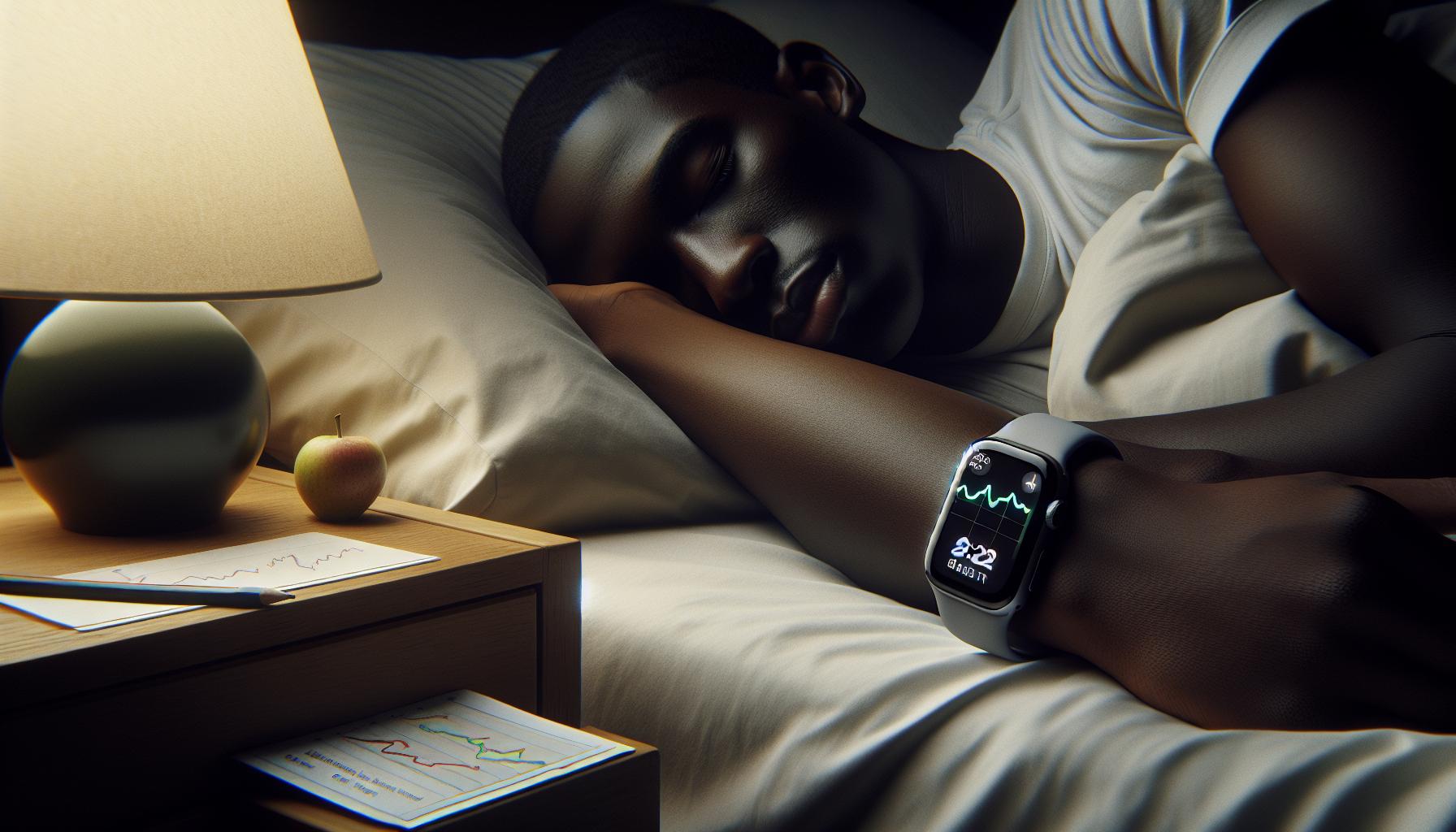
Understanding Apple Watch 10 Sleep Tracking Features
The Apple Watch 10 boasts several innovative features that enhance sleep tracking, aiming to provide users with a comprehensive understanding of their sleep patterns and overall health. One of the standout capabilities is its ability to automatically track sleep duration by monitoring movements, allowing it to detect when the user is asleep. This functionality is seamlessly integrated with the Health app on the user’s iPhone, where they can access detailed insights into their sleep history, including total sleep duration and sleep stages, such as deep sleep and REM sleep.
Additionally, Apple has included a Sleep Focus mode designed to minimize distractions during sleep. When activated, this feature simplifies the Lock Screen and silences notifications to ensure a more restful environment. Users can easily set and adjust their sleep schedules directly from the Sleep app on their Apple Watch or via the iPhone’s Health app, allowing for personalized sleep goals based on individual lifestyles.
The Apple Watch 10 also offers metrics beyond basic tracking; it can monitor the user’s breathing rate while sleeping, providing insight into overall respiratory health. For those looking to delve deeper into their sleep quality, third-party applications like AutoSleep can enhance functionality, offering features such as sleep ratings, snoring intensity detection, and environmental noise measurements. This blend of built-in and third-party features positions the Apple Watch 10 as a powerful tool for anyone looking to improve their sleep habits while maintaining an eye on their overall health.
How Sleep Tracking Works on Apple Watch 10
The Apple Watch 10 employs a sophisticated array of sensors to monitor your sleep patterns, primarily by analyzing your motion and heart rate throughout the night. By detecting movements, the watch can determine when you fall asleep, how long you’ve slept, and the quality of that sleep. This information is compiled into an easy-to-understand format within the Health app on your iPhone, displaying metrics like total sleep time and various sleep stages, such as light sleep, deep sleep, and REM (rapid eye movement) sleep. This integration allows users to get a comprehensive view of their nightly rest, enabling them to make informed decisions about improving their sleep habits.
To enhance your sleep experience, the Apple Watch 10 includes features such as a Sleep Focus mode. This setting silences notifications and dims the screen to create a tranquil sleep environment. Additionally, you can customize your sleep schedule directly from the Sleep app on the watch or through the Health app on your iPhone, allowing for tailored wake-up and sleep times to align with your lifestyle.
Furthermore, the Apple Watch 10 takes sleep tracking a step further by monitoring your breathing rate while you sleep. This is particularly beneficial for assessing respiratory health. For users interested in a deeper dive into their sleep quality, integrating third-party applications such as AutoSleep offers enhanced functionalities, including sleep ratings and environmental noise assessments. Together, these capabilities position the Apple Watch 10 as a versatile and powerful tool for anyone eager to prioritize their sleep health.
Overall, the way sleep tracking works on the Apple Watch 10 combines advanced technology and user-friendly features that empower you to take control of your sleep habits effectively. Balancing these tools with an awareness of their limitations, you can leverage this innovation to foster better sleep quality and, by extension, overall health.
Comparing Apple Watch 10 to Competitors
The Apple Watch 10 positions itself as a leading contender in the realm of wearable sleep technology, but how does it stack up against its competitors? Devices like the Fitbit Charge 5 and the Garmin Venu 2, both known for their comprehensive health tracking capabilities, also offer robust sleep tracking features. The Apple Watch 10 distinguishes itself with its seamless integration into the Apple ecosystem, allowing for a comprehensive view of health data through the Health app. This integration can be crucial for users wishing to track sleep metrics alongside their overall wellness goals.
Comparing sleep tracking accuracy, the Apple Watch 10 leverages both motion and heart rate data, much like its rivals. However, Fitbit employs proprietary algorithms that are tailored specifically for sleep analysis, providing detailed insights into sleep stages. For example, Fitbit’s app may offer additional metrics such as Sleep Score, which can help users quickly gauge their sleep health at a glance. On the other hand, the Apple Watch 10 provides a less detailed sleep profile but compensates with features such as Sleep Focus mode, which minimizes distractions at bedtime, potentially enhancing sleep quality.
Feature Set Comparison
| Feature | Apple Watch 10 | Fitbit Charge 5 | Garmin Venu 2 |
|---|---|---|---|
| Sleep Stage Tracking | Yes | Yes | Yes |
| Wake Up Alarm | Customizable | Smart Wake | Vibration Alarm |
| Integration with Health App | Yes | Limited | Yes |
| Additional Health Metrics | Breathing Rate | Stress Management | Body Battery |
Ultimately, while the Apple Watch 10 excels in comfort and usability, competition remains stiff. Users seeking detailed insights may prefer devices like Fitbit for specific sleep metrics, while Garmin offers an intuitive interface and fitness tracking capabilities. Each device has its strengths, and potential users should consider what aspects are most critical for their individual sleep health needs. Remember, personal comfort and how well the device fits into your lifestyle can greatly impact your overall sleep quality, making the decision as much about personal preference as it is about features.
Accuracy of Sleep Metrics: What the Data Says
Despite being a fashionable smartwatch, the Apple Watch 10’s sleep tracking features stand as a testament to its technological prowess. Users often wonder just how accurate these metrics are, especially when compared to dedicated sleep tracking devices. The Apple Watch garners insights from various data points, notably motion and heart rate. This dual data approach provides a foundation for sleep analysis, but it is essential to understand the strengths and limitations inherent in this technology.
Studies indicate that while the Apple Watch 10 can effectively estimate sleep duration, it might face challenges in accurately determining sleep stages. The device leverages algorithms similar to those found in other devices, but it lacks some of the nuanced analysis provided by competitors like Fitbit. For example, Fitbit devices utilize proprietary algorithms specifically designed for sleep analysis, which often result in more finely detailed insights into sleep architecture, including REM, deep, and light sleep stages. This level of granularity enables users to better understand their sleep quality on a more personal level.
To get the most out of the Apple Watch 10’s sleep tracking capabilities, users can take proactive measures. Wearing the watch snugly during sleep can enhance the accuracy of heart rate readings, and consistently following a sleep schedule helps the device learn an individual’s patterns. Furthermore, utilizing features like Sleep Focus can greatly improve bedtime routines, helping reduce distractions and promote healthier sleep habits. Users should also keep in mind that personal sleep quality can significantly influence the effectiveness of health metrics recorded by the watch.
In conclusion, while the Apple Watch 10 offers a commendable overview of sleep patterns, potential users should temper their expectations regarding precision. If in-depth sleep analysis is paramount, considering additional resources, such as sleep studies or other dedicated trackers, may be advisable. However, for those who want a straightforward way of integrating sleep tracking into their lifestyle, the Apple Watch can still prove to be a valuable companion on the path to better sleep health.
User Experiences: Real-Life Sleep Tracking Stories
Many Apple Watch users have shared intriguing stories about their experiences with the device’s sleep tracking feature, painting a picture of its effectiveness and limitations. For instance, Sarah, a busy working mother, found that using the sleep tracking capabilities helped her become more aware of her sleep patterns. She noted that the Apple Watch accurately captured her sleep duration but struggled to categorize her sleep stages as precisely as she had hoped. Despite this, she reported that simply having that awareness allowed her to make better choices about her bedtime, leading to a more consistent sleep schedule.
In another example, James, a tech enthusiast, highlighted how he integrated his Apple Watch with the Health app on his iPhone. By setting goals and tracking his sleep history, he was able to identify patterns that led to less restorative sleep. “The watch gave me insights on when I was restless, and I began adjusting my wind-down routine accordingly,” he shared. However, he also admitted that on nights when he stayed up late, the watch could not accurately reflect the impact of his disrupted schedule, occasionally attributing wakefulness to deep sleep errors.
Indeed, user experiences are mixed, as many people like to combine the Apple Watch with other apps and wearables for a more comprehensive understanding of their sleep health. Emily, who uses AutoSleep alongside her Apple Watch, found that the detailed analyses provided by AutoSleep complemented the data from her watch. She described it as a game-changer, allowing her to pinpoint specific issues, such as environmental noise disrupting her sleep. This dual approach helped her adapt her sleep environment greatly.
While some users reported successful experiences in improving their sleep habits, others were left wanting more accurate sleep stage data. Many have noted the importance of starting with realistic expectations about the device’s capabilities. Overall, stories from real users reveal a blend of practicality and appreciation; while the Apple Watch provides valuable insights, it may not yet rival dedicated sleep analysis devices for all users, especially those with specific sleep health concerns.
Limitations of Apple Watch 10 Sleep Tracking
The Apple Watch 10 offers a range of sleep tracking features, but users should be aware of its limitations to set realistic expectations. While it excels at monitoring sleep duration and general patterns, the accuracy of sleep stage detection can leave much to be desired. Many users have reported dissatisfaction with the watch’s ability to differentiate between light, deep, and REM sleep. Instead of providing a detailed analysis, it often simplifies these stages, leading to questionable conclusions about sleep quality.
Another significant limitation is the device’s reliance on movement data to determine when a user is asleep. This method can result in inaccuracies, particularly for light sleepers or those who wake frequently throughout the night. For example, individuals who tend to shift positions may find that their watch mistakenly categorizes periods of wakefulness as sleep, skewing their overall sleep data. Additionally, if a user does not wear the watch snugly or consistently throughout the night, they may miss valuable tracking opportunities.
Battery life plays a crucial role in sleep tracking as well. The Apple Watch 10 needs to be charged adequately during the day to ensure it can last through the night. Users who forget to charge their devices or who prefer to take them off during certain activities may find gaps in their sleep data. This inconsistency can hinder the effectiveness of the watch in providing a cohesive picture of sleep patterns over time.
While integrations with health apps and detailed metrics provide added context, some users have reported that they still prefer more specialized sleep trackers that can offer insights into their sleep health without the significant shortcomings. For those serious about sleep analysis, understanding these limitations is vital. They may want to combine the Apple Watch with dedicated sleep technology or journal methods to achieve a more accurate portrayal of their sleep health journey.
Tips for Improving Sleep Tracking Accuracy
To enhance the accuracy of sleep tracking on your Apple Watch 10, consider implementing a few practical strategies that maximize the device’s capabilities while minimizing its limitations. One common area of concern is the snugness of the watch while you sleep. If the watch isn’t snug against your wrist, it may struggle to detect movement accurately, leading to skewed sleep data. To combat this, ensure that your watch is properly secured before bed, without being uncomfortable.
Another tip is to maintain a consistent charging routine. Battery life directly affects sleep tracking performance, so try to charge your watch during activities where it can be removed, such as when showering or while at work. Aim to fully charge it during the day to ensure it lasts through the night. If you regularly forget to charge your watch, consider setting reminders to keep your device ready for accurate monitoring each night.
Additionally, leverage the Sleep app settings on your Apple Watch. Enabling features such as the scheduled sleep time and the Sleep Focus mode can further improve the device’s ability to track your sleep accurately. The Sleep Focus minimizes distractions by limiting notifications, which can lead to a more uninterrupted sleeping experience.
Lastly, combine your Apple Watch sleep tracking with other health and wellness apps that offer more detailed sleep analysis. While Apple’s sleep tracking provides a general overview of trends, integrating data from specialized apps can provide deeper insights into your sleep quality. This complementary approach can help you address any potential sleep issues and enhance your overall sleep health.
Integrating Sleep Tracking with Health Apps
Integrating your Apple Watch 10 sleep tracking data with other health apps can significantly enhance your understanding of your sleep patterns and overall well-being. Many users overlook the robust ecosystem of health applications that can provide personalized insights based on the data your watch gathers. By syncing your sleep data with these apps, you can uncover deeper trends and correlations that may help address sleep issues more effectively.
A popular choice for integration is the Health app available on your iPhone. It aggregates data from various sources, including your Apple Watch, offering a comprehensive view of metrics like sleep duration, quality, and even your heart rate during sleep. This holistic overview can be essential for identifying patterns, such as how your diet or exercise affects your sleep quality. Beyond native apps, consider apps like Sleep Cycle and Calm, which provide advanced analytics and features tailored for optimizing sleep. These applications can track your sleep stages more intricately and offer guided meditations or sleep sounds that promote better rest.
To set up integration, ensure that your Apple Watch is connected to the Health app. Then, navigate to the app settings to allow data sharing. You might want to explore additional features, such as customized sleep schedules, reminders for sleep hygiene practices, or wellness tracking, enabling you to correlate lifestyle changes with sleep improvements. You’ll find that each app may have specific settings to tailor the experience to better suit your needs.
In addition, using wearables alongside other health technologies, such as sleep mats or specialized devices for sleep studies, can offer critical insights that a smartwatch alone cannot provide. For those concerned about sleep disorders, the combination of device tracking and professional analysis can lead to more informed discussions with healthcare providers, enhancing your pathway to better sleep health. It’s important to remember that while the Apple Watch 10 offers valuable data, the real power lies in how you use that data in conjunction with other resources to improve your sleep hygiene and, ultimately, your overall health.
Impact of Sleep Quality on Overall Health
Poor sleep quality can ripple through every aspect of your life, significantly affecting your physical and mental well-being. Studies show that inadequate sleep is linked to a range of health issues including obesity, diabetes, cardiovascular disease, and mood disorders. For instance, adults who consistently get less than 7 hours of sleep are at a higher risk of developing chronic conditions. Moreover, sleep quality plays a crucial role in cognitive functions such as memory, decision-making, and emotional regulation, which can be impeded by poor sleep.
Understanding how sleep quality impacts overall health is essential, as sleep is as vital to health as diet and exercise. Here are key insights into how quality sleep influences your health:
- Immune Function: Quality sleep strengthens the immune system, allowing your body to effectively fight off illnesses. Sleep deprivation can lead to compromised immunity, making you more susceptible to infections.
- Mental Health: Insufficient sleep can exacerbate mental health disorders such as anxiety and depression. The deep restorative stages of sleep help balance mood-regulating neurotransmitters.
- Weight Management: Poor sleep disrupts hormones that regulate appetite, leading to increased cravings and weight gain. Consistent quality sleep helps maintain a healthy weight.
- Heart Health: Sleep influences cardiovascular health; irregular sleep patterns are linked to increased risks of heart disease and stroke.
Thus, the relationship between sleep quality and overall health cannot be overlooked. By utilizing tools like the Apple Watch 10 for sleep tracking, users can gain insights into their sleep patterns and make necessary adjustments. For example, if your data indicates frequent awakenings or a lack of deep sleep, you might explore changes in your evening routine or identify environmental factors affecting your rest.
Employing a multifaceted approach to improving sleep-integrating device data with lifestyle changes and possibly professional guidance-can create a cycle of better health. Taking proactive steps to enhance sleep quality ultimately contributes not only to improved physical health but to a better emotional and mental state as well. Always remember, good sleep is a foundation on which holistic health is built.
Common Sleep Disorders and Detection
Sleep disorders affect millions of people and can significantly disrupt daily life and well-being. Conditions such as insomnia, sleep apnea, and restless leg syndrome are among the most common, each presenting unique challenges. Sleep disorders often go undetected, leading to persistent problems with sleep quality that can exacerbate other health issues. Recognizing these conditions early is crucial to improving sleep health and, by extension, overall health.
Understanding Common Sleep Disorders
- Insomnia: This condition is characterized by difficulties in falling asleep or staying asleep, leading to daytime fatigue. Chronic insomnia can stem from stress, anxiety, or underlying medical conditions.
- Obstructive Sleep Apnea (OSA): OSA involves repeated interruptions in breathing during sleep, often marked by loud snoring followed by gasps for air. It’s a serious disorder that can lead to cardiovascular issues if left untreated.
- Restless Leg Syndrome (RLS): RLS causes uncomfortable sensations in the legs, leading to an irresistible urge to move them, often disrupting sleep quality.
- Narcolepsy: This neurological disorder affects the brain’s ability to regulate sleep-wake cycles, resulting in excessive daytime sleepiness and uncontrollable sleep episodes.
Detection Methods and Tools
Detecting these sleep disorders often requires a combination of personal observation and medical assessment. Many individuals rely on wearable technology, such as the Apple Watch 10, to monitor their sleep patterns, providing valuable insights into sleep duration and disturbances. However, while wearables can track general trends and quality, they don’t diagnose sleep disorders.
For definitive evaluation, a polysomnography (sleep study) is the gold standard. This overnight study measures brain waves, blood oxygen levels, heart rate, and breathing, providing clear evidence of sleep pathways and disturbances. Cost can vary widely-from $500 to $3,500-depending on the facility and whether it’s covered by insurance, which can further complicate access to necessary care.
Next Steps for Those Suspecting Disorders
If you suspect you have a sleep disorder, consider the following steps:
- Log Sleep Patterns: Use your Apple Watch to track your sleep and note any irregularities or symptoms you experience.
- Consult a Healthcare Professional: Share your tracking data with a healthcare provider to facilitate discussions about any observed patterns or potential concerns.
- Explore Sleep Studies: If recommended, prepare for a sleep study by understanding what it entails, cost aspects, and how pinpointing your sleep issues can lead to effective treatment.
In summary, understanding common sleep disorders and their detection can empower you to take control of your sleep quality. Combining technology with professional guidance enhances your capability to identify and address sleep health issues effectively.
Future of Sleep Tracking Technology
The landscape of sleep tracking technology is rapidly evolving, and the Apple Watch 10 stands at the forefront of these advancements. As devices become more integrated with our daily lives, their capabilities for monitoring sleep health are expanding not only in terms of data accuracy but also in the variety of metrics they can provide. The next generation of sleep tracking technology aims to deliver insights that go beyond simple sleep duration and disturbances, focusing instead on enhancing user understanding of sleep quality and its implications for overall health.
One of the most promising developments is the integration of machine learning algorithms that analyze sleep patterns more deeply. This innovation allows for a more nuanced interpretation of how various factors-such as activity level, stress, and even dietary habits-affect sleep quality. Imagine receiving personalized sleep advice based on your unique data patterns, coupled with behavioral nudges to encourage better sleep hygiene. Such capabilities could empower users to make informed changes in their routines that enhance sleep quality.
Future iterations may also focus on biometric measurements, tapping into data like heart rate variability (HRV) and blood oxygen levels. These metrics are crucial for understanding conditions like sleep apnea or other sleep-related disorders. Enhanced sensors could improve the Apple Watch’s ability to detect and alert users to potential health issues earlier, leading to timely intervention and a proactive approach to sleep health management.
Moreover, as wearables become ubiquitous, the potential for communication between devices-like smart home technology-becomes increasingly viable. The future may see sleep tracking integrated with home environments to adjust lighting, temperature, and noise levels conducive to better sleep, all based on the wearer’s sleep patterns.
As sleep tracking technology continues to develop, users should remain alert to both the capabilities and limitations of their devices. Accuracy can vary, and while wearables are a valuable tool for tracking trends, they should not replace professional medical evaluations when serious sleep issues are suspected. As you navigate your sleep health journey, consider leveraging these upcoming advancements while balancing them with informed decisions based on broader knowledge and potential clinical guidance.
User Guide: Setting Up Sleep Tracking on Apple Watch 10
Setting up sleep tracking on your Apple Watch 10 is a straightforward process that can significantly enhance your understanding of your sleep patterns and overall health. The Apple Watch uses motion sensors and heart rate data to monitor your sleep, providing insights that go beyond mere duration and into quality.
To get started, ensure your Apple Watch is updated to the latest watchOS version. Here’s how to set it up:
1. Setting Up Sleep on Your Apple Watch:
– Open the Sleep app on your Apple Watch.
– Tap on Full Schedule. Here, you can create a sleep schedule based on your preferences.
– Set your Sleep Goals by choosing how many hours of sleep you aim to get each night.
– Enable Sleep Focus to minimize distractions during your sleep time by limiting notifications and calls.
2. Syncing with Your iPhone:
– Open the Health app on your iPhone.
– Navigate to Sleep and ensure your sleep schedule is correctly mirrored. This setup will allow for a better overview of your sleep patterns over time.
3. Customize Your Sleep Tracking:
– In the Health app, you can adjust settings by tapping on Options at the top right. Here, you can choose to enable features such as tracking your Respiratory Rate and Blood Oxygen Levels while you sleep.
– Make sure your watch is snug but comfortable on your wrist to ensure accurate readings.
4. Review Your Sleep Data:
– After a night’s sleep, the Apple Watch records information which you can view the next morning. Check your sleep duration, sleep cycle details, and whether you met your goals in the Sleep app.
– This data is also accessible through the Health app, providing detailed graphs and summaries.
By carefully following these steps, you’ll be set up to harness the full capabilities of your Apple Watch 10 for sleep tracking. Remember, while this device offers valuable insights, it’s advisable to consult healthcare professionals if you notice consistent sleep issues, as wearable technology shouldn’t replace medical advice or diagnosis.
Taking advantage of technology can lead to significant improvements in your sleep hygiene and overall well-being. So, embrace the data your Apple Watch provides, adjust your routines accordingly, and aim for those restful nights!
Frequently asked questions
Q: How does Apple Watch 10 detect sleep stages?
A: The Apple Watch 10 uses advanced sensors to monitor heart rate and movement patterns, leveraging algorithms to classify sleep stages, including light, deep, and REM sleep. This data can help users understand their sleep quality and patterns, as detailed in our section on Understanding Apple Watch 10 Sleep Tracking Features.
Q: What factors influence the accuracy of sleep tracking on Apple Watch 10?
A: Several factors can impact accuracy, including how snugly the watch fits and individual body movements during sleep. Environmental conditions, such as room temperature and light, also play a role. For more tips, refer to our section on Tips for Improving Sleep Tracking Accuracy.
Q: How does Apple Watch 10 compare to other sleep tracking devices?
A: The Apple Watch 10 stands out for its integration with health apps and its ability to provide detailed heart rate data during sleep. While it offers solid performance, other devices might excel in battery life or specific sleep metrics. Check our Comparing Apple Watch 10 to Competitors section for more details.
Q: Can Apple Watch 10 track naps?
A: Yes, the Apple Watch 10 can track naps as it recognizes short periods of sleep. Users should start a nap using the Sleep app for more accurate tracking. For full usage guidance, see our User Guide: Setting Up Sleep Tracking on Apple Watch 10.
Q: Why is sleep tracking important for health?
A: Understanding sleep patterns is crucial for identifying sleep disorders and improving overall health. Quality sleep is linked to better mood, cognitive function, and physical health, as discussed in our section on the Impact of Sleep Quality on Overall Health.
Q: How can I enhance the accuracy of sleep tracking on my Apple Watch 10?
A: Ensure that your watch fits snugly on your wrist and that you maintain a consistent sleep schedule. Turning on Do Not Disturb mode can minimize interruptions. For a comprehensive guide, refer to Tips for Improving Sleep Tracking Accuracy.
Q: What should I do if my Apple Watch 10 is not tracking sleep properly?
A: If your watch isn’t tracking sleep accurately, check that it’s updated with the latest software and that the sensors are clean. Restarting the device can also resolve minor issues. More troubleshooting steps are covered in our User Guide: Setting Up Sleep Tracking on Apple Watch 10.
Q: Does Apple Watch 10 offer insights into sleep quality?
A: Yes, the Apple Watch 10 provides insights into sleep quality through its analysis of sleep stages and duration. Users receive a Sleep Score that reflects their overall sleep performance, aiding in identifying improvements. More can be found in our Accuracy of Sleep Metrics: What the Data Says section.
The Conclusion
In conclusion, the Apple Watch 10 offers impressive sleep tracking capabilities that can help you better understand your sleep patterns. By leveraging heart rate data and movement analysis, it provides insights into your sleep stages, allowing you to optimize your nightly routine. If you’re passionate about improving your sleep quality, consider exploring our detailed guides on sleep disorders and the best wearable devices for sleep tracking to find the right fit for you.
Don’t miss out! Subscribe to our newsletter for the latest insights and tips on sleep health, and check out our comprehensive comparison of popular sleep trackers. If you have any questions or want to share your experiences, feel free to drop a comment below. Your journey to better sleep starts now-take action today and transform your nights!
Get our latest guides, news, and insights highlighted in your Google Search & AI Overviews.