
Sleep is a fundamental aspect of our health, yet many of us struggle to understand our sleep patterns and quality. Garmin’s sleep tracking technology offers a powerful tool to uncover insights into your sleeping habits, helping you optimize rest and enhance overall wellness. Whether you’re an athlete looking to improve recovery or someone simply trying to get better sleep, understanding how to use Garmin’s sleep tracking features can be a game-changer. This guide will walk you through everything you need to know- from setting up your device to interpreting the data it collects. You’ll learn how to spot issues like misclassified REM sleep or periods of wakefulness and how this information can empower you to make informed decisions about your sleep health. Ready to take control of your nights? Let’s dive in and explore how to harness the power of Garmin sleep tracking for a better, more restful you.
Understanding Garmin Sleep Tracking Features
Garmin sleep tracking features are designed to provide insight into your sleep patterns, helping you understand your rest better. At the heart of these features lies advanced technology that monitors your movements and physiological signals while you sleep, translating them into detailed reports. By collecting data on various metrics such as total sleep time, sleep stages, and even interruptions, Garmin aims to give you a comprehensive picture of your sleep health. However, it’s important to note that the accuracy of the sleep data can vary significantly between models and individual users, as some have reported discrepancies in the recorded sleep duration or poor stage detection.
To get started with Garmin sleep tracking, ensure your device is properly worn while you sleep. Most Garmin watches automatically detect when you’re asleep, but you can also manually enter this information if needed. Once you’ve logged several nights of sleep, you can access your data through the Garmin Connect app, which visualizes your sleep quality through graphs and charts, highlighting periods of deep sleep and light sleep. Understanding these distinctions can help you identify patterns or problems that could be affecting your sleep quality.
Garmin devices also offer additional features such as sleep insights, which analyze your metrics over time and provide personalized recommendations for improving sleep quality. These insights can include details on when to wind down at night for optimal sleep or reminders to establish a consistent sleep schedule. By leveraging this data, you can take actionable steps toward enhancing your nightly rest.
In summary, while Garmin sleep tracking features can serve as a valuable tool for monitoring your sleep, it’s essential to approach their findings with a critical perspective, recognizing that they may not replace professional sleep assessments when serious sleep issues arise. Those new to using Garmin trackers for sleep might find it helpful to experiment with settings and observe how different factors, such as activity levels and stress, impact their sleep data.
Setting Up Your Garmin Sleep Tracker: A Step-by-Step Guide
Setting up your Garmin sleep tracker is a straightforward process that can significantly enhance your understanding of your sleep patterns and overall sleep quality. With the right setup, you can ensure that your device captures the most accurate data possible, allowing you to make informed decisions about your sleep habits.
To get started, first ensure that your Garmin device is fully charged and updated with the latest software. This can be done through the Garmin Connect app, which is essential for syncing your sleep data. Next, wear your device snugly on your wrist while you sleep; comfortable positioning is crucial for accurate tracking. Depending on the model, some Garmin devices automatically detect sleep based on your movement patterns, while others may require manual entry. Familiarize yourself with the functionality of your specific model by consulting the user manual or the Garmin support website.
Once your device is set up, make sure to maintain consistent sleep habits. Regular sleep and wake times can help the tracker gain a better understanding of your sleep patterns. After a few nights, check the sleep data logged through the Garmin Connect app. Here, you’ll receive insights into your sleep stages, the total amount of restful sleep, and even periods of wakefulness throughout the night. If the data seems inaccurate-common issues like misinterpretation of wake times have been reported-try adjusting how you wear the device or refer to troubleshooting guides specific to your model.
Lastly, consider utilizing the personalized sleep insights provided by the Garmin app, which can recommend changes based on your recorded data. Developing a nightly routine informed by these insights may lead to improved sleep quality and overall health. By taking these initial steps, you can maximize the usefulness of your Garmin sleep tracker, granting you better control over your sleep health.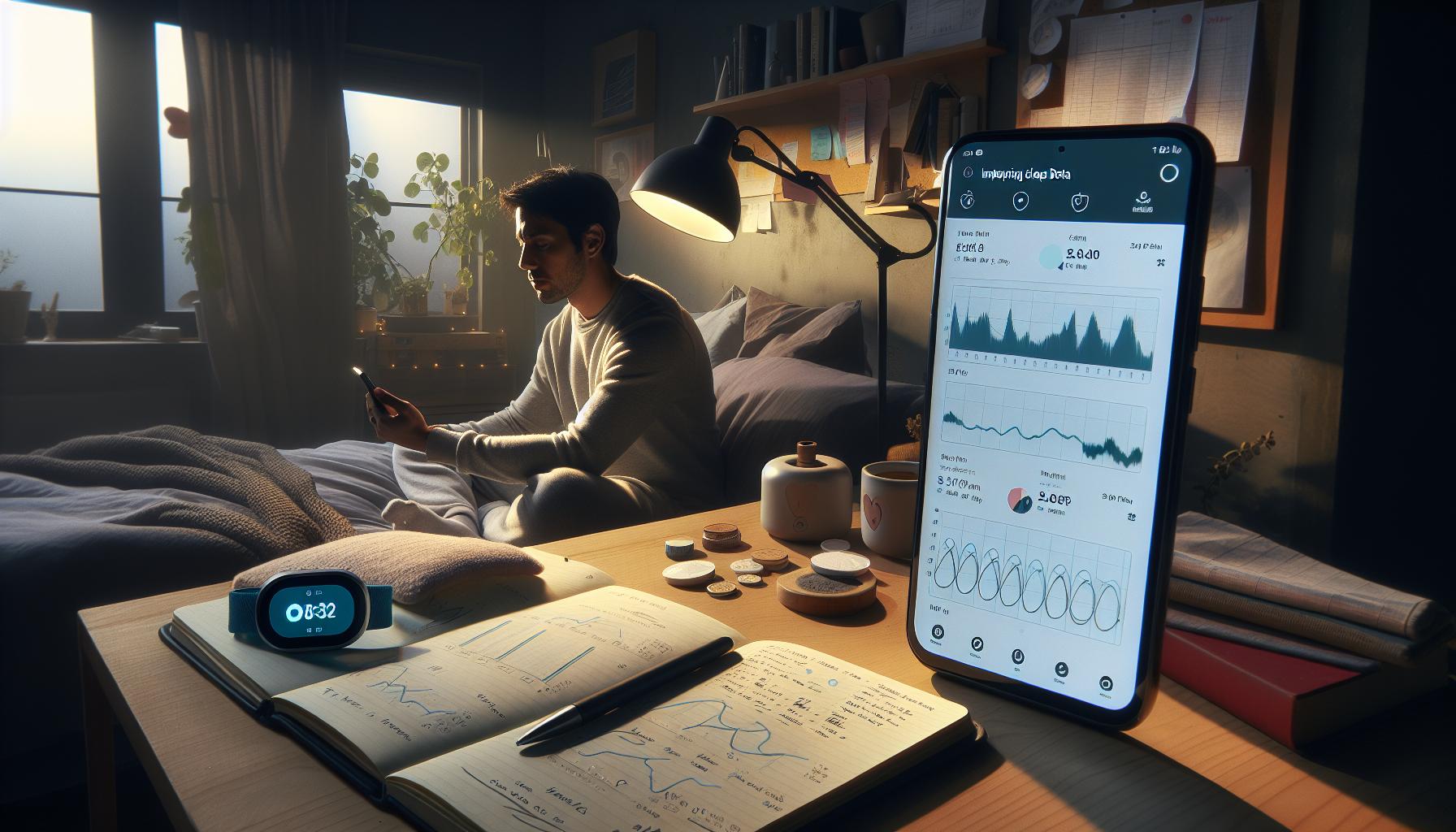
Interpreting Your Sleep Data: Key Metrics Explained
Understanding your sleep data is crucial for improving your sleep quality and overall health. Garmin devices offer a variety of metrics that can shed light on your nightly rest, including total sleep time, sleep stages, and periods of wakefulness. By interpreting these metrics effectively, you can develop a clearer picture of your sleep habits and make informed changes.
Total Sleep Time
Total sleep time is the overall duration you spend asleep during the night, excluding your time spent awake. Garmin records this metric while you sleep, providing insights into whether you’re meeting the recommended 7-9 hours of rest. If you frequently fall short of this goal, consider adjusting your bedtime or improving your sleep environment for a more restful night.
Sleep Stages
Garmin devices classify your sleep into different stages: light sleep, deep sleep, and REM sleep. Each stage plays a distinct role in physical and mental recovery. For example, deep sleep is vital for physical restoration, while REM is important for cognitive functions and emotional regulation. By examining the time spent in each stage, you can identify patterns or abnormalities-such as insufficient deep sleep-which may indicate areas for improvement in your nightly routine.
Periods of Wakefulness
Another significant metric is the number of times you wake during the night. Frequent awakenings can disrupt your sleep cycle and lead to feeling unrefreshed in the morning. If your data shows multiple wakeful periods, look at potential environmental factors or lifestyle choices-like caffeine intake or stress-that may contribute to sleep disturbances.
To get the most out of your sleep data, it’s helpful to use the insights provided by the Garmin Connect app. These insights might suggest adjusting your sleep schedule or introducing relaxation techniques before bed. By analyzing these key metrics and making small, targeted changes, you can enhance your sleep quality, leading to better health outcomes and a more energized day ahead.
Improving Sleep Quality with Garmin Insights
Improving your sleep quality can often feel like a daunting task, especially when struggling with nightly disturbances or feeling unrefreshed despite seemingly sufficient sleep. However, Garmin’s insights can play a pivotal role in transforming your approach to restful nights. By leveraging the data collected from your Garmin sleep tracker, you can identify trends and implement actionable changes that directly impact your sleep hygiene.
One of the key features of Garmin devices is their integration with the Garmin Connect app, which turns raw sleep data into actionable insights. The app doesn’t just log hours; it analyzes your sleep stages, wakes you at optimal times, and even suggests personalized adjustments based on your unique sleep patterns. For example, if your data indicates frequent late-night awakenings, it might recommend earlier bedtimes or a relaxation routine to help you unwind. Implementing such strategies can guide you toward more restorative sleep cycles.
Additionally, understanding the environmental factors affecting your sleep can contribute significantly to improving your rest. Garmin can help pinpoint how elements like room temperature and noise levels impact your nightly performance. With this knowledge, you can make informed adjustments-like investing in blackout curtains or white noise machines-which can create a more conducive sleeping environment.
It’s also essential to maintain a consistent sleep schedule. Garmin insights encourage you to prioritize regularity, which is crucial for aligning your body’s internal clock. Use the app’s features to set reminders for bedtime and wakefulness, reinforcing a healthy sleep routine. Remember, small changes can lead to significant improvements in sleep quality over time, and with Garmin at your side, you have the tools needed to implement these changes effectively.
Comparing Garmin Sleep Tracking with Other Devices
Garmin’s sleep tracking technology stands out in the crowded market of sleep wearables, offering unique features tailored to health-conscious users. When comparing Garmin devices with others, such as Fitbit, WHOOP, and Apple Watch, several factors come into play, including accuracy, depth of analysis, and user-friendliness.
Accuracy and Data Insights
Garmin devices leverage advanced heart rate monitoring and motion sensors to enhance sleep tracking accuracy. They not only record total sleep time but also provide insights into various sleep stages-light, deep, and REM. This contrasts with some competitors, like Fitbit, which may use similar technology but often offer less detailed distinctions between sleep stages, leading to potential inaccuracies in understanding sleep quality.
Moreover, Garmin’s sleep metrics are enriched by additional health data collected throughout the day, giving a more holistic view of your well-being. For instance, Garmin can correlate how daily activities, such as exercise intensity, affect nightly sleep quality, which can be a differentiator compared to more straightforward step-counting devices.
User Experience and App Integration
Another aspect worth considering is the user experience. Garmin Connect is highly regarded for its intuitive interface and comprehensive data visualization, making it easy for users to track trends over time. In contrast, while Apple Watch integrates sleep tracking with the watchOS and iPhone ecosystem, some users find it less detailed in terms of sleep stage breakdowns.
For individuals seeking a more data-driven approach, Garmin often appeals with its in-depth analytics. It provides personalized insights that suggest changes based on your sleep patterns and overall health statistics, which can be more beneficial than the generalized recommendations from some other brands.
Customizability and Device Functionality
In terms of customizability, Garmin watches allow extensive personalization of metrics and alerts, enabling users to tailor their experience according to their specific needs. For example, users can set sleep schedule reminders that align with their circadian rhythms. This level of flexibility can be less prevalent in devices like WHOOP, which focuses mainly on performance and recovery metrics rather than personal sleep hygiene.
When looking at battery life, Garmin devices also typically outperform many competitors, lasting several days before needing a charge, which is a substantial consideration for sleep trackers designed to be worn continuously. The convenience of not having to recharge nightly allows for uninterrupted sleep data collection, giving Garmin a practical edge.
Overall, while many brands offer reliable sleep tracking, Garmin’s combination of accuracy, user-friendly app features, and detailed analysis positions it as a preferred choice for those serious about monitoring and improving their sleep health. As always, the right choice depends on individual preferences and specific health goals, so consider your unique needs when deciding on a sleep tracking device.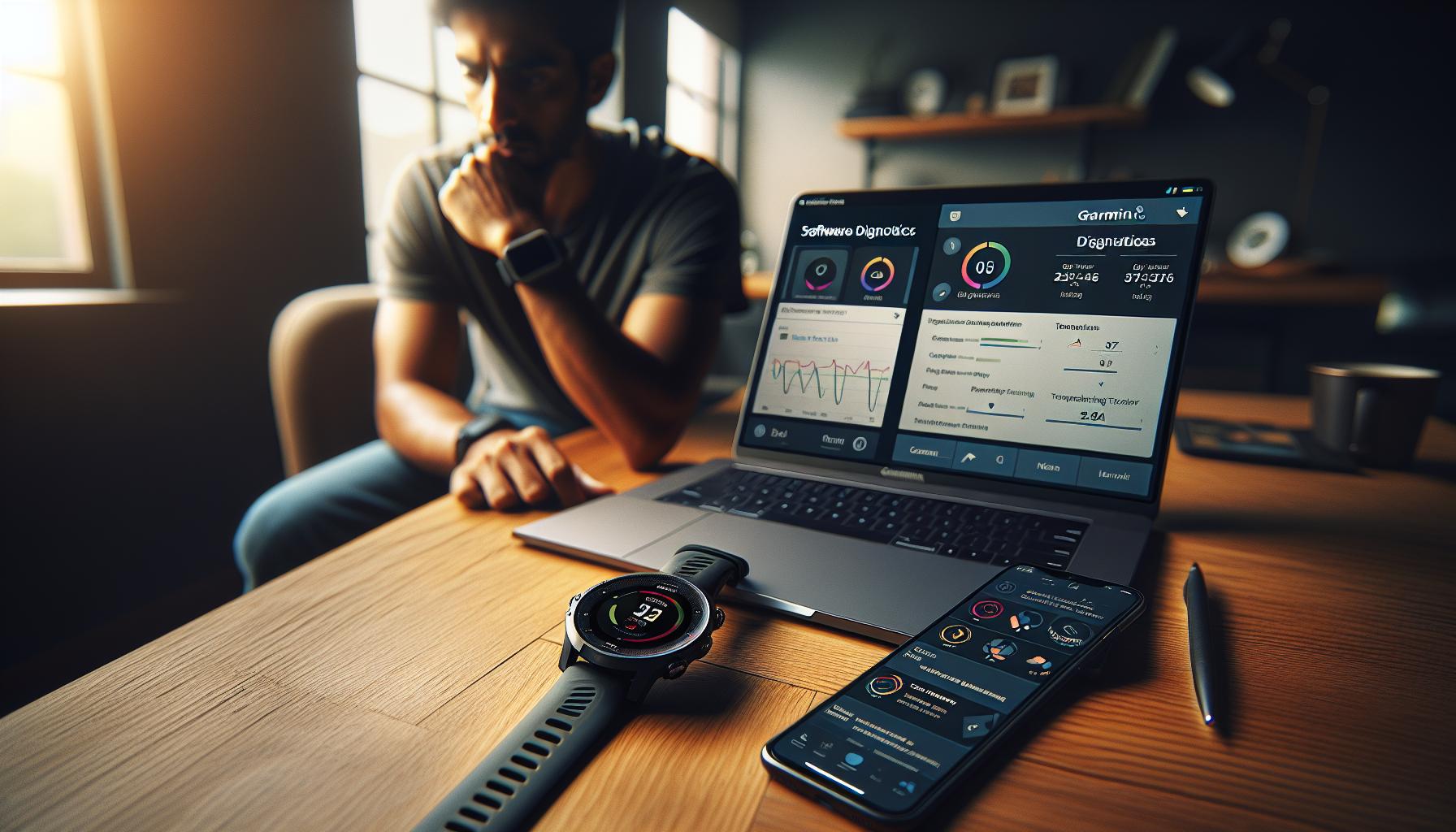
Troubleshooting Common Garmin Sleep Tracker Issues
Getting accurate sleep data is essential for understanding your sleep patterns, but not all Garmin users find their devices perfectly reliable. If you’ve noticed discrepancies in your sleep tracking, don’t worry-troubleshooting these issues can significantly enhance your experience. Here are common concerns and actionable solutions to help you get the most from your Garmin sleep tracker.
Identifying Sleep Tracking Errors
Many users report that their Garmin devices sometimes misclassify sleep stages, such as REM sleep being marked as awake. If you regularly wake during the night but are not aware of it, your device might be overestimating your periods of wakefulness. To address this issue, double-check your device settings to ensure that sleep tracking is activated and that no ‘Do Not Disturb’ mode is interfering with data collection overnight.
A good practice is to compare your sleep data with how you feel in the morning. Are you waking refreshed or tired? Your subjective experience can help you identify if the tracker’s readings are aligning with your actual sleep quality.
Improving Accuracy through Calibration
Sometimes, Garmin devices are less precise in tracking sleep due to certain settings or how they’ve been worn. Ensure your watch or device is snugly fitted on your wrist, as a loose fit can lead to inaccurate heart rate readings, which are essential for determining sleep stages. Regular updates to the device’s firmware can also enhance performance, so check for any updates via the Garmin Connect app.
If inaccuracies persist, consider recalibrating your device. Resetting your sleep settings may help, and providing the Garmin app with consistent data on your sleep patterns (like when you normally go to bed) helps the algorithm learn and improve its accuracy over time.
Utilizing Community Knowledge and Resources
Garmin forums can be invaluable for troubleshooting, as they offer community-driven insights and solutions for common issues. For instance, some users share tips about specific settings that can improve sleep tracking accuracy. Engaging with others who have experienced similar issues can provide new strategies and reassurance.
Remember, if you frequently encounter problems with sleep tracking, it can be useful to reach out to Garmin’s customer support. They can provide you with tailored advice based on your specific device and usage patterns.
By following these troubleshooting steps, you can optimize your Garmin sleep tracker to provide more reliable insights into your sleep health, ultimately supporting your journey towards better rest and recovery.
Maximizing Sleep Tracking Accuracy: Tips and Best Practices
Getting the most out of your Garmin sleep tracking hinges on a few dependable practices. Many users have found that effectively maximizing accuracy can lead to improved insights into their sleep quality. To start, it’s crucial to ensure that the device is worn correctly. A snug fit on your wrist can enhance heart rate monitoring, a critical component in analyzing sleep stages. Loose devices can result in mixed signals that the tracker interprets incorrectly, showing inaccuracies in your sleep data.
Regular updates to your device firmware through the Garmin Connect app can also be a game changer. Garmin continuously refines its algorithms to improve tracking accuracy, and staying up-to-date helps you benefit from these enhancements. Additionally, most devices allow you to reset your sleep settings; this can recalibrate their learning algorithm, making it more attuned to your regular sleep habits.
Taking the time to input consistent data into the app-such as your usual bedtime-allows the device to adjust its tracking capabilities. This personalization can bridge the gap between how you feel during the day and what the device reports, creating a more accurate reflection of your sleep behavior. The Garmin community forums are also treasure troves of shared experiences; tapping into this knowledge can present new strategies for optimizing your device settings based on real user feedback.
Lastly, consider augmenting your sleep environment. Factors like room temperature, light exposure, and noise levels can significantly impact your sleep quality. By controlling these elements, you not only support the tracker’s accuracy but also potentially enhance your overall well-being. In essence, a combination of proper device usage, community insights, and a nurturing sleep environment forms the backbone of successful sleep tracking with Garmin devices.
Understanding Sleep Stages: What Your Device Records
The ability of Garmin devices to track sleep stages brings valuable insights into your nightly rest, enabling you to better understand your overall sleep quality. Garmin wearables utilize advanced sensors to monitor physiological signals such as heart rate variability, movement, and body temperature, all of which play a critical role in distinguishing between different sleep stages. This information not only offers a snapshot of how well you sleep but also helps identify areas for improvement.
Garmin devices typically categorize sleep into several stages: light sleep, deep sleep, and REM (rapid eye movement) sleep. Each stage serves a unique purpose in your sleep cycle:
- Light Sleep: This is the transitional phase between wakefulness and deeper sleep. It typically lasts for about 50% of your total sleep time and is essential for cognitive function and alertness.
- Deep Sleep: Often considered the most restorative phase, deep sleep is critical for physical recovery, growth, and immune function. It can significantly impact energy levels during the day.
- REM Sleep: This stage is crucial for memory consolidation and emotional health. It usually occurs 90 minutes after falling asleep and is characterized by rapid eye movements and increased brain activity.
Understanding how much time you spend in each of these stages can be enlightening. For example, if you notice you’re getting less deep sleep than recommended (ideally 15-25% of your total sleep time), you might want to explore adjustments to your bedtime routine or environment, such as minimizing blue light exposure or creating a more conducive sleep environment.
However, it’s worth noting that while Garmin’s sleep tracking is increasingly sophisticated, users may still experience discrepancies in data due to factors such as device fit or how consistently the device is worn. The effectiveness of sleep tracking can vary significantly among individuals, and many users report inaccuracies, particularly in how the device records the transitions between sleep stages. In light of this, having realistic expectations and considering sleep data as one of several tools for understanding sleep health is advisable.
By regularly reviewing your sleep stage patterns and correlating them with your daily mood and energy levels, you can utilize your Garmin device not just to monitor sleep, but to actively enhance your sleep quality for better overall health.
The Science Behind Sleep Tracking Technology
Garmin sleep tracking technology leverages advanced sensors to deliver insights into your nightly rest. The core principle behind this technology lies in its ability to monitor physiological signals, such as heart rate variability, movement, and body temperature. By analyzing these signals, your Garmin device can estimate when you fall asleep, how long you stay asleep, and even the quality of different sleep stages. This data can be particularly useful for those looking to improve their sleep patterns or understand their sleep habits better.
Understanding how Garmin tracks sleep involves recognizing the technology behind it. Most Garmin wearables use a combination of accelerometers and optical heart rate sensors. The accelerometer detects movement, which helps determine whether you’re awake or asleep, while the heart rate monitor provides insights into your body’s recovery state. Together, these functions allow the device to categorize sleep into distinct stages: light sleep, deep sleep, and rapid eye movement (REM) sleep, each critical for various aspects of health and well-being.
It’s essential to be aware of the limitations of sleep tracking technology. While Garmin devices provide a wealth of data, they are not a substitute for professional sleep studies, like polysomnography, which can diagnose sleep disorders with a higher degree of accuracy. Factors such as the way the device fits on your wrist or inconsistencies in wearing it can significantly affect the accuracy of sleep data. Many users report challenges like the device misclassifying REM sleep as wakefulness, highlighting the need for users to maintain realistic expectations regarding device performance.
Overall, Garmin’s sleep tracking provides valuable insights into your sleep health, but it should be viewed as part of a broader context. Regularly reviewing your sleep patterns can help you identify trends and make adjustments to your sleep habits. By understanding both the capabilities and limitations of your Garmin device, you can take a proactive approach to enhancing your sleep quality, aligning your lifestyle choices with your health goals.
User Personalization: Tailoring Your Device for Better Results
Personalization is key when it comes to maximizing the effectiveness of your Garmin sleep tracker. Each user has unique sleep patterns and preferences, so tailoring your device to suit your specific needs can significantly improve the accuracy and relevance of the data it provides. This not only enhances your understanding of your sleep habits but also empowers you to make informed choices to improve your overall sleep quality.
One of the first steps in personalizing your experience is to adjust the settings on your Garmin device. This includes ensuring that your device accurately reflects your sleep schedule, which can be achieved by inputting your typical sleep and wake times. For example, if you usually go to bed at 10 PM but set your watch to 11 PM, your sleep data may not accurately capture your actual sleep duration. Checking and updating these settings can lead to more precise tracking. Additionally, explore the available features in the Garmin Connect app, such as enabling sleep reminders or quiet modes that can reduce interruptions during your sleep.
Another crucial aspect of personalization involves understanding how different factors affect your sleep. You can track your sleep alongside lifestyle metrics such as daily activity levels, stress, and even caffeine consumption. By correlating these factors with your sleep data, you can identify patterns that may be affecting your rest. For instance, if you notice that nights after consuming caffeine lead to less deep sleep, you might consider adjusting your caffeine intake timing. This holistic approach to sleep tracking not only builds awareness but also encourages behavioral changes that contribute to better sleep quality over time.
Lastly, engage with the Garmin community through forums and discussions to share and learn effective personalization strategies. Many users share their experiences, such as tuning settings or handling inaccuracies. By gaining insights from the broader user base, you can uncover unique tips and tricks that may resonate with your personal sleep needs. Ultimately, taking these steps towards personalization can transform your Garmin sleep tracking experience into a powerful tool for health and well-being.
Garmin Sleep Tracking and Health: What to Watch For
Understanding how your Garmin sleep tracker interacts with your overall health is crucial for leveraging its capabilities to improve your sleep quality and well-being. While these devices can provide valuable insights, they are not infallible and should be used as part of a broader strategy for monitoring and enhancing your sleep health.
One of the primary metrics to watch for on your Garmin device is the classification of sleep stages. Generally, users should look at how often your watch reports being in deep sleep or REM sleep, as these stages are critical for restorative sleep. If your device frequently indicates little time spent in these stages, despite feeling rested, it may signify a miscalibration or an issue worth investigating. Additionally, many users have noted inconsistencies in tracking, such as misclassifying REM sleep as awake time, which can skew your overall understanding of your sleep balance [3[3].
Another important aspect is the detection of disturbances. Sleep trackers like Garmin can sometimes fail to recognize brief awakenings, missing valuable information about your sleep interruptions. For instance, if you get up during the night to use the bathroom, and this isn’t captured, it could lead to an inaccurate assessment of your sleep quality. Pay attention to these discrepancies-if they are frequent, it might be time to adjust settings or consult Garmin support for device-specific corrections.
Moreover, it’s advisable to correlate sleep data with other health indicators tracked by your device, such as heart rate variability, activity levels, and stress measurements. Patterns might emerge that highlight how lifestyle factors influence your sleep quality. If you find that poor sleep coincides with increased stress or excessive caffeine intake, you can make informed changes to improve your sleep environment and habits.
Ultimately, while Garmin sleep tracking offers helpful insights, it’s essential to approach the data with a balanced perspective. These devices are designed to assist you in achieving better sleep but are not a replacement for professional medical advice. If you notice persistent sleep issues or significant discrepancies in your data, consider consulting a healthcare provider or a sleep specialist. They can recommend further evaluation methods, like a sleep study, to rule out underlying conditions. By integrating Garmin insights with professional guidance, you can create a comprehensive sleep health strategy tailored to your needs.
When to Seek Professional Help: Sleep Studies vs. Trackers
When it comes to understanding your sleep quality, Garmin devices can provide valuable insights, but there are times when the data might leave you wanting more clarity. For instance, if you find yourself persistently tired despite what your tracker deems “adequate” sleep, it may be time to consider more comprehensive evaluation methods, such as a sleep study.
Understanding when to transition from using a tracker to seeking professional help hinges on several factors. Sleep studies, typically conducted in a controlled environment, allow healthcare professionals to monitor aspects of sleep that wrist-worn devices cannot accurately capture, like brain wave activity, oxygen levels, and breathing patterns. If your Garmin device indicates consistent issues, such as frequent awakenings or irregular sleep stages, accompanying symptoms might suggest a more serious sleep disorder, such as sleep apnea.
While sleep trackers can hint at potential problems, they are not diagnostic tools. If you experience severe symptoms including heavy snoring, gasping for breath at night, or enduring fatigue that affects your daily activities, it’s crucial to consult a healthcare provider. They can guide you through the process of undergoing a polysomnography, which entails spending a night in a sleep lab where your sleep cycles and bodily functions are closely observed.
Ultimately, while Garmin sleep trackers are approachable and user-friendly, they serve best as companions to your wider health journey. They empower you to take charge of your sleep health but rely on medical professionals for in-depth diagnostics. Here’s when to consider professional help versus relying on your device:
| Condition | Garmin Tracker Usage | When to Seek Help |
|---|---|---|
| Persistent fatigue | Track sleep patterns and disturbances | After a few weeks of data showing ongoing fatigue |
| Snoring or breathing issues | Monitor sleep quality | If tracking indicates frequent awakenings or breath anomalies |
| Irregular sleep cycles | Record sleep stage data | If there are discrepancies in quality vs. how rested you feel |
Navigating through sleep health can feel daunting, but combining insights from your Garmin device with professional advice ensures the best approach to understanding and improving your sleep. Remember, while devices offer structured data, they complement-not replace-clinical assessment for holistic sleep health management.
Faq
“`markdown
Q: How accurate is Garmin sleep tracking compared to other devices?
A: Garmin sleep tracking varies in accuracy, often scoring lower than competitors. Users report discrepancies in sleep data, leading some metrics to be less reliable. To enhance accuracy, consider regularly updating your device and watching for settings that may refine data collection.
Q: Can I manually adjust my sleep data on Garmin?
A: Yes, you can manually adjust sleep data in the Garmin Connect app. If your device doesn’t record sleep accurately, you can edit the sleep times to reflect your actual sleep hours. Go to the sleep log in the app and select the option to edit.
Q: Why does my Garmin sleep tracker sometimes record 0 sleep data?
A: If your Garmin watch shows “0 sleep data,” it could be due to software glitches or improper wear. Ensure your device is fitted correctly on your wrist, reboot it, and check if updates are available. Refer to the troubleshooting section for more solutions.
Q: What sleep metrics does Garmin track?
A: Garmin devices typically track total sleep duration, sleep stages (light, deep, and REM), and movement during the night. These metrics help you understand your sleep quality and overall restfulness, enhancing your ability to improve sleep habits.
Q: How do I ensure my Garmin sleep tracker is working properly?
A: To ensure proper functionality, regularly update your device, wear it snugly on your wrist while sleeping, and keep it charged. Avoid moving it excessively during the night, and check for app updates to enhance tracking capabilities.
Q: What should I do if my Garmin sleep tracker isn’t syncing with my app?
A: If your Garmin device isn’t syncing, first check Bluetooth connections and ensure both the device and app are updated. Restart both the device and your smartphone. If issues persist, consider uninstalling and reinstalling the Garmin Connect app.
Q: How can I interpret my Garmin sleep stage data?
A: Your Garmin device categorizes sleep into stages: light, deep, and REM. Light sleep helps your brain rest, deep sleep is crucial for physical recovery, and REM is essential for memory and emotional well-being. Understanding these stages can guide changes to improve sleep quality.
Q: When should I seek professional help regarding sleep issues noted by my Garmin tracker?
A: Consider professional help if your Garmin data consistently indicates poor sleep quality, such as insufficient sleep duration or frequent awakenings, alongside symptoms like excessive daytime sleepiness. A sleep study may be warranted to assess potential underlying issues.
“`
Key Takeaways
Now that you have a solid understanding of how to leverage Garmin’s sleep tracking features to enhance your sleep health, it’s time to start unlocking your full potential. Remember, consistent monitoring can be your key to identifying sleep patterns and making meaningful changes to improve your rest quality. If you’re still curious about sleep tracking’s accuracy and want further insights, check out our detailed comparison of the top wearables in our article on sleep technology advances.
Don’t miss out on optimizing your entire sleep experience-consider subscribing to our newsletter for more tips, insights, and the latest updates on sleep health and wearable technology. If you have questions or want to share your experiences, join the conversation in the comments below! Your journey towards better sleep starts now, so take the first step today!
Get our latest guides, news, and insights highlighted in your Google Search & AI Overviews.