
Are you baffled by your WHOOP not tracking your sleep? You’re not alone. Many users rely on this advanced wearable to monitor their health and optimize recovery, yet occasional glitches can disrupt that vital data stream. Understanding why your device may falter in sleep tracking is crucial, as sleep quality directly impacts overall well-being and performance. In this guide, we’ll explore common troubleshooting steps to get your WHOOP back on track, helping you unlock personalized insights to improve your health and performance. Continue reading to empower yourself with the knowledge to troubleshoot effectively and enhance your sleep experience.
Understanding How Whoop Tracks Sleep Data
To understand how your Whoop tracks sleep data, it’s essential to grasp the metrics and processes involved in sleep monitoring. The Whoop device utilizes advanced sensors that continuously collect data on your heart rate, heart rate variability, and movement throughout the night. By analyzing these inputs, Whoop can determine when you fall asleep, how long and how well you sleep, and the different sleep stages you experience, including light, deep, and REM sleep.
This tracking is accomplished through a combination of algorithms and biometric data. For example, a drop in heart rate is often indicative of falling asleep, while patterns of movement can signal wakefulness or restfulness. The device provides insights into not just the quantity of sleep but also the quality, helping users understand how their habits affect their overall recovery and performance. Specific patterns in this data can reveal personal insights, assisting users in making adjustments to their routines for better sleep quality.
While Whoop’s technology is sophisticated, it is not infallible. There are several factors that can lead to inaccurate sleep data tracking, including how the device is worn and environmental factors. Ensuring a snug yet comfortable fit, keeping the device charged, and avoiding interference from external light or noise will help optimize the accuracy of tracking. Understanding these mechanisms and consistently monitoring your sleep patterns can empower you to utilize the insights Whoop generates more effectively, ultimately enhancing your sleep quality and overall wellness.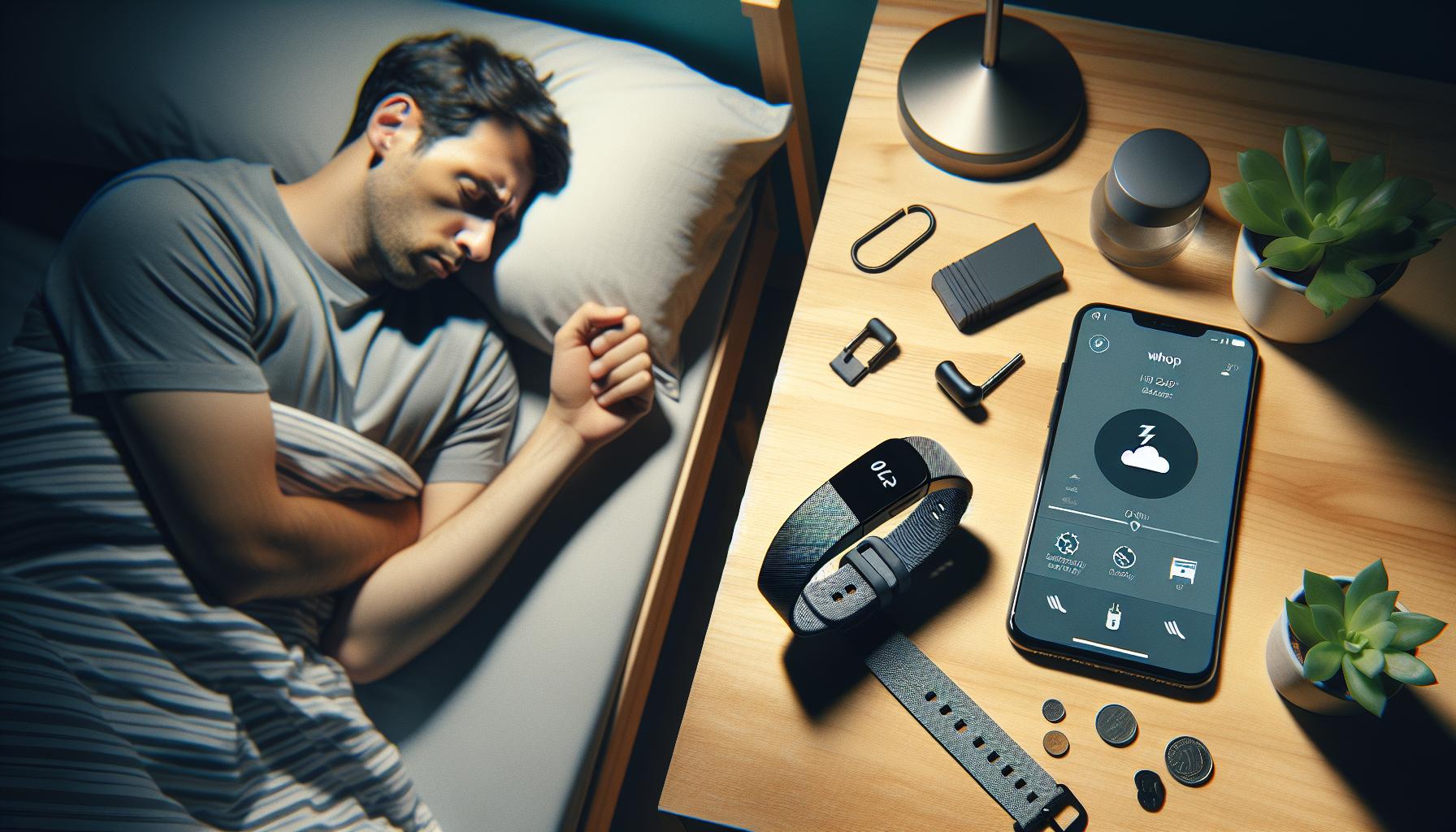
Common Reasons Your Whoop Fails to Track Sleep
A number of factors can prevent your Whoop from accurately tracking your sleep, leading to frustrating experiences as you seek insights into your nightly rest. Understanding these potential issues is the first step in troubleshooting any discrepancies in your data.
One common reason for sleep tracking failure is the fit of your Whoop device. If it is too loose or not positioned correctly on your wrist, it may struggle to register your heart rate and movement appropriately. Make sure you wear the device snugly but comfortably on your wrist, and consider experimenting with different wrist positions.
Another factor that can interfere with sleep tracking is battery life. If your Whoop isn’t charged fully or runs low during the night, it may not collect or sync vital data. Regularly check the battery status and ensure that your device is charged before bedtime. It is also essential to keep the firmware updated; outdated software may contain bugs affecting performance.
Environmental conditions play a crucial role in the device’s ability to track accurately. Factors such as excessive light, extreme temperatures, or noise can hinder sleep quality, which in turn affects how well the Whoop can detect and interpret your sleep states. Create a conducive sleep environment by controlling lighting, noise, and temperature in your bedroom.
Lastly, it’s important to acknowledge the inherent limitations of wearable technology. While Whoop’s advanced sensors are capable of providing deep insights into your sleep patterns, they may not always capture every nuance of your sleep stages, particularly if your sleep is restless or interrupted. Understanding these nuances can help set realistic expectations about what your device can tell you about your sleep.
By addressing these common issues, you can significantly improve the chances of accurate sleep tracking with your Whoop device, ensuring that you’re getting the most valuable insights possible into your sleep habits.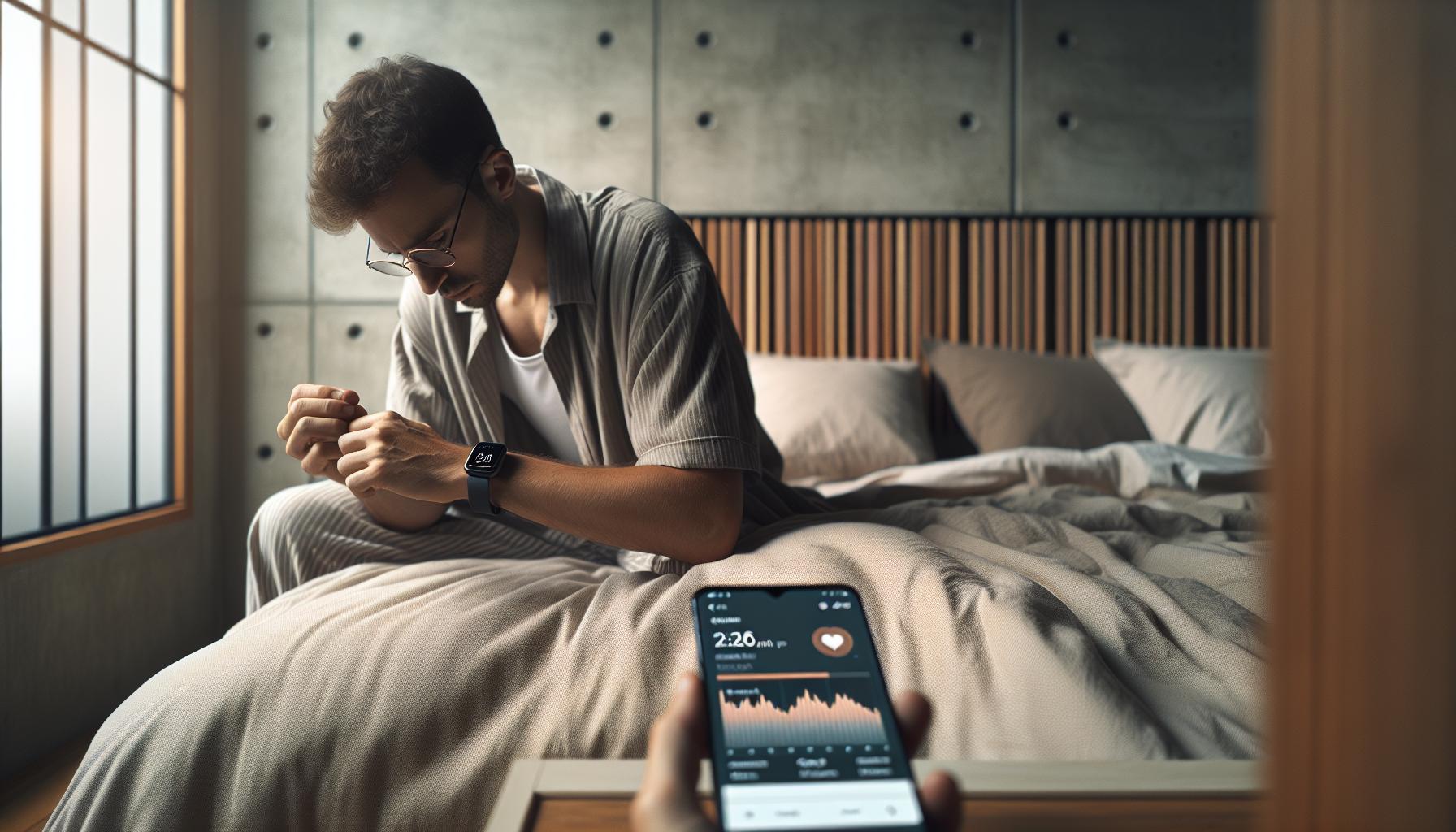
Essential Steps to Troubleshoot Sleep Tracking Issues
Your WHOOP can be an invaluable tool for tracking sleep and improving your overall health, but there are times when it may not perform optimally. If you’ve noticed that your device isn’t capturing your sleep data, it’s crucial to troubleshoot the issue effectively. One key aspect of troubleshooting is to ensure that your device is worn properly. WHOOP needs to be snug yet comfortable on your wrist. To enhance accuracy, position it higher on your wrist, closer to your forearm, as this can improve sensor contact with your skin.
Another common hurdle is battery life. If your WHOOP runs low on power overnight, it may not record all your metrics accurately. Make it a habit to charge your device regularly and check the battery status before bed. Additionally, ensure that your firmware is up to date, as software updates often improve functionality and fix any bugs that could impede performance.
Environmental factors are also significant. Your bedroom should be conducive to sleep – consider minimizing excessive light, controlling noise, and maintaining a comfortable temperature. The WHOOP relies on these data points to gauge your sleep stages accurately. If your sleep environment is subpar, it could misinterpret your data.
Understanding the limitations of the WHOOP is equally essential. While it excels at tracking general trends and patterns in your sleep, it may not always capture every detail of your sleep stages, especially if you experience frequent awakenings. By recognizing these boundaries, you can set realistic expectations and better interpret the data provided by your device. Engaging in these proactive steps can significantly enhance the reliability of the sleep tracking features of your WHOOP, giving you the insights you need to improve your rest and recovery.
Software Updates and Their Impact on Sleep Tracking
Software updates play a crucial role in enhancing the performance of any wearable tech, and the WHOOP is no exception. Regular updates can lead to improvements in sleep tracking accuracy, bug fixes, and the introduction of new features that better serve your health monitoring needs. If you’ve faced issues with WHOOP not registering your sleep, it’s possible that an outdated software version could be to blame. Keeping your device’s software current ensures you’re benefiting from the latest enhancements and refinements.
Impact of Updates on Functionality
When WHOOP releases new software updates, they often include updates to the algorithms that analyze sleep data. This means that what might have previously been categorized as “restless sleep” may, after an update, be more accurately reflected based on improved sleep stage tracking. Skipping these updates can hinder the device’s ability to process data correctly, which can result in misinterpretations of your sleep patterns. To check for updates, simply navigate to the WHOOP app, where you’ll find prompts directing you to install any available updates.
Best Practices for Managing Updates
To ensure optimal sleep tracking, consider these best practices regarding software updates:
- Regular Checks: Make it a habit to check for updates weekly. New updates can improve performance and add features that enhance user experience.
- Read Release Notes: After an update, read the release notes to understand changes that have been made, particularly those affecting sleep tracking.
- Restart Device: Restarting your WHOOP after an update can help to solidify improvements and ensure all features are functioning properly.
In the world of wearables, updates are not just a routine task but a vital aspect of maximizing the capabilities of your device. Don’t overlook them; staying current can lead to better insights into your sleep health and overall performance. If you experience consistent sleep tracking issues even after updates, you may want to delve further into environmental factors or other troubleshooting steps to pinpoint the root cause.
How to Properly Wear Your Whoop for Accurate Sleep Data
To get the most accurate sleep data from your WHOOP, how you wear the device can significantly influence its performance. Ensuring a snug and proper fit is crucial for accurate heart rate monitoring and movement detection. To achieve this, place the WHOOP strap on your wrist about one to two finger widths above your wrist bone. This placement helps the device measure your body data more effectively, especially during sleep when your movements are minimal.
Best Practices for Wearing Your WHOOP
- Snug Fit: The strap should be worn tightly enough to prevent slipping but not so tight that it restricts circulation. A comfortable fit will ensure the sensors are in direct contact with your skin.
- Consistent Location: Always wear the device on the same wrist for consistency. This helps the WHOOP calibrate over time, improving the reliability of your sleep and performance data.
- Check for Obstructions: Ensure that nothing is covering the sensor area, such as clothing or accessories, as this can interfere with data accuracy.
Another essential factor is to keep the WHOOP clean. Dirt or sweat buildup on the sensors can limit their ability to track heart rate and other metrics effectively. Regularly wiping the device with a soft, damp cloth can help maintain optimal functionality.
Finally, before bed, make it a habit to turn your device on sleep mode via the app. This action tells the WHOOP to start tracking your sleep, ensuring that all relevant data is recorded accurately. By following these simple guidelines, you enhance your WHOOP’s ability to provide precise sleep data, ultimately aiding you in achieving your health and fitness goals.
Environmental Factors Affecting Whoop Sleep Tracking
Sleep tracking with your WHOOP can be remarkably insightful, but it’s essential to consider the environmental factors that can affect its accuracy. Many users might be surprised to learn that simple elements in their sleep environment may disrupt the device’s ability to capture data effectively. From experiencing irregular sleep patterns to fluctuations in heart rate due to external stimuli, understanding these influences can enhance your device’s performance.
Firstly, noise levels in your sleeping environment can significantly impact the quality of your sleep, which in turn affects how your WHOOP tracks it. Loud sounds, such as traffic, conversations, or even noisy appliances, can lead to fragmented sleep. The WHOOP relies on heart rate variability and motion data to analyze your sleep stages; if external disturbances cause you to wake frequently or not enter deeper sleep stages, the data collected may show inaccuracies or gaps.
Another critical factor is room temperature and lighting. WHOOP utilizes biometric signals that can be impacted by physical comfort levels. If your sleeping area is too warm or too cool, it might lead to restlessness, thereby skewing your sleep data. Moreover, ambient light from sources like streetlights or electronic devices can also inhibit melatonin production, which naturally regulates sleep cycles. It’s advisable to create a sleep-conducive environment-consider using blackout curtains and maintaining a comfortable room temperature to promote uninterrupted sleep.
Lastly, the placement of your WHOOP itself matters. Ensure that the device is not obstructed by bedding, clothing, or other accessories that might interfere with its sensors. Moving the device occasionally from wrist to wrist could cause discrepancies in how accurately it tracks your body’s physiological signals over time.
Creating an optimal sleep environment-reducing noise, controlling temperature, managing light exposure, and ensuring proper device fit-can significantly enhance the way your WHOOP tracks sleep. By addressing these environmental factors, you can expect more reliable data from your wearable, helping you get the insights needed to improve your overall sleep health.
Exploring Sleep Stages: Why Data Might Be Inaccurate
Understanding the various stages of sleep is crucial for interpreting the data your WHOOP device provides. It’s fascinating to learn that sleep is not a single state but a complex interplay of different stages, including light sleep, deep sleep, and REM sleep. Each of these stages plays a vital role in recovery and restoration, making accurate tracking essential for optimizing your health. However, there are several reasons why the data might not reflect the true nature of your sleep.
One common issue is the quality of the data recorded during specific sleep stages. The WHOOP relies heavily on heart rate variability and movement to ascertain which sleep stage you’re in. If you experience disturbances-like tossing and turning due to discomfort, external noises, or environmental factors-the WHOOP may misinterpret your movements as waking periods or shallow sleep instead of deep restorative stages. This misclassification can lead to inaccuracies in your sleep report.
Device Fit and Placement
How you wear your WHOOP can also impact its ability to accurately track your sleep stages. For instance, if the device is too loose or positioned incorrectly, it may struggle to detect heart rate changes accurately. This is particularly critical during sleep since the wrist’s position can affect sensor alignment. Ensuring a snug fit will help the WHOOP collect the necessary physiological signals that are integral in determining the various sleep stages.
External Influences
Additionally, external factors such as alcohol consumption, stress levels, or changes in your sleep environment can dramatically alter your sleep architecture. Alcohol, for example, is known to suppress REM sleep, which can distort the data on how much REM sleep you’ve actually experienced. Similarly, if you’re feeling stressed or anxious, your heart rate may remain elevated, leading to a predominance of light sleep detected by the WHOOP. Addressing these lifestyle habits and ensuring a stable sleep environment can enhance the accuracy of your sleep stage tracking.
Ensuring accurate sleep data from your WHOOP is about more than just the device; it involves a holistic approach to your sleep habits and environment. By considering these factors and making necessary adjustments, you’ll be better positioned to understand your sleep stages accurately, allowing for improvements in recovery and overall health.
User Experiences: Real Stories of Whoop Tracking Issues
Real-world experiences often illuminate the nuances of using WHOOP for sleep tracking, showcasing various challenges users have encountered. One common theme among users is the frustration of inconsistent sleep data, particularly during periods of high stress. For instance, one user reported that their WHOOP consistently showed shorter sleep duration on nights following stressful days. Despite feeling rested, the device indicated a decline in recovery metrics, prompting confusion about the accuracy of its readings. This highlights how heightened stress can influence metrics like heart rate variability, affecting the device’s ability to correctly assess sleep stages.
Many users also face issues related to device fit and placement. A particularly instructive story comes from a user who initially wore their WHOOP too loosely. This led to missed heart rate data and inaccurate sleep stage reports. After adjusting the fit to ensure a snug yet comfortable hold during the night, the user noticed significant improvements in data accuracy. Their experience underscores the importance of proper device alignment to optimize sensor readings, particularly when it comes to discerning between light sleep and deeper stages.
Environmental factors such as noise also play a critical role in the tracking experience. One user shared how living in a bustling urban area resulted in frequent sleep disturbances that their WHOOP misinterpreted. On nights with loud street sounds or late-night activities, the device sometimes recorded multiple wake periods, painting an inaccurate picture of their sleep quality. This user found that creating a more controlled sleep environment, such as using earplugs or a white noise machine, led to more reliable tracking results.
Lastly, several users found that syncing their WHOOP app with the latest software updates helped resolve previous tracking anomalies. One individual who had been experiencing inconsistencies in sleep reports noted considerable improvement after applying a firmware update. This process not only renewed their confidence in the device’s functionality but also served as a reminder of the importance of keeping technology current, enabling optimal performance.
These stories reveal that understanding and optimizing factors influencing WHOOP’s sleep tracking can significantly enhance the device’s effectiveness. By ensuring a proper fit, managing environmental factors, staying updated on software, and recognizing the impact of stress on sleep data, users can improve their tracking experience and gain valuable insights into their sleep patterns.
Maximizing Your Whoop: Best Practices for Sleep Monitoring
To get the most out of your WHOOP device for sleep monitoring, it’s essential to implement some key practices that not only enhance the accuracy of your sleep data but also empower you to make informed health decisions. Understanding how to properly configure and maintain your device can lead to better insights into your sleep quality, which is crucial for recovery and performance.
Fit and Placement
One of the first steps to optimizing your WHOOP’s sleep tracking capability is ensuring a proper fit. The device should be snug but comfortable, ideally worn above the wrist bone during sleep. A loose fit can lead to inaccurate heart rate readings, which can skew your sleep metrics significantly. Conversely, if the band is too tight, it may affect your circulation, leading to discomfort and sleep disturbances. Adjusting the band before bed, so it stays secure throughout the night, can greatly improve measurement reliability.
Environmental Control
Your sleep environment plays a vital role in the quality of your rest and your WHOOP’s ability to track it accurately. Noise, light, and temperature can all impact your ability to achieve restorative sleep. Consider creating a sleep sanctuary by using blackout curtains to minimize light exposure and earplugs or white noise machines to block out disruptive sounds. Ensuring that your room is cool and comfortable can also help you fall into deeper stages of sleep, which your WHOOP can better recognize and report.
Routine and Consistency
Maintaining a regular sleep schedule not only supports overall wellness but also helps your WHOOP establish a baseline for your sleep patterns. Going to bed and waking up at the same time daily trains your body and the device to recognize your natural rhythm, leading to more accurate tracking. Also, try to limit screen time before bed, as blue light can interfere with melatonin production and sleep quality. By forming a consistent pre-sleep routine, you signal your body that it’s time to wind down, helping the device to gauge the transition into sleep more effectively.
Software Updates and Syncing
Another critical component in maximizing your WHOOP’s performance is staying up to date with software updates. The developers regularly issue updates to not only improve functionality but also to fix bugs that may affect sleep tracking accuracy. Ensure your WHOOP app is regularly synced with the latest firmware to benefit from these optimizations. A user experiencing persistent sleep tracking issues saw remarkable improvements after syncing their app, highlighting the importance of maintaining technological currency in maximizing device performance.
Incorporating these best practices into your use of WHOOP can help enhance your sleep monitoring experience, leading to better health and fitness outcomes. By understanding the intricacies of sleep tracking, you empower yourself to make smarter decisions about your recovery and overall well-being.
When to Rely on Sleep Studies vs. Wearable Tech
When considering sleep health, the decision between using a wearable tracker like WHOOP and undergoing a formal sleep study can be daunting. Both tools serve valuable purposes but are suited to different situations and needs. WHOOP excels at providing everyday tracking of sleep patterns, heart rate variability, and recovery metrics, enabling users to gain insights on sleep quality over time. However, for individuals experiencing significant sleep disturbances or suspected sleep disorders, a sleep study may be necessary for a comprehensive evaluation.
Understanding Sleep Studies
Sleep studies, also known as polysomnography, are conducted in a clinical environment to measure various physiological parameters while you sleep. These studies assess brain activity, eye movements, oxygen levels, heart rate, and even leg movements, providing a detailed overview of sleep stages. They can diagnose sleep disorders like sleep apnea, restless leg syndrome, or narcolepsy. While these tests can be costly, ranging from $500 to $2,500, they yield critical data that wearables cannot always replicate. If you find that your WHOOP consistently fails to track sleep correctly or you’re experiencing ongoing fatigue despite following good sleep hygiene practices, it might be time to consider a sleep study.
Using Wearable Tech for Sleep Tracking
Wearable technologies, like WHOOP, offer a convenient way to monitor sleep over an extended period without the need for clinical visits. They are readily accessible and can provide insights in real time, making them excellent for tracking lifestyle modifications or routine sleep changes. For example, WHOOP can help identify trends in sleep quality relative to training loads or stress levels. However, its capabilities are limited compared to clinical measurements. If you notice discrepancies in your sleep data, such as regularly missing REM sleep or waking up feeling unrested, effective troubleshooting steps should be taken first: adjust fit, ensure environmental factors are ideal, and keep the device updated, as these are often the root causes of inaccurate readings.
Real-Life Scenarios
Understanding when to seek a sleep study versus relying on wearable tech can be simplified by real-life scenarios. If a user has a WHOOP and notices inconsistent sleep patterns but feels rested and recovers well, continuing to engage with tracking data and troubleshooting is appropriate. On the other hand, if a user frequently wakes gasping for air or experiences excessive daytime sleepiness, these could be red flags indicating a need for professional evaluation.
Ultimately, the best choice depends on your specific needs and experiences. Wearables are fantastic for ongoing monitoring and lifestyle adjustments, but not a substitute for the thorough investigation that a sleep study provides when necessary. By critically assessing your own situation, you can make informed decisions about when to trust your WHOOP and when to consult a medical professional for further insights into your sleep health.
Understanding Limitations of Whoop in Sleep Analysis
While the WHOOP strap provides valuable insights into your sleep patterns, it’s essential to understand its inherent limitations, especially when comparing it to traditional sleep studies. WHOOP uses heart rate variability, motion data, and other metrics to estimate sleep stages, but it lacks the ability to measure certain critical factors. For instance, WHOOP cannot detect brain activity, oxygen saturation levels, or snoring, which are crucial for diagnosing sleep disorders like sleep apnea or identifying disturbances during sleep.
Another limitation is accuracy. While WHOOP aims for high precision, factors like device fit and placement can lead to inconsistent data. If the strap isn’t snugly fitted or if it’s worn incorrectly, it may not register sleep events accurately. Additionally, environmental conditions-such as room temperature or noise-can affect your sleep quality and, consequently, the data collected. Tracking inaccuracies may lead to misinterpretations of your sleep efficiency or overall recovery status.
Common Situations Affecting Accuracy
Several scenarios can impact WHOOP’s ability to provide reliable sleep data:
- Device Fit: If the strap is too loose or positioned incorrectly on the wrist, it can misinterpret movement as wakefulness.
- Battery Life: Ensure your WHOOP is fully charged. A low battery may affect sensor performance.
- Data Syncing: Regular updates and syncing with the app ensure that all data is accurately recorded and analyzed.
- Environmental Disruptions: External noises or a bright room can confuse the sensors, potentially impacting sleep stage detection.
While WHOOP offers numerous insights into lifestyle habits and recovery through sleep monitoring, it should not replace comprehensive evaluations, particularly when medical concerns arise. If you experience consistent issues or suspect a sleep disorder, consulting a healthcare professional or undergoing a formal sleep study may provide essential data that WHOOP alone cannot deliver. This balance of high-tech tracking with traditional methods fosters a well-rounded approach to understanding and improving your sleep health.
Getting Support: Whoop Customer Service and Resources
If you find your WHOOP strap isn’t tracking your sleep accurately, you’re not alone. Many users encounter similar issues, and navigating the customer support options can be a key way to resolve these concerns. WHOOP provides various channels for assistance, ensuring that users have access to the resources needed for troubleshooting and maximizing their device’s performance.
One of the easiest ways to get help is through the WHOOP app itself. Within the application, you can access a robust FAQ section that covers common issues-including troubleshooting sleep tracking. This can provide immediate answers without the need for direct contact. Moreover, parsing through community forums where users share their experiences can shed light on similar problems and potential solutions.
For more personalized support, WHOOP offers customer service via chat or email, allowing you to connect directly with a representative who can address your specific issues. When reaching out, be prepared to provide details about your device, your recent usage patterns, and any steps you’ve already taken to resolve the issue. This can help expedite the troubleshooting process. Additionally, WHOOP’s social media channels are a fantastic resource where you might find immediate assistance or updates about common issues affecting the user base.
Before reaching out, consider checking for software updates, as these can significantly impact the functionality of your device. Keeping your WHOOP and its accompanying app updated ensures you have the latest features and fixes, which might resolve the sleep tracking inaccuracies. Remember, WHOOP’s support resources are there to empower you, providing guidance and reassurance as you seek to understand and improve your sleep health through their technology.
Q&A
Q: Why is my Whoop not detecting my sleep patterns?
A: If your Whoop isn’t detecting sleep patterns, check if it’s properly worn during sleep. Ensure the sensor is snug against your wrist. Additionally, low battery levels or outdated firmware may affect performance. Refer to the section on Common Reasons Your Whoop Fails to Track Sleep for more insights.
Q: How can I reset my Whoop to fix sleep tracking issues?
A: To reset your Whoop, press and hold the button on the device until it vibrates. This can resolve minor software glitches that might hinder sleep tracking. After resetting, ensure your device is synced with the app for effective monitoring.
Q: What settings should I check on the Whoop app for sleep tracking?
A: Check that sleep tracking is enabled in the Whoop app settings. Make sure your device is synced and that notifications are allowed for timely reminders. Adjusting these settings can enhance the accuracy of your sleep data.
Q: Can environmental factors affect my Whoop’s sleep tracking?
A: Yes, environmental factors like room temperature, lighting, and noise levels can influence the quality of your sleep, which in turn affects tracking accuracy. To improve results, maintain a conducive sleeping environment, as discussed in Environmental Factors Affecting Whoop Sleep Tracking.
Q: When should I contact Whoop customer support for sleep tracking problems?
A: Contact Whoop customer support if you have followed all troubleshooting steps and still experience issues. Persistent problems may indicate a hardware defect. Refer to the Getting Support: Whoop Customer Service and Resources section for guidance on how to reach out.
Q: Does updating the Whoop software help with sleep tracking accuracy?
A: Yes, software updates often include enhancements that improve sleep tracking capabilities. Make sure your app and device firmware are updated regularly to benefit from the latest features and optimizations.
Q: How important is wearing my Whoop correctly for sleep tracking?
A: Properly wearing your Whoop is crucial for accurate sleep tracking. It should fit snugly above the wrist bone, ensuring the sensors make good contact with your skin. This aspect is detailed in How to Properly Wear Your Whoop for Accurate Sleep Data.
Q: Can I retrieve historical sleep data if my Whoop fails to track it during sleep?
A: If your Whoop fails to track sleep for a night, historical data cannot be retrieved for that period. Ensuring that your device functions correctly moving forward will help maintain reliable tracking.
Wrapping Up
If your WHOOP isn’t tracking your sleep, don’t worry-this is a common issue that can usually be resolved with some simple troubleshooting steps. Remember, proper setup and regular maintenance of your device are key to maximizing its sleep tracking features. If you haven’t done so yet, make sure to check out our detailed guide on setting up your WHOOP for optimal performance and explore our resources on common device issues.
Your health and performance are priorities; take action today to ensure you’re getting the most accurate insights from your WHOOP. Have questions or need assistance? We’d love to hear from you! Drop your comments below or visit our support page for more tailored help. And if you’re interested in enhancing your healthspan and performance even further, check out our latest articles on sleep health and wearables. Stay informed and take control of your sleep health today-every night matters!
Get our latest guides, news, and insights highlighted in your Google Search & AI Overviews.