
Are you frustrated because your Fitbit Luxe isn’t tracking your sleep? You’re not alone-many users encounter this common issue. Sleep is vital for overall health, and having a reliable tracker can make all the difference in understanding your sleep patterns. Whether you’re aiming to improve your rest, recover from sleep issues, or simply monitor your nightly habits, knowing why your device may not be functioning properly is essential. In this guide, we’ll explore some straightforward fixes that can help get your Fitbit Luxe back in action, ensuring you can once again benefit from its insights and stay on track with your health goals. Let’s dive in and reclaim those valuable nighttime insights!
Why Your Fitbit Luxe Might Miss Sleep Tracking
Many users have experienced issues with their Fitbit Luxe not accurately tracking sleep-a crucial feature for monitoring overall health and well-being. While this can be frustrating, it’s essential to understand the factors that might contribute to missed sleep tracking. One primary reason is improper wear; if the device isn’t snugly fit on your wrist, it may fail to detect movement and heart rate changes associated with sleep. Additionally, the placement of the tracker can play a vital role; wearing it too loosely or on the wrong wrist can impact its ability to gather accurate data.
Environmental factors also significantly affect the accuracy of sleep tracking. For example, background noise, room temperature, and even the presence of light can disrupt sleep patterns and make it difficult for the device to register sleep accurately. Furthermore, if you’ve updated the device software, bugs can sometimes result in tracking errors until resolved in future updates.
Lastly, keep in mind that the Fitbit Luxe utilizes specific algorithms to determine sleep phases, which may not align perfectly with individual sleep patterns. it can occasionally misinterpret periods of restlessness as awake time or fail to recognize a light sleep state. By reviewing these potential issues and ensuring your device is set up and worn correctly, you can enhance the likelihood of accurate sleep tracking.
Common Sleep Tracking Issues with Fitbit Luxe
Monitoring your sleep with the Fitbit Luxe can provide invaluable insights into your health, but many users still experience challenges with sleep tracking accuracy. These issues can stem from a range of factors, making it essential to know what can hinder your device’s performance to take corrective action.
One common culprit is improper fit. If your Fitbit Luxe is too loose or not positioned properly on your wrist, it may struggle to detect the subtle movements and heart rate variations that signal sleep. It’s crucial to wear the device snugly, preferable on your non-dominant wrist, as this can help ensure it correctly monitors your sleep phases.
Also, software glitches can be a significant barrier to accurate sleep tracking. Users often find that after a software update, their device may encounter bugs that affect tracking functionality. Keeping your device updated is essential, but be mindful of feedback from other users regarding the reliability of new updates. If issues arise post-update, consider reverting to the previous software version, if possible.
Environmental factors should not be overlooked either. Noisy rooms, irregular room temperatures, and disturbing lighting can disrupt your sleep quality, making it harder for the Luxe to record your sleep accurately. It’s beneficial to create a sleep-friendly environment-aim for a dark, cool, and quiet space whenever possible. By addressing these common issues, you can significantly improve the accuracy of your Fitbit Luxe’s sleep tracking capabilities and gain more meaningful insights into your rest.
How to Properly Set Up Fitbit Luxe for Sleep
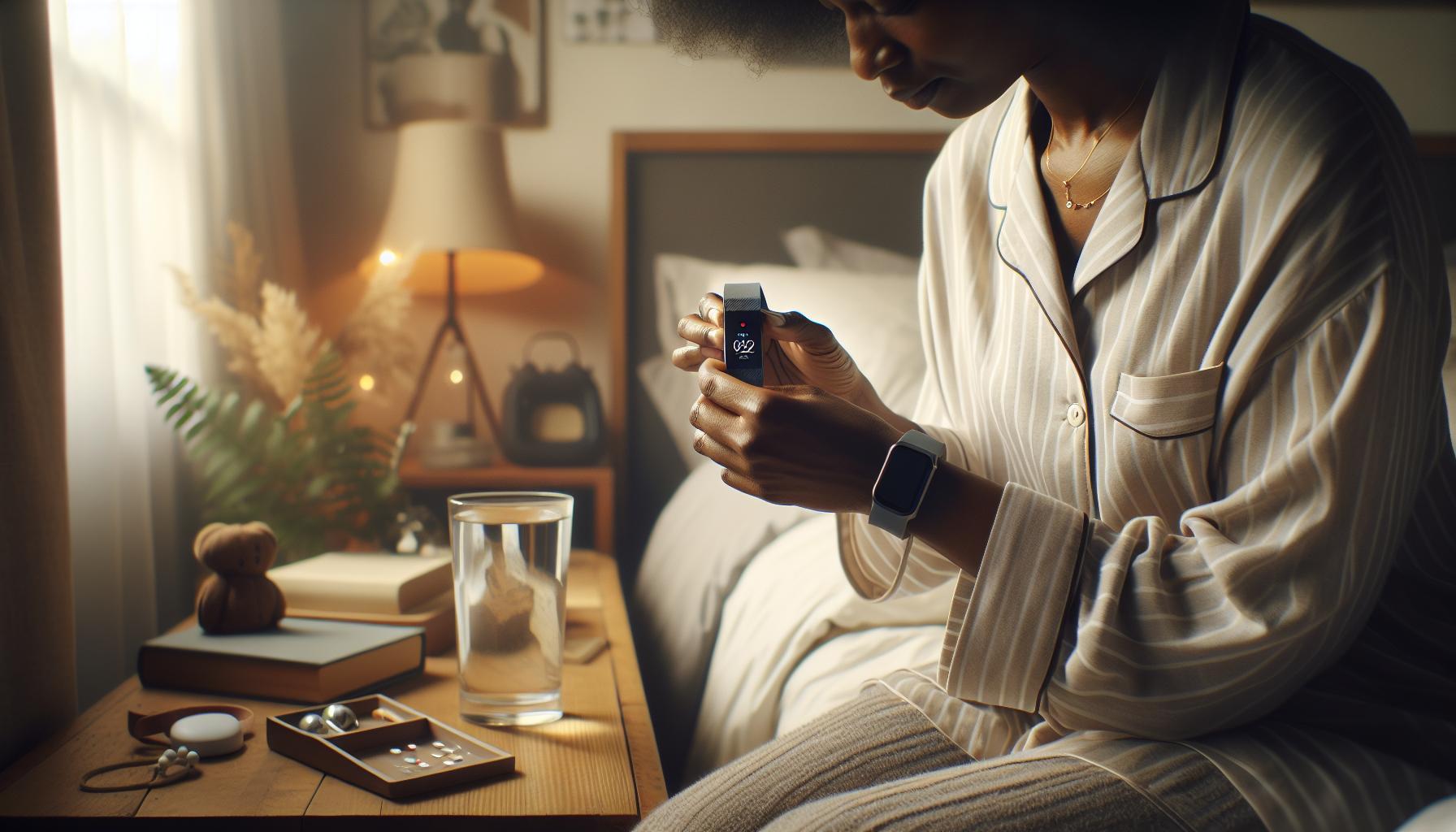
When setting up your Fitbit Luxe for optimal sleep tracking, take a moment to ensure it’s configured correctly. A common issue many users face is a lack of accurate sleep data, which can often be resolved with proper setup. The key is in the details, and a few simple adjustments can significantly enhance the accuracy of your device’s sleep monitoring capabilities.
To begin with, wear your Fitbit Luxe snugly on your wrist, preferably on your non-dominant hand. A loose fit can hinder the device’s ability to detect movements and heart rate changes, both of which are crucial for assessing sleep stages. Make sure the watch is positioned above your wrist bone and that it maintains contact with your skin throughout the night.
Next, you’ll want to adjust the settings within the Fitbit app to enable sleep tracking. Here’s how:
- Open the Fitbit app on your smartphone.
- Go to your profile by tapping on your profile picture.
- Select your Fitbit Luxe device.
- Navigate to the “Sleep” settings and ensure that “Sleep Tracking” is toggled on.
- You might also consider setting a sleep schedule so the device can learn your sleep patterns over time.
Another important aspect is to ensure that your device is fully charged before sleep. A low battery can sometimes prevent it from effectively tracking your sleep. Aim to charge your Fitbit during the day and ensure it has at least 30% battery life before going to bed.
Lastly, consider reviewing your sleep environment. Aim for a dark, quiet, and cool space. This not only aids your natural sleep cycle but also helps the Fitbit Luxe collect more accurate data. By committing to these steps, you’ll be well on your way to harnessing the full potential of your Fitbit Luxe for sleep tracking, providing you with valuable insights into your nightly rest.
Understanding Fitbit Luxe Sleep Monitoring Features
The Fitbit Luxe is designed to provide comprehensive insights into your sleep patterns, making it a valuable tool for anyone looking to enhance their overall sleep health. This advanced tracker utilizes a combination of motion detection, heart rate variability, and sleep stage analysis to offer a detailed overview of your nightly rest. Understanding how these features work can help you better interpret your sleep data and troubleshoot any tracking issues you may encounter.
One of the key features of the Fitbit Luxe is its ability to distinguish between different sleep stages: light sleep, deep sleep, and REM (Rapid Eye Movement) sleep. By monitoring your heart rate and movements throughout the night, the Luxe can provide a more precise breakdown of which stages you’re experiencing and how long you spend in each. This information can be crucial, as different sleep stages play unique roles in physical recovery and cognitive function. For instance, deep sleep is vital for physical restoration, while REM sleep supports memory and emotional health.
Additionally, the Luxe offers features like Sleep Score, which aggregates data to give you an overall score of your sleep quality based on duration, restoration, and sleep stages. This score is a great way to quickly assess how well you are sleeping. The app also provides trends over time, allowing you to see how lifestyle changes or environmental factors may be impacting your sleep patterns. With insights like these, users can make informed adjustments, whether it involves altering their bedtime routine or optimizing their sleep environment.
To maximize these features, ensure that your Fitbit Luxe is properly set up and worn correctly. A snug fit is essential for accurate heart rate tracking, and reviewing your sleep patterns regularly can help the device learn and adapt to your habits, ultimately leading to better data reliability. If you’re noticing discrepancies in your sleep tracking, consider factors like battery life and device settings, as these can often lead to missed data and inaccurate readings. Keeping your device updated with the latest software can also help improve functionality and performance over time.
Troubleshooting Sleep Tracking Errors Effectively

If you’ve noticed your Fitbit Luxe is not accurately tracking your sleep, it can be both frustrating and concerning. Sleep tracking is one of the key features that many users rely on to gain insights into their health, and when things go awry, it’s essential to troubleshoot effectively. One common reason for missed sleep data is improper wear. The Luxe should fit snugly on your wrist-not too tight but secure enough to maintain accurate heart rate monitoring. Ensure the device is positioned just above your wrist bone, as a loose fit can lead to tracking errors.
Additionally, check the battery level of your Fitbit Luxe. A low battery can disrupt its ability to track sleep accurately, resulting in incomplete data or missed sessions. If the battery is low, recharge your device fully, and monitor whether this resolves the tracking issues. Another crucial aspect involves ensuring that your device is updated with the latest software. Regular updates can fix bugs and improve functionality; neglecting updates might result in various performance issues, including sleep tracking errors.
Environmental factors also play a role in sleep tracking accuracy. Consider assessing your sleep environment-lights, noise, and temperature can all influence the quality of your rest and, consequently, how well your device tracks it. If you’ve made recent changes in your sleeping arrangements or habits, reflect on how they might be affecting your tracking results. Finally, utilizing the features within the Fitbit app can provide additional insights. Check your sleep log regularly to identify patterns and discrepancies; this might help pinpoint reasons for missed sleep data.
In summary, effectively troubleshooting sleep tracking issues with your Fitbit Luxe is about ensuring proper fit, maintaining your device’s battery life, and being aware of environmental influences. With these adjustments, you’ll likely find that your Fitbit Luxe can provide the reliable sleep tracking data you need for better health insights.
Recent Updates and Their Impact on Sleep Tracking
Recent updates to the Fitbit Luxe have brought enhancements that can significantly affect how effectively the device tracks sleep. Updates often include optimizations to the algorithms that interpret your data, improving accuracy in detecting sleep stages and duration. However, not all updates automatically translate to better performance for every user, especially if the changes aren’t fully compatible with existing settings or device conditions.
One important aspect of these updates is the introduction of more sophisticated sensors and analytics that allow the Fitbit Luxe to monitor not just when you sleep but also the quality of that sleep. Features such as advanced heart rate monitoring and SpO2 measurement can provide deeper insights, but they require a properly functioning device and optimal wear. If the Luxe is not fitted securely or is running low on battery, you may miss out on these enhancements and find that your sleep data remains inconsistent.
Additionally, there’s often a lag in the rollout of updates, meaning that not all users may receive the latest features simultaneously. It’s essential to check whether your device is up to date. In the Fitbit app, you can easily check for software updates, ensuring you have the latest version that includes improvements to sleep tracking. Furthermore, these updates might also adjust the sleep sensitivity settings, which can accidentally change how and when your Luxe records sleep. Ensure your sensitivity settings align with your expectations of tracking reliability.
As you navigate these updates, consider that while the features can enhance overall functionality, they also introduce variables that might require you to adjust your usage habits. Following the update notes from Fitbit will keep you informed about new features and settings adjustments, helping you optimize how you use your device for sleep tracking effectively.
Environmental Factors Affecting Sleep Tracking Accuracy
Environmental factors significantly impact the accuracy of your Fitbit Luxe’s sleep tracking capabilities. From room temperature to ambient noise levels, these conditions can lead to discrepancies in recorded sleep data. For instance, if your bedroom is too hot or too cold, it can disrupt your sleep cycles, which may be reflected inaccurately in the device’s monitoring. Ideally, a comfortable sleep environment should be between 60-67°F (15-19°C) for optimal rest.
Additionally, the level of light and noise in your sleeping area can also affect how well your Fitbit Luxe tracks your sleep. Bright lights or continuous sounds from devices, traffic, or neighbors can prevent the device from accurately identifying when you fall asleep or enter various sleep stages. Consider using blackout curtains to block light and white noise machines or earplugs to minimize disturbances. When the environment is conducive to restful sleep, your Fitbit Luxe will have a better chance of recording accurate data.
Wearing your Fitbit Luxe too loosely or placing it on your wrist in a way that the sensors cannot adequately detect your pulse can also lead to inaccuracies. Make sure that the device is worn snugly but comfortably. A secure fit allows the sensors to perform optimally, which is crucial for recognizing changes in heart rate during your sleep phases.
Lastly, consider how variation in your nightly routine and external disruptions can impact your sleep tracking. Stressful events or significant changes in lifestyle can affect sleep quality, potentially confusing the device’s algorithms. Engaging in calming pre-sleep rituals can mitigate these environmental influences, making it easier for your Fitbit to log your sleep accurately. Adapting your environment in these ways will help ensure that you get reliable insights into your sleep habits and quality.
How to Improve Fitbit Luxe Sleep Data Reliability
To enhance the reliability of sleep data collected by your Fitbit Luxe, start by ensuring that the device is properly set up and worn correctly. A snug yet comfortable fit is crucial; if the device is loose, it may not accurately track your heart rate, which is essential for determining your sleep stages. It’s advisable to wear the Luxe on your non-dominant wrist, as this can help reduce interference from daily movements.
Environmental conditions are just as vital. Aim to create a restful atmosphere by moderating room temperature and minimizing noise and light. An ideal sleeping environment should maintain a temperature between 60-67°F (15-19°C). Using blackout curtains can block unwanted light, while white noise machines or earplugs can help mask disruptive sounds. This tranquil setting allows your Fitbit to more accurately confirm when you fall asleep and the quality of each sleep stage.
Regularity in your sleep schedule is another important factor. Try to go to bed and wake up at the same time every day, even on weekends. This consistency helps your body establish a more natural rhythm, making it easier for the Fitbit to track sleep patterns accurately. Additionally, consider implementing a wind-down routine before bed. Engaging in calming activities like reading or meditation can signal to your body that it’s time to sleep, which may lead to more reliable data collection.
Lastly, routinely check for software updates for your Fitbit Luxe. Manufacturers periodically release updates that can enhance performance and fix bugs, including issues related to sleep tracking. Keeping the device and its app up to date helps to ensure you’re benefiting from the latest improvements. By taking these steps, you can significantly enhance the accuracy and reliability of the sleep data collected by your Fitbit Luxe, leading to better insights into your sleep patterns and overall health.
Best Practices for Wearing Your Fitbit Luxe
To maximize the effectiveness of your Fitbit Luxe in tracking sleep, understanding how to properly wear the device is essential. A well-fitted device not only improves comfort but also enhances the accuracy of the data collected during your sleep cycles. Here are some best practices to ensure you get the most reliable sleep tracking results.
Firstly, it’s crucial to wear your Fitbit Luxe on your non-dominant wrist. This position tends to minimize interference from regular arm movements throughout the day. Ensure the device is adjusted snugly around your wrist-too loose, and it may shift during the night, leading to inaccurate readings; too tight, and it can cause discomfort or restrict circulation. A snug fit ensures the heart rate sensor can effectively gauge your heart rate, a key factor in sleep stage tracking.
Another important aspect is to keep the sensor clean and unobstructed. Dirt and sweat can diminish the accuracy of heart rate readings. Make it a habit to gently wipe the back of the device regularly, particularly after workouts or heavy sweating, to ensure clear contact with your skin. Additionally, wearing the Luxe without any layered clothing or accessories that might cover it during sleep allows for optimal sensor performance.
Lastly, consider wearing the device overnight without any interruptions. Avoid taking it off for extended periods while sleeping, as this could leave gaps in data. Establishing a routine where you put on the Fitbit Luxe at the same time each night can help reinforce this habit. With consistent use and proper wearing techniques, your Fitbit Luxe will be equipped to offer insights into your sleep patterns, helping you make informed decisions regarding your sleep health.
Comparing Fitbit Luxe Sleep Tracking to Other Devices
The Fitbit Luxe has garnered attention for its stylish design and health-tracking capabilities, especially sleep monitoring. However, it’s essential to understand how it stacks up against other devices to make an informed choice about sleep tracking. If you’re experiencing issues with your Fitbit Luxe not accurately tracking sleep, comparing it with alternatives can shed light on potential fixes and improvements.
Many users turn to competitors like the Apple Watch, Garmin, or the Oura Ring for sleep tracking. Each device utilizes different algorithms and sensor technologies, which can lead to various results regarding sleep quality and duration. For example, the Apple Watch integrates data from its heart rate monitor and accelerometer to provide detailed insights about your sleep stages, including REM sleep. Meanwhile, the Oura Ring focuses on temperature fluctuations, heart rate variability, and respiratory rate, providing a comprehensive view of sleep quality that some users find more precise than Fitbit’s offerings.
- Flexibility: The Fitbit Luxe is a lightweight option that’s easy to wear during daily activities. However, users might find competing devices like the Garmin Forerunner series provide deeper insights into not only sleep patterns but also overall fitness metrics, making them versatile for active individuals.
- User Experience: In terms of usability, Fitbit devices generally have a straightforward app interface that appeals to a broad audience. However, Oura’s sleek design and focused functionality might attract those seeking a more premium experience specifically designed for sleep tracking.
- Battery Life: Another critical factor is battery life. The Fitbit Luxe can last several days on a single charge, but devices like the Oura Ring boast a longer lifespan, allowing for continuous sleep tracking without frequent recharging interruptions.
When faced with inaccurate sleep tracking, consider these comparisons to understand where your device stands. If you discover that your Luxe isn’t measuring sleep effectively, it may be worth exploring alternatives for more accurate tracking based on your unique sleep patterns and health needs. Before making a switch, reflect on what aspects of sleep monitoring are most important to you-whether it’s the accuracy of data, comfort, or additional health metrics offered by other wearables.
When to Seek Professional Help for Sleep Issues
Understanding the distinction between occasional sleep tracking inaccuracies and persistent sleep issues is crucial for your overall health. While the Fitbit Luxe is a helpful tool for monitoring sleep patterns, it can sometimes miss the mark, leading users to question their sleep health. If you’ve found your device struggling to accurately capture your sleep data over an extended period, it might be time to dig deeper.
Recognizing the Signs
It’s essential to recognize signs that may warrant professional help. These can include:
- Consistent fatigue: If you regularly wake up feeling tired, despite what your tracker indicates, it could be a signal of underlying issues.
- Sleep disturbances: Recurrent issues such as insomnia, frequent awakenings, or difficulty falling asleep can signify a need for further evaluation.
- Excessive daytime sleepiness: If you find yourself dozing off during the day or struggling to stay awake, it’s time to consult a healthcare provider.
- Physical symptoms: Snoring, gasping, or choking during sleep may point to conditions like sleep apnea, which requires immediate attention.
When to Consult a Professional
If your sleep tracker continually shows irregularities that don’t align with how you feel, this discrepancy can indicate that a deeper issue is at play. Consulting a sleep specialist can provide insights beyond what technology can offer. They can conduct diagnostic tests like polysomnography, offering a comprehensive look at sleep patterns, interruptions, and overall sleep quality.
You should also consider consulting a healthcare professional if you have a medical history that includes chronic conditions, medications that affect sleep, or if lifestyle changes haven’t yielded improvements. Getting a proper diagnosis can help tailor effective interventions, whether they involve behavioral changes, therapy, or sleep aids.
Utilizing wearables like the Fitbit Luxe can certainly provide a first step in understanding your sleep health, but they are best used in conjunction with professional guidance when needed. Don’t hesitate to seek help; your sleep is vital for your physical and mental well-being.
Exploring Alternative Sleep Tracking Options
Tracking your sleep accurately is crucial for understanding your overall health, but when a device like the Fitbit Luxe fails to capture this data, you may feel lost. Fortunately, there are various alternative methods to keep tabs on your sleep health. These options can either complement your Fitbit device or serve as stand-alone solutions when it comes to monitoring your sleep quality effectively.
One prominent alternative is dedicated sleep tracking devices. These devices, such as the Oura Ring or Withings Sleep Tracking Mat, offer specialized sensors designed to track sleep stages, heart rate variability, and other important metrics. The Oura Ring, for instance, is worn on your finger and provides comprehensive data without needing to be charged frequently. Alternatively, the Withings Sleep Mat sits under your mattress and tracks sleep cycles and breathing disturbances, making it ideal for those who prefer something unobtrusive.
Smartphone Apps
Another accessible alternative is using smartphone apps that focus on sleep tracking. Apps like Sleep Cycle or Pillow analyze sleep patterns through movement or sound. These apps can often integrate with other health ecosystems, making it easy to consolidate your data. All you need is your smartphone placed nearby, and they can provide insights about your sleeping habits, including optimal wake times based on sleep cycles.
Sleep Studies
If you suspect there may be underlying sleep disorders affecting your well-being, sleep studies conducted by professionals could be a valuable avenue to explore. These tests, often done at dedicated sleep clinics, involve monitoring various physiological parameters overnight. A polysomnography test records data on brain waves, oxygen levels, heart rate, and respiratory activity, providing a comprehensive view of your sleep patterns. Expect to discuss symptoms with your doctor, and if approved, your insurance may cover part of the costs.
Wearing it Right and Additional Factors
Finally, ensuring your Fitbit Luxe is worn correctly can also make a significant difference. Follow best practices by ensuring the watch is snug on your wrist while allowing for comfort. Additionally, consider environmental factors like room temperature and light exposure, as they can interfere with sleep quality and, consequently, how accurately your device tracks sleep.
Exploring these alternatives and methods can empower you to make informed decisions about your sleep health. By considering these options alongside the functionality of the Fitbit Luxe, you can create a comprehensive picture of your sleep life and take steps towards better sleep quality.
Q&A
Q: Why isn’t my Fitbit Luxe tracking my sleep properly?
A: Your Fitbit Luxe may struggle with sleep tracking due to improper wear, low battery, or software issues. Ensure that the device is snug on your wrist and fully charged. Also, check for app updates that might resolve tracking glitches.
Q: How can I reset my Fitbit Luxe to fix sleep tracking issues?
A: To reset your Fitbit Luxe, press and hold the button on the side until you see the Fitbit logo. This process can fix minor bugs that may inhibit sleep tracking. After resetting, check if sleep tracking resumes accurately.
Q: What should I do if my Fitbit Luxe doesn’t detect sleep even after wearing it all night?
A: If your Fitbit Luxe fails to detect sleep, check the settings to ensure sleep tracking is enabled. Additionally, assess your sleep conditions; too much light or movement might affect performance. Refer to the section on troubleshooting sleep tracking errors in your article for more help.
Q: Can environmental factors affect my Fitbit Luxe’s sleep tracking?
A: Yes, factors such as room light, noise, or even temperature can impact your Fitbit Luxe’s ability to track sleep accurately. For best results, create a dark, quiet, and comfortable environment for sleeping to enhance the tracking capability.
Q: How often should I update my Fitbit Luxe software for optimal sleep tracking?
A: Keeping your Fitbit Luxe software up-to-date is crucial for accurate sleep tracking. Regular updates can introduce improvements and bug fixes. Check for updates weekly within the Fitbit app to ensure optimal performance.
Q: What are the best practices for wearing my Fitbit Luxe to enhance sleep tracking?
A: To optimize sleep tracking, wear your Fitbit Luxe snugly but comfortably just above your wrist bone. Ensure it’s on the wrist you typically prefer for activity tracking. Avoid overly tight settings, which could impact sensor accuracy.
Q: Are there alternative sleep tracking options if my Fitbit Luxe fails?
A: Yes, if your Fitbit Luxe isn’t providing accurate sleep data, consider alternative sleep trackers or apps. Some smartphones have built-in sleep tracking features that can serve as a temporary solution. Explore comparisons in your article to find reliable options.
Q: How can I improve the accuracy of my Fitbit Luxe’s sleep data?
A: To enhance the accuracy of your Fitbit Luxe’s sleep data, follow consistent sleep patterns, ensure proper device fit, and fully charge the device before bed. Check calibration settings in the app as well, which are discussed in detail in the troubleshooting section of your article.
To Conclude
If your Fitbit Luxe isn’t tracking your sleep, remember that simple fixes can transform the way you monitor your health. By ensuring proper device setup, confirming compatibility, and checking for firmware updates, you can enhance your sleep measurements efficiently. Don’t wait-get back to a healthier sleep routine today!
For further guidance, explore our detailed troubleshooting tips and learn about optimizing your Fitbit experience for optimal health tracking. Additionally, check out the comparison of different sleep trackers to find the device that fits your needs. Share your thoughts in the comments below, or consider subscribing to our newsletter for more insightful tips on health tech and sleep wellness. Your journey to better sleep is just a click away!
Get our latest guides, news, and insights highlighted in your Google Search & AI Overviews.