
Have you ever woken up wondering why your Fitbit didn’t track your sleep accurately? You’re not alone-many users face this frustrating issue, especially when they’re counting on their device to provide insights into their sleep health. Understanding the nuances of how Fitbit tracks sleep can empower you to tackle common problems, ensuring that you get the most out of your wearable technology. In this article, we’ll explore potential reasons behind inaccurate sleep tracking and provide practical fixes to enhance your sleep monitoring experience. Armed with the right knowledge, you can better align your sleep goals with reliable data and make informed decisions about your rest. Let’s dive into the world of Fitbit sleep tracking and unlock the secrets to getting your data right!
Common Reasons Your Fitbit Misses Sleep Tracking

Many Fitbit users experience frustration when their devices fail to accurately track sleep. Various factors can contribute to these missed sleep recordings, leading to incomplete or inaccurate data. Here are some common reasons you might encounter with your Fitbit sleep tracking:
One significant reason is improper wear. If your Fitbit is too loose or positioned incorrectly on your wrist, it may not detect changes in movement or heart rate effectively, resulting in missed sleep tracking. Ensuring that your device fits snugly without being overly tight can help improve its accuracy. Additionally, removing the device before bed or wearing it on the wrong wrist may lead to failures in capturing vital sleep metrics.
Environmental factors also play a crucial role. Noise, light, and temperature can disrupt your natural sleep patterns, making it difficult for your Fitbit to accurately assess your sleep duration and quality. For instance, sleeping in a brightly lit room may cause your Fitbit to misinterpret your restless or shallow sleep as awake time. Creating a sleep-conducive environment-dark, quiet, and cool-can enhance both your sleep quality and the accuracy of your device.
Lastly, software glitches may affect sleep tracking. Sometimes, syncing issues with the app or outdated firmware can lead to problems in recording sleep data. Regularly checking for updates and ensuring your Fitbit syncs correctly with the app can help mitigate these issues. If you frequently encounter inaccuracies, consider resetting your device or contacting customer support for further assistance.
Understanding How Fitbit Measures Sleep
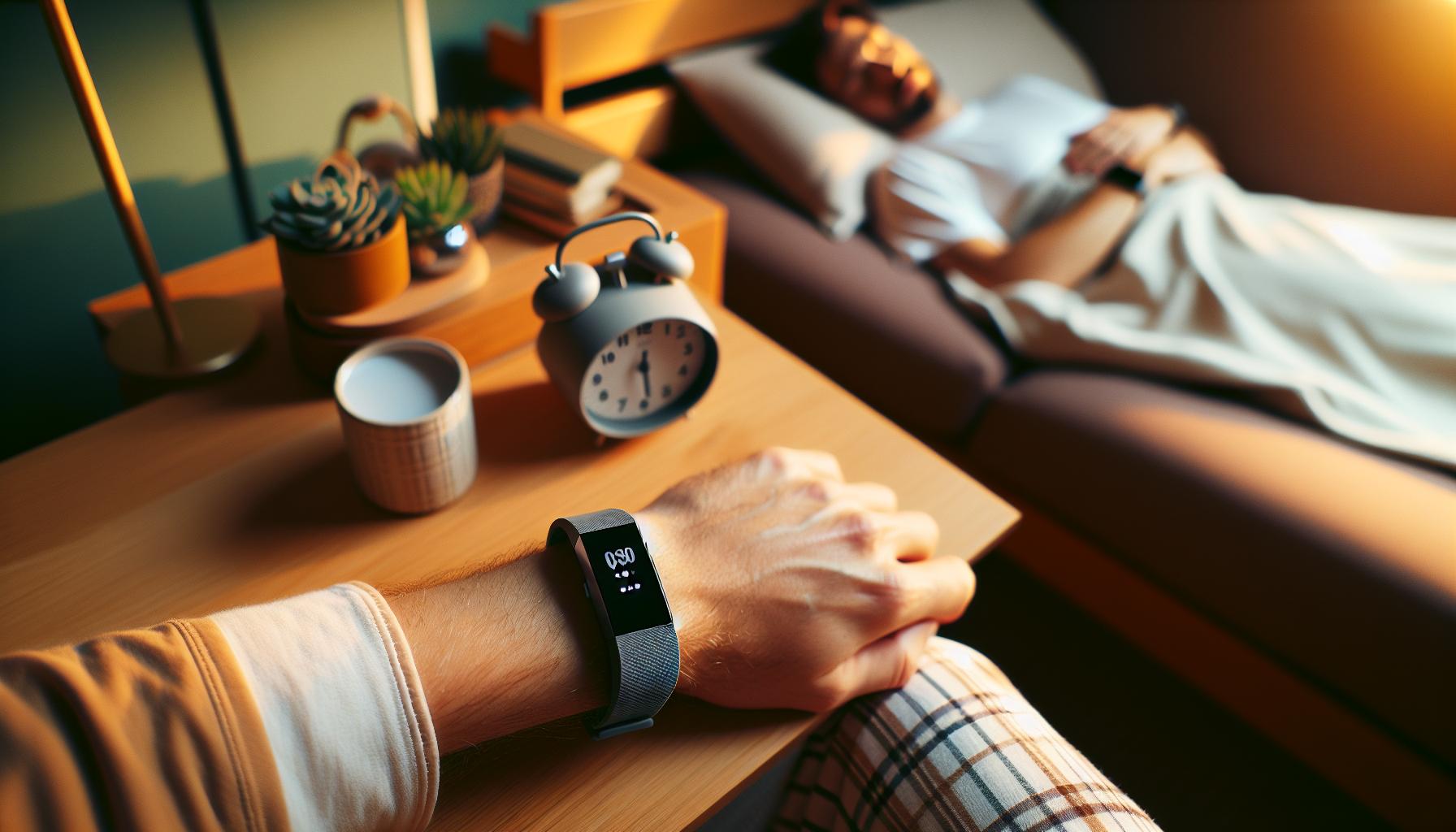
Understanding how your Fitbit measures sleep is crucial to optimizing its effectiveness. At its core, Fitbit utilizes a combination of motion detection and heart rate monitoring to analyze your sleep patterns. By leveraging an accelerometer, the device tracks your movements throughout the night, differentiating between periods of activity, stillness, and sleep. This motion data is crucial; minimal movement typically indicates you are asleep, while consistent movement suggests wakefulness or restlessness.
However, the heart rate monitor adds another layer of complexity and accuracy to this tracking process. By detecting variations in your heart rate, Fitbit can categorize your sleep into different stages-light, deep, and REM sleep. This categorization is essential for providing insights into the quality of your sleep rather than just the quantity. For many users, understanding these stages can help pinpoint issues like sleep interruptions or inadequate deep sleep, which are beneficial for overall health.
To enhance your Fitbit’s sleep tracking capabilities, it’s essential to wear the device correctly and ensure it fits snugly on your wrist. An insecure fit can result in inaccurate movement detection and skewed heart rate readings. Additionally, the app recommends setting a consistent sleep schedule, which may help your Fitbit provide more personalized insights based on your sleep patterns.
Your environment also plays a significant role in how accurately Fitbit measures your sleep. Factors such as room temperature, noise levels, and even ambient light can interfere with your sleep quality, causing the device to misinterpret your sleep stages. For instance, a bright room might lead to overstimulation, causing restlessness that the Fitbit misreads as wakefulness. Making your sleeping space conducive to rest-dark, quiet, and cool-can improve both your sleep and your device’s data accuracy.
By understanding these mechanisms, you can better assess why your Fitbit may occasionally miss sleep tracking or misinterpret your sleep patterns, leading to a more informed approach to managing your sleep health effectively.
Tips to Improve Your Fitbit’s Sleep Tracking Accuracy
To optimize your Fitbit’s sleep tracking accuracy, consider several practical tips that can enhance both the performance of your device and your overall sleep quality. Did you know that even slight variations in how you wear your Fitbit can significantly impact its ability to track your sleep patterns? Ensuring that your device fits snugly on your wrist is essential for accurate heart rate monitoring and movement detection. A loose or poorly positioned device might misinterpret your night movements, leading to incorrect sleep data.
Establish a Consistent Sleep Schedule
Creating a regular sleep routine can greatly benefit your Fitbit’s accuracy. Aim to go to bed and wake up at the same times each day, even on weekends. This consistency helps your device learn your sleep patterns, leading to more accurate tracking over time. You can set reminders within the Fitbit app to encourage adherence to this schedule.
Optimize Your Sleep Environment
The conditions of your sleeping space play a crucial role in your sleep quality. Consider the following elements to create an ideal sleeping environment:
- Temperature: Keep your bedroom cool, ideally between 60-67°F (15-19°C).
- Noise: Use white noise machines or earplugs to block out disruptive sounds.
- Light: Ensure your room is dark; blackout curtains can help reduce light interference.
A sleep-conducive environment not only improves your sleep quality but assists your Fitbit in accurately tracking your sleep stages.
Regularly Update Your Device
Make sure your Fitbit device is updated with the latest software. Manufacturers frequently release updates that can improve functionality and accuracy. Check your Fitbit app regularly for firmware updates, as these can fix bugs and improve sleep tracking capabilities.
By implementing these strategies, you can enhance your Fitbit’s ability to deliver precise sleep data, ultimately enabling you to make informed adjustments to improve your overall sleep hygiene. These small changes can lead to significant improvements in how your device tracks your nightly rest, making it easier for you to prioritize your sleep health effectively.
What to Do When Your Fitbit Overtracks Sleep
Experiencing overtracking from your Fitbit can be perplexing, particularly when it reports excessive sleep duration that doesn’t reflect your actual rest. This can stem from a range of issues like improper settings, wearability problems, or even external disturbances impacting the data collected. To regain accurate sleep tracking, start by ensuring that your device is calibrated to your personal settings and correctly fitting on your wrist. A snug fit is crucial; if the device slides around too much, it may misinterpret movements as sleep.
Review Your Sleep Settings
First, check if your sleep settings are configured correctly within the Fitbit app. Make sure you have not accidentally enabled features that promote extended sleep duration or auto sleep detection without adhered sleeping hours. Sometimes, users might set unrealistic sleep goals that don’t match their actual habits. Adjusting these settings can help your Fitbit discern between active time and actual rest.
Analyze External Factors
Examine the environmental and personal factors that could be influencing overtracking. For instance, movements during the night-such as restless leg syndrome, pets jumping on the bed, or frequent trips to the bathroom-can falsely indicate sleep. Monitoring external noise and light may also provide insights; disruptions in your sleeping environment could lead to incorrect tracking results.
Track Your Activities
Another practical approach is to manually log your sleep times if you notice your Fitbit consistently overcounts sleep. By providing your own input in the app, you can guide the device to understand your actual sleep patterns better. Over time, this manual logging can help calibrate the algorithm used by the Fitbit to reduce inaccuracies.
In extreme cases, consider resetting your device to factory settings to eliminate any bugs or glitches. While this can be a hassle, it’s often an effective way to clear out issues that could be leading to erroneous sleep data. If these adjustments still do not resolve the overtracking, you may need to consult Fitbit support or consider reaching out to a sleep specialist for a more comprehensive evaluation to ensure your overall sleeping health is on track.
Adjusting Your Fitbit Settings for Better Sleep Data
To achieve optimal sleep tracking accuracy with your Fitbit, adjusting the device’s settings is essential. The Fitbit app offers several customizable features that can greatly improve the accuracy of your sleep data. A well-configured device can help ensure that it correctly detects when you’re asleep versus when you’re awake, providing you with precise insights into your sleep patterns.
Start by reviewing your sleep goals within the Fitbit app. If your settings include overly ambitious sleep targets, they might cause the device to misinterpret your actual sleep duration. To adjust your goals:
- Open the Fitbit app and navigate to your account settings.
- Select your profile and locate the sleep settings.
- Modify your sleep goals to better reflect your actual sleep habits.
Next, ensure that auto sleep detection is enabled, as this will allow your Fitbit to automatically track your sleep patterns without manual input. However, be cautious: you should also make sure that the settings align with your typical sleep schedule. If you frequently stay up late or wake up at different times, consider revising the time frame your device uses for sleep detection.
Another often-overlooked aspect involves the Fitbit’s wearability. It’s vital that the device fits snugly against your wrist. A loose fit can lead to incorrect movement detection during sleep, so make sure your Fitbit is adjusted properly. If adjustments to your settings and fit don’t yield results, you might also want to explore the “Do Not Disturb” mode, which can minimize disruptions from notifications that might interfere with the accuracy of your tracking.
Finally, stay updated on the latest Fitbit app updates; manufacturers often release improvements and new features that can enhance tracking performance. Regularly syncing your device and app ensures you have the latest enhancements which may include better algorithms for sleep detection.
By maintaining an active approach to adjusting settings and monitoring your device, you’ll likely see improved accuracy in your sleep tracking data, leading to a better understanding of your sleep health.
Comparing Fitbit Sleep Tracking to Other Devices
When considering sleep tracking, many users gravitate towards Fitbit due to its reputation and accuracy in detecting sleep patterns. However, understanding how it stacks up against other wearable devices can aid in making informed decisions. Various models, including the Apple Watch, Garmin wearables, and other fitness trackers, utilize different algorithms and technologies to monitor sleep, leading to diverse user experiences.
Fitbit shines particularly in its ability to monitor REM sleep with impressive accuracy-around 99.8%-which is an essential phase linked with cognitive functions and overall health. In contrast, devices like the Apple Watch also provide sophisticated tracking features, but they might rely more on heart rate variations and motion detection, which can be less effective for pinpointing lighter sleep stages. Meanwhile, Garmin’s wearables often emphasize fitness and performance metrics while providing sleep insights that may not be as detailed, but are still beneficial for understanding overall health and recovery.
Device Features and User Experience
Comparing features is crucial. Fitbit’s sleek app interface allows users to delve into sleep stages and trends over time, which many find user-friendly. Garmin devices, while robust for fitness tracking, may fall short in sleep analysis depth. The Apple Watch’s Sleep app, on the other hand, incorporates features like bedtime reminders and sleep duration tracking, but may lack the granularity in sleep stage breakdown that Fitbit offers. Additionally, user experiences vary with battery life and comfort; while some users find Fitbit comfortable for continuous wear, others prefer the sturdiness of Garmin products for daily activities.
Choosing the right sleep tracker ultimately boils down to personal preferences and specific health needs. If accurate sleep stage tracking is paramount, Fitbit remains a top choice. However, for individuals seeking a multipurpose device that bridges fitness and sleep tracking or those who prioritize ecosystem integration, alternatives like the Apple Watch may be more appealing. Consider what features matter most, and how willing you are to trade between sleep accuracy and other functionalities when deciding on a device that best suits your lifestyle.
User Experiences: Sleep Tracking Success Stories
For many Fitbit users, success stories often highlight transformative experiences related to sleep tracking. One common narrative comes from individuals who initially struggled with erratic sleep patterns, often feeling fatigued throughout the day. After integrating their Fitbit into their bedtime routines, they noticed significant improvements in their sleep quality and overall health. Users report that the detailed sleep stage tracking, including the amount of REM sleep they received, allowed them to better understand and adjust their sleep habits effectively.
In these success stories, many users emphasize the importance of utilizing the Fitbit app to analyze sleep data comprehensively. For instance, a user named Sarah began to monitor her sleep scores and associated them with lifestyle changes, such as reducing screen time before bed and establishing a consistent sleep schedule. These minor tweaks led to her feeling more refreshed, with her Fitbit showcasing longer sleep durations and more time spent in deep sleep, which she hadn’t previously experienced.
Moreover, the community aspect can’t be overlooked. Online forums and social media groups are filled with people sharing their triumphs, encouraging each other to use the insights provided by their devices. Users often exchange strategies for optimizing sleep conditions, from ideal room temperatures to suggestions for relaxing pre-sleep rituals. This sense of camaraderie fosters accountability and support, which can be vital for those trying to improve their sleep health.
While Fitbit’s tracking is not flawless, many users find that by addressing common issues-like wearing the device correctly or ensuring that it is adequately charged-they experience vastly improved tracking results. User experiences reinforce the idea that understanding how to leverage Fitbit’s capabilities can empower individuals not only to recognize sleep patterns but to actively participate in enhancing their sleep health, promoting wellness in a substantial way.
Device Maintenance: Keeping Your Fitbit in Top Shape
Keeping your Fitbit in optimal condition is essential to ensure accurate sleep tracking and enhance your overall experience. Many users may find that their device sometimes misses sleep data or provides inaccurate reports, which can often be attributed to maintenance issues. Regular care not only prolongs the life of your device but also improves its functionality, particularly for sleep monitoring.
Start by maintaining a clean device, as dirt and sweat can interfere with sensors. Wipe your Fitbit regularly using a soft, slightly damp cloth. Avoid using harsh chemicals or scrubbing too hard, as this can damage the material or sensors. Additionally, ensure that your Fitbit’s band is secured properly and fits snugly on your wrist during sleep. A loose or improperly positioned band may result in missed sleep detection.
Battery life is another critical aspect. Make sure your device is charged regularly. A low battery can affect its ability to track sleep effectively. If you notice that your device is not holding the charge as it used to, consider restarting the device or checking for software updates, which can improve performance. Additionally, placing your Fitbit on its charger frequently can help maintain battery efficiency.
Finally, always keep the Fitbit app updated. Software updates often come with bug fixes and improved features that enhance tracking accuracy. By ensuring that both your device and the app are up to date, you can foster a smoother interaction between your Fitbit and its associated functionalities. Considering these maintenance tips can significantly improve your sleep tracking experience, helping you achieve better insights into your nightly rest.
Understanding Sleep Stages and Their Importance
Understanding your sleep stages is crucial for realizing the quality of your rest and how it impacts your overall health. Most people are aware that sleep consists of different phases, including light sleep, deep sleep, and REM (rapid eye movement) sleep. Each of these stages plays a specific role in helping our bodies recover, process information, and maintain mental clarity. When your Fitbit doesn’t track these stages properly, it may not accurately reflect your sleep patterns, leading to misunderstandings about your sleep quality.
Fitbit devices employ algorithms that analyze your movements and heart rate to estimate your sleep stages. Here’s why understanding these stages matters:
- Light Sleep: This phase acts as the transition between wakefulness and deeper sleep. It’s essential for your body to rejuvenate and prepare for deeper slumbers.
- Deep Sleep: Known as slow-wave sleep, this stage is critical for physical recovery, growth, and immune health. Spending enough time in this stage is vital for overall well-being.
- REM Sleep: This phase is where dreaming occurs and is essential for emotional regulation and cognitive functioning. It plays a crucial role in memory consolidation and learning.
If your device is undertracking these stages, you may be missing out on valuable insights. Reasons for this might include improper fit during sleep, low battery, or even environmental factors like noise or light that disrupt your rest. Addressing these factors can improve the reliability of your data.
To ensure your Fitbit accurately detects sleep stages, wear it snugly and regularly charge it. Not just for daily tracking, but also for maintaining the intricate algorithms that help interpret your sleep patterns accurately. Understanding these nuances about sleep stages fosters greater awareness and empowers you to make informed decisions about improving your sleep habits. This is not only essential for carrying out daily activities but also for long-term health benefits, ensuring you wake up feeling revitalized and ready to take on the day.
How to Analyze Your Fitbit Sleep Data Effectively
Analyzing your sleep data from a Fitbit can provide invaluable insights into your overall health, but understanding how to interpret that data effectively is key to making meaningful changes to your sleep habits. Start by accessing the sleep log in the Fitbit app, which categorizes your sleep duration and stages: light sleep, deep sleep, and REM sleep. This breakdown reveals not just how long you spent sleeping, but also the quality of that sleep, which is vital for your physical and mental well-being.
Regularly monitoring these metrics can help identify patterns over time. For instance, you might notice that nights with lower deep sleep correlate with times when you consume caffeine late in the day. Alternatively, if you see fluctuations in your REM sleep, it might be linked to stress or changes in your routine. Keep a sleep diary alongside your Fitbit data to cross-reference your findings. Note factors like bedtime, wake-up time, and activities before bed, which can contribute to variations in your sleep quality.
Tips for Effective Analysis
To glean the most benefit from your sleep data, consider the following tips:
- Consistency: Wear your Fitbit consistently each night to build a comprehensive sleep profile over time.
- Understand Your Sleep Needs: Everyone’s sleep requirements are different; find what feels best for you based on the data.
- Utilize App Features: Use the Fitbit app’s insights and recommendations to set achievable sleep goals and schedules.
- Adjust Based on Trends: Make adjustments to your habits based on the data. If you find you’re getting less deep sleep on weekdays, consider moving your bedtime earlier.
This proactive approach to analyzing your sleep data transforms your Fitbit from just a tracking device into a personal sleep coach. The ultimate goal is to foster a deeper understanding of your sleep patterns, leading to improved rest and enhanced overall health.
When to Seek Professional Sleep Assessment
If you’ve been relying on your Fitbit for sleep tracking but still feel restless or fatigued, it may be time to evaluate whether a professional sleep assessment is necessary. While wearables offer an impressive array of data, their accuracy can be limited, and various sleep disorders often require more comprehensive evaluation methods to identify underlying issues. For instance, if you’ve consistently noted disparities between your Fitbit data and how you truly feel-like feeling excessively tired despite documented “long” sleep durations-this can be a sign that your sleep quality is poor, or that you may be experiencing a disorder like sleep apnea.
Understanding the signs that indicate the need for a professional assessment is crucial. If you frequently wake up feeling unrefreshed, snore heavily, or experience interruptions in your breathing during sleep, these are pivotal red flags. Additionally, if you struggle to fall asleep or stay asleep regularly, your inability to achieve restorative sleep could warrant further investigation. Remember, while your Fitbit can tell you when you’re asleep, it may not sense all the nuances of sleep quality or disturbances.
What to Expect from a Sleep Study
Professional sleep assessments, or sleep studies, typically involve a polysomnography (PSG) that measures various bodily functions during sleep. Here’s a breakdown of what to expect:
- Setup: You’ll often spend one or more nights in a sleep clinic, where sensors will monitor your brain waves, oxygen levels, heart rate, and more.
- Duration: A standard sleep study can last anywhere from 6 to 8 hours, often coinciding with your natural sleep schedule.
- Cost: Depending on your location and insurance, costs can vary widely, often ranging from $500 to $2,000.
Ultimately, seeking a professional assessment can provide clarity and potentially lead to treatment options that your Fitbit cannot offer. It’s about ensuring your nights are not just long, but rejuvenating. If in doubt, consult with a healthcare provider about your concerns and whether a sleep study might be the right next step for you.
Exploring Fitbit App Features for Sleep Insights
The Fitbit app is packed with features designed to enhance your sleep insights, helping you understand your nightly rest better. One of the highlights is the Sleep Profile feature, which provides a monthly analysis of your sleep trends. By examining key metrics such as your sleep duration, efficiency, and even the consistency of your sleep schedule, you can gain valuable insights into your overall sleep health. This feature not only helps identify patterns but also offers personalized recommendations to improve your sleep quality.
To maximize the accuracy of your sleep tracking, ensure you wear your Fitbit device consistently at night. The Sleep Duration tile on the Today tab allows you to see a summary of your sleep data, including the amount of time spent in light, deep, and REM sleep. With this information, you can evaluate whether any lifestyle changes-like altering your bedtime routine or adjusting your environment-could lead to improvements in your sleep quality.
Additionally, the Fitbit app provides a Sleep Schedule feature, where you can set a consistent bedtime and wake-up time. This tool is especially useful for anyone looking to establish a more structured sleep routine. By receiving bedtime reminders, you fine-tune your habits, which can lead to more restorative sleep. The app also tracks how well you stick to your schedule, offering encouragement or insights on days when your routines are disrupted.
For deeper analysis, dive into the Sleep Stages functionality. Understanding the various stages of sleep-light, deep, and REM-can help you recognize if you’re getting enough restorative sleep. By tracking these stages over time, you can see fluctuations that may reflect changes in your lifestyle or health, empowering you to make informed choices to enhance your overall wellbeing.
In conclusion, utilizing the features within the Fitbit app effectively can turn your device into a powerful sleep health ally. By focusing on monitoring your sleep patterns, setting goals, and understanding your sleep stages, you can gain clarity on your sleep habits and work towards achieving better rest and rejuvenation.
Q&A
Q: Why is my Fitbit not detecting my sleep patterns accurately?
A: If your Fitbit is not detecting sleep patterns accurately, it may be due to loose wear, low battery, or placing it on the wrong wrist. Ensure your device is snug on your wrist and charged. Check these factors before considering deeper troubleshooting options.
Q: How can I fix my Fitbit if it’s overtracking sleep?
A: To fix overtracking, check if your sleep schedule is properly set in the Fitbit app. You can also adjust your sleep settings or set a bedtime reminder to help your device recognize sleep more accurately.
Q: Why does my Fitbit show sleep when I haven’t slept?
A: Your Fitbit may sometimes misinterpret inactivity as sleep due to lack of movement or lying still while awake. Ensure you are wearing your device correctly and consider disabling sleep tracking if you plan to rest without sleeping.
Q: What should I do if my Fitbit sleep data seems inconsistent?
A: Inconsistent sleep data can be caused by improper wear or updates needed for the app. Make sure your Fitbit is up to date and worn snugly. You may also reset the device or recalibrate sleep settings in the app.
Q: How does my Fitbit know when I’m asleep?
A: Your Fitbit uses movement and heart rate data to determine sleep. If it’s less responsive, consider modifying your sleep schedule or restart your device to improve accuracy. Keep up with software updates for optimal functionality.
Q: Will my Fitbit track sleep if I don’t wear it overnight?
A: No, your Fitbit cannot track sleep if you don’t wear it overnight. To ensure sleep tracking accuracy, wear your device throughout the night, and consider enabling sleep tracking settings in the app.
Q: Why is my Fitbit sleep data not syncing with the app?
A: If your Fitbit sleep data isn’t syncing, check your Bluetooth connection and ensure the Fitbit app is updated. Restart both the app and your device to refresh the connection and enable syncing.
Q: How can I improve sleep tracking accuracy on my Fitbit?
A: To improve accuracy, make sure your Fitbit is snug on your wrist, set a consistent sleep schedule, and keep your app updated. You can also check and calibrate your sleep settings for better performance. For detailed improvements, refer to the “Tips to Improve Your Fitbit’s Sleep Tracking Accuracy” section.
Closing Remarks
If you’re still facing issues with your Fitbit sleep tracking, don’t hesitate to take a closer look at your setup and ensure everything is optimized for a restful night’s sleep. Remember, accurate tracking is essential for understanding your sleep patterns and improving your overall sleep health. For more insights, check out our guides on enhancing your sleep quality and learning how to interpret your Fitbit Sleep Score effectively.
As you troubleshoot, consider sharing your experiences in the comments-your story might help others in the same boat! And if you’re looking for further support, subscribe to our newsletter for expert tips and the latest updates on sleep technology and health trends. Don’t let sleep troubles hold you back any longer; take action today and unlock the benefits of quality rest!
Get our latest guides, news, and insights highlighted in your Google Search & AI Overviews.