
Have you ever woken up only to find that your Fitbit hasn’t logged your sleep? You’re not alone! Many users experience this frustrating issue, which can throw off their routine and understanding of their sleep patterns. Sleep tracking is essential for monitoring your well-being, uncovering sleep anomalies, and making informed lifestyle changes. In this article, we’ll explore common reasons your Fitbit might stop tracking sleep and provide actionable solutions to restore its functionality. Knowing how to troubleshoot this problem not only empowers you as a user but also helps enhance your overall sleep health. Let’s dive into the reasons behind this inconvenience and restore your sleep tracking today!
Understanding How Fitbit Tracks Sleep Patterns
Fitbit devices use an array of sensors and algorithms to monitor your sleep patterns, providing insights into your nightly rest. By tracking movement and heart rate, these wearables can distinguish between light sleep, deep sleep, and REM sleep, allowing users to see the different stages of their sleep cycles. The device generally utilizes motion data from the accelerometer, which detects when you are still and when you are moving, combined with changes in heart rate to gauge sleep quality. This dual approach enhances the accuracy of sleep reports, helping users understand not just how long they sleep, but also the quality of that sleep.
Recognizing the patterns of sleep is crucial for anyone looking to improve their health. Fitbit sleep tracking capabilities also include features like Sleep Score, which provides a single score reflecting your sleep quality based on duration, restfulness, and other factors. Understanding this data can empower you to make changes to enhance your sleep hygiene, such as establishing a bedtime routine or adjusting your sleep environment.
However, the effectiveness of tracking can be influenced by several factors, including how you wear the device, your sleeping position, and the sleep environment itself. For example, wearing the Fitbit too loose may cause inaccurate readings, while excessive movement during sleep might lead to skipped data. Additionally, if your sleep environment is too bright or noisy, it could disrupt your sleep stages and affect the information collected by your Fitbit.
By equipping yourself with this knowledge about how Fitbit tracks sleep, you can better interpret the data it provides and take actionable steps to improve your overall sleep health. Whether it’s adjusting the fit of the device, creating a calming sleep space, or maintaining a consistent sleep schedule, these proactive measures can enhance your nightly rest.
Common Reasons Your Fitbit Stops Tracking Sleep
If you’ve recently noticed your Fitbit isn’t tracking your sleep like it used to, you’re not alone. Many users encounter this issue at some point, and understanding the common reasons behind it can help you restore accurate tracking and get back on the path to better sleep monitoring.
One of the primary reasons your Fitbit might stop tracking sleep is improper fit. If your device is too loose on your wrist, the sensors may not be able to accurately detect your movement or heart rate changes during the night, leading to incomplete or inaccurate sleep data. Ensure that your Fitbit is snug but comfortable; it should not slip around on your wrist while you sleep. Additionally, wearing your device on the proper wrist can also affect accuracy, so if you’ve switched wrists, consider reverting to your original setup.
Another factor to consider is the battery level of your device. If your Fitbit has a low battery, it might limit tracking capabilities. Always check the battery level before going to bed and charge it if necessary to prevent interruptions. Additionally, external influences such as a noisy environment, excessive light, or a disruptive sleep partner can impact how well your Fitbit tracks your sleep. If your room is too bright or noisy, it may disrupt your sleep cycles, leading the Fitbit to miss tracking your sleep phases altogether.
Lastly, software glitches can also play a role in tracking issues. Regularly updating your Fitbit’s firmware ensures that it runs smoothly and is equipped with the latest enhancements that improve sleep tracking accuracy. If you haven’t performed an update lately, it’s a good idea to check for one. Sometimes, simply restarting your device can also clear up minor issues that could hinder tracking.
By ensuring the device fits properly, keeping it charged, addressing environmental factors, and maintaining updated software, you can enhance your Fitbit’s performance and regain accurate sleep tracking.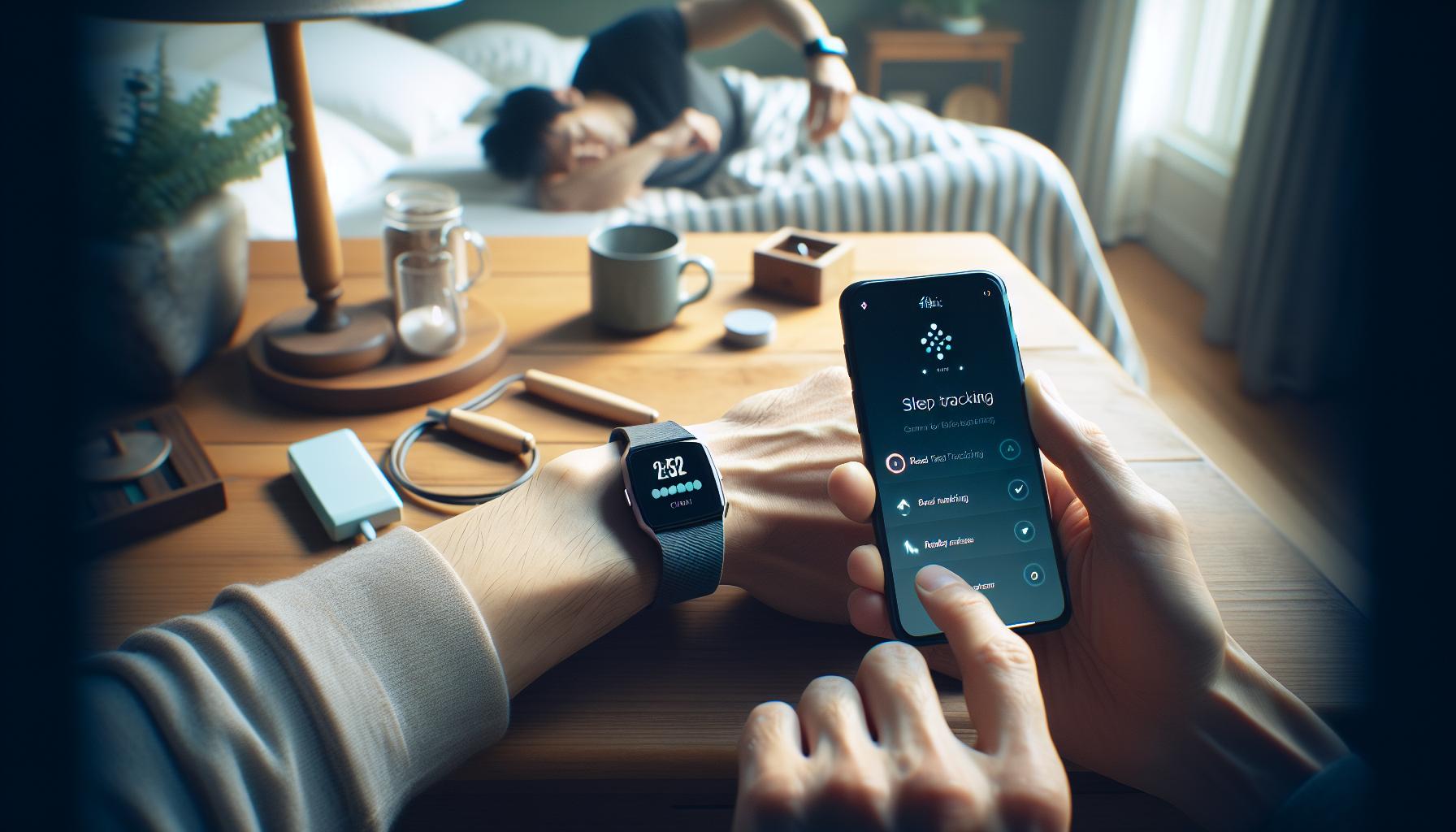
Steps to Restore Sleep Tracking on Your Fitbit
If you’re finding that your Fitbit has suddenly stopped tracking your sleep, it can be a frustrating experience, especially when you rely on it for monitoring your health. Fortunately, there are several steps you can take to restore its sleep tracking capabilities and ensure that you’re accurately capturing your nightly rest.
Start by checking the fit of your device. A well-fitted Fitbit is crucial for accurate tracking, as the sensors need to be in close contact with your skin. Make sure your device is snug but not overly tight. It should not shift around your wrist as you move during the night. If you’ve recently changed the wrist you wear it on, consider switching back to your original wrist to see if it makes a difference.
Next, take a moment to review your battery level. A low battery can inhibit your Fitbit’s functionality and may prevent it from tracking sleep properly. Always charge your device before bed to ensure that it has enough power for the night. Likewise, look into your environment: excessive noise or light can also hinder sleep tracking. Ensure your bedroom is conducive to sleep; a dark, quiet environment will enhance not only your sleep quality but also how well your Fitbit can monitor it.
Software issues can also impact your device’s performance. Regular updates are essential for incorporating enhancements and fixing bugs. If you haven’t updated your Fitbit in a while, check for any available firmware updates through the Fitbit app. If problems persist after updating, try restarting your device. This simple step can resolve various minor glitches that may be affecting your tracking capabilities.
Lastly, if sleep tracking continues to be erratic, consider resetting your Fitbit. A factory reset can often clear up persistent issues that various troubleshooting methods may not resolve. Just be aware that you will lose any unsynced data, so it’s wise to sync your device before proceeding.
By meticulously checking the fit, keeping it charged, maintaining a healthy sleep environment, ensuring software is updated, and potentially resetting your device, you can effectively troubleshoot your Fitbit’s sleep tracking issues and get back to monitoring your sleep health accurately.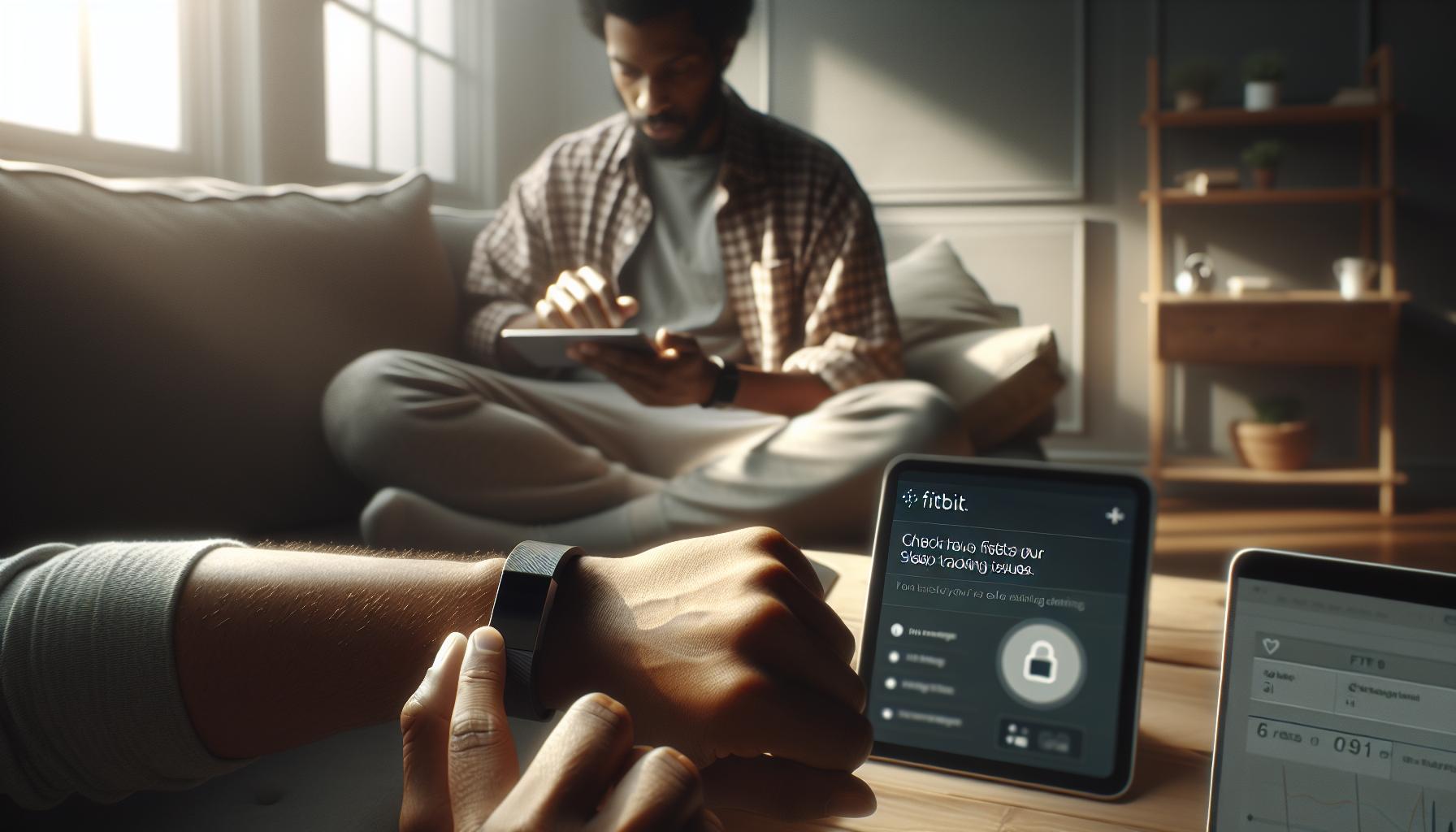
Checking Your Fitbit Settings for Sleep Tracking Issues
If your Fitbit has stopped capturing your sleep data, it’s essential to check your device settings, as this can often be the root of the problem. Many users overlook the importance of the settings, which directly control whether or not sleep tracking is enabled. First, navigate to the Fitbit app on your smartphone. Ensure that you have authorized the app to access your device’s sensors for sleep tracking. Look for an option that specifically governs sleep settings; sometimes, these can be turned off accidentally, particularly during updates or changes to the app.
Another critical aspect to consider is the “Sleep Tracking” feature itself. In the app, go to your profile, select your device, and check the settings for sleep tracking. Ensure that it’s activated. This can be an easy fix, but you’ll be surprised how often it resolves issues. If you’re using a model that allows for automatic sleep detection, verify that it’s set to automatically start monitoring when you go to bed and stop when you wake up. If you find that the option is disabled, simply toggle it back on.
Privacy and Permissions
The permissions granted to the Fitbit app can also influence its ability to track sleep effectively. It’s worth taking a moment to ensure the app is permitted to monitor your activity. On both iOS and Android devices, make sure that background activity is allowed, which ensures the app can run even when not actively in use. This is crucial for seamless tracking of your sleep patterns.
Personalization Options
Keep in mind that your sleep schedule in the app can also affect tracking accuracy. Set a regular bedtime and wake time in your profile to give your Fitbit a deeper understanding of your sleeping habits. This personalized data helps the device fine-tune its algorithms, allowing for more precise sleep classifications. Fitbits use historical data to improve tracking; the more consistent you are, the better your device will perform.
In summary, a quick trip through your settings may uncover simple adjustments that can get your sleep tracking back on track. From enabling sleep tracking to confirming app permissions, these small changes can have a significant effect on how well your Fitbit monitors your sleep. With just a bit of troubleshooting, you can empower your device to work as an effective tool for gauging your health and sleep quality.
Updating Your Fitbit Firmware for Optimal Performance
Keeping your Fitbit firmware up-to-date is vital for ensuring optimal performance, especially when it comes to sleep tracking. Just like any piece of technology, your device has software that requires updates to fix bugs, improve functions, and enhance compatibility with other devices and apps. An updated firmware can significantly impact how accurately your Fitbit records your sleep patterns, making the difference between clear insights into your sleep health or missed data.
To check and update your Fitbit firmware, start by ensuring your device is connected to the Fitbit app on your smartphone. Open the app and navigate to your profile by tapping on your profile picture in the top left corner. From there, select your device-this will prompt the app to check if there are any available updates. If updates are pending, you’ll see the option to begin the update process. Make sure your Fitbit is charged and remain nearby during the update, as a stable connection is critical to avoid any interruptions.
Updating your firmware is usually a straightforward process, but it’s essential to remember a few practical tips to avoid potential pitfalls. First, ensure your smartphone is connected to Wi-Fi to facilitate faster downloading. Additionally, avoid using your Fitbit until the update is fully complete; this ensures your device does not reset halfway through, which could lead to further issues with tracking. After the update, restart your device to enable all new features effectively.
One example of the importance of firmware updates comes from users who experienced issues with sleep tracking after major app updates. Many realized that a simple firmware update restored their device’s functionality, allowing their Fitbit to accurately record sleep stages like REM and deep sleep once more. Keeping your firmware updated not only ensures your device is working effectively but can also enhance the life of the battery, leading to better overall performance in tracking your health metrics.
In summary, regular firmware updates are essential for maintaining your Fitbit’s ability to track your sleep accurately. By routinely checking for updates and following the steps to keep your device current, you empower your Fitbit to deliver the most accurate data possible, supporting your journey to better sleep health.
How to Reset Your Fitbit to Fix Sleep Tracking
If your Fitbit has suddenly stopped tracking your sleep, a simple reset can often restore its functionality. Rest assured, resetting your device is typically an easy process that can resolve many tracking issues without requiring you to delve into complex troubleshooting steps. Whether your device is misbehaving after an update, or possibly just needs a fresh start, it’s a crucial step to consider before you seek external help.
To reset your Fitbit, the method can vary slightly depending on the model you own. Here’s a general guide that will help you through the process:
Steps to Reset Your Fitbit
- For Fitbit Charge Series: Press and hold the button on your device for about 5 seconds until you see the Fitbit logo. Release the button and wait for the device to reboot.
- For Fitbit Versa and Sense: Press and hold both the back (left) and bottom buttons (right) until you see the Fitbit logo, then release the buttons.
- For Fitbit Inspire and Ace Series: Connect your device to its charging cable and press the button on the side for about 5 seconds. The screen will show a smile icon indicating a successful reset.
After the reset, it’s imperative to check if your Fitbit is reconnecting properly to the app on your smartphone. This can often resolve lingering sync issues that might affect sleep tracking data. If your reset doesn’t appear to improve sleep tracking, ensure that you have your settings configured correctly for sleep mode within the Fitbit app. Sometimes a reset alone may not address underlying problems related to your settings or your sleep environment.
It’s also important to remember that resetting your Fitbit doesn’t delete any of your stored data, including past sleep metrics. However, should you experience ongoing sleep tracking problems, it may be beneficial to consider factors such as device firmware updates, your sleep environment, and how snugly your device fits on your wrist during sleep. After taking these steps, many users report a noticeable improvement in their accuracy and insights gained from their Fitbit’s sleep tracking capabilities.
Identifying Device Limitations Affecting Sleep Tracking
Certain limitations intrinsic to your Fitbit device may significantly impact its ability to track your sleep accurately. Recognizing these constraints can provide clarity and help you make informed decisions about adjusting usage or exploring alternatives. For instance, many users may not realize that the accuracy of sleep tracking is often influenced by how the device fits on your wrist. If it’s too loose, the sensors may not reliably detect your movements throughout the night, which can lead to a misinterpretation of your sleep stages.
Additionally, battery life plays a critical role in your device’s performance. If your Fitbit is running low on battery, it may not be equipped to record all the data needed for effective sleep analysis. Regular charging and maintaining a battery level above 40% can help mitigate this issue. It’s also essential to consider the software side; if you haven’t updated your Fitbit’s firmware recently, bugs or outdated algorithms might compromise sleep tracking capabilities. Check for updates through the app periodically to ensure your device operates at its best.
Moreover, while Fitbits are impressively equipped for tracking general sleep patterns, they may not excel in differentiating between sleep stages as sophisticated sleep studies do. Devices may struggle to recognize nuances in sleep such as REM cycles compared to polysomnography, the gold standard in sleep measurement. This means that while your Fitbit can give you an overview of your sleep quality, it’s important not to depend on it fully for in-depth insights.
Finally, environmental factors should not be overlooked. Noise, light, and even room temperature can impact sleep quality, affecting how your Fitbit interprets your sleep duration and efficiency. If you find that consistent elements in your environment disrupt your sleep, it could lead to confusion in the data your device collects. Addressing these aspects-whether through better sleep hygiene practices or any necessary adjustments to your physical space-could enhance the overall accuracy of your sleep tracking experience.
The Role of Sleep Environment in Accurate Tracking
Creating an optimal sleep environment is crucial for not only your overall well-being but also for ensuring that your Fitbit accurately tracks your sleep patterns. Did you know that factors such as noise levels, light exposure, and room temperature can influence the effectiveness of your sleep tracking? A restful environment can enhance sleep quality, which in turn, supports your Fitbit’s ability to collect meaningful data.
To enhance the accuracy of your sleep tracking, consider these environmental adjustments:
- Minimize Noise: Excessive noise from traffic, household appliances, or even snoring partners can disrupt your sleep cycles. Using white noise machines, earplugs, or soundproofing your room can create a more peaceful setting.
- Control Light Exposure: Light, especially blue light from screens, can hinder melatonin production and disrupt sleep. Opt for blackout curtains to eliminate outside light sources and consider using dim lighting in the hours leading up to bedtime.
- Maintain Ideal Temperature: The ideal sleep temperature is typically between 60 to 67 degrees Fahrenheit (15 to 19 degrees Celsius). A too-warm or too-cold room can prevent you from achieving deep sleep stages. Adjust your thermostat or use fans or heaters as needed.
Moreover, consistent sleep schedules significantly contribute to your sleep quality. Going to sleep and waking at the same time every day can help regulate your body’s internal clock, enhancing your Fitbit’s tracking accuracy. When the environment is conducive to sleep, your device can better determine the differences between various sleep stages and overall sleep quality.
Remember, while your Fitbit is an impressive tool, it’s best utilized in conjunction with good sleep hygiene practices. By addressing the factors affecting your sleep environment and establishing a routine, you empower your device to deliver the most accurate insights into your nightly rest, avoiding frustration over misplaced data.
Comparing Fitbit to Other Sleep Trackers
When it comes to tracking sleep, Fitbit has become one of the most popular choices. However, it’s essential to understand how it stacks up against other sleep tracking devices on the market. While Fitbit offers a versatile platform that combines fitness tracking with sleep data, you might find that other devices have specific features that better meet your needs. Let’s delve into how Fitbit compares to some of its key competitors.
Overview of Competitors
Many brands are vying for your attention in the sleep tracking space, such as Oura, WHOOP, and advanced smartwatches like the Apple Watch. Each of these devices provides different approaches to monitoring sleep, which can affect your selection based on personal preferences and health goals.
- Oura Ring: This sleek ring is designed specifically for tracking sleep and recovery. Its advanced sensors provide detailed data on sleep stages, heart rate variability, and body temperature. One significant advantage of the Oura Ring is its long battery life, lasting up to a week on a single charge, and its focus solely on health monitoring, which some users find more appealing than a bulkier watch.
- WHOOP Strap: Known for its subscription model, WHOOP provides in-depth analytics on sleep, strain, and recovery. This is particularly appealing to athletes or individuals who want to optimize their performance based on rest. The WHOOP Strap excels in offering data on sleep debt and recovery based on recent workouts, but the ongoing subscription cost may deter some users.
- Apple Watch: If you’re already integrated into the Apple ecosystem, the Apple Watch may be the best fit. It combines sleep tracking with a robust range of fitness features, including heart rate monitoring, ECG functionality, and more. However, its sleep tracking capabilities aren’t as advanced as the dedicated sleep trackers and may require third-party apps for deeper insights.
Feature Comparisons
Comparing features between Fitbit and its competitors can help you narrow down your choices. Below is a quick summary of key features:
| Feature | Fitbit | Oura Ring | WHOOP Strap | Apple Watch |
|---|---|---|---|---|
| Sleep Stage Tracking | Yes, with Sleep Score | Yes, in-depth analysis | Yes, with sleep coach | Basic tracking only |
| Heart Rate Monitoring | Yes | Yes | Yes | Yes |
| Battery Life | 5-7 days | 7 days+ | 5 days | 1-2 days |
| Subscription Required | No | No | Yes | No |
As you can see, Fitbit provides solid sleep tracking capabilities without a subscription fee, making it an attractive choice for those seeking functionality without ongoing costs. However, if you’re looking for highly specialized metrics or integration with high-performance training regimens, exploring alternatives like Oura or WHOOP could be beneficial.
Ultimately, the choice comes down to your specific needs and preferences. If your concerns primarily revolve around optimizing sleep and recovery, other trackers offer features Fitbit may not match. Conversely, if you prefer a more all-around fitness tracker with sleep capabilities, sticking with Fitbit might be your best option.
User Experiences: Troubleshooting Sleep Tracking
In the quest for perfect sleep tracking, users often encounter frustrating issues that can leave them puzzled. If you find that your Fitbit has mysteriously stopped tracking your sleep, you’re not alone. Many users report similar concerns, and thankfully, there are actionable steps you can take to troubleshoot and restore sleep tracking functionality.
To start, ensure that your device is worn correctly. Fitbits should be snug but comfortable on your wrist to accurately detect movements and heart rate. If you’ve recently changed your watchband or adjusted how you wear your device, this could be the culprit. Next, check your Fitbit app settings. The sleep mode might have been inadvertently disabled. Navigate to your app, and confirm that all necessary permissions for sleep tracking are enabled.
Another area to consider is the firmware version of your Fitbit. Sometimes, outdated software can impact functionality. Ensure your device is updated by following the prompts in the app. If updating does not solve the issue, resetting your Fitbit may help refresh its systems. Remember that this won’t erase any data, but it’s a step worth taking when troubleshooting persistent issues. A detailed, clear guide on how to reset your specific model can usually be found on the Fitbit support website or directly within the app.
Lastly, it’s helpful to recognize that external factors like sleep environment and lifestyle changes can also influence your sleep tracking. For example, disruptions in sleep patterns, like traveling or new routines, might affect how accurately the Fitbit assesses your rest. Maintaining consistent sleep habits can greatly enhance tracking efficacy. If problems persist after trying these solutions, consider seeking advice from Fitbit support or forums where users share experiences and solutions, as community insights can also provide valuable troubleshooting tips.
Expert Tips for Maximizing Sleep Tracking Accuracy
To achieve the most accurate sleep tracking with your Fitbit, it’s essential to set the stage for success. Start by emphasizing the importance of wearing your device correctly. A properly fitted Fitbit should be snug but not too tight on your wrist; if it shifts around, it may not effectively capture your movements or heart rate changes during sleep. Additionally, ensure that your device is clean, as dirt or oils on the sensor can interfere with its ability to collect data accurately.
Your sleep tracking accuracy can also be significantly impacted by consistent habits. Aim to go to bed and wake up at the same time each day, including weekends. This regular schedule helps regulate your body’s internal clock, allowing the Fitbit to recognize patterns in your sleep cycles more effectively. Moreover, consider limiting your screen time before bed to reduce blue light exposure, which can disrupt your natural sleep-wake cycle.
Another factor to pay attention to is the sleep environment itself. Create a peaceful sleeping area-dim the lights, keep the room cool, and minimize noise. Dark curtains, white noise machines, or earplugs can enhance your sleeping conditions, enabling your Fitbit to track your sleep more accurately. Also, keep in mind that certain lifestyle choices, such as consuming caffeine or alcohol before bedtime, can negatively impact sleep quality and, consequently, tracking accuracy.
Regularly Update and Engage
Don’t forget to routinely check for firmware updates via the Fitbit app, as manufacturers continuously improve algorithms to enhance tracking performance. Participation in community forums can be a valuable resource; users often share fresh insights or tips that could aid in troubleshooting your specific issues. Engaging in these discussions can empower you by providing tried-and-true methods from others who have faced similar obstacles in sleep tracking.
By taking these proactive steps, you’ll maximize your Fitbit’s ability to provide accurate sleep data, ultimately leading to more informed health choices based on your sleep patterns.
When to Consider Professional Sleep Studies vs. Trackers
Your Fitbit can be a helpful tool in monitoring your sleep patterns, but it’s essential to recognize when its data might not suffice for understanding sleep issues. If you’re experiencing ongoing fatigue, frequently waking during the night, or have noticed significant changes in your sleep patterns, it might be time to consider professional sleep studies.
Compared to wearable trackers, professional sleep studies offer a comprehensive analysis of your sleep behavior. Typically conducted in specialized sleep centers, these studies – known as polysomnography – monitor vital signs, brain activity, and other physiological metrics while you sleep. Here are some indicators that suggest a professional evaluation may be necessary:
- Persistent Sleep Issues: If you’ve tried improving your sleep habits but still struggle with insomnia, excessive daytime sleepiness, or sleep apnea symptoms (snoring, gasping for air), a sleep study may provide insights that your Fitbit cannot.
- Sleep Disorders: Conditions such as narcolepsy and restless leg syndrome often require in-depth diagnosis and monitoring that only a sleep study can facilitate.
- Complex Health Conditions: Individuals with underlying health issues (like heart disease or obesity) might experience disrupted sleep, necessitating professional intervention to address both sleep and health concerns holistically.
While wearables like Fitbit provide a useful baseline for many users, they can miss critical data points, especially concerning sleep disorders. Professional studies can identify specific stages of sleep and detect disturbances that devices may mistakenly attribute to natural variations in sleep cycles.
When considering whether to undergo a sleep study, it’s vital to weigh the costs and what to expect. Generally, sleep studies can range from a few hundred to a couple of thousand dollars, depending on the location and type of study. Many insurance plans cover these studies if they are deemed medically necessary, which can alleviate some financial concerns. Be prepared for a thorough assessment of your sleep habits and an overnight stay in a sleep clinic, which might initially seem daunting.
In summary, while Fitbit and similar devices can be excellent for routine monitoring, they have limitations. If you encounter ongoing sleep problems that significantly affect your daily life, consulting a healthcare professional about a sleep study may provide the clarity and solutions you need for a restful night’s sleep.
Frequently Asked Questions
markdown
Q: Why has my Fitbit suddenly stopped tracking my sleep?
A: Your Fitbit may stop tracking sleep due to various reasons such as firmware issues, invalid settings, or battery problems. Ensure your device is charged, that sleep tracking is enabled in the settings, and check for any available firmware updates to restore functionality.

Q: How can I check if my Fitbit is set up correctly for sleep tracking?
A: To verify your Fitbit's sleep tracking settings, go to the Fitbit app, select your device, and check the sleep settings. Ensure that options like "Sleep Tracking" are enabled and configured according to your preferences for optimal automatic tracking.

Q: Does my Fitbit need to be worn in a specific way for sleep tracking?
A: Yes, for accurate sleep tracking, you should wear your Fitbit overnight on your non-dominant wrist, ensuring it fits snugly but comfortably. This position helps the device to monitor your movements and heart rate effectively while you sleep.

Q: What should I do if my Fitbit needs a firmware update?
A: If a firmware update is necessary, connect your Fitbit to the Fitbit app on your smartphone, and follow the prompts. Firmware updates often enhance tracking features, so keep your app updated to ensure your device performs optimally.

Q: Can environmental factors affect my Fitbit's sleep tracking?
A: Yes, environmental conditions can impact sleep tracking accuracy. Factors like room temperature, noise levels, and light exposure can interfere. Ensure a comfortable sleep environment to enhance your Fitbit's ability to track sleep correctly.

Q: What are some troubleshooting steps for restoring sleep tracking on my Fitbit?
A: To troubleshoot sleep tracking, start by checking the app settings, ensuring your device is charged, and updating firmware. If problems persist, consider resetting your Fitbit, which can often clear up tracking issues.

Q: How do I reset my Fitbit to fix sleep tracking issues?
A: To reset your Fitbit, go to the device settings within the associated app. For most models, press and hold the button until you see the Fitbit logo. This can help resolve persistent sleep tracking inaccuracies and glitches.

Q: When should I consider a professional sleep study over using my Fitbit?
A: If you suspect serious sleep issues like insomnia, sleep apnea, or other disorders, consider a professional sleep study. Unlike fitness trackers, sleep labs offer comprehensive evaluations, helping to diagnose underlying conditions that wearables might miss.
In Summary
If your Fitbit isn’t tracking your sleep, don’t let it derail your wellness journey. By understanding key troubleshooting steps and potential solutions, you can restore your device’s functionality and enhance your sleep health. Whether it’s adjusting settings or exploring alternative sleep tracking options, taking action today can lead to better nights and refreshed mornings.
Discover more about optimizing your sleep technology in our articles on setting up your sleep tracker and understanding common sleep disorders. Have questions or tips to share? We invite you to leave a comment or share your experience. Remember, empowered sleep is just a click away-explore our resources to make informed decisions and improve your sleep quality today!
Get our latest guides, news, and insights highlighted in your Google Search & AI Overviews.