
Did you know that many adults struggle with getting enough quality sleep each night? Thankfully, with the Apple Watch, tracking your sleep has never been easier. In just a few seconds, you can activate sleep tracking, enabling you to gain valuable insights into your sleep patterns and improve your nightly rest. Understanding your sleep stages-like REM and deep sleep-can empower you to make better lifestyle choices, ultimately leading to enhanced well-being. Whether you’re looking to enhance your performance, manage stress, or simply feel more rested, setting up this feature is straightforward and transformative. Ready to unlock the secrets of your sleep with just a few taps? Let’s dive into how to turn on sleep tracking on your Apple Watch in seconds!
How Sleep Tracking Works on Apple Watch
To understand how sleep tracking works on the Apple Watch, it’s essential to know that it leverages a combination of advanced sensors and algorithms designed to monitor your sleep patterns throughout the night. The Apple Watch is equipped with features that allow it to measure heart rate, movement, and more. Using these inputs, the device can distinguish between different sleep stages-such as light sleep, deep sleep, and REM sleep.
When you wear your Apple Watch while you sleep, it primarily relies on its accelerometer to detect movement. If you’re active in your sleep-changing positions or tossing and turning-the watch notes this to provide a clearer picture of your sleep quality. Additionally, the watch collects heart rate data, which is crucial for understanding your overall sleep patterns and health. Over time, it builds a detailed profile of your sleep habits, helping you identify trends and areas for improvement.
To activate sleep tracking, you can use the Sleep app on your Apple Watch or your iPhone. Simply set your desired sleep schedule, and the watch will automatically track your sleep each night, making it nearly effortless to monitor your rest without disrupting your bedtime routine. This feature not only helps in tracking how long you sleep but also gives insights into the quality of that sleep, enabling you to make informed decisions about your rest.
For many users, this level of insight can be empowering. By regularly checking your sleep data in the Health app on your iPhone, you can uncover patterns related to your lifestyle, such as how caffeine consumption or late-night screen time impacts your rest. Understanding these connections can motivate you to implement changes that lead to better sleep hygiene and overall well-being.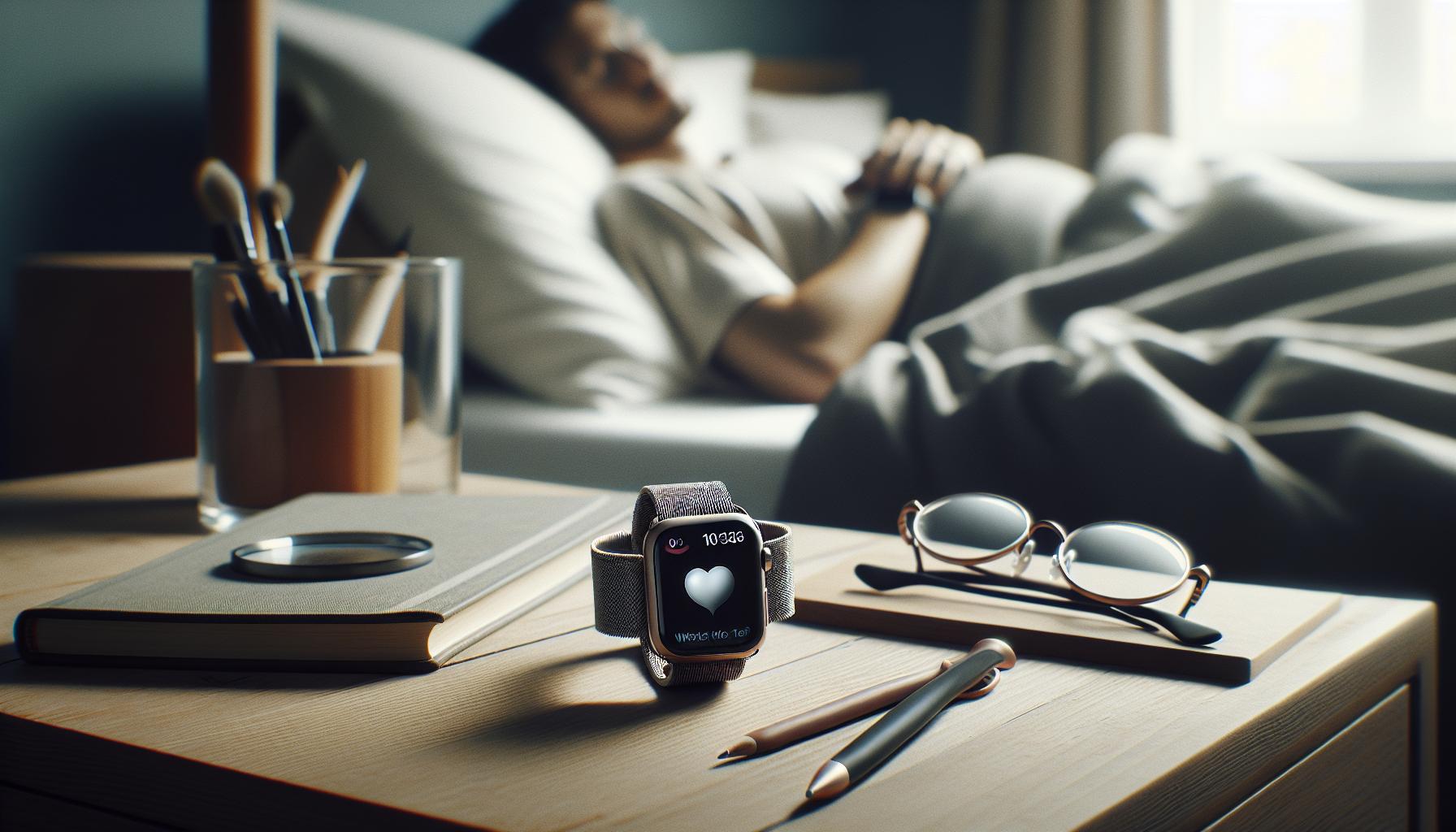
The Benefits of Using Sleep Tracking
Tracking sleep with your Apple Watch isn’t just a trendy feature; it can be a pivotal aspect of maintaining and improving your overall health. Research indicates that quality sleep is essential for cognitive function, emotional stability, and physical health. By using sleep tracking, you gain personalized insights into your unique sleep patterns and the factors that influence them, empowering you to make more informed decisions about your rest.
Utilizing the sleep tracking capabilities of your Apple Watch can provide several key benefits:
- Increased Awareness: Monitoring your sleep allows you to identify patterns and disturbances in your rest. Are you waking frequently during the night? Is your sleep duration shorter on weekdays than on weekends? Recognizing these trends can prompt you to make necessary changes.
- Improved Sleep Hygiene: With data at your fingertips, you can correlate your habits-like caffeine intake or screen time before bed-with your sleep quality. For instance, if you notice a consistent disruption when you consume caffeine in the afternoon, you might choose to limit it.
- Enhanced Sleep Goals: The Apple Watch can help establish and maintain sleep schedules tailored to your needs. Setting a consistent bedtime and wake time can improve overall sleep quality, making it easier to meet your sleep goals.
- Health Monitoring: Sleep is an integral part of overall health. By analyzing your sleep data, you can gain insights into your heart rate and activity levels, which are critical in assessing your wellness. This comprehensive view helps you proactively manage your health.
Sleep tracking on the Apple Watch is particularly useful for those who experience sleep issues or are looking to optimize their rest. By understanding and addressing factors affecting your sleep, you become more equipped to enhance your sleep quality and, in turn, your daily life. This level of insight can make a significant difference, turning sleep into an ally in your health journey rather than a mere afterthought.
Setting Up Sleep Tracking in Seconds
To get started with sleep tracking on your Apple Watch, you’ll find it’s remarkably straightforward-just a few taps and you’re ready to go. The Apple Watch’s Sleep app allows you to monitor your sleep without any intricate setup. Before you begin, make sure your watch is updated to the latest version of watchOS to access the newest tracking features.
Begin by opening the Health app on your paired iPhone. Navigate to the “Sleep” section, where you can establish your sleep schedule. Here, you can set your desired bedtime and wake-up time, which helps the watch tailor its monitoring to your habits. You can adjust these settings to repeat daily, giving you a consistent nighttime routine. Once you’ve configured your schedule, enable “Track Sleep with Apple Watch” to start collecting data.
Wear your watch to bed, and let it work its magic. The built-in sensors will track how long you sleep and the quality of your rest by estimating time spent in different sleep stages like REM, Core, and Deep. While the watch gathers this data, it pays attention to your movements and heart rate, providing a comprehensive overview of your nightly rest.
Many users wonder if they need to enable special features for optimal tracking. Fortunately, you don’t need to worry about any complicated settings. Just ensure that your watch is snug on your wrist and charged for the night. Your Apple Watch will automatically activate sleep tracking based on your schedule, so you can focus on getting a good night’s rest. If you find yourself waking up frequently during the night or have irregular sleep patterns, the insights gained can help you make informed adjustments for a healthier sleep cycle.
In sum, setting up sleep tracking on your Apple Watch can be done in just a few minutes. Take advantage of this simple yet powerful tool to gain insights into your sleep habits and improve your overall health and well-being.
Understanding Sleep Stages with Your Apple Watch
Understanding how your Apple Watch tracks sleep stages can transform your sleep health journey. The watch utilizes advanced sensors to provide insights into not just how long you sleep but also the quality of that sleep by assessing the stages you go through each night. These stages include Rapid Eye Movement (REM), Core, and Deep sleep, which are vital for different restorative functions in your body.
Key Sleep Stages Explained
- REM Sleep: This stage is crucial for memory consolidation and emotional regulation. During REM sleep, your brain is highly active, akin to when you are awake, which is why it’s often referred to as paradoxical sleep.
- Core Sleep: Also known as light sleep, Core sleep helps with the body’s recovery and restoration. It’s generally where you transition in and out easily and accounts for a significant portion of your sleep cycle.
- Deep Sleep: This is the restorative phase where the body does the heaviest lifting in terms of healing and recovery. During deep sleep, your heart rate and breathing slow down tremendously, allowing for physical restoration.
By wearing your watch throughout the night, it collects data by monitoring your movements and heart rate, estimating how much time you spend in each stage. Most users find that reviewing this data can reveal patterns or disruptions in their sleep cycles, such as frequent awakenings or prolonged periods of sleeplessness. It’s particularly useful for those seeking to improve sleep quality, as it can afford actionable insights into their sleep habits.
While it’s essential to understand your sleep stages, it’s equally important to interpret the data accurately. The Apple Watch does a commendable job, but it’s not a substitute for professional sleep studies. Instead, think of it as a helpful tool that prompts further exploration into your sleep health. As you track your nightly patterns, consider maintaining a sleep journal alongside to correlate your watch data with how you feel each day. This holistic view can empower you to adjust your habits and take actionable steps toward improving your overall sleep quality.
Troubleshooting Common Sleep Tracking Issues
Sleep tracking on the Apple Watch is designed to provide insights into your sleep patterns. However, sometimes users may encounter issues that can affect the accuracy or functionality of this feature. Being proactive in troubleshooting can help you maximize the benefits of your wearable’s sleep tracking capabilities.
Firstly, ensure that your watch is properly fitted. A loose or improperly positioned watch may not accurately detect your heart rate or movements, leading to unreliable sleep data. The sensors perform best when in close contact with your skin on the underside of the watch. If you’re unintentionally moving your wrist during the night, consider adjusting the strap or trying a different wrist to see if it improves tracking.
Next, check your settings. Sleep tracking has to be enabled within the Sleep app on your Apple Watch. You should verify that your watch is updated with the latest software, as Apple frequently introduces enhancements and bug fixes that can resolve existing issues. Navigate to the Settings app, tap on General, then Software Update to ensure everything is current. Another common oversight is forgetting to charge your watch; low battery levels can limit its functionality. Aim to charge your watch for at least a couple of hours during the day or before bedtime.
If all seems in order but you’re still not getting accurate results, consider the environment in which you sleep. Factors like noise, light, and temperature can significantly affect your sleep quality and how well the watch captures your sleep stages. Blackout curtains, white noise machines, or a sleep mask can help create a more conducive sleeping environment.
Lastly, remember that while the Apple Watch is a powerful tool for tracking sleep, it isn’t definitive. If your sleep data appears inconsistent or you feel persistent sleep issues, don’t hesitate to consult with a healthcare professional for deeper insights or consider using complementary sleep tracking apps for a broader analysis. By understanding and addressing these common issues, you’ll be on the right path to utilizing your Apple Watch as an effective aid in improving your sleep quality.
Comparing Sleep Data: Apple Watch vs. Other Devices
The Apple Watch has revolutionized the way we approach sleep tracking, but how does it stack up against other devices on the market? Understanding the differences can help you make an informed choice about which sleep tracking solution is right for you.
Apple Watch utilizes its built-in sensors to estimate sleep duration and offer insights into sleep stages including REM, Core, and Deep sleep. This integration with the Apple ecosystem, particularly the Health app, provides a seamless experience for users who are already invested in Apple’s technology. However, while it offers valuable data, some users might find the insights relatively basic compared to specialized devices.
For instance, specialized sleep trackers like the Oura Ring or Whoop Strap give deeper insights into your sleep patterns by also tracking metrics like heart rate variability (HRV) and body temperature fluctuations. Such devices often come equipped with advanced algorithms that can provide personalized sleep recommendations based on your unique sleep profile. Additionally, sleep monitoring apps designed for smartphones may combine your data with wellness programs and lifestyle recommendations, offering a more holistic approach to improving sleep quality.
Considerations for Choosing Your Sleep Tracking Device
When weighing your options, consider the following factors:
- Detail of Data: If you’re serious about understanding your sleep, opt for a device that provides extensive metrics and actionable insights.
- Comfort: Assess how comfortable the device is to wear overnight-especially relevant for rings or trackers versus wrist-worn devices.
- Integration: How well does the device sync with your existing health apps? Seamless integration can enhance your tracking experience.
- Price Point: Specialized sleep devices often come at a higher cost, so evaluate your budget and whether you need the extra features.
In summary, while the Apple Watch offers a solid foundation for casual sleep tracking, those looking for more detailed insights may find value in exploring other dedicated sleep monitoring devices. Understanding your preferences and needs will guide you in choosing the right technology to support your sleep health journey.
Maximizing Sleep Tracking Features on Your Apple Watch
The Apple Watch has become a powerful tool for those looking to enhance their sleep tracking experience. Maximizing the sleep tracking features on your device can help you gain valuable insights into your rest and recovery patterns, ultimately leading to improved sleep quality. To fully leverage these features, there are a few effective steps and strategies you can adopt.
First and foremost, make sure that your sleep tracking feature is activated and set up properly. Open the Watch app on your iPhone and navigate to the Sleep section. Here, you can set your desired sleep schedule, including bedtime and wake-up time, ensuring that your watch is primed to track your sleep accurately. Don’t forget to enable Sleep Focus; this mode minimizes distractions during your set sleep window and is essential for the watch to record sleep data effectively. The more consistent you are with your sleep schedule, the better the watch can understand your patterns and routines.
Understanding your sleep stages is another crucial component. The Apple Watch tracks REM, Core, and Deep sleep stages, which can inform you about the quality of your sleep. After awakening, take a moment to analyze the sleep data in the Health app. This can provide insights into how much time you spent in each stage, allowing you to adjust habits as needed. For instance, if you find you’re not achieving adequate deep sleep, consider adjusting your bedtime or incorporating relaxation techniques before sleep.
To further enhance your tracking experience, consider integrating other health metrics. The Apple Watch offers heart rate monitoring and even mindfulness activities; both can contribute to a deeper understanding of your overall well-being. Establishing a nightly routine that includes winding down-whether through reading, stretching, or meditation-can positively affect your sleep quality. Pairing these habits with your watch’s insights can offer a holistic approach to improving your sleep.
Lastly, remember that maintaining your Apple Watch’s software is essential for optimal performance. Regular updates ensure you have the latest features and improvements, particularly those related to health tracking. Moreover, if you encounter any technical issues, consult the troubleshooting resources available in the Apple support documentation or within community forums.
By capitalizing on these features and insights, you can foster a more restorative nightly rest, improve your health, and ultimately achieve a greater understanding of your sleep cycles through Apple Watch’s comprehensive tracking capabilities.
Integrating Sleep Tracking with Your Health Journey
Incorporating sleep tracking into your overall health journey can unlock significant insights that contribute not only to better sleep but also to enhanced wellness. Sleep is a vital pillar of health, affecting mood, cognition, and physical health. By harnessing the capabilities of your Apple Watch, you can collect and analyze valuable sleep data to inform a more holistic lifestyle approach.
Using the Apple Watch, you’ll want to analyze your sleep data regularly. This analysis can help you identify patterns and potential sleep disruptions. For instance, if you notice that certain habits-like excessive screen time before bed or irregular sleep hours-are consistently correlated with poor sleep quality, you can make informed adjustments to your routines. Pairing insights from the Sleep app with mindfulness practices or even dietary changes can significantly impact how you feel during the day.
Integrating sleep tracking with other health metrics gathered from your Apple Watch can also deepen your understanding of your overall wellness. The Apple Watch tracks heart rate, activity levels, and even mindfulness minutes, allowing you to connect the dots between these areas. For example, if you engage in regular physical activity, track how it correlates with your sleep stages. You might find that days with intense workouts lead to deeper sleep, reinforcing the importance of physical activity for quality rest.
Lastly, be mindful of the potential limitations of wearables. While the Apple Watch provides great insights into general trends and patterns, it’s not a substitute for professional medical advice. If you experience persistent sleep issues, consider consulting a healthcare professional who may recommend further assessments or sleep studies. This combination of smart tech and professional guidance can be a powerful strategy for optimizing your sleep and overall health journey.
Using Sleep Tracking Data to Improve Sleep Quality
Improving sleep quality doesn’t have to be a complex journey, especially with the data you can gather from your Apple Watch. By utilizing the insights provided by the sleep tracking feature, you can make informed decisions that enhance your nighttime rest. For instance, your Apple Watch records sleep duration and cycles, giving you clarity on how much time you spend in different sleep stages-like REM, Core, and Deep sleep-which are crucial for recovery and cognitive function.
By regularly reviewing this data, you can identify specific factors affecting your sleep quality. For example, if you notice a pattern of poorer sleep after consuming caffeine late in the day or during nights filled with screen time, these are actionable insights you can address. Consider creating a sleep routine that eliminates these hindrances:
- Avoid caffeine in the afternoon.
- Set a nightly cutoff for screens.
- Establish a relaxing pre-sleep routine such as reading or meditating.
This approach doesn’t just rely on trial and error; it uses the actual metrics recorded by your watch to tailor your adjustments.
To take full advantage of your sleep data, integrate it with other health metrics tracked by Apple Watch, like heart rate and physical activity levels. Patterns might emerge suggesting that days with higher exercise correlate with deeper sleep stages. These insights can motivate you to maintain an active lifestyle, knowing that it pays dividends in your sleep quality. It can also be helpful to set specific sleep goals in the Health app, so you’re motivated to stick to a routine tailored to your findings.
Remember, while the Apple Watch is a powerful tool for monitoring sleep, it isn’t a replacement for professional medical advice. If your sleep concerns persist, consider discussing them with a healthcare professional, who can provide more personalized recommendations or suggest a sleep study. The combination of wearable technology and professional guidance creates a comprehensive approach to improving your sleep quality, making it easier to achieve restful nights and productive days.
Exploring Additional Sleep Monitoring Apps
Sleep tracking can be enhanced significantly through additional apps that provide a wider range of features, metrics, and insights than what the Apple Watch offers out of the box. Many users are surprised to learn that while the built-in Sleep app offers essential tracking, several third-party applications can help delve deeper into your sleep patterns, making them invaluable for anyone looking to optimize their nighttime routine.
One such app is AutoSleep, known for its in-depth analysis and metrics that go beyond just time spent asleep. It provides information on sleep quality, deep sleep, and even your heart rate during sleep. After a one-time purchase, you can unlock all features without worrying about a subscription. Another popular choice is Pillow, which stands out for its smart alarm feature, allowing you to wake up during your lightest sleep stage, helping you feel more refreshed and alert in the morning. Both apps seamlessly integrate with the Apple Health app, ensuring your data is centralized and easy to access.
To set up an additional app like AutoSleep, simply download the app from the App Store, grant it permission to access health data, and let it sync with your Apple Watch. Most apps require minimal setup, and some even automatically track your sleep as long as the watch is on your wrist. If you’re more into advanced sleep analytics, consider Sleep Cycle, which uses sophisticated algorithms to analyze your sleep patterns, letting you set goals and track improvements over time.
When exploring these apps, keep in mind that the effectiveness of sleep tracking depends on several factors, including how you wear your watch during sleep and your personal sleep habits. While these apps can provide valuable insights, they should complement a larger understanding of sleep hygiene rather than replace it. If you find persistent sleep issues, consider coupling your app data with advice from a healthcare professional to gain a well-rounded perspective on improving your sleep quality.
When to Consider Professional Sleep Studies
If you find yourself persistently struggling with sleep, it may be time to consider a professional sleep study. These studies are particularly useful for diagnosing sleep disorders such as sleep apnea, insomnia, and narcolepsy. While your Apple Watch can provide valuable insights into your nighttime patterns, it has its limitations. If your wearable tracks frequent awakenings, irregular sleep cycles, or unexplained daytime fatigue, a more in-depth analysis might be warranted.
Professional sleep studies, also known as polysomnography, involve spending the night in a sleep center where trained technicians can monitor a variety of crucial physiological variables. This includes your brain waves, oxygen levels, heart rate, and breathing patterns. Expect a comfortable environment, often with a private room, a bed, and the ability to sleep in your usual pajamas. The cost varies based on your insurance, but it can range from around $600 to over $2,000 if paying out of pocket, depending on the complexity of the study.
Before undergoing a sleep study, consult with a healthcare provider to discuss your symptoms and determine if a study is necessary. You may be asked to maintain a sleep diary, which details your sleep patterns, duration, and quality-this data can supplement the findings of your study. If diagnosed with a sleep disorder, your doctor can then guide you toward effective treatment options, which might include behavioral therapy, lifestyle changes, or medical intervention.
Ultimately, while wearable technology provides a convenient way to track sleep, a professional sleep study offers precise diagnostic capabilities that can lead to tailored solutions for your specific sleep issues. If your tracking data raises red flags or if you continue feeling unrested despite healthy sleep practices, don’t hesitate to explore this option for improved sleep health.
FAQ
Q: How do I enable sleep tracking on my Apple Watch?
A: To enable sleep tracking on your Apple Watch, open the Sleep app, tap on “Full Schedule,” and then toggle on “Sleep Schedule.” Ensure your watchOS is updated, and keep the watch on your wrist while sleeping for accurate tracking. This feature is available on all models from Series 3 onward.
Q: What settings do I need to adjust for effective sleep tracking?
A: For effective sleep tracking, ensure “Sleep Mode” is enabled in the Control Center. Adjust your Sleep Schedule in the Sleep app to set desired sleep times, and toggle on “Track Sleep with Apple Watch” in the Watch app under “Sleep” settings for best results.
Q: Can I customize my sleep tracking settings for different nights?
A: Yes, you can customize sleep tracking settings for different nights. Within the Sleep app, create multiple sleep schedules by tapping “Add Schedule.” This allows you to set varying sleep and wake times for different days of the week.
Q: How can I track my sleep data on my Apple Watch?
A: To track your sleep data, open the Health app on your paired iPhone. Tap on “Sleep,” where you can review your sleep trends, including total time asleep and sleep quality. This data syncs automatically from your Apple Watch, providing insights into your sleep patterns.
Q: What should I do if my Apple Watch isn’t tracking sleep properly?
A: If your Apple Watch isn’t tracking sleep properly, ensure it fits snugly on your wrist, is charged, and that your settings are correctly configured in the Sleep app. Restart both your Apple Watch and iPhone to refresh connections, and check for any software updates.
Q: Can I receive notifications while using sleep tracking?
A: Yes, you can receive notifications during sleep tracking if you enable “Sleep Focus” mode. This setting allows certain notifications to come through while minimizing disturbances. Adjust settings in the Sleep app and under Focus settings for optimal performance.
Q: Does sleep tracking drain my Apple Watch battery?
A: Sleep tracking uses minimal battery life, especially if your Apple Watch is charged adequately beforehand. To conserve battery, consider enabling “Power Saving Mode” during sleep tracking sessions, which limits background activity.
Q: Are there additional apps for advanced sleep tracking features on Apple Watch?
A: Yes, additional apps like AutoSleep and Sleep++, offer enhanced features for sleep tracking. These apps provide in-depth analysis of sleep patterns and allow customization. Visit the App Store on your Apple Watch or iPhone to explore options and download these apps to complement your tracking.
For more tips on using your Apple Watch effectively, check out the section on maximizing sleep tracking features in our main article.
Wrapping Up
Now that you know how to turn on sleep tracking on your Apple Watch in just seconds, it’s time to take control of your sleep health. This simple process can provide valuable insights into your sleeping patterns, helping you identify areas for improvement. Don’t wait-get started tonight and optimize your rest!
For more tips on enhancing your sleep quality, check out our articles on sleep studies, sleep disorders, and wearable technology in the health section. If you have questions or want to share your experience using sleep tracking, leave a comment below-we love hearing from you! Also, consider signing up for our newsletter for the latest updates and expert advice on sleep health.
Remember, understanding your sleep is a key step toward better health. Explore our resources to learn how these insights can lead to actionable steps in improving your sleep routine. Take charge of your nights and wake up revitalized!
Get our latest guides, news, and insights highlighted in your Google Search & AI Overviews.