
If you’re finding that your Fitbit Sense 2 isn’t accurately tracking your sleep, you’re not alone! Many users experience this frustrating issue, which can hinder your understanding of your sleep patterns and overall health. Your Fitbit is designed to help you monitor sleep quality and duration, but various factors might disrupt its tracking capabilities, leaving you puzzled about your rest. This article will explore common reasons behind your device’s sleep tracking failures and provide actionable solutions. By identifying and resolving these issues, you can regain valuable insights into your sleep habits, empowering you to improve your nightly rest and, ultimately, your well-being. Ready to solve the mystery of your sleep tracking woes? Let’s dive in!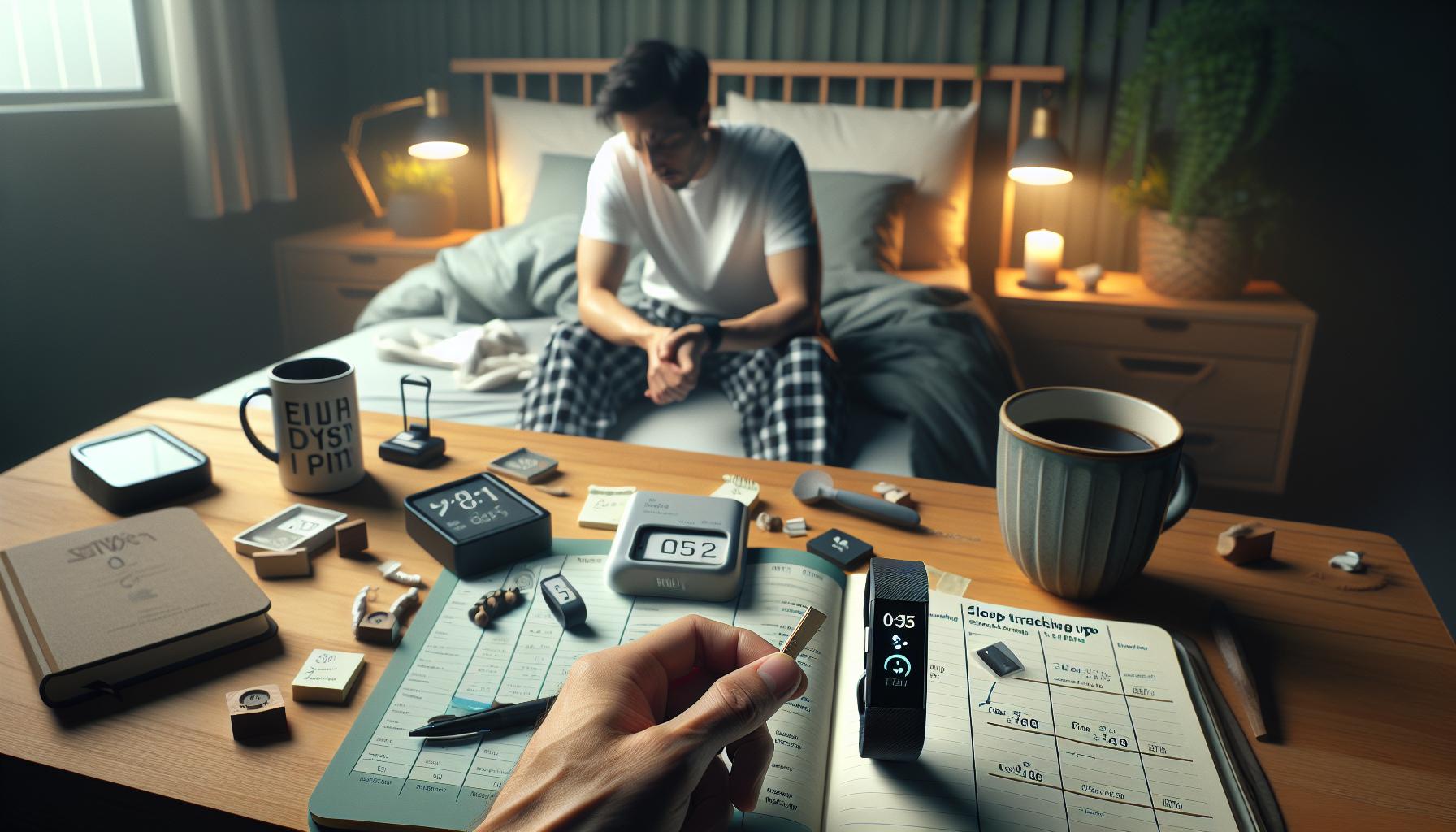
Common Sleep Tracking Issues with Fitbit Sense 2
Sleep is crucial for overall health, but many wearers of the Fitbit Sense 2 encounter issues with sleep tracking that can leave them frustrated. One common problem is the device not registering sleep at all. This could stem from a variety of reasons, including the fit of the device, software issues, or even user settings. When tackling these challenges, it’s essential to understand the key factors that might hinder effective sleep tracking.
One prevalent issue is improper fit or placement of the smartwatch. For the most accurate readings, the device should be worn snugly on the wrist, ensuring that the sensors maintain contact with the skin. If the device is too loose, it may fail to detect subtle movements that indicate sleep stages. Additionally, consider wearing the watch on your non-dominant wrist to optimize tracking performance.
Software glitches and outdated firmware can also lead to inaccurate or missing sleep data. Regularly checking for and updating the device software can resolve many of these glitches. If your Fitbit Sense 2 is misbehaving, performing a factory reset might also help; however, be sure to back up any essential data beforehand.
Environmental factors play a significant role, too. A noisy or brightly lit room can lead to fragmented sleep that may confuse the tracker. Making adjustments to your sleep environment, such as lowering the light and sound levels, could help improve tracking accuracy. Finally, be aware of your lifestyle choices, such as caffeine intake and stress levels, which can affect sleep quality and, consequently, how the Fitbit interprets that sleep.
By addressing these common issues, you can better harness the capabilities of your Fitbit Sense 2 for optimal sleep tracking, leading to more insightful data that can enhance your overall well-being.
Understanding Fitbit Sense 2’s Sleep Tracking Features
The Fitbit Sense 2 is designed to monitor your sleep patterns, offering insights that can help improve your overall sleep quality. At its core, the device employs advanced sensors to track sleep stages, including light, deep, and REM sleep, making it an effective companion for those looking to enhance their sleep health. One notable feature is the ability to provide a Sleep Score based on various metrics, such as your heart rate variability and how restful your sleep was, allowing users to visualize trends over time and adjust their habits accordingly.
To maximize the benefits of the Fitbit Sense 2’s sleep tracking features, it’s essential to take full advantage of its accompanying app. Users can review detailed sleep logs that showcase not only when they were asleep but also how restorative their sleep was. This data is presented in an easy-to-read format, highlighting areas that may need improvement, such as time spent awake or consistent interruptions during the night. Notifications can remind you to wind down for sleep, emphasizing the importance of establishing a bedtime routine that supports deeper rest.
Another great aspect is the integration of the SpO2 (blood oxygen) monitoring feature, which tracks your oxygen levels throughout the night. This can be particularly insightful for understanding how factors like sleep apnea may affect your sleep quality. By regularly checking these metrics, you can make informed decisions about lifestyle changes or consult a healthcare provider if you notice irregular trends.
Yet, even with these sophisticated tools, users may occasionally encounter issues where their Fitbit Sense 2 does not accurately track their sleep. Problems such as device fit, battery life, or even environmental interruptions can affect performance. It’s crucial to ensure that your device is snugly fitted and the firmware is regularly updated, as these factors directly influence accuracy. By taking these proactive steps, you can enhance your sleep tracking experience, empowering you to make smarter choices for better sleep health.
Essential Settings for Optimal Sleep Tracking
To ensure your Fitbit Sense 2 accurately tracks your sleep, it’s crucial to optimize its settings for the best performance. The device can provide you with valuable insights about your sleep stages and overall restfulness, but achieving this starts with a few key adjustments in its settings.
First, enable sleep tracking in the settings menu of the Fitbit app. Make sure that the “Sleep Tracking” toggle is turned on. This feature allows the device to monitor your sleep patterns automatically without requiring manual input, which can sometimes lead to missed data if forgotten.
Next, setting a consistent sleep schedule is vital. Use the app to go to the “Sleep” section and establish your regular bedtime and wake time. By maintaining this schedule, Fitbit can create a more accurate profile of your sleep habits, which helps in generating meaningful insights over time. Moreover, consider turning on the Do Not Disturb mode during your sleep hours. This minimizes notifications and vibrations from your device, which can disrupt your sleep and potentially affect tracking.
Another setting to consider is activating heart rate monitoring during sleep. This feature provides additional data that helps the Fitbit distinguish between different sleep stages, like light, deep, and REM sleep. Make sure your device is fitted snugly on your wrist to ensure accurate heart rate readings; a loose fit can lead to inaccurate data collection.
Lastly, regular firmware updates are essential. Keep your Fitbit Sense 2 updated through the Fitbit app to ensure it has the latest improvements and bug fixes that can enhance sleep tracking accuracy. A well-configured device enables better insights, empowering you to adjust your habits for improved sleep quality.
By following these steps, you’ll be better positioned to leverage the full capabilities of your Fitbit Sense 2, ultimately leading to a more profound understanding of your sleep patterns and how they affect your overall health.
Calibrating Your Fitbit for Accurate Sleep Data
To achieve precise sleep tracking with your Fitbit Sense 2, calibrating the device is essential. Calibration not only enhances the accuracy of the data collected but also ensures you receive meaningful insights into your sleep patterns. An important first step is to maintain a consistent sleep schedule. When you go to bed and wake up at the same time each day, your Fitbit can learn your patterns better, simplifying the process of tracking your sleep stages.
Another key aspect is ensuring that your watch fits securely. This means wearing the device slightly above your wrist bone, avoiding too tight or loose fits. A snug fit allows the sensors-responsible for monitoring your heart rate and movement-to function effectively, which are critical for accurate sleep detection. If there’s any movement of the watch during the night, the data could be skewed, leading you to believe your sleep was less restful than it truly was.
Regular firmware updates play a critical role in improving tracking accuracy. Fitbit often releases patches that fix bugs and enhance features, which can include sleep tracking optimizations. Make it a habit to check for updates through the Fitbit app periodically.
Lastly, using the companion app for fine-tuning settings is vital. Make sure that sleep modes and Do Not Disturb features are activated during your sleeping hours. Not only does this reduce unnecessary wake-ups from notifications, but it also allows your Fitbit to gather data without interruptions, leading to clearer insights on your sleep quality. Following these calibration tips will ensure that your Fitbit Sense 2 operates at peak performance, leading to a better understanding of your sleep and its impact on your health.
Troubleshooting Sleep Tracking Errors on Fitbit
If you’ve noticed that your Fitbit Sense 2 isn’t tracking your sleep as expected, you aren’t alone. Many users face issues with sleep tracking, leading to frustration and confusion. It’s essential to understand that various factors can affect the reliability of sleep data, ranging from device settings to environmental influences.
First, ensure that your Fitbit is updated with the latest firmware. The device receives regular updates that can improve sleep tracking accuracy and fix known bugs. Regularly check the Fitbit app for updates. This simple step can often resolve unexpected tracking errors and enhance the overall performance of your device.
Another common issue is related to how well your Fitbit fits on your wrist. For optimal performance, the device should be snug but not overly tight. A proper fit allows the sensors to accurately monitor your heart rate and movement, which are significant for sleep detection. If the device is too loose, it may not make sufficient contact with your skin, leading to gaps in tracking data.
Consider your sleep environment as well. Factors like noise, light, and temperature can impact your ability to sleep and subsequently affect how well the Fitbit records your sleep patterns. If you’re in a noisy environment or have bright lights, even the best tracker might struggle to provide accurate insights. Creating a calming sleep environment can help not only your sleep quality but also the accuracy of your tracking.
Lastly, if your sleep data still seems off, try resetting your device. This can clear minor bugs and recalibrate the sensors. To reset your Fitbit Sense 2, press and hold the button on the side of the device until you see the Fitbit logo. This action can often resolve persistent tracking issues and restore functionality. If issues continue despite these measures, consider reaching out to Fitbit support for further assistance.
How to Ensure Proper Fit and Sensor Contact
To maximize the accuracy of your Fitbit Sense 2’s sleep tracking, ensuring a proper fit and secure sensor contact is crucial. A device that slides around or is too loose on your wrist can lead to inconsistent data, as heart rate and movement sensors need to make solid contact with your skin to gather accurate readings. Users often overlook this factor, but getting it right can significantly enhance your tracking experience.
When wearing your Fitbit, aim for a snug yet comfortable fit. If it feels overly tight and restricts blood flow, you may want to adjust it slightly; however, if it’s too loose, the device won’t effectively monitor your sleep metrics. A good rule of thumb is to wear it about a finger’s width above your wrist bone. This positioning ensures that the sensors sit correctly on your skin, allowing for optimal data collection overnight.
Moreover, consider the material of the band and how it interacts with your skin. Some materials may cause irritation or slide more easily, especially during sleep. If you find yourself adjusting the fit repeatedly, explore alternative bands that offer a secure fit without compromising comfort. Remember, consistency in how you wear the device plays a significant role in the accuracy of sleep tracking.
If you’re continuously experiencing issues, take note of how your Fitbit sits while you sleep. You might want to try different positions or even alternate wrists to see if that enhances the data accuracy. A little adjustment in these seemingly small areas can lead to better insights from your device, giving you a more comprehensive picture of your sleep quality.
The Role of Sleep Environment in Tracking Accuracy
Creating an optimal sleep environment is crucial for accurate sleep tracking with the Fitbit Sense 2. Many users underestimate how their surroundings can influence device performance and the quality of sleep they achieve. Your bedroom’s lighting, temperature, noise levels, and even the arrangement of furniture can affect both your sleep quality and the data your Fitbit collects.
Lighting plays a critical role in regulating your body’s circadian rhythm. Bright lights or screens can disrupt melatonin production, making it harder to fall asleep and affecting the quality of your sleep. For the best tracking results, maintain a dark and quiet environment by using blackout curtains and minimizing exposure to screens at least an hour before bedtime.
Temperature is another essential factor. The ideal sleeping temperature for most people ranges between 60-67°F (15-19°C). A room that is too hot or too cold can hinder your sleep stages, leading to inaccurate tracking by your Fitbit. It’s advisable to keep your bedroom at a comfortable temperature, and using breathable bedding can also enhance your comfort level throughout the night.
Sound can be a significant disturbance or soothing aid, depending on your environment. Background noise, such as street sounds or a ticking clock, can disrupt deep sleep, impacting the accuracy of your sleep data. If you’re in a noisy area, consider using white noise machines or earplugs to maintain a consistent sleep pattern. Conversely, if you thrive in a quieter space, ensure that external noise is minimized before sleep.
In summary, establishing a sleep-friendly environment not only benefits your overall sleep quality but also ensures that your Fitbit Sense 2 can provide the most accurate tracking possible. Make small adjustments to your surroundings and observe how these changes enhance both your sleep experience and the data your device collects.
Updating Firmware for Improved Sleep Monitoring
To maximize the sleep tracking capabilities of your Fitbit Sense 2, regularly updating the device’s firmware is paramount. Firmware updates often contain enhancements that improve performance, fix bugs, and introduce new features that can significantly impact how your device tracks and analyzes your sleep patterns. By ensuring your Fitbit is up to date, you can take full advantage of these advancements, which are essential for accurate sleep tracking.
To check for updates, start by opening the Fitbit app on your smartphone. Navigate to your Profile > Sense 2 > Software Version. If there is a new firmware version available, the app will prompt you to update. Make sure your device is charged (ideally above 50%) and connected to Wi-Fi. The update process should be straightforward-it typically takes only a few minutes, and you’ll receive a notification once it’s complete.
After updating, it’s important to restart your Fitbit Sense 2. This simple step can help finalize the update process and ensure all features-including sleep tracking-function optimally. Monitor your sleep data closely after an update; if you notice any irregularities or new features, take time to explore them, as they may provide deeper insights into your sleep patterns than before.
Regular firmware updates can also help resolve issues users might face, like sleep tracking errors. If you found that your sleep duration was being underreported or that sleep stages were inaccurately tracked, an update could bring improvements that rectify these bugs. Keeping your device updated not only enhances functionality but also contributes to a more informed approach to managing your sleep health.
Interpreting Sleep Data and Insights from Fitbit
Understanding the nuances of your Fitbit Sense 2’s sleep data can profoundly impact your nightly rest and overall wellness. The device records various metrics, including total sleep time, sleep stages (light, deep, and REM), heart rate variability, and even periods of wakefulness. These insights can help you detect patterns, understand sleep quality, and make informed decisions to improve your sleep hygiene.
To begin interpreting your sleep data, focus on the breakdown of sleep stages. Each stage serves a unique purpose: light sleep aids in memory and learning, deep sleep is essential for physical restoration, and REM sleep plays a critical role in emotional well-being and creativity. An ideal sleep cycle comprises about 20-25% of deep sleep and 20-25% of REM sleep. If your reports indicate less than these benchmarks, it might signal potential issues worth exploring, such as stress levels or lifestyle habits.
Another metric to consider is your sleep score, which is a summary of your nightly sleep quality based on duration, restfulness, and sleep stages. Each morning, review your score alongside detailed data. If you find a consistent pattern of low scores, consider factors like caffeine intake, screen time before bed, or an uncomfortable sleep environment, as these can hinder the restorative power of sleep.
Finally, don’t overlook the importance of trends over time. A single poor night’s sleep may not be cause for alarm, but ongoing issues-like persistent wakefulness or underreported sleep duration-merit deeper investigation. Using the Fitbit app, you can access historical data, setting a foundation to track improvements or address troubling patterns. By being proactive and tuning into your sleep data, you empower yourself to take actionable steps towards better sleep quality, ultimately enhancing your overall health.
Comparing Fitbit Sense 2 to Other Sleep Trackers
While the Fitbit Sense 2 is a robust tool for monitoring sleep, it’s worth exploring how it stacks up against other popular sleep trackers on the market. Each device offers its own suite of features, algorithms, and user experiences that may enhance or detract from your sleep analysis journey.
For instance, devices like the Oura Ring are renowned for their advanced accuracy in tracking sleep stages and overall recovery, thanks to their sophisticated sensor technology and emphasis on physiological metrics, such as body temperature and heart rate variability. In contrast, the Apple Watch includes sleep tracking features but primarily focuses on duration tracking rather than differentiating sleep stages, which may be less informative for those seeking in-depth insights.
When comparing cost, the Fitbit Sense 2 generally falls within a mid-range price point, making it accessible to a broader audience, while premium options like the Oura Ring may come with a higher initial investment but also focus on health metrics beyond sleep, such as daily activity and readiness scores.
Key Comparison Points
| Feature | Fitbit Sense 2 | Oura Ring | Apple Watch |
|---|---|---|---|
| Sleep Stages Tracking | Yes | Yes | No (Basic) |
| Body Temperature Monitoring | No | Yes | No |
| Battery Life | 6 days | 7 days | 1-2 days |
| Price Range | $299 | $299 | $399+ |
Each device serves different user needs and priorities. If you’re looking for a comprehensive view of your sleep in the context of your overall health, considering how the Fitbit Sense 2 compares to competitors can help you make an informed choice. With a device like the Oura Ring offering advanced metrics and a stylish design, or the Apple Watch integrating seamlessly with other smart features, understanding these distinctions will enable you to select the right tool for monitoring your sleep health effectively.
When to Seek Professional Help for Sleep Issues
Struggling with sleep issues can be incredibly frustrating, especially if you’re relying on a device like the Fitbit Sense 2 to help you gain insights into your sleep patterns. While wearable technology offers valuable data, it can only go so far in diagnosing underlying problems. If you’ve been experiencing persistent sleep difficulties, it may be time to consider seeking professional help.
There are several signs that indicate a visit to a sleep specialist could be beneficial:
- Chronic Sleep Disorders: If you consistently struggle with insomnia, snoring, or extreme daytime fatigue, it’s essential to consult a professional. Conditions like sleep apnea can have serious health implications.
- Daily Impacts: If your sleep issues are affecting your mood, productivity, or overall quality of life, expert assessment can provide tailored strategies and interventions.
- Inconsistent Data: If your Fitbit is showing erratic sleep patterns that don’t align with how you feel, a deeper evaluation may help pinpoint the problem.
- Medical History: Pre-existing health conditions, such as anxiety or chronic pain, can disrupt sleep. A healthcare provider can help navigate these complexities.
Addressing sleep disorders often begins with a thorough sleep study, also known as polysomnography. This overnight assessment records various physiological parameters while you sleep, including brain waves, heart rate, and oxygen levels. Although the thought of undergoing a sleep study might seem daunting, it typically involves minimal hassle. Patients simply come to a sleep clinic, and while hooked up to non-invasive sensors, can sleep in a cozy, monitored environment.
Ultimately, while the Fitbit Sense 2 is a powerful tool for tracking and improving sleep, its insights should complement professional guidance when serious issues arise. By marrying technology with expert care, you can more effectively tackle your sleep challenges, ensuring you’re on the path to healthier sleep and overall well-being.
Exploring Alternatives: Sleep Trackers Beyond Fitbit
In today’s technologically advanced landscape, the variety of sleep trackers available extends well beyond the Fitbit Sense 2, offering options that cater to different needs and preferences. These alternatives may provide unique features or specific advantages that could better suit your lifestyle or health goals. Some popular alternatives include Biostrap, Oura Ring, and Whoop, each with distinct methodologies for tracking sleep and health metrics.
Biostrap
Biostrap distinguishes itself through its accurate heart rate variability and blood oxygen level monitoring, which can provide deeper insights into sleep phases and overall health. The platform uses advanced algorithms to detect sleep stages and can track your breathing patterns, offering a comprehensive picture of your nocturnal health. The setup is straightforward: once you have the device, simply wear it while you sleep, and the accompanying app will provide detailed analysis. Biostrap’s pricing typically ranges from $199 to $249, making it a premium but potentially worthwhile investment for dedicated users.
Oura Ring
The Oura Ring offers a sleek, minimalist design that appeals to those who prefer not to wear a traditional wristband. It excels in tracking sleep, activity, and recovery metrics with a battery life that lasts up to a week on a single charge. One of its standout features is the readiness score, which indicates how prepared you are for the day based on your sleep, activity, and readiness to sleep. Users find the Oura app user-friendly, with clear data representations that are easy to interpret. The price point starts at $299, which may be a bit steep, but its high accuracy and convenience make it a popular choice among health enthusiasts.
Whoop Strap
For those interested in a subscription model, the Whoop Strap offers continuous heart rate monitoring, strain tracking, and recovery insights designed for athletes and active individuals. It emphasizes the importance of recovery by assessing how well your body has recovered from workouts compared to previous days. The strap is lightweight and designed to be worn 24/7, with most users reporting accurate data in both activity and sleep metrics. The subscription model starts at $30 per month, which includes the hardware at no upfront cost, making it an attractive option for budget-conscious consumers who want an all-encompassing fitness tracker.
When to Explore Alternatives
Switching sleep trackers may be beneficial if you experience persistent inaccuracies with your Fitbit Sense 2, such as consistently poor sleep insights or discrepancies in how you feel versus what you’re told by the tracker. Each device offers varied functionalities and insights; finding one that resonates with your unique sleep needs can drastically improve your understanding of your sleep health.
Exploring these alternatives allows you to tailor your health tracking based on personal preferences and requirements, empowering you to make informed choices about your sleep and wellness. It’s essential to consider features like battery life, comfort, data comprehensibility, and price when selecting a device that will provide valuable insights into your sleep patterns.
Q&A
Q: Why isn’t my Fitbit Sense 2 tracking my sleep accurately?
A: Your Fitbit Sense 2 might not track sleep accurately due to poor fit, low battery, or incorrect settings. Ensure the device is snug on your wrist and fully charged. Additionally, check the sleep settings in the app to confirm they are properly configured for monitoring.
Q: How do I reset my Fitbit Sense 2 to fix sleep tracking issues?
A: To reset your Fitbit Sense 2, press and hold the left and bottom buttons until the Fitbit logo appears. This can resolve glitches affecting sleep tracking. After restarting, monitor its performance and recheck the sleep settings in your app.
Q: Can environmental factors affect my Fitbit Sense 2 sleep tracking?
A: Yes, environmental factors such as noise, temperature, and light can affect your sleep quality and, consequently, the accuracy of tracking. Ensure your sleeping environment is conducive to rest, which can enhance tracking reliability.
Q: Why doesn’t my Fitbit Sense 2 recognize my sleep patterns?
A: If your Fitbit Sense 2 doesn’t recognize sleep patterns, it may be because it’s not detecting prolonged periods of inactivity. Wearing your device consistently during sleep and adjusting your sleep schedule in the app can improve recognition.
Q: What should I do if my Fitbit Sense 2 can’t sync sleep data?
A: If your Fitbit Sense 2 fails to sync sleep data, try restarting both your device and the paired smartphone. Ensure Bluetooth is enabled and both devices are updated to the latest software version. If issues persist, reinstall the Fitbit app.
Q: How often does my Fitbit Sense 2 need updates for accurate tracking?
A: Regular updates are crucial for accurate tracking on your Fitbit Sense 2. Check for software updates at least once a month to ensure the device has the latest features and improvements, enhancing sleep data accuracy.
Q: What are the best practices for ensuring my Fitbit Sense 2 tracks sleep effectively?
A: To ensure effective sleep tracking, wear your Fitbit Sense 2 snugly at night, maintain a consistent sleep schedule, and create a sleep-friendly environment. Additionally, regularly check for firmware updates and adjust settings as needed.
Q: When should I consider consulting a healthcare professional regarding sleep issues?
A: If your Fitbit Sense 2 consistently reports poor sleep quality or if you experience symptoms like excessive daytime sleepiness, consider consulting a healthcare professional. They can provide insights beyond data, which may include sleep disorder evaluations.
Feel free to explore more sections of our article on troubleshooting sleep tracking issues for further enhancements and insights.
Concluding Remarks
If your Fitbit Sense 2 isn’t tracking sleep as it should, don’t worry-there are solutions at your fingertips! Remember to check for software updates, ensure your watch is snug on your wrist, and consider cleaning the sensors for better accuracy. For more tips, dive into our article about troubleshooting wearable technology and explore best practices for optimizing your sleep health.
Don’t forget, your sleep quality is crucial for your overall well-being. Take action today by exploring our guides on sleep disorders or comparing wearables that suit your lifestyle. Have questions? Join the conversation in the comments below, and share your insights or experiences. Your path to better sleep is just a click away-whether through engaging articles or our community forum, we’re here to support you every step of the way!
Get our latest guides, news, and insights highlighted in your Google Search & AI Overviews.